Welcome to the ultimate hub for all things typing and gaming hardware. Navigating the modern keyboard market can feel overwhelming, with countless switch types, mounting styles, and aesthetic layouts fighting for your attention. Whether you are building a competitive battle station for high-stakes esports or setting up a sleek, minimalist desk for daily productivity, finding the right peripheral requires cutting through the marketing noise to focus on what truly impacts your tactile and performance experience in 2026. Because a keyboard is the primary bridge between your thoughts and the digital screen, choosing the correct configuration prevents physical strain and elevates your daily workflow.
The most common mistake buyers make is prioritizing flashy RGB software integration or mainstream brand prestige over structural fundamentals. Many enthusiasts purchase boards with hollow acoustics, subpar stabilizers, or outdated switch technology simply because of popular hype, only to realize months later that the typing fatigue or response latency does not meet their expectations. True customization and performance stem from understanding the underlying mechanics—such as internal damping materials, plate rigidity, and actuation physics—so you never have to compromise between deep acoustic pleasure and rapid competitive responsiveness.
As an Amazon Associate we earn from qualifying purchases at no extra cost to you.


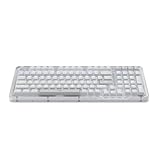

Our Top Picks
 Logitech MX Mechanical Wireless Illuminated Keyboard TactileFull Size17.9 x 5.9 x 2.1 inches2.55 poundsCheck on Amazon
 Logitech G PRO Mechanical TKL Tenkeyless Gaming KeyboardTKL - Wired14.9 x 6.5 x 1.9 inches2.16 poundsCheck on Amazon


Top 3 picks at a glance
Start Here: Which Keyboards Guide Do You Need?
| Guide | Best for | Typical Budget |
|---|---|---|
| Low Profile Gaming Keyboards | Speed, ergonomics, and low travel distance | Mid |
| Custom Keycap Sets | Aesthetic personalization and profile variety | Budget to Mid |
| Gasket Mount Keyboards | Soft, cushioned acoustics and premium typing feel | Premium |
| Magnetic Switch Keyboards | Competitive esports, adjustable actuation, and rapid trigger | Premium |
| Royal Kludge Keyboards | Budget-conscious modders and versatile wireless setups | Budget |
| Lofree Keyboards | Retro aesthetics, office productivity, and compact designs | Mid |
Competitive Performance and Speed
If your primary goal is shaving milliseconds off your reaction time or adapting your hardware for intense esports titles, your focus needs to be squarely on actuation technology and profile heights. Traditional mechanical switches rely on physical metal leaves making contact, which introduces minor debounce delays and fixed actuation points. To bypass these limitations, competitive players frequently consult our roundup of Magnetic Switch Keyboards. These cutting-edge peripherals utilize Hall effect sensors to measure physical travel magnetically, allowing you to customize actuation depths down to fractions of a millimeter and utilize rapid trigger functionality for instant reset on key-up. On the other hand, if you prefer a streamlined posture that reduces wrist strain during marathon gaming sessions without sacrificing lightning-fast inputs, you should explore our guide to Low Profile Gaming Keyboards. These boards combine truncated switch designs with ultra-thin chassis profiles, bridging the gap between laptop-style speed and traditional desktop mechanical performance.
Acoustics, Feel, and Customization
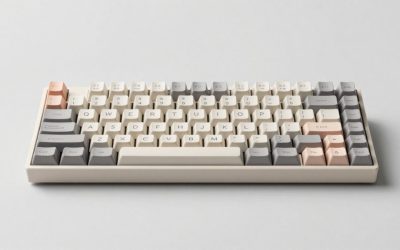
For typists, writers, and immersion-focused gamers, the tactile and auditory feedback of a keyboard defines the entire user experience. The pursuit of the optimal sound signature and a comfortable bottom-out sensation has revolutionized keyboard engineering over recent years. If you want to eliminate harsh bottom-out vibrations and achieve a deeply cushioned, premium typing feel, you will find our deep dive into Gasket Mount Keyboards indispensable. These units suspend the internal plate inside the case using rubber or silicone gaskets, isolating vibrations and delivering a sublime acoustic profile that prevents finger fatigue. However, hardware acoustics are only half the battle when it comes to personalization; the points of contact matter just as much. To truly make a board your own, you can look through our curated breakdown of Custom Keycap Sets. Upgrading your keycaps allows you to experiment with durable PBT plastics, ergonomic profiles like Cherry or MT3, and striking colorways that completely transform your desk aesthetic.
Value, Lifestyle, and Productivity Brands
Entering the mechanical keyboard hobby does not require breaking the bank, nor does a functional typing tool have to look like a generic industrial terminal. Many manufacturers have carved out specific niches by focusing heavily on budget accessibility or gorgeous lifestyle aesthetics. If you want maximum features—such as hot-swappable printed circuit boards, robust wireless connectivity, and customizable software—at an aggressive price point, our analysis of Royal Kludge Keyboards highlights the best entry-to-mid-tier options available. They offer incredible modularity for users who love to mod their gear without a massive financial commitment. Conversely, if your desk setup demands minimalist sophistication, retro flair, and seamless multi-device pairing for modern office workflows, check out our guide on Lofree Keyboards. These lifestyle boards prioritize unique visual designs and satisfying tactile feedback, proving that productivity tools can double as stunning functional art pieces on your workspace.
How to Choose Keyboards: 5 Rules
- Match your switch type to your primary activity: magnetic or high-speed linear switches for competitive gaming, and tactile or heavy clicky switches for prolonged typing tasks.
- Consider your physical workspace dimensions and portability needs carefully before selecting a full-size, tenkeyless, or compact 60%/65% layout configuration.
- Evaluate mounting styles thoroughly; gasket-mounted designs absorb impact fatigue much better than rigid tray-mount alternatives during long hours of typing.
- Prioritize hot-swappable printed circuit boards so you can easily replace broken switches or experiment with new tactile feels down the road without soldering.
- Verify connectivity options—wired setups offer zero latency and uninterrupted power, while 2.4GHz wireless and Bluetooth provide clean, cable-free desk environments.
FAQ
What is the difference between mechanical and optical switches?
Mechanical switches use physical metal contacts to register a keystroke, which can eventually wear out over years of heavy use. Optical switches use an infrared light beam inside the switch stem to register inputs instantly when broken, offering superior durability and a slight speed advantage.
Are gasket mount keyboards better for gaming?
Gasket mounts are primarily designed to improve acoustics and provide a softer, more comfortable typing feel by reducing finger fatigue. While they can certainly be used for gaming, competitive players often prefer rigid plate-mounted or magnetic switch boards for maximum responsiveness.
Why should I upgrade my keycaps?
Upgrading your keycaps lets you switch from cheap ABS plastic that develops a shiny, greasy look over time to thick PBT plastic with superior texture and longevity. It also lets you customize the profile and visual aesthetic of your keyboard without buying entirely new hardware.
Can I use wireless mechanical keyboards for competitive gaming?
Yes, modern wireless keyboards utilizing a 2.4GHz USB dongle offer latency rates practically indistinguishable from wired connections. However, standard Bluetooth connections introduce noticeable input lag and are best reserved for casual typing and office work.