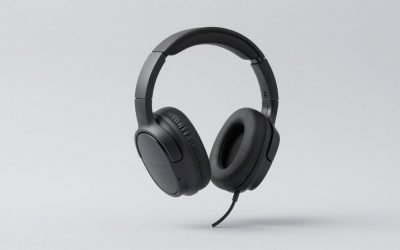
When you are trying to locate footsteps in a competitive shooter or track an approaching vehicle in an open-world game, stereo headphones leave a lot on the table. They give you left, right, and vague center, but they cannot reliably tell you whether a sound is coming from directly behind you or slightly off-axis. That is the concrete problem the best surround sound headphones solve, and it is a problem worth solving if you play more than a handful of hours each week.
Here is what separates the genuinely good options from the mediocre ones. Driver quality and tuning matter far more than the number of virtual channels a headset advertises. A well-calibrated 50mm driver with honest software processing will outperform a gimmicky multi-driver setup that smears transients across fake spatial zones. Comfort during three-hour sessions is equally decisive. And price does not scale linearly with performance in this category, which means you can find excellent results at budget prices if you know what to look for.
As an Amazon Associate we earn from qualifying purchases at no extra cost to you.







Our Top Picks
 Razer BlackShark V2 X Gaming Headset: 7.1 Surround3.5 mm7.6 x 6.76 x 3.86 inches0.5 poundsCheck on Amazon
 Audio-Technica ATH-M20x Professional Studio Monitor HeadphonesATH-M20X11.4 x 10 x 4.1 inches0.5 PoundsCheck on Amazon
 Logitech G432 Wired Gaming Headset7.2 x 3.2 x 6.8 inches7.8 x 4.3 x 9 inches0.7 poundsCheck on Amazon


Top 3 picks at a glance
Quick Picks
| Product | Best for | Price |
|---|---|---|
| Razer BlackShark V2 X | Multi-platform gaming on a tight budget | Check on Amazon |
| Audio-Technica ATH-M20x | Spatial audio via software with a neutral foundation | Budget to mid-range |
| Wireless Gaming Headset 100-Hr | Wireless freedom without charging anxiety | Check on Amazon |
| Corsair HS65 Surround | Wired gaming across consoles and PC | Check on Amazon |
| Logitech G432 | Simple plug-and-play surround with a solid mic | Check on Amazon |
| JBL Tour One M3 Smart Tx | Hybrid listening with strong noise cancellation | Premium |
| JBL Live 770NC | Long-battery wireless comfort outside gaming | Check on Amazon |
| OneOdio Wired DJ Hi-Res | The absolute lowest entry point into over-ear audio | Check on Amazon |
How We Compared
We evaluated each pair on four criteria that actually shift gameplay or listening experience. First, spatial accuracy: can the headphone deliver convincing positional cues that help you pinpoint sounds without introducing latency or artificial reverb. Second, driver tuning: whether the frequency response supports clarity in the critical mid and upper-mid ranges where footsteps and environmental cues live. Third, comfort: pad depth, clamping force, and weight distribution over extended sessions. Fourth, value: performance relative to the asking price, judged against direct competitors in the same tier.
The 8 Best Surround Sound Headphones in 2026
Razer BlackShark V2 X
If you play across PC, PS4, PS5, or Switch and want the most convincing 7.1 surround at a budget price, nothing else on this list comes close. The 50mm drivers deliver a wide, open soundstage that makes directional cues feel natural rather than processed. Memory foam ear cushions keep the clamping force comfortable during long sessions, which is unusual at this price point.
- Pro: Excellent spatial separation for the cost, especially in PC titles that support Razer Synapse processing.
- Pro: Memory foam cushions and a lightweight headband make it genuinely comfortable for marathon sessions.
- Con: The 3.5mm connection means you need a controller adapter or separate DAC for some wireless setups.
Skip it if you want wireless convenience or plan to use it primarily for music rather than positional gaming audio.
Audio-Technica ATH-M20x
This is a studio monitor, not a gaming headset, but it earns its spot here because a flat, neutral response is the ideal foundation for software-based spatial audio. Windows Sonic, Dolby Atmos for Headphones, and DTS Headphone:X all produce more convincing results when the underlying hardware does not color the signal. For the PC gamer who trusts software processing over hardware gimmicks, this is a smart choice.
- Pro: Neutral tuning lets spatial audio algorithms do their work without fighting a bass-heavy or V-shaped response.
- Pro: Build quality and detail retrieval compare well with many pricier gaming headsets.
- Con: No microphone, no on-ear controls, and no native surround processing out of the box.
Skip it if you need a mic for team comms or want surround sound without installing and configuring software.
Wireless Gaming Headset 100-Hr
A hundred hours of battery life on a wireless headset is not a spec you see often, and it addresses the single biggest annoyance with wireless gaming audio. It supports 7.1 surround and works across PC, PS5, PS4, Mac, and Switch, making it one of the most versatile budget wireless options in this roundup.
- Pro: Battery life is effectively a non-issue; you can go a full week without charging.
- Pro: Wide platform compatibility for a wireless headset at this price.
- Con: The generic branding makes it hard to verify long-term durability or customer support quality.
Skip it if build quality and brand reputation matter more to you than battery specs and price.
Corsair HS65 Surround
Corsair has a reputation for reliable gaming audio, and the HS65 continues that trend with solid surround processing and comfortable memory foam ear cushions. It sits in the upper tier of budget gaming headsets, and the 3.5mm connection gives it broad compatibility with PC, PS5, Xbox, and Switch without adapters.
- Pro: Comfortable memory foam cushions and a well-balanced headband reduce hot spots during extended play.
- Pro: Corsair’s software ecosystem lets you fine-tune EQ and surround modes per game.
- Con: You are paying near the threshold where dedicated high-end stereo headphones plus software spatial audio become competitive.
Skip it if you are willing to use a studio headphone with Windows Sonic for a purer spatial experience.
Logitech G432
The G432 is Logitech’s value-oriented gaming headset, and it delivers a no-nonsense surround experience with a flip-to-mute microphone that just works. At a budget price it undercuts most competitors while offering the reliability and driver support that come with the Logitech brand. The DTS Headphone:X implementation is basic but effective on PC, and the headset works as a standard stereo headset on consoles.
- Pro: Flip-to-mute mic is a quality-of-life feature that eliminates forgotten muting disasters.
- Pro: Logitech’s software and firmware support means the headset stays functional through OS updates.
- Con: The surround effect feels narrower than what Razer or Corsair offer at similar prices.
Skip it if spatial width is your top priority and you can stretch the budget toward the BlackShark V2 X.
JBL Tour One M3 Smart Tx
This is a consumer noise-cancelling headphone, and its inclusion here reflects a growing truth: premium ANC and comfort engineering make headphones usable across contexts, including immersive gaming at your desk. The Smart Tx transmitter allows low-latency wireless audio that can compete with dedicated gaming headsets when paired with spatial audio software.
- Pro: Superior noise cancellation means you can game in shared or noisy spaces without bleeding sound.
- Pro: Comfort and build quality are noticeably above any gaming headset on this list.
- Con: No native gaming surround processing, and it sits in the premium price tier.
Skip it if you want a plug-and-play surround solution without configuring third-party spatial audio.
JBL Live 770NC
Sixty-five hours of battery, true adaptive noise cancellation, smart ambient mode, and a comfort-fit fabric headband make this the most refined wireless listening experience here. It is not a gaming headset in the traditional sense, but its Hi-Res capability and adjustable app EQ make it a surprisingly good platform for software-based spatial audio if you mostly game on PC.
- Pro: Excellent comfort and battery life for sessions that stretch past six hours.
- Pro: Adaptive ANC and Smart Ambient make it genuinely useful outside of gaming.
- Con: No surround sound processing at any price without software, and the cost sits well above the entry options.
Skip it if your primary need is gaming-specific surround and you cannot justify the price premium.
OneOdio Wired DJ Hi-Res
This is the cheapest option on the list, and its Hi-Res certification means it can resolve more detail than price suggests. Originally designed for DJ monitoring and instrument practice, its closed-back design and flat-ish tuning make it a serviceable entry point for PC gamers who want to pair hardware with software spatial audio.
- Pro: Lowest price of any over-ear option here while still meeting Hi-Res audio standards.
- Pro: Closed-back design provides decent isolation without ANC.
- Con: No surround processing and no gaming boom mic.
Skip it if you need a working microphone for team communication.
More Surround Sound Headsets Worth Considering
The eight picks above lean heavily toward budget headsets and general-purpose headphones. That leaves gaps for players who want a premium wireless headset with built-in spatial processing, a proven mid-range wired option, or an open-back headphone for the widest possible soundstage. The six additions below fill those gaps, from long-running favorites to flagship multi-system headsets.
HyperX Cloud III

The Cloud III is the current version of one of the most recommended gaming headset lines, and it is the best fit here for players who want a comfortable wired headset with built-in spatial audio support at a mid-range price.
It uses 53 mm drivers angled toward the ear canal, a design meant to improve clarity and positioning. The headset connects through 3.5 mm for consoles and controllers, or through the included USB-C and USB-A adapters on PC, which unlock DTS Headphone:X spatial audio. That gives you virtual surround on PC without relying on Windows Sonic, while still working as a normal stereo headset on PS5, Xbox and Switch.
Comfort is where the Cloud line has always stood out. The Cloud III keeps the memory foam ear cushions, soft leatherette and durable aluminum frame. The detachable 10 mm microphone has a mesh filter to reduce plosives and an LED mute indicator.
Strengths: wide platform support, a comfortable and durable frame, DTS spatial audio on PC through the USB adapter, and a clear detachable microphone. Drawbacks: the surround effect only works on PC with the adapter, leatherette pads can get warm during long sessions, and there is no wireless option in this version (HyperX sells the Cloud III Wireless and Cloud III S separately). Compared with the Razer BlackShark V2 X, it costs more but has a sturdier frame, a better microphone and a more refined sound.
HyperX Cloud II

The Cloud II has been on sale for years and still shows up in surround sound roundups because it gets the basics right. It suits buyers who want a reliable, comfortable 7.1 headset at a budget-to-mid price and do not need the newest features.
It uses 53 mm drivers and includes a USB audio control box that adds hardware-driven virtual 7.1 surround with a single button, so surround works on PC and other USB-compatible devices without extra software. Unplug the control box and it runs as a normal 3.5 mm stereo headset on controllers and mobile devices.
The aluminum frame, memory foam pads and swappable leatherette and velour cushions (included in many bundles) make it comfortable for long sessions, and the detachable noise-cancelling microphone is good for team chat. The control box also holds volume and mic mute controls.
Strengths: surround that works without installing software, proven durability, comfortable pads and a low price for the build quality. Drawbacks: the virtual 7.1 is basic compared with modern DTS or THX processing, the design is older, and the control box adds bulk to the cable. Compared with the Logitech G432 in our main list, it has a sturdier metal frame and a more comfortable fit, while the G432 has a flip-to-mute boom microphone.
SteelSeries Arctis Nova Pro Wireless

The Arctis Nova Pro Wireless is a flagship multi-system headset for players who want the best convenience and spatial processing in one package and are willing to pay for it. It is the most fully featured headset in this guide.
It pairs 40 mm high-fidelity drivers with a GameDAC base station that has an OLED screen, two USB inputs for connecting a PC and a console at once, and a parametric EQ. SteelSeries’ Sonar software adds 360-degree spatial audio on PC, and the headset supports Tempest 3D Audio on PlayStation. The 2.4 GHz connection and Bluetooth can run at the same time, so you can take a phone call while gaming.
The standout feature is the hot-swappable battery system. Two batteries come in the box, and the spare charges in the base station, so you never wait for the headset to recharge. Active noise cancellation and a transparency mode help in loud rooms, and the retractable microphone tucks into the ear cup when you do not need it.
Strengths: dual-source base station, hot-swap batteries, strong spatial audio software, ANC and simultaneous Bluetooth. Drawbacks: the premium price tier, a clamp that some find firm at first, and a feature set that is more than most players need. Compared with the JBL Tour One M3 Smart Tx, it is built specifically for gaming, with spatial audio processing and console support that the JBL lacks.
Logitech G PRO X 2 Lightspeed

The G PRO X 2 Lightspeed is Logitech’s esports headset, designed with input from professional players. It suits competitive PC and console players who want a wireless headset with three connection options and strong surround support.
It uses 50 mm graphene drivers, a material chosen for stiffness and low distortion, which helps keep footsteps and other small details clear. Connectivity covers Lightspeed 2.4 GHz wireless, Bluetooth and a 3.5 mm wired connection, and Logitech rates the battery at up to 50 hours. On PC, G HUB adds DTS Headphone:X 2.0 surround and Blue VO!CE microphone processing.
The detachable 6 mm cardioid microphone is clear for team chat, and the headset ships with both leatherette and velour ear pads, so you can choose between better isolation and cooler long sessions. The frame uses aluminum and steel for durability.
Strengths: tri-mode connectivity, long battery life, a durable metal frame, two pad options and a solid surround implementation on PC. Drawbacks: the premium price tier, no active noise cancellation, and surround features that depend on G HUB. Against the Logitech G432 in our main list, it is a large step up in build, sound and wireless convenience at several times the price.
Razer BlackShark V2 Pro (2023)

The BlackShark V2 Pro is the wireless big brother of the BlackShark V2 X, our top pick. It suits players who like the BlackShark design and sound but want wireless freedom, longer battery life and a much better microphone.
It uses Razer TriForce Titanium 50 mm drivers, with tuning that emphasizes clarity in the frequencies where footsteps and reloads sit. Razer HyperSpeed 2.4 GHz wireless handles low-latency gaming, and Bluetooth 5.2 lets you connect a phone. Razer rates the battery at up to 70 hours. On PC, THX Spatial Audio adds virtual surround, and Razer offers game-specific EQ presets for several popular shooters.
The detachable HyperClear Super Wideband microphone is a highlight, capturing a wider range of your voice for more natural-sounding comms. The lightweight frame and memory foam cushions with breathable fabric make it comfortable for long sessions.
Strengths: long battery life, a light and comfortable design, excellent microphone, THX Spatial Audio, and esports-focused tuning. Drawbacks: the mid-to-premium price tier, no active noise cancellation, and the PlayStation and Xbox versions are sold separately. Compared with the BlackShark V2 X, you pay several times more for wireless, a better mic and a richer sound, while the core design and comfort stay familiar.
beyerdynamic DT 990 Pro

The DT 990 Pro is an open-back studio headphone that many PC players use for gaming. It suits players who want the widest possible natural soundstage and who are happy to use software spatial audio, much like the Audio-Technica ATH-M20x in our main list, but with an open design that sounds more spacious.
Open-back ear cups let sound escape, which creates a wider and more natural sense of space than closed headphones. Combined with software like Dolby Atmos for Headphones, Windows Sonic or DTS Headphone:X, that makes positional cues easier to place. The DT 990 Pro uses soft velour ear pads and a sturdy spring steel headband, and it is made in Germany with replaceable parts.
The common version is rated at 250 ohms, which means it needs more power than a controller or many laptops can provide. A desktop DAC and headphone amplifier, or a strong audio interface, is recommended to get full volume and control. There is no microphone, so you will need a separate desk mic or a clip-on microphone for voice chat.
Strengths: a wide, open soundstage, detailed treble, comfortable velour pads and durable build. Drawbacks: open-back design leaks sound and lets room noise in, the high impedance needs an amp, the treble can sound bright for some listeners, and there is no mic. Compared with the ATH-M20x, it sounds more spacious but needs more equipment and is less suited to noisy rooms.
Buying Guide
Hardware Surround vs. Software Spatial Audio
Dedicated surround gaming headsets process audio internally, which can introduce latency and often produces a narrower effect than software solutions like Dolby Atmos or Windows Sonic. If you own a flat-response headphone and a PC with a capable DAC, software spatial audio frequently outperforms hardware surround. But on consoles, where brand surround software does not run, the console’s own processing (Tempest 3D Audio on PS5, Windows Sonic on Xbox) does the work, so a comfortable, well-tuned headset like the Razer BlackShark V2 X or Corsair HS65 is the practical choice.
Driver Size and Tuning
Fifty-millimeter drivers dominate this category because they move more air, creating a wider soundstage and better transient response than smaller drivers. However, tuning matters more than size. A 40mm driver with a neutral response will produce better spatial imaging than a 50mm driver with a bass-boosted curve that masks footstep frequencies. Look for reviews or measurements that confirm mid-range clarity, especially between 1kHz and 4kHz.
Comfort and Connection Type
Clamping force, ear pad material, and overall weight determine whether you can wear a headset for three hours without discomfort. Memory foam and fabric pads generally run cooler than synthetic leather. For connection, wired 3.5mm offers universal compatibility and zero latency but tethers you. Wireless eliminates the cable but adds weight, charging cycles, and potential interference. Match the connection to your play style, not the other way around.
How the Additional Picks Compare
| Headset | Type | Connection | Surround or spatial support | Mic | Price tier |
|---|---|---|---|---|---|
| HyperX Cloud III | Closed-back gaming | 3.5 mm, USB-C/USB-A adapter | DTS Headphone:X on PC | Detachable | Budget to mid-range |
| HyperX Cloud II | Closed-back gaming | 3.5 mm, USB control box | Hardware virtual 7.1 via USB | Detachable | Budget |
| SteelSeries Arctis Nova Pro Wireless | Closed-back gaming, ANC | 2.4 GHz plus Bluetooth | Sonar 360 spatial, Tempest 3D | Retractable | Premium |
| Logitech G PRO X 2 Lightspeed | Closed-back gaming | 2.4 GHz, Bluetooth, 3.5 mm | DTS Headphone:X 2.0 on PC | Detachable | Premium |
| Razer BlackShark V2 Pro (2023) | Closed-back gaming | 2.4 GHz, Bluetooth | THX Spatial Audio on PC | Detachable | Mid-range |
| beyerdynamic DT 990 Pro | Open-back studio | Wired 3.5 mm (6.35 mm adapter) | Software spatial audio only | None | Mid-range |
The Main Spatial Audio Formats Explained
Almost every surround headset relies on virtual processing that turns game audio into cues your brain reads as direction. The main formats differ in where they run and what they cost:
- Windows Sonic for Headphones: free and built into Windows. It works with any stereo headphone and is a good first step before paying for anything else.
- Dolby Atmos for Headphones: a paid app on Windows and Xbox, sometimes included with headsets. It is supported natively by many games, which improves accuracy when titles output Atmos directly.
- DTS Headphone:X: used by HyperX and Logitech headsets through their software or USB adapters, and also available as a paid app on Windows and Xbox.
- THX Spatial Audio: Razer’s processing through its software, with game-specific profiles on PC.
- Tempest 3D AudioTech: built into the PS5 and works with any headphones connected to the console or controller.
- Vendor software like SteelSeries Sonar: combines spatial audio with EQ and chat mixing in one app.
Because these formats run in software, you can often try several with the same headphone and keep the one that sounds most natural to you. Games with their own HRTF or 3D audio options, such as some competitive shooters, may sound best with system-wide spatial processing turned off to avoid double processing.
Open-Back vs Closed-Back for Positional Audio
Open-back headphones like the beyerdynamic DT 990 Pro let air and sound pass through the ear cups. This creates a wider, more natural soundstage that many players find easier to read, but sound leaks out and room noise leaks in. Closed-back headsets like the HyperX Cloud III and Razer BlackShark V2 X isolate better and usually have more bass, which suits shared rooms, consoles and anyone who wants immersion over spaciousness. If you play in a quiet room on PC, open-back is worth considering; if you share space or play late at night, stay closed-back.
Setup Tips for Better Positional Audio
- Use one processing layer only. If a game has its own 3D audio or HRTF setting, turn off Windows Sonic, Dolby Atmos or headset surround for that game, or turn off the in-game option.
- Set the game to headphone output. Many games offer speaker, home theater and headphone modes. Headphone mode usually gives the most accurate cues.
- Keep the EQ gentle. Reducing heavy bass and adding a small lift in the upper mids makes footsteps easier to hear without making the sound harsh.
- Check wireless settings. Use the 2.4 GHz dongle rather than Bluetooth for games, and keep the dongle close to the headset, using a USB extension if needed.
- Power open-back headphones properly. High-impedance models need an amp or audio interface to sound full at normal volume.
- Give your ears time. Virtual surround takes a few sessions to get used to. Try a format for a week before deciding it does not work for you.
Platform Compatibility Checklist
Surround features often depend on the device you plug into, so the same headset can behave very differently on PC and console. Check these points before buying:
- PC: every headset in this guide works. Brand software such as G HUB, Synapse, NGENUITY or SteelSeries GG unlocks surround, EQ and mic processing, usually only on Windows.
- PS5: 3.5 mm and USB headsets work, and Tempest 3D audio is applied by the console. Brand surround software does not run on the PS5, so a stereo headset with good drivers performs about as well as a 7.1 model here.
- Xbox: Xbox only supports wireless headsets with Xbox-specific connections. Many 2.4 GHz headsets are sold in separate Xbox versions, so pick the right one. Wired 3.5 mm headsets plug into the controller.
- Switch and mobile: 3.5 mm and Bluetooth work, but surround processing is generally unavailable. Treat any headset as stereo on these devices.
- Mac: most USB and 3.5 mm headsets work as stereo devices, but brand surround apps are often Windows-only.
Common Surround Sound Myths
- “More channels means better positioning.” The label 7.1 describes the virtual speaker layout being simulated, not accuracy. A good stereo headphone with strong processing can outperform a cheap 7.1 headset.
- “Bigger drivers always sound better.” Driver size helps with bass and volume, but tuning, ear cup design and pad seal shape positional detail more than diameter.
- “Surround is always on and always helpful.” Some games already output their own 3D audio. Adding a second layer of processing can blur cues, so test with surround both on and off in each game.
- “Wireless is too slow for competitive play.” Dedicated 2.4 GHz connections are low latency and used by many competitive players. Bluetooth is the connection to avoid for gaming.
- “Noise cancelling improves positional audio.” ANC reduces outside noise, which can help you hear quiet cues in a loud room, but it does not make positioning more accurate on its own.
Comfort and Microphone Priorities
Positional audio is only useful if you can wear the headset for a full session and talk clearly to your team. Look for a headset weight of roughly 350 g or less for long sessions, a headband with even pressure rather than a single hot spot, and pads deep enough that your ears do not touch the drivers. Velour or fabric pads stay cooler, while leatherette seals better for bass and isolation. For microphones, detachable or retractable booms are more practical than fixed ones, and a physical mute switch or flip-to-mute boom saves you from fumbling in software. If you choose a studio headphone with no mic, budget for a separate USB desk microphone or a clip-on mic.
What to Expect at Each Price Tier
Budget: the Razer BlackShark V2 X, Logitech G432, HyperX Cloud II, HyperX Cloud III and OneOdio Wired DJ Hi-Res show how far wired audio has come at low prices. Expect good drivers, software or USB-based virtual surround on PC, and comfortable pads, but simpler microphones and fewer premium materials.
Mid-range: the Corsair HS65 Surround, Razer BlackShark V2 Pro, beyerdynamic DT 990 Pro and Audio-Technica ATH-M20x pair better drivers or wireless connectivity with more advanced spatial processing or a more neutral sound for software surround. This tier is the sweet spot for most PC players.
Premium: the Logitech G PRO X 2 Lightspeed, SteelSeries Arctis Nova Pro Wireless, JBL Tour One M3 Smart Tx and JBL Live 770NC add long battery life, multiple connections, ANC and refined software. The improvement in positional accuracy over mid-range options is modest; the main gains are convenience, comfort and versatility.
For most players, the best value is a comfortable mid-range headset or a neutral studio headphone combined with free or low-cost software spatial audio. Spend more for features like hot-swap batteries, ANC or simultaneous Bluetooth, not for positional accuracy alone.
Our Verdict
The Razer BlackShark V2 X is the top pick for most buyers. It delivers convincing 7.1 surround, excellent comfort, and broad platform compatibility at a budget price, which is the best performance-per-dollar ratio in this group. For the lowest-cost option, the OneOdio Wired DJ Hi-Res gives you a solid over-ear foundation for software spatial audio without a gaming markup. And if you already own a capable PC setup with Dolby Atmos, the Audio-Technica ATH-M20x is the best for software spatial audio, thanks to its neutral tuning and detail retrieval.
FAQ
What is the difference between virtual and true surround sound headphones?
Virtual surround uses one driver per ear and software processing to simulate sounds coming from different directions. True surround headphones place several small drivers in each ear cup. In practice, virtual surround with good drivers usually sounds more convincing, which is why nearly every current gaming headset uses it.
Does surround sound work on PS5 and Xbox?
Yes. The PS5 has Tempest 3D Audio built in, and it works with any headphones plugged into the controller or connected through a compatible adapter. Xbox supports Windows Sonic for free, with Dolby Atmos for Headphones and DTS Headphone:X available as paid apps. Headset-specific surround software, such as HyperX’s or Razer’s, usually only works on PC.
Can I use any headphones for surround sound?
Yes, as long as you use software spatial audio on PC or console. Any stereo headphone can play Windows Sonic, Dolby Atmos for Headphones, DTS Headphone:X or Tempest 3D audio. Headsets with built-in surround simply include that processing in a USB adapter, base station or bundled app.
Is a gaming headset or studio headphone better for surround sound?
Both can work well. Gaming headsets add a microphone, built-in spatial processing and easy setup. Studio headphones like the ATH-M20x or DT 990 Pro often have more neutral tuning that pairs well with software spatial audio, but you will need a separate microphone and, for some models, an amp.
Is 7.1 surround actually better than stereo for gaming?
Not inherently. A well-tuned stereo headphone with software spatial audio processing often produces more accurate positional cues than a 7.1 headset with cheap internal processing. The number of virtual channels matters less than driver quality and algorithm accuracy.
Do I need a DAC or sound card with a 3.5mm surround headset?
Most 7.1 headsets with 3.5mm connections rely on software processing, so a basic motherboard audio output works fine. A dedicated DAC or sound card helps primarily with noise floor reduction and volume headroom, not with surround quality.
Can wireless headsets match wired ones for competitive gaming?
In 2026, modern low-latency 2.4GHz wireless protocols have closed the gap almost entirely. Bluetooth is still not ideal for competitive play, but any headset with a dedicated wireless adapter or low-latency transmitter is viable for ranked matches.
Are noise-cancelling headphones suitable for gaming?
Yes, with caveats. ANC improves immersion in noisy environments, but these headphones connect over Bluetooth or a transmitter that typically adds more latency than a dedicated 2.4GHz gaming connection. The JBL Tour One M3 Smart Tx and Live 770NC are best suited to casual or single-player gaming rather than competitive shooters where timing is critical.
Part of our headphones buying guide hub.