A computer desk under 100 dollars is a different purchase from a mid-priced desk with a thicker top. At this level you are choosing which compromise you can live with: a narrow width but a sturdy frame, a roomy top but a lighter board, or built-in extras such as drawers and lights in place of raw stiffness. The useful question is not “which desk is cheapest” but “which desk will still feel solid in a year with my monitor, tower, and elbows on it.”
This guide is for students, first-apartment renters, gamers setting up a bedroom corner, and anyone adding a second workstation without remodeling. Every pick below is a desk, and the notes stay with what each listing states: width, frame material, storage, lighting, and shape. Sizes are the main variable, so measure your wall and your chair clearance first. Treat the cap as a shopping filter, and remember that a desk this affordable usually trades thickness of the top for features, so decide up front what you refuse to compromise on.
Our Top Picks
 DUMOS 32 Inch Small Computer Desk for Home32 Inch31.5 x 19.69 x 29.69 inches17.4 PoundsCheck on Amazon


Top 3 picks at a glance
Quick Picks
As an Amazon Associate we earn from qualifying purchases at no extra cost to you.


| Product | Best for | Key spec from the title |
|---|---|---|
| DUMOS 32-Inch Desk | Very small bedrooms and dorms | 32 inches wide, modern writing-table design |
| Huuger 55-Inch Desk | Dual-monitor work from home | 55 inches, large legroom, metal frame |
| 50-Inch Reversible L-Shaped Desk | Corner setups with extra surface | 50 inches, reversible, CPU stand, side hook |
| Lufeiya 40-Inch Gaming Desk | Gaming setups that need power nearby | LED lights, power outlets, monitor stand |
| DurayLoly Gaming Desk | Storage plus a monitor riser | 2 drawers, LED lights, monitor stand |
| Pamray 39-Inch Desk | Small spaces needing a drawer | 39 inches, monitor stand, drawer |
| Lufeiya White 40-Inch Desk | Bright, minimalist study corners | 40 inches, drawers, white finish |
How to Choose
Width and depth against your equipment
A single laptop and a notebook fit on 32 inches; a 27-inch monitor plus a keyboard and mouse is happier on 40 to 47 inches; two monitors or a full-size gaming setup wants 55 inches or more. Depth matters just as much. Around 20 to 24 inches keeps a monitor at a comfortable viewing distance, while shallower tops push you closer to the screen. Measure the room, not just the desk, and leave space to pull the chair back.
Frame and stability
Metal frames, mentioned for the Huuger and the L-shaped desk, generally resist wobble better than all-particleboard builds, especially on a taller or wider top. At this budget, expect particleboard tops with a laminate finish. Look for cross-bracing, adjustable leveling feet, and a stated weight capacity, and tighten every bolt again after the first week since fasteners settle. A wobbly desk is more annoying with a mechanical keyboard than with a laptop.
Built-in extras: LEDs, outlets, drawers, and monitor stands
LED strips and power outlets, as on the Lufeiya gaming desk, are convenient but not essential. Drawers, as on the DurayLoly, Pamray, and white Lufeiya, are worth it if clutter is your problem, though they eat into leg space. A built-in monitor stand lifts the screen closer to eye level, which helps your neck. Weigh each extra against the thing it replaces; lights can be added later with a clip-on strip, but frame stiffness cannot.
Assembly, shape, and what to ignore
Plan on an hour or two of assembly and a second pair of hands for larger models. L-shaped desks use a corner well but need a wall on two sides. Ignore “gaming” in the title as a measure of quality; it often means LED lights and a dark finish rather than a heavier build. Budget desks cut corners on edge banding, hardware quality, and instructions, so read recent buyer feedback on the product page for assembly complaints.
The 7 Best Options
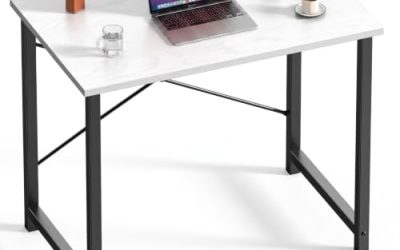
DUMOS 32-Inch Small Computer Desk
The DUMOS is a 32-inch desk in black and white, described as a modern study, writing, and craft table for a home office or bedroom. It is the most compact option here, built for people who need a dedicated spot without giving up half the room.
- Strength: 32 inches slides into corners, alcoves, and narrow bedrooms.
- Strength: a simple, modern design that doubles as a writing or craft table.
- Trade-off: the narrow top will not hold a large monitor setup comfortably.
Skip it if you plan to run two monitors or a tower and a speaker set on the surface, or if you work with large paper documents. A student who studies on a laptop and wants a small space for books will be happier than a gamer here.
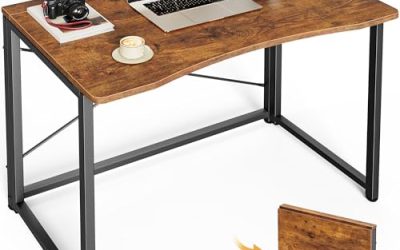
Huuger 55-Inch Home Office Desk
Huuger offers 55 inches of width with a sturdy metal frame, large legroom, and a modern rustic brown look. It is pitched at work-from-home buyers who want space for a monitor, laptop, and notebooks side by side.
- Strength: 55 inches comfortably fits two displays or a monitor plus a laptop.
- Strength: the metal frame and large legroom favor stability and comfort for long sessions.
- Trade-off: it needs a wall at least that wide, which rules out small bedrooms.
Skip it if your floor space is tight or you want built-in drawers and lights, since the listing emphasizes a clean, open design instead. It is the pick for people who value legroom over gadgets.
50-Inch Reversible L-Shaped Desk
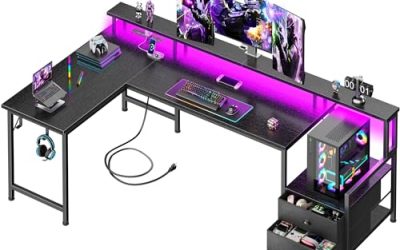
This black corner desk measures 50 inches, can be set up in either direction, and includes a CPU stand, a storage bag, and a side hook. It targets buyers who want more usable surface than a straight desk of the same footprint.
- Strength: the reversible layout adapts to either side of a corner.
- Strength: the CPU stand, side hook, and storage bag add organization without drawers.
- Trade-off: L-shaped desks require a corner and are harder to move into a different room later.
Skip it if you want a freestanding desk you can place against any wall, or if you prefer drawers over hooks and bags. Renters who move often may find the corner shape awkward in the next apartment.
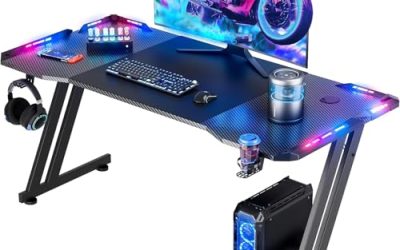
Lufeiya 40-Inch Black Gaming Desk
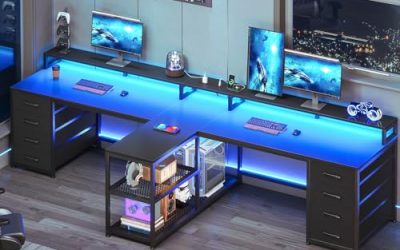
The black Lufeiya is a 40-inch desk with LED lights, power outlets, and a monitor stand, pitched as a gaming and study desk for teens and home offices. It brings charging and lighting to the surface so cables do not trail across the floor.
- Strength: built-in power outlets keep chargers and peripherals within reach.
- Strength: the monitor stand raises the screen toward eye level.
- Trade-off: LED and outlet features add electronics that a plain desk does not have to worry about.
Skip it if you are wary of integrated electrical features, or if you want a calm, minimalist workspace without lighting effects.
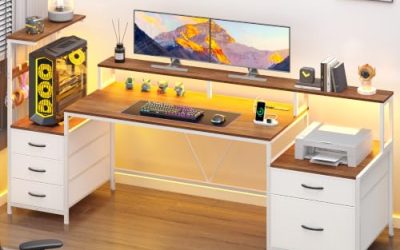
DurayLoly Gaming Desk with Drawers
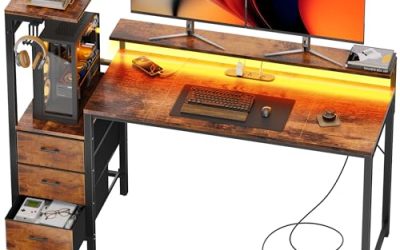
DurayLoly combines two drawers, LED lights, and a space-saving layout in a rustic brown finish, plus an ergonomic monitor stand and a side pocket. It aims to give gamers storage and lighting in one footprint.
- Strength: two drawers hold peripherals, cables, and papers out of sight.
- Strength: the monitor stand and side pocket add everyday convenience.
- Trade-off: drawers reduce knee room and add assembly steps and weight.
Skip it if you sit with your legs crossed or want maximum legroom, or if you dislike LED effects. Anyone who keeps stacks of paperwork will appreciate the drawers, though.
Pamray 39-Inch Small Desk with Drawer
Pamray’s 39-inch desk includes a monitor stand and a drawer, aimed at gamers and students in bedrooms, dorms, and small apartments. It sits in the middle of the width range here, bigger than the DUMOS but still compact.
- Strength: a drawer and monitor stand fit into a small footprint.
- Strength: 39 inches suits a single-monitor setup in a bedroom.
- Trade-off: the stand and drawer cut into usable top space for peripherals.
Skip it if you need room for dual monitors, a large mousepad, or a full-size speaker setup. It is a tidy answer to a single-screen study spot.
Lufeiya White 40-Inch Desk with Drawers
This white Lufeiya is a 40-inch small-space desk with drawers, described as modern and simple for studies and writing. It leans toward a clean, bright aesthetic and suits shared rooms or minimalist spaces.
- Strength: drawers give hidden storage in a narrow footprint.
- Strength: the white finish brightens a small room and pairs with light furniture.
- Trade-off: light finishes show scuffs, dust, and cable marks more readily.
Skip it if you want a gaming-style setup with lighting and outlets, or if you prefer dark finishes that hide wear. It works best in a shared room where a calm, bright look matters more than flair.
Which One Fits Your Situation
You are furnishing a dorm room or a narrow bedroom
The DUMOS 32-Inch or the Pamray 39-Inch is the practical choice. The Pamray adds a drawer and monitor stand; the DUMOS leaves more floor space.
You work from home with two screens
The Huuger 55-Inch gives the width and legroom that a split screen needs, and its metal frame suits long days at the keyboard. Put a monitor arm or riser on it, and the open legroom keeps your knees comfortable through back-to-back video calls.
You have a corner to fill and a lot of gear
The 50-Inch Reversible L-Shaped Desk uses the corner and keeps equipment off the floor with its CPU stand and hook. Decide which direction you want before assembly, since the reversible feature is only useful before the bolts go in.
You want gaming looks and charging on the desk
The Lufeiya Black Gaming Desk brings LEDs and outlets, while the DurayLoly adds drawers on top. Pick the Lufeiya for power access and the DurayLoly for storage. Both lean toward a gamer’s bedroom rather than a quiet office.
Common Mistakes
- Measuring the desk but not the doorway, hallway, and chair clearance needed to use it.
- Paying for LED lights and outlets while ignoring frame stability and top depth.
- Buying a 32-inch desk and expecting it to host a two-monitor setup.
- Skipping the second tightening of bolts a week after assembly.
- Choosing a light-colored top for a room where cables and coffee cups will mark it, or a dark glossy one that shows every fingerprint.
Related guides
- What Is The Best Budget Most Responsive Gaming Mouse Wired
- Low Latency Gaming Headphones Usb-C 2.4 Ghz Wireless
- Low Latency Gaming Headphones Usb-C Dongle 2.4 Ghz
Frequently Asked Questions
How wide should a desk be for a single monitor?
About 40 inches is a comfortable minimum for a monitor, keyboard, and mouse. Smaller desks work with a laptop, and 55 inches opens up dual-monitor layouts.
Are gaming desks better than regular desks?
Not necessarily. The label often points to lighting and a dark finish rather than a sturdier build. Judge the frame, top depth, and weight capacity instead.
Do L-shaped desks fit small rooms?
They can, if you have an empty corner, because the second arm adds surface without extending far into the room. In an open layout they can feel oversized.
How long does assembly take?
Expect roughly one to two hours for most models, longer for desks with drawers or built-in electronics. Having a second person for lifting the top helps, and laying out all the hardware in labeled piles before you start saves backtracking when a panel turns out to be upside down. A tidy 2026 workspace starts with a stable desk.