A wood-look gaming desk solves a problem that black metal and glass models never do: it does not look like a gaming desk when the monitors are off. That matters in a living room corner, a shared bedroom, or a home office where the same surface has to serve work in the day and games at night. A desk in that role gets judged by visitors as furniture first and gaming gear second, so finish, edge detail, and overall proportions count for as much as the spec sheet. The tradeoff is that wood finishes, usually engineered boards rather than solid timber, behave differently from steel frames, so size, weight capacity, and edge quality deserve a close look. Plenty of wood-look desks also use a laminate or veneer surface over the board, which resists scratches but can chip at the corners if a heavy tower is dragged across it.
This guide is for gamers who want a warm, furniture-style desk with cable management and monitor space, and who are choosing between a straight desk and an L-shaped corner layout. The six picks below are mostly in a rustic brown tone and several include power outlets, LED lights, drawers, or shelves. Everything is judged from the listed titles, so confirm exact dimensions and load limits on the product page for 2026 orders. Where a title leaves out a detail such as weight capacity or assembly time, treat it as a question for the full listing rather than an assumption.
Our Top Picks
 Huuger 63 Inch L Shaped Desk with Power63inch with outlets63 x 20 x 30 inches49 poundsCheck on Amazon
Top 3 picks at a glance
Quick Picks
As an Amazon Associate we earn from qualifying purchases at no extra cost to you.


| Product | Best for | Key spec from the listing |
|---|---|---|
| HLDIRECT 60 Inch Gaming Desk | A single straight desk with built-in extras | Power outlets, LED lights, monitor stand, 3 fabric drawers |
| Huuger 55 Inch Computer Desk | Small rooms and legroom | 55 inch, large legroom, metal frame |
| Aheaplus L-Shaped Gaming Desk | Compact corner setups | Small L-shape, power outlets, LED lights, shelf |
| SEDETA 60 Inch Gaming Desk with Hutch | Display and storage above the desk | Hutch, display cabinet, LED lights |
| SEDETA L-Shaped Corner Gaming Desk | Books, games, and a dual-station corner | 3 wood drawers, large bookshelf |
| PRAISUN 61 Inch L-Shaped Desk | Heavy storage needs | Power outlets, 4 drawers, 2 storage shelves |
How to Choose
Measure the space and the setup
A 55 to 60 inch straight desk holds two monitors and a keyboard comfortably, but a tower, a controller shelf, and a headset stand call for more room. L-shaped desks around 60 inches per side use a corner well and let you separate the gaming surface from a work surface. Measure the wall length and leave at least a few feet of clearance to roll a chair back. If the desk will hold three monitors, check the depth listed on the page, because a shallow desk forces large screens uncomfortably close to your face. Add the width of any hutch or side shelf to your measurement as well, since those extras can push the total footprint well past the tabletop.
Look at the frame and tabletop
Wood-look desks use engineered board for the top, which can sag under heavy loads if the span is wide and unsupported. A metal frame, named on the Huuger 55 inch listing, adds stability. A thicker top, such as the 0.95 inch top named on a related Huuger L-shaped model, resists flex. Look for a stated weight capacity and for crossbars that stop wobble, and ignore decorative extras if the structure is thin. A desk that shakes every time you reach for the mouse is more annoying than any missing LED strip, and wobble tends to get worse over months of use, not better.
Check power and cable features
Built-in power outlets and USB ports save a power strip, but you still need a wall outlet nearby and an overload-protected cord. LED lights add atmosphere, but they are the first feature to fail and the easiest to skip. Cable management trays, grommet holes, and a monitor shelf do more for daily use than lighting effects. If a desk includes a controller for its lights, check whether it runs off the desk’s own plug or needs an extra adapter, since a tangle of small power bricks defeats the purpose of built-in cable management.
Plan for storage versus simplicity
Drawers and shelves keep clutter off the surface, though they add weight and assembly time. Budget desks cut corners on drawer slides and finish consistency, so a fabric drawer or an open shelf is often more reliable than a heavy wood drawer. Reversible designs let you place the shelf on either side, which matters in a corner with a fixed outlet. Think about which side your door and window are on too, because a desk that blocks natural light or traps you with your back to the entrance can make long sessions less pleasant.
The 6 Best Options
HLDIRECT 60 Inch Gaming Desk
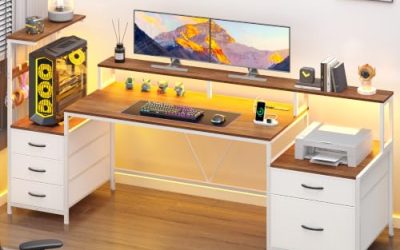
The HLDIRECT is a 60 inch straight desk in rustic brown with built-in power outlets, LED lights, a monitor stand, and 3 fabric drawers. It is reversible, so the storage can sit on either side. For a single-room setup where the desk has to hold the keyboard, mouse, and a pair of screens, this layout puts the useful extras within arm’s reach without needing a separate stand.
- Strength: power outlets and a monitor stand are built in.
- Strength: reversible layout suits left or right corners.
- Trade-off: fabric drawers hold light items only.
Skip it if you need a full-width solid drawer for heavy gear, or if the LED lights would be a distraction in a shared bedroom.
Huuger 55 Inch Computer Desk
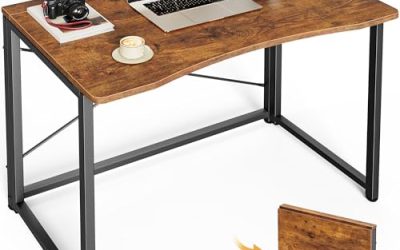
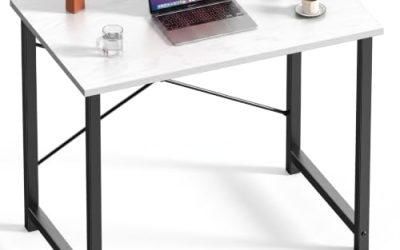
A smaller, simpler 55 inch desk with large legroom and a sturdy metal frame, finished in modern rustic brown. It suits students, small bedrooms, and anyone who wants a clean surface to work on. With nothing attached to the top, you can arrange monitors, a laptop, or a drawing tablet as you like, and the clear space underneath makes it comfortable for longer sessions.
- Strength: the metal frame adds stability.
- Strength: large legroom gives comfort for long sessions.
- Trade-off: no drawers or built-in power are listed.
Skip it if you want storage and outlets in the desk, because this one leaves all of that to you.
Aheaplus L-Shaped Gaming Desk
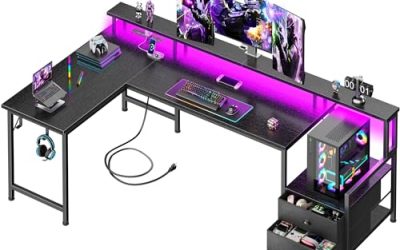
This small L-shaped corner desk in rustic brown includes power outlets, LED lights, a monitor stand, and a shelf. It is designed for tighter spaces where an L-shape still makes sense, such as a corner of a bedroom or a spare room. The L layout lets you place a computer on one wing and keep paperwork or a console on the other, which keeps the gaming surface uncluttered.
- Strength: the compact corner footprint fits smaller rooms.
- Strength: a monitor stand and shelf free surface space.
- Trade-off: small dimensions limit a three-monitor layout.
Skip it if you want a large work surface on both wings, or if you plan to run a full triple-monitor array.
SEDETA 60 Inch Gaming Desk with Hutch
SEDETA adds storage above the desk: a hutch, a display cabinet, a monitor stand, and LED lights on a 60 inch desk. It suits collectors who want figures or controllers on display, and gamers who like a fully built-in look with a place for every item. The extra height also frees up the desktop, since shelves above hold items that would otherwise crowd the monitors.
- Strength: hutch and display cabinet add vertical storage.
- Strength: LED lights highlight displayed items.
- Trade-off: the hutch makes the desk taller and heavier to move.
Skip it if you want a clear sightline over the monitors, a low ceiling slope, or an easy desk to move between rooms.
SEDETA L-Shaped Corner Gaming Desk
This SEDETA corner model lists 3 wood drawers and a large bookshelf. It works for gamers who also study or work and need real shelf space for books and games. Having reference books, game cases, and a charging area within reach of the chair makes the desk behave like a small workstation instead of a table with a computer on it.
- Strength: wood drawers and a bookshelf give serious storage.
- Strength: the L-shape lets you split gaming and work zones.
- Trade-off: the visible title does not list power outlets or lighting.
Skip it if built-in outlets are a priority, or if you want a lighter desk that two people can carry easily.
PRAISUN 61 Inch L-Shaped Desk
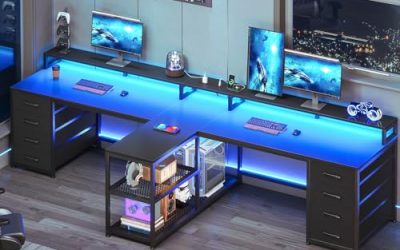
The PRAISUN is a large 61 inch L-shaped desk with power outlets, 4 drawers, and 2 storage shelves, reversible for either corner. It suits a full home office and gaming station combined, where one corner holds the gaming PC and the other wing handles paperwork, a printer, or a second laptop. The storage means fewer loose items on the surface at the end of a long day.
- Strength: four drawers and two shelves cover heavy storage needs.
- Strength: power outlets and reversible layout add flexibility.
- Trade-off: a desk this large needs significant floor space and assembly time.
Skip it if your room is small, or if you would rather avoid a long assembly with many parts.
Which One Fits Your Situation
You have a small bedroom or dorm
The Huuger 55 Inch Computer Desk keeps the footprint small and leaves legroom, which makes it an easy fit for a dorm or a bedroom corner where space is tight.
You collect figures and want a display
The SEDETA 60 Inch Gaming Desk with Hutch gives you a display cabinet right above the work surface, so shelves, figures, and controllers stay visible without cluttering the desk. The SEDETA L-Shaped Corner desk is the alternative if you prefer books and drawers over a display case.
You work and game from one corner
The PRAISUN 61 Inch L-Shaped Desk gives separate zones and heavy storage, so work papers stay on one wing and the gaming setup stays on the other. The Aheaplus L-Shaped Gaming Desk is the smaller option for tighter rooms.
You want a tidy straight desk with outlets
The HLDIRECT 60 Inch Gaming Desk bundles outlets, LEDs, and a monitor stand, so a single purchase covers the desk and the basic cable setup in one go.
Common Mistakes
- Assuming a wood-look finish means solid wood, when most listings use engineered board.
- Forgetting to measure the doorway and hallway for a large boxed desk.
- Choosing LED lights over structure and cable management.
- Ignoring the weight of a loaded tower, three monitors, and accessories on a wide span.
- Putting the reversible shelf on the wrong side relative to your wall outlet, then running cords across the floor.
Related guides
- What Is The Best Budget Most Responsive Gaming Mouse Wired
- Low Latency Gaming Headphones Usb-C 2.4 Ghz Wireless
- Mechanical Gaming Keyboards Competitive Pc Gaming
Frequently Asked Questions
Are wood gaming desks sturdy enough for a heavy PC?
Many are, provided the frame is reinforced and the weight rating covers your tower and monitors. Look for crossbars and a stated capacity on the full listing. A heavier tower, a large monitor, and a stack of accessories add up quickly, so leave a margin below the stated limit rather than loading the desk to the maximum.
Do I need a desk with built-in power outlets?
It is convenient, but not required. A quality surge-protected power strip can do the same job and is easier to replace.
L-shaped or straight: which is better?
An L-shape gives more surface and two work zones, while a straight desk fits tighter rooms. Match the choice to your wall space.
How long does assembly take?
Larger L-shaped desks with drawers take longer than simple straight desks. Plan for two people and an open afternoon. Lay out the parts and sort the hardware first, since a missing screw is easier to spot before you start than halfway through.