Spending under 50 dollars on a keyboard forces a trade that bigger budgets can dodge: you can have real mechanical switches, a compact layout, or a polished typing feel, but rarely all three at once. The first decision is the switch type, because a true mechanical board and a membrane board that borrows the word “mechanical” in its marketing behave very differently after a year of daily use. The second decision is the layout, since shrinking to 60 or 65 percent frees desk space but removes keys you may use constantly.
This guide is for students, office workers, and casual gamers building a desk setup in 2026 without wanting to overspend. The seven boards here include hot-swappable mechanical models, membrane boards styled for gaming, and a plain full-size wired keyboard for people who simply want to type. Use the table to see how they differ at a glance, then read the checklist to avoid the usual budget traps.
Our Top Picks





Top 3 picks at a glance
Quick Picks
As an Amazon Associate we earn from qualifying purchases at no extra cost to you.


| Product | Best for | Key spec from the title |
|---|---|---|
| GEODMAER 65% Gaming Keyboard | Compact membrane starter | 68 keys, anti-ghosting, wired backlit |
| Redragon K617 | First mechanical board | 61 keys, hot-swap sockets, RGB |
| Aula WIN60 HE | Competitive FPS players | Magnetic switches, rapid trigger, 8000 Hz polling |
| Redragon Mechanical Keyboard (Red Switch) | Typists who want PBT keycaps | Hot-swappable red switch, double-shot PBT keycaps |
| DGG K60 | Cheap 60% with a sturdy look | 61 keys, waterproof, mechanical feeling |
| CORBOBO 60 Percent | Quiet, portable setups | 68 keys, USB-C wired, quiet typing |
| Basics Wired Full-Size | Plain everyday typing | Full-sized, plug and play, media control |
How to Choose
Mechanical switches versus mechanical feeling
A listing that says “mechanical feeling” almost always means a membrane keyboard with a springy bounce, not individual switches under each key. True mechanical boards actuate at roughly 1.5 to 2 millimeters and can last tens of millions of presses per switch, while membrane boards wear out faster. If the title names a switch color, such as red for light linear presses, it is a genuine mechanical design.
Layout and size
A 60 percent board has about 61 keys and drops the arrow keys, function row, and number pad. A 65 percent board with 68 keys keeps the arrows, which spreadsheet users and writers tend to miss. Full-size keyboards add the number pad and media keys, so accountants and data-entry users should stay with the full layout. Measure your desk if you use a large mouse, because compact boards exist mainly to give your mouse arm more room. Shoulder width matters too: a narrower board lets your hands sit closer together, which many people find more comfortable.
Hot-swap sockets, keycaps, and polling rate
Hot-swappable sockets let you change switches without soldering, which extends a keyboard’s life and lets you experiment. Double-shot PBT keycaps resist shine and fading better than thin ABS plastic. A 1000 Hz polling rate is plenty for nearly everyone; an 8000 Hz claim helps only in fast competitive games and a high-end mouse, so do not pay extra for it unless you play at that level.
Cables, software, and where budget boards cut corners
A detachable USB-C cable is easier to replace than a fixed one. Budget keyboards often save money on stabilizers, so the space bar rattles, and on plastic cases that flex under pressure. Companion software is hit or miss at this price, and RGB effects are cosmetic, so judge a board by switches, layout, and build before lighting.
The 7 Best Options
GEODMAER 65% Gaming Keyboard
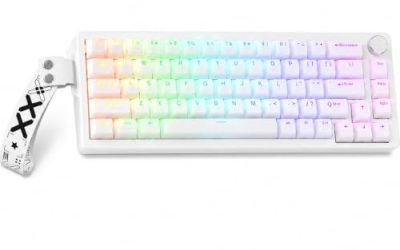
This wired, backlit board uses a 65 percent layout with 68 keys, and the title promises ultra-compact anti-ghosting. It is a membrane design, aimed at gamers who want a tiny footprint at a very low cost, and at students who need something small enough to share a desk with a laptop and notebooks.
- Strength: 68 keys keep the arrow cluster that 60 percent boards drop.
- Strength: the compact body leaves plenty of room for mouse movement.
- Trade-off: membrane switches give a mushier feel and shorter lifespan than true mechanical ones.
Skip it if you want swappable switches or a crisp tactile response. Typists who write long documents may find the soft keys tiring, and anyone planning to keep the board for several years should expect the rubber domes to lose their snap well before a mechanical switch would.
Redragon K617
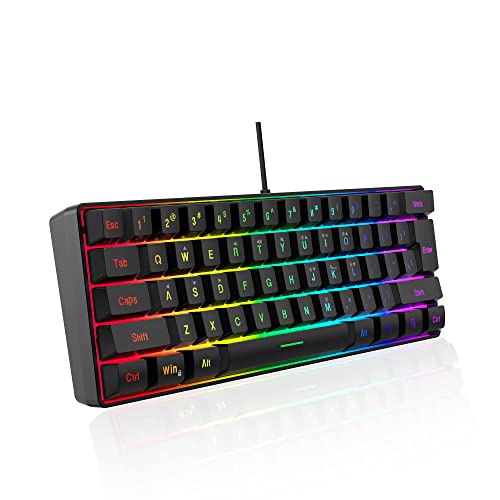
The K617 is a wired 60 percent mechanical keyboard with 61 keys, hot-swap sockets, and RGB lighting. It is a natural first step for people curious about mechanical boards and switch swapping, since the title points to a swap-ready socket for modding and a vibrant lighting setup that does not require extra software to enjoy.
- Strength: hot-swap sockets let you change switches later without soldering.
- Strength: a true mechanical build outlasts most membrane boards in this tier.
- Trade-off: the 61-key layout has no dedicated arrow keys or function row.
Skip it if you rely on the arrow cluster or number pad daily. Office users who share a quiet room may also want a lower-noise option, because mechanical boards generally make more sound than membrane designs, and a hot-swap socket matters little if you never plan to open the case.
Aula WIN60 HE
This one stands apart with magnetic switches, adjustable actuation, a rapid trigger mode, and an 8000 Hz polling rate. It targets competitive shooter players who want features usually found on pricier boards, and the 60 percent size keeps the desk clear for the wide mouse sweeps that fast aim tends to require.
- Strength: rapid trigger and adjustable actuation help fast, precise inputs.
- Strength: the 8000 Hz polling rate matches high-end gaming specs.
- Trade-off: those features are overkill for typing, and magnetic switches may need software tuning.
Skip it if you want a simple plug-in keyboard for office work. Anyone who does not play fast shooters will pay for features that sit unused, and buyers who want to avoid learning software settings for actuation points may find a conventional mechanical board far easier to live with.
Redragon Mechanical Keyboard with Red Switches
Built around a hot-swappable red switch, double-shot PBT keycaps, and 11 programmable backlight modes, this model suits typists who want durable keycaps and easy switch changes.
- Strength: double-shot PBT keycaps resist wear better than thin plastic.
- Strength: hot-swappable red switches suit both gaming and typing, with a light linear press that is easy on the fingers.
- Trade-off: the listing does not stress a compact layout, so desk footprint may be larger than the 60 percent boards.
Skip it if you need the smallest possible board. Buyers who prefer a clicky or tactile feel should plan to swap the switches, which adds a small cost, and anyone sensitive to keyboard noise should know that a mechanical board is louder than a membrane one in a quiet room.
DGG K60
The DGG K60 is a 61-key RGB 60 percent wired board described as waterproof and ergonomic, with a mechanical feeling rather than true mechanical switches. It fits buyers who want a sturdy-looking mini board on a tight budget, especially those who switch between a desktop, a laptop, and a console and want one compact keyboard that covers them all.
- Strength: the waterproof claim gives some comfort around desk drinks.
- Strength: it works with PC, Mac, PS4, and Xbox according to the title.
- Trade-off: mechanical feeling means a membrane design, so there are no swappable switches.
Skip it if you want real switches or a hot-swap upgrade path. Heavy typists may find it less satisfying over long sessions, and the 61-key layout still hides arrow and function keys behind a modifier, which slows down anyone who edits spreadsheets or code all day.
CORBOBO 60 Percent Keyboard
This compact 68-key board connects by USB-C and advertises quiet typing, which makes it a candidate for shared rooms, dorms, and travel bags, and the compact frame slides easily into a backpack next to a laptop without adding noticeable weight.
- Strength: the 68-key layout keeps arrow keys in a mini frame.
- Strength: quiet typing and a USB-C connection suit portable, shared-space use.
- Trade-off: the title does not list switch details, so the typing feel is uncertain.
Skip it if you want confirmed mechanical switches or a number pad. Those who plan heavy gaming should favor a board with clearer switch specs, since quiet typing usually points to softer, damped keys that feel less crisp than a dedicated gaming switch during rapid inputs.
Basics Wired Full-Size Keyboard
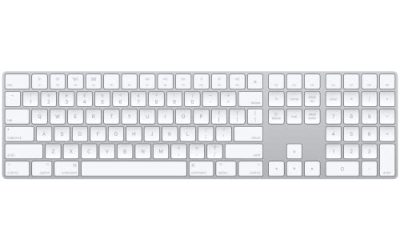
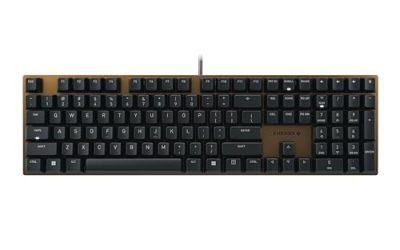
The simple choice here: a wired QWERTY full-sized keyboard with media control that works with Windows through plug and play. It is meant for everyday office use, spreadsheets, and shared computers, and it suits anyone who values a familiar layout over looks, lighting, or customization, including parents and younger students setting up a first desk.
- Strength: full-size layout includes the number pad and media keys.
- Strength: plug-and-play setup needs no software.
- Trade-off: no backlight, mechanical switches, or hot-swap options appear in the title.
Skip it if you want RGB lighting, a compact desk footprint, or a mechanical feel. Gamers will want something more tailored, and people short on desk space should remember that a full-size frame, with its number pad, takes noticeably more room than any of the compact boards above.
Which One Fits Your Situation
You want to try a mechanical keyboard cheaply
The Redragon K617 is the sensible entry point: hot-swap sockets, a true mechanical build, and a compact layout. If you want PBT keycaps and a red switch included, the other Redragon is the one to look at.
You play fast competitive shooters
The Aula WIN60 HE brings rapid trigger and an 8000 Hz polling rate, features that matter only if your reflexes and mouse can use them.
You share a room or work on the move
The CORBOBO combines quiet typing, a USB-C connection, and a small footprint. The DGG K60 is a similar compact alternative with a spill-resistance claim.
You just need to type and keep costs minimal
The Basics full-size board offers numbers, media keys, and plug-and-play simplicity without gaming extras.
Common Mistakes
- Assuming “mechanical feeling” means real mechanical switches.
- Buying a 60 percent board without checking whether you need arrow keys.
- Paying for 8000 Hz polling when a typical mouse and game cannot use it.
- Choosing by RGB effects instead of stabilizers, keycaps, and build quality.
- Ignoring the cable: fixed cords fail first, so prefer a detachable USB-C connection.
Related guides
- What Is The Best Budget Most Responsive Gaming Mouse Wired
- Low Latency Gaming Headphones Usb-C 2.4 Ghz Wireless
- Low Latency Gaming Headphones Usb-C Dongle 2.4 Ghz
Frequently Asked Questions
Is a mechanical keyboard under 50 dollars worth it?
Yes, if the title names real switches and hot-swap sockets. Entry-level mechanical boards offer better durability and feel than membrane models, even if their keycaps and stabilizers are basic.
Is a 60 percent or 65 percent layout the better choice?
Choose 65 percent if you use arrow keys often, such as for writing or spreadsheets. A 60 percent board saves a little more space but needs function-layer shortcuts for navigation.
What does hot-swap mean, and is it required?
Hot-swap sockets let you replace switches without soldering. You do not need it to type well, but it makes a board repairable and customizable as your tastes change.
Are cheap RGB keyboards good for office work?
They can be, but lighting adds nothing to comfort. For long typing sessions, focus on key feel, layout, and noise level, and leave the lighting effects off.