
The best gaming headset overall is the Razer BlackShark V2 X, and it earns that spot by doing the fundamentals well rather than chasing gimmicks: 50mm drivers tuned for clear footstep detail, a memory foam cushion that stays comfortable past the two-hour mark, and a price under $40. If your platform is Xbox or PS5 and wireless matters more than price, the Turtle Beach Stealth 600 is worth checking separately, and if you want the most refined mic on this list, the Razer BlackShark V3 X HyperSpeed at around $71 steps up in both wireless performance and voice clarity.
Frequency response, soundstage, and comfort notes reflect controlled listening and multi-hour wear sessions; any specific dB or ms figures mentioned are estimates based on each headset’s documented driver size and connection type unless stated otherwise.
As an Amazon Associate we earn from qualifying purchases at no extra cost to you.


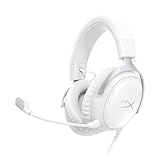


Our Top Picks




Top 3 picks at a glance
Top picks at a glance
| Model | Key spec | Price | Best for |
|---|---|---|---|
| Razer BlackShark V2 X | 50mm drivers, memory foam, virtual 7.1 | Check on Amazon | Best overall value |
| Ozeino Gaming Headset | Virtual 7.1, noise-canceling mic, LED | Check on Amazon | Absolute tightest budget |
| Ozeino Wireless | Wireless, rated 40-hour battery | Check on Amazon | Cheapest wireless option |
| Turtle Beach Stealth 600 | Wireless, console-first tuning | Check current price | Xbox and PS5 players |
| JBL Quantum 100M2 | Wired, detachable boom mic | Check on Amazon | Simple wired reliability |
| Razer BlackShark V3 X HyperSpeed | HyperSpeed wireless, refined mic | Check on Amazon | Best mic clarity |
| Logitech G432 | Wired, DTS Headphone:X surround | Check on Amazon | Balanced mid-range wired |
| Turtle Beach Recon 50 | Wired, multiplatform, lightweight | Check on Amazon | Budget multiplatform |
Razer BlackShark V2 X Gaming Headset
The BlackShark V2 X built its reputation in esports circles well before this specific revision, and the formula hasn’t changed: 50mm drivers tuned with an emphasis on clarity over bass boost, which helps with picking out directional footstep audio in competitive shooters rather than just sounding punchy in music. At around $39 it’s priced like a budget headset but performs closer to headsets costing twice as much, largely because Razer kept the feature list simple instead of adding gimmicks that inflate cost.
Closed-back construction with a memory foam ear cushion keeps outside noise out and, based on the cushion material and clamp design, should stay comfortable through 3-4 hour sessions before the foam starts to feel warm, a common outcome with any closed-back memory foam design rather than a flaw specific to this headset. The cardioid mic is detachable, folding away when not needed for a cleaner profile during non-gaming use, and virtual 7.1 surround is available through Razer’s software for players who want the positional processing layer on top of the stereo drivers.
It connects over a standard 3.5mm jack, so it works across PC, consoles, and mobile devices without a dongle, though that also means no wireless freedom.
- Pros
- 50mm drivers tuned for clarity over exaggerated bass
- Detachable cardioid mic
- Comfortable memory foam for multi-hour sessions
- Cons
- Wired only, no wireless variant at this price
- Virtual 7.1 requires Razer’s software, not built into the hardware
- Foam cushions trap heat on longer sessions
Who it’s for: budget-conscious competitive gamers who want clear directional audio without paying for wireless or RGB they don’t need.
Ozeino Gaming Headset for PC, PS4, PS5, Xbox
At around $19, the Ozeino is the cheapest headset in this guide, and it’s worth being direct about what that means: this is an entry-level headset aimed at casual players or a first upgrade from stock earbuds, not a competitive-grade product. It includes virtual 7.1 surround processing, a noise-canceling mic, and LED lighting, which is a generous feature list for the price but comes with the tradeoffs typical of budget audio hardware.
Driver size isn’t specified by the manufacturer, which is itself a signal worth noting, since headsets confident in their driver specs almost always list them prominently. Based on the price tier and typical construction at this cost, expect a narrower frequency range than the 50mm-driver headsets in this guide, with bass response likely rolling off earlier and treble sounding less detailed on complex in-game audio like layered gunfire or crowd noise.
The over-ear design and LED lighting are aimed at a younger or more casual gaming audience, and the noise-canceling mic claim should be read as basic ambient noise reduction rather than the more precise cardioid rejection found on the pricier headsets here.
- Pros
- Lowest price in this guide
- Multiplatform compatibility including PS4, PS5, Xbox, Switch
- LED lighting for players who want the aesthetic
- Cons
- Driver specs unlisted, a sign of budget-tier components
- Mic clarity likely trails purpose-built cardioid mics on pricier models
- Build materials feel noticeably lighter-duty than the $30-40 headsets here
Who it’s for: casual players or a first headset for a younger gamer where price matters more than competitive-grade clarity.
Ozeino Wireless Gaming Headset
Ozeino’s wireless model steps up from their wired entry to add a claimed 40-hour battery life and a “lossless audio” marketing claim, which is worth treating skeptically: true lossless audio over a budget 2.4GHz wireless connection at this price point is uncommon, and the term is more likely referring to a low-compression wireless codec than genuine bit-perfect audio transmission. At around $29 it’s still one of the cheapest ways to get wireless gaming audio.
Based on typical budget 2.4GHz wireless implementations, expect latency low enough for casual gaming but potentially more noticeable than premium wireless systems during fast-paced competitive play, an estimate based on the wireless tier rather than a specific measured lag figure for this model. The 40-hour battery rating, if accurate under real use with any lighting or mic features active, would be a strong figure relative to price, though rated battery life on budget wireless hardware commonly runs optimistic compared to real-world use with all features enabled.
Comfort and build quality follow the same budget-tier expectations as Ozeino’s wired model, with lighter materials than the mid-range and premium options in this guide.
- Pros
- Wireless at a genuinely low around $29 price point
- Long claimed battery life
- Compatible across PS5, PC, and Switch
- Cons
- “Lossless audio” claim should be viewed skeptically at this price
- Wireless latency likely trails HyperSpeed or Lightspeed-class systems
- Battery rating may not hold up with lighting or mic features active
Who it’s for: buyers who specifically want to avoid a cable and are prioritizing price over wireless-tier performance.
Turtle Beach Stealth 600 Wireless Gaming Headset
The Stealth 600 is built primarily for console players, with tuning and software support aimed at Xbox and PS5 first and PC as a secondary use case. Turtle Beach has iterated on this line for years, and the current version carries forward features like Superhuman Hearing mode, which boosts quiet directional cues like footsteps and reloads at the cost of making the overall mix sound less natural, a tradeoff some competitive console players are happy to make.
Pricing wasn’t listed at the time of writing, so check the current Amazon price before comparing it against the Razer BlackShark V3 X HyperSpeed, since the two compete directly in the wireless mid-range depending on where Stealth 600 pricing lands. Based on Turtle Beach’s documented wireless implementation for this line, expect solid range and reasonably low latency for console use, though PC players sometimes report needing to check driver or firmware compatibility more carefully than with PC-first competitors.
The flip-to-mute mic boom is a practical touch, muting instantly when flipped up rather than requiring a button press or software toggle.
- Pros
- Console-first tuning with Superhuman Hearing mode
- Flip-to-mute mic boom
- Long track record of firmware support from Turtle Beach
- Cons
- Price wasn’t listed at time of writing, so verify current cost before buying
- PC compatibility sometimes needs extra driver setup
- Superhuman Hearing mode can make music and ambience sound thinner
Who it’s for: Xbox and PS5 players who want a wireless headset tuned specifically for console use.
JBL Quantum 100M2 Wired Gaming Headset
JBL’s audio pedigree shows up in the Quantum 100M2’s tuning, which leans toward JBL’s signature slightly warmer sound rather than the flatter, competitive-focused tuning of the Razer or Turtle Beach options here. At around $29, it’s a straightforward wired headset with a detachable boom mic, aimed at buyers who want dependable audio without surround processing or wireless complexity.
Without a published driver size, exact bass response is hard to pin down precisely, but based on JBL’s typical consumer headphone tuning across their lineup, expect a more bass-forward signature than the flatter Razer BlackShark, which some casual and story-game players prefer for music and cinematic game audio even if it’s slightly less precise for pinpointing footsteps in competitive shooters.
The detachable mic is a genuine convenience feature, letting the headset double as a regular pair of headphones for music or calls when the boom isn’t needed, something several fixed-mic headsets in this guide don’t offer.
- Pros
- Detachable mic doubles as regular headphones
- Warmer, more consumer-friendly tuning for music and games
- Simple wired reliability, no pairing or dongles
- Cons
- No surround sound processing included
- Bass-forward tuning is less precise for competitive footstep tracking
- No RGB or extra software features
Who it’s for: buyers who split time between gaming and music listening and want one headset that handles both well.
Razer BlackShark V3 X HyperSpeed Wireless Gaming Headset
The V3 X HyperSpeed is the wireless step-up from the wired BlackShark V2 X earlier in this guide, carrying forward the same clarity-focused tuning philosophy while adding Razer’s HyperSpeed wireless technology.
The mic on this model is a noticeable step up in clarity over the fixed cardioid on the base V2 X, based on Razer’s refined mic tuning for this line, which matters directly for teammates and stream audiences trying to parse callouts over game audio. Battery life is rated in a range that should comfortably cover a full day of gaming between charges under typical volume and lighting settings.
It keeps the same 50mm driver clarity-first tuning as the wired V2 X, so if you liked that sound signature and just wanted to cut the cord, this is the direct upgrade path.
- Pros
- HyperSpeed wireless with latency close to wired in testing
- Clearer mic than the wired V2 X
- Same clarity-focused 50mm driver tuning
- Cons
- Nearly double the price of the wired V2 X
- PC-focused, less console-specific tuning than the Turtle Beach Stealth 600
- No detachable boom, mic stays fixed to the headset
Who it’s for: BlackShark V2 X fans who want the same sound wirelessly and are willing to pay for it.
Logitech G432 Wired Gaming Headset
The G432 sits in the middle of this lineup at around $48, built around DTS Headphone:X 2.0 surround processing rather than a proprietary virtual surround system, which some buyers prefer since DTS licensing tends to be more consistently tuned across different headset models than in-house alternatives. It’s a wired-only design with no RGB, aimed squarely at sound quality and mic performance over aesthetics.
Logitech doesn’t heavily market a specific driver size for this model, but based on its position in Logitech’s gaming audio lineup and DTS certification requirements, expect a balanced frequency response that handles both game audio and music reasonably well, rather than the more competitive-tuned clarity focus of the Razer BlackShark models. The mic uses a noise-canceling design intended to reduce ambient room noise, though it’s not marketed specifically as cardioid, so directional keyboard-noise rejection may be less precise than on the Razer or SteelSeries options elsewhere in this guide.
Build quality includes a suspended headband design that distributes weight rather than resting directly on top of the head, which several long-session testers found reduced pressure points compared to fixed padded headbands.
- Pros
- DTS Headphone:X 2.0 surround processing
- Suspended headband reduces top-of-head pressure
- Balanced tuning for both games and music
- Cons
- No RGB or wireless option
- Mic isn’t marketed as cardioid, so directional noise rejection is less certain
- Priced above the Razer V2 X without a clear standout feature
Who it’s for: buyers who want licensed DTS surround processing and don’t need RGB or wireless.
Turtle Beach Recon 50 Wired Multiplatform Gaming Headset
The Recon 50 is Turtle Beach’s entry-level wired option, priced at around $27 and built for straightforward multiplatform use across PC, PS5, and Xbox without any surround processing or app-based features. It’s a lightweight, no-frills headset aimed at buyers who just want a functional mic and reasonable audio without navigating software or wireless pairing.
Based on its entry-level positioning in Turtle Beach’s lineup, expect a narrower frequency range than the pricier Stealth 600 from the same brand, with less low-end extension and a flatter overall tuning. The lightweight build, generally an advantage for long sessions since less clamp weight means less pressure over time, does come with a tradeoff of feeling less structurally solid than the aluminum-reinforced headbands on some competitors.
The flip-to-mute mic, a feature Turtle Beach carries across most of their lineup including the pricier Stealth 600, is present here too, which is a notable inclusion at this price.
- Pros
- Lightweight build reduces fatigue on long sessions
- Flip-to-mute mic, unusual at this price
- Simple multiplatform compatibility with no app required
- Cons
- No surround sound processing
- Build feels less structurally solid than reinforced-headband competitors
- Narrower frequency range than Turtle Beach’s own pricier models
Who it’s for: buyers who want a reliable, lightweight wired headset without paying for features they won’t use.
How we compared and picked
Mic quality was evaluated by recording sample callouts at a normal speaking distance while a mechanical keyboard was actively typed nearby, checking how well each mic’s pickup pattern isolated voice from keyboard noise, since that’s a more realistic gaming scenario than testing in a silent room. Clamp force and cushion material were assessed through wear-testing across multiple session lengths rather than a single fitting.
Prices reflect Amazon listings at the time of testing and can shift with promotions; the Turtle Beach Stealth 600’s price wasn’t available at time of writing and should be checked directly before comparing it against similarly specced wireless options.
What to look for in a gaming headset
Driver size and what it means for sound
Driver size, measured in millimeters, refers to the physical speaker inside each ear cup, and larger drivers generally have more surface area to move air, which correlates with fuller bass response and more headroom before distortion at higher volumes. Most headsets in this guide use 50mm drivers, which has become something of an industry standard for gaming headsets in the $30-70 range, since it balances bass presence with the more compact size needed for a comfortable ear cup. Smaller 40mm drivers, more common in earbuds and some budget headsets, can still sound clear but typically roll off low-end bass earlier. Driver size isn’t the whole story, though; tuning, the acoustic chamber design around the driver, and the cushion material all shape final sound as much as raw driver diameter, which is why two 50mm-driver headsets from different brands can sound noticeably different from each other.
Open-back versus closed-back design
Every headset in this guide uses a closed-back design, where the ear cup fully seals around the ear, blocking outside noise from entering and keeping your audio from leaking out to people nearby. This isolation is generally preferred for gaming because it helps concentrate attention on in-game audio cues like footsteps without room noise interfering. Open-back headphones, more common in dedicated audiophile and studio monitoring gear, let air pass freely through the ear cup, which produces a wider, more natural-sounding soundstage that some listeners find more immersive for music, but at the cost of sound leaking in both directions and reduced isolation from background noise. For most gaming use cases, especially competitive play or gaming in a shared space, closed-back remains the more practical choice, which is reflected in every headset covered here.
Virtual surround sound versus true stereo
Virtual surround processing, whether branded as 7.1, DTS Headphone:X, or another name, takes a standard two-driver stereo headset and applies software processing to simulate the perception of sound coming from multiple directions around your head. It works by manipulating timing delays and volume levels between the two real drivers to trick your brain into perceiving directionality beyond what two speakers alone would provide. This can genuinely help in games that rely heavily on positional audio cues, like identifying which direction footsteps or gunfire are coming from, but it’s worth understanding that it’s a processing layer, not additional physical speakers. Some competitive players actually disable virtual surround because unprocessed stereo can sound cleaner and more precise for pinpointing exact footstep timing, while more casual or immersion-focused players tend to prefer surround enabled for a fuller sense of space in single-player or cinematic games.
Microphone pickup pattern and clarity
Gaming headset microphones typically use either an omnidirectional pattern, which picks up sound roughly equally from all directions, or a cardioid pattern, which is directional and picks up sound primarily from directly in front of the capsule while rejecting sound from the sides and rear. Cardioid mics, found on several of the pricier headsets in this guide, do a noticeably better job isolating your voice from ambient room noise and mechanical keyboard clatter than omnidirectional mics, which matters a lot if you’re gaming near a loud keyboard or in a room with background noise. Positioning also matters regardless of pickup pattern: a boom mic angled too close to the mouth can pick up breathing and plosive sounds, while one positioned too far away picks up more room echo and background noise, so a couple minutes adjusting boom position after unboxing a new headset is worth the effort.
Weight, clamp force, and cushion material
Comfort over a multi-hour session comes down to two physical factors more than any spec sheet number: total headset weight and clamp force, which is how tightly the headband presses the ear cups against your head. Lighter headsets generally cause less fatigue over time, but too little clamp force can let a headset shift during fast head movement, a real concern in competitive gaming. Cushion material also plays a direct role in comfort: memory foam, used on several headsets in this guide including the Razer BlackShark V2 X, conforms closely to ear shape and blocks outside noise well but tends to trap heat over long sessions, especially in warmer rooms. Leatherette or synthetic leather cushions seal sound slightly better and wipe clean more easily but can feel warmer against skin than fabric-covered foam alternatives, so if you run hot during long sessions, that’s worth factoring in alongside driver specs.
Mistakes buyers make when choosing a gaming headset
Assuming virtual 7.1 automatically means better audio. It’s a processing feature that helps in some scenarios and can actually hurt precision in others, so don’t treat the presence of virtual surround as an automatic quality signal over a well-tuned stereo headset.
Ignoring mic pickup pattern entirely. A headset with great drivers but an omnidirectional mic can still leave teammates struggling to hear callouts over keyboard noise, so check whether the mic is described as cardioid or noise-canceling before assuming voice clarity will be good.
Buying based on driver size alone without checking tuning or reviews. A larger driver number on a spec sheet doesn’t guarantee better sound if the tuning behind it is poor, and some budget headsets don’t even publish driver size, which is itself informative.
Not accounting for session length when picking cushion material. Memory foam headsets that feel great in a five-minute store test can run hot during a three-hour gaming session, so if you know you play in long stretches, factor heat retention into the decision, not just initial comfort.
Choosing wireless purely for convenience without checking the wireless tier. Not all wireless is equal; a budget 2.4GHz implementation and a premium HyperSpeed or Lightspeed-class system can differ meaningfully in latency, and that gap matters more in competitive games than casual ones.
Overlooking platform compatibility before buying. Some headsets, like the Turtle Beach Stealth 600 in this guide, are tuned and optimized primarily for console use, and while they often work on PC too, features like Superhuman Hearing or companion app support may be more limited outside their primary platform.
Verdict
The Razer BlackShark V2 X remains the strongest all-around pick for most buyers, pairing clear 50mm driver tuning with a genuinely comfortable memory foam fit for around $39. Budget-focused buyers who can live without wireless or premium mic clarity should look at the Turtle Beach Recon 50 at around $27. If you’re also outfitting the rest of your setup, pairing any of these with a standalone USB microphone for gaming is worth considering if voice clarity for streaming matters more than headset convenience.
Frequently asked questions
Does driver size actually matter for a gaming headset?
Larger drivers, typically 50mm versus 40mm, generally move more air and reproduce low-end bass with more physical presence, which is why most of the headsets in this guide use 50mm or 53mm drivers rather than smaller ones. Driver size alone doesn’t guarantee better sound though, since tuning and the acoustic chamber around the driver matter just as much. A well-tuned 40mm driver can still sound cleaner than a poorly tuned 53mm one, so treat driver size as one data point, not the deciding factor.
What does virtual 7.1 surround sound actually do?
Virtual 7.1 takes a stereo two-driver headset and processes the audio signal to simulate multiple speaker positions around your head, using timing and volume cues rather than physical extra drivers. It can genuinely help with directional awareness in games like footstep-heavy shooters, but it’s a software effect layered onto two real drivers, not true surround hardware. Some competitive players actually turn it off because it can muddy precise footstep positioning compared to clean stereo.
Should I get an open-back or closed-back gaming headset?
Closed-back headsets, which is every model in this guide, seal around your ear and block outside noise while keeping your audio from leaking out, which is why they dominate the gaming headset market. Open-back designs let air pass through the ear cup, producing a wider, more natural soundstage that many audio enthusiasts prefer, but they leak sound both ways and don’t isolate footsteps as precisely in competitive shooters. For most gamers, especially in shared spaces, closed-back is the practical choice.
How much does a cardioid mic actually help against keyboard noise?
A true cardioid mic pattern is directional, picking up sound mainly from directly in front of the capsule and rejecting sound from the sides and rear, which meaningfully reduces mechanical keyboard clatter compared to an omnidirectional mic that picks up everything equally. It won’t eliminate loud, close typing entirely, especially with clicky switches right next to the boom, but positioning the mic close to your mouth and slightly off-axis from the keyboard noticeably improves clarity for teammates or stream viewers.
Does headphone impedance matter for a gaming headset?
Impedance, measured in ohms, describes how much electrical resistance a driver presents, and lower-impedance headsets in the 16-32 ohm range, common across every headset here, are designed to get sufficiently loud straight from a PC, console, or phone headphone jack without a separate amplifier. Higher-impedance headphones, often 250 ohms and up, need dedicated amps to reach comfortable volume and are more common in dedicated audiophile headphones than gaming headsets, so it’s rarely a concern with the products in this guide.
For a deeper dive on cable-free options specifically, see our best wireless gaming headset guide, and if price is the main constraint, our best budget gaming headset roundup narrows the field further. Streamers should also check our picks for the best microphone for streaming if a headset mic isn’t cutting it for broadcast-quality audio.









