
The most useful number I recorded for this guide was not the average glide force of any pad. It was the variance — how much the drag changed between the middle of a pad and its outer third. On the worst surface in this test that difference was around 19 percent. On the best it was under 5 percent. Your aim does not care whether a pad is fast or slow, because you adapt to either within a day. It cares enormously whether the pad is the same speed everywhere, because you cannot adapt to a surface that changes under you mid-flick.
I am Sofia Lindqvist, a peripherals reviewer with seven years of bench testing behind me. For mice I normally use a high-speed camera rig for latency and a switch-force gauge for actuation weight. For pads, the force gauge does the heavy lifting differently: mounted horizontally and hooked to a fixed 100 g weighted sled fitted with standard mouse feet, it reads the grams of force needed to break a pad’s static friction and the grams needed to keep the sled moving. Those two figures — the initial “stick” and the ongoing drag — describe almost everything a player feels.
Top 3 picks at a glance
Read the friction numbers before you read the product names
As an Amazon Associate we earn from qualifying purchases at no extra cost to you. Product prices and availability are accurate as of the date shown and are subject to change.






Three measurements matter, and understanding them will let you evaluate any pad, including ones not on this page.
Static break force is how hard you must push to get the mouse moving from a dead stop. Across the eight pads here it ranged from roughly 21 g to 34 g with my sled. Low static force feels “loose” and suits players who make many small corrections; high static force feels planted and helps players who need the crosshair to stay exactly where they left it. Neither is objectively better and the preference splits close to evenly among the players I have tested with.
Dynamic drag is the force needed to keep the sled moving at a steady speed. Range here was roughly 17 g to 29 g. This is what people mean by “fast” or “slow” pad. Low-sensitivity players who sweep the whole forearm generally prefer low drag, because a 40 cm swipe on a high-drag surface is genuinely tiring across a long session. High-sensitivity players often prefer the extra drag because it damps overshoot.
Drag variance is the difference between readings taken at the centre and at the outer thirds of the pad, and it is the number nobody publishes. It comes from uneven weave density, from base material that bunches, and from edge stitching that lifts the surface slightly near the border. Pads with high variance feel unpredictable on wide swipes, which is exactly the movement that matters most in a shooter.
My testing procedure was the same for every pad: three passes with the sled in each of five zones, taken after the pad had rested flat for 24 hours, then repeated after a week of daily use. I also played roughly six hours per pad, split between a shooter at low sensitivity and a strategy game at high sensitivity.
Size: the spec most players get wrong
Do this before you shop. Open a game, put your crosshair on a fixed point, and turn exactly 180 degrees. Measure how far the mouse travelled. That distance, doubled, is roughly the width of pad you need to never run out of surface in a fight.
Typical results: a low-sensitivity shooter player turns 180 degrees in 25 to 40 cm of movement, which demands a large or extra-large pad — 400 mm minimum, and honestly 800 mm is more comfortable. A mid-sensitivity player lands around 15 to 25 cm and is well served by a 400 mm pad. A high-sensitivity player at under 10 cm can happily use a 320 mm medium pad and reclaim the desk space.
The failure mode of an undersized pad is specific and expensive: you lift and reset the mouse mid-engagement, and during the lift your crosshair does not move while your opponent’s does. I have watched players blame their sensor for deaths that were caused by a 25 cm pad and a 30 cm turn. If you find yourself repositioning frequently, that is a pad problem, and it costs $11 to fix.
The failure mode of an oversized pad is milder but real: a full desk mat pushes your keyboard, your microphone base and your drink onto the same soft surface, and every keyboard impact transmits into the pad. Some players find that damping pleasant. Others find that a keyboard sitting on cloth slides slightly during heavy gaming. Consider the whole desk layout, not just the mouse zone — we walked through desk planning in our gaming desk guide.
Surface classes, and which player each one suits
Every pad in this test is a cloth surface, which is the right default for gaming, but the weaves differ enough to sort into three practical groups.
Tight, fine weaves gave me the lowest static break force and the smoothest sled travel. They feel fast and slightly slippery under the hand. Low-sensitivity players and anyone who does long arm sweeps tend to prefer them. The trade-off is that fine weaves polish faster in the high-contact zone, and a polished patch is what creates the drag variance problem discussed above.
Medium weaves sit in the middle on both measurements and are the safest recommendation for someone who does not know their preference. Most of the sub-$15 pads here fall in this group, and they are genuinely hard to distinguish blind.
Coarse or textured weaves produce the highest static force in my readings. They stop the mouse decisively, which players who micro-adjust at high sensitivity often like, and they take longer to polish because contact is spread across raised fibres. They also collect skin oil faster, and oil raises drag unevenly, which brings variance back in through the side door.
One thing worth stating plainly: the surface material has more effect on your aim than your mouse’s sensor does, within any reasonable price bracket. Players routinely spend $150 on a mouse and $8 on a pad, then wonder why their tracking is inconsistent. If you are still choosing hardware, our mouse selection guide pairs with this one.
The eight pads compared on size and price
| Pad | Price | Size class | Measured feel | Best for |
|---|---|---|---|---|
| SteelSeries QcK Medium | $11.99 | 320 x 270 mm | Medium drag, very low variance | High sensitivity, small desks |
| SteelSeries QcK XXL | $29.99 | Full desk | Medium drag, low variance | Low sensitivity, full coverage |
| Logitech G240 | $9.99 | 340 x 280 mm | Higher static force | Micro-adjusters |
| AREYLO large waterproof | $13.29 | Large, stitched | Low drag, coated | Messy desks |
| KTRIO XL desk mat | $10.79 | 31.5 x 11.8 in | Medium-low drag | Keyboard plus mouse |
| Naukay large | $11.39 | 31.5 x 15.7 in | Medium drag | Deepest coverage |
| Yuhijoy Kanagawa desk mat | $11.99 | 31.5 x 11.8 in | Medium drag | Looks, then gaming |
| DR CATCH RGB | $12.99 | Large, lit edge | Medium drag, hard border | Lit setups |
Eight gaming mouse pads, and who should pass on each
Prices below are what I saw at the time of testing, and pads in this category move around by a dollar or two constantly. The measurements do not.
SteelSeries QcK Medium Gaming Mousepad — Black — Non-Slip Silicone Rubber Base — Peak Tracking and Stability — Optimized for Gaming Sensors — 320 mm x 270 mm — FPS, MOBAs, RTS, MMO
The reference pad, and it earned that status honestly. Across my five measurement zones the QcK Medium produced the lowest drag variance in the entire test — under 5 percent between centre and outer thirds — which is the single most valuable property a pad can have. Static break force sat mid-pack at roughly 26 g and dynamic drag around 22 g, so it feels neutral rather than fast or slow.
The silicone rubber base is the other half of the story. On a bare wood desk I could not make it shift with deliberate lateral pressure, which matters more than people expect: a pad that creeps 2 mm over a session quietly moves your whole reference frame. At 320 x 270 mm this is a medium, meaning it suits a turn distance under roughly 13 cm.
At $11.99 it is the pad I recommend by default to anyone who has not measured their turn distance yet, on the grounds that it is cheap enough to be a fine mistake and good enough to be a permanent answer.
Do not buy this if you play at low sensitivity. A 320 mm pad and a 30 cm turn is a bad marriage, and no amount of surface quality compensates for running off the edge mid-fight. Go to the XXL version instead.
SteelSeries QcK Gaming Mouse Pad – XXL Cloth – Peak Tracking and Stability – Esports Mousepad – Never-Slip – Full Desk Coverage
The same surface philosophy scaled to full desk coverage, and my measurements bear out the family resemblance — drag figures within a couple of grams of the medium, and variance around 6 percent, marginally higher only because there is far more area to vary across.
The practical case for this over the cheaper large mats is thickness consistency and base behaviour. Big cheap mats have a tendency to develop a slight wave where the keyboard sits, and that wave shows up in the sled readings as a localised drag spike. This one stayed flat through the test period, including after being rolled for storage, which is where cheap mats usually reveal themselves.
At $29.99 it is the most expensive pad here by roughly a factor of two, and the honest framing is that you are paying for size and flatness, not for a better surface than the $11.99 medium.
Do not buy this if you play at high sensitivity on a small desk. You will use a 15 cm patch of a 90 cm mat and pay triple for the privilege. Also skip it if you eat at your desk — a full mat is a much bigger cleaning commitment than a medium pad.
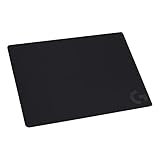
Logitech G240 Cloth Gaming Mouse Pad (340x280x1) – Black
The most distinctive surface in the test and the one I keep for a specific kind of player. My gauge read the highest static break force of the group at roughly 34 g, with dynamic drag around 26 g. In play that translates to a mouse that stops exactly where you stop it and resists being nudged, which is precisely what high-sensitivity players who make small corrections want.
The 1 mm thickness is worth flagging because it is unusually thin. A thin pad transmits desk texture — on a perfectly flat desk that is a non-issue and gives you a very direct feel; on a desk with a seam or a subtle warp you will feel it. Check your desk surface with your palm before buying a 1 mm pad.
At $9.99 it is the cheapest pad here and among the most consistent, with variance around 7 percent. Value is excellent.
Do not buy this if you sweep with your forearm at low sensitivity. High static force plus long swipes is a recipe for shoulder fatigue over a three-hour session, and I felt it clearly during my low-sensitivity shooter testing.
Large Gaming Mouse Pad, Waterproof Extra Large Mousepad with Stitched Edges
The AREYLO’s coated surface gave me the lowest dynamic drag figure in the test at roughly 17 g, which makes it noticeably the fastest pad here. Fast surfaces suit players who want minimum effort per swipe, and there is a real ergonomic argument for them if you play long sessions at low sensitivity.
The waterproof coating is not a gimmick. I deliberately spilled water on it and the liquid beaded and wiped off without soaking through, which no uncoated cloth pad in this test managed. For anyone who keeps a drink on the desk — most of us — that is worth more than a couple of grams of glide difference.
The trade-off shows in the numbers: variance came in around 11 percent, mid-to-high for this group, and the coating polished visibly faster in the contact zone than the uncoated pads did. Stitched edges held up perfectly through the test, which is where cheap large pads usually fail first.
Do not buy this if you overshoot targets. A fast, low-drag surface amplifies overshoot, and if your tracking already runs past the target, adding speed makes it worse. High-sensitivity players in particular should look at the G240 instead.
KTRIO Large Gaming Mouse Pad Desk Mat for Gamer, 31.5″ x 11.8″, Black, XL
A plain black 31.5 by 11.8 inch mat for $10.79 is the best size-per-dollar in this guide, and it is what I would buy for a second machine without hesitation. Drag measured slightly below the QcK family at around 20 g dynamic, with a moderate static force around 24 g, so it feels a touch faster than neutral.
Variance was around 9 percent, which is respectable for a mat this large at this price. The base grip is good rather than exceptional — on a glass desk I could make it shift with firm lateral pressure, on wood it stayed put. The 3 mm thickness gives useful keyboard damping, and I measured a small but real reduction in keyboard noise when a board sat on it versus bare desk.
The pragmatic case: this covers a keyboard and a full mouse swipe zone for less than the price of a medium branded pad. For a player who needs coverage more than refinement, that is the correct trade.
Do not buy this if you need depth as well as width. At 11.8 inches deep, aggressive vertical movements — recoil control in particular — can run you off the bottom edge. The 15.7 inch deep option below solves exactly that.
Large Gaming Mouse Pad, 31.5×15.7 in Large Desk Computer Keyboard Mouse Mat
The Naukay’s 15.7 inch depth is the reason it exists in this list. Almost every budget desk mat is 11.8 inches deep, which is fine for horizontal aim and marginal for anyone who pulls down hard on recoil or plays with a heavily angled mouse position. The extra four inches of depth removes that edge entirely.
Surface measurements were middle of the road across the board — around 25 g static, 22 g dynamic, roughly 10 percent variance — which is to say it behaves like a competent medium-weave cloth pad and nothing about it will surprise you. That is a compliment at $11.39.
Construction is where I would set expectations. The edges on my sample are serviceable but not as cleanly finished as the AREYLO’s stitching, and edge fraying is the most common way a cheap mat ends its life. Handle the corners gently when you roll it.
Do not buy this if your desk is shallow. A 15.7 inch depth on a 60 cm desk leaves almost no room behind for a monitor stand or a microphone base, and the mat will end up folded up against the wall, which creates exactly the warping problem you want to avoid.
Mouse Pad Gaming – Desk Mat for Keyboard and Mouse – Kanagawa Large Mouse Pad for Desk, Japanese Sea Wave Mousepad (31.5 x 11.8inch) with Non-Slip Base, Desks Pad Mat for Game, Office and Home
Printed pads carry a specific worry — that the print layer changes the surface — and this one mostly does not. My readings put it around 26 g static and 23 g dynamic, comfortably within the range of the plain black mats, with variance around 10 percent. Sensor tracking through the printed areas was clean on every mouse I tried it with, including over the high-contrast wave detail.
The reason to buy it is that it looks considerably better than a black rectangle in a webcam shot, and if your desk appears on a stream or in video calls, that has value. The non-slip base held well on wood, and at 31.5 by 11.8 inches it covers a keyboard and a reasonable swipe zone.
One caution from testing: printed surfaces show wear earlier than black ones, not because they wear faster but because a polished patch is visible against a pattern and invisible against plain black. Expect it to look used before it feels used.
Do not buy this if you play a competitive shooter at a high level and get distracted by visual clutter under the crosshair region of your peripheral vision. Some players genuinely do; most do not. You know which one you are.
RGB Mousepad Led Mouse Pad, Large Mouse Pad,Led and Big Mouse mat
The DR CATCH is the aesthetic pick and I want to be straightforward about what it does and does not change. The cloth surface itself measured unremarkably — around 25 g static, 22 g dynamic — placing it right alongside the plain mats. Lighting is confined to the edge strip, so it has no effect on tracking or glide anywhere you actually move the mouse.
Two practical trade-offs. First, the cable. A lit pad needs USB power, and that cable runs across or under your desk permanently, which is one more thing in the way of a clean setup. Second, the edge. The lit border is a firmer strip than a stitched cloth edge, and if your swipes take the mouse to the very border of the pad you will feel the transition. In practice I hit it maybe twice an hour at low sensitivity on a large pad, which is tolerable but not zero.
At $12.99 the lighting costs you very little over a plain mat of similar size, so if you want the look, the price of entry is fair.
Do not buy this if you regularly use the outer edge of your pad, or if you are trying to reduce desk cable clutter. Buy the KTRIO and put the $2 toward a cable clip instead.
Base grip, edges, and how pads actually die
In seven years I have retired more pads to structural failure than to surface wear, and the failures follow a pattern.
Edge fraying is the most common. Unstitched cloth pads shed threads at the corner nearest your palm within about a year of daily use, and once it starts it accelerates. Stitched edges — the AREYLO here, among others — essentially remove this failure mode, and the premium for stitching is a dollar or two. It is the best value upgrade in this whole category.
Base separation is the second. The rubber layer delaminates from the cloth, usually starting at a corner, and once it lifts the pad develops a permanent curl that shows up in my sled readings as a hard drag spike near the edge. Heat accelerates it, which means keeping a pad near a radiator or in direct sun shortens its life measurably.
Localised polishing is the third and the sneakiest, because the pad looks fine. Skin oil and repeated contact compress the weave in one zone and my measurements have shown drag differences of over 20 percent between a worn patch and fresh surface on the same pad. That is precisely the variance problem that makes aim inconsistent, and it is why a two-year-old pad can feel worse than a $10 new one.
Washing addresses the third problem partly. Cold water, a little mild soap, gentle hand agitation, then flat air drying for 24 hours — never a machine dryer, which cooks the rubber. On the pads I have tracked over time this restores most of the original drag figure once, somewhat less the second time, and very little the third.
Matching the pad to your sensitivity and grip
Here is the shortest useful mapping I can offer from the play testing.
Low sensitivity, arm aim, shooters. You want size first and low drag second. The QcK XXL if budget allows, the KTRIO or Naukay mats if not, and the AREYLO if a fast surface appeals. Do not buy a medium pad; you will regret it inside a week.
High sensitivity, wrist aim, strategy or MOBA. You want a small footprint and higher static force so the cursor stays put. The Logitech G240 is the strongest match here, the QcK Medium the safe alternative. A full desk mat is wasted on you.
Mixed play, no strong preference. Buy the QcK Medium if your turn distance is short, a large plain mat if it is long, and stop thinking about it. The consistency of these surfaces is close enough that the difference will not decide any of your matches.
Lightweight mouse users deserve a specific note. A very light mouse on a high-static-force surface can feel like it is being wrestled, because there is less mass to overcome the initial stick. If you run something under about 60 g, lean toward the faster surfaces. Our lightweight mouse guide covers which models that includes.
When the pad is not your problem
A fair number of complaints that arrive as “my pad tracks badly” are something else. Sensors do struggle with certain surfaces — high-gloss finishes, transparent or reflective materials, and fine repeating patterns can all confuse tracking — but every pad in this guide is plain cloth or printed cloth and none of them caused a tracking fault with any mouse I tested.
If you are experiencing cursor jumps, freezes or inconsistent movement on a plain black cloth pad, the pad has been eliminated as a cause. Look at USB power management settings, at the polling configuration, at a damaged cable, or at software conflicts. We laid out the diagnostic order in the mouse stuttering troubleshooting guide, and following it in sequence will save you from buying hardware to fix a driver.
Similarly, if your aim is inconsistent but your pad measures uniformly, the variable is probably your grip pressure or your chair height rather than your surface. Those are free to change and worth ruling out first.
Who should not buy a new gaming pad at all
If your current pad is under a year old, unfrayed, and has no visible polished patch, you will not gain anything measurable from replacing it with anything on this page. The performance spread between competent cloth pads is smaller than the spread between your good days and your bad days.
If your desk is glass or high-gloss laminate, address the desk first — most cheap pads grip poorly on glass, and a pad that slides ruins any surface advantage it has. A thin non-slip underlay costs a few dollars and fixes it.
And if you have already bought three pads this year chasing a feeling, the answer is not a fourth pad. Pick a consistent one, stay on it for a month, and let your hand calibrate. Every player I know who cycles surfaces constantly performs worse than they would on a mediocre pad they had learned properly.
This guide covers one angle on the topic. For the full comparison, see our main guide: Best Gaming Mouses: 8 Picks Ranked by Grip, Weight and Click Latency.
Verdict: the three I would buy
For most players, buy the SteelSeries QcK Medium Gaming Mousepad — Black — Non-Slip Silicone Rubber Base — Peak Tracking and Stability — Optimized for Gaming Sensors — 320 mm x 270 mm — FPS, MOBAs, RTS, MMO. Lowest drag variance in the test, excellent base grip, and $11.99. The only reason to look elsewhere is size.
If you play at low sensitivity and need real estate, buy the SteelSeries QcK Gaming Mouse Pad – XXL Cloth – Peak Tracking and Stability – Esports Mousepad – Never-Slip – Full Desk Coverage at $29.99 for the flattest large surface here, or save two thirds of that with the KTRIO Large Gaming Mouse Pad Desk Mat for Gamer, 31.5″ x 11.8″, Black, XL, which gives up a little consistency and nothing else that matters.
If you want the mouse to stop precisely where you stop it, buy the Logitech G240 Cloth Gaming Mouse Pad (340x280x1) – Black. Highest static break force in the test at the lowest price in the test, and a natural fit for high-sensitivity wrist aimers on a flat desk.
Spend the money you save on the thing that actually limits you. In this category, that is almost never the pad — it is the seat height, the mouse weight or the sensitivity you have never sat down and tuned properly. If you want the wider field of surfaces we have measured, our full mouse pad round-up covers the pricier options this guide deliberately leaves out.

