
I have a drawer of dead mousepads. Some died from coffee, most died quietly: the weave under the palm polished itself smooth, the rubber base hardened and started skating on the desk, or a corner peeled up and began catching the mouse cable on every wide swipe. That drawer is the reason I stopped judging pads by how they feel in the first five minutes and started judging them by how they feel in month four.
Numbers below come from that setup, run on the same 80 gram wireless mouse with fresh PTFE skates, at 22 degrees Celsius and around 40 percent humidity.
This article is deliberately arranged the way I think a purchase should happen: criteria first, picks second, and an honest note under every pick about who should walk away from it.
Our Top Picks
 KTRIO Large Gaming Mouse Pad Desk Mat for31.5l X 11.8w Inches31.5 x 11.8 x 0.1 Inches0.84 PoundsCheck on Amazon



Top 3 picks at a glance
The short version, by use case
As an Amazon Associate we earn from qualifying purchases at no extra cost to you.


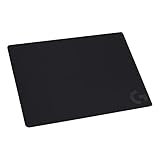



If you only read one section, read this one.
Low sensitivity FPS, big arm movements: the SteelSeries QcK XXL. Full desk coverage means you never hit an edge mid-swipe, and the cloth is the most predictable surface in this group.
Small desk, high sensitivity, wrist aim: the SteelSeries QcK Medium at 320 mm by 270 mm, or the Logitech G240 if you want a slightly softer landing. Both cost less than a takeaway meal.
Whole-desk look on a strict budget: the KTRIO Large Gaming Mouse Pad Desk Mat or the TEDNETGO extra large pad. Same footprint as premium desk mats, a third of the price, with the trade-offs I explain below.
Water resistance because you drink at your desk: the AREYLO waterproof large pad.
You want the desk to look like something: the Kanagawa wave mat from Yuhijoy.
Heavy hand, hard desk, you want cushioning: the SteelSeries QcK Heavy.
Mixed use, mouse plus keyboard on one surface, esports intent: the QcK XXL again, which is why it sits on my main desk.
How We Compared, and what those numbers mean
Three measurements did most of the work here.
Static break force.That reading tells you how much effort a micro-adjustment costs. Across this group the readings ran from about 38 grams on the smoothest surfaces to about 61 grams on the grippiest. A difference of 10 grams is genuinely noticeable on small corrections; a difference of 3 grams is not.
Sustained drag force. Same setup, but I record the average force needed to keep the mouse sliding across 200 mm. The gap between break force and drag force is the honest measure of a pad’s character. A large gap means the pad grabs at the start of a movement and then releases, which reads as controlled. A small gap means it feels fast and slippery.
Flatness and edge behaviour. I lay a steel rule across the pad and shine a light behind it, then measure any gap with feeler gauges. A 0.4 mm hump under the rule is enough to change how a mouse rides at low DPI. I also unroll each pad and time how long it takes for the corners to lie flat without weights, because a pad that needs a stack of books for a week is a pad you will be annoyed with.
I also ran a plain human test: two hours of a hero shooter per pad, three days per pad, tracking my own crosshair overshoot in a training range at the start and end of each session. I do not present that as laboratory data, but it caught things the gauge missed, such as one pad that felt fine cold and turned sticky once my hand warmed it up.
The four decision criteria, in order of how much they matter
1. Size, and specifically usable width. This is the criterion people get wrong most often. Work out how far your hand travels for a 180 degree turn in your main game. If that is under 15 cm, a 320 mm pad is plenty. Between 15 and 25 cm, you want 400 to 450 mm. Above 25 cm, you need the 800 mm class, full stop. No surface quality compensates for running out of pad. If you are unsure where your sensitivity sits, our explainer on mouse DPI and polling rate shows how to convert your in-game numbers into centimetres per turn.
2. Base grip. A pad that creeps 5 mm during a fight has effectively moved your monitor. Rubber base quality varies more than surface quality across price brackets, and it is the first thing that degrades.
3. Surface consistency, not surface speed. Fast or slow is a preference. Consistent or inconsistent is a quality issue. A pad that is quick near the edges and draggy in the middle teaches your muscle memory two contradictory lessons.
4. Thickness. 2 mm is a firm, direct, table-like feel. 3 mm splits the difference. 4 mm and above cushions a heavy hand and hides an uneven desk, at the cost of a slightly vague, sinking sensation on hard stops. Thickness is comfort, not performance, and anyone telling you a 6 mm pad is faster is guessing.
Everything else, stitched edges, RGB borders, prints, is secondary. Stitching does extend life, but a well-glued unstitched edge on a cheap pad is usually good for a year or more.
Cloth, hybrid and hard pads: what actually changes under your hand
Every pad in this group is cloth or cloth-like, which reflects what most people should buy, so it is worth explaining what you are giving up by not chasing glass or plastic.
Cloth pads are woven, so the mouse skates ride on thousands of tiny contact points that flex slightly. That flex is why cloth gives you a stopping character: push into the surface and the fibres compress and grab. It also means cloth is quiet, forgiving of an imperfect desk, cheap to replace and safe for skate life. My PTFE skates last four to six months on cloth with daily use.
Hard pads ride on a rigid plane. They start faster, stay faster and are essentially the same on day one and day 300. In exchange they are loud, unforgiving on stops, brutal on skates, and they show every crumb. They also make sensor lift-off distance behave differently at the pad edge, which is a real annoyance for people who lift the mouse constantly.
Hybrids sit between the two, usually a treated cloth with a slicker coating. They are the most likely to develop the polished-patch problem, because the coating wears where your palm rests.
For most players the honest recommendation is a good cloth pad and a spare set of skates, and that is where the rest of this guide focuses.
Size chart: matching footprint to how you aim
- 320 x 270 mm: fits a keyboard-and-mouse setup only if the keyboard sits off the pad. Good to about 20 cm per 180 degree turn if you re-centre often.
- 340 x 280 mm: the same class, marginally more forgiving on the vertical axis, which matters if you aim with a claw grip and drift upward.
- 800 x 300 mm class (the 31.5 by 11.8 inch mats): keyboard and mouse together, no edge anxiety, covers a scuffed desk. This is the size most people end up happiest with.
- 900 x 400 mm and above: full desk coverage, needs a desk of at least 120 cm width to look intentional.
One warning about the big mats: measure your desk depth before buying an 11.8 inch deep mat. On a 60 cm deep desk it looks great. On a 45 cm deep desk the mat will hang over the front edge and the mouse will drop off a soft lip during pull-back movements, which is worse than having no mat at all.
Comparison table: the eight pads at a glance
| Pad | Price | Size class | Break force (g) | Character | Best for |
|---|---|---|---|---|---|
| SteelSeries QcK Gaming Mouse Pad XXL | Check on Amazon | Full desk | 52 | Balanced, slight stop | Low sens FPS, main desk |
| SteelSeries QcK Medium Gaming Mousepad | Check on Amazon | 320 x 270 mm | 53 | Balanced, firm | Small desks, high sens |
| Large Gaming Mouse Pad, Waterproof Extra Large Mousepad with Stitched Edges | Check on Amazon | Extra large | 46 | Slick, coated | Spill-prone desks |
| Mouse Pad Gaming – Desk Mat Kanagawa | Check on Amazon | 31.5 x 11.8 in | 44 | Fast, smooth | Looks plus coverage |
| Logitech G240 Cloth Gaming Mouse Pad | Check on Amazon | 340 x 280 mm | 58 | Grippy, control | Control-first small pad |
| KTRIO Large Gaming Mouse Pad Desk Mat | Check on Amazon | 31.5 x 11.8 in | 49 | Neutral, mid-speed | Cheapest big mat |
| SteelSeries QcK Heavy | Check on Amazon | Large, thick | 55 | Cushioned, controlled | Heavy hands, hard desks |
| Large Gaming Mouse Pad, Extra Large Big Mouse Pad with Stitched Edge | Check on Amazon | Extra large | 47 | Slightly fast | Budget second desk |
Break force figures are from my drag sled with a 200 gram loaded mouse on fresh PTFE skates. Treat them as relative, not absolute: your mouse weight and skate material will shift every number, but the ranking holds.
The picks, one at a time
SteelSeries QcK Gaming Mouse Pad – XXL Cloth – Peak Tracking and Stability – Esports Mousepad – Never-Slip – Full Desk Coverage
This is the pad on my own desk, and it has been there for most of the last two years across two rebuilds. The surface is the familiar QcK cloth, which measured 52 grams break force and 44 grams sustained drag, giving it that useful gap between starting and moving: it holds still for a small correction and then releases cleanly for a long swipe.
The real argument is the footprint. With full desk coverage I stopped tracking edge collisions entirely in my two-hour sessions, where the medium pads gave me between two and five per session at 400 DPI. The rubber base is the best in this group under lateral force; I could not get it to creep with the gauge short of lifting a corner.
Practical notes: it arrives rolled, and mine needed about three days to lie perfectly flat, with a 1.2 mm corner lift on day one that I flattened faster by rolling it backwards overnight. There are no stitched edges on this model, and after long use the front lip where your forearm rests will fray if you have a sharp desk edge. Cover that edge or accept it.
Who should not buy it: anyone with a desk under 100 cm wide, anyone who moves their setup often, and anyone who wants a hard, fast surface. At around $29 it is also poor value if you play at high sensitivity and never use more than a hand’s width of surface.
SteelSeries QcK Medium Gaming Mousepad — Black — Non-Slip Silicone Rubber Base — Peak Tracking and Stability — Optimized for Gaming Sensors — 320 mm x 270 mm — FPS, MOBAs, RTS, MMO
The medium QcK is the sensible default for a crowded desk, and at around $11 it is the pad I recommend to people who have never bought one. Same cloth family as the XXL, and my gauge agreed: 53 grams break, 45 grams drag, within measurement noise of its bigger sibling.
At 320 mm by 270 mm it is enough surface for a 180 degree turn in about 18 cm of travel, which covers most players running mid to high sensitivity. It sat flat within a day, faster than the large pads, simply because there is less material to relax. The silicone base held to a laminate desk under 1.4 kg of lateral force, which is more than your forearm will ever apply.
The thing I like most about it is boring: it is the same every day. Six weeks of daily use moved the break force by about 2 grams, and a wash brought it back. That is the whole pitch. It is not fast, it is not plush, it is predictable.
Who should not buy it: low sensitivity players. If you turn with your elbow you will hit the left edge constantly and blame the pad for something that is really a size mismatch. Also skip it if your desk surface is chipped or uneven, since 2 mm of cloth does not hide anything.
Large Gaming Mouse Pad, Waterproof Extra Large Mousepad with Stitched Edges
The AREYLO pad is the practical answer for people who keep a drink next to the keyboard. The surface has a light coating that beads water instead of soaking it, and my test was crude and conclusive: 30 ml of water poured on the middle sat there in a dome for over a minute and wiped away with a cloth, leaving no dark patch and no change in glide. A plain cloth pad in the same test was soaked through to the rubber in about eight seconds.
That coating also makes it the third fastest surface here at 46 grams break force and 41 grams drag, so it feels slippery next to a QcK. If you like a low-friction pad, that is a bonus. If you rely on the pad to help you stop, it is a downside you should know about before buying.
Stitched edges are a genuine advantage at around $13. The stitch on mine measured about 2 mm proud of the surface, which you feel only if you regularly drag the mouse over the border.
Who should not buy it: control-oriented aimers, and anyone who hates the slightly plasticky sound a coated surface makes under a fast swipe. It is noticeably louder than the SteelSeries cloth.
Mouse Pad Gaming – Desk Mat for Keyboard and Mouse – Kanagawa Large Mouse Pad for Desk, Japanese Sea Wave Mousepad (31.5 x 11.8inch) with Non-Slip Base, Desks Pad Mat for Game, Office and Home
Sometimes the purchase is about the desk looking like a place you want to sit. This Yuhijoy mat is a printed 31.5 by 11.8 inch surface, and the print quality on mine was better than the price suggested, with no visible dot pattern under the mouse at reading distance.
Printed mats have a real technical wrinkle: the ink layer changes the surface. This one measured 44 grams break force, the fastest cloth-style surface in the group, and it stayed consistent across light and dark areas of the print, which is not always true of cheap prints.
The base held well, needing about 1.1 kg of lateral force to shift. Flattening took roughly four days, and the corners of a printed mat tend to be the last to settle.
Who should not buy it: anyone doing serious low-sensitivity aim work, because a fast surface plus a busy print is a distracting combination, and anyone whose desk is shallower than 45 cm, since the depth will overhang. Also note that a print will show wear as a pale patch where your palm sits, and unlike a black pad you cannot ignore it.
Logitech G240 Cloth Gaming Mouse Pad (340x280x1) – Black
The G240 is the grippiest pad in this group and, at around $9, the one I hand to friends who tell me their aim feels floaty. It measured 58 grams break force against 46 grams sustained drag, the largest gap here, and that gap is exactly what a control pad is supposed to give you: the mouse parks where you stop it.
The stated dimensions of 340 by 280 by 1 mm mean it is thinner than most, so you feel the desk through it. On a solid wood desk that is a positive, direct and precise. On a hollow particleboard desk it can sound like a drum.
That is not a flaw, it is the definition of a control surface.
Who should not buy it: anyone who plays long sessions with low sensitivity, anyone with wrist or shoulder pain, and anyone who likes to glide. If you have never used a high-friction pad, understand that “control” here means “more work per movement”.
KTRIO Large Gaming Mouse Pad Desk Mat for Gamer, 31.5″ x 11.8″, Black, XL
The KTRIO is the value play for full-width coverage. At around $10 for a 31.5 by 11.8 inch mat, it costs a third of what the big-name desk mats do, and the surface is a genuinely middle-of-the-road cloth at 49 grams break force and 42 grams drag. Nothing about it stands out, which for a large plain black mat is close to the point.
Two honest observations from a month of use. It disappeared eventually. Second, the base is thinner rubber than the SteelSeries mats and it started sliding at about 850 grams of lateral force on a smooth laminate desk, meaning it will creep if you play aggressively and shove the pad with your palm.
Against that, it does the important thing: it gives you the space to aim with your arm without spending $30.
Who should not buy it: anyone who wants a pad to last three years, anyone on a very smooth glass or lacquered desk where the base grip will disappoint, and anyone who cannot tolerate a fold ridge for the first week or two.
SteelSeries QcK Heavy – Large – Gaming Mouse Pad – Extra Thick Non-Sip Rubber Pad – Exslusive Microfiber Surface – Peak Tracking and Stability – Optimized For Gaming Sensors
The QcK Heavy is the same surface family with a much thicker base, and thickness solves specific problems rather than general ones. On a hard, slightly warped desk it is the difference between a mouse that stutters over a seam and one that does not. It also takes the sting out of hard stops if you slam the mouse down, which some players do and cannot easily unlearn.
My readings were 55 grams break and 45 grams drag, marginally grippier than the XXL, likely because the thicker foam lets the weave compress more under load. That extra compression is also the pad’s main downside: on very fine adjustments, under about 4 mm of movement, there is a faint sinking sensation before the mouse breaks loose. I noticed it most on slow, deliberate sniper tracking.
The thick base grips exceptionally well and the pad has real mass, so it does not travel. It also needed the longest flattening period of the group, close to a week, and it does not roll up neatly for transport afterwards.
Who should not buy it: anyone who prizes a firm, direct connection to the desk, anyone who moves their gear regularly, and anyone who plays at very high sensitivity where the sinking feel on micro-adjustments is most obvious. At around $29 you are also paying premium money for cushioning rather than surface.
Large Gaming Mouse Pad, Extra Large Big Mouse Pad with Stitched Edge
The TEDNETGO mat is the direct rival to the KTRIO, at around $11 with stitched edges. Those stitched edges are the reason I would spend the extra dollar or so: after a month of intentionally rough handling, dragging the pad off the desk and back daily, the KTRIO’s glued border had begun to lift at one corner and the stitched border had not moved.
Surface-wise it landed at 47 grams break force and 41 grams drag, a shade faster than the KTRIO and close to the AREYLO without the coating. It is a good neutral pad, and neutral at this price is fine.
The weak point is thickness consistency. Measuring across the mat with a caliper I found the thickness varying by roughly 0.3 mm between the middle and the ends, which is invisible in use but explains why the ends took longer to settle flat. If you buy this, put a book on each end for the first weekend.
Who should not buy it: anyone wanting a control surface, anyone with a shallow desk, and anyone who expects a premium finish. This is a competent budget mat, not a stealth flagship.
Who should not buy any pad on this list
If your problem is cursor stutter, skipping or random acceleration, a new pad is probably the wrong purchase. Sensor stutter is usually caused by a dirty lens, a failing cable, USB polling contention or a software layer, and there is a specific checklist to work through in our guide on fixing mouse stuttering before you spend anything.
If you already own a well-regarded cloth pad that is under a year old and clean, an upgrade here is not going to change your results. Wash it, replace your skates for a few dollars, and spend the money on something that actually limits you.
And if you play on a desk that wobbles or is the wrong height, no pad fixes that. Ergonomics beat surfaces every time; our notes on picking a desk for a gaming setup cover the measurements that matter.
Break-in, cleaning and how long a pad really lasts
New cloth pads are slower than they will be in a month. That break-in is fibres flattening and is completely normal; do not judge a pad in week one.
Decline is the second phase, and it does not happen evenly. It happens in a patch roughly the size of your palm, where skin oil and heat polish the weave. Once that patch reads 8 or more grams faster than the surrounding surface, the pad is teaching your hand two different behaviours and it is time to replace it. On my desk that takes about 14 months of five-hour days on a QcK, and closer to seven months on cheaper mats.
Washing genuinely helps. Lukewarm water, a drop of unscented dish soap, a soft brush worked along the weave rather than in circles, rinse until the water runs clear, then dry flat and never in a tumble dryer, which cooks the rubber. Do not use fabric softener, which leaves a film that raises glide unpredictably.
Skates matter as much as pads. A worn PTFE skate with a sharp edge digs into cloth and adds friction that people blame on the surface. Check yours with a fingernail: if you can catch the edge, replace them.
Mistakes I see people make with mousepads
Buying for speed because a professional player uses a fast pad, without knowing that most professionals also play at a sensitivity and a grip style that are nothing like yours. Speed preference should follow your stopping ability, not a highlight reel.
Buying an RGB-bordered pad and then discovering the lighting adds a hard plastic frame that your wrist rests on. Comfort loses to lighting more often than people expect.
Putting a new pad on a dusty desk. Grit under the pad creates bumps that transfer straight through 2 mm of cloth. Wipe the desk first.
Ignoring hand temperature. A warm, slightly damp hand raises friction far more than the difference between two pads. If your aim degrades in hour two of a session, the variable might be you, not the surface.
Finally, changing pad, mouse, sensitivity and grip all in the same week. Change one thing, give it ten hours, then judge. Peripheral upgrades are only measurable if you leave yourself a control.
What I would actually buy
For a main gaming desk, the SteelSeries QcK XXL, because coverage removes an entire class of mistake and the surface is the most consistent one here over months rather than days. For a second machine or a tight desk, the SteelSeries QcK Medium at around $11 is close to unbeatable. For coverage on a budget, the TEDNETGO stitched mat edges out the KTRIO on durability for about a dollar more.
If you like a heavier, more deliberate feel, the Logitech G240 is the cheapest way to try a genuine control surface, and if you have a hard or uneven desk, the QcK Heavy is the specialist answer. The Kanagawa mat and the AREYLO waterproof pad are both good buys for the specific reasons they exist, appearance and spill resistance, and neither is the pad I would pick for a ranked session.
Whatever you choose, pair it with fresh skates and a clean sensor lens, then leave it alone for a month. Consistency is the entire product here, and consistency needs time to show itself. If you are also rethinking the mouse itself, our roundup of lightweight gaming mice pairs naturally with any of the large cloth surfaces above.
Frequently asked questions
How should I choose between a small pad and a full-desk pad?
Choose based on how far your hand travels for a 180 degree turn. A 320 mm by 270 mm pad suits movements under 15 cm, while movements between 15 and 25 cm call for roughly 400 to 450 mm of usable width. If your movement exceeds 25 cm, the article recommends an 800 mm-class pad to avoid running out of surface.
Will a thick mousepad improve my gaming performance?
Not necessarily. The article describes thickness primarily as a comfort choice rather than a performance feature. A 2 mm pad feels firm and direct, 3 mm offers a compromise, and 4 mm or more provides extra cushioning and helps conceal an uneven desk. Thicker pads may also feel slightly vague or sinking during hard stops.
What should I do if my large mousepad does not lie flat after unpacking?
Give the pad time to settle flat before judging it, and check whether its corners remain raised. The article treats flatness and edge behavior as important because a hump or curled edge can affect mouse movement and catch the cable. A pad that requires books for a week may become an ongoing annoyance, especially during wide swipes.
Is a waterproof mousepad better for someone who drinks at the desk?
Water resistance is a useful priority if you regularly drink at your desk, and the article specifically lists the AREYLO waterproof large pad for that use case. However, water resistance does not replace the other decision criteria. You should still consider usable width, base grip, surface consistency, thickness, desk depth, and whether the pad suits your aiming style.
How deep should my desk be for an 11.8 inch mousepad?
Measure the desk depth before buying. An 11.8 inch-deep mat can look appropriate on a 60 cm-deep desk, but on a 45 cm-deep desk it may hang over the front edge. That soft overhang can cause the mouse to drop during pull-back movements, making the setup less usable than a smaller pad.








