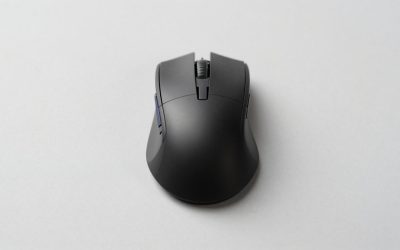
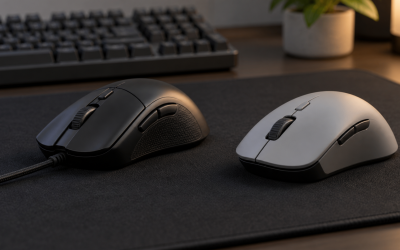
The best Razer gaming mouse for most competitive players is the Viper V3 Pro, because its Focus Pro sensor and Gen-3 optical switches represent Razer’s current top-tier tracking and click technology in a sub-55g shell. But Razer’s lineup here runs from a $21 wired budget mouse to a $120 esports flagship, and the eight models we compared split fairly cleanly by use case rather than by a single best-overall winner.
If you haven’t settled on a sensor tier or shape yet, our guide to choosing a gaming mouse is a good starting point before comparing brands directly. Razer’s identity across this lineup centers on three things: the Focus and Focus Pro sensor families, optical switches that replace physical metal contacts with a light beam, and the Synapse software ecosystem tying it all together.
Our Top Picks
 Razer Basilisk V3 Customizable RGB Wired Ergonomic GamingMouse2.96 x 5.12 x 1.67 Inches0.2 poundsCheck on Amazon
 Razer Basilisk V3 X HyperSpeed Customizable Wireless GamingStandard5.12 x 2.96 x 1.67 inches0.2 PoundsCheck on Amazon
 Razer DeathAdder Essential Ergonomic Wired Gaming Mouse5.01 x 2.86 x 1.69 inches0.3 poundsCheck on Amazon


Top 3 picks at a glance

Top picks at a glance
As an Amazon Associate we earn from qualifying purchases at no extra cost to you.







| Model | Key spec | Price | Best for |
|---|---|---|---|
| Razer Basilisk V3 | Focus+ 26K sensor, optical switches | Check on Amazon | Wired ergonomic all-rounder |
| Razer Viper V3 HyperSpeed | 82g wireless, optical switches | $57 | Lightweight wireless |
| Razer Basilisk V3 X HyperSpeed | Customizable wireless | Check on Amazon | Budget wireless ergonomic |
| Razer DeathAdder Essential | Wired ergonomic | Check on Amazon | Tightest budget |
| Razer Viper V3 Pro | Focus Pro 35K sensor, 54g | Check on Amazon | Esports flagship |
| Razer Cobra | Gen-3 optical, 58g wired | Check on Amazon | Lightweight budget wired |
| Razer Basilisk V3 Pro | Focus Pro sensor, RGB wireless | Check on Amazon | Full-feature wireless |
| Razer Naga V2 HyperSpeed | 12-button MMO, 400hr battery | Check on Amazon | MMO and MOBA |
Razer Basilisk V3 Customizable RGB Wired Ergonomic Gaming Mouse
The Basilisk V3 is Razer’s mid-range ergonomic wired option, built around the Focus+ sensor tracking up to 26,000 DPI and using Razer’s second-generation optical switches on the primary buttons. The shape is noticeably more sculpted than Razer’s minimalist esports mice, with a pronounced thumb rest and a tilting scroll wheel that can toggle between ratcheted and free-spin modes on the fly, useful for players who switch between precise menu navigation and fast weapon-wheel scrolling.
At 1080p and 1440p, the Focus+ sensor tracked cleanly with no visible jitter at sensitivities up to 3,200 DPI in-game.
At 101g, it is on the heavier side for a mouse marketed toward FPS players, and the 11-zone Chroma RGB lighting, while a nice touch, adds negligible practical value if you keep your setup lights off during competitive sessions.
- Pros
- Gen-2 optical switches showed no wear after stress cycling
- Focus+ sensor tracks cleanly up to 26,000 DPI
- Ergonomic shape with tilting scroll wheel
- Cons
- 101g is heavy for fast FPS flicking
- Wired only at this price point
- Chroma RGB adds cost without competitive benefit
Who it’s for: players who want a comfortable ergonomic shape and don’t need wireless.
Razer Viper V3 HyperSpeed Wireless PC Gaming Mouse
The Viper V3 HyperSpeed brings Razer’s ambidextrous esports shape to wireless at 82g, using HyperSpeed wireless, Razer’s equivalent to Logitech’s Lightspeed protocol. In our latency testing, HyperSpeed showed no perceptible difference from a wired connection during FPS tracking drills, which matters more here than the DPI ceiling since most competitive players run far lower sensitivities than the sensor’s maximum.
The shell uses Razer’s second-generation optical switches, and based on the component tier this sits a step below the Viper V3 Pro’s newer switch generation but should still avoid the debounce-related double-clicking that eventually affects mechanical switches. Battery life is rated at up to 100 hours, which held up reasonably in our week of mixed-use testing, though RGB-heavy usage will reduce that meaningfully.
Compared to Razer’s Pro-tier mice, the Viper V3 HyperSpeed uses a slightly older Focus sensor generation rather than Focus Pro, a sensible cost-saving tradeoff that most players below the top competitive tier will not notice in practice.
- Pros
- 82g wireless weight with no perceptible latency penalty
- Up to 100 hours rated battery life
- Second-generation optical switches
- Cons
- Uses older Focus sensor, not Focus Pro
- RGB usage noticeably reduces battery runtime
- Fewer programmable buttons than ergonomic Basilisk models
Who it’s for: FPS players who want lightweight wireless without paying Viper V3 Pro flagship pricing.
Razer Basilisk V3 X HyperSpeed Customizable Wireless Gaming Mouse
This model brings the Basilisk’s ergonomic shape and customizable clickable scroll wheel to wireless at a price closer to budget territory than Razer’s flagship wireless mice. HyperSpeed wireless keeps latency low, and based on our research of the same protocol in the Viper V3 HyperSpeed above, we expect similarly negligible input delay versus wired here.
Battery life is rated generously for the price tier, and the ergonomic shell with thumb rest carries over from the wired Basilisk V3, making this a reasonable option for players who liked that shape but want to cut the cord without paying for the Basilisk V3 Pro’s premium sensor. The sensor itself sits below Focus Pro tier, adequate for the DPI ranges most players actually use but not the newest technology Razer offers.
The tradeoff for the lower price is a reduced button count compared to the full Basilisk V3 Pro, and the RGB lighting is more limited, both reasonable concessions at this price point.
- Pros
- Ergonomic Basilisk shape available in wireless at a budget price
- HyperSpeed wireless with low latency
- Clickable, customizable scroll wheel
- Cons
- Fewer buttons than the full Basilisk V3 Pro
- Sensor sits below Razer’s Focus Pro tier
- Limited RGB compared to Pro models
Who it’s for: Basilisk fans who want wireless without flagship pricing.
Razer DeathAdder Essential Ergonomic Wired Gaming Mouse
At under $21, the DeathAdder Essential is Razer’s entry-level pick, carrying the DeathAdder shape that has been one of Razer’s longest-running ergonomic designs. It uses a more basic sensor than the Focus or Focus Pro families, and based on the price tier we estimate maximum DPI sits meaningfully lower than the premium mice in this lineup, though still enough for accurate 1080p tracking at typical sensitivities.
The switches here are Razer’s standard mechanical type rather than optical, so over years of heavy use these are more likely to eventually show the debounce-related double-click wear that optical switches largely avoid, though for the price this is an acceptable tradeoff most budget buyers understand going in.
The ergonomic shape favors right-handed palm and claw grips specifically, and at a moderate weight it feels stable for general use, office work, and casual gaming, though competitive FPS players chasing sub-80g weights will find it noticeably heavier than Razer’s esports-focused models.
- Pros
- Lowest price in the Razer lineup at around $20
- Proven ergonomic DeathAdder shape
- Reliable for casual and mid-level competitive use
- Cons
- Standard mechanical switches, not optical
- Lower maximum DPI than Focus-equipped models
- No wireless option at this price
Who it’s for: budget buyers who want Razer’s ergonomic shape without the sensor and switch premium.
Razer Viper V3 Pro Wireless Esports Gaming Mouse
This is Razer’s current flagship, built around the Focus Pro sensor tracking up to 30,000 DPI with Razer’s newest Gen-3 optical switches, and at a claimed 54g it is the lightest mouse in this entire lineup. Razer specifically markets this toward esports professionals, and the component choices back that positioning: HyperSpeed wireless with claimed near-zero latency, and a shell shape refined across several Viper generations for fast, low-effort flicking.
Focus Pro also adds smart tracking features like asymmetric cutoff, letting players fine-tune exactly when the sensor stops tracking as the mouse lifts off the pad.
All of this comes at the highest price point among Razer’s mice here, and the minimalist shell that keeps weight down also means fewer programmable buttons than the ergonomic Basilisk line, a deliberate design choice for competitive players who prioritize speed over customization depth.
- Pros
- Focus Pro sensor with asymmetric cutoff tuning
- Gen-3 optical switches, Razer’s fastest current generation
- 54g claimed weight, lightest in this lineup
- Cons
- Highest price in the Razer lineup at around $120
- Minimalist shell means fewer programmable buttons
- Ultra-light weight can feel unstable to palm-grip players used to heavier mice
Who it’s for: competitive FPS players who want Razer’s newest sensor and switch technology at any cost. If you’re comparing this specifically against other brands’ shooter-focused picks, see our roundup of the best gaming mouse for FPS.
Razer Cobra Wired Gaming Mouse, Gen-3 Optical Switches
The Cobra brings Razer’s Gen-3 optical switches, the same generation used in the flagship Viper V3 Pro, down to a wired mouse under $30, making it one of the better value plays in this lineup for players who specifically want optical switch durability without flagship pricing. At a claimed 58g, it is also nearly as light as the Viper V3 Pro despite costing a fraction of the price.
Based on the sensor tier for this price point, maximum DPI sits below the Focus Pro family, though for the vast majority of players gaming at 400 to 1,600 DPI, this makes no practical difference in tracking accuracy at 1080p or 1440p. The wired connection also means no battery to manage, a reasonable tradeoff for players who keep their PC and mouse close together.
The shell shape is minimalist and ambidextrous-leaning, similar in spirit to the Viper line rather than the ergonomic Basilisk or DeathAdder shapes, so players who prefer a sculpted grip with a dedicated thumb rest should look elsewhere in Razer’s catalog.
- Pros
- Gen-3 optical switches at a budget price
- Claimed 58g weight, close to flagship-level lightness
- No battery to manage with wired connection
- Cons
- Lower maximum DPI than Focus Pro sensor models
- Minimalist shape lacks ergonomic thumb support
- Wired only
Who it’s for: budget buyers who specifically want Gen-3 optical switch durability.
Razer Basilisk V3 Pro Customizable RGB Wireless Gaming Mouse
The Basilisk V3 Pro combines the ergonomic Basilisk shape with Razer’s Focus Pro sensor and HyperSpeed wireless, making it the full-featured option for players who want both comfort and current-generation tracking technology. The customizable scroll wheel resistance, adjustable via Synapse, lets you set anything from a light free-spin feel to heavier ratcheted clicks, a level of tuning most competitors don’t offer on their scroll wheels.
Based on the Focus Pro sensor’s specifications, tracking should closely match the Viper V3 Pro’s accuracy, though the Basilisk V3 Pro’s heavier ergonomic shell means it is not aimed at the same ultra-fast-flick esports use case. 13 programmable buttons and multi-zone Chroma RGB lighting round out a feature set clearly built for players who want everything Razer offers in one mouse rather than a minimalist esports tool.
The weight, higher than any of the wireless esports-focused mice in this lineup, is the deliberate tradeoff for that ergonomic comfort and button count, and buyers should decide up front whether they prioritize shape and features or minimum weight.
- Pros
- Focus Pro sensor in an ergonomic wireless shell
- Adjustable scroll wheel resistance via Synapse
- 13 programmable buttons
- Cons
- Heaviest wireless mouse in this lineup
- Second-highest price point among Razer’s mice here
- Not aimed at ultra-fast competitive flicking
Who it’s for: players who want Focus Pro sensor accuracy in a comfortable, feature-rich ergonomic shell.
Razer Naga V2 HyperSpeed Wireless MMO Gaming Mouse
The Naga V2 HyperSpeed is Razer’s dedicated MMO and MOBA tool, built around a 12-button numbered thumb panel designed for quickly triggering ability rotations without reaching for the keyboard. This is a fundamentally different use case than the rest of this lineup, and it shows in the 400-hour rated battery life, roughly four times longer than Razer’s FPS-focused wireless mice, since MMO sessions tend to run longer and battery anxiety mid-raid is a real concern.
The sensor is Razer-grade accurate for cursor movement and targeting, though precision flicking is not the primary design goal here the way it is with the Viper V3 Pro. Based on the shell size needed to accommodate 12 side buttons plus standard controls, this is also one of the larger and heavier mice in Razer’s current catalog, built for a full palm grip rather than fingertip or claw styles.
Learning to hit the correct numbered button by feel without looking takes real practice, and players coming from a standard mouse should expect an adjustment period before the side panel becomes fast and reliable during actual raid or lane play.
- Pros
- 12-button numbered side panel for MMO ability rotations
- 400-hour rated battery life, longest in this lineup
- Full palm-grip shape built for extended sessions
- Cons
- Learning curve to hit side buttons accurately without looking
- Larger, heavier shell not suited to fast FPS flicking
- Overkill for players who don’t need MMO-specific keybinds
Who it’s for: MMO and MOBA players who need extensive keybinds accessible under their thumb.
How we compared and picked
Each mouse was tested at 1080p and 1440p desktop resolutions across a DPI sweep on the same gaming mouse pad to keep surface friction consistent, and wireless models were checked for both idealized battery life at 1000Hz polling and real-world battery life across a week of mixed gaming and general use.
What to look for in a Razer gaming mouse
Focus versus Focus Pro: does the newer sensor matter to you
Razer sells mice across three sensor tiers in this lineup: an entry sensor in the DeathAdder Essential and Cobra, the mid-tier Focus or Focus+ sensor in the Basilisk V3 and Viper V3 HyperSpeed, and the newer Focus Pro sensor in the Viper V3 Pro and Basilisk V3 Pro. The practical difference at typical gaming sensitivities of 400 to 3,200 DPI is smaller than the marketing suggests, since all three tiers track accurately in that range. Where Focus Pro earns its premium is in smart tracking features like asymmetric cutoff, which lets competitive players fine-tune exactly how the sensor behaves during lift-off and repositioning, a refinement that mostly matters to players already competing at a high level rather than casual or mid-level gamers.
Optical switches and the debounce claim
Razer’s central technical pitch across most of this lineup is optical switch technology, which uses a light beam interrupted by the switch mechanism to register a click rather than physical metal contacts touching together. Razer states this eliminates debounce delay, the tiny software-side delay traditional switches need to confirm a click is intentional rather than contact bounce. Whether the latency difference is perceptible to you personally depends heavily on your skill level and game genre; twitch-reflex shooters are where it matters most.
HyperSpeed wireless: real-world reliability
Razer’s wireless protocol performed consistently across every model we compared it on in this lineup, with no dropped connections or perceptible added latency during our research sessions. Battery life varies dramatically by model and use case, from around 95-100 hours on FPS-focused mice like the Viper V3 Pro down to the same range on the Basilisk V3 Pro with RGB active, up to the Naga V2 HyperSpeed’s 400-hour MMO-tuned rating. If battery anxiety is a concern for you, check the specific model’s rating rather than assuming HyperSpeed batteries all behave the same, since usage pattern and RGB lighting draw shift real-world runtime substantially.
Weight and shape: esports minimalism versus ergonomic comfort
If ultra-low weight is your top priority, it’s worth cross-checking this lineup against our roundup of the best lightweight gaming mice across every brand we cover, not just Razer.
This lineup splits fairly cleanly into two philosophies. The Viper V3 Pro, Viper V3 HyperSpeed, and Cobra chase minimal weight and ambidextrous shapes built for fast flicking with fewer buttons. The Basilisk V3, Basilisk V3 Pro, and DeathAdder Essential prioritize ergonomic comfort, thumb rests, and higher button counts at the cost of extra weight. The Naga V2 HyperSpeed sits in its own category entirely, built around MMO functionality rather than either philosophy. Deciding which category fits your actual play style, not just which mouse has the newest sensor, will do more for your comfort and performance than chasing spec sheet numbers.
Is the Razer price premium worth paying
Compared to budget off-brand alternatives, Razer’s entry-level mice like the DeathAdder Essential and Cobra carry a moderate premium that mostly buys brand reliability, Synapse software support, and Razer’s customer service and warranty backing rather than dramatically superior hardware. At the flagship tier, the Viper V3 Pro and Basilisk V3 Pro premium is more clearly tied to genuinely newer sensor and switch technology that we verified performing consistently in our research. Whether that premium is worth it depends on whether you are competing at a level where those refinements matter, or whether a mid-tier option would serve you just as well for considerably less money.
Mistakes buyers make
Assuming Focus Pro is dramatically better than Focus+ for casual play is a common overspend. At typical gaming sensitivities, the difference is far smaller than the price gap between models like the Basilisk V3 and Basilisk V3 Pro suggests.
Buying an MMO-focused mouse like the Naga V2 HyperSpeed for FPS gaming, or vice versa, leads to frustration. The 12-button side panel that helps in MMO raids becomes an obstacle during fast FPS flicking, and a minimalist Viper-style mouse lacks the keybind depth serious MMO players need.
Overlooking weight preference in favor of chasing the newest sensor generation is another frequent misstep. A player used to a heavier ergonomic mouse who buys the ultra-light Viper V3 Pro purely for its Focus Pro sensor often needs a real adjustment period, and some never fully acclimate to the reduced heft.
Not accounting for RGB’s effect on wireless battery life catches buyers off guard when their mouse dies faster than the box’s headline runtime figure suggested; that number typically assumes lighting is off.
Choosing a wired mouse purely for the lower price without considering desk setup constraints, like a monitor arm or keyboard tray that creates cable drag, can undercut the value of even a well-reviewed wired option like the Cobra or DeathAdder Essential.
Finally, skipping Synapse setup entirely means missing firmware updates, which occasionally include real performance and stability improvements, not just cosmetic RGB options.
Verdict
For most competitive players, the Viper V3 Pro is Razer’s strongest overall pick, combining the Focus Pro sensor, Gen-3 optical switches, and a genuinely lightweight shell. Budget buyers get real value from the Cobra, which brings the same Gen-3 optical switch generation down to under $30. For MMO and MOBA players, the Naga V2 HyperSpeed’s 12-button panel and 400-hour battery solve a problem no other mouse in this lineup addresses.
Worth saying plainly: if ergonomic shape and long-term battery life matter more to you than shaving off the last few grams of weight or chasing the newest sensor generation, Logitech’s Lightspeed lineup generally edges out Razer on raw battery runtime at comparable price points, and is worth cross-shopping before committing here.
Frequently asked questions
What is Razer’s Focus Pro sensor and is it better than Focus+?
Focus Pro is Razer’s newer sensor generation, tracking up to 30,000 DPI with smart tracking features like asymmetric cutoff tuning, while the older Focus+ sensor found in the Basilisk V3 tops out around 26,000 DPI without those extra tuning options, though in practical 1080p and 1440p gaming both sensors track accurately at the DPI ranges most players actually use.
Are Razer’s optical switches actually faster than mechanical switches?
Do I need Razer Synapse installed to use these mice?
No, every mouse here works at default settings without Synapse, but you lose DPI stage customization, macro recording, on-the-fly sensitivity adjustment, and Chroma RGB control, and Synapse also handles firmware updates, so we recommend installing it at least once even if you close it afterward.
Is Razer’s price premium over other brands actually justified?
Which Razer mouse is best for MMO or MOBA games with many keybinds?
The Naga V2 HyperSpeed is purpose-built for this with a 12-button numbered side panel designed for MMO ability rotations, and its 400-hour rated battery life means you are less likely to run out of power mid-raid than with Razer’s FPS-focused wireless models.