
A triple-monitor desk can look impressive in a dedicated office, a compact gaming room, or a shared work-from-home corner—but it can also become a cramped tangle of screens, stands, cables, keyboards, and mouse space. The right large desk mat helps define the work surface, while the right monitor mount can free up the area directly beneath three displays.
For this 2026 roundup, we ranked the listed options by how well they suit a three-screen workspace, paying particular attention to monitor compatibility, mounting style, adjustability, and value. One true XXL desk mat appears here; the remaining picks are triple-monitor mounts that can make a large desk mat more useful by clearing the desktop around it.
As an Amazon Associate we earn from qualifying purchases at no extra cost to you. Product prices and availability are accurate as of the date shown and are subject to change.

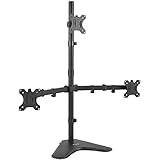

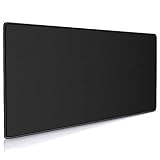


Top 3 picks at a glance
HUANUO Triple Monitor Mount for 17 to 32 inch Screens, Adjustment Gaming...VIVO Triple LCD LED Computer Monitor Desk Stand, Free Standing Heavy Duty...HUANUO Triple Monitor Mount for 13-27 inch Computer Screens, Gaming 3 Monitor...Quick Picks
| Product | Best for | Price |
|---|---|---|
| HUANUO Triple Monitor Mount for 17 to 32 inch Screens | Triple 17- to 32-inch monitor setups | $119.99 |
| VIVO Triple LCD LED Computer Monitor Desk Stand STAND-V003E | Value-minded freestanding setups | $59.99 |
| HUANUO Triple Monitor Mount for 13-27 inch Computer Screens | Smaller-screen gaming desks | $69.99 |
| Cmhoo XXL Professional Large Mouse Pad & Computer Game Mouse Mat | Desk coverage beneath a triple-screen workstation | $12.99 |
| MOUNTUP Triple Monitor Mount for 17-32 inch Screens | Full-motion monitor positioning | $89.99 |
| MOUNTUP Triple Monitor Mount for Max 27 inch Computer Screens | Triple monitors up to 27 inches | $62.69 |
| ErGear Triple Monitor Stand Fits Three 17–32 inch Monitors | Three larger monitors | $129.99 |
| Mount-It! Heavy-Duty 2+1 Triple Monitor Mount | Ultrawide-plus-dual-monitor workstations | $229.99 |
How We Picked
A useful triple-monitor setup starts with fit. We prioritized the stated screen-size compatibility, since a mount made for smaller displays is not automatically appropriate for a desk with three larger panels. We also considered the mounting approach: clamp and grommet options can preserve more usable desk area for a large desk mat, keyboard, and accessories, while a freestanding stand may suit desks where clamping is not practical.
We also looked for meaningful adjustment features, including swivel, tilt, rotation, and full-motion arms where stated. Finally, we considered price alongside the intended setup. A $12.99 XXL mat and a $229.99 heavy-duty mount solve very different problems, so the best choice depends on whether the immediate need is a protected work surface, basic three-screen support, or an unusually large ultrawide configuration.
The 8 Best Picks
1. HUANUO Triple Monitor Mount for 17 to 32 inch Screens — Best Overall for Larger Triple Displays
This HUANUO mount is the strongest all-around pick for a conventional three-monitor desk using screens from 17 to 32 inches. Its clamp and grommet kit gives buyers two desk-mounting paths, which can be especially helpful when trying to preserve a broad, uninterrupted surface for a desk mat. Swivel, tilt, and rotation support make it suited to workstations that shift between focused work, gaming, and collaboration.
- Pro: Fits a wide stated monitor-size range of 17 to 32 inches.
- Pro: Includes both clamp and grommet mounting options.
- Con: At $119.99, it costs more than several standard triple-monitor alternatives here.
Skip it if all three of your displays are 27 inches or smaller and a lower-priced mount better matches your needs.
2. VIVO Triple LCD LED Computer Monitor Desk Stand STAND-V003E — Best Budget Freestanding Stand
The VIVO STAND-V003E is a sensible choice for shoppers who want triple-monitor support without committing to a clamp or grommet installation. This is a freestanding, heavy-duty desk stand for three screens up to 30 inches, with fully adjustable positioning. At $59.99, it is one of the lower-cost ways to organize a three-screen desk while leaving a large mat in place beneath the keyboard and mouse.
- Pro: Freestanding design avoids relying on a desk clamp or grommet.
- Pro: Supports three screens up to 30 inches at a $59.99 price.
- Con: Its base occupies desktop space that a clamped mount could leave open.
Skip it if maximizing clear desk surface for an XXL desk mat is your highest priority.
3. HUANUO Triple Monitor Mount for 13-27 inch Computer Screens — Best for Compact Triple-Screen Gaming Desks
For a desk built around three smaller displays, this HUANUO model offers a targeted fit for 13- to 27-inch computer screens. It includes tilt, swivel, and rotation, plus VESA 75×75 and 100x100mm compatibility. The stated 19.8-pound holding capacity makes it important to check each monitor’s specifications before buying. At $69.99, it is positioned between the most basic budget stand and more expansive mounts for larger screens.
- Pro: Designed specifically for monitors from 13 to 27 inches.
- Pro: Includes tilt, swivel, rotation, and stated VESA compatibility.
- Con: It is not the right match for monitors larger than 27 inches.
Skip it if even one display in your trio exceeds the stated 27-inch maximum.
4. Cmhoo XXL Professional Large Mouse Pad & Computer Game Mouse Mat — Best Actual Large Desk Mat
The Cmhoo XXL mat is the direct answer for buyers searching for a large desk mat rather than another monitor arm. Measuring 35.4 by 15.7 by 0.12 inches, it creates a defined black surface for a keyboard, mouse, and everyday accessories in front of a triple-monitor arrangement. Its $12.99 price makes it an easy starting point for improving the feel and visual consistency of a desk, particularly after monitors have been lifted with a mount.
- Pro: The 35.4-by-15.7-inch format provides broad keyboard-and-mouse coverage.
- Pro: At $12.99, it is the least expensive pick in this roundup.
- Con: It does not mount, raise, or reposition monitors.
Skip it if your main issue is screen alignment or lack of room beneath monitor stands.
5. MOUNTUP Triple Monitor Mount for 17-32 inch Screens — Best for Full-Motion Flexibility
This MOUNTUP model is for shoppers with three 17- to 32-inch monitors who want full-motion positioning and a cleaner desk perimeter. It supports monitors weighing 4.4 to 19.8 pounds each and includes both clamp and grommet mounting. Those details make it a practical candidate for a desk where the monitor arrangement may change often, such as a shared office or a workstation used for work and entertainment.
- Pro: Full-motion design supports more flexible monitor placement.
- Pro: Clamp and grommet mounting can help reclaim desk surface.
- Con: Each monitor must fall within the stated 4.4- to 19.8-pound range.
Skip it if your screens are smaller than 17 inches or weigh outside the listed range.
6. MOUNTUP Triple Monitor Mount for Max 27 inch Computer Screens — Best Value for 27-Inch Screens
If your three monitors are no larger than 27 inches, this MOUNTUP mount offers a focused, comparatively affordable route to a more open desktop. Each arm holds 4.4 to 19.8 pounds and includes swivel, tilt, and rotation. At $62.69, it is a compelling alternative to a freestanding stand for buyers who want their desk mat to remain visually and physically unobstructed beneath the displays.
- Pro: $62.69 pricing is approachable for a three-monitor desk mount.
- Pro: Each arm offers swivel, tilt, and rotation.
- Con: The stated maximum screen size is 27 inches.
Skip it if you plan to replace your monitors with 32-inch screens in the near future.
7. ErGear Triple Monitor Stand Fits Three 17–32 inch Monitors — Best for a Straightforward Larger-Screen Match
The ErGear Triple Monitor Stand is a clean option for buyers whose setup consists of three monitors within the stated 17- to 32-inch range. Its appeal is simple: it targets the larger-screen triple-monitor category directly, without asking shoppers to choose a model designed around 27-inch limits. At $129.99, it belongs near the premium end of standard triple-monitor stands in this list.
- Pro: Fits three monitors from 17 to 32 inches.
- Pro: A direct match for desks using three similarly sized larger displays.
- Con: The $129.99 price is higher than several alternatives listed here.
Skip it if your primary goal is the lowest-cost mount for three smaller monitors.
8. Mount-It! Heavy-Duty 2+1 Triple Monitor Mount — Best for an Ultrawide Command Center
The Mount-It! Heavy-Duty 2+1 is the specialty choice for a far less typical triple-monitor desk: one 49-inch screen plus two 35-inch monitors. Its 44-pound gas spring arms, clamp mount, and grommet mount are intended for a substantial multi-display arrangement. At $229.99, this is not a casual upgrade; it is for buyers building a large-format workstation where an ordinary triple mount may not match the screen configuration.
- Pro: Accommodates one 49-inch screen and two 35-inch monitors.
- Pro: Offers clamp and grommet mounting for the heavy-duty setup.
- Con: At $229.99, it is the most expensive option in this roundup.
Skip it if you use three conventional monitors and do not need an ultrawide-centered layout.
Buying Guide
Match the Mount to Your Screen Sizes
Start with the largest monitor, not the smallest. A mount rated for a maximum of 27 inches is best reserved for a trio that stays within that limit. For larger setups, look to options rated for 17 to 32 inches. If your desk centers on a 49-inch ultrawide with two additional displays, the Mount-It! 2+1 is the clearly relevant specialty option.
Choose Between Freestanding, Clamp, and Grommet Mounting
A freestanding stand can be useful when clamping is not an option, but its base remains on the desktop. Clamp and grommet mounts can create a more open surface beneath the monitors, which is especially valuable when using a 35.4-by-15.7-inch mat or another large desk mat. Confirm that your desk can accommodate the mounting method before selecting a monitor arm.
Separate Desk-Surface Needs From Monitor-Support Needs
A desk mat and a monitor mount are complementary purchases, not substitutes. The Cmhoo mat supplies a 0.12-inch-thick work surface for mouse and keyboard use. A triple-monitor mount addresses screen placement, adjustment, and desk clearance. For the most organized result, choose a mat for the area your hands use and a mount that matches your displays’ stated size and weight requirements.
Our Verdict
For most three-monitor workstations using larger screens, the HUANUO Triple Monitor Mount for 17 to 32 inch Screens is the best overall fit because it combines a broad stated size range with swivel, tilt, rotation, and clamp or grommet mounting. For the actual desk-mat portion of the setup, the Cmhoo XXL is the clear value pick at $12.99. Buyers with a 49-inch ultrawide and two 35-inch monitors should look directly to the Mount-It! Heavy-Duty 2+1.
FAQ
What is the best large desk mat for a triple-monitor setup?
The Cmhoo XXL Professional Large Mouse Pad is the only dedicated large desk mat in this list. Its stated dimensions are 35.4 by 15.7 by 0.12 inches, making it suitable for covering the keyboard-and-mouse zone in front of three monitors.
Why are monitor mounts included in a desk mat roundup?
Triple-monitor mounts can make a large desk mat more practical by moving monitor support off the central work surface. Clamp and grommet designs are particularly helpful for maintaining open space beneath the displays.
Can a triple-monitor mount hold three 32-inch monitors?
Only choose a mount whose stated compatibility includes 32-inch monitors. In this roundup, the first HUANUO model, the 17- to 32-inch MOUNTUP model, and the ErGear stand list compatibility up to 32 inches. Screen weight and other fit requirements should also be checked.
Is a freestanding triple-monitor stand better than a clamp mount?
Neither is universally better. A freestanding stand can suit desks where clamping is not possible. A clamp or grommet mount may be preferable when you want more visible and usable desktop area for a large mat, keyboard, and accessories.
Related guides
- Dual Monitor Arm vs Stacked Monitor Arm Setup: Which Is Right for Your Home
- 8 Best Wooden Laptop Stands for Vertical Desk Setup: Tested and Ranked (2026)
- 8 Best Vertical Laptop Stands for Dual Macbook Setup: Tested and Ranked (2026)
- Usb C Hub vs Thunderbolt Dock for Desk Setup: Which Is Right for Your Home


