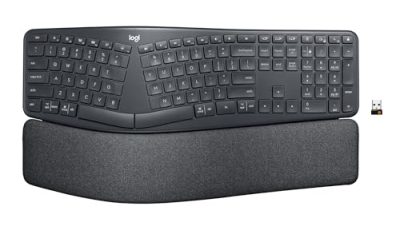
A slim mechanical keyboard forces a genuine trade-off: you want the crisp feel of mechanical switches and a backlit board you can see in a dim room, but you do not want a tall, heavy slab eating half your desk. The Satechi SM1 is the compact board many Mac and Windows users start with, yet its exact Amazon listing is hard to pin down right now, so the smarter move is to compare the closest boards you can actually buy. That means weighing layout against desk space, tactile switches against clicky or linear ones, and Bluetooth pairing against a wired fallback.
This guide is for Mac-first typists who switch between a laptop and a desktop, Windows users who want a quieter mechanical board for a shared room, and anyone who carries a keyboard between home and office. Every board below is drawn from its Amazon listing name and listed specifications, led by the SM1’s closest sibling, the Satechi SM3, with two more slim mechanical Bluetooth boards alongside it.
Quick Picks
As an Amazon Associate we earn from qualifying purchases
| Product | Best for | Key spec from title |
|---|---|---|
| Satechi SM3 Slim Mechanical Backlit Bluetooth Keyboard | Full-size typing with a numeric keypad | 108 keys, low-profile brown switches |
| Logitech MX Mechanical Mini | Quiet compact typing across three devices | Tactile Quiet switches, backlit keys |
| Lofree Flow84 | Custom-feel compact board with hot-swap switches | 84-key layout, Kailh Full POM Ghost linear switches |
How to Choose
Layout first: compact or full-size
Start with the keys you actually press. A compact 84-key board drops the numeric keypad and keeps the function row, which suits writers and coders who want their mouse closer to their body and their bag lighter. A full-size 108-key board keeps the keypad, which matters if you live in spreadsheets or enter long strings of numbers all day. Measure your desk before you order: a full-size board is roughly a third wider than a compact one, and that extra width pushes your mouse arm outward. If you travel with the keyboard, compact wins every time; if the board never leaves your desk, the keypad is worth the space.
Switch feel: tactile, linear or clicky
Switches decide how a board feels under your fingers, so pick by typing habit rather than by brand. Tactile switches give a small bump as the key registers, which helps touch typists land each keystroke without bottoming out hard; the Satechi SM3 and the Logitech Tactile Quiet version both use this style. Linear switches travel smoothly from top to bottom with no bump, which suits fast typists and gamers who press keys repeatedly. Clicky switches add an audible click to the bump, which feels precise but carries across a quiet room. If you share a desk or work late while others sleep, tactile or linear is the safer choice.
Connectivity: Bluetooth, dongle or wired
Count the devices before you count the features. A board that pairs with four devices over two Bluetooth channels, a 2.4 GHz receiver and a wired USB-C connection lets you jump between a Mac, a Windows PC, a tablet and a spare laptop. The Logitech MX Mechanical Mini pairs with three devices over Bluetooth or its Logi Bolt receiver, which covers most two-computer desks. Bluetooth alone is fine for a single laptop, but a receiver gives a steadier link on a desktop, and a wired mode saves the day when the battery dies mid-sentence. Check that the receiver is included in the box, and whether it uses USB-A or USB-C, since laptops may need an adapter.
Backlight and battery: what the listing really promises
Backlighting looks simple on a listing and behaves differently on a desk. White LED patterns with several brightness levels help you find keys in a dark room, while RGB glow is mostly about looks and can distract in a shared office. Battery life is where listings diverge most: the Logitech MX Mechanical Mini runs up to 15 days with its backlight on and up to 10 months with the light off, because the light is the main drain. Treat any battery claim as a best case, charge over USB-C, and remember that a board with a wired mode keeps working while it charges, so a dead battery never ends your workday.
The 3 Best Options
Satechi SM3 Slim Mechanical Backlit Bluetooth Keyboard
The SM3 is the closest sibling to the SM1 and the natural lead for this guide: the same low-profile brown switches, the same 14 white LED backlight patterns and the same four-device switching, stretched into a full-size board with a numeric keypad. Its aluminum enclosure keeps the deck rigid, the removable keycaps make cleaning simple, and the Mac and Windows keycaps in the box mean no hunting for the right legends. For a desk that never moves, the keypad and the wide layout are genuine daily advantages over the compact SM1, and the white backlight keeps late-night keys easy to find.
Specs
- 108 keys with a full numeric keypad
- Low-profile brown switches with removable keycaps
- Dual Bluetooth 5.0, 2.4 GHz USB receiver and wired USB-C
- Connects up to 4 devices and switches between them
- 14 white LED backlight patterns with 3 brightness levels and 4 LED speeds
- 2500mAh rechargeable battery with USB-C charging
- Aluminum enclosure with adjustable feet
- Mac and Windows compatible, with 2 Windows keycaps and 2 Alt keycaps in the box
- 2-year limited warranty
Best for: Desk-based Mac and Windows users who want a full-size mechanical board with a keypad.
Watch out for: The full-size layout needs noticeably more desk width than a compact board, and the 2.4 GHz receiver uses USB-A, so USB-C-only laptops may need an adapter.
Logitech MX Mechanical Mini
The MX Mechanical Mini is the quiet achiever of this group: a compact board with Tactile Quiet switches, smart backlighting that brightens as your hands approach, and a metal top case that feels planted on the desk. It pairs with three devices over Bluetooth or the included Logi Bolt receiver, and the rechargeable battery stretches for months with the backlight off. If your work mixes a desktop and a laptop and your typing shares a room with other people, this is the board that disappears into the routine and keeps working without fuss.
Specs
- Tactile Quiet low-profile mechanical switches
- Backlit keys with smart illumination
- Bluetooth Low Energy and included Logi Bolt USB receiver
- Pairs with up to 3 devices with Easy-Switch
- USB-C quick charging, rechargeable 1500 mAh Li-Po battery
- Up to 15 days of battery with backlight on, up to 10 months with backlight off
- Compatible with Windows, macOS, Linux, Chrome OS, iOS, iPadOS and Android
- Logi Options+ software for remapping and backlight settings
- 612 g, 26.1 x 312.6 x 131.55 mm including keycaps
Best for: Shared rooms and mixed Mac and Windows desks where quiet typing and three-device switching matter.
Watch out for: The switch choice is fixed at purchase, so pick Tactile Quiet, Linear or Clicky deliberately; there is no numeric keypad.
Lofree Flow84

The Flow84 is the board for typists who want a compact mechanical keyboard with room to tinker: its low-profile Kailh Full POM Ghost linear switches are hot-swappable, the gasket-mounted aluminum case softens each keystroke, and the dual-shot PBT keycaps resist shine. It connects over Bluetooth or a wired connection and suits Mac and Windows alike. If you enjoy changing switches later or you simply want a smoother, quieter linear feel than a tactile board gives, the Flow84 is the most flexible pick here, and its compact footprint travels well.
Specs
- 84-key layout in a compact three-quarter footprint
- Low-profile Kailh Full POM Ghost linear switches, hot-swappable
- Bluetooth and wired connections, rechargeable
- Gasket-mounted aluminum case design
- Dual-shot PBT keycaps
- RGB sidelit and backlit keys
- Compatible with Windows and Mac
Best for: Typists who want a compact linear-feel board they can modify with different low-profile switches later.
Watch out for: Low-profile switches and keycaps only, so standard full-height keycaps will not fit; confirm the exact switch option on the listing before ordering.
Which One Fits Your Situation
You type on a Mac and a Windows PC every day
Pick the Satechi SM3. Its Mac and Windows keycaps ship in the box, and switching between four paired devices takes a single key combination, so a MacBook and a Windows desktop can share one board without re-pairing. The Logitech MX Mechanical Mini is the fallback if you want a smaller footprint and three-device switching with a quieter keystroke.
You need a numeric keypad for spreadsheets
Pick the Satechi SM3, the only board here with a full numeric keypad. The 108-key layout keeps number entry fast and keeps your hand in one place during long spreadsheet sessions, which matters when you enter figures for hours. The two compact boards save desk space, but they force number entry onto the top row, which slows heavy data work.
You want the quietest board for a shared room
Pick the Logitech MX Mechanical Mini with Tactile Quiet switches. Its low-profile switches are built for low noise, and the backlight can be switched off to stretch the battery for months. The Lofree Flow84 with linear switches is the next quietest option, while clicky switches are the wrong pick for a shared space.
You like to change switches and keycaps later
Pick the Lofree Flow84. Its hot-swappable sockets accept different low-profile switches without soldering, and the dual-shot PBT keycaps are easy to remove and clean. The Satechi SM3 also has removable keycaps for cleaning, but its switches are fixed, so the Flow84 is the better long-term tinkering board. Check that any replacement switch is a low-profile type before ordering, since full-height switches will not fit.
Common Mistakes
- Buying a compact board and then missing the numeric keypad during spreadsheet work.
- Choosing clicky switches for a shared room or late-night typing.
- Forgetting to check whether the 2.4 GHz receiver uses USB-A or USB-C before ordering.
- Assuming every low-profile board accepts standard full-height keycaps and switches.
- Leaving the backlight on full brightness and then wondering why the battery drains fast.
Frequently Asked Questions
Can I use these keyboards with both Mac and Windows?
Yes. All three boards list Mac and Windows compatibility on their Amazon listings, and the Satechi SM3 ships with Windows and Alt keycaps in the box for switching layouts. The Logitech MX Mechanical Mini also works with Linux, Chrome OS, iOS, iPadOS and Android, so it covers tablets and phones as well as computers.
What happened to the Satechi SM1?
The SM1 comes in dark and light color variants, and its Amazon availability has varied between checks, with one tracker showing no buyable offer in late November while other listing mirrors still show stock. The SM3 in this guide is the closest same-family board, with the same switches, backlight and four-device connectivity in a full-size layout.
Do I need the 2.4 GHz receiver, or is Bluetooth enough?
Bluetooth is enough if you pair one or two devices and sit close to them, since all three boards support it. The receiver earns its place on a desktop where a steadier link matters, or when Bluetooth is crowded by other wireless gear. A wired USB-C connection is the backup that works with a dead battery, so a board with all three options is the most flexible.
How long does the battery last on these keyboards?
Battery life depends mostly on the backlight. The Logitech MX Mechanical Mini lists up to 15 days with the backlight on and up to 10 months with it off, which shows how much power the light draws. The Satechi SM3 uses a 2500mAh rechargeable battery over USB-C, and switching the backlight off or down extends every board here.
Related guides
More from Amazon
Programs that pair well with the guide above. Offers and eligibility are set by Amazon and may change.
Free shipping on eligible items, Prime Video and more. Eligible new members can start with a free trial.
Start a Prime free trialAd-free music streaming. Eligible new subscribers can start with a free trial.
Try Music Unlimited freeA Prime membership for ages 18-24 with a trial period. Eligibility is set by Amazon.
See Prime for Young AdultsAudiobooks and podcasts to listen to on the go. Eligible new members can start with a free trial.
Try Audible freeAs an Amazon Associate we earn from qualifying purchases.