Roblox is a platform where the games change every time you log in. One session you are building a house in Bloxburg, the next you are swinging a sword in BedWars or exploring a tycoon world with friends. The mouse you use has to keep up with all of it, and it does not need to be complicated or expensive to do the job well.


The best gaming mouse for Roblox is a simple, comfortable mouse that tracks cleanly, clicks reliably, and works the moment you plug it in. Roblox games rarely demand extreme sensor numbers or dozens of extra buttons, so the smart move is to pick a proven mouse with a shape that fits your hand and a sensor that never skips. The four mice below all meet that bar, and each one suits a different kind of player.
Our Top Picks
 Razer DeathAdder Essential Ergonomic Wired Gaming Mouse5.01 x 2.86 x 1.69 inches0.3 poundsCheck on Amazon

Top 3 picks at a glance
Quick Picks
Our Short List of 3
- Best for: Players who want maximum buttons, a tunable feel, and one mouse for Roblox and beyond.
- Sensor: HERO 25K optical, 200 to 25,600 DPI
- Buttons: 11 programmable buttons
- Scroll wheel: Dual-mode hyper-fast, with tilt
- Weights: Five removable 3.6 g tuning weights
- Best for: A first gaming mouse, younger players, and anyone who wants RGB color on a tight budget.
- Sensor: Optical, up to 8,000 DPI
- Buttons: 6 programmable buttons
- Lighting: LIGHTSYNC RGB, about 16.8 million colors
- On-board memory: Yes, stores DPI settings
- Best for: Palm grip players and long, relaxed Roblox sessions.
- Sensor: Optical, up to 6,400 DPI
- Buttons: 5 programmable buttons
- Switches: Mechanical switches
- Grips: Rubber side grips
All 3 Picks at a Glance
| Product | Specs | Action |
|---|---|---|
| 1. Logitech G502 HERO |
| Check price on Amazon |
| 3. Logitech G203 LIGHTSYNC |
| Check price on Amazon |
| 4. Razer DeathAdder Essential |
| Check price on Amazon |
- Best overall: Logitech G502 HERO — the most buttons, the most adjustable feel, and a sensor that handles any Roblox game.
- Best for small hands: Razer Viper Mini — a 61 g ambidextrous shell that moves with almost no effort.
- Best first mouse: Logitech G203 LIGHTSYNC — simple, light, colorful, and easy to set up.
- Best comfort pick: Razer DeathAdder Essential — a large, relaxed palm shape for long building and exploring sessions.
How to Choose a Gaming Mouse for Roblox
Match the sensor to the game, not the number on the box
Roblox games are built for a wide audience, and none of them need a 25,000 DPI sensor. What matters is a sensor that tracks smoothly at the sensitivity you actually use, without skipping or spinning out during a fast turn. Every mouse in this guide uses an optical sensor from a major brand, and all of them are more than accurate enough for aiming in Arsenal, placing blocks in Bloxburg, or clicking through a tycoon menu.
Pick a shape that fits your hand
Shape matters more than sensor numbers in Roblox, because sessions can run long and the games ask for different grips. A palm grip rests the whole hand on the mouse and suits big, relaxed shapes like the DeathAdder Essential. A claw grip arches the fingers and works well with medium mice like the G502 HERO and the G203 LIGHTSYNC. A fingertip grip touches the mouse only at the fingertips and pairs best with a light, small mouse like the Viper Mini. When in doubt, measure your hand from wrist to middle fingertip: under 17 cm leans small, 17 to 19 cm leans medium, and over 19 cm leans large.
Buttons: enough is enough
Roblox controls are simple. Left click, right click, a couple of keys, and maybe a scroll wheel action cover almost every game. Five or six buttons are enough for most players, and extra buttons are only useful if you actually bind them to something. The G502 HERO is the exception here, with 11 programmable buttons for players who like mapping inventory, tools, and emotes to the mouse. For everyone else, a clean five or six button layout keeps misclicks down and the mouse easy to learn.
Wired keeps it simple
Every mouse in this guide is wired, and that is deliberate. A wired mouse has no battery to charge, no wireless lag to worry about, and no software needed to get going. You plug it in, Windows or macOS sees it, and you are playing. That plug-and-play simplicity is exactly what Roblox players need, especially younger players and anyone setting up a first gaming PC. A flexible, lightweight cable matters too, because a stiff cable can drag and fight your aim. The Viper Mini and the G502 HERO both use flexible cables designed to stay out of the way.
Weight and comfort for long sessions
Roblox sessions often stretch for hours, and a heavy mouse tires the wrist faster than a light one. The Viper Mini, at 61 g, is the lightest mouse here and the easiest to flick around in fast games. The G203 LIGHTSYNC is also light and easy to move. The G502 HERO is heavier, at 4.3 oz, but it includes five removable 3.6 g weights, so you can tune the balance to your taste. The DeathAdder Essential sits in the middle and trades lightness for a big, comfortable shape that fills the palm. There is no single right weight, only the weight that feels good after an hour of play.
RGB and software: nice to have, not need to have
Lighting does not make you play better, but it does make a setup feel like your own. The G203 LIGHTSYNC and the Viper Mini both offer customizable RGB lighting through their companion software, while the G502 HERO adds RGB plus on-board memory for saving profiles to the mouse itself. The DeathAdder Essential keeps it simple with a single-color green glow. None of them need software to work in Roblox.
The 4 Best Gaming Mice for Roblox
1. Logitech G502 HERO
- Best for: Players who want maximum buttons, a tunable feel, and one mouse for Roblox and beyond.
- Sensor: HERO 25K optical, 200 to 25,600 DPI
- Buttons: 11 programmable buttons
- Scroll wheel: Dual-mode hyper-fast, with tilt
- Weights: Five removable 3.6 g tuning weights
Players who want maximum buttons, a tunable feel, and one mouse for Roblox and beyond.
The large, heavy shell suits medium to large hands best, and the button layout takes time to learn.
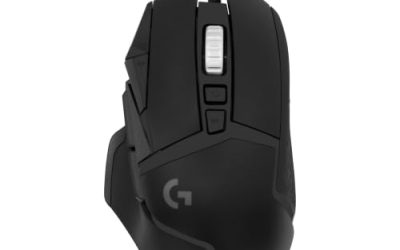
The G502 HERO is the most capable mouse in this guide, and the best choice for a Roblox player who wants one mouse to do everything. Its HERO 25K sensor tracks up to 25,600 DPI with no smoothing, filtering, or acceleration, which means the cursor goes exactly where your hand tells it to go. That precision shows up in aiming games, and it also makes fine work like placing furniture in Bloxburg feel steady and predictable.
The real strength of the G502 HERO is control. Eleven programmable buttons cover tools, inventory slots, emotes, and anything else you want within thumb reach, and the dual-mode hyper-fast scroll wheel switches between precise clicks and free spinning for scrolling through long menus. On-board memory stores up to five profiles on the mouse itself, so your setup travels with you to another computer. Five removable 3.6 g weights let you tune the balance, adding heft for a planted feel or removing it for quicker flicks.
The trade-off is size and weight. At 4.3 oz before you add any weights, the G502 HERO is a substantial mouse, and its right-handed ergonomic shape is built for medium to large hands. Small-handed players may find it a stretch, and the button layout takes a few sessions to learn. But if your hand fits it, there is no more versatile mouse for Roblox, and it stays useful as you move on to more demanding games later.
Watch out for: The large, heavy shell suits medium to large hands best, and the button layout takes time to learn.
2. Razer Viper Mini
The Viper Mini is the lightest mouse in this guide, and the best pick for small hands and fast, twitchy Roblox games. At 61 g, it moves with almost no effort, which makes a real difference in BedWars and Arsenal, where quick flicks and fast turns decide fights. The ambidextrous shape suits fingertip and claw grips, and it fits smaller hands that find full-size mice awkward.
Despite the small size, the Viper Mini does not feel stripped down. Its 8,500 DPI optical sensor tracks cleanly at the sensitivities most Roblox players use, and Razer optical switches register clicks with a light, crisp feel. The Speedflex cable is soft and flexible, so it does not drag or catch during fast swipes. Chroma RGB underglow adds a glow to the setup, customizable through Razer Synapse, and the six programmable buttons cover the essentials without clutter.
The limits are the ones that come with the size. Two side buttons sit on the left only, so left-handed players get less from it, and the narrow shell can feel cramped for large hands. For the players it fits, though, the Viper Mini is one of the easiest mice to aim with, and its light weight keeps the wrist fresh through long sessions.
Specs
- Sensor: Optical, up to 8,500 DPI
- Buttons: 6 programmable buttons
- Switches: Razer optical switches
- Weight: 61 g
- Cable: Razer Speedflex cable
- Lighting: Chroma RGB underglow
- Shape: Ambidextrous
- Connection: Wired USB
- Model: RZ01-03250100-R3M1
Best for: Small hands, fingertip and claw grips, and fast games like BedWars and Arsenal.
Watch out for: The narrow shell can feel cramped for large hands, and side buttons are left-side only.
3. Logitech G203 LIGHTSYNC
- Best for: A first gaming mouse, younger players, and anyone who wants RGB color on a tight budget.
- Sensor: Optical, up to 8,000 DPI
- Buttons: 6 programmable buttons
- Lighting: LIGHTSYNC RGB, about 16.8 million colors
- On-board memory: Yes, stores DPI settings
A first gaming mouse, younger players, and anyone who wants RGB color on a tight budget.
The 8,000 DPI ceiling is lower than flagship mice, and the shell runs small for very large hands.
The G203 LIGHTSYNC is the best first gaming mouse for Roblox. It is simple, affordable, light, and ready to play the moment you plug it in, with an 8,000 DPI sensor and six programmable buttons that cover everything Roblox asks for. The classic Logitech shape has been around for years because it works: a comfortable, slightly rounded shell that suits palm and claw grips for most hand sizes.
What sets the G203 apart at this level is the lighting. LIGHTSYNC RGB paints a color wave across the mouse in about 16.8 million colors, customizable through Logitech G HUB, and it makes a first setup feel properly gaming without adding cost or complexity. On-board memory stores your DPI settings on the mouse, and screen mapping lets the lighting react to what is on screen. The sensor tracks with zero filtering and smoothing, so aiming stays consistent from one game to the next.
There are no surprises in the trade-offs. The sensor tops out at 8,000 DPI, which is more than enough for Roblox but lower than the flagship mice here. The shell is on the smaller side of medium, so very large hands may want something bigger. And like the other mice in this guide, it is wired, which keeps it simple but means managing a cable. For a first mouse, or a second mouse for a younger player, the G203 LIGHTSYNC is hard to beat.
Watch out for: The 8,000 DPI ceiling is lower than flagship mice, and the shell runs small for very large hands.
4. Razer DeathAdder Essential
- Best for: Palm grip players and long, relaxed Roblox sessions.
- Sensor: Optical, up to 6,400 DPI
- Buttons: 5 programmable buttons
- Switches: Mechanical switches
- Grips: Rubber side grips
Palm grip players and long, relaxed Roblox sessions.
The large shell does not suit small hands, and the 6,400 DPI ceiling is the lowest here.
The DeathAdder Essential is the comfort pick of this guide, and a favorite shape that has been refined for years. Its large, right-handed ergonomic shell fills the palm and supports the hand through long building, exploring, and grinding sessions, which is where Roblox players spend most of their time. The rubber side grips keep the mouse steady, and the overall feel is relaxed rather than twitchy.
The sensor is a true 6,400 DPI optical unit, which is the lowest ceiling in this guide and still more than Roblox needs. Five programmable buttons cover the essentials, mechanical switches give a solid, tactile click, and the braided cable is built to last. Setup is as simple as it gets: plug it in and play, with Razer Synapse available if you want to remap buttons or tune sensitivity. The green LED glow on the scroll wheel and logo is a classic Razer touch.
The DeathAdder Essential is not the mouse for small hands or fingertip grips. Its size is a feature for palm grip players and a drawback for everyone else, and the 6,400 DPI ceiling leaves less room to fine-tune sensitivity than the other mice here. But for players who value comfort above all else, and who spend hours in a single Roblox world, it is one of the most comfortable mice you can buy.
Watch out for: The large shell does not suit small hands, and the 6,400 DPI ceiling is the lowest here.
Which One Fits Your Roblox Playstyle
- You play a bit of everything: Pick the Logitech G502 HERO. Its buttons and tunable weight handle building, fighting, and exploring equally well.
- You play BedWars, Arsenal, or other fast games: Pick the Razer Viper Mini. Its 61 g weight and ambidextrous shape make flicks and fast turns easy.
- This is your first gaming mouse: Pick the Logitech G203 LIGHTSYNC. It is simple, colorful, and easy to set up, with nothing to learn before you play.
- You play for hours at a time: Pick the Razer DeathAdder Essential. Its big palm shape and rubber grips stay comfortable through long sessions.
- Your hands are small: Lean toward the Viper Mini or the G203 LIGHTSYNC, and skip the G502 HERO and the DeathAdder Essential.
- Your hands are large: Lean toward the DeathAdder Essential or the G502 HERO, and skip the Viper Mini.
Common Mistakes to Avoid
- Chasing the highest DPI number. Roblox games do not need extreme DPI. A sensor that tracks cleanly at your sensitivity matters far more than a big number on the box.
- Buying a mouse that does not fit your hand. A mouse that is too big or too small will tire your hand and hurt your aim. Measure your hand and match the shape before you buy.
- Paying for buttons you will never press. Extra buttons only help if you bind them to something. Five or six well-placed buttons beat a dozen you ignore.
- Ignoring the cable. A stiff, heavy cable drags and fights your aim. The mice in this guide use flexible cables, but a bungee or a bit of slack helps any wired mouse.
- Skipping the grip test. Palm, claw, and fingertip grips suit different shapes. Think about how you hold a mouse now, and pick a shape that matches, rather than copying a favorite creator’s pick.
- Expecting the mouse to fix your aim. A good mouse removes excuses, but aim comes from practice. Spend time in your favorite Roblox game with the sensitivity that feels right, and adjust in small steps.
FAQ
Does Roblox need a high DPI gaming mouse?
No. Roblox games are built for a wide range of hardware, and a sensor in the 6,400 to 8,500 DPI range is more than enough for aiming, building, and exploring. What matters is a sensor that tracks smoothly at the sensitivity you use, without skipping during fast turns. All four mice in this guide track cleanly for Roblox.
Is a wired mouse better than a wireless mouse for Roblox?
For most Roblox players, yes. A wired mouse has no battery to charge, no wireless lag, and no software needed to get going. You plug it in and play. Wireless mice have improved a lot, but wired still wins on simplicity and value, which is why every mouse in this guide is wired.
How many buttons do I need for Roblox?
Five or six buttons cover almost every Roblox game. Left click, right click, the scroll wheel, and a couple of side buttons handle tools, inventory, and menus. The G502 HERO offers 11 programmable buttons for players who like mapping more actions to the mouse, but most players will never need that many.
Can I use a gaming mouse on a laptop for Roblox?
Yes. All four mice in this guide connect by USB and work with laptops running Windows or macOS, with no extra hardware needed. The G203 LIGHTSYNC and the G502 HERO are also listed as PC and Mac compatible. Just plug the mouse into a USB port and it works, which makes them easy to carry between a desktop and a laptop.
As an Amazon Associate, we earn from qualifying purchases.
Related guides
More from Amazon
Programs that pair well with the guide above. Offers and eligibility are set by Amazon and may change.
Free shipping on eligible items, Prime Video and more. Eligible new members can start with a free trial.
Start a Prime free trialAd-free music streaming. Eligible new subscribers can start with a free trial.
Try Music Unlimited freeA Prime membership for ages 18-24 with a trial period. Eligibility is set by Amazon.
See Prime for Young AdultsAudiobooks and podcasts to listen to on the go. Eligible new members can start with a free trial.
Try Audible freeAs an Amazon Associate we earn from qualifying purchases.