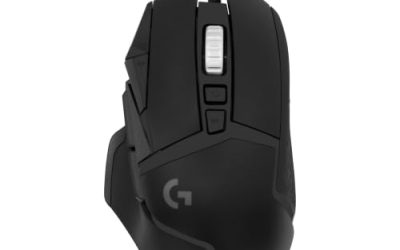
A glowing mouse can change the whole feel of a desk. When the lighting on your mouse matches the rest of your setup, the desk looks finished instead of cobbled together, and the mouse itself becomes part of the look rather than a plain black lump beside the keyboard. That is the whole appeal of the best RGB gaming mouse under 30: full colour lighting, a sensor that tracks cleanly, and a shape you can live with for long sessions, all in the entry tier where most first gaming mice live.
The trick is knowing what the entry tier actually gives you. A mouse in this tier will not carry the newest flagship sensor or the lightest shell on the market, and it does not need to. What it should give you is a true RGB lighting system with more than one zone or effect, a gaming-grade optical sensor with adjustable sensitivity, programmable buttons, and a cable and build that hold up to daily use. Every mouse in this guide was picked against that bar, and every one of them lights up in full colour rather than a single fixed glow.
This guide is written for players building a first setup, for anyone replacing a plain office mouse, and for players who want their desk to look the part without spending on a premium model. The four mice below cover different hands and grips, from a compact symmetrical shell to a larger ergonomic body, and each one is a wired mouse, which keeps the connection simple and removes battery worries entirely.
Our top pick: SteelSeries Rival 3. Runner-up: Logitech G203 LIGHTSYNC.
Our Top Picks
 Logitech G203 Wired Gaming Mouse for Laptop &One Name1.5 x 2.45 x 4.59 inches0.14 poundsCheck on Amazon


Quick Picks
As an Amazon Associate, we earn from qualifying purchases.
| Product | Best for | Key spec from listing |
|---|---|---|
| SteelSeries Rival 3 | Best overall RGB lighting | Prism RGB with 3 zones, TrueMove Core 8,500 CPI |
| Logitech G203 LIGHTSYNC | Best software lighting control | LIGHTSYNC RGB, 8,000 DPI, 6 programmable buttons |
| Redragon M602 | Best button layout | RGB backlight, 7,200 DPI, 9 programmable buttons |
| BENGOO Gaming Mouse Wired | Best entry-level glow | RGB backlit, up to 3,600 DPI, 6 programmable buttons |
How to Choose
What counts as real RGB
Not every glowing mouse is a true RGB mouse. Some mice light up in a single fixed colour, usually green or red, and the listing will describe that as backlit rather than RGB. A true RGB mouse lets you change the colour, and the better ones let you set different colours on different zones or run effects such as a colour wave, breathing, or a reactive flash on click. When you read a listing, look for the words RGB, colour zones, and lighting effects. If the listing only names one colour, the mouse is backlit, not RGB, and it will not match a colour-themed setup.
The number of lighting zones matters more than the number of colours claimed. A mouse with three zones can show a gradient across the shell, with the logo, the scroll wheel, and the base glowing in different colours at the same time. A mouse with a single zone can still look good, but it will always glow in one colour at a time. Software control matters too. Mice with a companion app let you sync the lighting with a keyboard or headset from the same brand, set lighting to react to a game, or turn the glow down when you want a quieter desk. Mice without software usually cycle effects with a button combination on the mouse itself, which works but gives you fewer choices.
Sensor and sensitivity
The sensor decides how accurately the mouse follows your hand, and in this tier the differences between sensors are smaller than the numbers on the box suggest. Every mouse in this guide uses an optical sensor, which is the standard for gaming mice, and every one of them tracks cleanly at the sensitivity levels most players actually use. The maximum DPI figure on a listing is the least useful number on the page. A sensitivity of 8,500 or 7,200 is far above what most players set, and the number that matters in daily play is how stable the tracking feels at your own setting, not how high the ceiling goes.
Look instead for a sensor with a clear name and a stated polling rate. A polling rate of 1000 Hz means the mouse reports its position to the computer one thousand times per second, and that figure is standard on gaming mice in this tier. Adjustable sensitivity steps are also worth having. A dedicated DPI button lets you switch between a low setting for precise aiming and a higher setting for moving across the screen quickly, without opening any software. If you play a mix of shooters and slower games, that button gets used constantly, so check that the mouse has one and that it sits where your finger can reach it without changing your grip.
Shape, weight, and grip
Lighting gets the attention, but shape decides whether you keep using the mouse. A mouse that fights your hand will end up in a drawer no matter how good it looks. There are three common grips. Palm grip rests the whole hand on the mouse and suits larger, ergonomic shells. Claw grip arches the fingers and suits medium shells with a raised hump. Fingertip grip touches the mouse with only the fingertips and suits small, light shells. Before you buy, think about how you hold your current mouse, then match the shell to that grip rather than to the lighting alone.
Weight matters in the same way. Mice in this guide range from a light 77-gram shell to heavier ergonomic bodies, and neither end is better on its own. A lighter mouse moves faster with less effort, which suits fast flicks in shooters. A heavier mouse feels planted and steady, which suits players who rest their hand and move with the arm. The cable matters too. A wired mouse in this tier usually has a rubber cable, and a stiff cable can drag and pull the mouse off line. Give the cable slack and route it so it does not tug, and the wired connection becomes a non-issue.
SteelSeries Rival 3
The SteelSeries Rival 3 is the strongest all-round mouse in this guide, and it earns the top spot on lighting first. Its Prism RGB system runs across three independently controlled zones, which means the logo, the scroll wheel, and the base can each glow in a different colour at the same time. That is the kind of lighting that actually shows up on a desk, and it is rare in this tier, where most mice light up in a single zone. The SteelSeries Engine software controls the lighting, and it also handles button assignments and sensitivity steps, so the mouse can be tuned to a full SteelSeries setup or left on a simple static glow.
The sensor is the TrueMove Core optical sensor, a custom design built with PixArt, with true one-to-one tracking at 8,500 CPI, 300 inches per second of tracking speed, and 35G acceleration. In plain terms, the cursor goes where your hand goes, without the smoothing or angle snapping that cheaper sensors add. The mouse has six programmable buttons, including split trigger primary buttons that separate the left and right clicks so each one feels crisp on its own. The mechanical switches are rated for 60 million clicks, which is a durability figure that matches mice well above this tier.
At 77 grams the Rival 3 is light without feeling hollow, and the symmetrical shape suits palm and claw grips for right-handed players, with a slight ergonomic tilt that keeps the hand relaxed. The cable is rubber, 1.8 metres long, and the shell is built from a high-grade polymer that resists wear from long sessions. It is a wired mouse, so there is no battery to manage and no wireless lag to think about, and it works on Windows, Mac, and Linux, with the SteelSeries Engine software available on Windows and Mac. For a first RGB gaming mouse, it is the most complete package here.
Specs
- TrueMove Core optical sensor, 100 to 8,500 CPI in 100 CPI increments
- 300 IPS tracking speed, 35G acceleration, 1000 Hz polling rate
- Prism RGB lighting with 3 independently controlled zones
- 6 programmable buttons with split trigger primary buttons
- 60 million click mechanical switches
- 77 grams, symmetrical ergonomic shape
- 1.8 m rubber cable, USB connection
Logitech G203 LIGHTSYNC
The Logitech G203 LIGHTSYNC is the best mouse in this guide for players who want to control their lighting from software, and it is the one to pick if the rest of your desk already runs on Logitech gear. Its LIGHTSYNC RGB system produces a rainbow effect across the side stripe and logo, and the Logitech G HUB software lets you set custom colours, build lighting animations, and sync the mouse with a Logitech keyboard or headset. The lighting is bright and even, and the classic G203 shape has been around long enough that its comfort is well proven.
The sensor is a gaming-grade optical sensor with a range of 200 to 8,000 DPI, and it is the same class of sensor Logitech uses across its entry-level gaming line. It tracks cleanly at everyday sensitivity settings, and the onboard memory stores your settings on the mouse itself, so your DPI steps and lighting choice travel with the mouse to another computer. There are six programmable buttons, including a DPI cycle button behind the scroll wheel, and the primary switches use a metal spring tensioning system that keeps the click feeling crisp. The mouse weighs 85 grams, which puts it in the light-to-middle range, and the shape suits palm and claw grips, with a slightly narrow body that also works for smaller hands.
The G203 is wired, with a USB connection and a cable that runs long enough for a normal desk, and it works on Windows and Mac. The G HUB software is where the mouse shows its full range, with per-game profiles that can change the lighting and button assignments when a game launches. If you want an RGB mouse that feels like part of a bigger setup rather than a standalone glow, the G203 is the pick.
Specs
- Gaming-grade optical sensor, 200 to 8,000 DPI
- LIGHTSYNC RGB with rainbow effect, customizable in Logitech G HUB
- 6 programmable buttons with on-board memory
- Metal spring tensioning system on primary buttons
- 85 grams, classic G203 shape
- 1000 Hz polling rate, USB wired connection
- Compatible with Windows and Mac
Redragon M602
The Redragon M602 is the pick for players who want more buttons than the usual six, and it is the most button-rich mouse in this guide. It carries nine programmable buttons, including side buttons and a DPI switch, which makes it a strong fit for games that reward extra inputs, such as MMOs and strategy titles, as well as for players who like to bind push-to-talk, reload, or a weapon swap to the mouse. The RGB backlight runs along the sides and the logo, and the Redragon software lets you remap the buttons and adjust the lighting modes.
The sensor is adjustable up to 7,200 DPI, with steps you can cycle from the mouse, and it is an optical sensor that tracks reliably at the sensitivity levels used in most games. The ergonomic right-handed shape has a thumb rest and a flared side that supports the hand during long sessions, and the textured side grips keep the mouse steady when your palm gets warm. The build is a wired USB mouse, so the connection is simple and the mouse never needs charging, and the braided cable resists tangling and wear better than a plain rubber cable.
Where the M602 stands apart is how much mouse it gives you for the tier. Nine buttons, adjustable sensitivity, RGB lighting, and an ergonomic shell with a thumb rest would each be a selling point on their own, and together they make the M602 the most feature-dense mouse here. It suits players with medium to large hands who use a palm grip, and it is the natural pick if your games ask for more inputs than a standard six-button mouse can give.
Specs
- Optical sensor, adjustable up to 7,200 DPI
- RGB backlight with lighting modes adjustable in software
- 9 programmable buttons
- Ergonomic right-handed shape with thumb rest and textured side grips
- Braided USB cable, wired connection
- Professional software for button remapping and lighting
BENGOO Gaming Mouse Wired
The BENGOO Gaming Mouse Wired is the simplest mouse in this guide, and it is the right pick for a first RGB mouse or a backup mouse that still looks the part. Its RGB backlight runs across the shell in a bright, even glow, and the lighting modes change with a button combination on the mouse, so there is no software to install and no account to set up. It is a plug-and-play mouse in the best sense: connect it, and it lights up and works.
The mouse has four adjustable DPI levels up to 3,600, which covers the sensitivity range most casual players use, and a DPI button on the top of the shell cycles between them. There are six programmable buttons, including two side buttons for forward and back, and the ergonomic shape suits palm grip players with medium hands. The shell has a slightly angular design with a textured grip, and the cable is wired USB, so the mouse draws its power from the computer and never needs a battery.
The BENGOO is not trying to match the sensor range or the software depth of the mice above it, and it does not need to. What it does is put a bright RGB glow, a comfortable shape, and the core gaming features on a desk with the least fuss of any mouse here. For a younger player, a second setup, or anyone who wants the look without learning a software suite, it is the most direct choice.
Specs
- Optical sensor, 4 adjustable DPI levels up to 3,600
- RGB backlit lighting with modes changeable from the mouse
- 6 programmable buttons
- Ergonomic shape with textured grip
- Wired USB connection, no battery needed
Frequently Asked Questions
Is a wired RGB mouse better than a wireless one in this tier?
For this tier, a wired mouse is the practical choice. Wireless mice in the entry tier often cut back on sensor quality or battery life to hit the tier, while a wired mouse puts the whole budget into the sensor, the switches, and the lighting. A wired connection also removes charging and keeps latency consistent, which matters more than cable freedom for most desk setups.
Does RGB lighting affect gaming performance?
The lighting itself does not change how the mouse tracks or clicks. What it changes is the desk: a mouse with clear lighting zones is easier to find in a dark room, and lighting tied to a game profile can signal which profile is active. The performance of a mouse comes from its sensor, its switches, and its shape, so judge those first and treat the lighting as the finish.
How many DPI do I actually need?
Most players settle between 400 and 3,200 DPI for everyday play, and many competitive players stay at the lower end of that range for steadier aim. A higher maximum, such as 8,500 or 7,200, gives you headroom, but it does not make the mouse more accurate at the setting you actually use. Pick a mouse whose sensor tracks cleanly at your setting, and use the DPI button to switch between a low aiming setting and a higher desktop setting.
Can I use these mice on a Mac or a laptop?
All four mice in this guide connect by USB and work as a standard pointing device on Windows and Mac laptops and desktops. The companion software for the SteelSeries and Logitech mice is available on Windows and Mac, while the Redragon software is Windows only. The BENGOO mouse needs no software at all, so it works the same on any computer with a USB port.
Closing
The best RGB gaming mouse under 30 is the one that lights up properly, tracks cleanly, and fits your hand, and the four mice in this guide cover those three points in different ways. The SteelSeries Rival 3 leads on lighting zones and sensor quality, the Logitech G203 LIGHTSYNC leads on software control, the Redragon M602 leads on buttons, and the BENGOO leads on simplicity. Match the mouse to your grip and your games, set the lighting to suit your desk, and the entry tier will give you a mouse that looks and feels like it belongs in a real gaming setup.
Related guides
More from Amazon
Programs that pair well with the guide above. Offers and eligibility are set by Amazon and may change.
Free shipping on eligible items, Prime Video and more. Eligible new members can start with a free trial.
Start a Prime free trialAd-free music streaming. Eligible new subscribers can start with a free trial.
Try Music Unlimited freeA Prime membership for ages 18-24 with a trial period. Eligibility is set by Amazon.
See Prime for Young AdultsAudiobooks and podcasts to listen to on the go. Eligible new members can start with a free trial.
Try Audible freeAs an Amazon Associate we earn from qualifying purchases.