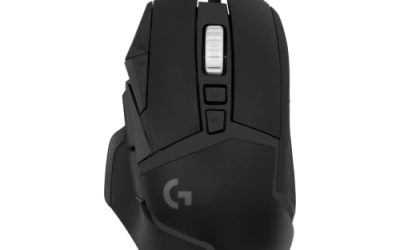
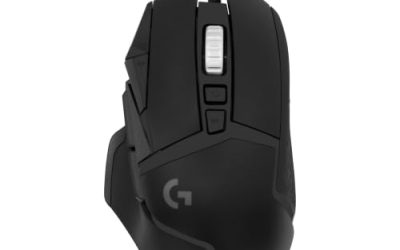
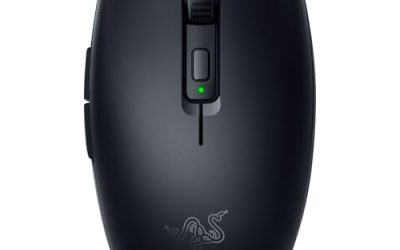
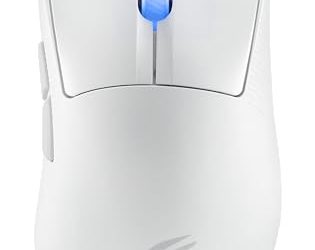
The Logitech G502 earned its following for a specific combination: a right-handed ergonomic shell with a pronounced thumb rest, extra buttons within easy reach, a scroll wheel that switches from precise notches to a long free spin, and enough weight to feel planted during slow movements. For players who mix shooters with MOBA, MMO, and desktop work, that versatility is hard to replace.
Yet the formula will not suit everyone forever. Some players find it too heavy for low-sensitivity flicks, some want to cut the cable without giving up the thumb rest, and some want the same layout inside a different software ecosystem. A good alternative must be judged against what the G502 actually does: a lightweight symmetrical mouse is not a replacement if it removes the thumb rest and most buttons. The picks below keep the core idea — ergonomic shape, extra controls, cross-genre usefulness — while diverging on weight, connectivity, and wheel behaviour.
As an Amazon Associate we earn from qualifying purchases.
Quick Picks
Start with the closest match for wheel and buttons, then consider wireless, weight, and side-button layout.
| Product | ASIN | Best For |
|---|---|---|
| Razer Basilisk V3 | B09C13PZX7 | Closest wired match for buttons and wheel |
| Razer Basilisk V3 Pro | B0B6Y3XYFG | Premium wireless with the fullest feature set |
| Razer Basilisk V3 X HyperSpeed | B0BXBC26X8 | Simpler wireless in the same ergonomic family |
| SteelSeries Rival 5 | B093LSMKL3 | Lighter wired play across FPS, MOBA and MMO |
| Corsair Dark Core RGB Pro | B082LVNHW9 | Contoured wireless with interchangeable side grips |
How to Choose
Decide which parts of the G502 experience are non-negotiable, and which parts you are actively trying to leave behind.
Shape, Thumb Rest and Grip
Shape comes first, because no sensor compensates for a shell that fights your hand. The G502 style is right-handed and ergonomic, with a sculpted palm area, a thumb rest, and primary buttons that slope to follow the fingers. It favours palm and relaxed claw grips, especially for medium and larger hands. If you use the thumb rest to stabilise lateral movement, stay in this family rather than switching to a small symmetrical shell. Note that every pick here is right-handed, and a taller arch can reduce finger tension over long sessions.
Button Count and Placement
Count programmable controls, but also look at where they sit. Eleven buttons are only useful if the ones you need are reachable without pressing a neighbour by accident. MOBA and MMO players want several thumb actions they can distinguish by feel, while FPS players often need only two reliable side buttons plus a DPI-shift control. The best layout matches your actual bindings, not the highest total.
Scroll Wheel Behaviour
The wheel is a defining part of the G502. A dual-mode wheel that moves between tactile steps and free spin is valuable for weapon switching and for moving quickly through spreadsheets, timelines, and long pages. Tilt inputs, which let the wheel click left and right, add two more bindings for leaning, tool switching, or horizontal scrolling. Not every alternative reproduces this. If free spin is part of your daily workflow, prioritise picks with a tilt wheel and free-spin mode. If you only scroll in games, a crisp notched wheel may matter more than outright speed.
Weight and Balance
Weight is the most common reason players look beyond the G502. A heavier mouse can feel stable for slow tracking, but it asks more of the wrist during repeated flicks and lifts. A lighter ergonomic mouse keeps much of the hand support while reducing the effort needed to start and stop movement, most noticeably at low sensitivity. Balance matters too. If fatigue is your complaint, choose a meaningfully lighter pick rather than a sideways move of a few grams.
Wired, Wireless and Battery
A wired mouse never needs charging. Modern alternatives add low-latency 2.4GHz wireless, Bluetooth, or both. For gaming, a dedicated wireless connection or a cable is the practical choice, while Bluetooth is handy for a laptop. Multi-mode mice can move between machines without a second mouse. Wireless also means checking how it charges and whether it works while charging. If you dislike managing charge levels, stay wired.
Sensor, Polling and Switches
Every pick here uses an optical sensor with a maximum sensitivity far beyond what most players will set in game, so the headline DPI figure matters less than consistent tracking and fine adjustment. Use a setting you can control rather than chasing the largest number. Polling rate describes how often the mouse reports position; a standard gaming rate is already responsive for most players. Switch type affects click feel — optical switches register with light, mechanical switches with physical contact — but force and travel matter more day to day than a click-life figure.
Software, Profiles and Lighting
Extra buttons only become useful when software makes them easy to map. Check whether a mouse offers onboard profiles if you move between computers, or whether bindings depend on the manufacturer’s app. Razer, SteelSeries, and Corsair each run their own ecosystem, so switching brands can consolidate your peripherals under one app — or add another one. RGB lighting is the least important performance feature, though it can identify the active profile. Choose for fit and controls first, then tune the lighting.
5 Best Options
All five keep the ergonomic, button-rich brief, but each is the right answer for a slightly different reason.
Razer Basilisk V3

Specs
- Razer Focus+ optical sensor, up to 26,000 DPI
- 11 programmable buttons
- HyperScroll tilt wheel with free-spin and tactile modes
- Razer Optical Mouse Switches Gen-2
- Wired connection
- Right-handed ergonomic shape with thumb rest
- ASIN: B09C13PZX7
Best for: Players who want the closest wired equivalent to the G502 layout. The Basilisk V3 matches the defining ideas: a sculpted right-handed shell, a thumb rest, a high button count, and a wheel that can tilt and free-spin as well as scroll in tactile steps. The transition feels intuitive if you already use wheel and thumb bindings heavily, for abilities in a MOBA, gadget controls in a shooter, or shortcuts in editing applications.
Watch out for: It is wired, so there is no option to remove cable drag or move between desks without plugging in. The shape is firmly right-handed and best for palm or claw grips, so fingertip players who prefer a low, flat shell may find the arch and thumb rest more supportive than they want. If you want a dramatic change in size or a symmetrical shape, this close match will feel too familiar.
Razer Basilisk V3 Pro
Specs
- Razer Focus Pro optical sensor, up to 30,000 DPI
- 13 programmable controls listed
- HyperScroll tilt wheel
- Razer Optical Mouse Switches Gen-3
- Three connection modes: HyperSpeed wireless, Bluetooth and wired
- 13-zone Chroma RGB lighting
- ASIN: B0B6Y3XYFG
Best for: Players who want the G502 concept in a premium wireless direction without abandoning its defining controls. The V3 Pro keeps the ergonomic form and tilt wheel, adds three ways to connect, and pairs them with a higher-end sensor and Gen-3 optical switches. It suits a desk where one mouse handles play over a dedicated wireless connection, work over Bluetooth, and wired use while charging. If your complaint is the cable rather than the layout, this is the most complete like-for-like path here.
Watch out for: The full feature set brings more to configure — lighting zones, profiles, and connection modes — so it rewards players who enjoy tuning and may be more mouse than a minimalist needs. Optional charging accessories can also complicate an otherwise simple setup. The right-handed ergonomic shape will not suit left-handed players or anyone seeking a small symmetrical shell.
Razer Basilisk V3 X HyperSpeed
Specs
- Razer 5G Advanced optical sensor, up to 18,000 DPI
- 9 programmable controls
- Razer Mechanical Mouse Switches Gen-2
- HyperSpeed wireless and Bluetooth connectivity
- Chroma RGB lighting
- Right-handed ergonomic shape with thumb rest
- ASIN: B0BXBC26X8
Best for: Players who like the Basilisk and G502 shape language but want a simpler wireless mouse for mixed gaming and everyday use. Nine programmable controls retain enough thumb and top buttons for shooters, action games, and MOBA bindings, with a less crowded layout than the eleven- and thirteen-control models. Dual wireless connectivity makes switching between a gaming PC and a laptop practical, and the mechanical switches give the primary clicks a familiar physical character.
Watch out for: The trade-off is the wheel and control count. Do not choose this model assuming it reproduces every G502 wheel behaviour, especially if tilt inputs and free-spin scrolling are central to your workflow. Its sensor ceiling is lower on paper than the other Razer picks, though that is unlikely to decide anything at normal in-game sensitivities. Players who map many abilities to the mouse should count their bindings carefully first.
SteelSeries Rival 5
Specs
- TrueMove Air optical sensor, up to 18,000 CPI
- 400 IPS tracking and 40G acceleration from the listing
- 9 programmable buttons
- Weight listed at 85 grams
- Golden Micro IP54 switches, rated at 80 million clicks in the listing
- Wired connection with PrismSync RGB lighting
- ASIN: B093LSMKL3
Best for: Players who found the G502 stable but heavy, and who play across several genres. The Rival 5 keeps nine programmable buttons and a right-handed ergonomic approach, but its listed 85-gram weight makes it a noticeably lighter wired option for repeated flicks and lifts. Its side arrangement includes a toggle-style control for quick actions, which can suit battle royale, FPS, and MOBA bindings where one frequent command needs separating from the standard thumb pair. The listing also emphasises tilt tracking, relevant to players who lift the mouse during fast turns.
Watch out for: The side layout takes learning. Several quick-action controls close together are useful once memorised, but players with larger thumbs or established G502 muscle memory may press the wrong control at first. It is wired only, and it does not copy the dual-mode free-spin wheel. Choose it for lighter weight and its own button philosophy, not as a replica.
Corsair Dark Core RGB Pro
Specs
- Optical sensor, up to 18,000 DPI
- PixArt PAW3392 sensor named in listing material
- 8 programmable buttons
- SLIPSTREAM wireless, Bluetooth and USB wired connectivity
- Up to 1,000Hz polling described in listing material
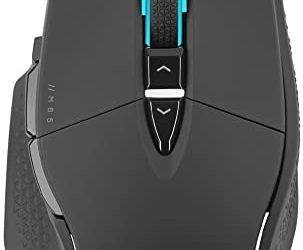
- Contoured shape with two interchangeable side grips
- ASIN: B082LVNHW9
Best for: Players who want a contoured wireless alternative with a substantial feel and some physical customisation. The interchangeable side grips are the distinguishing feature, letting you change how the mouse supports the side of your hand rather than relying only on software. Eight programmable buttons cover many FPS and MOBA needs, while SLIPSTREAM wireless, Bluetooth, and wired modes make it flexible across gaming and work machines. It also fits players who prefer Corsair’s iCUE ecosystem.
Watch out for: Eight buttons is the lowest count here, so MMO players and heavy macro users may run out of mouse bindings and need to move commands back to the keyboard. Fit is personal, too: a side grip that feels secure to a palm player may feel bulky to a claw player. Managing three connection modes also takes more attention than a purely wired mouse.
Which One Fits You
- Closest wired replacement: Choose the Razer Basilisk V3 if the thumb rest, eleven buttons, and tilt wheel with free-spin scrolling are features you use every day.
- Premium wireless upgrade: Choose the Razer Basilisk V3 Pro if you want the full ergonomic layout plus HyperSpeed wireless, Bluetooth, wired use, and a 30,000 DPI sensor.
- Simpler wireless all-rounder: Choose the Razer Basilisk V3 X HyperSpeed if nine controls are enough and you value easy switching between a gaming PC and another device.
- Lighter wired genre-hopper: Choose the SteelSeries Rival 5 if reducing weight to its listed 85 grams matters more than copying the G502 wheel.
- Contoured Corsair wireless: Choose the Corsair Dark Core RGB Pro if interchangeable side grips, a substantial contoured shape, and iCUE compatibility are your priorities.
Common Mistakes
- Buying by DPI alone: A higher maximum DPI does not make a better G502 alternative, because shape, wheel behaviour, and button placement affect far more of your daily experience.
- Ignoring the scroll wheel: Players compare sensors and buttons, then discover too late that they miss free-spin scrolling or wheel tilt for work and weapon switching.
- Assuming lighter is always better: Dropping weight helps flicks and fatigue for many players, but a very different balance can make slow tracking feel unsettled until you adapt.
- Counting buttons without mapping them: Programmable controls are wasted if the buttons you need are awkward to reach or too easy to confuse by feel during a match.
- Overlooking handedness and grip: Every pick here is right-handed and ergonomic, which suits a typical G502 user but is a poor fit for left-handed play or a strict fingertip grip.
FAQ
What is the closest alternative to the Logitech G502?
The Razer Basilisk V3 is the closest wired match here, combining a right-handed ergonomic shell and thumb rest with 11 programmable buttons and a HyperScroll tilt wheel. The Basilisk V3 Pro is the closer choice if you want that formula in a premium wireless model. Both are alternatives in layout and purpose, not identical copies, so hand size and grip still matter.
Is a lighter mouse better than the G502 for FPS games?
A lighter mouse can be easier to flick, lift, and stop quickly, which many FPS players prefer at low sensitivity. The SteelSeries Rival 5, listed at 85 grams, keeps ergonomic buttons while reducing weight. Some players still prefer a heavier, more planted feel for tracking, so treat lighter as a preference tied to sensitivity and grip rather than a universal upgrade.
Can a G502 alternative work for both gaming and office work?
Yes, and this category suits double duty because extra buttons and a versatile wheel are useful outside games. Models with Bluetooth as well as a gaming connection can switch between a desktop and a laptop, while tilt wheels help with wide documents and timelines. For work, map thumb buttons to navigation or editing shortcuts and keep one profile dedicated to it.
How many buttons do I really need on a gaming mouse?
Most FPS and MOBA players are well served by eight to eleven programmable controls, provided the main thumb buttons are easy to distinguish. MMO and strategy players may benefit from the higher counts on the Basilisk V3 and V3 Pro. The practical test is to list the commands you want off the keyboard; if that list is short, prioritise comfortable placement over the largest total.
Closing
The best G502 alternative is not the mouse with the longest specification list. It is the one that preserves the ergonomic support, reachable controls, and wheel behaviour you rely on, while fixing the issue that made you look elsewhere — weight, a cable, switch feel, or software. Start with the Basilisk V3 for the closest wired match, move to the Pro models for wireless, and consider the Rival 5 for a lighter feel. Choose by fit first.
Related guides
More from Amazon
Programs that pair well with the guide above. Offers and eligibility are set by Amazon and may change.
Free shipping on eligible items, Prime Video and more. Eligible new members can start with a free trial.
Start a Prime free trialAd-free music streaming. Eligible new subscribers can start with a free trial.
Try Music Unlimited freeA Prime membership for ages 18-24 with a trial period. Eligibility is set by Amazon.
See Prime for Young AdultsAudiobooks and podcasts to listen to on the go. Eligible new members can start with a free trial.
Try Audible freeAs an Amazon Associate we earn from qualifying purchases.