Our Short List of 3

- Best for: Wired players who want a full thumb wing and a versatile tilt wheel.
- Sensor: Focus+ 26K DPI optical sensor
- Buttons: 11 programmable buttons
- Scroll wheel: HyperScroll tilt wheel with free-spin and tactile modes
- Lighting: Razer Chroma RGB

- Best for: Wireless players who want the Basilisk thumb rest with flagship hardware.
- Sensor: Focus Pro 30K optical sensor
- Switches: Razer Optical Mouse Switches Gen-3
- Buttons: 11 programmable buttons
- Scroll wheel: HyperScroll tilt wheel

- Best for: Palm players who want a thumb wing, many controls, and wireless charging options.
- Sensor: HERO 25K gaming sensor
- Switches: LIGHTFORCE hybrid optical-mechanical switches
- Controls: 13 programmable controls
- Scroll wheel: Dual-mode scroll wheel with tilt inputs
All 4 Picks at a Glance
| Product | Specs | Action |
|---|---|---|
| Razer Basilisk V3 |
| Check price on Amazon |
| Razer Basilisk V3 Pro |
| Check price on Amazon |
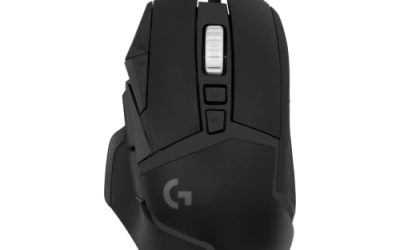
| Logitech G502 X Plus |
| Check price on Amazon |
 Logitech G705 |
| Check price on Amazon |
A thumb rest changes one small thing that adds up over a long session: instead of your thumb dragging along the mousepad or hovering tensely beside the shell, it sits on a ledge built into the mouse. That parked position steadies your grip during lifts, keeps side buttons easy to find without looking, and takes pressure off the joint at the base of your thumb.
This guide is for palm and relaxed claw players, people with aching thumbs after work-plus-gaming days, and smaller-handed players who usually get ignored by ergonomic designs. Every pick below has a genuine rest or wing named in its Amazon listing, not just a pair of side buttons, and the specs quoted come from those product pages.
Our Top Picks
- Razer Basilisk V3 Customizable RGB Wired Ergonomic GamingMouse2.96 x 5.12 x 1.67 inches0.2 poundsCheck on Amazon
- Razer Basilisk V3 Pro Customizable RGB Wireless GamingMouse5.12 x 2.96 x 1.67 inches0.24 poundsCheck on Amazon
- Logitech G502 X Plus Wireless RGB Gaming MouseWireless7.1 x 4.6 x 2.7 inches0.84 poundsCheck on Amazon
Top 3 picks at a glance
Quick Picks
As an Amazon Associate we earn from qualifying purchases.
| Product | Best for | Key spec from title |
|---|---|---|
| Razer Basilisk V3 | Wired players who want the classic thumb wing and a tilt wheel | 26K DPI optical sensor |
| Razer Basilisk V3 Pro | Wireless players who want the same shape with no cable | Focus Pro 30K optical sensor |
| Logitech G502 X Plus | Palm players who want many controls and long battery life | HERO 25K sensor |
| Corsair Dark Core RGB Pro | Players who want interchangeable side grips to tune the rest | 18,000 DPI optical sensor |
| Logitech G705 | Smaller hands that need a compact sculpted thumb rest | 85 g lightweight design |
How to Choose
Rest shape: full wing, ledge, or interchangeable grip
Not every thumb rest supports your thumb the same way. A full wing, like the one on the Basilisk line, runs most of the length of the left side and cradles the whole thumb, which suits palm grip and relaxed play. A shorter ledge simply gives the thumb tip a shelf, leaving more freedom to lift and reposition the mouse during fast turns. Interchangeable side grips, offered on the Corsair pick below, let you swap between a wider rest and a slimmer panel. Decide which style matches how still, or how busy, your thumb stays during a match.
Grip style and hand size come before sensor numbers
A thumb rest only helps if the rest of the shell fits. Palm players generally want a longer, taller body so the hand can settle fully onto the wing, while claw players often prefer a rest that starts further forward, under the thumb joint rather than behind it. Hand size matters just as much: a wide wing on a large shell can push a smaller hand into an awkward stretch, which is why the compact G705 exists in this list at all. Measure your hand from wrist crease to middle fingertip and compare it honestly against the shell you are considering.
Wired, wireless, and what the rest does to weight
Thumb-rest mice are rarely the lightest mice on the market, because the wing, extra buttons, and larger shell all add material. Wired models keep that weight predictable and never need charging, which suits a fixed desk setup. Wireless versions trade a little extra battery weight for freedom of movement, and the rest can actually help here, since a supported thumb makes a heavier mouse feel more controlled during slow, precise movements. Check the listed weight and battery figures on the product page, and think about your sensitivity: low-sensitivity players swing more and notice weight sooner.
Buttons on the wing: useful cluster or accidental presses
Many thumb rests carry hardware of their own: a removable DPI-shift paddle on the Basilisk and G502 X lines, extra side buttons on the Corsair, or a simple two-button cluster on the G705. These controls are valuable when they fall exactly where your thumb already rests, and annoying when every grip adjustment triggers one. Look at where the buttons sit relative to the rest surface in the listing photos. If a button occupies the spot your thumb naturally parks, expect a learning period, and favour models where that paddle can be removed, reversed, or covered.
The 5 Best Options
Razer Basilisk V3
- Best for: Wired players who want a full thumb wing and a versatile tilt wheel.
- Sensor: Focus+ 26K DPI optical sensor
- Buttons: 11 programmable buttons
- Scroll wheel: HyperScroll tilt wheel with free-spin and tactile modes
- Lighting: Razer Chroma RGB
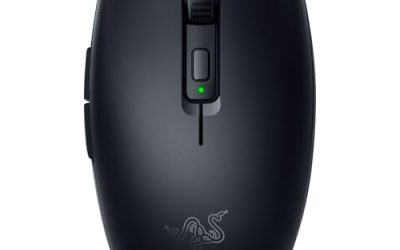
Wired players who want a full thumb wing and a versatile tilt wheel.
The cable and fuller ergonomic shell will not suit fingertip players or anyone chasing the lightest possible mouse.
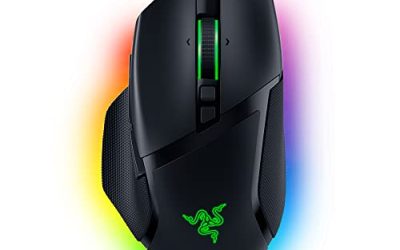
The wired Basilisk V3 is the reference point for this category, because its listing leads with an iconic ergonomic design built around a proper thumb rest. It suits right-handed palm and relaxed claw players who want their thumb fully supported while keeping a bank of programmable controls within reach. The HyperScroll tilt wheel adds sideways inputs and a free-spinning mode for long menus, and the wired connection means the weight stays consistent with no battery to manage. For a desk-bound setup, it is the straightforward starting point.
Razer Basilisk V3 Pro
- Best for: Wireless players who want the Basilisk thumb rest with flagship hardware.
- Sensor: Focus Pro 30K optical sensor
- Switches: Razer Optical Mouse Switches Gen-3
- Buttons: 11 programmable buttons
- Scroll wheel: HyperScroll tilt wheel
Wireless players who want the Basilisk thumb rest with flagship hardware.
It is a large, full-featured shell, so smaller hands should compare its size carefully against the G705 below.
The Basilisk V3 Pro keeps the same thumb-rest shape as its wired sibling and removes the cable, which makes it the natural step up for players who liked the V3 layout but play across a desk, couch setup, or more than one machine. Its listing highlights three connection modes, so it can run wirelessly for gaming and switch to Bluetooth for a laptop. The Focus Pro sensor and third-generation optical switches aim at players who want the ergonomic shape without giving up flagship internals, and the tilt wheel carries over for scrolling and extra binds.
Logitech G502 X Plus
- Best for: Palm players who want a thumb wing, many controls, and wireless charging options.
- Sensor: HERO 25K gaming sensor
- Switches: LIGHTFORCE hybrid optical-mechanical switches
- Controls: 13 programmable controls
- Scroll wheel: Dual-mode scroll wheel with tilt inputs
Palm players who want a thumb wing, many controls, and wireless charging options.
The button layout rewards commitment; players who use only two side buttons may find the extra controls unnecessary.
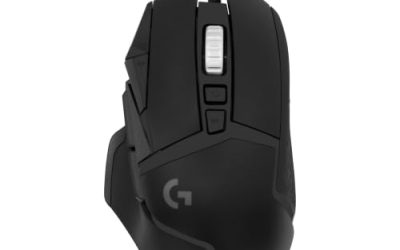
Logitech’s G502 line built its reputation on a sculpted right-handed shell with a thumb wing, and the X Plus carries that shape into a LIGHTSPEED wireless design. It fits palm players who load their thumb with jobs: the DPI-shift button can be reversed to sit closer to your thumb or removed and replaced with a cover, which is a thoughtful answer to accidental presses. Thirteen programmable controls, a dual-mode wheel that tilts as well as scrolls, and POWERPLAY compatibility for charging on a compatible pad round out a mouse aimed at long, bind-heavy sessions.
Corsair Dark Core RGB Pro
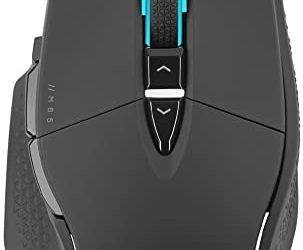
Corsair takes a different approach to the thumb rest: instead of fixing one wing shape, the Dark Core RGB Pro includes two interchangeable side grips, so you can fit the wider rest for palm play or swap to the slimmer grip when you want your thumb closer to the pad. Its contoured shell is aimed at FPS and MOBA players, with eight programmable buttons and three ways to connect, including sub-1ms SLIPSTREAM wireless. Onboard storage for up to three profiles means your button layout travels with the mouse between PCs without reinstalling anything.
Specs
- Sensor: Custom 18,000 DPI optical sensor, adjustable in 1 DPI steps
- Buttons: 8 programmable buttons
- Connectivity: SLIPSTREAM wireless, low-latency Bluetooth, and USB wired
- Battery life: Up to 50 hours
- Polling: Hyper-polling up to 2,000Hz
- Extras: Two interchangeable side grips, nine-zone RGB, onboard storage for three profiles
Best for: Players who want to tune the thumb rest itself with swappable side grips.
Watch out for: At the heavier end of this list, it favours control over quick flicks; check the listed weight against your sensitivity.
ASIN: B082LVNHW9
Logitech G705
- Best for: Smaller-handed players who want a real thumb rest in a compact, light mouse.
- Weight: 85 g
- Design: Compact fit designed for smaller hands, sculpted thumb rest
- Connectivity: LIGHTSPEED wireless and Bluetooth
- Lighting: LIGHTSYNC RGB
Smaller-handed players who want a real thumb rest in a compact, light mouse.
The compact shell will feel cramped for large hands, and the White Mist finish shows desk wear more readily than black shells.
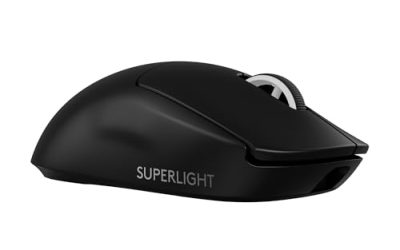
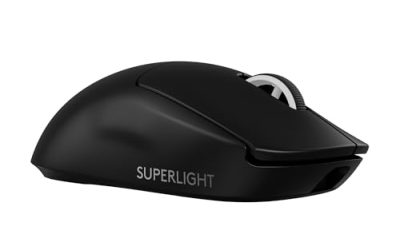
Most thumb-rest mice assume a medium or large hand, and the G705 is the exception. Part of Logitech’s Aurora Collection, it is intentionally designed for smaller hands, with a compact sculpted shell and a thumb rest shaped for that shorter reach. At 85 grams it is also the lightest pick here by a wide margin, which makes it easier to lift despite the contoured shape. LIGHTSPEED wireless and Bluetooth cover gaming and everyday use, and the LIGHTSYNC RGB keeps it in step with the rest of the Aurora lineup for players building a matched desk.
Which One Fits Your Situation
Your thumb aches after long work and gaming days
Start with the full wings: the Basilisk V3 if your desk setup is wired, or the Basilisk V3 Pro if it is not. A rest that supports the whole thumb, rather than just its tip, removes the constant low-level effort of holding the thumb clear of the mousepad. Pair the change with a palm or relaxed claw grip, since a fingertip grip barely uses a rest at all.
You play MOBAs, MMOs, or anything bind-heavy
Choose between the G502 X Plus and the Dark Core RGB Pro. The Logitech gives you thirteen programmable controls and a repositionable DPI-shift button under the thumb, while the Corsair answers with eight programmable buttons, swappable grips, and onboard profiles. If your binds change per game and per PC, the Corsair’s stored profiles are the deciding detail; if you want the most controls in one place, take the G502 X Plus.
Your hands are small and most ergonomic mice feel huge
The G705 is the pick built for you. Its rest is sculpted into a compact shell rather than scaled down as an afterthought, and the light 85-gram body means the smaller grip does not have to fight extra weight during lifts. Players with medium hands who prefer claw grip may also find it works, but large-handed palm players should stay with the Basilisk or G502 shapes instead.
You want one mouse for gaming and a second computer
Look at the multi-mode wireless models: the Basilisk V3 Pro, Dark Core RGB Pro, and G705 all pair a gaming wireless connection with Bluetooth for a second machine. The Basilisk suits a large hand and a feature-first setup, the Corsair adds onboard profiles that travel with the mouse, and the G705 covers smaller hands. Decide by hand size first, then by how much the extra buttons matter to you.
Common Mistakes
- Buying a mouse with side buttons and assuming it has a thumb rest, when the listing never mentions a rest or wing at all.
- Choosing the largest ergonomic shell by default, even though a wide wing can force smaller hands into an uncomfortable stretch.
- Ignoring where the DPI-shift paddle sits, then blaming the mouse for accidental presses that a removable or reversible button would have solved.
- Judging a thumb-rest mouse by weight alone, without considering that a supported thumb makes a heavier shell feel more controlled.
- Switching to a full palm grip overnight; most players adapt faster by keeping their usual grip and letting the rest meet the thumb where it already sits.
Frequently Asked Questions
Does a thumb rest actually reduce hand fatigue?
It can, mainly by removing two small strains: your thumb no longer drags across the mousepad during movements, and it no longer has to hover under tension beside the shell. The benefit shows up most in palm and relaxed claw grips over long sessions. It will not fix pain caused by desk height or wrist angle, so treat the rest as one part of your setup.
Are thumb-rest mice bad for FPS games?
Not inherently, though they are rarely the lightest option, and low-sensitivity players who lift constantly may prefer a smaller shell. The rests on the Basilisk and G502 lines were designed for gaming first, and plenty of FPS players use them. If your game is built on fast flicks, weigh the rest against the listed weight; if you mix aiming with abilities and binds, the trade usually favours the rest.
Can left-handed players use these mice?
The five mice in this guide are right-handed ergonomic designs, so their rests and side buttons sit on the left side of the shell for a right-hand thumb. Left-handed players will generally need an ambidextrous mouse with a symmetrical shape instead, which usually means giving up a dedicated wing. Check the hand orientation field on any listing before ordering, because ergonomic shells cannot simply be flipped.
How do I know if a thumb rest will fit my hand?
Compare your hand length and grip style with the shell’s fit: compact models like the G705 are designed for smaller hands, while the Basilisk and G502 shapes target medium to large palms. Your thumb should land flat on the rest without reaching, and the side buttons should sit ahead of it, not underneath. If your thumb hangs off the front edge, size up; if it feels pinned, size down.
Related guides
More from Amazon
Programs that pair well with the guide above. Offers and eligibility are set by Amazon and may change.
Free shipping on eligible items, Prime Video and more. Eligible new members can start with a free trial.
Start a Prime free trialAd-free music streaming. Eligible new subscribers can start with a free trial.
Try Music Unlimited freeA Prime membership for ages 18-24 with a trial period. Eligibility is set by Amazon.
See Prime for Young AdultsAudiobooks and podcasts to listen to on the go. Eligible new members can start with a free trial.
Try Audible freeAs an Amazon Associate we earn from qualifying purchases.