Most desks do not need two mice. They need one mouse that can move through a spreadsheet in the morning, join calls without drawing attention, switch to a second laptop without a cable swap, and still track cleanly when a game starts in the evening. That is a different brief from a pure esports mouse, and it is also different from a basic office mouse with a sleepy sensor and no side buttons worth using.
The best wireless mouse for work and gaming sits in the middle. It pairs Bluetooth for multi-device work with a 2.4 GHz receiver for lower-latency play. It has a shape you can hold for a full workday, yet its sensor, polling, and switches still hold up in shooters, strategy games, and fast-paced action titles. Battery life matters more here than on a gaming-only desk, because a mouse that needs charging every few days becomes a chore. Click sound matters too. A crisp gaming switch is satisfying at home, while a quieter click is kinder in a shared room or on a call.
The picks below focus on that hybrid job, from portable long-life models to a fuller comfort shape and a quiet multi-device option.
Our Top Picks
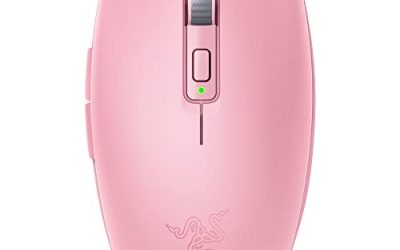
 Razer Orochi V2 Wireless Gaming Mouse4.26 x 1.52 inch (Pack of 1)4.26 x 1.52 x 2.47 inches0.13 poundsCheck on Amazon
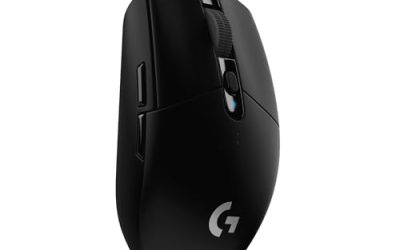
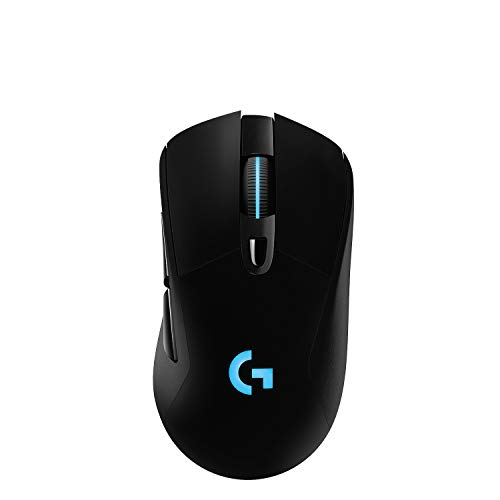 Logitech G703 LIGHTSPEED Wireless Gaming Mouse4.9" x 2.7" x 1.7"43 x 68 x 124 inches0.2 poundsCheck on Amazon


Top 3 picks at a glance

How to Choose a Wireless Mouse for Work and Gaming
Start With Dual-Mode Connectivity
Bluetooth and 2.4 GHz do different jobs, and a hybrid mouse should give you both when possible. Bluetooth is convenient for laptops, tablets, and second computers. It needs no receiver, leaves a USB port free, and is fine for documents, browsing, creative work, and slower-paced games. A 2.4 GHz receiver, whether Logitech LIGHTSPEED, Razer HyperSpeed, or a Keychron dongle, gives a more responsive link for gaming.
Think about how many devices you move between. A mouse that connects to several devices saves real time if you use a work laptop and a personal desktop. If you use one computer only, a single strong 2.4 GHz link may be enough, as with the Logitech G305. If you travel, check whether the receiver stores inside the mouse. Onboard memory also helps, because settings saved to the mouse travel with it.
Choose a Shape You Can Hold All Day
Gaming mice often chase low weight and a shape built for short, intense sessions. Work adds hours of small movements, scrolling, and resting your hand in place. A shape that feels agile for twenty minutes can feel tiring after six hours.
A taller, fuller shape supports a palm grip and suits larger hands during long sessions. A shorter, lower shape suits claw and fingertip grips, smaller hands, and travel bags. Symmetrical shapes work for many people, while right-handed ergonomic shapes add thumb support that some users find more relaxing for work.
Weight is a balance, not a race to the lowest number. A very light mouse is easy to flick and carry, but a slightly heavier mouse can feel steadier for precise cursor work. Rubber grips and a matte finish matter more over a full day than a dramatic shell design.
Match the Sensor and Polling to Both Jobs
For work, almost any modern optical sensor tracks well enough. For gaming, you want clean tracking at the speeds you actually use, with no unwanted smoothing or acceleration. Sensors in this guide from Logitech, Razer, and PixArt are built for gaming first, so they cover office work easily and still handle fast swipes and fine aim adjustments.
DPI range is less important than usable control. Most players settle on a modest sensitivity for shooters and a higher one for desktop movement across large monitors. Useful features are a DPI button, clear steps in software, and profiles you can store. A 1,000 Hz link over 2.4 GHz is the common standard here and feels responsive for most players. Bluetooth polling is lower, which is one more reason to switch modes when a game starts.
Weigh Battery Life Against Charging Habits
Battery claims only make sense when you note the mode behind them. Bluetooth usually lasts far longer than a 2.4 GHz gaming link, and turning lighting off extends life further. A mouse that runs for weeks on Bluetooth can stay in a work bag without much thought. A rechargeable mouse with a shorter gaming runtime needs a habit, often a quick USB-C top-up while you keep working in wired mode.
Replaceable AA or AAA batteries swap in seconds and suit travel, but they add weight. Rechargeable models feel cleaner at a fixed desk and often include a cable that doubles as a wired fallback. Compare like with like: a figure for Bluetooth or endurance mode will not match a figure for continuous gaming over 2.4 GHz.
Think About Click Sound, Wheel, and Buttons
Click sound is a daily quality-of-life detail. Mechanical gaming switches feel crisp and deliberate. In a quiet room, that same click can carry. Quieter switches, such as those in the Razer Pro Click Mini, reduce distraction for people nearby and for anyone on a call with you. They feel softer, so decide which trade-off you prefer: sharp feedback for games, or calmer clicks for shared spaces.
A notched wheel is precise for weapon switching, line-by-line reading, and spreadsheet steps. A wheel that can switch to free-spin mode helps with long documents and web pages, and tilt scrolling helps in wide sheets. Two side buttons are the practical minimum for browser back and forward, push-to-talk, or a game ability. Programmable buttons and onboard profiles let the same mouse behave one way for work apps and another way for games.
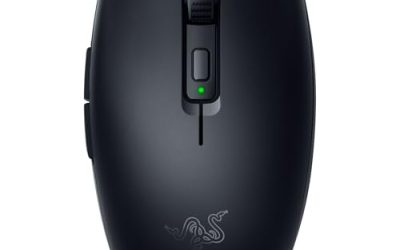
1. Razer Orochi V2
The Razer Orochi V2 is the clearest expression of the hybrid idea in a small body. It gives you two wireless modes, Razer HyperSpeed over 2.4 GHz for gaming and Bluetooth for work and travel, so one mouse can stay paired to a laptop for the day and still connect with a responsive gaming link at home. Razer lists up to 950 hours of battery life, a figure tied to Bluetooth use, and that long runtime suits people who move between home, office, and trips.
Its sensor is a 5G Advanced optical sensor with up to 18,000 DPI, well beyond what office work needs and plenty for fast, accurate movement in games. Mechanical switches give a distinct gaming-style click rather than a muted office feel, so this fits a home desk or private workspace better than a very quiet shared room. Programmable buttons and onboard memory keep useful assignments with the mouse when you move machines.
The Orochi V2 is compact and ultra lightweight, designed as a mobile mouse, and it runs on a single AA or AAA battery depending on your preference for weight and runtime. That portability helps small and medium hands and claw and fingertip grips. Larger hands in a full palm grip for long workdays may find the short shell less supportive than the fuller Logitech G703 below. For travelers and laptop-first users who game after work, the mix of dual modes, long battery life, and a true gaming sensor is hard to match in this size.
- View on Amazon: https://www.amazon.com/dp/B0916N2LPZ
2. Keychron M3
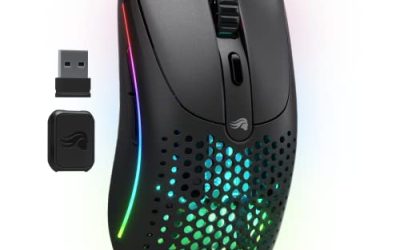
The Keychron M3 suits people who split time between a Mac or Windows work setup and PC gaming, and who want a wired fallback as well. It supports 2.4 GHz, Bluetooth 5.1, and a wired Type-C connection, so you can plug in to keep working while the battery charges, use Bluetooth for a clean laptop setup, and switch to the receiver for play. It comes with compact Type-C and Type-A receivers, a thoughtful touch for modern laptops with few ports.
Performance comes from a PixArt PAW3395 sensor with up to 26,000 DPI and up to 650 IPS tracking, paired with a 1,000 Hz polling rate in the listing specifications. Kailh GM 8.0 microswitches provide the main clicks, with a stated lifespan of up to 80 million clicks in the product information. The Keychron Launcher web app lets you remap buttons, set macros, and adjust DPI, polling, and lift-off settings, with up to five profiles for different games or devices according to the listing description.
At 79 grams, the M3 is light without feeling like a tiny travel mouse, and its larger symmetrical shell gives more room for a relaxed grip during long work sessions than the Orochi V2. Battery life is listed at up to 70 hours with a 600 mAh battery, measured with RGB off, shorter than the AA-powered models here but reasonable for a rechargeable mouse used mainly at one or two desks.
- View on Amazon: https://www.amazon.com/dp/B09MYW2ZX5
3. Razer Pro Click Mini
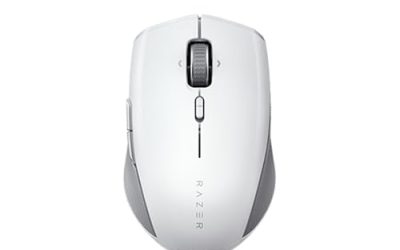
The Razer Pro Click Mini starts from the work side of the desk and adds enough gaming hardware to keep evenings covered for many players. Its standout trait is quiet operation. Razer built this model with silent, tactile mouse clicks, so it fits shared offices, late-night rooms, and call-heavy days where a loud gaming switch would annoy everyone within earshot. The compact shell also looks at home in a meeting room.
Connectivity is built for multi-device work. It connects through Bluetooth and a 2.4 GHz HyperSpeed productivity dongle, and search evidence for the listing describes connection to up to four devices. Seven programmable buttons give room for copy, paste, window controls, or game commands, and the HyperScroll wheel can move between free-spin mode for long pages and tactile mode for step-by-step movement. Tilt on the wheel helps in wide spreadsheets and timelines.
For gaming, the sensor reaches up to 12,000 DPI, which covers desktop play, strategy titles, role-playing games, and shooters at common sensitivities. It will not match the speed focus of the Orochi V2 or the fuller comfort of the G703 for long competitive sessions, and its small shape suits small and medium hands best. It runs on AA batteries, with one or two cells changing weight and runtime, so you can tune it lighter for travel or steadier for work. Choose it when quiet clicks and multi-device work come first.
- View on Amazon: https://www.amazon.com/dp/B09J6RF5TV
4. Logitech G305 LIGHTSPEED
The Logitech G305 LIGHTSPEED is the simplest pick here, and for a single-computer desk that simplicity is a strength. It uses Logitech LIGHTSPEED wireless through its USB receiver, with a 1 ms report rate, and it skips Bluetooth entirely. That means no quick pairing to a tablet, but it also means one fast, stable connection that works the same way every time you sit down at your main machine.
Its HERO sensor reaches up to 12,000 DPI, with tracking described in the listing as having zero smoothing, filtering, or acceleration. Six programmable buttons cover the essentials for work shortcuts and game actions, and Logitech G HUB lets you set DPI steps and assignments, with onboard memory for a stored profile. At 99 grams with its battery, the G305 feels more substantial than the lightest travel mice, which many users like for controlled desktop movement. The compact symmetrical shape suits claw and fingertip grips and smaller to medium hands, and the receiver stores inside the mouse.
Battery life is a major reason this mouse remains popular for hybrid use. Logitech rates it for 250 hours of continuous gameplay on a single AA battery in performance mode, with a longer endurance mode also described in product coverage. For work, that means long stretches without thinking about power, and a swap takes seconds. The main clicks are standard gaming switches, so they are audible rather than quiet. If work and gaming happen on the same computer, the G305 is an easy mouse to live with.
- View on Amazon: https://www.amazon.com/dp/B07CMS5Q6P
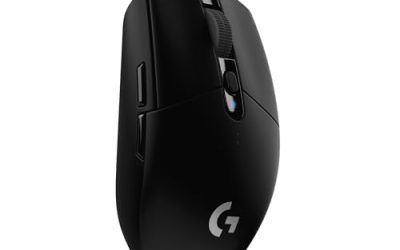
5. Logitech G703 LIGHTSPEED
The Logitech G703 LIGHTSPEED is the comfort-first option for people whose workday is long, whose hands are medium to large, and whose gaming happens at the same desk. Its fuller right-handed shape, rubber side grips, and higher back support a palm grip in a way the compact travel mice here cannot. That support matters when your hand stays on the mouse through hours of editing, design work, coding, or calls, and then stays there for a game session.
Under that shell is serious gaming hardware. The HERO 25K sensor spans 100 to 25,600 DPI, with 1:1 tracking and more than 400 IPS in the product description, plus zero smoothing, filtering, or acceleration. LIGHTSPEED wireless gives a 1,000 Hz report rate. Six programmable buttons handle work shortcuts and in-game actions, and the mouse weighs 95 grams, with an optional 10 gram weight for a heavier, more planted feel. LIGHTSYNC RGB lighting can be set to match a setup or turned down to save power.
The trade-offs are clear. There is no Bluetooth, so multi-device work means moving the receiver or staying on one main computer. Battery life is listed at up to 35 hours of continuous play with default LIGHTSYNC RGB lighting, far shorter than the AA-powered picks, so this mouse suits a fixed desk where charging is routine. It is also compatible with Logitech POWERPLAY in the product information. Pick the G703 when all-day shape and top-tier tracking matter most.
- View on Amazon: https://www.amazon.com/dp/B07NSSPV9S
Wireless Mouse for Work and Gaming at a Glance
| Product | Connectivity | Sensor and Max DPI | Battery Approach | Shape and Weight | Best Fit |
|---|---|---|---|---|---|
| Razer Orochi V2 | HyperSpeed 2.4 GHz, Bluetooth | 5G Advanced, 18,000 DPI | AA or AAA, up to 950 hours in Bluetooth wording | Compact, ultra lightweight | Travel, laptop work, and gaming |
| Keychron M3 | 2.4 GHz, Bluetooth 5.1, wired Type-C | PixArt PAW3395, 26,000 DPI | Rechargeable 600 mAh, up to 70 hours with RGB off | Symmetrical, 79 g | Mixed Mac and PC desks |
| Razer Pro Click Mini | 2.4 GHz dongle, Bluetooth, up to 4 devices | Razer 5G, 12,000 DPI | AA batteries, one or two cells | Compact, quiet clicks | Shared spaces and multi-device work |
| Logitech G305 LIGHTSPEED | LIGHTSPEED receiver only | HERO, 12,000 DPI | Single AA, 250 hours in performance mode | Compact symmetrical, 99 g | One main computer, long battery life |
| Logitech G703 LIGHTSPEED | LIGHTSPEED receiver only | HERO 25K, 25,600 DPI | Rechargeable, up to 35 hours with default lighting | Fuller right-handed, 95 g plus optional 10 g | All-day comfort at a fixed desk |
Frequently Asked Questions
Can one wireless mouse really handle both work and gaming?
Yes, if it combines a gaming-grade sensor with the features work needs. A responsive 2.4 GHz link, clean tracking, and programmable buttons cover gaming, while Bluetooth pairing, a comfortable shape, a useful wheel, and long battery life cover the workday. It removes the need to swap mice.
Should I use Bluetooth or 2.4 GHz for gaming?
Use 2.4 GHz for gaming whenever the mouse provides it. A dedicated receiver link such as LIGHTSPEED or HyperSpeed gives a faster, more consistent connection for quick movement and clicks. Save Bluetooth for work, travel, and slower-paced games, where convenience and longer battery life matter more. Many hybrid users leave the receiver in their gaming desktop and use Bluetooth with their laptop.
How much battery life do I actually need?
It depends on your charging habits more than on the largest number in a listing. If you work and game at one desk and can plug in without disruption, a rechargeable mouse lasting a few dozen hours of play can work well. If you travel or often forget to charge, look for a mouse rated in the hundreds of hours, or one with replaceable batteries. Always note whether a runtime figure assumes Bluetooth, an endurance mode, or lighting turned off.
Are quiet clicks worth giving up gaming switch feel?
For many hybrid users, yes. Quieter switches reduce distraction in shared homes, offices, and calls, and modern quiet designs still register clicks clearly. The trade-off is feel: quiet clicks are usually softer and less crisp than standard mechanical gaming switches. If you game at home alone and love a sharp click, a standard switch may suit you better. If other people hear your mouse all day, quieter clicks improve daily life.
What shape should I choose for long workdays and games?
Start with grip and hand size, not with a brand. Palm grip users and larger hands usually do better with a fuller, taller shape such as the G703. Claw and fingertip users, smaller hands, and travelers often prefer compact shapes such as the Orochi V2 or Pro Click Mini. If you use several grip styles, a medium symmetrical shape such as the Keychron M3 or G305 is a safe place to begin.
Disclosure: As an Amazon Associate, we earn from qualifying purchases.
Related guides
More from Amazon
Programs that pair well with the guide above. Offers and eligibility are set by Amazon and may change.
Free shipping on eligible items, Prime Video and more. Eligible new members can start with a free trial.
Start a Prime free trialAd-free music streaming. Eligible new subscribers can start with a free trial.
Try Music Unlimited freeA Prime membership for ages 18-24 with a trial period. Eligibility is set by Amazon.
See Prime for Young AdultsAudiobooks and podcasts to listen to on the go. Eligible new members can start with a free trial.
Try Audible freeAs an Amazon Associate we earn from qualifying purchases.