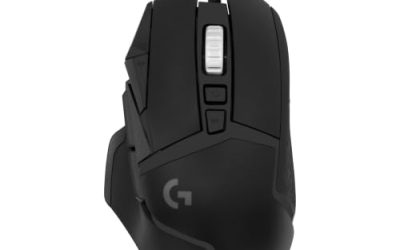
A gaming keyboard and mouse set looks like a simple purchase until the two halves have to live together on one desk. One board may be too wide for the way you aim, one mouse may feel too light or too heavy for your hand, and a lighting scheme that looks good in a photo may be awkward to change once the set is plugged in. Buying the pair as a matched kit removes the guesswork of mixing brands, yet the kits themselves are far from identical. Some lean toward macros and long sessions, others toward a sturdier board that also survives a workday, and a few simply offer the brightest, most straightforward setup for the least fuss.
This guide covers three kinds of buyers. New PC gamers who need everything in a single box, players who share a desk between games and daytime typing, and anyone who wants a full-size board with a number pad and a mouse that can switch sensitivity on the fly. Every set below was chosen from the names and specifications shown on its Amazon product page, with one real ASIN per set, so you can open the exact listing and check it before you order.
Our Top Picks


Top 3 picks at a glance

Quick Picks
As an Amazon Associate we earn from qualifying purchases
| Product | Best for | Key spec from title |
|---|---|---|
| Redragon S101-3 PRO Gaming Keyboard and Mouse | New PC gamers who want macro keys and a wrist rest in one box | RGB backlit programmable keyboard and mouse with independent macro record keys |
| MageGee K1 Gaming Keyboard and Mouse Combo | Players who want a full-size board with a number pad and bright lighting | 104-key RGB LED backlit keyboard with 7-color LED gaming mouse |
| AULA T102 Gaming Keyboard and Mouse Combo | Gamers who share a desk between play and office work | 104-key RGB backlit keyboard and mouse combo with all-metal panel |
How to Choose
Start With Wired or Wireless, and Be Honest About Your Desk
All three sets in this guide connect over USB cables, which suits a fixed desk where the PC sits nearby and nothing ever needs charging. A wired kit keeps both halves ready whenever the computer is on, and it removes the small chores of swapping batteries or hunting for a receiver. The trade-off is cable management: two leads need routing, and a desk that moves between rooms will fight them. If your setup never leaves one spot, wired is the calmer choice. If you carry the keyboard to a laptop or a living-room PC, look for a wireless set instead, and check how it charges before you commit.
Size the Board Around Your Mouse Hand, Not the Other Way Round
A full-size board with a number pad is handy for strategy games, MMOs, and anyone who enters numbers often, but it pushes the mouse further right and shortens every sweep. Players who aim with a low sensitivity feel that loss first, because wide flicks need open desk space. A compact board hands that space back and leaves the number pad behind. Before ordering, measure the clear area to the right of where the board will sit, then picture a full arm movement across it. When the gap looks tight, a smaller layout will improve your aim more than any extra key ever could.
Match the Mouse to Your Grip and Your Hand
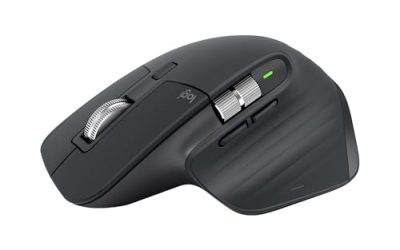
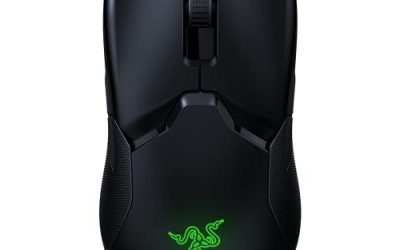
Mouse shape decides comfort faster than any sensor number. A larger, heavier mouse with a palm-filling shell suits players who rest their whole hand on it, while a lighter mouse suits claw and fingertip grips that lift and reposition often. Weight tuning, where a set includes it, lets you add heft until the mouse stops feeling skittish without becoming slow. Sensitivity steps matter too: a mouse that jumps from very slow to very fast with nothing in between will frustrate a player who changes DPI between games. Look for a dedicated DPI button and steps that cover both careful aiming and quick turns.
Weigh Lighting, Software, and the Small Comforts
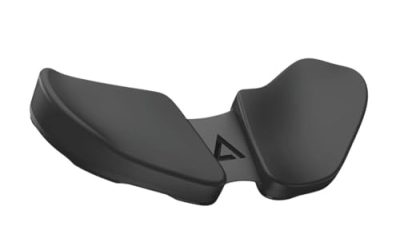
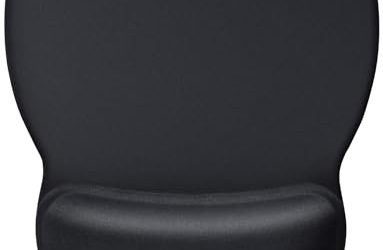
RGB lighting is easy to overrate and easy to regret. Some sets change colours with a function-key shortcut, which works on any computer, while others need companion software for macros and lighting profiles. Software unlocks more control, yet it also ties the set to one operating system and one installed program. Comfort extras deserve the same attention: a wrist rest changes how long sessions feel, media keys save constant alt-tabbing, and a phone bracket keeps a small screen in view. None of these decide a game, but together they decide whether the set still feels good after a month of daily use.
The 3 Best Options
Redragon S101-3 PRO Gaming Keyboard and Mouse
The Redragon S101-3 PRO is the set to look at first when one box has to cover a whole new gaming desk. Five macro keys sit along the left edge of its full-size board, putting repeated commands under a single finger, and the wrist rest that ships in the box takes pressure off the wrists during long evenings. Quiet membrane keys keep the board polite in a shared room, while the mouse spans a wide sensitivity range, so a new player can try slow, deliberate aiming and faster turning before settling on a style. It is a forgiving first kit that still leaves room to grow.
Specs
- Full-size RGB backlit programmable keyboard with 5 macro keys
- Independent macro record keys and software support
- Integrated wrist rest
- 25-key anti-ghosting
- 7 RGB lighting modes on the keyboard and 10 lighting effects on the mouse
- Wired gaming mouse with 800 to 7,200 DPI
- Weight-tuning set included with the mouse
- Quiet soft-touch membrane keys
- USB wired connection, compatible with Windows 10 and 11
Best for: New PC gamers who want macro keys, a wrist rest, and a wide DPI range in a single wired set.
Watch out for: Make sure the listing shows the wired S101-3 PRO model and not the wireless S101M-KS variant, which shares a similar name.
MageGee K1 Gaming Keyboard and Mouse Combo
The MageGee K1 suits a player who wants a bright, full-size setup with a number pad and no software to learn. Its raised floating keycaps stand out from the board, which makes the legends easy to read and the keys easy to clean, and the RGB backlight runs through several colours and modes for a colourful desk. The mouse moves through six sensitivity levels, from slow and precise up to fast, so it handles both careful aiming and quick turns without opening a settings menu. Everything works as soon as it is plugged in, which keeps the first evening simple.
Specs
- 104-key full-size wired keyboard with number pad
- RGB backlight with 8 light colors and 5 light modes
- Removable floating keycaps
- Double-shot injection moulded key legends
- Gaming mouse with 6 adjustable DPI levels from 600 to 3,200
- USB 2.0 wired connection with gold-plated interface
- Anti-interference magnet ring on the cable
- Non-slip pads on the bottom of the keyboard
- ABS engineering plastic body
Best for: Players who want a full-size, brightly lit board with a number pad and a simple plug-and-play mouse.
Watch out for: The K1 is sold in several colours under different ASINs, so check that the colour in your cart is the one you chose.
AULA T102 Gaming Keyboard and Mouse Combo
The AULA T102 is built for a desk that earns its keep twice, once for games and once for work or study. An aluminum alloy panel gives the board a firmer feel than an all-plastic shell, and the quiet keys, with a short 2.0mm keystroke, stay discreet during late sessions or shared rooms. Twelve multimedia keys across the top handle volume and playback without leaving the game, and the mouse steps through four sensitivity levels up to 7,200 DPI. A small bracket on the board holds a phone or a pen, a modest touch that keeps a busy desk tidier.
Specs
- 104-key full-size RGB backlit keyboard with all-metal panel
- Aluminum alloy brushed panel with ergonomic 7-degree tilt design
- Quiet membrane keys with 2.0mm keystroke
- 12 multimedia keys (FN + F1-F12)
- 26-key anti-ghosting
- 3 illumination modes and 3 brightness levels
- Gaming mouse with 4 adjustable DPI levels: 1200, 2400, 4800, 7200
- Phone and pen bracket on the keyboard
- USB wired connection, compatible with Windows and Mac OS
Best for: Gamers who share one desk between gaming and office work and want a sturdier metal-panel board.
Watch out for: Check the listing title for the all-metal panel version, since the T102 has appeared under more than one ASIN over time.
Which One Fits Your Situation
You Are Setting Up Your First Gaming PC
Choose the Redragon S101-3 PRO. The macro keys, wrist rest, and wide DPI range cover the features a new player reaches for first, and the quiet membrane keys are forgiving when the desk sits in a shared room. Nothing in the set demands software knowledge on day one, yet the software is available when you decide to program a macro or reshape the lighting.
One Desk Has to Handle Gaming and Daytime Work
Choose the AULA T102. The metal panel and quiet keystrokes carry through a workday without feeling like a toy, the multimedia keys handle calls and music, and the mouse sensitivity steps cover both careful document work and fast game turns. The phone bracket is a small extra that earns its place when the same surface serves two jobs.
You Want a Colourful Full-Size Board With a Number Pad
Choose the MageGee K1. The full-size layout keeps the number pad for games and typing alike, the floating keycaps and RGB lighting give the desk a bright look, and the mouse covers six sensitivity levels without any software. It is the most straightforward pick here for a player whose desk fits a full board with room to spare.
You Play Late at Night in a Shared Room
Choose the Redragon S101-3 PRO. Its quiet membrane keys keep late sessions from carrying through thin walls, and the wrist rest helps during long nights. The AULA T102 is the fallback when you also need the set to look at home in a daytime workspace, since it pairs quiet keys with a sturdier metal panel and media controls.
Common Mistakes
- Buying a full-size board for a small desk, then finding no room left for wide mouse movements.
- Picking a set by its maximum DPI alone, without checking whether the sensitivity steps match how you actually aim.
- Ordering the wireless version of a combo by mistake, when the listing family shares a nearly identical name with the wired model.
- Assuming every colour option shares one ASIN, and ending up with a different colour or an older listing in the cart.
- Forgetting that a wired set needs two free USB ports, and discovering the cables are too short or the ports are already taken.
Frequently Asked Questions
Will these keyboard and mouse sets work with a games console?
Some of them work with a console over USB for games that support keyboard and mouse input, but support varies by game and by console. Check the specific game first, because many console titles do not accept keyboard and mouse at all, and the macro and lighting software in these sets is built for Windows rather than console use.
Do I need to install software to use one of these sets?
No, the basics work as soon as both cables are plugged in, including typing, clicking, lighting changes, and DPI switching. Software only matters when you want to record macros, remap keys, or build lighting profiles, and the Redragon set is the one here where software unlocks the most extra control.
What is the difference between membrane keys and mechanical keys in a set?
Membrane keys press quietly with a soft landing, which suits shared rooms and long typing sessions, while mechanical keys give a firmer, more defined press with more sound. Most sets in this guide use membrane or mechanical-feel keys rather than true mechanical switches, so check the listing wording when key feel matters to you.
Can I replace just the mouse or just the keyboard later?
Yes, each half works on its own, so a broken mouse or a worn keyboard can be swapped for any standard USB replacement. The trade-off is losing the matched look and the shared lighting style, so many buyers replace one half first and upgrade the other when it wears out.
Related guides
More from Amazon
Programs that pair well with the guide above. Offers and eligibility are set by Amazon and may change.
Free shipping on eligible items, Prime Video and more. Eligible new members can start with a free trial.
Start a Prime free trialAd-free music streaming. Eligible new subscribers can start with a free trial.
Try Music Unlimited freeA Prime membership for ages 18-24 with a trial period. Eligibility is set by Amazon.
See Prime for Young AdultsAudiobooks and podcasts to listen to on the go. Eligible new members can start with a free trial.
Try Audible freeAs an Amazon Associate we earn from qualifying purchases.