The best gaming wrist rest for mouse comfort is a small, standalone support that sits under the wrist while the hand holds a mouse. It does not replace a mouse, it does not act as a mouse pad, and it does not change how the sensor tracks. Its job is narrower and more useful: it keeps the wrist in a more neutral position, reduces the angle between the forearm and the hand, and gives the base of the palm a stable place to land during long sessions at a desk.
This guide covers standalone wrist rests for a mouse only. Every product below is the same type of accessory, a separate rest that sits beside the mouse and supports the wrist. None of them is a mouse pad, a mouse, a keyboard rest, or a combined pad with a built-in cushion. That distinction matters, because a keyboard rest is shaped for typing, while a mouse rest is shaped for the smaller, more frequent movements of aiming, clicking, and dragging.
Choosing the right rest is mostly a matter of fit. A rest that is too tall can push the wrist upward, a rest that is too low can leave the wrist unsupported, and a rest that is too wide can crowd the mouse. The shape, the material, the firmness, and the way the rest behaves during fast movement all affect whether it helps or gets in the way. The sections below explain what to look for and compare three focused options.
Our Top Picks

Top 3 picks at a glance

What to Look For
Rest height and firmness. Height decides the angle of the wrist. A rest should fill the gap between the desk and the underside of the wrist without lifting the hand so high that the fingers have to reach down to the mouse buttons. A rest that is too soft can flatten under the wrist and stop supporting it, while a rest that is too firm can feel hard against the skin. The goal is a rest that holds its shape under light pressure and still leaves the hand free to move the mouse.
Gel versus memory foam. Gel and memory foam feel different under the wrist. A gel cushion often feels cool at first touch and tends to keep a smooth, even surface as the wrist rests on it. It can also spread pressure across a wider area, which some people find comfortable when the wrist stays in one place for a while. Memory foam, by contrast, moulds slowly to the shape of the wrist and the base of the palm, which can feel snug and supportive, although the foam may feel warmer.
Shape and glide. Shape decides how the rest meets the hand during movement. Some rests have a curved, ergonomic shape that follows the natural curve of the wrist and the base of the palm. Others are simpler, with a rounded cushion that the wrist can rest on from several angles. Some rests are designed to move with the hand as the mouse moves, so the support stays under the wrist during aiming and turning. Others stay in one place, so the wrist slides across the top of the rest instead.
Size for hand and mouse. A wrist rest should be sized to the hand and to the mouse that will sit beside it. A large hand on a small rest can hang over the edges and lose support at the sides, while a small hand on a very large rest can feel as if the wrist is being pushed too far forward. A standard mouse usually pairs well with a rest made for standard mice, while a slim mouse or a trackpad may pair better with a slimmer rest that does not lift the wrist too high.
Surface material. The surface is the part that touches the skin, so its texture matters during long sessions. A soft exterior can feel gentle against the wrist, especially when the arm rests in the same spot for a long time. A smoother surface can make it easier for the wrist to shift position without catching on the material. A surface with more grip can keep the wrist from sliding, which some players prefer when they need steady aim.
Base grip. The base decides whether the rest stays where it is placed. A rest with a grippy base tends to stay put during fast mouse movement, which helps when the hand pushes against it while aiming. A rest with a smoother base may slide more easily, which can be useful if the rest is meant to glide with the hand, but can also be a drawback if the rest drifts away from the mouse during play. Desk surface matters here as well, because a rest may grip well on a wooden desk and less well on a smooth glass desk.
Cleanability. A wrist rest sits under the wrist for hours at a time, so it will pick up skin oils, dust, and general desk grime over time. A rest that is easy to wipe clean can be kept fresh with a damp cloth, while a rest with a fabric cover may need more care and may take longer to dry after cleaning. Gel rests often have a smooth outer layer that wipes clean with little effort.
Left versus right hand fit. Handedness is easy to overlook, and it matters a lot for shaped rests. A rest made for right-handed mouse users is shaped to follow the curve of the right wrist and palm, and it may feel wrong when used with the left hand. A symmetrical rest, on the other hand, can work for either hand because it does not favour one side. Players who use the mouse with the left hand should check whether a rest is made for the right hand, the left hand, or both.
Top Picks
1. DeltaHub Carpio 2.0 Right-Handed Ergonomic Wrist Rest for Mouse, Large, Black

Check on Amazon
ASIN: B098P8C3BT
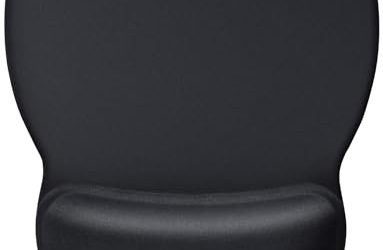
The DeltaHub Carpio 2.0 Right-Handed Ergonomic Wrist Rest for Mouse, Large, Black is built around an ergonomic shape that follows the hand, and that shape is the main reason to consider it. Instead of a plain rounded cushion, it has a form that curves to meet the wrist and the base of the palm, which can help the hand settle into a more natural position while the fingers stay on the mouse buttons. The large size gives a broader area for the wrist and lower palm, suiting larger hands.
This rest is made for right-handed mouse users, so the shape is tuned to the right hand. That handedness is important to note before choosing it, because the ergonomic curve will line up best when the mouse is held in the right hand. Players who use the mouse with the left hand should look for a symmetrical rest or a left-handed design instead, since a right-handed shape may feel uneven on the other side. The black finish keeps the look simple and neutral, which fits easily beside most gaming mice and desks.
Another key feature is that this rest glides with the hand during mouse movement. Rather than staying fixed while the wrist slides across it, it moves along with the hand as the mouse travels, so the support stays under the wrist through wider movements. That behaviour can feel natural during games that call for broad aiming or sweeping the mouse across the desk. One caution is that a gliding rest behaves differently from a fixed rest, so players who are used to a rest that stays in one place may need a short adjustment period.
2. Kensington ErgoSoft Wrist Rest for Standard Mouse, K52802WW
Check on Amazon
ASIN: B01MS8PIX9
The Kensington ErgoSoft Wrist Rest for Standard Mouse, K52802WW uses a gel cushion with a soft exterior, and that combination gives it a smooth, gentle feel under the wrist. The gel inside the cushion helps spread the weight of the wrist across the surface, so pressure does not concentrate in one small spot. That even spread can feel comfortable during long sessions, when the wrist stays in roughly the same place for extended periods while the hand works the mouse. The soft exterior adds to the comfort, because the surface that touches the skin feels smooth and yielding rather than hard or rough.
This model is made for standard-size mice, which makes it a straightforward match for the most common mouse shape on a gaming desk. A standard mouse usually has a medium body that fills the palm without forcing the fingers to stretch, and a rest made for that size should sit at a height that keeps the wrist close to neutral while the hand rests on the mouse. That pairing matters, because the wrong height can make the hand work harder than it should.
The gel design also has practical strengths. A smooth gel cushion is often easy to wipe clean, and it tends to hold its shape well under the wrist rather than flattening out during a long game. One caution is that gel can feel cool at first touch, which some players enjoy and others may need a moment to get used to. Another caution is that a fixed gel rest does not glide with the hand in the same way as a moving rest, so players who make very wide mouse movements may find that the wrist slides across the top of the cushion during larger sweeps.
3. Kensington ErgoSoft Wrist Rest for Slim Mouse/Trackpad, K52803WW
Check on Amazon
ASIN: B0DF5L854N
The Kensington ErgoSoft Wrist Rest for Slim Mouse/Trackpad, K52803WW is the slimmer option in this guide, and its slimmer profile is the feature that defines it. It is made for slim mice and trackpads, which sit lower on the desk than a standard mouse and need a rest that does not lift the wrist too high. A rest that is too tall beside a slim mouse can push the wrist upward and force the hand into an awkward angle, so a lower, slimmer rest helps keep the wrist closer to neutral. For players who use a slim mouse for travel or for a compact desk setup, that lower profile can make the hand feel more relaxed.
The slim design also suits trackpad users, who often keep the hand low and close to the desk surface while swiping and tapping. A trackpad does not have the raised body of a mouse, so the wrist benefits from a rest that matches that lower height. The slimmer profile therefore serves two kinds of setup at once: a slim mouse on a gaming desk, and a trackpad on a laptop or a compact workstation. As with the other Kensington model in this guide, this rest comes from the ErgoSoft line, which focuses on soft, comfortable support for the wrist during computer use. The slimmer shape means the cushion has less height to work with, so players with larger hands or players who like a taller rest may find that it gives less lift than they expect. Players who use a standard or tall mouse should think carefully first, because this rest may sit too low beside a taller mouse and leave the wrist unsupported. When the mouse or trackpad is genuinely slim, however, this rest can be a neat and well-matched fit.
Comparison at a Glance
| Product | Material and feel | Profile | Hand fit | Size and use |
|---|---|---|---|---|
| DeltaHub Carpio 2.0 Right-Handed Ergonomic Wrist Rest for Mouse, Large, Black | Ergonomic shaped rest that follows the hand | Large, shaped for the right hand | Right-handed mouse users | Large size, glides with the hand during mouse movement |
| Kensington ErgoSoft Wrist Rest for Standard Mouse, K52802WW | Gel cushion with a soft exterior | Standard height for a standard mouse | Symmetrical fit for standard mice | Made for standard-size mice |
| Kensington ErgoSoft Wrist Rest for Slim Mouse/Trackpad, K52803WW | ErgoSoft cushion in a slimmer form | Slimmer profile for low devices | Fits slim mouse and trackpad use | Slimmer size for slim mice and trackpads |
FAQ
What is a gaming wrist rest for a mouse?
A gaming wrist rest for a mouse is a standalone cushion that sits under the wrist while the hand holds a mouse. It is not a mouse, it is not a mouse pad, and it is not a keyboard rest. Its purpose is to support the wrist and the base of the palm, keeping the wrist in a more neutral position while the hand moves the mouse. Some rests stay in one place, while others glide with the hand as the mouse moves.
Do I need a wrist rest if my mouse already feels comfortable?
A wrist rest is not required for every player, even when the mouse already feels comfortable. Some players game for hours without wrist discomfort and may never need extra support. A rest becomes more useful when the wrist feels tired after long sessions, when the hand has to hover above the desk to reach the mouse, or when the wrist bends upward or downward for long periods.
Should I choose a gel rest or a shaped rest?
The choice between a gel rest and a shaped rest depends on what kind of support feels best. A gel rest, such as the Kensington ErgoSoft models in this guide, tends to feel smooth and even under the wrist, with a soft exterior that spreads pressure across the surface. A shaped rest, such as the DeltaHub Carpio 2.0, follows the curve of the hand and can feel more tailored, because the support is placed where the wrist and palm naturally sit.
How do I know which size wrist rest fits my hand and mouse?
Start by thinking about hand size and mouse size together. A larger hand usually needs a larger rest, so the wrist and the base of the palm can both sit on the support without hanging over the edges. A smaller hand may feel better on a more compact rest. A standard mouse pairs well with a rest made for standard mice, while a slim mouse or a trackpad pairs better with a slimmer rest that does not lift the wrist too high.
Can I use a mouse wrist rest with my left hand?
It depends on the shape of the rest. A symmetrical rest can often be used with either hand, because it does not favour one side over the other. A shaped rest made for right-handed mouse users, such as the DeltaHub Carpio 2.0 in this guide, is designed to follow the right hand, so it may feel uneven when used with the left hand. Left-handed players should look for a rest that is made for the left hand or for a symmetrical design that works for both hands.
Conclusion
A good gaming wrist rest for a mouse is a simple accessory with a clear job: it supports the wrist, helps keep the hand in a more neutral position, and makes long sessions at the desk feel easier. The best choice depends on hand size, mouse size, handedness, and whether a gel cushion, a shaped rest, or a slimmer profile sounds most comfortable. The DeltaHub Carpio 2.0 suits right-handed players with larger hands who want a shaped rest that glides with the hand, the Kensington ErgoSoft for Standard Mouse suits players with a standard mouse who want a gel cushion with a soft exterior, and the Kensington ErgoSoft for Slim Mouse/Trackpad suits players with a slim mouse or a trackpad who need a lower profile.
Disclosure: As an Amazon Associate, gamingpcgadgets.com earns from qualifying purchases.
Related guides
More from Amazon
Programs that pair well with the guide above. Offers and eligibility are set by Amazon and may change.
Free shipping on eligible items, Prime Video and more. Eligible new members can start with a free trial.
Start a Prime free trialAd-free music streaming. Eligible new subscribers can start with a free trial.
Try Music Unlimited freeA Prime membership for ages 18-24 with a trial period. Eligibility is set by Amazon.
See Prime for Young AdultsAudiobooks and podcasts to listen to on the go. Eligible new members can start with a free trial.
Try Audible freeAs an Amazon Associate we earn from qualifying purchases.