Choosing a mouse for Dota 2 is a decision about buttons first and speed second. A match asks for item actives, ability casts, control groups, and camera jumps, all while the player last-hits and positions in fights. A mouse with a full thumb grid puts those actions under one thumb, so the left hand stays on movement keys instead of stretching across the keyboard for every item slot. The sensor matters too, but only up to the point where tracking stays clean during fast camera pans.
This guide is for three kinds of Dota 2 players. Item-heavy players want a thumb grid that covers six item slots plus actives without looking down. Support players want a light, comfortable mouse for long sessions of warding, stacking, and map watching. Players who split time between Dota 2 and other genres want one mouse that handles MOBA bindings and still feels right in a shooter. The three mice below, taken from their Amazon listing titles and specifications, cover all three groups.
Our Top Picks
 Razer Naga V2 HyperSpeed Wireless MMO Gaming MouseNaga V2 HyperSpeed (Mouse)4.71 x 2.96 x 1.71 inches0.2 poundsCheck on Amazon
Top 3 picks at a glance

Quick Picks
As an Amazon Associate we earn from qualifying purchases
| Product | Best for | Key spec from title |
|---|---|---|
| Logitech G600 MMO | Item-heavy players who want a full thumb grid | 20 programmable buttons, 12-button thumb panel |
| Razer Naga V2 HyperSpeed | Wireless MOBA play with a thumb grid | 19 programmable buttons, Focus Pro 30K sensor |
| Corsair Scimitar RGB Elite | Players who want an adjustable thumb panel | 17 programmable buttons, Key Slider side panel |
How to Choose
Count the buttons your hero actually needs
Dota 2 gives every hero four abilities, six item slots, and a courier, shop, and control-group keys, so count the actions you cast in a typical fight before choosing a mouse. A twelve-button thumb grid covers the full item bar plus ability keys, while a mouse with only two side buttons forces the left hand to reach for item keys mid-fight. Check whether the thumb buttons sit in two rows of six, since that layout lets the thumb find keys by feel without looking down. Players who play one or two heroes can get by with fewer buttons, but players who rotate through the whole roster benefit from a full grid.
Match the sensor to fast camera work
Dota 2 camera control means long, fast pans across the map, followed by small, precise clicks on units and items. A sensor that tracks cleanly at high speeds keeps the camera from skipping or stuttering during those pans, while a low lift-off distance stops the cursor from drifting when the mouse is lifted and reset. Most modern optical sensors handle this easily, so treat the sensor as a baseline and look at the maximum tracking speed instead of the DPI ceiling. A mouse that tracks at 400 inches per second or more will not lose the cursor during the fastest map movements.
Judge weight against long matches
Dota 2 matches often run past forty minutes, and a heavy mouse adds up over hundreds of clicks and camera pans. A mouse near 95 grams feels light enough to flick across the map without tiring the wrist, while a 133-gram mouse feels planted and steady for slow, deliberate play. The trade-off is real: the lightest mice usually carry fewer buttons, while the heaviest mice carry the biggest thumb grids. Try to match the weight to the session length, and check whether the listed weight includes the battery on wireless models, since a single AA cell adds meaningful heft to an otherwise light body.
Check comfort, grip, and software before ordering
A MOBA mouse lives in the hand for long sessions, so the shell shape matters as much as the button count. Palm-grip players need a tall shell with a thumb rest, while claw players want a mid-height body with a steep front slope. Check the software as well: the mouse utility should let you bind keys, build per-hero profiles, and save at least one profile on the mouse itself. Confirm the cable length on wired models, since a short cable drags on the desk edge, and check whether the wireless model needs a rechargeable cell or a replaceable AA battery.
The 3 Best Options
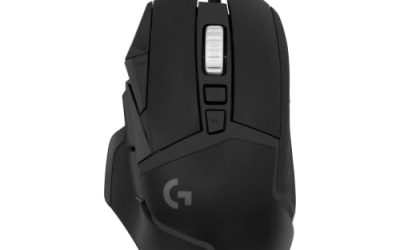
Logitech G600 MMO

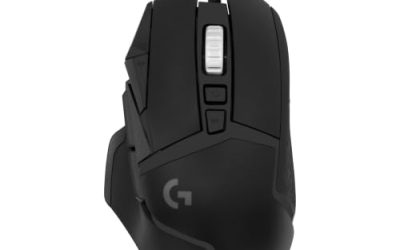
The Logitech G600 is the most button-dense mouse in this guide, and it suits Dota 2 players who want the entire item bar under one thumb. Its dual-dish thumb panel holds twelve buttons in two sets of six, so the thumb finds each key by feel during a fight. A G-Shift ring-finger button doubles every binding, giving the mouse far more actions than its twenty buttons suggest. The sculpted right-handed shell supports a palm grip through long matches, and the RGB thumb panel lighting can mark different profiles by color. It is the pick for players who cast items constantly and never want to look at the keyboard.
Specs
- Buttons: 20 programmable buttons, 12-button dual-dish thumb panel
- Sensor: Optical, 200 to 8,200 DPI
- Tracking: Up to 160 inches per second, 30 G acceleration
- Weight: 133 grams without cable
- Size: 118 x 75 x 41 mm, right-handed ergonomic shape
- Connection: Wired USB, 2 m braided cable
- Report rate: Up to 1,000 Hz
- Switches: Primary buttons built for 20 million clicks
- Feet: PTFE feet, 250 km range
- Memory: Onboard memory for 1 profile
Best for: Item-heavy Dota 2 players who want a full twelve-button thumb grid and a G-Shift button for extra bindings.
Watch out for: At 133 grams it is heavy for fast flicks, the 8,200 DPI ceiling is lower than modern sensors, and the right-handed shell does not suit left-handed players.
Razer Naga V2 HyperSpeed
The Razer Naga V2 HyperSpeed brings the thumb grid to wireless play, and it suits Dota 2 players who want a full skill bar without a cable. Nineteen programmable buttons include a twelve-button thumb grid for items and abilities, while the Focus Pro 30K sensor tracks to 30,000 DPI with clean, consistent movement. HyperSpeed wireless keeps the report rate at 1,000 Hz, and Bluetooth mode stretches battery life when latency matters less. A single AA battery powers up to 250 hours on HyperSpeed or 400 hours on Bluetooth, so charging never interrupts a match. The HyperScroll wheel switches between free-spin and tactile modes for fast shop scrolling.
Specs
- Buttons: 19 programmable buttons, 12-button thumb grid
- Sensor: Focus Pro 30K optical, up to 30,000 DPI
- Tracking: Up to 750 inches per second, 50 G acceleration
- Switches: Mechanical Mouse Switches Gen-2, built for 60 million clicks
- Weight: 95 grams without battery
- Size: 119.5 x 75 x 43.5 mm, right-handed ergonomic shape
- Connection: HyperSpeed 2.4 GHz wireless and Bluetooth
- Battery: Up to 250 hours on HyperSpeed, 400 hours on Bluetooth, 1 AA battery
- Scroll wheel: HyperScroll dual-mode, free-spin and tactile
- Report rate: Up to 1,000 Hz
Best for: Dota 2 players who want a wireless thumb-grid mouse with long battery life and a modern sensor.
Watch out for: It runs on a replaceable AA battery rather than a rechargeable cell, and at 95 grams before the battery it is heavier than ultralight competitive mice.
Corsair Scimitar RGB Elite
The Corsair Scimitar RGB Elite suits Dota 2 players whose hands do not fit a fixed thumb grid. Its Key Slider lets the twelve side buttons slide forward or back to match the thumb’s reach, so the grid sits where the player expects it. Seventeen programmable buttons cover items, abilities, and control groups, while the custom PixArt PMW3391 sensor tracks to 18,000 DPI in single-DPI steps. Omron switches built for 50 million clicks keep the primary buttons crisp through long play, and four-zone RGB lighting syncs with the rest of a Corsair setup through iCUE. It suits players who want a thumb grid tuned to their own hand.
Specs
- Buttons: 17 programmable buttons, 12 side buttons on a Key Slider panel
- Sensor: Custom PixArt PMW3391 optical, native 18,000 DPI
- Switches: Omron switches, built for 50 million clicks
- Weight: 122 grams
- Connection: Wired USB, braided cable
- Lighting: Dynamic four-zone RGB, controlled through iCUE software
- Memory: Onboard profile storage
- Compatibility: PC, Mac, PS5, PS4, and Xbox
- Warranty: 2-year warranty
Best for: Players who want a thumb grid they can slide to fit their hand, with strong software and RGB lighting.
Watch out for: Wired only, so there is no wireless option, and the 122-gram body is heavy for players who prefer light, fast mice.
Which One Fits Your Situation
An item-heavy player who casts from the thumb
Pick the Logitech G600 MMO. Its twelve-button dual-dish thumb panel covers the full item bar, and the G-Shift button doubles every binding for heroes with extra actives. The sculpted palm-grip shell stays comfortable through long matches, and the RGB panel can mark profiles by color.
A wireless player who wants a modern sensor
Pick the Razer Naga V2 HyperSpeed. It pairs a twelve-button thumb grid with the Focus Pro 30K sensor and HyperSpeed wireless at 1,000 Hz, and a single AA battery lasts up to 250 hours on wireless or 400 hours on Bluetooth. It suits players who hate cables but still want a full MOBA button layout.
A player whose hand does not fit a fixed grid
Pick the Corsair Scimitar RGB Elite. Its Key Slider moves the twelve side buttons forward or back to match the thumb’s reach, so the grid lands where the player expects it. Seventeen programmable buttons and iCUE software cover items, abilities, and macros with room to spare.
A support player who watches the map all match
Pick the Razer Naga V2 HyperSpeed. Its 95-gram body is the lightest on this list, so long sessions of warding, stacking, and camera work tire the wrist less. The thumb grid still covers wards, courier, and item actives when a fight breaks out.
Common Mistakes
- Buying a two-button mouse for Dota 2 and reaching across the keyboard for every item active mid-fight.
- Chasing the highest DPI number instead of checking button layout and tracking speed for fast camera pans.
- Picking a heavy thumb-grid mouse for fast flick play, then tiring the wrist in long matches.
- Ignoring the software and discovering the mouse cannot save profiles or bind keys the way the player needs.
- Ordering a right-handed thumb-grid mouse without checking that the shell fits the player’s hand and grip style.
Frequently Asked Questions
How many buttons does a Dota 2 mouse need?
A twelve-button thumb grid covers the full item bar plus ability keys, which is why MOBA mice carry one. Players who use only two or three item actives can manage with a standard five-button mouse, but item-heavy heroes benefit from a grid. Count the actives on the heroes you play most and match the button layout to that count.
Is a wireless mouse good enough for Dota 2?
Yes. Modern wireless mice report at 1,000 Hz, the same rate as wired USB, so input timing does not decide a match. The practical differences are battery life and weight: a wireless mouse needs a battery plan, while a wired mouse never needs charging. Either works well for MOBA play.
Does DPI matter for Dota 2?
Only up to a point. Most Dota 2 players aim between 800 and 1,600 DPI, far below the ceiling of any modern sensor. Tracking speed and lift-off distance matter more, since fast camera pans and frequent mouse lifts punish a sensor that skips or drifts. Judge a mouse on tracking and comfort first.
Can one mouse work for Dota 2 and shooters?
Yes, if the thumb grid does not get in the way. A twelve-button grid suits MOBA play, but it adds weight and width that can slow flick shots in a shooter. Players who split time evenly often pick a lighter mouse with fewer buttons, while dedicated MOBA players accept the extra weight for the grid.
Related guides
More from Amazon
Programs that pair well with the guide above. Offers and eligibility are set by Amazon and may change.
Free shipping on eligible items, Prime Video and more. Eligible new members can start with a free trial.
Start a Prime free trialAd-free music streaming. Eligible new subscribers can start with a free trial.
Try Music Unlimited freeA Prime membership for ages 18-24 with a trial period. Eligibility is set by Amazon.
See Prime for Young AdultsAudiobooks and podcasts to listen to on the go. Eligible new members can start with a free trial.
Try Audible freeAs an Amazon Associate we earn from qualifying purchases.