As an Amazon Associate we earn from qualifying purchases
Best Wireless Gaming Mouse for Small Hands: Top Picks
Most gaming mice are drawn around an average-to-large hand, so players with hands under roughly 18 cm end up stretching for the side buttons, over-gripping a wide shell, or pushing extra weight around with their fingertips. The fix is not just a lighter mouse — it is a shorter, narrower shell that lets your fingers land naturally on the buttons and keeps the sensor close to the centre of your grip. This guide compares three genuinely small wireless gaming mice, each with published dimensions, and explains how to match shell length, width, height and weight to claw and fingertip grips.
Every pick below is a wireless gaming mouse with a compact shell that is currently sold on Amazon US. Dimensions and weights are taken from the manufacturers’ listed specifications, so you can compare them against the mouse you already own before ordering.
Our Top Picks
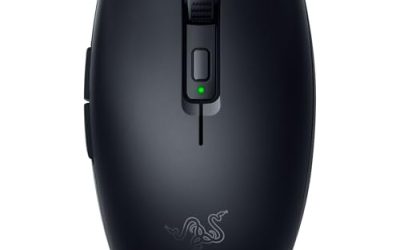
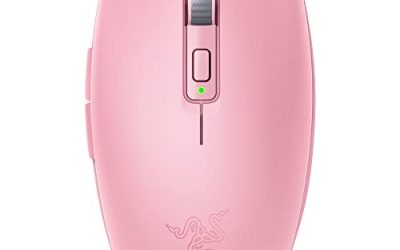
 Razer Orochi V2 Wireless Gaming Mouse4.26 x 1.52 inch (Pack of 1)4.26 x 1.52 x 2.47 inches0.13 poundsCheck on Amazon

Top 3 picks at a glance

Quick Picks
| Product | Best for | Key spec |
|---|---|---|
| Razer Orochi V2 | Smallest shell and longest battery life | 108 mm long, under 60 g without battery |
| Pulsar X2V2 Mini | Claw and fingertip FPS players | 51 g, PixArt PAW3395 sensor, 26,000 DPI |
| Logitech G305 LIGHTSPEED | Simple, dependable all-rounder | HERO sensor, 250 hours on one AA battery |
How to Choose the Best Wireless Gaming Mouse for Small Hands
Measure your hand and your current mouse
Hand length is measured from the tip of the middle finger to the base of the palm. If that measurement is under about 18 cm, full-size shells in the 125-130 mm range will usually feel stretched in a relaxed claw grip. A practical shortcut is to measure the mouse you use now: if your fingertips hang well past the front of the buttons or your thumb cannot reach the rear side button without shifting your grip, a shell in the 108-117 mm range is a better starting point.
Shell length, width and height matter more than DPI
Length decides how much of your palm the mouse fills, width decides how hard your fingers have to work to hold on, and height decides how much the shell pushes into your palm. For small hands, a width around 60-62 mm and a height under 39 mm keep the grip relaxed. All three mice in this roundup sit in that window, which is what separates them from standard models that are simply marketed as lightweight.
Match the shape to your grip
Fingertip grip players control the mouse with the fingers alone, so they benefit from the shortest, lightest shells — the Orochi V2 and X2V2 Mini are built for exactly that. Claw grip players arch their fingers and brace the rear of the shell against the palm, so a defined rear hump helps; the X2V2 Mini’s low, wide hump and the G305’s rounded rear both suit claw grips on small hands. Relaxed palm grip is the hardest style to serve at this size, because a short shell leaves the palm partly unsupported — if you palm grip, the G305’s taller rear is the closest fit here.
Weight changes how a small mouse feels
A small hand has less leverage, so heavy mice feel even heavier. Two of the picks here are at or under 60 g before a battery decision comes into play, which makes fast stops and micro-corrections easier to control. The G305 is the exception at 99 g with its AA battery fitted; that weight is carried in a compact shell, so it still suits small hands, but fingertip players who prioritise flick speed will notice the difference.
Connectivity and battery style
All three mice use a 2.4 GHz USB receiver for their low-latency gaming connection. The Orochi V2 adds Bluetooth for a second device and runs on a single AA or AAA battery, which lets you trade a little weight for runtime. The G305 also runs on one AA battery. The X2V2 Mini uses a built-in rechargeable battery and can also be used wired over USB-C while it charges.
Polling rate and sensor
A 1000 Hz polling rate over the 2.4 GHz connection is standard on all three picks and is more than fast enough for competitive play. The X2V2 Mini can go further with an optional high-polling receiver sold separately. On the sensor side, headline DPI figures differ widely — 12,000 on the G305, 18,000 on the Orochi V2, 26,000 on the X2V2 Mini — but all three sensors track without the smoothing or acceleration issues that actually affect aim, so shape and weight should drive the decision.
The Picks in Detail
Razer Orochi V2
The Orochi V2 is the smallest shell in this roundup at 108 mm long, 60 mm wide and 38 mm tall, and it weighs under 60 g before a battery is fitted. That footprint suits fingertip and claw grips on small hands better than almost any other wireless gaming mouse, because your fingers reach both main buttons and the side buttons without repositioning. Inside is Razer’s 5G Advanced optical sensor with up to 18,000 DPI, 450 IPS tracking and 40 G acceleration, paired with second-generation Razer mechanical switches rated for 60 million clicks.
Battery flexibility is the Orochi V2’s other standout feature. A hybrid battery slot accepts either a single AA or a single AAA cell: the lighter AAA trims weight for fingertip play, while a lithium AA stretches the rated runtime to up to 425 hours on the HyperSpeed 2.4 GHz connection or up to 950 hours over Bluetooth. The Bluetooth mode also makes it easy to pair with a laptop for work and swap back to the receiver for gaming.
- Strength: Shortest shell here at 108 mm, dual wireless modes, and a battery slot that lets you choose between lower weight and longer runtime.
- Trade-off: The compact body has no room for a stored full-size grip feel, and palm grip players will find the rear too short to rest on.
Skip it if you use a relaxed palm grip or want a rechargeable mouse with no disposable batteries to swap.
Pulsar X2V2 Mini
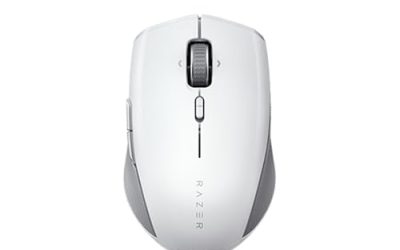
The X2V2 Mini is Pulsar’s scaled-down symmetrical shell, measuring 115.6 mm long, 60.6 mm wide and 36.6 mm tall at just 51 g. The low profile and wide waist are shaped for claw and fingertip grips, and at this weight the mouse changes direction with very little effort from small fingers. It runs PixArt’s PAW3395 sensor with up to 26,000 DPI, 650 IPS tracking and 50 G acceleration, plus optical main switches that remove the debounce delay mechanical switches need.
Over its 2.4 GHz connection the X2V2 Mini polls at 1000 Hz out of the box, and Pulsar offers a separate high-polling receiver for players who want to go beyond that. The built-in battery is rated for up to roughly 90 hours of play at 1000 Hz, and a USB-C cable lets you keep playing wired while it charges. Pulsar’s software handles DPI steps, polling rate and button mapping.
- Strength: The lightest pick at 51 g, with a flagship-class sensor, optical switches and a genuinely low, small-hand-friendly profile.
- Trade-off: Battery life is far shorter than the AA-powered picks, and the high-polling receiver is an extra purchase rather than an in-box item.
Skip it if you dislike charging cables at your desk or your grip needs a taller rear hump for support.
Logitech G305 LIGHTSPEED
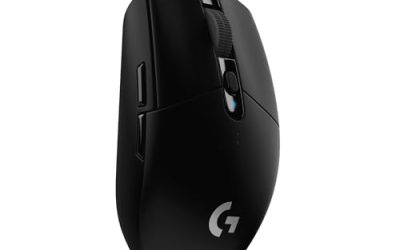
The G305 is the most conventional shape here: 116.6 mm long, 62.15 mm wide and 38.2 mm tall, with a symmetrical shell and a rounded rear that small hands can still claw comfortably. At 99 g with its AA battery fitted it is noticeably heavier than the other two picks, but the weight sits in a compact body, so it never feels like a large mouse. Logitech’s HERO sensor covers 200 to 12,000 DPI with tracking above 400 IPS and no smoothing or acceleration.
LIGHTSPEED wireless gives the G305 a 1 ms report rate over its USB receiver, and the receiver stores inside the shell for travel. A single AA battery is rated for up to 250 hours of continuous play in performance mode, and the six programmable buttons can be configured in Logitech’s G HUB software alongside DPI settings stored in on-board memory.
- Strength: Proven, simple and durable design with very long AA battery life, receiver storage in the shell and full G HUB support.
- Trade-off: At 99 g it is heavy for a fingertip grip, the sensor tops out at 12,000 DPI, and there is no Bluetooth or wired fallback mode.
Skip it if low weight is your top priority or you want to connect to a laptop without using the USB receiver.
Which One Fits Your Situation
You play fingertip grip in fast-paced shooters
Choose the Pulsar X2V2 Mini. At 51 g with a 36.6 mm height, it asks the least of small fingers during rapid target switches, and the PAW3395 sensor keeps up with any flick you can make.
You want one mouse for a gaming PC and a laptop
Choose the Razer Orochi V2. HyperSpeed handles gaming through the receiver, Bluetooth covers the laptop with no dongle to move, and the battery lasts for months of mixed use between swaps.
You want a dependable mouse you rarely think about
Choose the Logitech G305 LIGHTSPEED. The shape is familiar, the battery runs for up to 250 hours per AA cell, and the receiver tucks into the body when you travel.
Your hands are small but you still claw with palm contact
Start with the G305, whose rounded rear gives your palm something to brace against, and consider the X2V2 Mini if you find yourself wanting less weight on flicks.
Common Mistakes
- Buying by DPI numbers alone. A 26,000 DPI sensor and a 12,000 DPI sensor both track accurately; an oversized shell will hurt your aim far more than a lower DPI ceiling.
- Ignoring shell width. Length gets the attention, but a shell that is too wide forces a constant pinch grip that tires small hands quickly.
- Assuming lightweight means small. Many ultralight mice are full-size shells with material removed. Check the dimensions, not just the gram count.
- Forgetting the battery trade-off. AA-powered mice run for hundreds of hours but add weight; rechargeable minis are lighter but need regular charging.
- Keeping a high-polling setting you do not need. Higher polling rates drain small batteries faster, so raise them only if your setup and games benefit.
FAQ
How small is small for a gaming mouse?
As a working guide, shells under about 118 mm in length and 62 mm in width suit hands under 18 cm for claw and fingertip grips. The three mice here range from 108 mm to 116.6 mm long, which is why they anchor this category.
Is a lighter mouse always better for small hands?
Usually, but not automatically. Very light mice reward fingertip and claw control, yet some players find a slightly heavier mouse steadier for tracking. The G305 shows the other end of the trade: more weight, but in a compact, easy-to-hold shell.
Can I use these mice for work as well as gaming?
Yes. All three handle everyday pointing comfortably, and the Orochi V2’s Bluetooth mode makes it the easiest to share between a work laptop and a gaming PC without moving a receiver.
Do these mice work on Mac?
The G305 is listed for PC and Mac use over its USB receiver, and the Orochi V2’s Bluetooth mode pairs with Mac laptops as well. Configuration software features can vary by operating system, so check the manufacturer’s current support pages for your setup.
What grip style suits small hands best?
Claw and fingertip grips adapt most easily to compact shells because they do not rely on full palm contact. If you currently palm a large mouse, expect a short adjustment period while your hand learns the smaller shape.
Related guides
More from Amazon
Programs that pair well with the guide above. Offers and eligibility are set by Amazon and may change.
Free shipping on eligible items, Prime Video and more. Eligible new members can start with a free trial.
Start a Prime free trialAd-free music streaming. Eligible new subscribers can start with a free trial.
Try Music Unlimited freeA Prime membership for ages 18-24 with a trial period. Eligibility is set by Amazon.
See Prime for Young AdultsAudiobooks and podcasts to listen to on the go. Eligible new members can start with a free trial.
Try Audible freeAs an Amazon Associate we earn from qualifying purchases.