
Remote work headphones are not the same thing as music headphones, and if you have ever lost a client call because your earbuds kept disconnecting or your voice sounded like you were speaking through a tin can, you already know it. The real job these things have to do is keep your microphone clear against background chaos—traffic, roommates, construction, a dog that barks at nothing—while staying comfortable enough to forget you are wearing them through a full eight-hour block of meetings.
In messy home-office conditions, the gap between a good pick and a mediocre one comes down to three things: whether the noise cancellation actually targets voices or just hisses, whether the battery survives a full workweek without a charge, and whether the mute function is fast enough that you never accidentally transmit a sneeze. Everything below is ranked on those axes, and nothing in the main list will break your budget.
As an Amazon Associate we earn from qualifying purchases at no extra cost to you.


Our Top Picks



Top 3 picks at a glance
Wireless Headset with Mic for Work, Bluetooth Headset with Noise CancellingCheck priceQuick Picks
| Product | Best for | Price |
|---|---|---|
| Wireless Headset with Mic for Work | Overall noise cancellation on a budget | Check on Amazon |
| Vonztek Wireless Headset | Multi-device professionals | Check on Amazon |
| LEVN Bluetooth Headset | Longest battery life | Check on Amazon |
| Upgrade ANC & ENC Wireless Headset | Dual cancellation modes | Check on Amazon |
| Sarevile Bluetooth Headset | Lowest price, office focus | Check on Amazon |
| Trucker Wireless Headset | Dongle reliability | Check on Amazon |
| Logitech H390 | Zero-latency wired simplicity | Check on Amazon |
| Poly Blackwire 3320 | Team deployments on a wired setup | Check on Amazon |
How We Compared
We scored every model on four criteria: microphone clarity under noisy conditions, rated battery endurance across real workdays, comfort during extended wear with glasses, and connection stability when switching between a laptop and phone. Price was a tiebreaker, not a filter—the cheapest option still had to deliver a usable call.
The 8 Best Headphones For Remote Work in 2026
Wireless Headset with Mic for Work — Best Overall Noise Cancellation
This is the model for anyone whose voice sounds thin on Teams calls. The noise cancellation pulls ambient rumble out of your mic signal so clients hear you, not your open-plan office. Battery life is long enough for full workdays of mixed calls and listening. The one thing that keeps it from being flawless is a slightly plasticky headband that can dig behind the ears over long sessions.
- Pro: Effective background noise suppression on the microphone
- Pro: Solid multi-hour battery with quick-charge support
- Con: Ear pads flatten after long sessions, reducing comfort
Skip it if you need on-ear portability; these are full-size.
Vonztek Wireless Headset — Best for Multi-Device Users
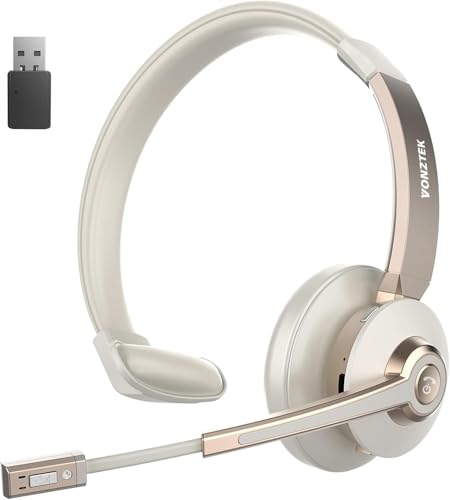
Two radios, one headset. The Vonztek connects to your laptop via USB dongle and your phone via Bluetooth simultaneously, so an incoming call on your mobile drops you into a Teams meeting without touching a cable. AI noise canceling is tuned for speech, meaning it removes HVAC hum and keyboard clatter but preserves the natural tone of your voice. The flip-to-mute is tactile and fast. Downsides: the charging dock takes up desk space, and the software for adjusting EQ is Windows-only.
- Pro: True dual-connection with no audio gap during handoff
- Pro: AI speech-targeted noise canceling sounds natural
- Con: Bulky charging dock, limited software on macOS
Skip it if your setup is single-device or you travel light.
LEVN Bluetooth Headset — Best Battery Life
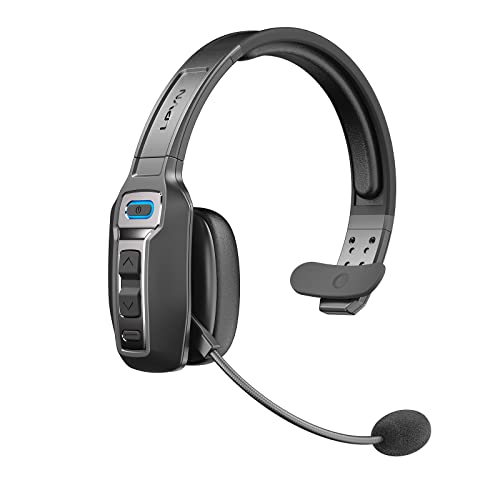
Sixty-five hours of rated working time is enough to cover a full week of long call blocks on a single charge. The on-ear design keeps weight low and the trucker-friendly build means it survives being tossed in a bag. The AI noise canceling is aggressive enough for a roadside stop but occasionally clips soft-spoken voices. Mute button placement is excellent and unmissable with a gloved hand. Comfort over three-plus hours with glasses gets warm, which is expected for on-ear.
- Pro: Longest rated battery endurance in this group
- Pro: Rugged build, pocketable form factor
- Con: AI canceling can over-compress quieter speakers
Skip it if you want immersive stereo for breaks between calls.
Upgrade ANC & ENC Wireless Headset — Best Dual Cancellation
This one runs active noise canceling on the speakers and environmental noise cancellation on the mic independently, so you can block out your environment while still transmitting a clean voice. The flip-to-mute is a fast physical control—no lag, no menu. USB dongle gives a rock-solid link to a desktop. The trade-off is a somewhat muddy midrange on music playback and a headband that runs snug on larger heads. For pure call work, those are minor sins.
- Pro: Separate ANC and ENC for full-spectrum isolation
- Pro: Instant flip-to-mute with zero latency
- Con: Music soundstage is narrow and bass-heavy
Skip it if you alternate between calls and music frequently.
Sarevile Bluetooth Headset — Best for Office Focus
A budget single-ear design. The point here is awareness: you keep one ear open to colleagues while your voice stays isolated from your mic. Bluetooth 5.2 pairing is reliable at desk distance, and the mute button sits on the ear cup where your thumb finds it blind. Sound is thin because it is mono on one side, and the headband flexes a little too much on the right ear. For a dedicated call center or open-office role, those are acceptable compromises at a budget price.
- Pro: Single-ear keeps you situationally aware
- Pro: Lowest price with a dedicated mute button
- Con: Mono audio, no stereo immersion
Skip it if you take calls in silence and want noise blocking.
Trucker Wireless Headset — Best for Dongle Reliability
Bluetooth alone drops signal when your laptop is behind a metal desk, and this headset solves it with a USB dongle that maintains a rock-steady link to your computer while still offering Bluetooth for your phone. The mic noise canceling is tuned for diesel-engine and wind-noise environments, which translates to clean audio in any loud room. Fit is adjustable and forgiving for larger heads. The ear cushions are the weakest point—they compress within a few months of daily use. Replacement pads are cheap, but it adds friction.
- Pro: USB dongle reduces Bluetooth dropouts
- Pro: Mic tuned for extreme ambient noise
- Con: Ear cushions degrade with heavy daily use
Skip it if you prefer a minimalist cable-free setup.
Logitech H390 — Best Wired Option
Some environments have no business trusting a wireless link during a client demo, and the H390 is the default answer. USB plug-and-play, no pairing, no battery anxiety, no interference from a crowded apartment block. Mic quality is honest—flat midrange, slight hiss floor—and the swivel-to-mute is satisfyingly mechanical. It is one of the most affordable entries here. The downsides are obvious: the USB cable tethers you to the desk and the thin headband presses the top of your skull after hours.
- Pro: Zero latency, zero battery, zero pairing
- Pro: Universally recognized compatibility
- Con: Cable length limits movement; headband pressure at long hours
Skip it if you stand, pace, or switch between devices.
Poly Blackwire 3320 — Best for Team Deployments
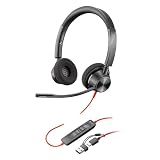
The Blackwire 3320 is the kind of headset IT departments buy by the box. It is a wired, dual-ear USB headset with a noise-canceling boom mic and an inline control for volume, mute, and calls, so there is no battery to charge and nothing to pair when a new hire plugs it in. Poly Lens software lets IT manage settings and firmware across many units, which is why it suits team deployments better than a pile of unbranded wireless headsets.
- Pro: Plug-and-play USB with no charging or pairing
- Pro: Noise-canceling boom mic and central management through Poly Lens
- Con: Wired cable limits movement, and the on-ear cushions are basic
Skip it if you walk around during calls or want one headset for both your computer and phone.
Business-Grade and Premium Alternatives
All eight picks above sit in the budget tier, and most come from lesser-known brands. That is a sensible place to start, but nearly every editorial guide to work-from-home audio is led by a different group: the business headsets from Jabra and Poly that IT departments buy in bulk, plus a few consumer and open-ear options that suit specific work styles. If your employer offers a home office stipend, or you spend more than three hours a day on calls, the six models below are worth the step up.
Jabra Evolve2 65 — Best All-Day Business Headset

The Evolve2 65 is the headset most remote-work roundups rank first for people who are on calls most of the day, and the reason is balance rather than any single headline spec. It pairs a proper boom microphone with long battery life, a light on-ear design, and a USB wireless adapter that gives a stable connection to your work computer while Bluetooth handles your phone. This listing includes a USB-A adapter and is Microsoft Teams certified.
The microphone uses three digital MEMS mics tuned to reduce background conversation, and with the boom down it meets open-office certification standards. Raise the boom and the mic mutes; lower it and you are live again, which is the fastest and most reliable mute method there is. A 360-degree busylight on both earcups turns red automatically during calls, working as a do-not-disturb sign for anyone at home. Jabra rates battery life at up to 37 hours with the busylight off, and a 15-minute charge adds up to 8 hours. It can remember up to eight devices, with a wireless range of up to about 100 feet.
Strengths: excellent call clarity, mute-by-boom, long battery life, a visible busylight, and a reliable USB adapter. Drawbacks: no active noise cancellation on the speakers, Bluetooth audio is limited to the basic SBC codec, and on-ear cups can feel warm over a full day, especially with glasses.
Compared with the Vonztek headset in the main list, the Evolve2 65 offers the same dual-connection idea with far more refined mic processing and certification for Teams. It sits a full tier higher in price, which is why it is popular for stipend purchases. If you work in a quiet room, its lack of speaker ANC is not a problem; in a noisy home, look at the Poly below.
Poly Voyager Focus 2 UC — Best for Noisy Homes and Shared Spaces

The Voyager Focus 2 is the business headset to choose when noise is coming from both directions: you need to block out household sound, and your colleagues need not to hear it. It combines digital hybrid active noise cancellation, with high, low, and off settings, with a boom microphone that uses Poly’s Acoustic Fence technology to separate your voice from chatter around you. This USB-A version is certified for Microsoft Teams and works with Zoom and other platforms.
Smart sensors answer calls, pause music, and mute instantly, and a Dynamic Mute Alert warns you if you start talking while muted, a feature that saves real embarrassment. The boom rotates 270 degrees and the headset automatically keeps left and right audio correct whichever side you wear it on. Bluetooth 5.1 multipoint connects to two devices at once and remembers up to eight, with a range of up to about 164 feet. Online indicator lights on the earcups show when you are on a call. Poly rates talk time at up to about 25 hours with ANC and the indicator off, and lower with both on; some retailer listings quote figures closer to 19 hours, so plan on charging a few times a week.
Strengths: strong mic noise rejection, adjustable ANC, smart mute and sensor features, and excellent range. Drawbacks: shorter battery life than the Jabra Evolve2 65, a premium tier price, and the on-ear fit is less isolating than large over-ear cups.
Next to the Upgrade ANC and ENC headset in the main list, the Voyager Focus 2 delivers the same dual-cancellation concept with business-grade mic processing, certification, and far better range. It is the stronger choice when your work space is shared with family, roommates, or pets.
Jabra Evolve2 30 SE — Best Wired Upgrade

The Logitech H390 in the main list is the budget wired option; the Evolve2 30 SE is what you buy when you want wired reliability with business-grade mic quality. The 2025 version ships with a USB-C cable and a USB-A adapter, so it works with modern laptops and older desktops alike, and it is plug and play with no drivers. It is certified for Microsoft Teams and works with other meeting platforms.
The boom uses two microphones that capture your voice while reducing background noise, and the headset meets Microsoft Teams open-office requirements. A busylight on the right side turns on automatically during calls and can be switched on manually, and the LEDs also show incoming calls and Teams notifications. The stereo version weighs about 102 grams without the cable, among the lightest headsets in this article, with leatherette cushions that reduce some outside sound. Jabra SafeTone hearing protection limits sudden loud noises.
Strengths: no battery or pairing concerns, very light, good mic clarity, busylight, and both USB-C and USB-A support. Drawbacks: no active noise cancellation, the cable is about 4.9 feet long, which limits movement, and on-ear leatherette pads can get warm.
The Evolve2 30 SE sits in the mid-range tier, above the H390. Choose it if you work at a fixed desk, want a better microphone than the H390, and never want to think about charging.
Logitech Zone Vibe 100 — Best Lightweight Over-Ear Option

The Zone Vibe 100 is a lighter, more casual-looking alternative to the boxy business headsets, and it works equally well for music between calls. At about 185 grams, it is very light for an over-ear design, and its memory foam and knitted fabric cushions are easy to wear for long stretches, even with glasses. It looks like a normal pair of headphones, which some people prefer on camera.
The flip-to-mute boom mic tucks into the earcup when raised, which mutes it automatically. Two noise-canceling microphones with beamforming and digital signal processing focus on your voice and reduce background sound. Bluetooth 5.2 multipoint keeps two devices connected at once, remembers up to eight, and has a range of about 98 feet. Logitech rates battery life at up to 20 hours of listening and 18 hours of talk time, and a five-minute charge adds about an hour. The Logi Tune app for Mac and Windows adjusts EQ and settings.
Strengths: very light, comfortable over-ear cups, multipoint, flip-to-mute, and an everyday headphone look. Drawbacks: no active noise cancellation on the earcups, no USB dongle included, and no wired audio, because the USB-C port only charges.
Compared with the generic best-overall headset in the main list, the Zone Vibe 100 is lighter and better supported by its brand software, though its battery life is shorter than the LEVN. It sits in the mid-range tier.
Shokz OpenComm2 UC — Best Open-Ear Headset

The OpenComm2 UC uses bone conduction, sending sound through your cheekbones instead of covering or entering your ears. That leaves your ears fully open, so you can hear a child, a doorbell, or a colleague while on a call, and nothing presses on your ears or the arms of your glasses. For people who find any headset uncomfortable after a few hours, this is the most different and often most comfortable option.
It weighs about 35 grams, with a titanium band. A dual noise-canceling boom microphone with cVc and DSP processing cleans up your outgoing voice, and it swivels out of the way when not in use. This version includes a USB-A Loop120 adapter for a stable computer connection, and multipoint lets you stay connected to your computer and phone together. It is Zoom certified and Teams compatible, and the mute button mutes both the headset and the meeting software. Shokz rates talk time at up to 16 hours per charge, with a five-minute quick charge giving about two hours of talk time. It is also rated IP55 for sweat and dust.
Strengths: ears stay open, extremely light, excellent comfort with glasses, a proper boom mic, and a USB adapter. Drawbacks: bone conduction cannot block outside noise and sounds thin for music, so it is not suited to loud homes or focus listening. Listening time for media is much shorter than talk time.
The OpenComm2 UC fills the same situational-awareness role as the single-ear Sarevile headset in the main list, but with stereo sound and a far more comfortable fit. It sits in the premium tier.
Sony WH-1000XM6 — Best for Focus Work and Music

Some remote workers spend more time in deep focus than on calls, and for them the best headphones are the ones that make a noisy home disappear. The WH-1000XM6 is Sony’s flagship noise-canceling headphone, released in 2025, and it is widely regarded as one of the best at blocking noise. It uses 12 microphones for noise cancellation, driven by Sony’s QN3 processor.
For calls, six of those microphones use AI-based beamforming to pick out your voice, and independent coverage has praised the XM6 for clear, natural call quality, which was a weaker point on earlier models. Multipoint keeps two devices connected, and there is a dedicated shortcut for muting the mic. Sony rates battery life at up to 30 hours with noise cancellation on and up to 40 hours with it off, with quick charging adding about three hours from a three-minute charge using a suitable USB PD adapter. The headphones weigh about 254 grams and fold into a carrying case.
Strengths: class-leading noise cancellation, excellent sound for music, strong call clarity for a consumer headphone, and long battery life. Drawbacks: no boom mic, so it will not match the Jabra or Poly headsets in very loud rooms, no USB dongle, no audio over USB-C, a premium price, and no water resistance.
The XM6 is the right choice if you take a few calls a day and spend the rest of your time concentrating or listening to music. If calls are the core of your job, a boom-mic headset will make you sound better.
Buying Guide
Budget vs. Business Tier: What the Extra Money Buys
The budget headsets in the main list and the business models from Jabra and Poly can look similar on paper: all of them have boom mics, noise reduction, and either a USB adapter or Bluetooth. The differences show up in daily use rather than in the spec line.
Microphone processing. Business headsets typically use several microphones with tuned algorithms that reduce nearby voices as well as steady noise such as fans. Budget headsets often handle steady noise well but let a nearby conversation or a barking dog through, or over-process your voice until it sounds compressed.
Certification and call controls. Teams and Zoom certified headsets sync mute and call buttons with the meeting software, so the state on your headset matches the app. Uncertified models may only mute the headset itself, which is how people end up talking while muted or, worse, transmitting when they think they are muted.
Range and stability. Business adapters are designed for offices full of competing wireless devices and tend to hold a connection further from the desk. That matters if you walk to the kitchen during a call.
Software, security, and support. Brands such as Jabra, Poly, and Logitech provide firmware updates, management tools for IT departments, and longer support lifespans. Generic brands may never release an update after purchase.
Comfort and build. Replaceable ear cushions, metal headband parts, and better weight distribution help a business headset last several years of daily use.
None of this makes the budget picks a bad choice. For a few calls a day in a quiet room, they cover the essentials. If calls are the core of your job, or your company is paying through a stipend, the business tier is usually money well spent.
Mic Isolation vs. Speaker Isolation
Noise canceling on headphones usually refers to the speakers blocking outside sound. For remote work, the more important feature is noise canceling on the microphone, because your colleagues need to hear you clearly, not you needing to hear your own voice without distraction. Look for ENC or AI voice isolation specifications rather than ANC alone. Dual-cancellation headsets that do both are ideal when you also need to block your own environment for focus.
Connection Method Matters More Than You Think
Bluetooth convenience meets reality when your laptop sits behind a metal desk or your apartment has dense concrete walls. A USB dongle reduces dropouts because it uses a dedicated link tuned for the headset instead of the laptop’s own Bluetooth radio, although most dongles still operate in the crowded 2.4 GHz band. If your role involves back-to-back calls with no tolerance for a one-second glitch, prioritize a model with a dedicated receiver over pure Bluetooth. Multi-connection with both dongle and Bluetooth gives you the best of both worlds without choosing.
Comfort Is a Function of Weight Distribution, Not Just Padding
Soft ear pads do not save you from a headset that clamps laterally or pushes on your temples. Look for adjustable, split headbands that distribute load across the crown rather than a single pressure point. If you wear glasses, on-ear models with shallow cups tend to press temple arms into your skin faster than over-ear designs with deep, angled padding. Test at the four-hour mark, not the ten-minute mark in a store.
Boom Mic vs. Built-In Mics
The position of the microphone affects call quality more than any processing feature. A boom mic sits a few inches from your mouth, so your voice is much louder than the room around you, and noise reduction has an easier job. Headphones with mics built into the earcups, such as consumer noise-canceling models, rely on beamforming to find your voice from further away. Modern flagships do this well in quiet rooms, but in a noisy kitchen or open office, a boom mic still wins. If calls are your main job, choose a boom; if focus and music matter more, built-in mics are an acceptable trade.
Platform Certification and Software
Microsoft Teams and Zoom certifications mean the headset has been checked for audio quality and that its buttons work with the meeting app, such as answering calls or toggling mute in the software as well as on the headset. If your company runs on Teams, a certified headset avoids the common problem of the headset showing muted while the app does not. Manufacturer software, such as Jabra Direct, Poly Lens, or Logi Tune, adds firmware updates, EQ, and settings like sidetone, which lets you hear your own voice slightly in the headset so you do not talk too loudly.
On-Ear, Over-Ear, Open-Ear, or Single-Ear
- On-ear: lighter and cooler, common on business headsets such as the Jabra Evolve2 65 and Poly Voyager Focus 2. Less isolation, and can press on glasses.
- Over-ear: best comfort for long sessions and better isolation, but heavier and warmer. The Logitech Zone Vibe 100 and Sony WH-1000XM6 fall here.
- Open-ear (bone conduction): nothing on or in the ears, ideal for awareness and glasses wearers, but no noise blocking.
- Single-ear (mono): keeps one ear open for the room, common in call centers. Less immersive and less comfortable for music.
Comparison of the Additional Picks
| Model | Style | Mic type | Speaker ANC | Connection | Rated battery | Price tier |
|---|---|---|---|---|---|---|
| Jabra Evolve2 65 | On-ear, wireless | Boom, 3 mics | No | USB adapter + Bluetooth | Up to 37h | Premium |
| Poly Voyager Focus 2 UC | On-ear, wireless | Boom, Acoustic Fence | Yes, adjustable | USB adapter + Bluetooth multipoint | Up to about 25h talk | Premium |
| Jabra Evolve2 30 SE | On-ear, wired | Boom, 2 mics | No | USB-C with USB-A adapter | Not applicable | Mid-range |
| Logitech Zone Vibe 100 | Over-ear, wireless | Flip boom, 2 mics | No | Bluetooth multipoint | Up to 18h talk | Mid-range |
| Shokz OpenComm2 UC | Open-ear, wireless | Boom, dual mics | No (open design) | USB adapter + Bluetooth | Up to 16h talk | Premium |
| Sony WH-1000XM6 | Over-ear, wireless | Built-in beamforming | Yes, flagship | Bluetooth multipoint | Up to 30h with ANC | Premium |
Setup Tips for Clearer Calls
- Select the headset as both input and output. In Teams, Zoom, and your operating system, set the headset as the microphone and the speaker. Mismatched devices are the most common cause of echo and poor audio.
- Position the boom correctly. Place the mic about two finger widths from the corner of your mouth, slightly to the side, to avoid breath noise.
- Use the USB adapter for your computer. Plug the adapter into your laptop and pair your phone over Bluetooth. Use a short USB extension if your computer sits behind metal or under a desk.
- Turn off duplicate noise suppression if voices sound robotic. Running heavy noise suppression in both the headset and the meeting app can over-process your voice. Try lowering the app setting first.
- Enable sidetone. Hearing a little of your own voice prevents you from speaking too loudly on long calls.
- Update firmware regularly. Business headsets receive updates that improve mic performance, security, and compatibility.
- Charge on a schedule. Wireless headsets with long battery life are easy to forget. Charging over the weekend or on a stand at the end of each day avoids a dead headset at the start of a meeting.
Our Verdict
The top pick is the Wireless Headset with Mic for Work—its mic noise cancellation keeps your voice clear on calls from a noisy home, at a budget price. If you constantly juggle a laptop meeting and a phone call, the Vonztek Wireless Headset and its dongle-plus-Bluetooth dual connection is the better fit. For a budget pick, the Logitech H390 remains a budget favorite if you simply need a reliable mic and zero battery worry. If you spend more than six hours on calls daily in a loud shared space, the LEVN wins on pure endurance, and you will forget it exists between charges.
FAQ
Do I need over-ear headphones for remote work?
No, and on-ear or single-ear models are often better for call center or open-office work where you need to hear colleagues directly. Over-ear designs excel when you want speaker-side noise blocking for focus, but they add weight that becomes noticeable over long sessions.
Is a USB dongle better than Bluetooth for calls?
A dongle typically delivers lower latency and stronger signal stability, especially if your computer is behind furniture or your environment has many competing 2.4 GHz devices. Bluetooth is more flexible for phone pairing, so dual-mode headsets that offer both are the most practical choice.
How many hours of battery should I target?
Anything above thirty hours lets you charge once per workweek even with heavy call use. Below twenty, you are thinking about it daily. The LEVN at sixty-five hours is exceptional, but twenty-four to thirty-six is the comfortable practical range for most models here.
Will these work with Teams, Zoom, and Slack simultaneously?
Yes, they are standard Bluetooth or USB audio devices recognized by any softphone. The practical limitation is that you can only take one call at a time, so you switch between apps just as you would with any headset. Multi-device models let you stay connected to two sources at once without re-pairing.
Are business headsets worth it over consumer headphones?
For people who spend several hours a day on calls, yes. Business headsets such as the Jabra Evolve2 65 and Poly Voyager Focus 2 use boom mics, USB adapters, and certified call controls that make you sound clearer and connect more reliably. Consumer headphones are better for music and focus, and are fine if calls are occasional.
Can I use bone conduction headsets for work calls?
Yes. Models such as the Shokz OpenComm2 UC include a boom microphone for clear calls while leaving your ears open. They are ideal if you need to hear your surroundings, but they cannot block outside noise, so they are a poor fit for loud rooms.
What is a busylight, and do I need one?
A busylight is a small red light on the headset that turns on during calls, telling people nearby not to interrupt. It is helpful at home if you share space with family or roommates, and it can usually be turned off to save battery.
Does a headset work with a docking station or monitor hub?
Usually, yes. USB headsets and adapters work through most docks and USB hubs. If you notice dropouts with a wireless adapter, plug it directly into the computer or use a short extension cable to move it away from other USB devices and metal surfaces.
Can my employer’s stipend cover a headset?
Headsets are a common approved item under home office stipend policies. Check your company’s policy; many IT departments also standardize on certified models, such as those from Jabra or Poly, which makes support easier.









