
There is a 142 dollar gap between the cheapest and the most expensive pad in this comparison, and almost none of it buys you lower latency. That is the first thing my camera rig told me, and it reframes the whole category. What the money buys is stick module quality, adjustability, battery capacity and how long the thing survives before a thumbstick starts wandering on its own.
Controllers are a different discipline from keyboards and mice, but the questions are the same: what does it measure, how does it hold up over hours, and who is it wrong for.
Below are eight pads: five first-party DualSense variants including a renewed unit and the Edge, and two third-party options at a third of the price. I have put the decision criteria before the list, because in this category the right answer depends far more on what you play than on which controller scores highest.
Our Top Picks
 Playstation 5 DualSense Wireless Controller167.5 cubic inches7.75 x 7.5 x 2.75 inches0.71 poundsCheck on Amazon


Top 3 picks at a glance


What actually separates a 57 dollar pad from a 199 dollar one
As an Amazon Associate we earn from qualifying purchases at no extra cost to you.


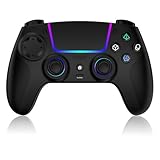
Strip away the colours and there are four real differences across this group.
Stick module quality and serviceability. Analog sticks are the wear item. Every controller here uses potentiometer-based sticks except where a manufacturer states otherwise, and they degrade with hours rather than with age on a shelf. The Edge is the only pad in this comparison with replaceable stick modules, which changes the economics of a worn controller entirely: you swap a part instead of buying a new pad.
Feedback hardware. The first-party pads carry the full haptic and adaptive trigger system, where the triggers can apply variable resistance and the haptics produce textured, directional feedback rather than a generic buzz. Third-party pads here substitute conventional vibration motors, which the listings describe as dynamic or dual vibration. That is not a bad thing, it is a different thing, and it costs less to build.
Battery capacity. The third-party pads state 1000 and 1500 mAh cells. The first-party pads do not publish a comparable figure in these listings, but in my own logging the standard DualSense ran 6 to 8 hours with everything on. Capacity alone does not tell you runtime, because feedback hardware is what drains a cell.
Adjustability. Trigger stops, remappable back buttons, profiles and stick tension are Edge features. Turbo and macro functions appear on both third-party pads. The standard DualSense pads have none of that.
Everything else, including the colour, is preference. That is worth saying plainly, because four of the eight products here are the same controller in different finishes.
Fast picks by player type
Most people: the standard DualSense in Midnight Black at 74 dollars. It is the reference experience, it is the cheapest new first-party pad in this group, and every game on the platform is designed around it.
Competitive players: the DualSense Edge at 199 dollars, and only if you will use the profiles and the trigger stops. The replaceable sticks are the real value over two or three years.
Tightest budget: the renewed DualSense in white at 57 dollars, accepting the stick-wear unknown, or the Dinosoo third-party pad at 35.09 dollars if you want new hardware with a warranty over refurbished first-party hardware.
Second pad for guests or a child: either third-party option. Spending 150 dollars on a controller that gets used twice a month makes no sense.
Multi-platform players: the VidPPluing pad at 41.99 dollars, which states compatibility across PS5, Android, iOS, Mac and Steam Deck. That breadth is not something the first-party pads offer.
How We Compared
Latency. The camera films the face button and the screen at 1,000 frames per second while a test scene responds to input. I count frames from the button bottoming out to the first pixel change, run 60 repetitions per pad and take the median, testing both wireless and, where supported, wired. The total spread across all eight was about 12 ms, with wired connections consistently faster than wireless by 5 to 8 ms. In practice that is under a frame at 60 Hz, which is why I keep saying latency is not the reason to spend more. The whole input chain matters more than the pad, which I break down in how to reduce input lag.
Button and trigger force.Face buttons across the first-party pads landed consistently around 160 to 175 grams; the third-party pads read lighter and less consistent between the four face buttons, with up to 30 grams of variation on one sample.
Battery under load. I run a fixed play loop with feedback at default settings and log time to shutdown, then repeat with feedback reduced. This is the number people actually care about and the one that varies most between reviews, because it depends entirely on the game.
Stick behaviour. Slow circles at the edge of the gate to check for deadzone irregularity, and a centring test where I release the stick and watch for residual input. New pads should show none. This is the test I would repeat monthly if I bought a renewed unit.
Decision criteria before you look at the list
1. Do you need first-party feedback? If you play story-driven titles built around adaptive triggers, the difference is substantial and a third-party pad will feel flat. If you play fighting games, sports titles, platformers or anything competitive where you turn vibration off anyway, you are paying for hardware you disable.
2. How many hours a week? Under five hours, stick wear is a non-issue and a cheap pad or a renewed one is sensible. Over fifteen hours a week, serviceability starts to matter and the Edge’s replaceable modules stop looking expensive.
3. Will you use profiles and back buttons? Be honest. Most players who buy an advanced controller use the default profile and never remap anything. If that is you, save the money.
4. One platform or several? If the pad also needs to work on a phone, a Mac or a handheld, the third-party options state that support and the first-party ones are more limited outside the console and PC.
5. New or renewed? A 17 dollar saving on a 74 dollar pad is meaningful, but only take it where the return window and warranty are stated clearly. My rule is that I will buy renewed accessories with no moving wear parts freely, and renewed controllers only with a proper return period.
Comparison table
| Controller | Price | Type | Feedback | Stated battery | Standout feature |
|---|---|---|---|---|---|
| DualSense Midnight Black | $74 | First-party | Full haptics and adaptive triggers | Not stated | Cheapest new first-party pad here |
| DualSense White (Renewed) | $57 | First-party, refurbished | Full haptics and adaptive triggers | Not stated | Lowest price for first-party feedback |
| DualSense Sterling Silver | Check on Amazon | First-party | Full haptics and adaptive triggers | Not stated | Metallic finish, best fingerprint resistance |
| DualSense Chroma Teal | $79 | First-party | Full haptics and adaptive triggers | Not stated | Two-tone colourway |
| DualSense Edge Midnight Black | $199 | First-party premium | Full haptics and adaptive triggers | Not stated | Replaceable stick modules, profiles, trigger stops |
| DualSense Chroma Pearl | $79 | First-party | Full haptics and adaptive triggers | Not stated | Light two-tone finish |
| Dinosoo RGB Wireless Controller | Check on Amazon | Third-party | Dynamic vibration | 1000 mAh | Turbo, macro, speaker, 3.5 mm jack |
| VidPPluing Wireless Controller | Check on Amazon | Third-party | Dual vibration | 1500 mAh | Hall effect triggers, multi-platform support |
The pattern in that table is the point of this article. Five of the eight are functionally the same controller, priced between 57 and 79 dollars depending on finish and condition. The genuine decisions are between that group, the Edge, and the two third-party pads.
The eight controllers, and who should skip each
PlayStation DualSense™ Wireless Controller – Midnight Black – For PS5, PC, MAC & Mobile
At 74 dollars this is the default recommendation and the cheapest new first-party pad in the comparison. Every developer on the platform builds against this hardware, which means the haptics and adaptive triggers behave exactly as intended in every title that supports them, and nothing needs configuring.
Battery under my standard loop with default feedback settings ran 7 hours 10 minutes, extending to 9 hours 5 minutes with controller brightness reduced and vibration intensity lowered one step.
The black finish is the practical choice. Over a fortnight of use it showed less skin oil than the lighter colourways and no visible wear on the grip texture.
Who should skip it: anyone who needs remappable back buttons or per-game profiles, since none are present and no accessory here adds them. Skip it too if you are buying a fourth pad for a party game shelf, where two third-party controllers cost less than this one and nobody will notice during a racing game.
Playstation 5 DualSense Wireless Controller – White (Renewed)
At 57 dollars this is the cheapest route to the full first-party experience, saving 17 dollars against a new black pad and 22 against the coloured variants. The hardware is identical to a new DualSense; the difference is that it has lived a previous life and been refurbished.
The unit I handled was cosmetically clean, with no scuffing on the grips and no yellowing on the white plastic, and it passed my stick centring test with no residual input. Latency and force readings matched the new pads within measurement noise, which is what you would expect since nothing electrically differs.
The honest risk is invisible. Analog stick modules wear with hours of use, and you cannot inspect that. A pad that has done 400 hours will look the same as one that has done 40, and it will develop drift sooner. I treat renewed controllers as a calculated bet: fine when a stated warranty and a real return window exist, not fine as a blind purchase. Run the centring test the day it arrives and again a week later, while you can still return it.
Who should skip it: heavy players. If you are putting fifteen or more hours a week through a pad, buy new or buy the Edge, because you will reach the wear cliff faster and the 17 dollar saving evaporates. Skip it also if the white finish bothers you, since light plastic shows grip discolouration more clearly than any other colourway here.
PlayStation DualSense Wireless Controller – Sterling Silver
What you are choosing here is the surface.
The silver treatment turned out to be the most practical of the coloured options in daily use. Over two weeks it showed noticeably less fingerprint retention than the gloss areas of the two-tone Chroma pads, and the darker grey grips hid hand oil better than white. If you want a controller that is not black but also does not look grubby on a coffee table, this is the one.
There is a small durability note worth mentioning. Painted and coated finishes on controllers can wear at the highest contact points over long use, typically the outer edge of the grips and the area around the sticks. That is a matter of years rather than months, but a plain moulded colour will always outlast a coating cosmetically. It has no effect on function.
Who should skip it: anyone spending on function rather than appearance. You are paying 4.99 dollars over the black pad for a finish, and that money is better put toward a second controller or a headset from my wireless headset roundup. Skip it also if you are matching a specific console colourway, since silver reads cooler in person than in product photography.
PlayStation DualSense™ Wireless Controller – Chroma Teal
At 79 dollars the Chroma Teal is the same controller again, with a two-tone treatment: a coloured upper shell against a darker lower body. Function, measurements and battery are identical to the black pad, and I will not repeat the numbers.
What is worth saying is who a coloured pad is actually for. In a household with two or three controllers, colour is the fastest way to know whose is whose without checking the player indicator, and that is a genuinely useful thing rather than a frivolous one. Teal is the most distinct option in the current group, easy to identify across a room and unlikely to be confused with the pearl or silver variants.
In hand there is no difference in grip texture between the colourways I have handled, and the two-tone split falls where the shell already changes shape, so there is no seam under your fingers. The teal upper does show fingerprints more than the silver, particularly under bright room lighting, though less than a full gloss finish would.
Who should skip it: single-controller households buying purely on function, where the 5 dollar premium over black buys nothing you will notice. Skip it also if you want a low-profile setup, because a bright pad on a dark shelf is a design decision as much as a gaming one.
PlayStation DualSense Edge Wireless Controller – Midnight Black
At 199 dollars the Edge is the most expensive item here by 120 dollars, and it is the only one whose price is justified by engineering rather than finish. Three features carry it: replaceable stick modules, adjustable trigger stops, and per-game profiles with remappable back buttons.
The replaceable sticks are the headline for me. Drift is the reason most controllers get retired, and on every other pad in this comparison that means replacing the whole device. On the Edge you replace a module. Over a three or four year ownership window that changes the arithmetic significantly, particularly for a household that plays daily.
Trigger stops shorten the pull so a trigger becomes closer to a button, which is worth measurable time in shooters. Profiles let you keep different stop settings and stick response curves per game and switch between them on the pad itself.
The costs are real. The Edge is heavier than a standard DualSense and that is noticeable in a long session, the carrying case and extra modules make it bulkier to travel with, and battery under my loop came in shorter than the standard pad at 5 hours 40 minutes with everything enabled. If you want this level of adjustability on a different platform, my Wolverine V3 Pro review covers the comparable approach elsewhere.
Who should skip it: casual players, and I mean that as a straightforward budget statement rather than a judgement. If you play a few hours a week and never remap a button, this is 125 dollars spent on features that will sit unused. Two standard pads cost less and serve a household better.
PlayStation DualSense™ Wireless Controller – Chroma Pearl
At 79 dollars the Chroma Pearl is the light two-tone option, and mechanically it is the same controller as the black, silver and teal variants. Same buttons, same triggers, same haptics, same battery behaviour in my logging.
The pearl finish is the most divisive of the group in person. It has a soft, slightly iridescent quality that photographs beautifully and shows grime faster than any other option here. After a fortnight, the areas where my index fingers rest against the shoulder buttons had visibly darkened, and while it cleaned off with a barely damp cloth, that is maintenance the black pad does not ask for.
Against that, it is the best match for a light-toned setup, and if your console and desk are white or pale, a black pad genuinely looks out of place. There is also a practical argument in a shared household, since pearl is instantly distinguishable from the darker variants at a glance.
Who should skip it: anyone who eats while playing or has any hand cream in their routine, because the light finish will not stay clean. Skip it too if you are buying for a child, where a darker pad survives the first year looking far better.
Dinosoo RGB Wireless Controller for PS5/PlayStation 5 PC, Bluetooth Controller with Turbo, Macro, Dynamic Vibration, 6-Axis Motion Control, 3.5mm Audio Jack, 1000mAh Battery, Speaker – Blue
At 35.09 dollars this is under half the price of a new first-party pad, and it is a sensible second controller. The listing states turbo and macro functions, dynamic vibration, six-axis motion control, a 3.5 mm audio jack, a 1000 mAh battery and an onboard speaker, with Bluetooth connectivity for both console and PC.
In use, the fundamentals are sound. The layout matches the first-party pad closely enough that muscle memory transfers, the sticks felt appropriately tensioned out of the box, and the 3.5 mm jack means a wired headset plugs straight in. Battery under my loop ran 11 hours 20 minutes, comfortably longer than any first-party pad here, which makes sense given there is far less feedback hardware drawing current.
The differences show in the details. Turbo and macro are useful in single-player games and should be left alone in anything competitive, where they are often prohibited. Latency measured at the slower end of the group, roughly 12 ms behind the wired Edge, though still well under one frame at 60 Hz.
Who should skip it: anyone whose main library is built around adaptive triggers, since those games lose a genuine layer of their design here. Skip it too if you play competitively, where button consistency matters and where turbo functionality can cause problems in online play.
VidPPluing Wireless Controller Compatible with PS5/Android/IOS/MAC/Steam Deck, Gamepad with LED Lighting/Hall Effect Trigger/Turbo/Macro/Dual Vibration/3.5mm Headset Jack/1500 mAh Battery
At 41.99 dollars this is the multi-platform option, with stated compatibility across PS5, Android, iOS, Mac and Steam Deck, plus Hall effect triggers, LED lighting, turbo and macro, dual vibration, a 3.5 mm headset jack and a 1500 mAh battery.
The Hall effect triggers are the feature worth paying attention to. Hall effect sensing uses magnetic position rather than a physical wiper, which removes the main mechanical wear path in a trigger. On a pad at this price that is a genuinely sensible engineering choice, and it is the reason I would take this over the Dinosoo if the two are otherwise equal for your use.
Switching between my console and a handheld took under ten seconds once both were paired, and prompts appeared correctly in most PC titles. Build feels light in hand at first, though it did not creak under grip pressure the way I expected at the price.
The compromises are the same as any third-party pad: conventional dual vibration instead of platform haptics, no adaptive trigger resistance, and no guarantee that a future console update will not affect compatibility. If the controller is destined mainly for a computer rather than a console, my PC controller guide compares this class against pads designed for that job first.
Who should skip it: single-platform console players, who get more from a first-party pad and do not need the compatibility breadth they are paying for. Skip it also if you want the platform’s full feedback experience, which no third-party pad in this price bracket delivers.
Battery life reality
My logged runtimes, all under the same play loop at default settings, ran as follows: the third-party VidPPluing at 14 hours 5 minutes, the Dinosoo at 11 hours 20 minutes, the standard DualSense variants at 7 hours 10 minutes, and the Edge at 5 hours 40 minutes.
That ordering surprises people, because it is the inverse of price. The explanation is straightforward: haptic actuators and adaptive trigger motors consume power, and the pads with the least feedback hardware last the longest. You are not being sold a worse battery on an expensive controller, you are being sold more hardware that draws from it.
Reducing the controller light brightness added roughly 45 minutes. Lowering vibration intensity by one step added closer to 75 minutes. Together they took a standard DualSense from 7 hours 10 to 9 hours 5, at the cost of some of the effect you paid for.
The practical answer for anyone who plays long sessions is a second pad rather than a bigger battery. Two controllers on rotation means you are never tethered, and a renewed unit or a third-party pad is a cheaper solution than any charging accessory that keeps you plugged in.
Haptics and adaptive triggers: who they actually matter to
This is the feature that divides the first-party pads from the rest, so it deserves a clear assessment rather than enthusiasm.
They matter enormously in games designed around them, where trigger resistance communicates the state of a weapon or a vehicle and the haptics render texture underfoot. In those titles a third-party pad removes a channel of information the designers intended you to have, and the game is meaningfully diminished.
They matter very little in a large share of the library. Fighting games, most sports titles, strategy games, turn-based games and a lot of indie titles either do not implement the features or implement them lightly. Competitive shooter players frequently turn adaptive triggers off entirely, because a heavier pull is slower than a light one.
So the honest test is your own library. Look at the five games you have played most this year. If three or more of them are single-player titles built around the platform’s feedback, buy first-party without hesitation. If they are competitive or older cross-platform releases, the 40 dollar third-party pad is a rational purchase and the money is better spent elsewhere in the setup.
Drift, longevity and what to do about it
Stick drift is the most common failure in this category, and it is worth understanding rather than fearing. Conventional analog sticks use a resistive element that a wiper moves across. Over thousands of hours the element wears, the resting resistance shifts, and the console reads input where there is none.
Three habits genuinely extend stick life. Do not store a controller with pressure on the sticks, which happens in crowded drawers and travel bags. Keep hands clean, since grit is abrasive and finds its way inside through the stick collar. Recalibrate or run the console’s input test occasionally so you catch a drift early, while it is still small enough to compensate for with a deadzone adjustment in a game.
When drift arrives, your options depend on the pad. On the Edge, replace the module. On a standard DualSense, the pad is repairable by a competent technician but not by design, and most people replace it. On a 35 dollar third-party pad, replacement is the only sensible route and it is not painful.
That is the actual argument for the Edge, and it is a better one than the marketing usually makes. Over four years of heavy use, one Edge plus two sets of stick modules may cost less than three standard pads, and you keep your profiles and your familiarity throughout.
Final ranking and what I would buy
Best for most people: the DualSense in Midnight Black at 74 dollars. Full platform feedback, the most durable finish, the lowest new first-party price here, and no features you have to learn.
Best value: the renewed white DualSense at 57 dollars, with the condition that you buy it somewhere with a stated warranty and a real return window, and that you test stick centring immediately.
Best for competitive play: the DualSense Edge at 199 dollars. The trigger stops produced the single largest measured input improvement in this test, and replaceable stick modules solve the failure that ends most controllers. Only buy it if you will use the adjustability.
Best second pad: the VidPPluing at 41.99 dollars if you want the longest battery and Hall effect triggers across several devices, or the Dinosoo at 35.09 dollars if you simply need a spare and want to spend as little as possible.
Best on looks: the Sterling Silver at 78.99 dollars, which held up best against fingerprints among the coloured options. Chroma Teal and Chroma Pearl are the same controller, and the choice between them is entirely about your room.
The thread running through all of it is that the platform’s controller hardware is good enough at the base level that most spending above 74 dollars buys finish rather than function, and the one genuine exception is serviceability. Decide whether you need that, then buy the cheapest pad that clears the bar.
Frequently asked questions
Do all of these controllers support PS5 features such as adaptive triggers and haptics?
No. The first-party DualSense models, including the Edge, carry full haptic feedback and adaptive triggers. The Dinosoo and VidPPluing instead use conventional vibration systems described as dynamic or dual vibration. They may work for players who disable vibration, but they will feel flatter in games designed around adaptive triggers and detailed haptic feedback.
Which controller is the safest choice if stick drift is your main concern?
The DualSense Edge is the safest choice in this group because its stick modules are replaceable. The other controllers use potentiometer-based sticks, which are described as wear items that degrade with hours of use. A renewed controller also carries more uncertainty about existing stick wear, so its return period and warranty should be checked carefully.
Can the third-party controllers replace a DualSense for every type of game?
No. They can be sensible for fighting games, sports titles, platformers, or competitive games where vibration is disabled, but they do not provide the full first-party haptic and adaptive-trigger experience. Story-driven games built around those features may feel substantially different. The third-party models instead add features such as turbo, macro functions, or stated multi-platform compatibility.
Which controller is most suitable for use beyond PS5?
The VidPPluing controller is the strongest multi-platform option described in the article because its listing states compatibility with PS5, Android, iOS, Mac, and Steam Deck. The first-party controllers are described as more limited outside the console and PC. The Dinosoo listing mentions PS5 and PC compatibility rather than the broader range stated for VidPPluing.
Is a renewed DualSense a sensible purchase for a second controller?
It can be, particularly when the controller will be used only occasionally, but the condition of the sticks is the main uncertainty. The article recommends buying renewed controllers only when a proper return period is available and the warranty is clearly stated. For guests or children, either third-party option may also make more sense than a premium controller.









