
People use the terms palm rest and wrist rest as if they mean the same thing, and marketing does not help. The distinction actually matters for comfort, because where you place the support changes whether it protects your wrist or quietly harms it. The short version is that the pad in front of your keyboard should support your palms during pauses, not carry your wrists while you type. This guide explains the difference, why it matters, and how to choose and use the right one for your desk.
As an Amazon Associate we earn from qualifying purchases at no extra cost to you.


Our Top Picks


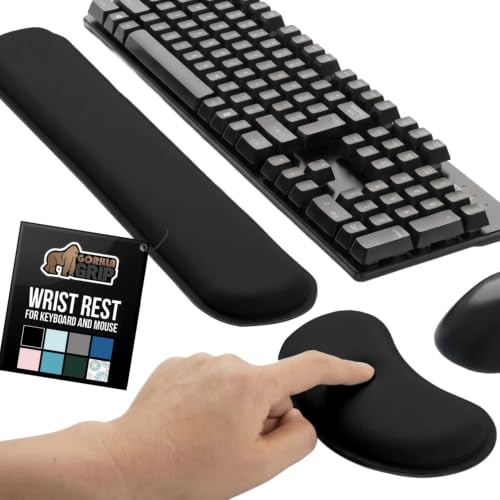

Top 3 picks at a glance
The naming confusion
A wrist rest and a palm rest are usually the same physical object: a padded bar that sits in front of the keyboard. The difference is intent. If you rest the heel of your palm on it while typing and let your wrist float, it is functioning as a palm rest, which is good. If you plant your wrist on it and pivot your hand from that anchor, it is a wrist rest in the harmful sense, because pressing the underside of the wrist for hours compresses the soft tissue there.
Why wrist contact under load is a problem
The underside of the wrist houses nerves and tendons in a narrow space. Resting your full weight on that point while actively typing puts steady pressure on sensitive structures. The pad should instead cradle the fleshy base of the palm, keeping the wrist itself off the surface and roughly straight.
Choosing the right height and material
The pad should sit level with the front edge of your keyboard so your hand stays flat, not tilted up or down. A pad that is too tall bends the wrist backward; too short and it does nothing. Height should roughly match the keyboard’s front row height, often 15 to 30 mm depending on the board profile.
| Material | Feel | Durability | Notes |
|---|---|---|---|
| Memory foam | Soft, contours | Compresses over time | Warm, comfy for long use |
| Gel | Cushioned, cool | Can split if cheap | Even pressure spread |
| Firm foam / cork | Supportive | Long lasting | Less give, stable palm |
| Wood / resin | Hard, matches boards | Very durable | Aesthetic, no cushioning |
How to use it correctly
Use the pad during pauses, not during active typing. While typing quickly, your hands should hover slightly and move from the elbows and shoulders. When you stop to read or think, let the palms settle onto the rest. This habit keeps the wrist neutral under load and uses the pad the way it was meant to be used. Match the pad width to your keyboard, whether a compact 60 percent board or a full-size layout with a number pad.
When you might skip it entirely
If your desk and chair are set so your elbows are at 90 degrees and wrists float naturally, you may not need a rest at all. Some typists find any pad encourages them to plant and stop moving. Try a week without one; if your palms feel tired during pauses, add a firm low pad.
Frequently asked questions
Should the pad be soft or firm?
Firm to medium is generally better for support because very soft foam lets the palm sink and the wrist drop. Softness feels nice for the first minute but can allow poor posture. Choose a pad that compresses only slightly under palm weight and holds its shape.
Do gaming keyboards need a palm rest more than office boards?
Not inherently, but tall mechanical boards raise your hands higher, which increases wrist extension, so a matched-height pad helps more there. Low-profile boards need less support. The key is matching pad height to board height regardless of whether you game or work.
Bottom line
A palm rest and a wrist rest are usually the same pad used two different ways. Rest your palms on it during pauses and keep your wrists off it while typing, and it protects comfort. Plant your wrists on it under load and it can do the opposite. Match the pad height to your keyboard, pick a firm-to-medium material, and treat it as a place to pause rather than a place to anchor your hands.







