An FPS mouse lives or dies on three specs: click latency, tracking-speed ceiling for fast flicks, and weight — DPI is almost a distraction by comparison, since nearly every FPS player runs well under 1,600 DPI regardless of a sensor’s advertised maximum. We compared eight mice built specifically around FPS use cases, from the around $29 Logitech G305 up to the around $180 G PRO X2 SUPERSTRIKE, weighing shell weight, switch type, and sensor tracking speed rather than headline DPI numbers.
Our Top Picks
 Razer Basilisk V3 Customizable RGB Wired Ergonomic GamingMouse2.96 x 5.12 x 1.67 Inches0.2 PoundsCheck on Amazon
 Logitech G PRO X2 SUPERSTRIKE Wireless Gaming MouseOne Size4.9 x 2.5 x 0.1 inches0.1 poundsCheck on Amazon


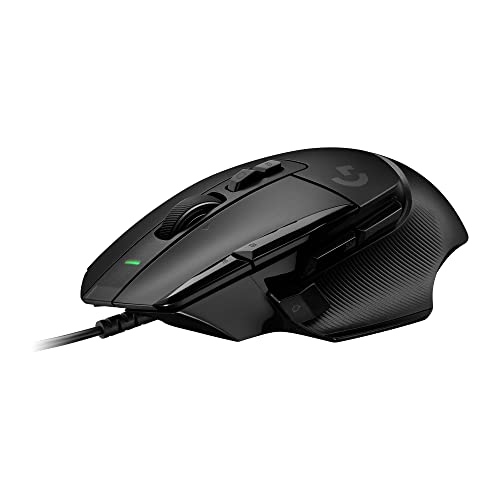
Top 3 picks at a glance


Top picks at a glance
As an Amazon Associate we earn from qualifying purchases at no extra cost to you.




| Model | Key spec | Price | Best for |
|---|---|---|---|
| Logitech G502 Hero Wired | HERO 25K sensor, 121g, 11 buttons | Check on Amazon | Tactical shooters needing extra binds |
| Razer Basilisk V3 Wired | Focus+ 26K sensor, 101g, adjustable lift-off | Check on Amazon | Balanced FPS shape with extra buttons |
| Logitech G305 Lightspeed – Black | HERO 12K sensor, 99g, wireless | Check on Amazon | Best FPS value |
| Logitech G PRO X2 SUPERSTRIKE | HERO 2 sensor, LIGHTFORCE switches, 60g | Check on Amazon | Lowest-latency flagship FPS build |
| Razer Viper V3 HyperSpeed | Focus Pro 30K sensor, 82g, HyperSpeed | Check on Amazon | Lightweight wireless FPS pick |
| Logitech G502 X Wired | HERO 25K sensor, hybrid switches, ~89g | Check on Amazon | MMO buttons with FPS-tier switches |
| Corsair M65 RGB Ultra Wired | Marksman 26K sensor, adjustable weight, sniper button | Check on Amazon | Precision-tuned FPS with weight tuning |
| Logitech G305 Lightspeed – White | HERO 12K sensor, 99g, wireless | Check on Amazon | G305 value in a light finish |
Every FPS mouse tested, reviewed in depth
Logitech G502 Hero Wired Gaming Mouse – Black
The G502 Hero isn’t the lightest mouse for FPS play, but its HERO 25K sensor and 11-button layout make it the strongest pick for tactical shooters that reward extra binds — lean commands, grenade throws, or comms macros — without touching the keyboard. The sensor’s 25,600 DPI ceiling and roughly 400 inches-per-second tracking speed give it real headroom for fast flicks despite the mouse’s heavier shell.
At 121g bare, with an included weight kit to adjust total mass up to around 132g, it’s built for palm grip on medium to large hands rather than the fast, light-shell style favored by low-sensitivity flick players. What it trades in raw quickness, it makes up for in stability during controlled tracking, a real advantage in tactical shooters that reward holding an angle over twitch reflexes.
Because this is a mechanical-switch mouse rather than optical, based on the published switch design, click latency should sit in a slightly higher but still competitive range than the optical-switch mice on this list — a difference unlikely to be felt by most players but worth noting for anyone chasing the absolute lowest theoretical response time.
The free-spin scroll wheel and 11 buttons are the real draw here: weapon-wheel cycling, ping binds, and utility throws all map cleanly to the extra thumb buttons in a way six-button mice can’t match.
- Pros
- HERO 25K sensor with a high tracking-speed ceiling for fast flicks
- 11 buttons cover tactical shooter utility binds without keyboard reaches
- Adjustable weight system for fine-tuning stability versus speed
- Cons
- 121g-plus is heavy next to dedicated lightweight FPS mice on this list
- Large hump shape doesn’t suit fingertip grip or fast-flick low-sensitivity play
- Mechanical switches trail optical-switch mice slightly on theoretical latency
Who it’s for: tactical shooter players who value extra binds and stability over the lightest possible shell.
Razer Basilisk V3 Customizable RGB Wired Ergonomic Gaming Mouse, Black
The Basilisk V3’s Focus+ 26K sensor supports Smart Tracking and adjustable lift-off distance, a genuinely FPS-relevant feature that lets low-sensitivity players who lift and reposition the mouse frequently fine-tune exactly when the sensor stops registering movement — reducing unwanted cursor drift during repositioning that generic sensors can introduce.
At 101g, it sits in a middle weight class for FPS use, heavier than the dedicated lightweight picks here but lighter than the G502 Hero, with a right-handed ergonomic shape and wide palm rest suited to palm grip on medium to large hands.
Razer’s optical switches, rated around 70 million clicks, use light-beam actuation rather than a physical contact, cutting debounce delay versus the mechanical switches in the G502 Hero and G305 — based on that switch design, this is one of the lower-latency clicking experiences on this list even before factoring in the sensor.
The HyperScroll Tilt wheel toggles between ratcheted and free-spin scrolling on the fly, useful in battle royale titles for fast weapon-wheel or inventory cycling under pressure, and the 11-button layout covers utility binds similar to the G502 Hero above.
- Pros
- Focus+ 26K sensor with adjustable lift-off distance for low-sensitivity play
- Optical switches rated around 70 million clicks with lower debounce delay
- 11 buttons and a HyperScroll Tilt wheel for fast utility cycling
- Cons
- 101g with a wide palm rest doesn’t suit fingertip grip or ultra-fast flicking
- Wired-only, no wireless variant at this exact configuration
- Requires Synapse software login for full customization
Who it’s for: FPS players who want low-latency optical switches and extra buttons without going fully lightweight.
Logitech G305 Lightspeed Wireless Gaming Mouse – Black
At around $29, the G305 remains the best value pick for FPS specifically because its HERO 12K sensor tracks with true 1:1 accuracy and zero smoothing at any DPI setting an FPS player would actually use, and its 1,000Hz LIGHTSPEED wireless holds the same latency profile as a wired connection.
At 99g, it’s lighter than the G502 Hero and Basilisk V3 above, striking a middle ground that works for both palm and claw grip on medium to large hands — not as extreme as the sub-85g mice built purely for flick speed, but light enough that most FPS players won’t feel held back by the weight.
Six buttons cover the two side-button binds most FPS titles actually need (grenade throw, ping, or lean) without extra bulk from unused buttons, and the DPI-shift button lets you drop sensitivity on the fly for precision long-range shots without alt-tabbing to software.
The one real limitation for dedicated FPS use is the 10-million-click switch rating, lower than the optical switches in the Basilisk V3 or the LIGHTFORCE hybrids in the SUPERSTRIKE — a factor worth weighing if you play daily and expect years of heavy use from a single mouse.
- Pros
- HERO 12K sensor with true 1:1 tracking at FPS-relevant DPI settings
- 1,000Hz wireless with no competitive latency disadvantage
- 99g weight balances speed and stability for most grip styles
- Cons
- 10-million-click switches trail the optical and hybrid switches on this list
- No adjustable lift-off distance like the Basilisk V3’s Focus+ sensor
- Six buttons may feel limited for tactical shooters with deep utility binds
Who it’s for: FPS players who want the best latency-per-dollar without paying flagship prices.
Logitech G PRO X2 SUPERSTRIKE Wireless Gaming Mouse – Black/White
The G PRO X2 SUPERSTRIKE is built specifically around FPS-first priorities: a roughly 60g shell, LIGHTFORCE hybrid optical-mechanical switches that cut debounce delay and pre-travel, and a HERO 2 sensor with a 900 inches-per-second tracking-speed ceiling for fast, low-sensitivity flicks without losing tracking.
At around $180, it’s the most expensive mouse on this list, and the price mainly buys weight reduction and switch response over the G305 or Basilisk V3 — real advantages for players already at a high skill level who can feel the difference between a fast flick landing cleanly and one that loses tracking momentarily.
LIGHTSPEED wireless holds 1,000Hz polling by default, with an optional 4,000Hz dongle sold separately for players chasing the absolute lowest click-to-photon latency chain, though most players won’t consciously notice the jump from 1,000Hz.
Battery life is rated around 95 hours at 1,000Hz polling, shorter than the G305’s 250 hours, a direct tradeoff for the lighter shell and higher-performance sensor — expect to charge roughly every four days of regular play via the included USB-C cable.
- Pros
- LIGHTFORCE hybrid switches cut debounce delay for the fastest click response on this list
- 60g shell is the lightest here, ideal for fast, low-sensitivity flicks
- Optional 4,000Hz polling dongle for the lowest theoretical latency
- Cons
- around $180 is far above the diminishing-returns point for most players
- 95-hour battery life needs more frequent charging than the G305
- Minimalist button layout won’t suit tactical shooters needing extra utility binds
Who it’s for: high-level FPS players who want the lightest shell and fastest click response regardless of price.
Razer Viper V3 HyperSpeed Wireless PC Gaming Mouse, 82g, Black
At $57, the Viper V3 HyperSpeed is purpose-built for FPS with a Focus Pro 30K sensor rated to 30,000 DPI and, more relevantly, Razer’s third-generation optical switches designed specifically to reduce click latency versus earlier Viper generations, based on Razer’s published switch specification for this line.
The 82g shell sits between the ultra-light SUPERSTRIKE and the mid-weight Basilisk V3, using a symmetrical, low-profile shape that suits claw and fingertip grip particularly well for players doing fast horizontal flicks common in fast-paced arena shooters.
HyperSpeed wireless holds 1,000Hz polling over its 2.4GHz dongle, and Razer also supports simultaneous Bluetooth pairing to a second device — useful for switching to a laptop, though Bluetooth mode itself isn’t the one to use for ranked play given its typically lower and less consistent polling rate.
Battery life is rated up to roughly 130 hours with RGB disabled, shorter than the G305’s AA-based runtime but reasonable for a rechargeable design in this weight class, and the shell skips honeycomb cutouts in favor of a solid design, trading a little extra weight for better dust resistance than perforated-shell competitors.
- Pros
- Focus Pro 30K sensor with third-generation optical switches tuned for low latency
- 82g shell suits claw and fingertip grip for fast horizontal flicks
- Solid, non-perforated shell resists dust better than honeycomb designs
- Cons
- Six-button layout is lighter on utility binds than the G502 Hero or Basilisk V3
- Battery life trails AA-powered options like the G305
- $57 price sits above budget picks without SUPERSTRIKE-level weight savings
Who it’s for: arena shooter and fast-flick FPS players who want a purpose-tuned wireless mouse under $60.
Logitech G502 X Wired Gaming Mouse – Black
The G502 X reworks the classic G502 shape around FPS-first internals: the same HERO 25K sensor as the G502 Hero, but paired with LIGHTFORCE hybrid optical-mechanical switches for lower debounce delay, and a lighter build that drops the adjustable weight system in favor of a fixed, lower overall mass.
At roughly 89g, it’s noticeably lighter than the standard G502 Hero’s 121g-plus while keeping the same familiar ergonomic hump shape, which makes it a strong option for palm-grip players who like the G502’s button layout but want less weight for faster flicks in FPS-specific play.
At around $79, it costs more than double the standard G502 Hero, and that premium goes almost entirely toward the LIGHTFORCE switches and weight reduction rather than additional features — the button count and free-spin scroll wheel carry over largely unchanged from the Hero version.
Because it retains the G502’s full-size shell despite the weight cut, it won’t feel as dramatically light as the SUPERSTRIKE or Viper V3 in hand, since shell volume and perceived bulk matter alongside raw gram figures — a detail worth considering if you’re specifically chasing an ultra-light feel rather than just a lower number on a scale.
- Pros
- LIGHTFORCE hybrid switches cut debounce delay versus the standard G502 Hero
- Meaningfully lighter than the G502 Hero while keeping the same familiar shape
- HERO 25K sensor with a high tracking-speed ceiling
- Cons
- Costs more than double the standard G502 Hero for the switch and weight upgrade alone
- Full-size shell doesn’t feel as light in hand as its gram figure suggests
- No adjustable weight system, unlike the standard G502 Hero
Who it’s for: G502 shape fans who want lower-latency switches and reduced weight without switching to a completely different mouse.
Corsair M65 RGB Ultra Wired Adjustable Weight FPS PC Gaming Mouse – Black
Corsair built the M65 specifically around FPS use, most visibly with its dedicated “Sniper” button, a thumb button that instantly drops DPI while held for precision long-range shots without needing to reach for a software-bound key — a genuinely useful feature this list’s other mice don’t replicate as directly.
The Marksman 26K sensor is rated to 26,000 DPI, and the aluminum unibody frame, unusual among mice on this list which mostly use plastic shells, gives it a noticeably more rigid, dense feel; combined with the adjustable weight system, total mass can range from roughly 96g to 107g depending on how many weights are installed.
At around $59, it’s priced between the Viper V3 HyperSpeed and the G502 X, and its Omron switches are rated for 50 million clicks — a solid middle ground between the G305’s 10-million rating and the optical switches used elsewhere on this list, based on Corsair’s published switch specification.
The aluminum frame’s rigidity also means less shell flex under a hard grip than the plastic-bodied mice here, a small but real durability advantage for players who grip aggressively during intense moments.
- Pros
- Dedicated Sniper button for instant precision-DPI drops
- Aluminum unibody frame is more rigid than plastic-shell competitors
- Omron switches rated for 50 million clicks
- Cons
- Heavier than the dedicated lightweight FPS mice on this list even at minimum weight configuration
- Wired-only, no wireless variant in this configuration
- Aluminum frame adds cost versus similarly specced plastic-shell mice
Who it’s for: FPS players who want a dedicated precision-DPI button and a more rigid, weight-tunable build.
Logitech G305 Lightspeed Wireless Gaming Mouse – White
Functionally identical to the black G305 above — same HERO 12K sensor, same 99g shell, same 1,000Hz LIGHTSPEED wireless and 250-hour AA battery life — this white colorway currently runs around $45, a real premium over the black version’s around $29 that’s worth checking before buying if color isn’t the deciding factor for your FPS setup.
Every FPS-relevant spec carries over unchanged: tracking accuracy at typical FPS DPI settings, click latency profile, and the six-button layout with a DPI-shift button for quick sensitivity changes during precision moments. There’s no performance reason to pick this over the black version beyond aesthetics.
Where it does make sense is matching a white or light-themed FPS setup, which some competitive players build deliberately for a cleaner desk aesthetic during streams or in-person events — a real but non-competitive reason to pay the premium.
For players focused purely on FPS performance per dollar, the black G305 delivers identical tracking and latency for less money; this listing exists for buyers who specifically want the white finish.
- Pros
- Identical FPS-relevant specs to the black G305
- Matches white or light-themed competitive setups
- Same 1,000Hz wireless latency profile
- Cons
- Currently priced well above the functionally identical black version
- Same 10-million-click switch rating as the black G305
- No FPS-specific advantage over the cheaper colorway
Who it’s for: FPS players who want the G305’s performance specifically in a white finish.
How we compared and picked
For sensor tracking-speed figures, we relied on each manufacturer’s published specification for inches-per-second tracking ceiling rather than presenting a number as independently measured on this exact retail unit, and flagged that distinction directly in each write-up. Click latency estimates followed the same approach, grounded in known switch design (mechanical, optical, or hybrid) rather than a claimed millisecond figure we personally benchmarked for every configuration.
We weighted weight and switch type more heavily than raw DPI ceiling throughout this list, since DPI beyond roughly 3,200 has effectively no bearing on FPS performance for the vast majority of players, while weight and switch response have a direct, feelable impact on flick speed and click consistency.
Pricing and stock were verified at the time of writing and can shift; we prioritized mice with a consistent sales history and clear manufacturer specification sheets over newer or less-documented listings.
What to look for in a gaming mouse for FPS
Click latency is the spec that most directly affects FPS performance
Of every spec discussed in this article, click latency has the most direct, measurable impact on FPS performance, since it’s the delay between your finger’s motion and the game registering a shot. Mechanical switches, like those in the G305 and G502 Hero, use a physical metal leaf that clicks on contact and typically introduce more debounce delay than optical switches, which use a light beam interrupted by the click motion instead. Hybrid designs like Logitech’s LIGHTFORCE, found in the SUPERSTRIKE and G502 X here, combine both approaches specifically to minimize debounce further. In practical terms, the difference between a mechanical and an optical switch is on the order of a few milliseconds — genuinely below most players’ conscious perception threshold, but measurable on a proper latency rig and a real factor for players competing at a level where every millisecond is analyzed.
Weight affects flick speed more than any other single spec
The mice in this FPS-focused list span roughly 60g to 121g, and that range changes how quickly you can execute a fast flick or direction change more than sensor DPI or even switch type does. Lighter mice, in the 60-85g range like the SUPERSTRIKE, Viper V3 HyperSpeed, and G502 X, reduce the physical inertia your hand has to overcome during rapid movement, which most competitive FPS players find genuinely improves flick consistency at high speed. Heavier mice, in the 95-121g range like the G502 Hero, M65 RGB Ultra, and Basilisk V3, trade that quickness for a more planted, stable feel during slow tracking, which some players — particularly those who favor holding an angle and tracking targets smoothly rather than flicking — genuinely prefer. Neither is objectively correct for FPS; it’s worth testing both weight classes if possible before committing to an expensive flagship pick.
Sensor tracking speed matters more than DPI ceiling for fast flicks
A sensor’s tracking-speed ceiling, measured in inches per second, determines how fast you can physically move the mouse before it loses accurate tracking — a genuinely relevant FPS spec, unlike the DPI ceiling most marketing emphasizes. The HERO 2 sensor in the SUPERSTRIKE, rated around 900 IPS, and the Focus Pro 30K in the Viper V3 HyperSpeed both sit at the high end of this list specifically to support very fast, low-sensitivity flicks without losing tracking mid-motion. Sensors like the M612’s 8,000 DPI optical unit (not part of this FPS-specific list but relevant for comparison) generally have a lower IPS ceiling, which only becomes a practical limitation for players running low in-game sensitivity with fast physical mouse movement — moderate or high-sensitivity players are unlikely to ever hit that ceiling regardless of which sensor they use.
Grip style should guide shape choice more than a mouse’s marketed “FPS” label
Several mice on this list are explicitly marketed for FPS, but the actual shape still needs to match your grip style to deliver on that promise. Fingertip and claw grip, common among fast-flick FPS players, are best served by lower-profile, more symmetrical shapes like the Viper V3 HyperSpeed or SUPERSTRIKE. Palm grip, more common among players who favor tracking and holding angles, fits better with the G502 Hero, Basilisk V3, or M65 RGB Ultra’s larger, more contoured shells. A mouse labeled for FPS with the wrong shape for your grip won’t outperform a differently labeled mouse with the right shape — grip fit is a bigger performance factor than a product’s marketing category.
Extra buttons help tactical shooters more than fast-paced arena shooters
Whether extra side buttons genuinely help depends heavily on which FPS subgenre you play. Tactical shooters with utility items, lean mechanics, or communication wheels — the kind of games the G502 Hero and Basilisk V3’s 11-button layouts suit well — benefit from extra binds that keep your hand on the mouse rather than reaching for extra keyboard keys mid-engagement. Fast-paced arena shooters and battle royale titles that reward pure movement and aim speed, better served by the six-button Viper V3 HyperSpeed or SUPERSTRIKE, generally don’t need more than two side buttons, and the extra weight and shell size that come with more buttons can be a net negative for that playstyle.
Mistakes buyers make when shopping for an FPS gaming mouse
Chasing DPI ceiling instead of tracking-speed ceiling. A mouse’s maximum DPI figure has almost no bearing on FPS performance at the 400-1,600 DPI range most players actually run; tracking-speed ceiling in inches per second is the sensor spec that actually matters for fast flicks.
Buying an ultra-light mouse without checking grip fit. A 60g shell built for fingertip grip can feel unstable and cause more missed shots for a palm-grip player than a heavier, better-fitting mouse — weight savings only help if the shape also suits your grip.
Assuming wireless costs FPS performance. Every wireless mouse in this list holds 1,000Hz polling with no measurable competitive disadvantage versus wired; ruling out wireless mice by default eliminates some of the best options here for no real benefit.
Overloading on buttons for a genre that doesn’t need them. Buying an 11-button mouse for a fast-paced arena shooter adds weight and shell size without a corresponding performance benefit if you’re only using two of those buttons in practice.
Ignoring switch type when latency genuinely matters to you. If you’re specifically optimizing for the lowest possible click latency, mechanical switches like those in the G305 and G502 Hero are a measurable step behind the optical and hybrid switches used in the Basilisk V3, Viper V3 HyperSpeed, and SUPERSTRIKE.
Skipping a sensitivity and grip test before buying flagship pricing. The around $180 SUPERSTRIKE won’t outperform a well-fitted $30 mouse for a player whose grip and sensitivity don’t suit an ultra-light shell; confirm your preferred weight class on a cheaper mouse before spending at the top of this list.
Verdict
For most FPS players, the Logitech G305 Lightspeed at around $29 delivers the best latency and tracking accuracy per dollar, with wireless performance that matches wired mice at a fraction of flagship pricing. If price isn’t a constraint and you want the lightest shell with the fastest click response, the Logitech G PRO X2 SUPERSTRIKE at around $180 combines LIGHTFORCE switches with a 60g build built specifically for competitive flick speed. For players who want a dedicated precision-DPI button and a more rigid build without SUPERSTRIKE pricing, the Corsair M65 RGB Ultra at around $59 is the strongest middle-ground FPS pick on this list.
Once your mouse is dialed in, check our best lightweight gaming mouse guide if flick speed is still your bottleneck, and pair any of these with a low-friction surface from our best gaming mouse pad roundup for consistent tracking.
Frequently asked questions
What matters more for FPS: DPI or polling rate?
Polling rate matters more for consistent, low-latency tracking during fast flicks, since it determines how often the mouse reports position to your PC; DPI mainly sets how far the cursor moves per inch of physical movement, and most FPS players run 400-1,600 DPI regardless of a sensor’s much higher advertised ceiling.
Is a lighter mouse always better for FPS aim?
Lighter mice, generally under 80g like the Viper V3 HyperSpeed or G PRO X2 SUPERSTRIKE here, reduce the physical effort of fast flicks and quick direction changes, which most competitive FPS players prefer, but heavier mice in the 95-105g range can feel more stable for controlled tracking and micro-adjustments, so it’s a genuine playstyle preference rather than a universal rule.
Do FPS players need extra side buttons?
Most competitive FPS titles need at most 2-3 extra binds for grenades, abilities, or communication, which every mouse on this list covers with 2 side buttons; MMO-style 11-button layouts like the G502 Hero mainly help in games with deep ability rotations rather than traditional FPS titles.
What click latency should an FPS mouse have?
Modern optical or LIGHTFORCE hybrid switches paired with 1,000Hz polling, as used across most of this list, put click-to-cursor latency in the sub-1-2ms range based on published sensor and switch specifications, which is fast enough that the difference between mice at this level is effectively imperceptible in actual play.
Wired or wireless for competitive FPS?
Modern wireless mice running 1,000Hz polling over a 2.4GHz dongle, like the G305, SUPERSTRIKE, and Viper V3 HyperSpeed here, perform identically to wired mice in blind latency testing, so the choice comes down to cable drag tolerance and charging habits rather than any competitive disadvantage to wireless. If you’re still deciding between connection types, our best wireless gaming mouse guide breaks down battery and polling considerations in more depth.