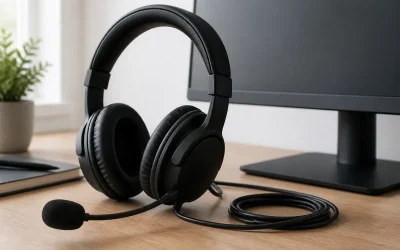
The Short Answer
Yes, but only if you are severely limited on desk space and find yourself constantly swapping cables due to a shortage of easily accessible USB ports on your computer. If your computer tower sits comfortably on your desk within arm’s reach and already has plenty of open ports, a dedicated headset stand with an integrated USB hub is a redundant accessory that will only add unnecessary cables and clutter to your workspace. The value of this accessory hinges entirely on your current port deficit and how much you value vertical storage on your desk.
What You Actually Get
When you purchase a headset stand with a USB hub, you are buying a multi-functional desk organizer. Standard models typically stand between 9 and 11 inches tall, which is the ideal height to clear the headband of standard gaming and studio headphones without letting the earcups drag on the desk surface. The base of these stands usually measures around 4 by 4 inches to 5 by 5 inches, occupying a modest footprint on your desktop. To prevent the stand from tipping over when holding heavy headphones, quality models feature a weighted base weighing between 12 and 18 ounces, often paired with non-slip rubber feet.
As an Amazon Associate we earn from qualifying purchases at no extra cost to you. Product prices and availability are accurate as of the date shown and are subject to change.

The integrated USB hub is built directly into this weighted base. Depending on the price point—which typically ranges from $25 for basic plastic models to $80 for premium aluminum designs—you will get anywhere from two to four USB ports. In cheaper models, these ports are often older USB 2.0 connections, which are fine for basic peripherals like a mouse, keyboard, or USB dongle, but painfully slow for data transfer. Premium models feature USB 3.0 or USB 3.1 ports, offering transfer speeds up to 5 Gbps, alongside 3.5mm auxiliary audio jacks with built-in DACs (Digital-to-Analog Converters) for improved headphone sound quality.
Power delivery is another crucial specification. Most budget USB hub stands are “bus-powered,” meaning they draw power directly from your computer’s USB port. This limits their total output to about 5V/0.9A (4.5 watts) shared across all ports on the stand, which is insufficient for fast-charging a smartphone or powering external hard drives. Higher-end models may include an external AC wall adapter, allowing them to deliver dedicated charging power up to 5V/2.4A (12 watts) or even feature integrated Qi wireless charging pads on the base. As we look ahead to the streamlined desk setups of 2026, the demand for these high-wattage, multi-use charging stations continues to grow as users seek to eliminate dedicated charging bricks from their tabletops.
Pros
- Centralized Cable Management: By routing your mouse, keyboard, or headset wireless receiver to the base of the stand, you keep long cables off your desk floor and reduce the distance they have to travel, resulting in a much cleaner aesthetic.
- Protection for Your Headset: Leaving an expensive headset lying flat on a desk exposes the earcups to spills, scratches, and dust. A dedicated hanger preserves the shape of the headband cushion and prevents the ear cushions from getting compressed over time.
- Easier Port Access: Instead of crawling under your desk or stretching behind a massive computer tower to plug in a flash drive or a charging cable, the ports are brought directly to your physical reach.
- Atmospheric Lighting and Aesthetics: Many mid-to-high-end stands feature customizable RGB lighting. This adds a cohesive, ambient glow to your gaming setup that can sync with your other peripherals.
Cons
- Additional Cable Clutter: While the stand helps organize peripheral cables, the stand itself requires a thick, high-bandwidth USB cable to connect to your computer. If you purchase a high-powered stand, you will also have a bulky AC power adapter cable running across your desk to a wall outlet.
- Slow Charging Speeds: Unless you invest in an expensive, externally powered stand, the USB ports will charge your phone, wireless mouse, or headset at a crawl. A standard bus-powered port taking hours to charge a modern smartphone can be highly frustrating.
- Tipping Risks with Cheap Models: Lightweight, all-plastic stands weighing under 8 ounces are notorious for tipping over when holding heavier audiophile headphones (which frequently weigh over 350 grams).
- Port Degradation: Because these stands sit on your desk where drinks are consumed and dust settles, the upward-facing or side-facing USB ports are highly susceptible to dust accumulation and accidental liquid spills, which can short out the hub.
Who Should Buy It
You should buy a headset stand with a USB hub if you work or game primarily on a laptop. Laptops are notoriously stingy with port selection, often leaving you with just one or two USB-C ports. A USB hub stand allows you to plug in your mouse, keyboard, and headset dongle into a single desktop unit, meaning you only have to plug one cable into your laptop when you sit down to work.
This accessory is also highly beneficial for those who own wireless headsets. Having a designated storage spot that sits directly next to a power source makes it incredibly easy to plug the headset in to charge at the end of every session, ensuring you never sit down to a dead battery.
Think about how we manage our physical and digital workspaces. Decades ago, physical media dominated our desks; you might have kept a bulk stack of storage like the Smart Buy Shiny Silver Metalized Hub CD-R 200-Pack 700mb 52x Blank Discs (priced at $36.99) sitting on a shelf to manage your data. Today, our storage is digital, quick, and local. A desktop USB hub stand serves as the modern equivalent of that media organizer, keeping your vital digital connections organized and physically accessible right at your fingertips.
Who Should Skip It
You should skip this accessory if you already have a clean desk with a computer tower positioned on top of it. If your computer’s front I/O panel is within arm’s reach, buying a USB hub stand is a waste of money that simply duplicates ports you already have.
Furthermore, if you are an extreme minimalist who cannot stand the sight of cables, this product will disappoint you. The thick connection cable running from the back of the stand to your PC is difficult to hide, especially if the stand is placed in the middle of your desk.
If you are currently budgeting for major life milestones, you might be diving into resources like Home Buying For Dummies (priced at $19.55) to learn how to stretch every single dollar. In that mindset of strict financial discipline, spending $30 to $60 on a glowing plastic stand when a simple $5 adhesive hook under your desk does the exact same job of holding your headphones is an easy expense to cut from your shopping cart.
Cheaper Alternatives
If you decide that a dedicated USB hub stand is too expensive or too bulky for your setup, there are several cost-effective alternatives that solve the same problems of headphone storage and port accessibility individually.
| Option | Cost | Trade-off |
|---|---|---|
| Under-Desk Adhesive Hanger | $5 – $10 | Completely hides headphones and saves desk space, but offers zero USB ports or charging capabilities. |
| Basic Wooden or Metal Stand | $10 – $18 | Provides elegant, weighted physical storage for your headset, but lacks any electronic features, hubs, or lighting. |
| Standard 4-Port USB 3.0 Hub | $12 – $18 | Provides high-speed data transfer and extra ports in a tiny footprint, but does not hold or store your headset. |
| Desk Clamp Headphone Mount | $12 – $20 | Clamps securely to the edge of your desk to hold headphones (some include cup holders), but lacks integrated USB connectivity. |
FAQ
Can a USB hub headset stand charge my phone and wireless mouse at the same time?
It depends entirely on whether the stand is bus-powered or self-powered. A standard bus-powered stand (plugged only into your PC) shares a meager 4.5 watts of power across all ports, which will charge a phone incredibly slowly, if at all, when other devices are plugged in. If you want to charge multiple devices simultaneously, you must buy a stand that connects to a wall outlet via an AC adapter to provide at least 10 to 12 watts of dedicated power.
Does plugging my gaming headset into the stand’s USB hub cause audio latency?
For the vast majority of users, no. USB data transmission is incredibly fast. However, if you plug a high-bandwidth device (like an external hard drive transferring large files) into the same hub while gaming, you may experience minor audio dropouts or interference. For optimal, latency-free performance with wireless gaming headsets, plug the wireless USB dongle directly into your PC or use a USB 3.0 port on a high-quality, shielded stand.
Will a heavy headset cause the stand to tip over?
If you purchase a cheap, lightweight plastic stand weighing under 10 ounces, there is a high risk of tipping, especially with heavy gaming or audiophile headsets that weigh 300 to 450 grams. To prevent this, look for stands made of aluminum or those with a steel-weighted base weighing at least 14 ounces with non-slip silicone pads on the bottom.
Do these stands require special drivers or software to work?
The USB hub functionality is plug-and-play and does not require any drivers on Windows, macOS, or Linux. However, if the stand features customizable RGB lighting, you may need to download the manufacturer’s proprietary software (such as Corsair iCUE or Razer Synapse) to control the color patterns, sync the lighting with other devices, or adjust the built-in audio equalizer settings.
Related guides
- How to Choose a Headset Stand with Charging Dock: What Actually Matters
- Headphone Hook under Desk vs Desktop Headset Stand: Which Is Right for Your Home
- Headset Stand with Charger vs Standard Headset Holder: Which Is Right for Your Home
- 8 Best Headsets for Content Creators: 8 Picks Tested on a Lab Bench (2026)