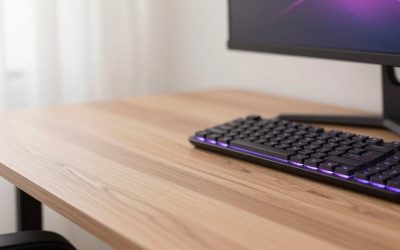
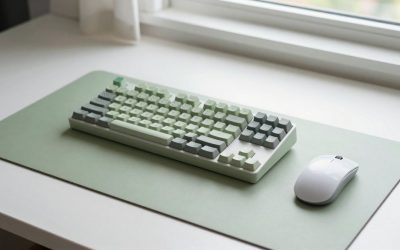
If you have ever tried to squeeze a full-size keyboard and a mouse onto a tiny, traditional mouse pad, you know the frustration of constantly clacking against the edges. A full-size keyboard—complete with its dedicated navigation cluster and integrated 10-key numeric pad—is a productivity powerhouse, but it is also a massive desk hog. To protect your workspace and give your mouse room to roam, upgrading to a dedicated desk mat is one of the smartest moves you can make.
Choosing the correct dimensions is not just about aesthetics; it is about ergonomics, comfort, and physical desk constraints. If the mat is too small, your mouse will slip off the edge during quick movements. If it is too large, it will awkwardy overlap with your monitor stand or spill over the edge of your desk. As a home and furniture editor, I have evaluated dozens of setups to help you find the exact dimensions required for your specific desk layout.
As an Amazon Associate we earn from qualifying purchases at no extra cost to you.


Our Top Picks
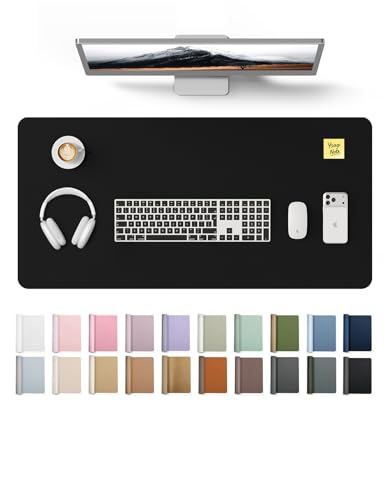


Top 3 picks at a glance
The Short Answer
To comfortably accommodate a standard full-size keyboard and a mouse with adequate tracking room, you need a desk mat that is at least 31.5 inches wide by 11.8 inches deep (80 cm x 30 cm).
However, for the absolute best user experience, the industry sweet spot is 35.4 inches wide by 15.7 inches deep (90 cm x 40 cm). This larger size, often categorized as XXL, provides enough vertical depth to rest your wrists comfortably, keep your keyboard securely positioned, and allow your mouse a generous 12-to-15-inch runway for unrestricted tracking. If you choose a mat narrower than 31 inches, you will likely find yourself constantly picking up and repositioning your mouse during everyday navigation.
Standard Sizes
Desk mats come in several standardized sizes. When shopping, you will find these measurements listed in both imperial and metric units. The table below outlines how the most common sizes interact with a standard 104-key full-size keyboard, which typically measures about 17.5 inches (44.5 cm) in length.
| Mat Class | Dimensions (Inches) | Dimensions (Metric) | Full Keyboard Fit | Best Use Case |
|---|---|---|---|---|
| Medium / Slim | 27.5″ x 11.8″ | 70 cm x 30 cm | Poor / Tight | Best for compact 60% or tenkeyless (TKL) keyboards. Very tight for full-size. |
| Large (Standard) | 31.5″ x 11.8″ | 80 cm x 30 cm | Good (Minimum) | The absolute minimum for a full-size keyboard and mouse. Great for shallow desks. |
| Large Plus | 31.5″ x 15.8″ | 80 cm x 40 cm | Very Good | Adds crucial vertical depth for wrist support and larger mouse movements. |
| Extra Large (XXL) | 35.4″ x 15.7″ | 90 cm x 40 cm | Excellent (Ideal) | The gold standard. Offers ample room for keyboard, mouse, and additional accessories. |
| Giant (XXXL) | 47.2″ x 23.6″ | 120 cm x 60 cm | Overkill / Full Desk | Designed to cover almost the entire desk surface, sitting under monitors and laptops alike. |
How to Measure Your Space
Do not guess your desk mat size based on photos online. A mat that looks perfectly proportioned in a product image might swallow your actual desk whole. Follow these steps to measure your workspace accurately before buying:
- Step 1: Measure your desk’s total surface area. Use a standard metal tape measure to find the total width and depth of your desk. If your desk is 48 inches wide, a 35.4-inch mat will leave about 6.3 inches of exposed wood on either side, which is visually balanced.
- Step 2: Measure your keyboard. While a standard full-size keyboard is roughly 17.5 inches wide, some gaming models with dedicated macro keys can stretch up to 19 inches. Take note of the exact width and depth.
- Step 3: Map out your mouse sweep zone. Sit at your desk and mimic your natural mouse movements. Measure the width of the area your hand covers during normal use. For office work, you need about 8 to 10 inches of width. For low-sensitivity gaming, you may need 12 to 16 inches.
- Step 4: Check for obstacles. Note the location of monitor arms, desk grommets, cable pass-throughs, and desk lamps. Your desk mat should sit flat; if it overlaps with a heavy monitor base, it will sit at an angle and look cluttered.
- Step 5: Leave a front border. To prevent the mat from curling over the front edge of your desk and rubbing against your stomach, select a depth that leaves at least 1 to 2 inches of bare desk surface at the front edge.
By Room or Use Case
The ideal desk mat size and material will vary depending on where you work and what tasks you perform throughout the day.
The Dedicated Home Office
If you are working from a dedicated home office, aesthetics and surface protection are likely your top priorities. A standard full-size keyboard paired with a sleek, PU leather desk protector measuring 31.5″ x 15.8″ (typically priced between around $10 and around $15) is a brilliant choice. This footprint easily hosts your keyboard and mouse while providing a smooth, waterproof writing surface for signing documents or taking notes. The leather texture offers a sophisticated, executive look that anchors your workspace, making it feel organized and professional.
The High-Performance Gaming Setup
Gamers require a completely different set of specifications. When you are in the middle of a fast-paced match, the last thing you want is to lift your mouse because you ran out of room. For gaming setups, a 35.4″ x 15.7″ (XXL) textile mat is highly recommended. Look for options with stitched edges to prevent fraying and a non-slip rubber base to keep the pad anchored during intense sessions. Some premium gaming bundles, which include features like integrated wrist rests or dense, 4mm-thick memory foam backing, range from around $18 to around $28. These provide the thick cushioning your wrists need for long sessions.
The Creative Studio & Multi-Device Desk
As we design modern workspaces looking forward to 2026, versatility is key. Creative professionals—such as graphic designers, video editors, and architects—often juggle multiple input devices at once. If your daily workflow involves switching between a full-size keyboard, a precision mouse, an external trackpad, and a digital drawing tablet, you should opt for a Giant (XXXL) mat measuring 47.2″ x 23.6″. These expansive mats, which generally cost between around $25 and around $50, act as a protective skin for your entire desk, allowing you to slide devices around freely without scratching the underlying wood or glass.
Common Sizing Mistakes
To ensure you get the perfect fit on your first try, avoid these common purchasing pitfalls:
Buying a mat that is too shallow: Many buyers focus entirely on width and purchase a 31.5″ x 11.8″ mat, only to find that 11.8 inches of depth is incredibly tight. Once you place a full-size keyboard (5.5 inches deep) on it, you are left with barely 6 inches of vertical space. If you rest your wrists on the desk, they will sit half-on and half-off the mat, creating an uncomfortable pressure point. Whenever possible, opt for a mat with at least 15 inches of depth.
Ignoring keyboard wrist rests: If you use a separate wooden, gel, or foam wrist rest in front of your keyboard, it will add another 3 to 4 inches of depth to your input setup. A shallow 11.8-inch mat cannot accommodate both a keyboard and a wrist rest without pushing one of them off the mat entirely.
Overestimating desk size: Small writing desks and floating wall desks are often only 18 to 20 inches deep. Putting a 15.7-inch-deep mat on an 18-inch-deep desk leaves almost no room for your monitor stand, forcing you to balance your monitor awkwardly on top of the fabric mat.
FAQ
Can I use a 30″ x 12″ desk mat with a full-size keyboard?
Yes, you can, but it will be a snug fit. A standard full-size keyboard is 17.5 inches wide, leaving you with exactly 12.5 inches of lateral space for your mouse. While this is plenty of room for casual office work and high-sensitivity mouse navigation, it may feel restrictive for low-sensitivity gaming or tasks that require sweeping hand gestures.
What thickness should my desk mat be?
Most quality desk mats range from 2mm to 4mm in thickness (approximately 0.08 to 0.16 inches). A 2mm mat offers a firm, low-profile writing surface, which is ideal for office work. A 3mm or 4mm mat provides plush cushioning that dampens the acoustic vibrations of mechanical keyboards, making your typing sound deeper and quieter while reducing wrist fatigue.
Do I need a different size mat if I use a laptop with a full-size keyboard?
If you use your laptop screen alongside an external full-size keyboard, you will need a much larger mat—ideally an XXL (35.4″ x 15.7″) or XXXL (47.2″ x 23.6″) size. This allows you to position the laptop stand behind or next to the keyboard while keeping the entire workstation unified on a single, cohesive surface.
How do I stop my desk mat from sliding around?
Always look for mats with a textured, heavy-duty backing. For fabric and cloth mats, a natural open-cell rubber backing is the industry standard for grip. For PU leather mats, a treated suede or non-slip felt backing will provide the friction required to keep the mat anchored under the weight of your hands and keyboard.