Some monitors now include a USB-C port that not only shows your laptop’s screen but also charges it and passes through Ethernet, USB ports and even a second display, effectively turning the monitor into a docking station. It sounds like the ultimate clutter-killer: one cable to the screen and everything else runs through it. But these monitor-docks have real limits, and for some setups a separate dock is still the better call.
As an Amazon Associate we earn from qualifying purchases at no extra cost to you.


Our Top Picks


Top 3 picks at a glance
How a monitor-dock works
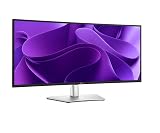
A monitor with a built-in USB-C hub receives video over USB-C DisplayPort Alt Mode, sends power back to the laptop, and routes its built-in USB, Ethernet and sometimes a daisy-chained second monitor through that same single cable. Plug in one USB-C cable and your laptop gets a screen, charging, wired network and any peripherals connected to the monitor’s ports. For a single-monitor laptop desk, it is genuinely elegant.
| Factor | Monitor built-in hub | Separate dock |
|---|---|---|
| Cable count | One, very clean | Dock plus cables |
| Laptop charging | Often 65-100W (check spec) | Depends on dock |
| Extra displays | Limited, sometimes 1 daisy-chain | Often 2 or more |
| Upgrade flexibility | Locked to that monitor | Swap freely |
| Port variety | Fewer ports | Usually more |
When it is worth it
A monitor-dock shines for a clean, single-screen laptop setup where you want the fewest cables possible. If the monitor delivers enough power for your laptop (check the wattage; ultrabooks need 45-65W, bigger laptops 90W+), you plug in once and get screen, charge, network and peripherals. It removes a separate box from the desk and looks superb. For hot-desking or a tidy home office with one display, it is often the best value because you are buying the dock and the screen together.
When a separate dock wins
If you run two or three external monitors, need lots of ports, or want to keep your monitor and docking capability independent, a dedicated dock is more flexible. Monitor hubs often support only one additional display (via daisy-chain or a single video out), and their port selection is thinner than a full dock’s. You are also locked in: replace the monitor and you replace your dock. And if the built-in hub’s charging wattage is too low for a power-hungry laptop, you are back to a second cable anyway.
What to check before buying
Read three specs carefully: the USB-C power delivery wattage (must meet your laptop’s needs), how many total displays the setup supports through the monitor, and the number and speed of the built-in USB ports. Confirm your laptop’s USB-C port supports DisplayPort Alt Mode and charging, since a plain USB-C port will not drive the video or power. Get those right and a monitor-dock is a clean, cost-effective one-cable solution.
FAQ
Can a monitor really replace a docking station?
For a single-display laptop setup, often yes. A monitor with USB-C power delivery, Ethernet and built-in USB ports handles screen, charging, network and peripherals over one cable. For multi-monitor or port-heavy needs, a dedicated dock remains more capable.
Will a monitor with USB-C charge my laptop?
Only if its power delivery rating meets your laptop’s requirement. Many charge at 65 to 100W, which covers ultrabooks and most laptops, but a high-draw gaming laptop may exceed that and still need its own charger. Always check the monitor’s stated USB-C wattage against your laptop before relying on it.
Bottom line
A monitor with a built-in USB-C hub is absolutely worth it for a clean, single-screen laptop desk, provided its charging wattage suits your laptop and you do not need many extra displays or ports. If you run multiple monitors, want maximum ports, or like to upgrade the screen and dock separately, a dedicated dock still wins. Check power, displays and ports, and buy for the setup you actually have.
Related guides
More from Amazon
Programs that pair well with the guide above. Offers and eligibility are set by Amazon and may change.
Free shipping on eligible items, Prime Video and more. Eligible new members can start with a free trial.
Start a Prime free trialAd-free music streaming. Eligible new subscribers can start with a free trial.
Try Music Unlimited freeA Prime membership for ages 18-24 with a trial period. Eligibility is set by Amazon.
See Prime for Young AdultsAudiobooks and podcasts to listen to on the go. Eligible new members can start with a free trial.
Try Audible freeAs an Amazon Associate we earn from qualifying purchases.