
A pristine computer desk setup is more than just a place to work or game; it is a reflection of your personal aesthetic. While high-end monitors, mechanical keyboards, and custom desk mats set the foundation, ambient lighting provides the finishing touch. However, figuring out how to choose rgb strips for computer desk setup can quickly become overwhelming. The market is flooded with cheap, generic options that promise dazzling light shows but deliver weak adhesives, intense flickering on webcams, and spotty color distribution.
The most common mistake buyers make is purchasing the cheapest 16-foot roll of LED tape they can find, slapping it onto the back of their desk, and hoping for the best. Within a week, the adhesive fails, the lights hum audibly, and the harsh, un-diffused “hot spots” ruin the clean look of the workspace. To avoid these headaches, you need to understand the technical specifications that actually impact your daily use. This guide will walk you through the essential factors, from power delivery to color rendering, to help you build a clean, reliable, and visually stunning setup.
As an Amazon Associate we earn from qualifying purchases at no extra cost to you.



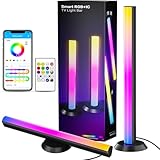
Our Top Picks

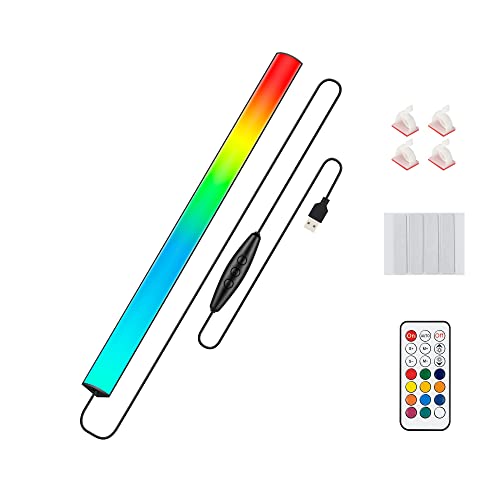


Top 3 picks at a glance
Decide These 3 Things First
Before diving into individual specifications, you must define the scope of your lighting project. Answering these three questions upfront will immediately filter out 80% of the options that are wrong for your desk.
- Direct vs. Indirect Lighting: Will the light source be directly visible, or will it wash against a wall? If the strip is exposed (e.g., mounted along the edge of your desk facing you), you must invest in a diffused strip or an aluminum channel to blend the individual light points. If it is hidden behind the desk or monitor, a standard tape strip is acceptable because the wall acts as a natural diffuser.
- The Control Ecosystem: Do you want your desk lights to integrate with your computer’s software (like Razer Chroma, Corsair iCUE, or SignalRGB), connect to smart assistants (Alexa, Google Home, Apple HomeKit), or simply run off a basic physical remote? If you want your lighting to react to on-screen gameplay or music, you must choose a system with a dedicated software bridge or camera-based sync.
- Power Source Availability: Will your lights draw power directly from your PC’s USB ports, or will they plug into a wall outlet? USB-powered options (typically 5V) are incredibly convenient and reduce cable clutter, but they are limited in brightness and length. Wall-powered options (12V or 24V) offer brilliant luminosity and can power much longer runs without dimming, but they require an extra outlet space.
1. Strip Length and LED Density
When measuring your desk, don’t just guess the length. A standard medium desk is 48 to 55 inches wide, while large gaming desks span 60 to 72 inches. If you want a simple back-light run, a 5-foot (1.5-meter) strip is perfect. However, if you plan to wrap the back and both sides of a 60-inch desk, you will need a strip that is at least 10 to 12 feet (3 to 3.6 meters) long.
Beyond physical length, LED density is the single most important factor for visual quality. Density is measured in LEDs per meter (LPM). Cheap strips typically feature 30 LPM, which leaves wide, dark gaps between each glowing bulb, creating an ugly “dotted” effect on your wall. For a premium, seamless glow, look for strips with at least 60 LPM. If you are mounting the strip in a place where it is directly visible, look for COB (Chip-on-Board) LED strips, which feature up to 320 or 480 LEDs per meter, creating a completely solid, unbroken line of light.
2. Color Technology: RGB vs. RGBIC vs. RGBWW
Not all color-changing lights are built the same way. Understanding the acronyms on the packaging will save you from major disappointment when you turn the lights on for the first time.
- RGB (Standard): The entire strip can change colors, but only to one color at a time. If you set it to blue, the entire desk is blue. These are inexpensive but lack dynamic movement.
- RGBIC (Addressable / Dreamcolor): These strips contain independent control chips (IC) for small zones along the strip. This allows different sections of the same strip to display different colors simultaneously, enabling smooth rainbow gradients, chasing patterns, and highly reactive music syncing.
- RGBWW (Multi-White): Standard RGB strips attempt to create “white” light by mixing red, green, and blue, resulting in a harsh, cold, purplish-blue hue that causes eye strain. RGBWW strips feature dedicated warm white (2700K) and cool white (6500K) LED chips alongside the colored chips. If you use your desk for actual work, reading, or video calls, an RGBWW strip is essential for natural, adjustable task lighting.
3. Power Consumption and Setup Integration
Your desk setup is a delicate ecosystem of power cables. Adding high-powered LED lighting requires careful planning. A basic 5V USB-powered strip typically draws 5 to 10 watts of power. While you can plug this directly into your motherboard or monitor’s USB port, doing so can sometimes cause coil whine or power delivery issues on budget motherboards.
For more complex setups—such as combining an under-monitor RGB light bar, dual smart light bars, and a 12V desk-backing strip—you will need a dedicated power hub. It is highly recommended to route all of your desk electronics through a high-quality, heavy-duty surge protector. Utilizing a 4000J gaming surge protector with built-in USB ports ensures that your expensive computer components, monitors, and various ambient lighting power bricks are protected from electrical spikes while keeping your cable management organized under the desk frame.
4. Material Quality and IP Waterproof Rating
LED strips are constructed on flexible printed circuit boards (FPCB). Cheap strips use incredibly thin, single-layer copper tracks that tear easily when bent around corners. Premium strips use dual-layer copper paths, which run cooler, resist tearing, and prevent voltage drop (where the end of the strip is dimmer than the beginning).
You also need to look at the IP (Ingress Protection) rating. For an indoor desk setup, you might assume waterproofing is unnecessary. However, the coating does more than protect against liquid spills; it protects the delicate diodes from dust, static shock, and physical contact.
- IP30 (Uncoated): Bare circuit board. It is fragile and hard to clean, but it runs cool and fits easily into tight aluminum tracks.
- IP65 (Silicone Coated): Covered in a clear, flexible polyurethane or silicone gel. This is the sweet spot for desks, as you can easily wipe dust off the strip without damaging the LEDs.
- IP67/IP68 (Sleeved): Enclosed in a thick silicone tube. This is overkill for a desk unless you are mounting it outdoors, and the heavy casing makes it difficult to turn sharp 90-degree corners.
5. Installation, Diffusers, and Mounting Hardware
The standard adhesive tape pre-applied to the back of most budget LED strips is notorious for failing. Within weeks of exposure to the gentle heat generated by the LEDs, cheap double-sided tape dries out, causing the strip to sag and hang under your desk. Look for strips that explicitly feature genuine 3M VHB (Very High Bond) adhesive.
If you want a truly professional setup, do not stick bare LEDs directly to your wood or metal desk. Instead, purchase aluminum LED channels with milky-white acrylic diffusers. These channels cost roughly $15 to $25 for a multi-pack, but they serve two crucial purposes: they perfectly diffuse the light to eliminate hot spots, and the aluminum acts as a heatsink, pulling warmth away from the LEDs to double their operational lifespan.
6. Price Tiers and Long-Term Value
The pricing of desk lighting varies wildly. Understanding what you get at each price bracket will help you budget your setup upgrades effectively.
- Budget ($10 to $20): In this tier, you will find simple 5V USB-powered strips and compact accessories like a 12-inch under-monitor light bar or basic monitor down-light bars. These are usually controlled via a physical inline remote or a simple infrared remote. They offer standard RGB (no independent zones) and basic music-sync modes. They are excellent for subtle, localized accent lighting.
- Mid-Range ($25 to $60): This tier opens up smart home integration and RGBIC capabilities. You can find high-quality smart light bar pairs with physical control pucks, app control, and compatibility with smart assistants. The strips in this range feature dense LED arrays (60+ LPM) and reliable app ecosystems that receive regular firmware updates.
- Premium ($70 to $150+): This is the realm of complete desktop immersion. These premium setups offer HDMI sync boxes or camera-based monitoring systems that sync your desk lights in real-time with the colors on your monitor. They feature flawless software integration with gaming suites, native smart-home protocols, exceptional color rendering (CRI 90+), and robust multi-year warranties.
7. Warranty and Lifespan Expectations
High-quality LEDs are rated to last anywhere from 25,000 to 50,000 hours of continuous use. If you run your desk lights for 8 hours a day, a quality strip should easily last over 10 years. However, heat is the ultimate enemy of LED longevity. Strips run at maximum brightness without ventilation will degrade quickly, turning dim or shifting colors prematurely.
Always check the manufacturer’s warranty. Budget brands typically offer a bare-minimum 30-day return window, leaving you stranded if a controller chip burns out after three months. Mid-range and premium brands stand by their products with a 1-year to 3-year warranty. As the smart home ecosystem matures, looking toward products featuring universal smart standards is a smart investment. For instance, as we look toward 2026, the smart home industry is heavily adopting the Matter protocol, ensuring that premium lighting systems bought today will remain fully compatible with future smart-home controllers and desktop software platforms for years to come.
Spec Checklist
Use this quick-reference table to match your desk lighting goals with the technical specs required to achieve them.
| Feature / Metric | Budget Setup | Mid-Range Setup | Premium Setup |
|---|---|---|---|
| Color Tech | Standard RGB (Single color at once) | RGBIC (Multi-color zones) | RGBIC + Dedicated Warm/Cool White (RGBWW) |
| LED Density | 30 LEDs per meter | 60 LEDs per meter | 120+ LEDs per meter / COB Strip |
| Power Input | 5V USB (Plugged into PC/Monitor) | 5V USB-C or 12V Wall Adapter | 12V or 24V Dedicated Power Supply |
| Control Method | Inline buttons or IR Remote | Bluetooth / Wi-Fi Smartphone App | PC Software (Chroma/iCUE) & Voice Assistant |
| Adhesive Quality | Standard thin double-sided tape | 3M Double-Coated Tape | 3M VHB Tape / Screw-in Mounting Clips |
| Price Range | $10 to $25 | $30 to $65 | $70 to $200+ |
Red Flags
Avoid buyer’s remorse by watching out for these common warning signs when shopping for desk lighting:
- “No-Name” Generic Blue Tape: If the protective backing on the adhesive strip is a generic blue film with no branding (or fake branding mimicking 3M), the adhesive will fail under the minor heat generated by the LEDs.
- Extremely Low PWM Frequency: Pulse Width Modulation (PWM) is how LEDs dim. Cheap controllers use a low-frequency PWM that causes invisible but rapid flickering. While you might not see it with the naked eye, it will cause severe headaches over long working sessions and will show up as distracting, scrolling black bands on your webcam feed.
- Lack of Safety Certifications: Look for UL, ETL, CE, or FCC certification marks on the power supply. Cheap, uncertified power bricks can run dangerously hot, hum with high-pitched coil whine, and pose a genuine fire hazard under your desk.
- Non-Standard Connectors: Some brands use proprietary 3-pin or 5-pin connection designs that make it impossible to cut, extend, or link the strips with off-the-shelf corner connectors. Stick to standard 3-pin (for addressable) or 4-pin/5-pin (for standard RGB/RGBW) configurations if you plan on customizing the physical layout.
FAQ
Can I cut RGB strips, and how do I reconnect them?
Yes, most RGB strips can be cut, but only at designated cut lines marked by copper pads and a little scissor icon (usually spaced every 1 to 2 inches). To reconnect them or go around a sharp corner, you can either solder wires directly to the copper pads or use solderless snap-on gap connectors. Keep in mind that addressable (RGBIC) strips can be cut, but you cannot easily add extra length to the end because the controller is programmed for a specific number of IC chips.
Will RGB desk lights cause eye strain during long gaming or work sessions?
If set up incorrectly, yes. Harsh, direct, un-diffused light points in a dark room will cause glare and fatigue. However, if you use them as indirect “bias lighting”—shining a soft, diffused light onto the wall behind your monitor—it actually reduces eye strain. This is because bias lighting raises the ambient light level in your field of view, preventing your pupils from constantly dilating and contracting as your screen switches between dark and bright scenes.
How do I prevent my LED strips from falling off the bottom of my desk?
First, clean the mounting surface thoroughly with rubbing alcohol to remove grease, dust, and manufacturing oils; standard household cleaners leave a residue that ruins the bond. Second, avoid sticking the tape directly to raw, unsealed wood or textured plastics. Third, use small silicone mounting clips secured with tiny screws every 18 inches, or mount the strip inside an aluminum channel screwed directly into the underside of your desk.
Do I need a smart home hub to run high-end RGB strips?
No. Most modern smart RGB strips operate directly via Wi-Fi or Bluetooth, connecting straight to your smartphone app without requiring a dedicated smart home hub. However, if you want advanced features like desktop screen-syncing, you will need to run the brand’s proprietary software on your computer, which handles the real-time processing and communication with your lights over your local network.
Related guides
- Best Ultrawide Gaming Monitors: Six Screens Sized Against Real Desks: 6 Compared (2026)
- Best Game Room Neon Lights: Ten Signs and Icon Lamps Compared: 10 Compared (2026)
- 10 Best 75% Hot-Swappable Mechanical Keyboards (October 2026)
- Best Mini-LED Monitor: Five Listings From a Renewed KTC to a 5K LG, Compared by Pixels and Ports (2026)









