
There’s a specific kind of desk that looks great on paper — the dual monitor setup, the mechanical keyboard, the tidy cable routing — but under it sits a black void. Your feet find a shadowy no-man’s-land where the power strip lives, your knees bump the mounting bracket of a drawer you can’t quite see, and every video call leaves you lit like an interrogation subject. That under-desk zone is the last unlit frontier of most home offices, and it’s the cheapest one to fix.
Light strips changed that math. For a budget price, you can wash the floor beneath your desk in a soft glow, backlight your monitor for bias lighting that genuinely reduces eye strain, and sync colors to music or games. But “cheapest” and “best” aren’t the same thing, and the listings all start to blur together. We looked at what actually matters under a desk — adhesive quality, USB power draw, length, and whether the controller survives a month of being kicked — and ranked a wide range of options, from budget strips to premium smart-home picks, for the 2026 upgrade season.
As an Amazon Associate we earn from qualifying purchases at no extra cost to you.





Our Top Picks
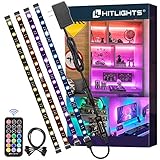
 HitLights LED Strip Lights Kit4 X 1.0FT (4FT) - Not Waterproof5.51 x 4.9 x 1.85 inchesCheck on Amazon




Top 3 picks at a glance
HitLights LED Strip Lights Kit, RGB Color Changing Tape Light Pre-Cut 4FTCheck priceHOUHUI RGB LED Strip Lights 6.56Ft for 40-60in TV Backlight, with RemoteCheck priceQuick Picks
| Product | Best for | Price |
|---|---|---|
| Govee 16.4ft RGBIC | Best overall under-desk ambience | Check on Amazon |
| HitLights Pre-Cut Kit | Best for clean, no-fuss installs | Check on Amazon |
| HOUHUI 6.56Ft TV Backlight | Best budget monitor backlight | Check on Amazon |
| Under Monitor RGB Light Bar (12″) | Best for keyboard/task lighting | Check on Amazon |
| AXHHTVCGY RGB Light Bar | Best magnetic mounting | Check on Amazon |
| SIXDEFLY 10 PCS Kit | Best for large desks and shelves | Check on Amazon |
| Govee 32.8ft RGBIC | Best for full-room setups | Check on Amazon |
| PAUTIX COB USB Strip | Best smooth, dot-free light | Check on Amazon |
How We Compared
We filtered for what an under-desk install actually demands, not what makes a product page look impressive. First: power. Everything here runs on low-voltage DC or USB (most at 5V), so you’re plugging into a monitor port, a USB hub, or a small wall adapter — no electrician, no heat concerns under a wooden desktop. Second: mounting. Under a desk, adhesive faces dust, texture, and the occasional knee bump, so we weighted options with strong backing tape, magnetic mounts, or clip systems.
Third: control. App control matters if you want scheduling and music sync; a physical remote matters if you don’t want to fish for your phone mid-game. Fourth: light quality. Traditional SMD strips show individual dots; COB strips like the PAUTIX produce a continuous line of light, which reads far more premium on a monitor’s rear edge. Finally, we respected the price ladder, so rankings reflect value per foot and per feature, not raw spec sheets. We didn’t run a lighting lab; we compared verified specifications, real install scenarios, and the practical friction points buyers report.
The Best Picks
1. Govee 16.4ft RGBIC LED Strip Lights — Best Overall
As a budget pick with 16.4 feet of strip, this is the one to start with for most desks. RGBIC means segments can show different colors simultaneously — a warm gradient behind the desk, a cool one along the back edge — instead of one uniform hue. App control unlocks scheduling, music sync, and scene effects, and the 16.4-foot length is generous enough to run down both sides of a desk, across the back, and still have slack for a shelf.
- RGBIC multicolor effects at a remarkably low price
- Full app control with music sync and scheduling
Con: app control is mandatory for the best features, so if you hate managing lights through software, look at the remote-driven options below. Skip it if you want a set-and-forget strip with a simple handheld remote.
2. HitLights LED Strip Lights Kit — Best for Clean Installs
This kit is for people who despise dangling wire loops and hacked-together corners. The 4-foot sections are pre-cut, meaning clean, modular runs you can position precisely along a desktop’s underside without trimming anything yourself. It’s the tidy, contractor-grade approach: consistent segments, straightforward connections, and a classic RGB color-changing setup that just works.
- Pre-cut 4-foot segments for precise, professional-looking runs
- Complete kit approach — fewer compatibility surprises
Con: it costs more than the budget strips here, and 4-foot sections may be more length than a compact desk needs. Skip it if you want app-based effects and music sync; this is a traditional color-changing strip, not an effects engine.
3. HOUHUI 6.56Ft TV Backlight Strip — Best Budget Monitor Backlight
Bias lighting should be a budget buy, and this strip delivers. The 6.56-foot length is sized specifically for 40–60 inch TVs and large monitors, wrapping around the back edge of a 32–38 inch display with room to spare. It comes with a physical remote, which is honestly the ideal control scheme for something you’ll adjust once and rarely touch again.
- Budget-tier bias light with a simple remote
- Remote included; length sized for 40–60in screens
Con: the adhesive backing on budget strips like this benefits from a wipedown with rubbing alcohol before mounting, especially on textured monitor backs. Skip it if you want app control or segmented RGBIC effects — this is straightforward single-color-at-a-time RGB.
4. Under Monitor RGB Light Bar (12 Inch) — Best for Keyboard Lighting
This 12-inch, 5V USB-powered bar solves a different problem: not washing the floor in glow, but lighting your keyboard deck and immediate desk surface without a bright overhead lamp. With 353 color change modes and a wireless remote, it’s the tinkerer’s option — you can chase an effect through a gaming session or park it on a warm dim white for late-night writing.
- 353 modes and wireless remote for endless tuning
- USB powered at 5V — plugs into a monitor or hub
Con: at 12 inches, one bar covers a limited area; wide desks may want two. Skip it if you want full-perimeter ambience — that’s a strip job, not a bar job.
5. AXHHTVCGY RGB Light Bar — Best Magnetic Mounting
As a budget pick, this little bar wins on installation physics. Magnetic mounting means you stick a metal plate (or use an existing steel surface), then snap the bar off and on at will — perfect for monitor backs, under-shelf edges, or the underside of a standing desk you raise and lower daily. Color memory restores your last setting after power cycles, and eight colors plus dynamic modes cover the ambience basics with dimmable brightness.
- Magnetic install/removal — ideal for standing desks
- Color memory and dimmable brightness at a budget price
Con: it’s USB powered with 8 colors, not millions — effects are simpler than app-driven strips. Skip it if you want music sync or app scheduling; this is a purpose-built, no-app ambience bar.
6. SIXDEFLY 10 PCS Under Cabinet Kit — Best for Big Setups
A ten-piece kit is a different product category: this is for the person whose “desk” is an L-shaped workstation with hutch shelves, a printer nook, and a cable raceway that needs hiding behind glow. App and remote control, music sync, and — notably — an ETL-listed power adapter, which signals the safety certification budget strips often skip.
- Ten discrete pieces for multi-zone coverage
- ETL-listed adapter and both app + remote control
Con: with ten pieces, installation takes real planning — more connectors, more cable management. Skip it if your setup is a single desk; the shorter kits above will look cleaner.
7. Govee 32.8ft RGBIC LED Strip Lights — Best Full-Room Upgrade
Doubling down on our top pick, this 32.8-foot RGBIC strip handles the desk and then keeps going: up the wall behind it, along a bookshelf, around a window frame. Same app control, same music sync, same segmented color effects, twice the coverage. Per foot, it is often the better value of the two Govee strips, so compare both before you buy.
- 32.8 feet covers desk plus surrounding room zones
- Full RGBIC effects and app control
Con: extra length means more power draw and more cable to hide; on a small desk it’ll look like overkill. Skip it if you only want under-desk coverage — buy the 16.4-foot version and save the difference.
8. PAUTIX 5V USB COB RGB Strip — Best Light Quality
COB (chip-on-board) construction is the spec that separates this strip from everything above it: the LEDs sit under a continuous phosphor layer, so the light emits as a seamless line with no visible hotspots or dots. On a monitor’s rear edge — where viewers stare directly at the glow for hours — that difference is immediately obvious. It’s 4.92 feet (1.5m), runs on 5V USB, and uses Bluetooth app control instead of a remote.
- COB design produces smooth, dot-free light
- USB powered; Bluetooth control, no remote to lose
Con: 4.92 feet limits it to monitor backlighting or short runs — not full-desk perimeter work. Skip it if you need length or a physical remote.
More Strong Picks for Under-Desk and Desk-Edge Lighting
The eight picks above cover the core under-desk jobs: perimeter glow, monitor bias lighting, and keyboard task light. Competing roundups go further into two areas we had not covered yet: smart-home strips that sit inside Alexa, Google Home, or Apple Home routines, and diffused “neon” or COB lighting that hides individual LED dots. These five additions fill those gaps without repeating what the list already does well.
Govee RGBIC Neon Rope Lights for Desks (10ft)

This is a different kind of product from the tape strips above. Instead of a flat strip hidden under the desktop, Govee’s desk neon rope is a thick, soft silicone tube designed to wrap around the visible edge of the desk itself. The LEDs fire backward into the silicone, so what you see is a continuous, glare-free line of colored light rather than a row of dots. It is the look you see on many streamer and creator setups, where the desk outline seems to glow.
Key specs from Govee’s documentation: the 10-foot version (model H61C3) runs on a 24V adapter, uses 84 LEDs per meter, and is split into 42 independently controllable segments, so gradients and chasing effects look smooth along the full run. Control comes through the Govee app over Wi-Fi and Bluetooth, the inline control box, or voice through Alexa and Google Assistant. It also supports Govee’s DreamView syncing and Razer Chroma, which matters if your keyboard and mouse already run Chroma effects. The rope can be trimmed at marked cut points, but it cannot be spliced back together, so measure your desk edge before cutting.
Strengths: the most finished, “built-in” look of anything in this guide; strong segment control; game and PC lighting sync options.
Drawbacks: it sits in the premium tier, well above the original Govee tape strips; it needs a wall outlet rather than USB; and it lights the desk edge, not the floor, so it is a style statement more than under-desk ambience. A 2.4GHz network is required for Wi-Fi features.
How it compares: if the Govee 16.4ft RGBIC strip is the value answer for floor glow, this neon rope is the upgrade for people who want the desk outline itself to glow. Many setups use both: tape underneath for spill light, neon on the front edge for the visual accent.
PAUTIX RGB Smart IC USB COB LED Strip (6.56ft)
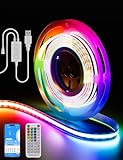
Our original PAUTIX pick won “Best Light Quality” because COB construction produces a seamless line of light, but it changes the whole strip to one color at a time. This newer PAUTIX strip keeps the COB look and adds “smart IC” addressable control, so you get flowing, multi-color effects along a dot-free line. It is a strong match for the rear edge of a monitor, the back lip of a desk shelf, or the underside of a floating desk where the light source might be partly visible.
From the listing: it is 6.56 feet (2 meters) long, runs on 5V USB power, carries a UL listing, and includes app control plus a music mode that reacts to sound. The 2-meter length is enough to wrap the back of a 27- to 32-inch monitor or to run along the back edge of a compact desk.
Strengths: COB smoothness plus addressable effects in one strip; USB power means it can run from a monitor port, hub, or small USB charger; UL listing adds safety confidence.
Drawbacks: 6.56 feet will not cover a full desk perimeter; COB strips are generally less flexible around sharp corners and should only be cut at the marked points, if at all. USB-powered strips are also less bright than 12V or 24V adapter kits.
How it compares: choose this over the original 4.92ft PAUTIX if you want effects rather than solid colors, and over the HOUHUI if dots behind your monitor bother you. It is a mid-range buy, so it costs more per foot than the budget Govee and HOUHUI strips.
DAYBETTER Smart IC LED Strip Lights (16.4ft)

DAYBETTER is one of the most common budget names in LED strips, and this 16.4-foot smart IC strip is the brand’s answer to Govee’s RGBIC tape. “Smart IC” here means multiple colors can show on one strip at once, so you can run gradients and chasing effects instead of one flat color across the entire desk.
From the listing: 16.4 feet of strip on a 24V adapter, Bluetooth app control plus an IR remote, music sync, and DIY multi-color modes. There is no Wi-Fi, so it does not work with Alexa or Google Assistant. That length is enough for a full under-desk perimeter on a standard 55- to 63-inch desk, with leftover strip for a shelf or the back of a monitor.
Strengths: budget pricing for addressable multi-color effects; generous length; music sync for gaming and listening sessions.
Drawbacks: the app ecosystem is less polished than Govee’s, with fewer scene presets and no PC game sync. As with most budget adhesive tape, plan to clean the surface with isopropyl alcohol, and consider a few mounting clips for upside-down runs under a desk, where gravity works against the tape.
How it compares: it competes directly with our #1 Govee 16.4ft RGBIC strip. Govee keeps the edge for app depth and ecosystem, but if the DAYBETTER is cheaper on the day you shop and you mainly want a gradient under the desk, it does the same core job.
Cync GE Smart LED Strip Light (16ft, Matter Compatible)

Most strips in this guide live inside their own app. The Cync strip from GE Lighting is for people who want under-desk lighting to behave like the rest of their smart home. The listing says it is Matter compatible and works with Alexa and Google Home, so it can join routines like “lights off at midnight” or turn on automatically with your office scene, without a hub or bridge.
From the listing and GE’s product information: 16 feet of strip, millions of colors, and adjustable white tones from warm to cool. Wi-Fi setup requires a 2.4GHz network. The white range is the underrated feature for a desk: a soft warm white under the desk at night is easier on the eyes than saturated color, and a neutral white works as subtle fill light on video calls.
Strengths: clean smart-home integration through Matter; tunable white as well as color; no hub required.
Drawbacks: this is a standard color-changing strip rather than an RGBIC effects strip, so it shows one color along its length at a time. It also needs a wall adapter, and reviewers have found GE’s app less polished than Govee’s.
How it compares: pick it over the Govee strips if voice and automation matter more than gaming effects. It sits in the budget to mid-range tier.
LIFX Everyday Smart LED Lightstrip (20ft)

LIFX has long been known for bright, hub-free Wi-Fi lighting, and the Everyday Lightstrip is its more affordable strip line. At 20 feet, it is the right pick for L-shaped desks, desks with a hutch, or setups where you want to continue the glow onto a shelf or the wall behind the monitors.
From LIFX’s spec sheet: 20 feet with 24 individually controllable color zones, up to 1,000 lumens, tunable white from 2700K to 6500K, Wi-Fi on 2.4GHz with no hub, and Matter support, so it works with Apple Home, Google Home, Alexa, and SmartThings. It can be cut to fit or extended to 40 feet. Note that white light is single-zone, so the whole strip shows one white at a time, while colors can vary across zones.
Strengths: the brightest strip on this list, so it works as real fill light; zoned color; broad smart-home compatibility; extendable for large setups.
Drawbacks: mid-range to premium pricing; more brightness than a small single desk needs; wall power only.
How it compares: it plays the same “big setup” role as the SIXDEFLY kit and the 32.8ft Govee, but with stronger smart-home support and higher output. Choose it if your lighting also has to work for video calls and evening reading, not just for looks.
Buying Guide
Length and Layout First
Measure before you buy. A standard 55–63 inch desk needs roughly 9–10 feet to run down both legs and across the back with slack for corners. Monitor backlighting needs only 4–7 feet. Buying too long isn’t fatal — excess strip can wrap a nearby shelf — but too short means a visible dead zone, and most budget strips can’t be extended with a second kit’s controller without headaches.
Power: USB vs. Wall Adapter
5V USB strips (the HOUHUI, PAUTIX, light bars) draw modest power and can piggyback on a monitor’s USB port or a hub — one less wall outlet. Adapter-powered kits (Govee, HitLights, SIXDEFLY) deliver brighter output and support longer runs, at the cost of an outlet and a wall-wart to hide. If your desk sits near an outlet strip anyway, adapters are fine; if cable clutter is your enemy, go USB.
Control: App, Remote, or Both
App control buys you music sync, scheduling (lights off at midnight, automatically), and scene presets; it costs you a phone unlock for every change. Remotes are instant but dumb. For under-desk ambience specifically, most people adjust settings for a week and then never touch them — which makes a cheap remote-only pick like the HOUHUI or AXHHTVCGY far more practical than spec sheets suggest. Gamers and music lovers should pay for app and sync features; everyone else shouldn’t overpay for them.
Comparison Table: The Additional Picks
| Product | Length | Power | Effects | Control | Price tier |
|---|---|---|---|---|---|
| Govee RGBIC Neon Rope for Desks | 10 ft | 24V adapter | RGBIC, 42 segments | App, control box, Alexa, Google, Razer Chroma | Premium |
| PAUTIX Smart IC USB COB Strip | 6.56 ft | 5V USB | Addressable, dot-free COB | App, music mode | Mid-range |
| DAYBETTER Smart IC Strip | 16.4 ft | 24V adapter | Multi-color on one strip | Bluetooth app, IR remote, music sync | Budget |
| Cync GE Smart LED Strip | 16 ft | Wall adapter | Single color at a time, tunable white | App, Matter, Alexa, Google | Budget to mid-range |
| LIFX Everyday Lightstrip | 20 ft (extendable to 40 ft) | Wall adapter | 24 color zones, tunable white | App, controller, Matter | Mid-range to premium |
More Buying Criteria Competitors Cover
Brightness, LED Density, and Diffusion
Under a desk, you rarely need maximum brightness; you want the light source hidden and the glow even. LED density (LEDs per meter) and diffusion decide how the light looks more than raw output. Standard SMD strips show visible dots when you can see the strip directly or when the light hits a glossy surface. COB strips and neon ropes solve this with a continuous light-emitting surface. If the strip will be hidden under the desktop and only the spill on the floor is visible, standard SMD tape is fine. If it sits on a monitor’s rear edge, a shelf lip, or the desk’s front edge, pay for COB or neon diffusion.
RGB, RGBIC, and Tunable White
Plain RGB shows one color across the whole strip. RGBIC, smart IC, or “zoned” strips can show several colors at once for gradients and chasing effects. RGBWW or tunable-white strips add dedicated white LEDs, which produce cleaner warm and neutral whites than mixing red, green, and blue. For a desk used for work as well as gaming, tunable white is the most practical feature: warm white in the evening, neutral white for video calls, and color for games.
Smart-Home Platform and PC Sync
Decide where you want to control the lights. Remote-only strips are simplest. App strips add scenes and schedules. Matter-certified strips such as the Cync and LIFX join Apple Home, Google Home, Alexa, and SmartThings without relying on one brand’s app. Gamers should check for PC lighting sync, such as Razer Chroma support on the Govee desk neon, so the desk follows keyboard and mouse effects.
Wi-Fi Band and App Account
Nearly every Wi-Fi strip on this list requires a 2.4GHz network; 5GHz-only connections will not pair. If your router combines both bands under one name, setup usually still works, but separating them temporarily can help. Bluetooth-only strips skip the router entirely but only respond when your phone is nearby.
Safety Listings and Heat
Low-voltage strips run cool, but the adapter and controller still deserve attention. Look for UL or ETL listings on the strip or power supply, as on the SIXDEFLY kit and the PAUTIX smart IC strip. Keep controllers and adapters off carpet and away from where feet can crush them, and never cover a power brick with foam or fabric.
How to Install Under-Desk Light Strips Cleanly
- Plan the run. Sketch the desk underside, mark where the power source is, and decide whether the strip will run down the sides, across the back, or both. Start the strip near the outlet or USB port so the lead cable stays short.
- Measure twice. Measure the full path including corners, then compare it with the strip length. Note the cut marks before you peel any backing.
- Clean the surface. Wipe the underside with isopropyl alcohol and let it dry. Raw particleboard and textured laminate grip poorly; a strip of painter’s tape or a thin aluminum channel underneath gives the adhesive a smooth base.
- Test before sticking. Power the strip on and check every segment and the controller before mounting. It is much easier to return a faulty strip that is still on its reel.
- Mount a few inches in from the edge. This hides the light source and lets the glow spill outward. Press firmly along the whole length, then add mounting clips every 12 to 18 inches, since upside-down adhesive is the most common failure point.
- Handle corners gently. Do not fold COB strips or neon rope sharply. Use a loose curve, an L-connector, or cut and rejoin at marked points where the strip allows it.
- Manage the cables. Route the lead and controller along a desk leg or cable tray with adhesive clips or Velcro ties. Mount the controller where you can reach its button or where the IR remote can see it.
- Set schedules. If the strip has an app or Matter support, set it to switch off at night or to follow your monitor’s power state so it is never left on.
Common Mistakes to Avoid
- Mounting right at the edge. Visible LEDs look cheap and cause glare; set the strip back so only the glow shows.
- Buying by length alone. An overlong strip coiled under the desk wastes power and adds clutter; most strips can be cut, but only at marked points.
- Running too bright. Ambient light behind and under the desk should be softer than your screen. Around 10 to 30 percent brightness is usually enough at night.
- Ignoring the remote’s line of sight. IR remotes need a clear view of the receiver; tuck the receiver where it is hidden from view but still in line with where you sit.
- Relying on strips as your only light. Strips are accent and bias lighting. Pair them with a desk lamp or monitor light bar for reading and paperwork.
Which Strip Fits Which Desk Setup
- Compact single desk with one monitor: a short USB strip for bias lighting (HOUHUI or a PAUTIX COB strip) plus one 16.4ft strip underneath is all you need. Both can share a USB hub or power strip.
- Gaming desk with RGB peripherals: the Govee 16.4ft RGBIC underneath and the Govee desk neon rope on the front edge, with Razer Chroma or DreamView sync so the desk follows your keyboard and game.
- Work-from-home desk used for video calls: a tunable-white strip such as the Cync or LIFX, set to neutral white behind the monitor during calls and warm white after hours.
- Standing desk: magnetic bars like the AXHHTVCGY, or a USB strip with enough slack in the cable to survive the full height range. Check the cable at both the lowest and highest positions before you fix it in place.
- L-shaped desk or desk with hutch: long or modular kits such as the LIFX Everyday 20ft, the Govee 32.8ft, or the 10-piece SIXDEFLY kit, so each zone gets light without long dark gaps.
- Smart-home first: Matter-compatible strips (Cync, LIFX) let the desk join the same routines as your other lights, such as switching off when you say goodnight to a voice assistant.
Our Verdict
For most people, the Govee 16.4ft RGBIC is the answer: the best feature set, the right length for a full desk perimeter, and a price that makes the decision easy. If your goal is strictly monitor bias lighting, spend the least and grab the budget HOUHUI — or the PAUTIX if dot-free light quality matters to your eyes. Renters and standing-desk owners should prioritize the AXHHTVCGY’s magnetic mount. And if your desk is the anchor of a bigger room makeover, the 32.8-foot Govee scales the winning formula. Under-desk ambience is one of the highest-impact, lowest-cost upgrades in home office design — pick the length that fits and enjoy the glow.
FAQ
Where exactly should I mount a light strip under my desk?
About 2–3 inches in from the front and back edges, facing down or slightly inward. Mounting directly at the edge makes the strip visible from across the room; a few inches back hides the light source while the glow spills across the floor. Wipe the surface with isopropyl alcohol before applying adhesive — dust is the number-one killer of strip mounts.
Will a USB light strip drain my monitor’s USB port or cause issues?
Usually not. Short 5V USB strips typically draw within what a standard USB-A port supplies (2.5W on USB 2.0, 4.5W on USB 3.x), longer or brighter runs are better on a USB charger, and most ship with their own USB plug for a wall adapter anyway. The only practical concern is powering off: strips plugged into a monitor lose power when the monitor sleeps, which is often a feature, not a bug.
Can I cut these strips to fit my desk?
Many SMD strips have marked cut lines every few inches and can be trimmed safely; COB strips and sealed bars generally should not be cut. Pre-cut kits like the HitLights sidestep the question entirely by giving you fixed 4-foot segments. Check the cut-line markings before scissors come out — cutting in the wrong place kills everything past that point.
Are RGBIC strips worth the extra money over standard RGB?
For under-desk use, usually yes — and here the price gap has essentially closed, with the Govee RGBIC strips sitting in the budget tier. RGBIC lets different sections show different colors, which produces gradients and chasing effects that make a desk look far more custom. If you only ever want a single static color, standard RGB saves you nothing here, so RGBIC is the smarter buy.
Do LED strips behind a monitor actually reduce eye strain?
Bias lighting behind a monitor reduces the contrast between a bright screen and a dark wall, which many people find more comfortable during long evening sessions. It works best with a neutral or soft white light at low brightness. Saturated colors and fast effects look fun but are a distraction during focused work.
What color temperature is best for under-desk lighting at night?
Warm white around 2700K to 3000K, or soft amber tones, is the most relaxing choice for evenings. Strips with tunable white, such as the Cync and LIFX, handle this better than RGB-only strips, which mix white from red, green, and blue and often look slightly blue or pink.
Can I connect two strips together for a longer run?
Only if the manufacturer supports it. Some strips, such as the LIFX Everyday, are designed to be extended with official extensions. Many budget strips and neon ropes cannot be spliced, and adding length beyond the controller’s limit can cause dimming or color shifts at the far end. When in doubt, buy one strip long enough for the whole run.
Will the adhesive damage my desk when I remove the strip?
Strong tape can lift paint or laminate when pulled quickly. Warm the strip with a hair dryer for 30 seconds, then peel slowly at a low angle. Leftover residue usually comes off with isopropyl alcohol. Renters and standing-desk owners who move furniture often should consider magnetic bars or clip-in channels instead of direct adhesive.
Do smart strips need Wi-Fi all the time?
Wi-Fi strips need a 2.4GHz connection for app control, schedules, and voice assistants, but most still work with their inline controller or remote if the network drops. Bluetooth-only strips never touch your router; they just need your phone nearby to change settings.
Related guides
- Best Cheap Tablets for Kids: Eight Listings Sorted by Age, Controls and Storage: 8 Compared (2026)
- Best Ultrawide Gaming Monitors: Six Screens Sized Against Real Desks: 6 Compared (2026)
- Best Game Room Neon Lights: Ten Signs and Icon Lamps Compared: 10 Compared (2026)
- 10 Best 75% Hot-Swappable Mechanical Keyboards (October 2026)









