The best Mini-LED monitor for most gamers on this list is a 27-inch 1440p model: the Acer Nitro for the lowest new-unit price, the AOC 320Hz model if you value speed, and the LG 5K only if you want very sharp text and can afford both the screen and the graphics card to match. All five listings claim HDR1000-class brightness, but none of the titles states a dimming-zone count, so those claims are the seller’s, not ours. Mini-LED here means an LCD panel lit by a grid of small LEDs, which are dimmed in groups to deepen blacks and raise highlights.
Our Top Picks
 AOC 27 Inch Gaming Monitor QHD 180Hz Mini-LED27" 180Hz Mini-LED10.19 x 23.82 x 20.94 inches15.6 PoundsCheck on Amazon
 LG 27GM950B-B 27-inch Ultragear evo Mini-LED IPS 5K9.8 x 24.2 x 21.1 inches18.7 PoundsCheck on Amazon
 AOC 27 Inch Gaming Monitor QHD 320Hz Mini-LED27" 320Hz Mini-LED White28.74 x 18.9 x 7.4 inchesCheck on Amazon
Quick comparison of the five Mini-LED listings
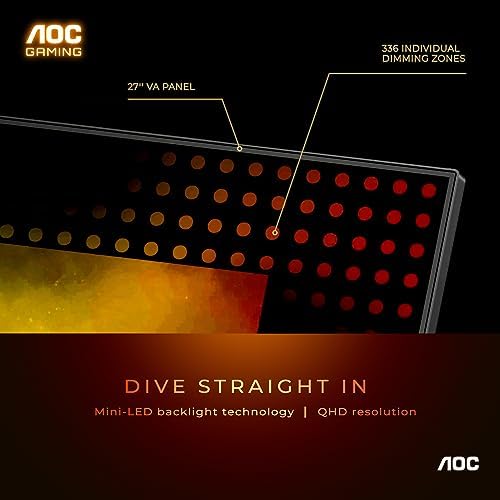
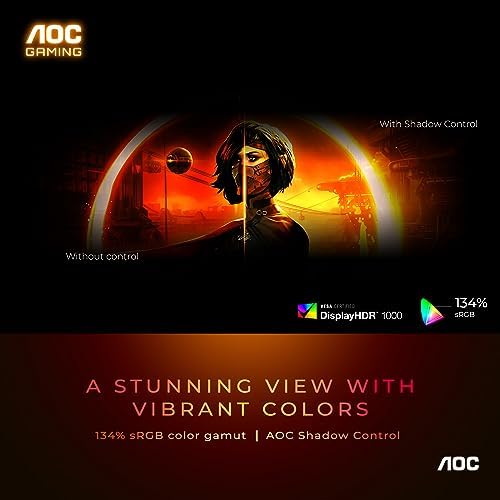
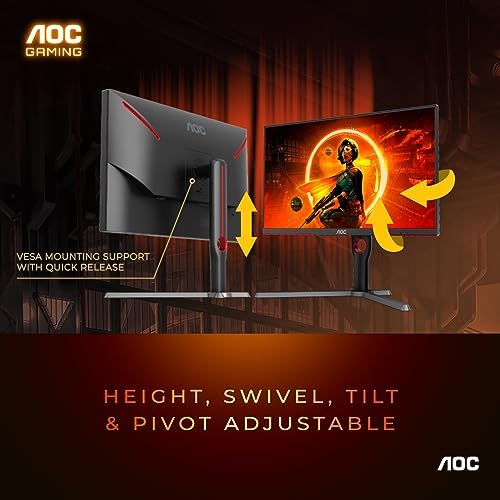
AOC 27 Inch Gaming Monitor QHD 180Hz Mini-LED HDR1000, Q27G3XMN | 3440×1440 Computer Monitor, 0.3ms, HDR400, USB 3.2, DP 1.4, HDMI 2.1, Height Adjustable Stand, Audio Out, VESA Mount



As an Amazon Associate we earn from qualifying purchases. Product prices and availability are accurate as of the date/time indicated.

Acer Nitro MG275U X2biippx 27" QD-MiniLED 2560 x 1440 IPS Gaming Monitor | AMD FreeSync Premium | Up to 210Hz Refresh Rate | Up to 0.5ms | HDR1000 | AdobeRGB 95% | 1 x Display Port 1.4 & 2 x HDMI 2.1


As an Amazon Associate we earn from qualifying purchases. Product prices and availability are accurate as of the date/time indicated.

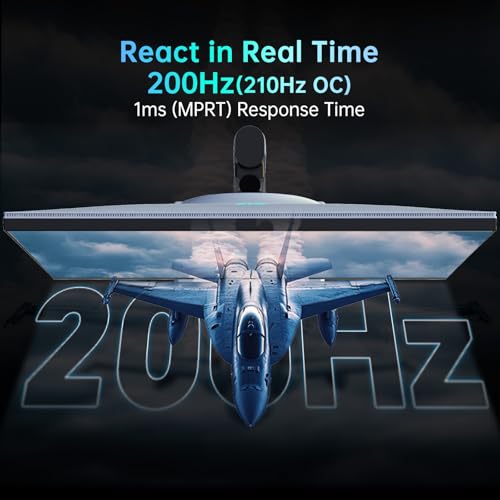
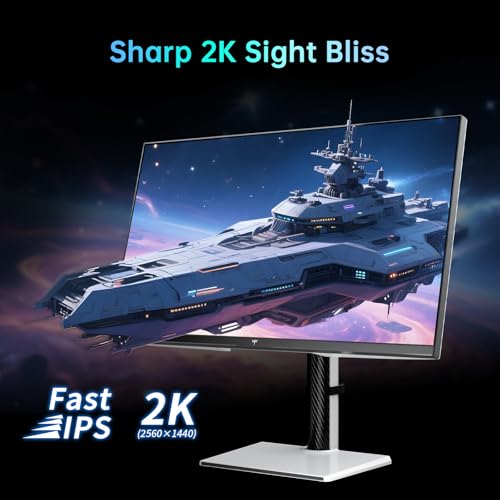
KTC 27 Inch Mini LED Monitor 1440P, 200Hz Up to 210Hz Gaming Monitor, HDR 1000, HDMI & DP, Swivel/Height/Pivot/Tilt Adjustable, VESA, White Vertical Monitor, M27T6S (Renewed)



As an Amazon Associate we earn from qualifying purchases. Product prices and availability are accurate as of the date/time indicated.
LG 27GM950B-B 27-inch Ultragear evo Mini-LED IPS 5K 165Hz Gaming Monitor | (5120 x 2880), NVIDIA G-Sync, AMD FreeSync Premium, DisplayHDR1000, AI Upscaling, HDMI, DP, USB-C, Tilt/Height/Swivel/Pivot


As an Amazon Associate we earn from qualifying purchases. Product prices and availability are accurate as of the date/time indicated.
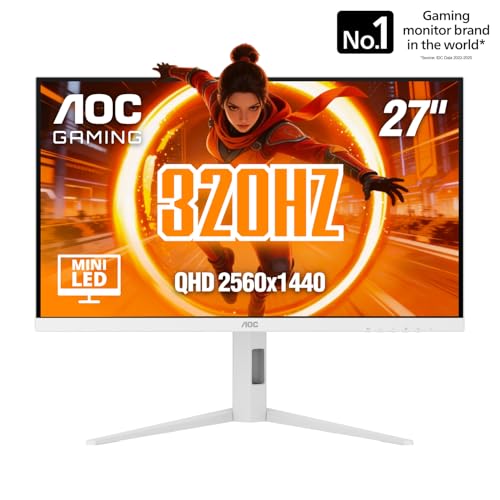
AOC 27 Inch Gaming Monitor QHD 320Hz Mini-LED HDR1000, White, Q27G4SLM/WS | 2560×1440 Computer Monitor, 1ms GtG, HDMI 2.1, DP 1.4, Height Adjustable Stand, Earphone Out, VESA Mount, Console Ready




As an Amazon Associate we earn from qualifying purchases. Product prices and availability are accurate as of the date/time indicated.
| Model | Key point from title | Price tier | Best for |
|---|---|---|---|
| KTC M27T6S (Renewed) | 27-inch Mini LED, 1440p, 200Hz up to 210Hz, pivot stand | Budget | Savers who accept a renewed unit |
| Acer Nitro MG275U X2 | QD-MiniLED IPS, 1440p, up to 210Hz, 1 DP and 2 HDMI 2.1 | Budget | New-unit value with console ports |
| AOC Q27G3XMN | Mini-LED, 180Hz, HDR1000 and HDR400 both named | Mid-range | Shoppers who will verify specs first |
| AOC Q27G4SLM/WS | Mini-LED, 1440p, 320Hz, 1ms GtG, white, console ready | Mid-range | Fast shooters and white desk setups |
| LG 27GM950B-B | 5K 5120×2880 Mini-LED IPS, 165Hz, USB-C, AI upscaling | Premium | Sharp text plus gaming, strong GPU |
The spec-sheet decoder: pixels, frame time and what the titles leave out
Two quick calculations separate these screens. Pixel density first: a 27-inch 2560×1440 panel works out to about 109 pixels per inch, while the 27-inch 5120×2880 LG reaches about 218. That is exactly double the density and four times the pixel count (14.7 million against 3.7 million), which is why 5K text looks smoother but graphics cards work far harder. These are our own calculations from the stated resolutions.
Frame time second: 165Hz refreshes every 6.1ms, 210Hz every 4.8ms and 320Hz every 3.1ms. A top-speed 1440p stream at 320Hz needs roughly 28 Gbps uncompressed at 8-bit, above the roughly 25.9 Gbps usable on DisplayPort 1.4, so the AOC Q27G4SLM reaches its top mode over HDMI 2.1 or with compression. Always check which port unlocks which mode.
Finally, the four things no title here states, which you should look for on the listing:
- The number of dimming zones, which sets how well bright objects stay clean on dark backgrounds
- Whether local dimming stays active in SDR or only in HDR mode
- Peak brightness at a realistic window size rather than a tiny highlight
- The stand’s tilt range and the VESA pattern
The five listings, one at a time
KTC M27T6S Mini LED Monitor (Renewed)
KTC lists a 27-inch Mini LED 1440p screen at 200Hz, up to 210Hz, with HDR 1000, HDMI and DisplayPort, a stand that swivels, pivots and tilts, and a VESA mount. “Renewed” means the unit is not sold as new, and the title also says “White Vertical Monitor”, which presumably refers to the white finish and the pivot rotation. It carries the lowest price in the set, so the main risk is condition and warranty terms rather than the specification. The refresh wording, 200Hz with an “up to 210Hz” mode, suggests the higher figure needs an overclock setting in the on-screen menu, so check how it is enabled and whether it affects image quality.
Pros
- Lowest price
- Pivot and height adjustment
- HDR 1000 claim on a 1440p panel
Cons
- Renewed condition means less certainty on coverage
- Port versions are not specified
- No response-time figure in the title
Who it’s for: bargain hunters who will inspect the screen promptly and know the return terms.
Acer Nitro MG275U X2biippx
The Nitro MG275U X2 lists a 27-inch QD-MiniLED IPS panel at 2560×1440, AMD FreeSync Premium, up to 210Hz and up to 0.5ms, HDR1000, AdobeRGB 95% coverage, one DisplayPort 1.4 and two HDMI 2.1 ports. The “up to” wording means the quoted figures are best-case modes, probably tied to overdrive settings. The wide-color claim is useful for creative work, and the two HDMI 2.1 inputs suit a console plus a PC. Its 210Hz ceiling is lower than the 320Hz AOC, but at 1440p many graphics cards struggle to exceed 210 frames per second in recent games, so the gap often matters less than the label suggests.
Pros
- Low price for a new unit
- Two HDMI 2.1 plus one DP
- Wide-color claim
Cons
- “up to” figures hint at conditional modes
- No USB-C or stand details in the title
Who it’s for: buyers who want a new Mini-LED screen at the lowest price and need console-friendly ports.
AOC Q27G3XMN
AOC’s Q27G3XMN is the confusing listing. It says 27-inch QHD 180Hz Mini-LED HDR1000, then adds “3440×1440”, “0.3ms” and “HDR400”, plus USB 3.2, DP 1.4, HDMI 2.1, a height-adjustable stand, audio out and a VESA mount. A 27-inch panel at 3440×1440 would be unusual, and two different HDR tiers cannot both be the headline. Verify the real specification before treating it as equal to the others. The price tier is mid-range. If the 3440×1440 figure is a typo, the panel is a standard 27-inch QHD; if it is real, the aspect ratio would differ from every other model here, and games and desktop scaling would behave differently. Either way, the safe approach is to read the manufacturer page rather than the seller title.
Pros
- Height-adjustable stand listed
- USB 3.2 and audio out included
- HDMI 2.1 present
Cons
- Contradictory resolution and HDR wording
- 180Hz is the slowest of the five
Who it’s for: careful shoppers who will confirm the specification page before ordering.
AOC Q27G4SLM/WS
This white AOC is a 27-inch 2560×1440 Mini-LED model at 320Hz with a 1ms GtG claim, HDR1000, HDMI 2.1 and DP 1.4, a height-adjustable stand, earphone out, a VESA mount and a “Console Ready” tag. The 320Hz figure is the highest refresh among the Mini-LED group, and the white finish suits light desks. Since DisplayPort 1.4 cannot carry the top mode uncompressed, the HDMI 2.1 port or compression decides how you reach it. The “Console Ready” tag is a marketing label, so confirm which resolutions and refresh rates your console can actually output over HDMI before relying on it.
Pros
- Fastest refresh here
- White finish
- Both HDMI 2.1 and DP listed
Cons
- Stand adjustments stop at height
- The top mode may require compression on DP
Who it’s for: fast-shooter players who want Mini-LED contrast and high refresh at a mid-range price.
LG UltraGear evo 27GM950B-B
LG lists a 27-inch Mini-LED IPS panel at 5K (5120×2880) and 165Hz, with NVIDIA G-Sync, AMD FreeSync Premium, DisplayHDR1000, AI upscaling, HDMI, DP and USB-C, and a stand that tilts, raises, swivels and pivots. The title names no port versions, so the 5K at 165Hz claim should be checked against the real connections. It is the most expensive item here and the only 5K one. At 165Hz, 5K needs about 58 Gbps of uncompressed pixel data at 8-bit by our arithmetic, so reaching the top mode relies on compression or on a newer port than the title shows. The AI upscaling line suggests lower-resolution content can be scaled up, and buyer comments on how that looks are worth reading.
Pros
- Very high pixel density
- Full stand adjustment
- Both adaptive-sync labels and USB-C listed
Cons
- Highest price
- 5K demands a strong graphics card or upscaling
- Port versions unclear
Who it’s for: buyers who split time between sharp desktop work and gaming and have a powerful GPU.
How we picked these
We searched for Mini-LED listings, kept those that name Mini-LED or QD-MiniLED in the title, and sorted them by resolution, refresh and ports. All claims come from published specifications, manufacturer documentation and buyer reviews. Nobody on the team used or measured these units. Where titles contradict themselves, we flag it, and any number beyond the title is labeled as our own estimate with its assumptions stated. We also left out any claim about contrast ratios or zone counts, since none of the titles provides them.
What to look for in a Mini-LED screen
Zone count and blooming
More zones mean smaller lit areas, so bright objects leave less halo. Because no title lists the count, treat the HDR1000 label as a brightness claim and not a promise of clean blacks. Buyer comments about halos around subtitles or cursors are more useful than a number. Ask whether text and cursors glow on a black desktop, because that is where blooming shows first, and whether the zones can be switched off if the halo bothers you.
Resolution and graphics power
At 27 inches, 1440p is the practical choice for fast games, and our 1440p versus 4K comparison explains the trade-off in more depth. The LG’s 5K asks for roughly four times the pixel work, so pair it with a capable card or accept upscaling. As a rule of thumb, if your card reaches around 100 frames per second in your favorite game at 1440p, expect only about 25 to 40 frames per second at native 5K, since the pixel load is four times higher. That is an estimate, and real results vary by game.
Refresh, response and ports
A higher refresh helps only if your frame rate reaches it. Match the monitor’s best port to the card, and keep console connections on HDMI 2.1. Look at response-time wording too: “up to 0.5ms” and “1ms GtG” use different conditions, so do not compare them directly. Overdrive modes that speed up pixels can add overshoot, which shows as bright trails behind moving objects.
HDR in practice
HDR1000 sounds bright, but real scenes depend on how long peak brightness holds and on the dimming algorithm. Turn on HDR in the operating system, set the in-game brightness sliders, and judge dark scenes in a dim room. If a game offers a peak-brightness calibration screen, use it, because setting it too high clips highlights and wastes the panel’s range.
Stand and desk fit
Pivot and swivel are only listed for the KTC and LG. The others list height only or nothing, so budget for a VESA arm if you need more movement. Placing the top edge of the screen at or slightly below eye level, with the panel about an arm’s length away, is a common ergonomic starting point and helps reduce neck strain.
Mistakes buyers make with Mini-LED
Buyers often assume every HDR1000 label means the same thing, when zone counts and local dimming behavior differ widely. Another common slip is choosing 5K and then running games below the native resolution on a weak card. People also forget the cable: a monitor with HDMI 2.1 does nothing at full speed over an old HDMI cable. Others buy renewed stock without reading return terms, or trust a title with contradictory specs. Finally, some leave HDR on for all desktop use, which raises brightness in places where it is not needed. A last habit to avoid is judging blooming from a photograph of a screen in a bright store, which says little about how it looks in your room.
Verdict
Pick the Acer Nitro for the lowest new price with console-friendly ports, the AOC Q27G4SLM for the fastest refresh, and the KTC if you accept a renewed unit and check the return terms. The LG suits people who want 5K text and gaming together, provided the graphics card can handle it. Leave the AOC Q27G3XMN until you have confirmed its true resolution and HDR tier on the manufacturer page, and treat every HDR claim as unverified until you have seen the panel in your own room.
Related guides
- What Is The Best Budget Most Responsive Gaming Mouse Wired
- Low Latency Gaming Headphones Usb-C 2.4 Ghz Wireless
- Low Latency Gaming Headphones Usb-C Dongle 2.4 Ghz
Frequently asked questions
Is a Mini-LED monitor better than a standard IPS monitor?
For contrast and HDR, usually yes, because many small backlight zones can dim dark areas and brighten highlights separately, which a normal edge-lit IPS screen cannot do. The price you pay is possible blooming, a halo around bright objects on dark backgrounds, and a higher cost. How much of that you notice depends on the zone count, which none of these titles state. Treat the HDR1000 labels as seller claims and check the listing for zone details.
Do Mini-LED monitors suffer from burn-in like OLED?
Mini-LED monitors use an LCD panel with an LED backlight, so they do not carry the same permanent image-retention concern that OLED screens do. They can show other quirks, such as haloing around bright text, uneven dimming and a short delay as zones respond. If you leave static windows open for long hours, that points toward Mini-LED over OLED, though it should not be the only factor in your decision.
Is the AOC Q27G3XMN really 3440×1440?
The title is contradictory. It calls the screen a 27 inch QHD model, which normally means 2560×1440, and then lists 3440×1440 in the secondary description. It also mentions both HDR1000 and HDR400. One of those pairs is probably a copy error. Before ordering, open the listing’s specification table and the manufacturer page, and confirm the resolution, the HDR tier and the port versions, because they change how the monitor behaves.
Can my graphics card drive 5K at 165Hz on the LG?
Native 5120×2880 holds about four times the pixels of 1440p, so frame rates fall sharply at that resolution, and most current cards will struggle in demanding games without upscaling. The cable matters too: 165Hz at 5K needs roughly 58 Gbps uncompressed at 8-bit, which exceeds the usable payload of DisplayPort 1.4 or HDMI 2.1. Expect compression or a lower refresh unless you run lighter titles. The listing mentions AI upscaling, so read how it works.
Is a renewed monitor like the KTC worth the savings?
It can be, if the seller’s return window and warranty are clear. Renewed generally means the unit was inspected and resold, not new, so look at what the listing says about condition, included accessories and how long coverage lasts. Check for any difference in the cosmetic grade. Inspect the screen for stuck pixels and uneven backlight right after delivery, while returns are still easy, and save the packaging until you are satisfied.
Related guides
- Curved vs Flat Monitor: Which to Choose for Your Desk
- 1440p vs 4K Monitor: Which Should You Choose?
- Best Curved Monitor: Seven 24 to 34 Inch Picks Compared by Curve Radius, Resolution and Inputs (2026)
- Best Budget Gaming Monitor: Eight Low-Cost 22 to 27 Inch Screens Compared by Ports and Refresh Claims (2026)