
Corner desks can feel oddly dark even when the rest of the room is well lit. Monitor stands, shelving, wall junctions, and the back edge of an L-shaped workstation create shadows that make a setup look flat—and can leave keyboards, notebooks, and decor without useful visual definition. The best RGB desk lights for corners solve that problem by adding a controlled wash of color or a focused task-light layer without occupying valuable desktop space.
For a gaming nook, the priority may be music sync and app control. For a compact home office, a clamp-mounted task lamp or under-monitor bar can make more sense than a tall floor lamp. Our 2026 roundup keeps those different needs in view, ranking the options by placement flexibility, control style, lighting purpose, and value.
As an Amazon Associate we earn from qualifying purchases at no extra cost to you.


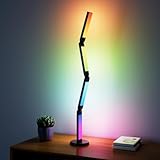




Our Top Picks


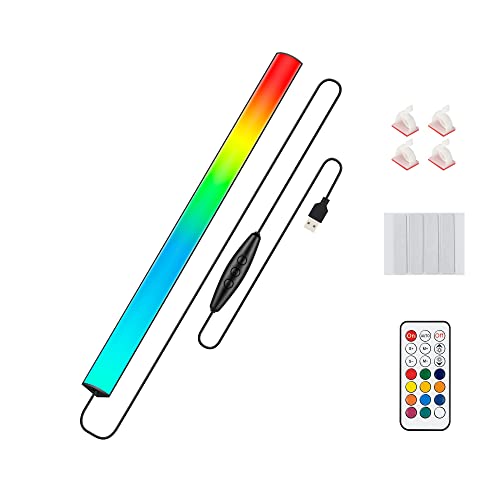
Top 3 picks at a glance
Quick Picks
| Product | Best for | Price |
|---|---|---|
| AXHHTVCGY RGB Light Bar | Low-cost shelf and monitor-edge accent lighting | Check on Amazon |
| RIYO LED Corner Floor Lamp | App-controlled corner ambiance on a budget | Check on Amazon |
| Flupuro 2 Pack ICRGB Corner Floor Lamp | Lighting two room corners at once | Check on Amazon |
| Electight Smart RGB LED Desk Lamp | A traditional desk-lamp form with atmosphere lighting | Check on Amazon |
| SIBRILLE Upgraded LED Desk Lamp with RGB | Work-focused desks needing RGB and task lighting | Check on Amazon |
| Under Monitor RGB Light Bar, 12 Inch | Keyboard and monitor-area lighting | Check on Amazon |
| Keepsmile Smart RGB LED Corner Floor Lamp | Feature-rich smart ambient lighting | Check on Amazon |
| Tyute Corner Floor Lamp | Premium-priced app and remote corner lighting | Check on Amazon |
How We Compared
We prioritized lights that suit the awkward geometry around a desk: the wall corner behind a monitor, the open floor beside a workstation, the underside of a display, and nearby shelves. We also considered whether each design is primarily ambient, task-oriented, or able to cover both roles. Control options matter here, since a corner light is often inconvenient to reach once furniture is in place.
Finally, we weighed the listed feature set against price. USB-powered bars are especially attractive for compact setups, while floor lamps can create a larger vertical glow. Where manufacturers do not provide dimensions, weight, or brightness measurements in the product information supplied, we do not assume them.
The Best Picks
1. AXHHTVCGY RGB Light Bar with Color Memory & Dimmable Brightness
The AXHHTVCGY RGB Light Bar is the best starting point for renters, students, and anyone who wants to add corner color at a budget price. Its magnetic installation makes it a practical candidate for a monitor edge, shelf, cabinet area, or the back wall of a small desk. It offers eight colors, dynamic modes, dimmable brightness, and color memory, so a preferred look does not need to be reset every time. USB power further suits cable-conscious desktop setups.
- Pro: Magnetic installation supports flexible placement.
- Pro: Color memory and dimming are useful at this budget tier.
- Con: Eight colors are more limited than full-spectrum RGB systems.
Skip it if you want app control, music sync, or a tall light source that fills an entire floor-to-ceiling corner.
2. RIYO LED Corner Floor Lamp RGB Color Changing Standing Lamp
The budget-tier RIYO LED Corner Floor Lamp is a strong fit for a desk corner that needs a visible vertical accent rather than another item on the work surface. Its standing format can sit beside a desk, behind a chair, or in the unused gap between furniture and wall. App and remote control offer two convenient ways to change the color-changing lighting, while sync capability gives gaming and entertainment setups a more animated feel. It is a sensible middle ground between basic light bars and higher-priced smart lamps.
- Pro: Floor-standing design keeps the desktop clear.
- Pro: Includes both app and remote control.
- Con: It is designed for ambiance, not stated as a dedicated task lamp.
Skip it if your main need is direct illumination for reading, paperwork, or detailed desk work.
3. Flupuro 2 Pack ICRGB Corner Floor Lamp
The Flupuro 2 Pack ICRGB Corner Floor Lamp earns its place for people furnishing a wider gaming room, paired desk setup, or room with two dark corners. With two lamps in one budget-tier box, it is the most natural choice when symmetry matters: place one at each side of a desk wall, behind dual workstations, or at opposite ends of a media-and-office space. The ICRGB designation signals a color-focused ambient-lighting approach, and the two-pack format avoids the need to buy matching units separately.
- Pro: Two lamps can create a balanced, layered room effect.
- Pro: Useful value for buyers lighting more than one corner.
- Con: The published listing information do not list app, remote, or music-sync controls.
Skip it if you only need one light or require confirmed smart-control features before buying.
4. Electight Led Desk Lamp with Atmosphere Lighting
The Electight Smart RGB LED Desk Lamp is for buyers who prefer a familiar desk-lamp silhouette but still want atmosphere lighting around a corner workstation. It bridges decorative RGB lighting and a more conventional desktop fixture. This makes it especially appealing for small desks where a floor lamp would consume room and an under-monitor bar would not provide the desired visual presence. Its smart RGB positioning suggests a more flexible mood-lighting role than a standard single-purpose office lamp.
- Pro: Desk-lamp format is easy to integrate into a compact workstation.
- Pro: Combines RGB styling with atmosphere-lighting intent.
- Con: It uses desktop space that a clamp or wall-mounted option would preserve.
Skip it if your desk surface is already crowded with speakers, monitor stands, and accessories.
5. SIBRILLE Upgraded LED Desk Lamp for Home Office with RGB
The SIBRILLE Upgraded LED Desk Lamp is the best choice here for a work-first corner desk that also needs RGB personality after hours. Its 22W rating, dual-head task lighting, rotatable design, remote, dimming, and clamp mounting give it the clearest productivity focus in this lineup. It sits in a higher tier than the ambient-only options, but the clamp can free up the desktop while the tall format helps direct light over a monitor PC area. This is the practical upgrade for hybrid work-and-gaming stations.
- Pro: 22W dual-head task lighting is purpose-built for a working desk.
- Pro: Clamp mounting and rotation improve placement flexibility.
- Con: It costs more than the ambient-only lamps and bars above.
Skip it if you only want a simple color wash behind a desk and do not need task lighting.
6. Under Monitor RGB Light Bar, 12 Inch
This 12-inch Under Monitor RGB Light Bar is a compelling budget choice for keyboard-area accent lighting. This budget bar is USB powered and operates at 5V, making it easy to pair with a desktop setup where a nearby USB power source is available. Its 353 color change modes and wireless remote give it a more expansive effects menu than many low-cost bars. Positioning it under a monitor can help define the front edge of a desk while adding ambient light around a PC setup.
- Pro: Compact 12-inch size suits under-monitor placement.
- Pro: 353 color change modes offer plenty of visual variety.
- Con: Its focused format will not replace a floor lamp’s room-corner glow.
Skip it if you need direct overhead task lighting or want to illuminate a large vertical wall corner.
7. Keepsmile Smart RGB LED Corner Floor Lamp
The Keepsmile Smart RGB LED Corner Floor Lamp is the best all-around feature pick for a bedroom, living-room office, or gaming corner. In the budget-to-mid-range tier, it combines app and remote control, music sync, and 16 million colors in a modern standing-lamp format. The stated 172 LEDs make it the most explicitly LED-dense floor-lamp option listed, which will appeal to shoppers comparing feature specifications. It is designed for ambient lighting, so it can establish a colorful backdrop behind a desk without adding clutter to the desktop itself.
- Pro: App, remote, music sync, and 16 million colors create broad control options.
- Pro: 172 LEDs stand out among the listed specifications.
- Con: It remains an ambient lamp rather than a dedicated work light.
Skip it if you need a clamp-mounted lamp aimed specifically at documents and keyboards.
8. Tyute Corner Floor Lamp with Music Sync
The Tyute Corner Floor Lamp is for shoppers who want a polished smart-lighting feature set and are comfortable stepping up to a mid-range tier. Like the strongest ambient picks, it offers app and remote control, music sync, and 16 million colors. Its intended rooms—bedroom, living room, and gaming room—also make it an easy match for a desk that shares space with relaxation or entertainment. Choose it when the corner light needs to be part of the room’s broader atmosphere, not merely a utility accessory behind a monitor.
- Pro: Includes app control, remote control, and music sync.
- Pro: 16 million colors support highly customized ambiance.
- Con: It costs more than several smart or color-changing alternatives.
Skip it if value is your top concern; lower-priced floor lamps cover many of the same broad use cases.
More RGB Corner Lights Worth Considering
The picks above focus on budget floor lamps, USB light bars and two RGB desk lamps. Competing 2026 guides also lean on a few better-known smart-lighting names and on wall-mounted designs that literally wrap around a corner. The six additions below fill those gaps, from a brighter RGBIC floor lamp to a monitor light bar that combines task light with an RGB backlight.
9. Govee RGBIC Floor Lamp Basic, 1000lm LED Corner Lamp

The Govee RGBIC Floor Lamp Basic is one of the most frequently recommended corner lamps in 2026 roundups, and it addresses the main weakness of the budget lamps above: brightness. Govee rates it at 1000 lumens, which is enough to give a dark corner real presence rather than just a faint tint. RGBIC means the light column is split into segments that can show several colours at once, so gradients and moving effects look smoother than on single-colour RGB lamps.
Control comes through the Govee Home app over Wi-Fi and Bluetooth, with voice control through Alexa and Google Assistant and a built-in music-sync mode. For a gaming corner, the music mode can react to in-game audio as well as music, and the lamp can join other Govee lights in a shared scene.
It suits buyers who liked the idea of the RIYO, Keepsmile or Tyute lamps but want a stronger light output and a more established app ecosystem. It is still an ambient lamp, not a task light, so pair it with a desk lamp for reading or paperwork.
Pros:
- 1000-lumen rating, brighter than most budget corner lamps.
- RGBIC segments for multi-colour gradients.
- Alexa and Google Assistant support plus music sync.
Cons:
- Mid-range tier, above the budget corner lamps in this list.
- No Apple Home support on the Basic model.
- Not a replacement for overhead room lighting.
Corner placement: stand it in the floor-level junction behind the desk, a few centimetres from both walls, so the light column washes both surfaces evenly. Set a slow gradient between two related colours, such as teal to purple, for a calm backdrop that does not distract during play, and save the faster music modes for parties or streams.
Compared with the Keepsmile lamp at #7, the Govee costs more but adds a clearly stated brightness rating and a larger smart-home ecosystem.
10. Govee Glide Wall Lights, Smart Gaming Light Bar

Floor lamps light a corner from the floor; Govee Glide lights let you draw the light directly on the wall. The kit consists of 30cm RGBIC segments plus connector corner pieces that mount with adhesive and link together, so you can run a line up one wall, turn the corner and continue along the other. That makes Glide one of the few products in this roundup that is genuinely designed around corner geometry.
Each segment can show its own colours, and the control box includes a microphone for music sync. Control runs through the Govee Home app, with Alexa and Google Assistant support. Kits come in several sizes, from a starter set with six segments and one corner piece up to larger bundles with multiple corners, so check which configuration the listing includes.
It is ideal for streamers and gamers who want a striking background on camera, or anyone who wants the corner behind the monitor to become a lit feature rather than a dark gap.
Pros:
- Corner pieces let the light follow the wall junction.
- RGBIC segments with many scene and music modes.
- Strong on-camera background for streaming.
Cons:
- Adhesive mounting; plan the layout before sticking it up.
- No physical power button on the control box.
- Small gaps between segments are visible up close.
Corner placement: a popular layout is a vertical run up each wall meeting at a corner piece above the monitor, framing the screen. Another is a horizontal line at eye level behind the desk that turns the corner and continues along the side wall. Keep the control box within reach, since it has no physical switch; a smart plug or switched power strip solves that.
Unlike the AXHHTVCGY bar at #1, which adds a strip of colour near the desk, Glide turns the whole wall corner into the lighting feature.
11. Philips Hue Play Light Bar, 2-Pack Base Kit

The Hue Play light bars are the premium choice for anyone who already uses Philips Hue bulbs or wants the most mature smart-lighting platform. Each compact bar can stand upright, lie flat, or mount to the back of a monitor or TV, so a pair works well tucked into a desk corner washing light up the wall. The 2-pack includes a power supply that can run up to three bars.
The key requirement is a Hue Bridge, which handles the Zigbee connection and unlocks Hue’s entertainment features. With the free Hue Sync desktop app, the bars can follow what is on your PC screen, and Hue also integrates with Razer Chroma and Corsair iCUE so the corner lighting can match your peripherals.
It is best for buyers building a whole-room lighting setup who value reliability and software polish over price.
Pros:
- Mature Hue app, automations and screen sync on PC.
- Flexible placement: upright, flat or mounted.
- Integrations with Razer Chroma and Corsair iCUE.
Cons:
- Premium tier, and the Hue Bridge is a separate requirement if you do not own one.
- Each bar shows one colour at a time rather than segmented gradients.
Corner placement: place one bar on each side of the monitor, angled toward the wall, or mount both on the back of the display so the light spills outward. For a single corner, standing both bars at the wall junction pointed upward creates a tall, even wash that rivals a floor lamp in effect.
Compared with the RGB light bars in the original list, Hue Play is far more expensive but integrates with a complete home lighting system.
12. Nanoleaf Lines Smart LED Wall Lights, 60 Degree Smarter Kit

Nanoleaf Lines are backlit light bars that join at 60-degree connectors, letting you build hexagons, zig-zags or abstract shapes on the wall above or beside a corner desk. Each line has two colour zones, and the system covers RGBW colour with white light from warm to cool. Lines connect directly to 2.4GHz Wi-Fi without a separate hub and also act as a Thread border router.
For gaming setups, the Nanoleaf Desktop App adds Screen Mirror, which matches the lines to your monitor’s colours, and integrations with Razer Chroma, Corsair iCUE and Overwolf can tie lighting to game events. Rhythm scenes react to music.
Lines are a design statement more than a light source; each bar is modest in brightness, so the effect is a glowing outline rather than room illumination.
Pros:
- Highly customisable wall shapes.
- Screen Mirror and game integrations on PC.
- Works with Apple Home, Google Home and Alexa.
Cons:
- Premium tier.
- Low brightness per bar; decorative rather than practical.
- Wall mounting with adhesive takes careful planning.
Corner placement: because Lines are backlit, they look best mounted on the wall above the monitor with a little clearance from the corner itself, so the glow spreads onto both walls. Plan the shape on paper first; the kit size determines how large a design you can build without buying expansion packs.
Against Govee Glide, Nanoleaf Lines offer more creative shapes and stronger PC integrations, while Glide is better at following a straight wall corner.
13. Quntis Curved Monitor Light Bar with RGB Backlight

Corner desks often host an ultrawide monitor, and that is exactly what this Quntis bar is built for. It clamps to the top of 34-inch-plus curved screens and has two foldable front heads that light the desk with adjustable colour temperature and stepless dimming, using an asymmetric design meant to avoid glare on the screen. On the back, a separate RGB backlight with 15 modes washes the wall behind the monitor.
That combination follows the buying-guide advice below to separate ambient and task lighting: one product handles both, without using any desk or floor space. It runs on 5V USB power and is controlled by a wireless puck remote.
It is the strongest pick here for a work-first corner with a curved monitor. The listing does not advertise music sync, so look elsewhere if reactive effects matter.
Pros:
- Task light and RGB backlight in one bar.
- Designed for 34-inch-plus curved monitors.
- Wireless remote and USB power.
Cons:
- Mid-range tier.
- Oversized for small flat monitors.
- No music sync on this version.
Corner placement: because the bar sits on the monitor, it works no matter how tight the corner is. Angle the front heads so the brightest area falls on the keyboard and notes, and set the RGB backlight to a soft colour or neutral white at low brightness to act as bias lighting during evening sessions.
Compared with the SIBRILLE clamp lamp at #5, the Quntis keeps light off the screen surface and takes up no clamp space on the desk edge.
14. TJOY 360° RGB Light Bars, Gaming Lights for Desk

TJOY’s light bars are a budget way to add vertical light to both sides of a monitor in a corner setup. The listing describes 360-degree RGB bars intended to stand on the desk, with music sync and remote control. Standing bars like these are commonly placed behind the monitor’s left and right edges to throw colour onto the walls forming the corner.
They suit students and first-time setup builders who want the floor-lamp look at desk scale without spending mid-range money, and they are easy to move between desks.
Pros:
- Budget tier.
- Music sync and remote included.
- Easy to reposition, no mounting required.
Cons:
- Uses desk space behind the monitor.
- No app ecosystem.
- Brightness is not specified in the listing.
Corner placement: put one bar behind each side of the monitor, slightly back from the screen edges, so the bars themselves stay hidden from your seat. Matching both bars to one colour gives a cleaner look than running two different effects side by side.
Compared with the 12-inch under-monitor bar at #6, the TJOY bars light the walls behind the screen rather than the keyboard area.
Buying Guide
Choose the Right Placement Style
Use a floor lamp when the empty area is beside or behind the desk and you want a tall wall wash. Choose a desk lamp when you need color plus usable light near the work surface. Light bars work best under a monitor, along a shelf, or behind a display; the 12-inch option is particularly tailored to a compact monitor zone. Clamp mounting is ideal when every inch of desktop space matters.
Separate Ambient Lighting From Task Lighting
RGB corner lamps create mood, depth, and a more finished-looking backdrop, but they are not automatically substitutes for a work lamp. If you read, write, draw, or spend long stretches at a computer, prioritize a task-oriented model such as the 22W SIBRILLE. If the goal is a gaming scene or soft room glow, app-controlled floor lamps and RGB bars are better aligned with the job.
Match Controls to Your Routine
A remote is useful when the lamp is tucked behind furniture. App control suits people who regularly change scenes or colors, while music sync is most relevant for gaming, movies, and social spaces. Also consider power: USB-powered models can simplify a desk setup, but they need an available USB connection. Check the manufacturer’s current dimensions before purchase when fitting a light into a narrow corner.
Understand RGB, RGBIC and RGBW Labels
The letters on the box describe how the light can behave, and they matter more in a corner than almost anywhere else, because a corner shows gradients clearly across two walls.
- RGB: the whole light shows one colour at a time. Fine for a simple tint.
- RGBIC: independent control chips split the light into segments, so one lamp or bar can show several colours at once and run flowing effects. This is what creates the rainbow-gradient corner look in most gaming setups.
- RGBW or RGBWW: adds dedicated white LEDs, so the light can produce a cleaner warm or neutral white for everyday use, not just a pinkish mix of red, green and blue.
Check Brightness, Not Just LED Count
LED counts and “16 million colours” claims say little about how much light reaches the wall. Look for a lumen rating where one is provided; a 1000-lumen corner lamp fills a wall noticeably more than an unrated budget lamp. Keep in mind that saturated colours like deep blue and red always look dimmer than white at the same setting.
Use Bias Lighting to Reduce Eye Strain
A soft light behind or beside the monitor, often called bias lighting, reduces the contrast between a bright screen and a dark wall. Many people find long evening sessions more comfortable with it. A neutral white around 6500K is the traditional choice for bias lighting, which is one reason RGBW lights and monitor bars with a white mode are worth considering.
Think About Ecosystem and Sync
If you already use Philips Hue, Govee, Nanoleaf, Razer Chroma or Corsair iCUE, choosing lights that work with the same app makes scenes and syncing much easier. Mixing brands usually means several apps and lights that cannot change together.
Comparison of the Additional Picks
| Light | Type | Price tier | Control | Main role | Best for |
|---|---|---|---|---|---|
| Govee RGBIC Floor Lamp Basic | Floor lamp | Mid-range | App, voice, music sync | Ambient | Brighter corner wash |
| Govee Glide Wall Lights | Wall segments with corner pieces | Mid-range | App, voice, music sync | Ambient, decorative | Following the wall corner, streaming backdrops |
| Philips Hue Play Light Bar 2-Pack | Light bars | Premium | Hue app, Bridge, PC screen sync | Ambient | Whole-room Hue setups |
| Nanoleaf Lines 60 Degree Kit | Wall light lines | Premium | App, voice, Screen Mirror | Decorative | Custom wall art above the desk |
| Quntis Curved Monitor Light Bar | Monitor bar with RGB backlight | Mid-range | Wireless remote | Task and ambient | Work-first desks with curved monitors |
| TJOY 360° RGB Light Bars | Standing desk bars | Budget | Remote, music sync | Ambient | Low-cost wall glow behind a monitor |
Recommended Combinations by Corner Type
Most corners look best with two light sources at different heights. These pairings use products from both the main picks and the additions above.
- Small L-shaped home office: the Quntis curved monitor bar or SIBRILLE clamp lamp for task light, plus the AXHHTVCGY magnetic bar on a shelf edge for a touch of colour.
- Gaming corner on a budget: the RIYO or Keepsmile floor lamp behind the desk with the 12-inch under-monitor bar or TJOY bars at desk height.
- Streaming backdrop: Govee Glide running around the wall corner, plus a Govee RGBIC floor lamp in the same app so both can share scenes.
- Smart-home desk: Philips Hue Play bars at the wall junction, with the rest of the room on Hue bulbs, so one app and one scene controls everything.
- Design-led setup: Nanoleaf Lines above the monitor, with a neutral white desk lamp such as the Electight for working hours.
- Two dark corners: the Flupuro two-pack, one lamp on each side of the desk wall, for a symmetrical glow.
Corner Lighting Setup Tips
- Light the wall, not your eyes. Aim floor lamps and bars so the light source is hidden behind the monitor or furniture and only the reflected glow is visible from your chair.
- Layer two heights. A floor lamp or wall lights at the back of the corner plus a monitor or keyboard light at desk height creates depth instead of a single bright patch.
- Keep reflections off the screen. Avoid placing bright lights directly behind you or to the side at screen height, where they reflect in glossy panels.
- Plan the power. USB-powered bars can run from a monitor or a powered hub, while floor lamps and wall kits need a wall outlet. A single switched power strip lets you turn the whole corner off at once.
- Use white for work, colour for play. Save one warm or neutral white scene for daytime work and keep the saturated colour scenes for gaming and evenings.
- Test layouts before using adhesive. For wall kits like Glide or Lines, hold the layout up with painter’s tape for a day to see how it looks from your seat.
- Mind the camera. If you stream or take video calls, a coloured glow behind you looks good, but keep your face lit with a neutral white source so skin tones stay natural.
Our Verdict
Our top pick is the AXHHTVCGY RGB Light Bar: its magnetic mounting, color memory, dimming and USB power make it the easiest, lowest-cost way to bring color into a desk corner. For a more complete smart ambient setup, the Keepsmile corner floor lamp combines 172 LEDs, app and remote control, music sync, and 16 million colors. For serious workstations, the SIBRILLE is the standout because it adds 22W dual-head task lighting to its RGB features.
FAQ
Are RGB desk lights bright enough for working?
Ambient RGB lights are best for atmosphere and background glow. For reading, writing, and detailed computer work, choose a task-focused desk lamp. The SIBRILLE is the clearest work-oriented option here because it is specified as 22W dual-head task lighting.
Where should I put an RGB light in a desk corner?
Place a floor lamp in the floor-level junction behind or beside the desk to wash the walls with color. Put a light bar under the monitor or along a rear shelf for a closer, more contained effect. Avoid placement where the light source shines directly into your eyes or screen.
Is a USB-powered RGB light enough for a desk setup?
Yes, if you want compact accent lighting. USB-powered choices such as the AXHHTVCGY bar and the 12-inch under-monitor bar are convenient for monitor, shelf, and keyboard zones. They are less suited to creating the large vertical glow of a standing corner lamp.
Do I need app control for a corner lamp?
No. A remote is often enough for occasional adjustments. App control is worth paying for if you frequently change colors, use music sync, or want to manage the lamp after it has been placed behind a desk or other furniture.
What is the difference between RGB and RGBIC corner lamps?
A standard RGB lamp shows one colour across the whole light at a time. An RGBIC lamp is divided into separately controlled segments, so it can display several colours at once and run flowing gradient effects, which look especially good across the two walls of a corner.
Can RGB corner lights sync with my games or screen?
Some can. Philips Hue Play bars sync to a PC screen through the Hue Sync desktop app, Nanoleaf Lines offer Screen Mirror through the Nanoleaf Desktop App, and Govee lights can react to sound through music-sync modes. Budget lamps typically offer only music sync through a microphone.
Are wall-mounted light bars safe for rental walls?
Most kits use adhesive pads. They usually come off cleanly from smooth painted surfaces when removed slowly, but they can lift paint on fresh or textured walls. Test one pad in an unseen spot first.
How bright should a corner lamp be?
For a noticeable wall wash in a dim room, look for a lamp with a published lumen rating; around 1000 lumens is bright enough to light a corner well. Purely decorative pieces like wall light lines are much dimmer and are meant for effect rather than illumination.
Do I need a hub for smart RGB lights?
It depends on the brand. Govee and Nanoleaf lights connect over Wi-Fi without a hub, while Philips Hue Play light bars require a Hue Bridge. Budget lamps with only a remote need no hub or app at all.
Related guides
- Best Ultrawide Gaming Monitors: Six Screens Sized Against Real Desks: 6 Compared (2026)
- Best Game Room Neon Lights: Ten Signs and Icon Lamps Compared: 10 Compared (2026)
- 10 Best 75% Hot-Swappable Mechanical Keyboards (October 2026)
- Best Mini-LED Monitor: Five Listings From a Renewed KTC to a 5K LG, Compared by Pixels and Ports (2026)









