Shopping for one wireless charger that can handle a phone, earbuds, and a smartwatch sounds simple—until you discover that “3-in-1” can mean very different things. Some models are true multi-device stations with dedicated charging zones. Others are simply large pads that let you place several Qi-compatible devices wherever they fit. And a low price can hide a missing wall adapter, weak charging output, or a watch puck that only works with one brand.
The most common mistakes are buying for the number of devices rather than the devices themselves, assuming every magnetic charger offers fast charging, and overlooking the size and shape of the charger on a nightstand or desk. A good multi-device charger should reduce cable clutter without creating a fussy daily routine. Before comparing colors, foldable designs, or LED lights, make sure the charger fits your device mix, charging habits, and available space.
As an Amazon Associate we earn from qualifying purchases at no extra cost to you.


Our Top Picks


Top 3 picks at a glance
Decide These 3 Things First
- List the devices you will charge at the same time. Write down the exact phone, earbuds, smartwatch, and any second phone you expect to charge overnight. A phone plus earbuds needs a different layout than an iPhone, Apple Watch, and AirPods setup. Most Apple-focused stands will not wirelessly charge a Galaxy Watch, while many flat pads cannot charge a watch at all.
- Choose between a pad and a stand. A flat charging mat is usually better for mixed brands, travel, and phones that do not use magnetic alignment. A vertical stand is better for a bedside table or work desk because it keeps the phone visible for alarms, notifications, and video calls.
- Set a realistic budget including the adapter. Expect roughly $15 to $25 for a basic multi-device station, $30 to $70 for a better-equipped 3-in-1 model, and $80 to $180 for a premium Qi2 or brand-certified option. Check whether a 20W, 30W, or 45W USB-C wall adapter is included; buying one separately can add $15 to $35.
Size and Footprint
Measure the surface before you buy. A compact upright 3-in-1 stand typically occupies a footprint of about 5 to 7 inches wide and 3.5 to 5 inches deep. That works well on a nightstand with limited room, although a tall phone stand can reach 6 to 9 inches high. Make sure it will not interfere with a shelf, headboard, or wall-mounted lamp.
Flat charging mats take more horizontal space but are often more flexible. A slim three-device mat may measure approximately 10 to 13 inches long by 3.5 to 5 inches wide, with a thickness of 0.2 to 0.5 inch. These are useful for a desk, entry table, or travel bag, particularly when your household uses a mix of iPhone, Samsung Galaxy, Google Pixel, and Qi-compatible earbuds.
Also consider phone size. A charging stand should support large phones without feeling top-heavy, including models around 6.7 to 6.9 inches tall. If you use a thick wallet case, a ring grip, or a camera-heavy phone case, a flat pad may be less frustrating than a magnetic stand. For travel, look for a folding model under 8 ounces and ideally no larger than 6 by 4 inches when folded.
Materials and Surface Finish
The charging coils are hidden, but the exterior material affects stability, cleaning, heat handling, and how well the charger fits into a room. Plastic chargers are common at every price level. They are lightweight and inexpensive, but glossy plastic can collect fingerprints and slide across a smooth tabletop. Look for rubber feet on the underside and a soft-touch or matte finish on the top.
PU leather charging mats provide a warmer, more furniture-friendly look and can be easy to wipe clean with a lightly damp cloth. They are especially practical for a desk or console table because they disguise small scuffs better than shiny molded plastic. However, avoid placing them in direct sun or against a heat source, which can age synthetic leather more quickly.
Aluminum or zinc-alloy stands usually feel more substantial and may weigh 10 to 20 ounces rather than 5 to 10 ounces for a lightweight plastic station. That extra weight helps when removing a magnetically attached phone one-handed. Fabric-covered pads look soft and blend into bedrooms, but they can be harder to clean after makeup, coffee, or skincare spills.
Construction and Device Layout
Construction matters most in the areas you touch every day: hinges, charging arms, cable ports, and device ledges. On a folding station, the hinge should hold its chosen angle without sagging under the weight of a phone. A usable phone ledge should be at least 0.3 inch deep, with a lip or silicone strip that prevents the phone from slipping forward.
Dedicated charging zones are generally easier to live with than a single large pad. A typical 3-in-1 stand has one magnetic or upright phone charger, one watch charger, and one low-profile earbud pad. This is convenient, but it is less adaptable if you want to charge two phones. In that case, choose a wide mat with two or three independent Qi zones, or pair a 3-in-1 station with a separate USB-C cable.
Pay close attention to the watch section. Apple Watch-compatible chargers often use a small magnetic puck or a built-in charging disc; neither is automatically compatible with Samsung, Google, Garmin, or Fitbit watches. If a model asks you to insert your existing watch cable, factor in the extra setup and the appearance of exposed cable routing.
Charging Performance and Everyday Convenience
Wireless charging is inherently less efficient than plugging in a cable, and alignment has a major effect on speed and heat. For a current phone, look for a charger that clearly states its supported standard and output. A basic Qi pad may offer 5W to 7.5W for some phones. Better models commonly offer up to 10W or 15W, while properly certified magnetic systems may support higher-speed charging on compatible devices.
Do not judge a station by its biggest number alone. A “25W” or “30W” label may describe the combined power available to all charging zones, not the wattage delivered to one phone. Read the fine print for per-device output. A practical three-device setup might need 15W for the phone zone, 5W for earbuds, and 2.5W to 5W for the watch zone.
Magnetic alignment is worth paying for if you charge in the dark, use your phone as a clock, or frequently pick it up and put it back down. Qi2-compatible magnetic chargers are designed to make alignment more consistent on supported phones and cases. For non-magnetic phones, choose a pad with visible placement guides, a centered coil marker, or a slightly recessed charging area.
Case compatibility is equally important. Most standard wireless chargers work through slim plastic or silicone cases up to about 3 mm thick. Thick rugged cases, metal-backed cases, pop grips, card holders, and magnetic wallets can block charging or cause excess heat. Remove cards from wallet cases before charging; heat can damage magnetic stripes and may affect some RFID cards.
Price Tiers
Budget: $15 to $30. At this level, expect molded plastic, basic Qi charging, a compact footprint, and modest total output. A low-cost Apple-oriented station can be a sensible bedside choice if it includes the required cable and supports your particular watch. The tradeoffs may include a lighter base, brighter status LEDs, slower phone charging, or no wall adapter.
Mid-range: $30 to $80. This is the sweet spot for most buyers. Look for a 20W to 45W USB-C adapter in the box, a weighted base, better cable management, fold-flat travel capability, and clearly labeled output for each device. A slim PU leather three-device mat around $40 can make sense for mixed phone brands, while a sturdier magnetic stand near $50 to $70 is often better for an Apple-centered setup.
Premium: $80 to $180. Premium chargers should earn their price with certified charging support, stronger magnetic alignment, refined materials, a compact power supply, and a longer warranty—not just a luxury finish. This tier is best for people who charge the same three devices daily and want a durable station that looks intentional on a desk or nightstand.
Warranty
Look for at least a 12-month warranty and a straightforward support contact. Budget marketplace chargers may offer only 30 to 90 days of coverage, while better-known brands often provide 18 months or two years. Read whether the warranty covers the power adapter, built-in watch module, and detachable USB-C cable; these are common failure points.
Keep the order confirmation and packaging until you have tested all zones. Within the return window, charge each device for at least one full session, test it with your normal case installed, and confirm that the charger does not repeatedly start and stop charging. As of 2026, clear compatibility labeling and recognized safety certification marks are more valuable than vague claims such as “universal fast charge.”
Delivery, Assembly, and Setup
Most chargers arrive ready to use, but “ready” may mean very different things. The simplest models require only plugging a USB-C cable into the station and wall adapter. Others require unfolding a stand, routing an Apple Watch cable through a channel, or removing a protective film from several charging surfaces.
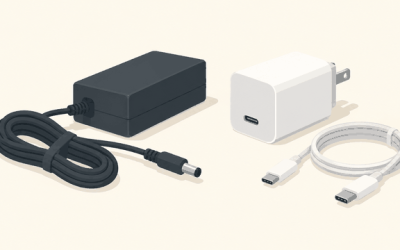
Before ordering, check the box contents. Ideally, a multi-device charger includes the charging station, a 3- to 5-foot USB-C cable, and a properly rated wall adapter. If the adapter is not included, verify the required input: many stations need USB-C Power Delivery at 20W or more, while higher-output models may call for 30W or 45W. Using an old 5W USB-A phone cube can leave all three devices charging slowly—or prevent simultaneous charging altogether.
For a nightstand, choose a model with a dimmable or switchable LED. For travel, prioritize a detachable cable and a foldable body over a large fixed base. There is no meaningful assembly benefit to a station that requires tools; a well-designed charger should take less than five minutes to set up.
Spec Checklist
| Spec | Budget | Mid | Premium |
|---|---|---|---|
| Typical price | $15–$30 | $30–$80 | $80–$180 |
| Phone charging output | 5W–10W | 10W–15W | 15W+ on compatible certified systems |
| Power adapter | Often not included | Usually 20W–45W USB-C included | Included, compact USB-C PD adapter |
| Construction | Light plastic, basic rubber feet | Weighted base, better hinge or mat finish | Metal-weighted base, refined finish, robust hinge |
| Best use | Occasional bedside charging | Daily desk, nightstand, or travel use | Permanent, polished multi-device setup |
| Warranty target | 90 days–1 year | 1–2 years | 2 years or longer |
Red Flags
- A headline wattage with no per-device output details.
- “Magnetic” language without saying whether the charger supports Qi2, MagSafe-compatible cases, or only a magnetic ring.
- No mention of the required wall adapter or input rating.
- A watch charger described only as “universal.” Watch charging standards are rarely universal.
- Claims of charging through any case, regardless of thickness or accessories.
- A very light stand with no stated base weight, rubber feet, or phone support lip.
- Constantly illuminated LEDs with no dimming or shutoff option for bedroom use.
- No warranty terms, return details, or identifiable customer support.
FAQ
Can one wireless charger charge three devices at full speed?
Sometimes, but only if the charger has enough total input power and separate charging zones designed for simultaneous use. Check the output assigned to the phone, earbuds, and watch individually. A 30W to 45W USB-C power source is a common requirement for better three-device stations.
Do all wireless chargers work with iPhone, Samsung, and Pixel phones?
Many phones from these brands support Qi wireless charging, so a standard flat Qi pad can work across brands. Magnetic alignment and smartwatch charging are more brand-specific. Confirm compatibility for your exact phone case and watch before buying.
Is a charging mat better than a 3-in-1 stand?
Choose a mat if you have mixed-brand devices, want to charge two phones, or need a slim travel-friendly surface. Choose a stand if you primarily charge one phone, earbuds, and a compatible smartwatch and want the phone upright for easy viewing.
Will wireless charging damage my battery?
Normal wireless charging does not inherently damage a phone battery. Heat is the bigger concern, so use a reputable charger, maintain clear airflow, avoid charging on soft bedding, and remove unusually thick cases or accessories that make the phone run hot.