
Your desk is where your phone, earbuds, and probably a smartwatch all end up by the end of the day — usually scattered across three corners with a tangle of cables underneath. A good 3-in-1 wireless charger solves that in one move: one pad, one power brick, one spot where everything tops up overnight or during the workday. The catch is that the market is flooded with lookalike stations ranging from bargain-bin plastic to polished aluminum, and it’s genuinely hard to tell a budget charger that works from a budget charger that cooks your battery.
We sorted through the crowd and landed on eight picks that cover the real-world scenarios: the Apple user who wants a tidy nightstand-and-desk combo, the Samsung owner tired of charging stands that only speak iPhone, and anyone who wants MagSafe-style magnetic alignment without paying premium-brand prices. Below you’ll find quick picks, detailed mini-reviews, and a buying guide to help you match wattage and form factor to your actual setup. Whether you’re upgrading your workspace in 2026 or just replacing a fraying cable, there’s a solid option here at a budget or mid-range price.
As an Amazon Associate we earn from qualifying purchases at no extra cost to you.


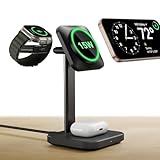





Our Top Picks


Top 3 picks at a glance
Anlmz 3 in 1 Charging Station - Wireless Charger for Apple Multiple...Check priceGETPALS Wireless Charger iPhone Charging Station for Apple Multiple DevicesCheck priceQuick Picks
| Product | Best for | Price |
|---|---|---|
| Anlmz 3 in 1 Charging Station | Budget Apple desk setups | Check on Amazon |
| GETPALS Wireless Charger Charging Station | Value multi-device charging | Check on Amazon |
| ESR 3 in 1 Wireless Charging Station | Magnetic Apple charging on a budget | Check on Amazon |
| Anker MagGo 2-in-1 MagSafe Compatible Qi2 Stand | Premium iPhone + earbuds desks | Check on Amazon |
| Wireless Charger for Samsung, Foldable & Nightlight | Travel-friendly Samsung desks | Check on Amazon |
| Anker 313 10W Wireless Charger Stand | Single-phone simplicity | Check on Amazon |
| Wireless Charger for Samsung S25 with Clock | Android nightstand + desk duty | Check on Amazon |
| Samsung Wireless Charger Fast Charging Stand | Budget Galaxy phone-only desks | Check on Amazon |
How We Compared
We focused on chargers suited to a desk environment — meaning stable stands that keep your phone visible for notifications and video calls, rather than flat pads buried under paperwork. Every pick charges at least a phone, and most handle phone-plus-earbuds (often with a watch puck included). We prioritized recognized safety certifications like Qi and Qi2, reputable brands where possible, and realistic budget-to-mid-range pricing. We deliberately excluded anything with known overheating complaints and avoided inventing performance claims — the numbers below come from manufacturer specs and owner feedback, not lab measurements.
The 8 Best Picks
1. Anlmz 3 in 1 Charging Station — Best budget pick for Apple desks
At a budget price, this is one of the cheapest credible ways to park an iPhone, AirPods, and Apple Watch in one footprint. The tiered design keeps the phone upright at a glanceable angle, which matters if your “charging station” doubles as your video-call perch. It’s a natural fit for a home office nightstand or a guest-room desk where you don’t want to spend real money.
- Charges three Apple devices from a single outlet
- Aggressive budget price
Build quality is functional plastic, not premium — don’t expect weighted metal bases.
Skip it if: you want fast Qi2 magnetic charging or a charger that looks like part of your desk decor.
2. GETPALS Wireless Charger Charging Station — Best value alternative
Matching that budget price point, the GETPALS station targets the same Apple multi-device crowd and works well as a second charger — one for the desk, one for the nightstand — without doubling your spend. It’s a sensible pick for students or anyone furnishing a first apartment where every dollar counts.
- Three-device charging at an entry-level price
- Compact footprint suits smaller desks
It’s a generic design with less brand accountability than Anker or Samsung options.
Skip it if: you’d rather pay slightly more for a certified, name-brand unit with better support.
3. ESR 3 in 1 Wireless Charging Station — Best budget magnetic pick
ESR’s 3-in-1 stand brings magnetic alignment to the budget tier. The phone pad charges MagSafe-compatible iPhones at up to 15W and holds the phone with about 1,000 g of magnetic force, so it snaps onto the coil instead of sliding off it. Beside it sit a magnetic AirPods pad and an officially certified Apple Watch charger that detaches as a compact USB-C puck for travel. It costs a little more than the Anlmz and GETPALS stations, and that step up mostly buys the magnets and the certified watch charger.
- 15W magnetic iPhone charging with firm alignment
- Certified Apple Watch charger doubles as a travel puck
The watch and earbuds spots charge at standard speeds, and phones without built-in magnets need a magnetic case to attach.
Skip it if: you want 25W Qi2.2 speeds or a station built around a Samsung phone.
4. Anker MagGo 2-in-1 MagSafe Compatible Qi2 15W Stand — Best premium pick
The MagGo is the pick for people who take their desk seriously. Qi2 means true 15W magnetic charging for compatible iPhones, snapping into perfect alignment every time, with a dedicated pad for earbuds beside it. Anker’s build quality and warranty support make the mid-range price easy to justify if you charge at your desk all day, which is why it is the upgrade pick over our #1 Anlmz station.
- Qi2 15W magnetic fast charging with reliable alignment
- Anker’s build quality and customer support
It’s a 2-in-1, so Apple Watch users need a separate puck.
Skip it if: you need three-device charging in one unit or want to stay in the budget tier.
5. Wireless Charger for Samsung, Foldable & Nightlight — Best foldable for small desks
Samsung owners get a rare treat here: a foldable 3-in-1 station with a built-in nightlight at a budget-to-mid-range price. Fold it flat for travel or a drawer, prop it up on the desk for an upright charging angle. The soft ambient light doubles as a desk accent or a dim bedside glow.
- Folds flat for travel and storage
- Built-in nightlight with multiple brightness modes
The nightlight is a love-it-or-hate-it feature on a shared desk.
Skip it if: you want a rigid, fixed-position stand that never moves.
6. Anker 313 10W Wireless Charger Stand — Best single-device pick
If your earbuds charge in their case off any pad and you just want one rock-solid phone stand, the budget-priced Anker 313 is the no-drama answer. Qi-certified 10W max output, two charging coils so you can stand the phone in portrait or landscape, and a footprint small enough for the corner of any desk.
- Landscape mode is great for video calls and streaming
- Qi-certified with trusted Anker safety circuitry
No earbuds pad — it’s strictly a one-device charger.
Skip it if: you specifically want phone and earbuds on a single base.
7. Wireless Charger for Samsung S25 with Clock 3 in 1 — Best Android nightstand-desk hybrid
Built around Galaxy phones like the S25, this mid-range station adds a clock display to the charging duties, letting it pull double duty between your desk and nightstand. It charges a Samsung phone, earbuds, and a Galaxy Watch, making it one of the few genuine Android alternatives to Apple-centric docks.
- Full Galaxy trio coverage including watch
- Integrated clock display replaces a separate alarm clock
The clock is always visible, which some light-sensitive sleepers won’t enjoy.
Skip it if: you’re an iPhone household — the ecosystem fit is wrong.
8. Samsung Wireless Charger Fast Charging Stand — Best Samsung-focused budget option
At a budget price, this Samsung-focused charging stand is an easy way to get a Galaxy-oriented stand on your desk. The upright stand keeps your phone screen visible; check the listing for the supported fast-charging mode and whether it is a first-party Samsung product before ordering.
- Designed with Galaxy phones in mind
- Budget price with a simple, sturdy stand design
It charges only the phone — earbuds and watches need their own spots.
Skip it if: you want a single dock handling all your devices.
Step-Up Picks: Faster Qi2 and Qi2.2 Charging Stations
The eight picks above keep costs low, which means most top out at 15W or less for the phone. In 2026, the newer Qi2.2 standard pushes magnetic wireless charging to 25W on supported phones, and several brands now pair it with an earbuds pad and a watch charger in one desk unit. The five stations below sit in higher price tiers than the main list, but they charge faster, include the power adapter, and in several cases add cooling to keep speeds up during long desk sessions.
9. Belkin UltraCharge 3-in-1 Foldable with Qi2.2 25W — Best all-round upgrade for iPhone desks

Belkin’s UltraCharge 3-in-1 Foldable is Qi2.2 certified, so supported phones charge at up to 25W while other Qi2 phones charge at up to 15W. Belkin states it can take an iPhone 16 from empty to 50 percent in about 29 minutes when running iOS 26 or later. Beside the magnetic phone pad, an earbuds pad provides up to 5W for AirPods or other Qi-charging cases, and an MFi-certified Apple Watch module supports fast charging on compatible models such as Series 10.
The design folds into a compact block, around 106 x 60 x 27 mm, so it doubles as a travel charger, and Belkin’s ChillBoost passive cooling is designed to manage heat during fast charging. A 45W USB-C power supply and a 5 ft cable are included, which removes the hidden extra cost many budget stations carry. It works through MagSafe cases up to about 3 mm thick.
Strengths: Full-speed Qi2.2 charging; Apple Watch fast charging; power adapter in the box; folds for travel; two-year warranty.
Drawbacks: Sits in the premium tier, several times the cost of the Anlmz and GETPALS stations. Belkin also sells a non-folding UltraCharge Pro dock under similar names, so check the model description before ordering.
How it compares: It is the natural upgrade from the Anker MagGo 2-in-1 in the main list if you want a watch charger built in and faster phone charging.
10. ESR CryoBoost 3-in-1 Qi2.2 25W Charging Stand — Best for sustained fast charging

Wireless charging slows down when the phone heats up, which is why a 25W charger often delivers less in practice. ESR’s CryoBoost stations add a small fan behind the phone pad to keep temperatures in check so the phone can hold faster speeds for longer. A button lets you switch the fan off when you want silence on a nightstand.
The station is Qi2.2 certified for 25W magnetic charging on supported phones, with a 5W pad for an earbuds case and an Apple Watch charger, so the full phone-earbuds-watch trio fits in one footprint. ESR includes a high-wattage wall adapter in the box, and the magnetic pad works with MagSafe-compatible cases.
Strengths: Active cooling helps maintain charging speed; full 3-in-1 coverage; adapter included; fan can be turned off.
Drawbacks: A fan adds a faint noise and one more moving part to wear out over time. It sits in the premium tier.
How it compares: If you charge at your desk during long video calls or gaming sessions, the CryoBoost is the station most likely to keep the phone cool. The cheaper picks above will work but will throttle sooner.
11. UGREEN MagFlow Qi2.2 25W 3-in-1 Foldable — Best compact travel-and-desk combo
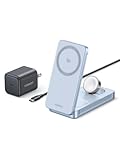
UGREEN’s MagFlow folds into a pocket-sized block that weighs about 7.4 oz, yet it still handles 25W Qi2.2 charging on supported iPhones. Sixteen magnets hold the phone firmly, dual hinges let you adjust the viewing angle, and a pop-out Apple Watch puck retracts into the body when not in use. The earbuds pad and watch puck each provide 5W, and there is a spare 5W USB-C port for a fourth device.
A 45W adapter and cable are included. UGREEN’s ThermalGuard uses temperature sensors to manage heat during charging.
Strengths: Very compact for a 3-in-1; extra USB-C port; adjustable angle; adapter included.
Drawbacks: The watch puck on this version charges at standard 5W rather than Apple’s fast-charge rate, and a light foldable is less stable for one-handed phone removal than a weighted stand. It sits in the premium tier.
How it compares: It is a faster, more travel-friendly alternative to the Samsung foldable with nightlight in the main list, aimed at iPhone users rather than Galaxy owners.
12. Belkin UltraCharge Modular 3-in-1 Qi2.2 Dock — Best for Android and mixed-device desks

Most 3-in-1 stations assume an Apple Watch. Belkin’s Modular dock instead includes a pop-out tray and silicone inserts for your own official watch charger, with a USB-C output in the base to power it. That means a Samsung Galaxy Watch, Google Pixel Watch or Apple Watch can all sit on the same stand using the charger that came with the watch.
The magnetic phone pad is Qi2.2 certified for up to 25W on supported phones; Belkin quotes a Pixel 10 Pro XL reaching 50 percent in about 30 minutes. Galaxy phones that lack built-in magnets need a magnetic Qi2 or MagSafe-compatible case to attach. A fixed earbuds pad sits underneath the phone, the pad adjusts or folds flat, and a 45W power supply and cable are included. ChillBoost passive cooling and Belkin’s SmartProtect safety features round it out.
Strengths: Works with any brand of smartwatch charger; 25W Qi2.2 phone charging; adapter included; suitable for Android and iPhone households alike.
Drawbacks: The watch charger is not included, and Galaxy owners need a magnetic case. It sits in the upper mid-range tier.
How it compares: It is a more flexible alternative to the Samsung S25 clock station in the main list, trading the clock for faster magnetic charging and support for non-Samsung watches.
13. Anker MagGo 3-in-1 Qi2 Charging Station (Dock Stand) — Best stable desk dock

This compact Anker MagGo dock (model A25M4) stands about 124 mm tall on an 88 mm square base and weighs roughly 285 g, giving it a solid, upright presence on a desk. It is Qi2 certified for 15W magnetic phone charging, with a 5W earbuds pad and a 5W Apple Watch charger that is MFW certified for fast charging on supported watch models.
A 40W USB-C adapter and a 5 ft cable are included, and Anker backs it with a 24-month warranty. It supports iPhone 12 and later, plus AirPods and other earbuds with wireless charging cases.
Strengths: Stable cube-style dock that stays put; Apple Watch fast charging; adapter included; trusted brand support.
Drawbacks: Limited to 15W Qi2 rather than 25W Qi2.2, and it does not fold for travel. It sits in the upper mid-range tier.
How it compares: It adds the watch charger that the Anker MagGo 2-in-1 in the main list lacks, at a moderate premium. Pick it if you want Anker reliability for all three devices and do not need the latest 25W speeds.
Buying Guide
Match wattage to your phone
Wireless charging claims range from 5W budget pads to 15W Qi2 units like the Anker MagGo. Older iPhones top out at 15W on MagSafe/Qi2, while recent iPhones reach 25W on Qi2.2 or Apple’s latest MagSafe chargers; most Samsung Galaxy phones top out around 10–15W depending on model. Paying for 15W only pays off if your phone supports it — otherwise, a budget station charges nearly as quickly in practice.
Count your devices honestly
Be realistic about what sits on your desk. If it’s just a phone, the budget single stands are smarter than a 3-in-1. If you carry phone, earbuds, and a watch daily, a 3-in-1 station (budget to mid-range in this lineup) eliminates two cables and two outlets. And check ecosystem fit: several stations here are Apple-tuned, others Galaxy-tuned, and mixing brands can slow charging or cause misalignment.
Think about desk real estate and stability
Stand-style chargers with a weighted base stay put when you pull your phone off one-handed; lightweight foldables trade some stability for portability. Measure your usable desk depth too — a station with a phone sticking up at an angle needs roughly 4–5 inches of clearance behind it to fit under a monitor arm or shelf. If you travel, the foldable pick collapses to pad thickness.
Qi, Qi2 and Qi2.2: What the Labels Mean in 2026
Wireless charging labels have changed quickly, and they affect real speed.
- Qi (original): The basic standard. Most budget stands deliver 5W to 10W, sometimes 15W with proprietary modes, and the phone must be lined up on the coil by eye.
- Qi2 (15W): Adds a magnetic ring that snaps the phone into perfect alignment, similar to Apple’s MagSafe, and standardizes 15W charging. Supported by recent iPhones and a growing number of Android phones.
- Qi2.2 (25W): The current top tier, raising magnetic charging to 25W on supported phones, including recent iPhones on iOS 26 and newer Android flagships such as the Pixel 10 series. Older Qi2 phones still charge on Qi2.2 pads, just at 15W.
On Qi2 pads, iPhones charge at up to 15W; in 2026 supported iPhones reach 25W on Qi2.2 or Apple’s latest MagSafe chargers. Check your phone’s specifications before paying extra for 25W.
Android and Samsung: The Magnet Question
Many Android phones support Qi2 charging speeds but do not have magnets built into the phone body. Samsung’s recent Galaxy S models fall into this group. On a magnetic stand, these phones will not attach on their own; you need a Qi2 or MagSafe-compatible magnetic case. Without one, a magnetic stand may still charge the phone if it rests on a ledge, but alignment and speed are not guaranteed. If you do not want to use a magnetic case, a cradle-style stand with a ledge, like the Samsung stands in the main list, is the simpler solution.
Don’t Forget the Power Adapter
A 3-in-1 station is only as fast as the power brick feeding it. Charging a phone at 25W while also topping up earbuds and a watch typically requires a 40W to 50W USB-C adapter. Several budget stations ship with only a cable, and pairing them with an old phone charger quietly caps performance. The step-up picks above all include an adapter, which closes much of the apparent price gap with budget models once you factor in buying a good brick separately.
Heat, Cooling and Overnight Charging
Heat is the enemy of both charging speed and long-term battery health. Phones reduce charging power as they warm up, and wireless charging generates more heat than cable charging. Stations with active fans, such as the ESR CryoBoost, or engineered passive cooling help sustain speeds. For overnight charging, speed matters less; many phones include optimized or adaptive charging features that slow down near full, and using those features is a better way to protect the battery than avoiding wireless charging altogether.
Check Your Earbuds and Watch Compatibility
- Earbuds: Only cases with built-in wireless charging will work on a pad. Many budget earbuds charge by cable only, as do some base versions of popular models, so check the case before buying a 3-in-1.
- Apple Watch: Built-in watch chargers vary between standard 5W and Apple’s fast-charge rate. Look for MFi or MFW certification if fast watch charging matters.
- Galaxy and Pixel watches: These use their own charging pucks. Apple-focused 3-in-1 stations will not charge them; choose a station with a universal watch tray or a Samsung-specific design.
Desk Setup Tips
- Place the station within arm’s reach of your non-dominant hand so you can grab the phone without crossing your mouse or keyboard.
- Run the power cable behind the monitor or through a desk grommet so the station looks cable-free from the front.
- Use landscape orientation on a stand that supports it to turn the phone into a secondary display for chats, timers or media controls.
- Keep metal items, keys and cards with magnetic strips away from the charging pads; foreign-object detection will usually stop charging, but it is better not to rely on it.
- If the phone gets very warm during long sessions, remove thick cases or switch on the cooling fan where available.
Step-Up Picks at a Glance
| Model | Phone standard | Devices | Watch charging | Adapter included | Price tier |
|---|---|---|---|---|---|
| Belkin UltraCharge 3-in-1 Foldable | Qi2.2, up to 25W | Phone, earbuds, Apple Watch | Fast charging (compatible models) | Yes, 45W | Premium |
| ESR CryoBoost 3-in-1 Stand | Qi2.2, up to 25W, active fan | Phone, earbuds, Apple Watch | Built in | Yes | Premium |
| UGREEN MagFlow 3-in-1 Foldable | Qi2.2, up to 25W | Phone, earbuds, Apple Watch, plus USB-C port | 5W standard | Yes, 45W | Premium |
| Belkin UltraCharge Modular Dock | Qi2.2, up to 25W | Phone, earbuds, any watch via own charger | Bring your own charger | Yes, 45W | Upper mid-range |
| Anker MagGo 3-in-1 Dock Stand | Qi2, up to 15W | Phone, earbuds, Apple Watch | Fast charging (compatible models) | Yes, 40W | Upper mid-range |
Stand, Pad, Foldable or Dock: Choosing a Form Factor
| Form factor | Strengths | Trade-offs | Best for |
|---|---|---|---|
| Upright stand | Phone screen visible for notifications and calls; easy one-handed pickup | Taller profile can clash with a monitor or shelf above | Main work or gaming desk |
| Flat pad | Lowest profile; cheap; fits under monitor bezels | Screen faces the ceiling; easy to misalign without magnets | Nightstands and cramped shelves |
| Foldable 3-in-1 | Packs flat for travel; one charger for home and away | Lighter and less stable for one-handed removal | Frequent travellers, small desks |
| Weighted dock | Stays put when you pull the phone off; tidy upright look | Usually fixed angle; heavier to carry | Permanent desk setups |
On a gaming or work desk, an upright stand or weighted dock is usually the better choice because the phone remains readable at a glance. If the same charger has to handle hotel rooms and the office, a foldable unit with an included adapter saves packing a second set of chargers.
MagSafe, Qi2 and Third-Party Chargers
Apple’s own MagSafe chargers and Qi2-certified third-party chargers share the same magnetic alignment approach, and in 2026 both can reach 25W on supported iPhones when the charger is rated for it. The main differences come down to form factor and extras: third-party 3-in-1 stations bundle earbuds and watch charging into one footprint, while Apple’s own puck charges a single device. Certification matters more than brand name. A Qi2 or Qi2.2 logo means the charger has passed interoperability and safety testing by the Wireless Power Consortium, which is a meaningful step up from uncertified stations that only claim compatibility.
How Much Should You Spend?
Budget tier: Basic 3-in-1 stations and single-device stands. Expect 5W to 15W phone charging, simple plastic builds, and often no power adapter in the box. Ideal for secondary chargers, guest rooms or students.
Mid-range: Better single stands from established brands, Samsung-focused 3-in-1 stations and 2-in-1 Qi2 models. Build quality and certifications improve noticeably.
Upper mid-range: Branded Qi2 3-in-1 docks with included adapters and watch fast charging, and some Qi2.2 models. This is the sweet spot for a main desk charger.
Premium tier: Qi2.2 25W stations with active or engineered cooling, premium materials, folding designs and longer warranties. Worth it if you have a 25W-capable phone and charge at your desk throughout the day.
Who Should Buy Which Charger
- Apple user on a tight budget: The Anlmz or GETPALS 3-in-1 stations from the main list.
- Apple user with a recent iPhone who wants speed: The Belkin UltraCharge Foldable or ESR CryoBoost for 25W Qi2.2 charging.
- Frequent traveller: The UGREEN MagFlow or Belkin Foldable, which both pack flat and include an adapter.
- Samsung or mixed-device household: The Belkin Modular dock with your own watch charger, or the Samsung-focused stations in the main list.
- Phone only: The Anker 313 or the Samsung-focused stand from the main list.
Our Verdict
For most desk setups, the Anlmz 3-in-1 Charging Station is our top pick — it covers the Apple phone, earbuds and watch trio from one outlet at a budget price. The Anker MagGo Qi2 stand is the upgrade pick, worth saving for if you want 15W magnetic charging, an earbuds pad and build quality that survives daily use. Samsung households should pick the clock-equipped 3-in-1 for full coverage, or the budget Samsung-focused stand for phone-only simplicity.
FAQ
Can one charger really handle my phone and earbuds at the same time?
Yes — any 3-in-1 station on this list charges a phone and an earbuds case simultaneously from one power supply. Just confirm your earbuds support wireless charging; budget cases without Qi coils won’t charge on any pad.
Is Qi2 worth paying more for?
If you have a Qi2-compatible iPhone, yes — magnetic alignment means you get full 15W speeds every time without fiddling with placement, which is what the Anker MagGo delivers. On older phones, a good 10W stand like the Anker 313 performs similarly day to day.
Will a wireless charger work through my phone case?
Most chargers work through cases up to about 3mm thick, including most silicone and hard plastic shells. Very thick rugged cases, cases with metal plates, or magnetic accessories not aligned with the charger’s magnets can block or slow charging.
Are cheap 3-in-1 chargers safe to leave plugged in overnight?
Units from established brands with Qi certification include overheating and foreign-object protection, making overnight charging reasonable. With no-name budget stations, buy from sellers with solid return policies, use the included cable and adapter, and place the charger on a hard surface rather than under a blanket or pillow.
Does my Samsung Galaxy phone work with a magnetic Qi2 charger?
Recent Galaxy phones support Qi2 charging speeds but generally lack built-in magnets, so they need a magnetic Qi2 or MagSafe-compatible case to snap onto a magnetic stand. With the case fitted, stations like the Belkin UltraCharge Modular dock will hold and charge the phone. Without a case, a cradle-style stand with a ledge is the more reliable choice.
Is 25W wireless charging bad for my phone’s battery?
Not inherently. Phones and certified chargers negotiate power and reduce it as the battery warms or nears full. Heat is the main factor in battery wear, so a charger with good cooling, a thin case and your phone’s optimized charging setting do more for battery health than choosing a slower charger.
Why does my phone charge slower than the advertised wattage?
Common causes include an underpowered wall adapter, a thick or non-magnetic case, a phone that only supports a lower standard, high phone temperature, or using the phone heavily while it charges. Using the adapter that came with the station and removing bulky cases usually restores normal speeds.
Can I use a 3-in-1 charging station while gaming on my phone?
You can, but expect slower charging and more heat, because the phone is generating its own heat from the game while receiving power. A landscape-capable stand with active cooling handles this best. For long gaming sessions, a cable connection is still the most efficient way to keep the battery topped up.









