A headset stand is the smallest piece of desk furniture a gamer buys and one of the most visible. It keeps a pricey headset off the desk and away from coffee spills, it gives the setup a consistent glow after dark, and in many cases it adds a controller hook or a few ports. The choice behind this search is mostly about the kind of lighting and the extras that come with it: a handful of preset modes or hundreds of customizable colors, a bare stand or one with a hub, a single hook or a second one for a controller.
This guide is for gamers and streamers in 2026 who care how the desk looks on camera and in a dark room, and who want a stand that holds a full-size headset without wobbling. It compares six stands using only the facts stated in the listing titles: number of lighting modes, color count, ports, controller holders, bases, and the brand or software mentioned. Unlisted details, such as weight or exact dimensions, should be checked on the listing before ordering, particularly for a bulky over-ear headset.
Our Top Picks




Top 3 picks at a glance
Quick Picks
As an Amazon Associate we earn from qualifying purchases at no extra cost to you.


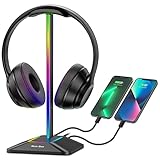
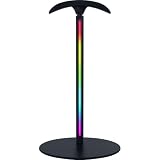


| Product | Best for | Key spec from the title |
|---|---|---|
| KDD RGB Headset Stand | Headset plus controller on one stand | 9 light modes, rotatable, detachable controller hook |
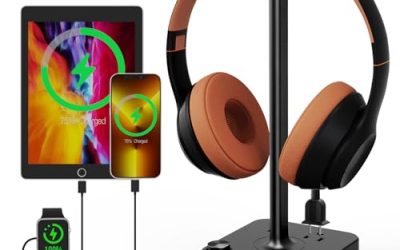
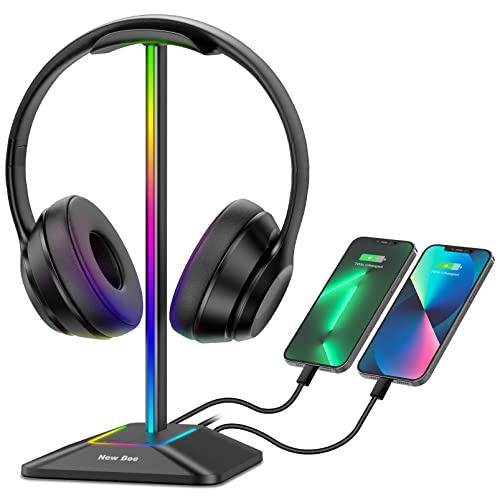
| RGB Headphones Stand (USB-C hub) | Charging several devices | 1 USB-C data and 3 Type-C charging ports, 7 light modes |
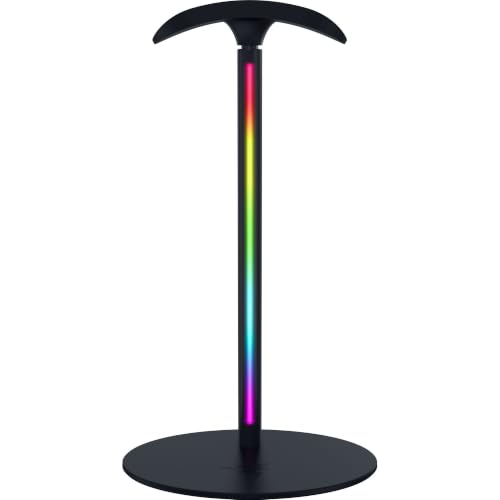
| Razer Base Station V3 Chroma | Razer ecosystem setups | 12-zone Chroma RGB, auto headset detection, dual USB 3.1 |
| OAPRIRE Acrylic RGB Headphone Stand | Deep lighting customization | 213 lighting modes, 60,000 colors, 4.8ft USB cable |
| Tilted Nation Gaming Headset Stand | Clean cable control | RGB, mouse bungee, USB hub |
| Luckit Gaming Headphones Stand | Two controllers or accessories | RGB, 2 USB charging ports, dual controller holder |
How to Choose
Lighting modes versus real usability
A stand that lists seven or nine light modes covers the classic breathing, cycling, and solid-color effects, while one that lists hundreds of modes and tens of thousands of colors offers fine control over the exact hue. More modes are not automatically better, because every extra setting is another button press or app menu. Think about whether the stand will be matched to other lighting on the desk and whether it can be turned off completely for daytime or video calls. Bright, fast-cycling effects in the corner of a webcam shot can distract viewers, so a calm solid color is often the better choice for streamers.
Ports, power source, and cable length
Some stands only light up and draw power over a USB cable, while others add data ports, charging ports, or both. A stand with a 4.8-foot cable reaches a rear port on most desks, but check the length against the actual layout. A USB-C data port on the stand needs a free port on the computer. Charging-only ports will not carry data, so a headset dongle or keyboard receiver may not work there unless the listing says so.
Stability, finish, and headset fit
A non-slip rubber base helps with weighty headsets. Aluminum and acrylic bodies look sleek but may scratch or show fingerprints. Wide rotating hangers let the headset sit at an angle. Measure the clearance if the desk has a shelf above, since tall stands can bump into it. Cheap plastic stands may tip when a heavy headset is hung off-center, so a weighted base is a practical advantage. Place the stand where the headset band does not press against a monitor or a wall, since the cushions can pick up marks from rough surfaces.
Extras and where budget models cut corners
Controller hooks, mouse bungees, and hubs add value, but only if they will be used. A detachable controller hook gives flexibility for a mouse cable or a headphone cord. Budget stands tend to cut corners on base weight, port quality, and the durability of the lighting controller, and some include thin cables. Ignore headline claims about color counts if the lighting will mostly sit on a single color, and read the warranty terms on the listing. Keep the stand away from liquids and wipe the lighting surface with a dry cloth, because dust dulls the glow over time.
The 6 Best Options
KDD RGB Headset Stand with Controller Holder
A multi-purpose stand for a console and PC desk. The title lists nine light modes, a rotatable headphone stand, and a detachable controller hook for holding a gamepad. It suits a player who switches between a headset and a controller and wants both parked in the same spot, and one who likes a stand that can be reconfigured with a detachable accessory depending on what sits on the desk that week.
- A detachable controller hook adds flexibility for gamepads or cords.
- Nine light modes cover common effects without needing app control.
- Trade-off: the title does not state ports, so check whether it has charging or data connections.
Skip it if a USB hub or charging ports are required, or if a very simple stand without extras is preferred.
RGB Headphones Stand with USB-C Data and Type-C Charging Ports
A charging-focused stand. The title lists one USB-C data transmission port, three Type-C charging ports, seven light modes, and a non-slip rubber base. It suits a player with a lot of USB-C gear, such as a phone, a controller, and a wireless earbud case, who wants to charge them near the headset instead of fishing for a wall adapter every evening, and who values the steadier footing of a rubber base.
- Three charging ports cover several USB-C devices at once.
- A non-slip rubber base helps keep the stand steady under a heavy headset.
- Trade-off: only one port carries data, so extra receivers must share it.
Skip it if the devices use older USB-A plugs, or if the desk already has plenty of free charging ports.
Razer Base Station V3 Chroma RGB Headset Stand
A branded stand for gamers in the Razer ecosystem. The title lists a black finish, auto headset detection, twelve-zone Chroma RGB, and dual USB 3.1 ports with 5Gbps transfer. It suits players who already use Razer peripherals and want matching lighting effects controlled from the same software, and streamers who want a polished desk that looks consistent on camera from the keyboard to the headset.
- Twelve-zone Chroma lighting offers more detailed effects than single-color presets.
- Two 5Gbps USB ports suit fast devices, dongles, and receivers.
- Trade-off: the full lighting integration is aimed at users who run the brand software.
Skip it if the desk uses other brands, if the software is unwanted, or if a bare-bones stand is enough, since the premium features here are tied to that ecosystem.
OAPRIRE Acrylic RGB Headphone Stand
The customization champion. The title lists an acrylic stand with 213 lighting modes, 60,000 colors, and a 4.8-foot USB power cable. It suits people who like to dial in an exact color match to the rest of the setup, such as a keyboard glow or a wall light strip, and who want the stand to act as a decorative object as much as a headset holder.
- 213 modes and 60,000 colors give very fine lighting control.
- An included 4.8-foot cable reaches most rear ports on a standard desk.
- Trade-off: acrylic can show scratches and fingerprints, and the title lists no ports.
Skip it if USB ports on the stand are needed, if a metal body is preferred for durability, or if the lighting will mostly stay on a single color, which makes the huge color range unnecessary.
Tilted Nation Gaming Headset Stand with Mouse Bungee
A stand with cable management built in. The title lists an RGB design with a mouse bungee and a USB hub, positioned for a cool and clean setup. It suits competitive players with a wired mouse who dislike a dragging cord and want the headset, the hub, and the cable holder in one footprint instead of three separate gadgets crowding the desk.
- A mouse bungee reduces cable drag and snagging during fast movements.
- A USB hub adds ports at desk level for dongles and small devices.
- Trade-off: the title does not list port counts or hub speed, so a buyer with many devices should confirm both on the listing.
Skip it if the mouse is wireless, if a specific number of ports is needed, or if the desk has no room for the bungee arm near the mouse pad.
Luckit Gaming Headphones Stand with Dual Controller Holder
A stand for accessory collectors. The title lists RGB lighting, two USB charging ports, a dual controller holder, and several light modes. It suits a couch or desk player who owns two controllers and wants them off the table, such as a household that plays co-op games and keeps the second gamepad in sight, with a charging port close to the headset.
- Two controller holders keep gamepads easy to grab.
- Two USB charging ports top up small devices beside the headset.
- Trade-off: the extra holders mean a larger footprint than a plain stand, and the title does not state the lighting software or app support.
Skip it if the desk is narrow, if only the headset needs a home, or if the controllers in use are too large for the holders, which the listing photos can help confirm.
Which One Fits Your Situation
Headset and controller on one desk
The KDD or Luckit stands provide controller hooks along with lighting, so a gamepad has a parking place next to the headset instead of lying across the keyboard.
Razer mouse, keyboard, and software already installed
The Razer Base Station V3 Chroma fits that ecosystem, with twelve-zone lighting that can be matched to other gear running the same software.
Color-matching perfectionist
The OAPRIRE offers hundreds of modes and a huge color range, which lets the stand match an exact shade used elsewhere on the desk.
Phone and controller charging beside the headset
The USB-C charging stand with three Type-C ports covers multiple devices, as long as the gear uses Type-C cables. The Tilted Nation is the better pick if the main goal is a tidy mouse cable.
Common Mistakes
- Assuming every USB port on a stand carries data.
- Ignoring headset weight and choosing a lightweight base that tips forward whenever the headset is hung off-center.
- Buying for color count without checking port details.
- Leaving no space for a cable run to the PC.
- Expecting software lighting sync from a stand that lists only preset modes, then finding the colors cannot be matched to the keyboard.
Related guides
- What Is The Best Budget Most Responsive Gaming Mouse Wired
- Low Latency Gaming Headphones Usb-C 2.4 Ghz Wireless
- Mechanical Gaming Keyboards Competitive Pc Gaming
Frequently Asked Questions
Can an RGB headset stand be turned off?
Most offer a way to switch off the lighting, either with a button on the base or a cycle through modes that ends in an off state. Check the listing for how the controls work on the chosen model.
Will the stand fit a large gaming headset?
Wide bases and sturdy hangers handle large headsets best. Check the listing for stated dimensions, and compare them with the width of the headband on the headset in use.
Do USB ports on a stand slow the computer?
No, but the stand’s hub speed limits the devices on it. Slower hubs are fine for dongles and keyboards, while fast drives belong on a direct computer port.
Is software needed for lighting control?
Not on stands with built-in modes, which are switched with a button. Branded stands may offer software for more control over zones, colors, and syncing with other peripherals.
Related guides
More from Amazon
Programs that pair well with the guide above. Offers and eligibility are set by Amazon and may change.
Free shipping on eligible items, Prime Video and more. Eligible new members can start with a free trial.
Start a Prime free trialAd-free music streaming. Eligible new subscribers can start with a free trial.
Try Music Unlimited freeA Prime membership for ages 18-24 with a trial period. Eligibility is set by Amazon.
See Prime for Young AdultsAudiobooks and podcasts to listen to on the go. Eligible new members can start with a free trial.
Try Audible freeAs an Amazon Associate we earn from qualifying purchases.