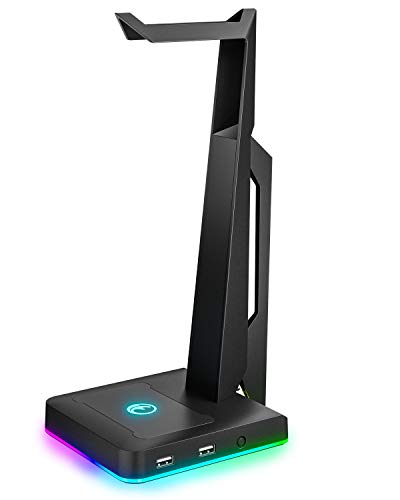
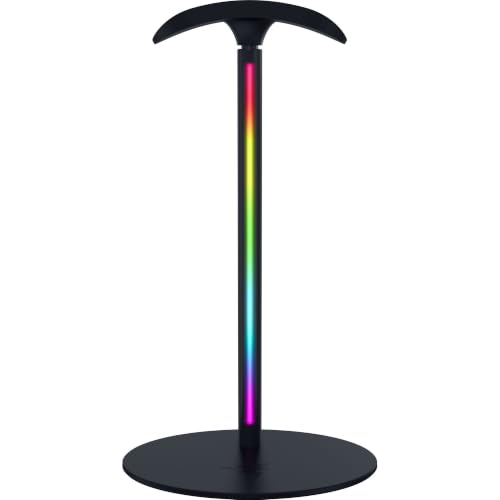
The Razer Base Station V3 Chroma is the best gaming headset stand with a USB hub for most desks, thanks to its dual USB 3.1 ports rated for 5 Gbps, 12-zone Chroma lighting and automatic headset detection. A headset stand with a USB hub holds your headset off the desk while adding extra ports where your hands already are, so a dongle, flash drive or charging cable stays within reach. If you want more ports in a plainer package, the 3-port PHNIXGAM and the IFYOO two-port stand are sensible alternatives, while the cozoo adds AC outlets for charging.
Our Top Picks
 cozoo Headphone Stand with Charger for DeskStandard4.17 x 3.94 x 10.4 inches0.9 PoundsCheck on Amazon


Top 3 picks at a glance
Quick List
- KAFRI RGB Stand with USB – best for a simple RGB stand with a single extension charging port
- IFYOO RGB Gaming Headset Stand – best for two USB ports and multi-console desks
- Tilted Nation Headset Stand – best for gamers who want a built-in mouse bungee along with a hub
- Razer Base Station V3 Chroma – best for premium build, USB 3.1 speed and automatic headset detection
- PHNIXGAM RGB Stand in White – best for a white setup and a 3-port USB 2.0 hub with an AUX input
- cozoo Headphone Stand with Charger – best for desks that need USB-C and AC outlets near the headset
Which One Is Right for You?
| If you… | Choose |
|---|---|
| want fast USB 3.1 ports and a premium look | Razer Base Station V3 Chroma |
| need the most USB ports for the money | PHNIXGAM RGB Stand (3 USB 2.0 ports) |
| want to charge phones, a controller and a headset from one spot | cozoo Headphone Stand with Charger |
| use a wired mouse that drags on the desk | Tilted Nation Headset Stand |
| need two ports and use multiple consoles or a PC | IFYOO RGB Gaming Headset Stand |
| only need a single extension port for a dongle | KAFRI RGB Stand with USB |
The right stand depends on what you plug in. Wireless headset dongles and mice need only a few slow ports, so a USB 2.0 hub is enough. If you want to connect a flash drive or an external drive for fast file transfers, USB 3.x is the better pick. Check how the stand connects to your PC, too, because the hub only works while the stand is plugged in.
All 6 Picks in Detail
1. KAFRI RGB Stand with USB – Best for a Simple Single-Port Setup
As an Amazon Associate we earn from qualifying purchases at no extra cost to you.

The KAFRI listing describes an RGB headphone stand with a USB hub, a gaming headset holder and one USB 2.0 extension charging port with an extender cord. It is the minimalist option here: the hub is basically a single port brought up to desk level so you can plug in a wireless dongle or a charging cable without crawling behind the PC. It suits a setup with one headset and one or two accessories, where the stand is mostly a place to hang your headset and add a bit of light.
A single port can go quickly if you have more than one thing to plug in, so think about which device will use it. A wireless headset dongle works well because it benefits from being closer to the headset, while a flash drive is easier to use there than a rear port. Confirm the stand height, the lighting modes and whether the port supports data transfer or charging only on the product page.
- RGB headset stand with USB hub, per the listing
- 1 USB 2.0 extension charging port with extender cord
- Designed for gaming headsets and headphones
- Lighting modes, stand height and cable length: confirm on listing
- Check the headset weight limit before use
Pros:
- Simple and compact design
- Extension cord brings a port closer to your hands
Cons:
- Only one USB port
- USB 2.0 speeds are limited for large transfers
Compared with the IFYOO stand, it offers one fewer port in exchange for a simpler design.
2. IFYOO RGB Gaming Headset Stand – Best for Two Ports and Console Players
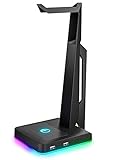
The IFYOO listing mentions an RGB gaming headset stand with two USB ports and a headphone mount, and it names compatibility with PC, Xbox One, PS4 and Switch. That is useful if your desk includes more than one platform, since a headset holder with extra ports works as a shared parking spot for whatever you are using. Two ports let you leave a wireless dongle in one and use the other for a charging cable or flash drive.
Be aware that a headset stand with a hub is not necessarily a console power adapter. Whether the ports work as data ports on a console depends on how the stand connects, and on what the console supports. Confirm port type, power output and the host connection on the product page, and keep expectations modest if you plan to run anything power-hungry through it.
- RGB lighting, per the listing
- 2 USB ports
- Names PC, Xbox One, PS4 and Switch in the listing
- USB version and power output: confirm on listing
- Stand height and headset weight limit: confirm on listing
Pros:
- Two ports suit a dongle plus a charger
- Multi-platform wording in the listing
Cons:
- USB generation is not stated in the name
- No AUX input or AC outlets
Next to the PHNIXGAM stand, it has one fewer port and no AUX input but a shorter feature list to learn.
3. Tilted Nation Headset Stand – Best for Taming a Wired Mouse Cable

This listing stands apart because it includes a mouse bungee along with an RGB headphone stand and a USB hub. A bungee holds the mouse cable above the desk so it does not catch on the edge of a mat, which matters to anyone who plays with a wired mouse and cares about a smooth swipe. Combined with a hub, it makes the stand a small cable-management station, not just a headset holder.
The listing name stresses a clean setup, which fits the idea: headset parked on the stand, mouse cable held up, dongles or drives plugged into the hub. Details such as port count, USB speed and how the bungee attaches are not spelled out in the name, so check the product page. Make sure the bungee position suits your mouse placement, especially if you are left-handed.
- RGB headphone stand with USB hub, per the listing
- Built-in mouse bungee
- Marketed for a cool and clean setup
- Port count and USB version: confirm on listing
- Bungee position and cable fit: confirm on listing
Pros:
- Mouse bungee is a useful extra for wired mice
- Combines headset storage, hub and cable help in one
Cons:
- Port details are not in the listing name
- Bungee is only useful if you use a wired mouse
A wired mouse can be a surprisingly large part of desk friction. A cable that catches on the mat edge changes how the mouse glides, and holding it up with a bungee removes that drag. If you use a wireless mouse, this feature is wasted, and you may prefer a stand with more ports or a charging function instead. Left-handed players should check whether the bungee sits on a side that suits them.
Compared with the KAFRI stand, it is the more setup-focused option because of the bungee, though the KAFRI is simpler.
4. Razer Base Station V3 Chroma – Best Overall for Speed and Build
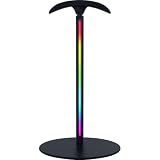
The Razer listing names a Chroma RGB headset stand with a USB hub, auto headset detection, 12-zone Chroma lighting and dual USB 3.1 ports with 5 Gbps transfer. Razer’s own materials describe the V3 as a stand with a vertical lighting strip, rear-facing ports and support for headsets in roughly the 150 to 600 gram range. It suits players who want a stand that looks like part of the setup, uses faster ports and integrates with Razer Synapse lighting.
Two things to keep in mind. First, features such as automatic headset detection and the lighting effects depend on Razer’s Synapse software, which runs on supported operating systems. Second, product pages and reviews disagree on the extent of the audio features, so if built-in sound processing matters, read the listing’s description carefully before buying. For many players, the stand’s real value is the two fast ports sitting at the desk edge.
- Chroma RGB headset stand with USB hub, per the listing
- Automatic headset detection
- 12-zone Chroma RGB lighting
- Dual USB 3.1 ports with 5 Gbps transfer
- Cable length and software requirements: confirm on listing
Pros:
- Faster USB 3.1 ports than the budget stands
- Polished lighting and headset-detection features
Cons:
- Features depend on installing Razer software
- Premium-class stand, so it makes most sense if you will use the lighting and port speed
In practice, the dual rear-facing ports are best used for wireless dongles for your headset and mouse, placed right behind the stand where signal paths are short. A fast USB 3.x port is also a good spot for a flash drive you swap often. Because the hub depends on the single cable to your PC, plug that cable into a motherboard port you do not need for a fast external drive, so bandwidth is not shared more than necessary.
Against the PHNIXGAM stand, it gives you fewer ports but faster ones, and a more refined build.
5. PHNIXGAM RGB Stand in White – Best for a White Setup With More Ports

The PHNIXGAM listing describes an RGB headphone stand in white with a 3.5mm AUX connection and a 3-port USB 2.0 hub. White gaming setups are less common, so having a stand that matches a white desk, keyboard or monitor is a real selling point. Three USB 2.0 ports give you more connection room than the one- and two-port options, enough for a dongle, a charging cable and a flash drive at the same time.
The AUX mention is worth checking on the product page. A 3.5mm connection may be a pass-through for audio or may serve another purpose, and the name does not say. Use the listing’s description to confirm whether it is meant to carry audio, and whether any cable is included. Remember that USB 2.0 is fine for dongles and charging, but slower for external drives.
- RGB headphone stand in white, per the listing
- 3-port USB 2.0 hub
- 3.5mm AUX connection
- Included cable lengths and lighting modes: confirm on listing
- Stand height and weight limit: confirm on listing
Pros:
- Three ports in one stand
- White finish matches light setups
Cons:
- USB 2.0 only, so large transfers are slower
- AUX function is not clear from the listing name alone
It offers more ports than the IFYOO stand, which makes it the better value pick if you need more connections and are not after USB 3.x.
6. cozoo Headphone Stand with Charger – Best for Charging From One Spot

The cozoo listing describes a headphone stand with a charger, in black, with three USB ports including one USB-C and two AC outlets. That is a different idea from the others: it works like a small power strip built into a headset stand. It suits desks where you want to charge a phone, a controller and a headset dock without running separate cables to the wall.
Because it includes AC outlets, treat it like any power strip. Check the maximum total load on the product page, do not plug in high-power devices such as space heaters, and keep it away from liquids. Avoid daisy-chaining it into other strips, and make sure the plug and cord are in good condition. For data use, remember that charging-focused USB ports may not carry data at all, so confirm what the ports do.
- Headphone stand with charger, per the listing
- 3 USB ports, including 1 USB-C
- 2 AC outlets
- Black finish
- Total power rating, per-port output and surge protection: confirm on listing
Pros:
- USB-C and AC outlets in one stand
- Reduces cable clutter for charging
Cons:
- Power ratings must be checked carefully
- Likely focused on charging rather than data transfer
This kind of stand makes the most sense on a desk with limited wall outlets, where a power strip would otherwise sit on the floor. If you already own a quality surge-protected strip, you may prefer to keep power separate from the headset stand and choose a data-focused model instead. When in doubt, read the electrical ratings on the product page and the markings on the unit itself.
It differs most from the Razer stand: the Razer is about speed and lighting, while the cozoo is about power.
Specs Compared
| Stand | USB ports | USB type | Lighting | Extras | Color per listing |
|---|---|---|---|---|---|
| KAFRI RGB Stand | 1 | USB 2.0 extension charging port | RGB | Extender cord | Confirm on listing |
| IFYOO RGB Stand | 2 | Confirm on listing | RGB | Named for PC, Xbox One, PS4, Switch | Confirm on listing |
| Tilted Nation Stand | Hub (count: confirm on listing) | Confirm on listing | RGB | Mouse bungee | Confirm on listing |
| Razer Base Station V3 Chroma | 2 | USB 3.1, 5 Gbps | 12-zone Chroma RGB | Auto headset detection | Black |
| PHNIXGAM RGB Stand | 3 | USB 2.0 | RGB | 3.5mm AUX | White |
| cozoo Headphone Stand | 3 (1 USB-C) | Confirm on listing | Confirm on listing | 2 AC outlets, charger | Black |
How We Chose These
This guide is built from research rather than physical evaluation. We compared the port counts, USB standards, lighting, extras and colors stated in each listing name, and cross-checked the Razer model against manufacturer and review descriptions for its port speed and weight range. We favored stands that clearly state what the hub provides and noted when a listing left details unclear. We did not assign scores; instead we grouped the picks by the problem each solves, such as speed, port count, charging or cable management. Check each product page for port version, power ratings and headset weight limits before buying.
What to Look For
USB Version and Port Count
The first spec to read is the USB generation. USB 2.0 tops out at 480 Mbps, which is fine for wireless dongles, keyboards, mice and charging. USB 3.1 Gen 1, also called USB 3.0 or 5 Gbps, is roughly ten times faster and suits flash drives and external storage. If you only plug in low-bandwidth devices, the extra speed costs more than it gives. Port count matters too: one port is a convenience, two is a practical minimum, and three covers most players who juggle a dongle, a charger and a drive.
How the Hub Connects to Your PC
A headset stand hub needs a cable back to your computer, and that cable determines whether the ports work at all. Check its length: about 1.5 meters suits most towers placed under a desk, but a tall desk or a far-away PC may need an extension. Also check the plug type on the PC end. A few models also need extra power for the AC or charging features. Remember that a hub shares the bandwidth of the single port it plugs into, so a fast drive and a webcam may compete.
Headset Fit and Stability
The stand should hold the weight of your headset without tipping. Many gaming headsets weigh between about 250 and 450 grams, and Razer’s own page indicates support for a range of roughly 150 to 600 grams for its stand. Look for a weighted or non-slip base and a rounded support that rests on the headband instead of pressing on the ear cups. Check the stand height too: tall headsets need enough clearance, and a stand with a rigid top that swings on a pivot can be less stable than one that is fixed.
Lighting, Software and Extras
RGB lighting is largely cosmetic, but it can get in the way if the stand sits within your field of view during dark sessions. Some stands let you turn lighting off with a button; others require software. Extras such as a mouse bungee, a 3.5mm input or AC outlets change the stand’s role on your desk, so choose based on the problem you have. For a worked example: if you use a wireless headset with a USB dongle, a wireless mouse dongle and a phone charger, three USB ports, even at USB 2.0, handle everything on one stand.
Where the Stand Goes on Your Desk
Think about placement before you buy, because the stand’s best feature is being close to your hands. Most players put it beside the keyboard on the side away from the mouse, so the headset can be lifted with the free hand and the ports are reachable without leaning across the mouse area. Leave enough space behind or beside the stand for the host cable, and avoid positions where the headset blocks a monitor or a speaker. If your desk has a monitor arm or shelf, a taller stand can fit underneath, while a shorter one suits a crowded surface. Also consider the lighting: a bright strip beside a dark screen can distract, so prefer stands that let you dim or switch off the effects.
Power and Safety
Treat any stand with AC outlets as a power strip. Keep the total load well within its rating, avoid plugging in heaters or other high-draw appliances, and do not cover it with fabric. USB charging ports have per-port limits, so a phone fast charger may draw more than a hub provides. If a stand gets unusually warm, unplug it. For data devices, prefer ports that explicitly state data support rather than assuming every USB port carries data.
Questions
Do I need a USB 3.0 hub on a headset stand?
Not for dongles, keyboards or charging, which work fine on USB 2.0. Choose USB 3.x if you plan to plug in flash drives or external storage and want faster transfers.
Will a headset stand hub work with a console?
It may, depending on how the stand connects and what the console supports. Console USB support can be limited, so confirm compatibility and port behavior on the product page.
Can the hub power a charging phone?
Many hub ports can provide basic charging, but power output varies. Check the listing for per-port output, and note that USB-C and AC outlet models are generally better suited for charging.
Does RGB lighting need software?
Basic RGB stands often use a button or built-in modes, while premium models such as the Razer require software for full control. Check the listing to see how lighting is controlled.
How much weight can a headset stand hold?
Most stands hold an average gaming headset with ease, but heavier models can tip a light base. Look for a stated weight range and a non-slip base.
Is a stand with AC outlets safe on a desk?
It can be, if you stay within its power rating and avoid high-draw appliances. Treat it like a power strip and inspect the cord and plug for damage regularly.
Update History
- October 20, 2026 – Initial publication; product set drawn from current catalog listings.
- Check the product page for current specifications and availability before buying.
Sources
- Retailer listing titles and specification fields for each stand named above
- Manufacturer product information and published reviews for the Razer Base Station V3 Chroma
- General USB 2.0 and USB 3.x port-speed conventions