Wi-Fi 6E matters for gamers because of one thing: the 6 GHz band. Where the 2.4 and 5 GHz channels are crowded by neighbors, baby monitors and every smart plug on the street, the 6 GHz band offers clean channels that only 6E-capable devices can join. That makes the keyword a hardware question. A router only helps if your gaming PC, laptop or handheld has a 6E-capable adapter, and if the router’s wired ports can keep pace with a fast internet plan.
This guide is for players who already own, or are about to buy, a 6E device and want a router that treats latency and wired connections seriously. It reviews five 6E models from the brief, judged only on what the titles state: band count, stream count, wired port speeds, processor notes and mesh support. Models that are plain Wi-Fi 6 or Wi-Fi 7 are left out on purpose, since they answer a different question. In 2026, 6E routers remain a sensible middle path: mature firmware, wide device support and a clear step up from 5 GHz-only hardware, without chasing the newest standard.
Our Top Picks
Top 3 picks at a glance
Quick Picks
As an Amazon Associate we earn from qualifying purchases at no extra cost to you.


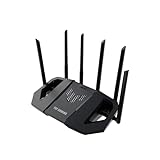
| Product | Best for | Key spec from the title |
|---|---|---|
| MSI Radix AXE6600 | RGB gaming desks | Tri-band, 1.8GHz quad-core, AI QoS, MU-MIMO |
| TP-Link Archer GXE75 | Wired-heavy setups with a multi-gig link | AXE5400, 1×2.5G + 4x1G ports, USB 3.0 |
| ASUS ROG Rapture GT-AXE16000 | Enthusiast, multi-gig networks | Quad-band, dual 10G ports, 2.5G WAN |
| TP-Link Deco XE75 (2-pack) | Large homes with a distant gaming room | Tri-band mesh, covers up to 5500 sq ft |
| TP-Link Archer AXE7800 (Renewed) | Tri-band 6E on a tighter plan | AXE7800 tri-band Wi-Fi 6E |
How to Choose
Confirm your devices can use 6 GHz
The first check is not the router, it is the client. A Wi-Fi 6E adapter or a laptop with 6E support is needed to reach the 6 GHz band; older devices fall back to 5 GHz. Check your motherboard’s wireless card or a USB adapter’s listing before paying for a premium router. If most of your gaming devices are wired, a good wired router matters more than extra bands, and a mid-range 6E router is plenty.
Look at wired ports before wireless numbers
Competitive gamers frequently plug into the router. A single 2.5 gigabit LAN port is a useful stepping stone for a PC or NAS; 1 gigabit ports are fine for consoles and ordinary PCs. A 2.5G WAN port matters if your plan exceeds 1 gigabit. Dual 10G ports are an enthusiast feature that only pays off if your switch, NAS and PC also run at that speed. Wireless headline numbers are totals shared across bands and devices, so no single device will see them. A useful habit is to read the port list line by line: how many ports, what speed each runs at, and which one is the WAN input that receives the modem cable. A router with fewer, faster ports often beats one with many slow ones when only two devices need the best link.
Judge coverage and mesh honestly
A single router in the middle of a small apartment is usually enough. Larger homes or those with dense walls benefit from mesh, where a second node extends coverage, though a wireless backhaul consumes some bandwidth. Where possible, wire the nodes together. Coverage claims in titles, such as a stated square footage, are best-case numbers for open layouts, so treat them as an upper bound, not a promise for your floor plan.
Check gaming features and what to ignore
Quality-of-service tools that prioritize game traffic, a dedicated gaming port, and a capable processor are worth having when several people stream at once. Branded boosters and glowing lights are cosmetic. Budget and refurbished models tend to cut corners on firmware support and warranty, so check the listing for return terms and update history before buying. Keep default admin credentials changed and the firmware current as general network hygiene.
The 5 Best Options
MSI Radix AXE6600
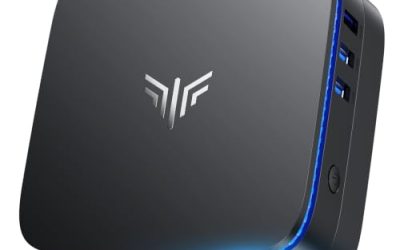
This tri-band 6E gaming router pairs a 1.8GHz quad-core processor with AI-based quality of service, MU-MIMO and 8-stream design, plus RGB lighting for desks that glow. It targets a gamer who wants traffic prioritization and a recognizable gaming look without moving into the priciest tier. The title also notes gigabit wireless performance across three bands. For a desk-side placement, the RGB element is a plus for some players and a nuisance for others, so decide up front whether you want a visible light on a bedroom shelf.
- Strength: quad-core processor and AI QoS aimed at keeping game traffic prioritized.
- Strength: tri-band 6E layout adds a clean 6 GHz option.
- Trade-off: the title lists no multi-gig wired port, so check the listing for port speeds.
Skip it if you plan a multi-gig wired network or dislike gaming-style lighting on a shelf. It is also worth skipping if you want mesh expansion, since the title does not mention it.
TP-Link Archer GXE75
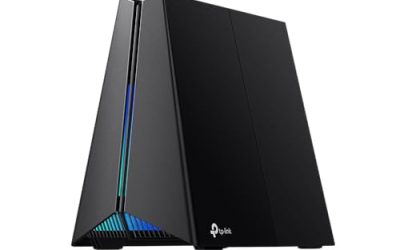
The Archer GXE75 is an AXE5400 tri-band 6E gaming router with six streams, a 2.5G port plus four gigabit ports, a USB 3.0 port and a dedicated gaming port with exclusive acceleration. That wired mix suits a player with a desktop on the 2.5G link and a console or two on the gigabit ports. It is the most balanced pick here, particularly for a household that has one fast PC, a console and a printer or drive plugged into the back.
- Strength: 2.5G port plus four gigabit ports covers a mixed wired setup.
- Strength: USB 3.0 port for shared storage, and a gaming port for prioritization.
- Trade-off: only one multi-gig port, so a second fast device shares the gigabit tier.
Skip it if you need several multi-gig ports or a mesh-ready system out of the box.
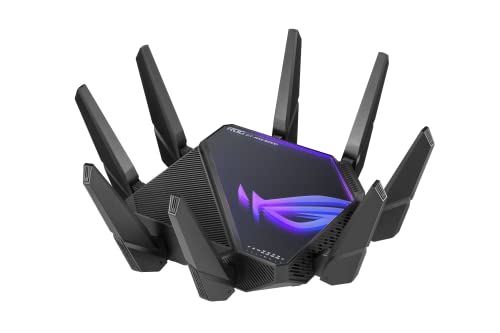
ASUS ROG Rapture GT-AXE16000
This is the flagship of the group: a quad-band 6E router with dual 10G ports, a 2.5G WAN port, AiMesh support and triple-level game acceleration. It fits a power user with a fast internet plan, a NAS, and a wired PC that justify multi-gig links. The extra band is intended to give a dedicated channel for backhaul or heavy devices. Because it is a large router, plan shelf space and ventilation, and keep it clear of stacked electronics so the antennas have room.
- Strength: dual 10G ports and a 2.5G WAN port for multi-gig networks.
- Strength: AiMesh support lets you add compatible ASUS nodes later.
- Trade-off: premium tier, and the extra capability is wasted without multi-gig gear to use it.
Skip it if your plan and devices top out at gigabit speeds or your home is a small apartment.
TP-Link Deco XE75 (2-Pack)
The Deco XE75 is an AXE5400 tri-band 6E mesh system in a two-node pack, with coverage stated at up to 5500 square feet. It targets a household where the gaming room sits far from the modem and a single router leaves dead spots. Mesh units are also easier to set up through an app, which suits less technical members of the home. Placing the second node about halfway between the modem and the far room, instead of at the edge of the signal, is the usual way to get a good result.
- Strength: two-node mesh designed for whole-home 6E coverage.
- Strength: described as suitable for gaming and streaming across the house.
- Trade-off: mesh units generally offer fewer wired gaming controls than a dedicated gaming router.
Skip it if your priority is a router with a rich wired port layout and detailed gaming settings.
TP-Link Archer AXE7800 (Renewed)
This renewed Archer AXE7800 is a tri-band 6E router sold refurbished. The tri-band design gives access to 6 GHz while keeping a lower entry cost than new flagship units. It suits a buyer who wants 6E on a tighter plan and is comfortable reading return terms. Reset it to factory settings on arrival, update the firmware and set a new admin password before connecting any gaming gear.
- Strength: tri-band 6E at the lower end of the group.
- Strength: a familiar TP-Link interface for easy setup.
- Trade-off: renewed condition means warranty and return terms vary, so check the listing.
Skip it if you want a full new-product warranty or a model with a well-documented port list in the title.
Which One Fits Your Situation
You game on a wired PC and a console
TP-Link Archer GXE75 is the practical pick: a 2.5G port for the PC, gigabit ports for the console, and a gaming port for priority. It also adds USB 3.0 for shared files.
You have a multi-gig network and a fast plan
ASUS ROG Rapture GT-AXE16000 is built for that scenario, with dual 10G ports and a 2.5G WAN port. Pair it with matching switches and a NAS to use the capacity. It also suits a household that already runs ASUS mesh nodes, since AiMesh support lets the pieces work together.
Your gaming room is far from the modem
TP-Link Deco XE75 2-Pack places a second node closer to the room, and a wired backhaul between nodes keeps latency steadier if the house is cabled.
You want a gaming look on a moderate plan
MSI Radix AXE6600 delivers RGB styling and AI QoS in tri-band 6E form, while the renewed Archer AXE7800 stretches a tight plan if you accept refurbished stock. Either route still needs a 6E client to unlock the 6 GHz band, so match the choice to your device list first.
Common Mistakes
- Buying a 6E router while every device in the house lacks 6 GHz support.
- Assuming the headline wireless number is what one device will receive.
- Ignoring the router’s WAN port speed when the internet plan exceeds gigabit.
- Relying on wireless mesh backhaul for the gaming room when an Ethernet run is possible.
- Leaving default admin passwords and old firmware in place after setup.
Related guides
- What Is The Best Budget Most Responsive Gaming Mouse Wired
- Low Latency Gaming Headphones Usb-C 2.4 Ghz Wireless
- Mechanical Gaming Keyboards Competitive Pc Gaming
Frequently Asked Questions
Is Wi-Fi 6E worth it for gaming?
It helps when your device supports 6 GHz and your area has crowded 5 GHz channels. For wired play, the router’s ports and processor matter more than the extra band. Handhelds and phones with 6E support can also benefit, so count every device that will join the network, not just the PC. If you are unsure about adapter support, look up the exact model of the wireless card on the manufacturer’s page.
Does the 6 GHz band reach through walls?
Higher frequencies tend to lose range faster through walls, so 6 GHz works best in the same room or an adjacent one. A mesh node or Ethernet to the gaming room can solve distance problems.
Should a gamer choose a mesh system or a single router?
A single router is simpler and usually offers more gaming controls in a small or medium home. Mesh makes sense when walls or floor area leave dead spots.
Are renewed routers a sound choice?
They can lower cost, but warranty and return terms differ by seller. Check the listing for the condition grade, included accessories and return window, and plan to update the firmware on day one.
Related guides
More from Amazon
Programs that pair well with the guide above. Offers and eligibility are set by Amazon and may change.
Free shipping on eligible items, Prime Video and more. Eligible new members can start with a free trial.
Start a Prime free trialAd-free music streaming. Eligible new subscribers can start with a free trial.
Try Music Unlimited freeA Prime membership for ages 18-24 with a trial period. Eligibility is set by Amazon.
See Prime for Young AdultsAudiobooks and podcasts to listen to on the go. Eligible new members can start with a free trial.
Try Audible freeAs an Amazon Associate we earn from qualifying purchases.