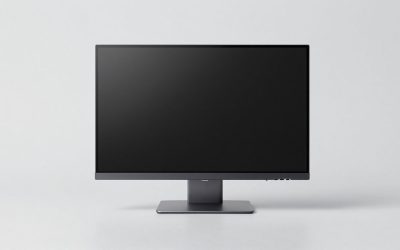
The best 1440p gaming monitor in this group depends on how many frames your graphics card actually delivers. The Acer Nitro KG271U Z2 (275Hz) and ASUS TUF VG27AQM5A (300Hz) have the highest refresh claims in their titles, the Z-Edge UG27Q is the lowest-priced and the only curved model, and the 180Hz trio of ASUS VG27AQ3A, Samsung G51F and Acer KG271U N3 is the middle ground. Every figure here comes from a listing title and is a seller claim; anything else is an estimate with stated assumptions, and some of the claims overlap in confusing ways. Two listings are near-duplicates of each other, which we flag below.
Our Top Picks
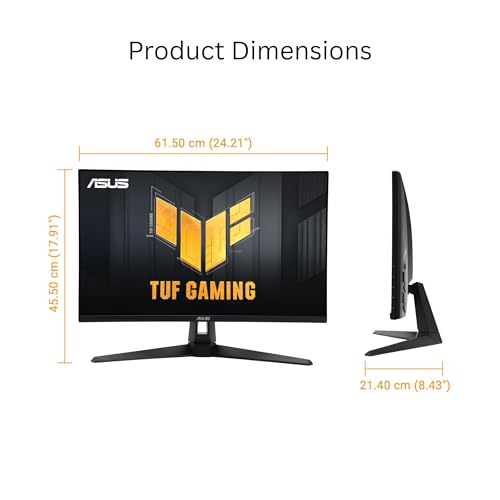
 ASUS TUF Gaming VG27AQ3A 27 Inch 1440p 180Hz14.4" x 24.2" x 2.1"24.2 x 8.4 x 17.9 Inches10.1 PoundsCheck on Amazon
 Acer Nitro 27in QHD 2560x1440 IPS 180Hz Gaming27-inch8.28 x 24.2 x 18.14 inches12.1 poundsCheck on Amazon
Six QHD screens at a glance
ASUS TUF Gaming VG27AQ3A 27 Inch 1440p 180Hz G-SYNC Gaming Monitor | Fast IPS, ELMB Sync, 1ms, 130% sRGB, Built-In Speakers, FreeSync Premium, HDR10, for PS5 and Xbox, 3yr warranty


As an Amazon Associate we earn from qualifying purchases. Product prices and availability are accurate as of the date/time indicated.

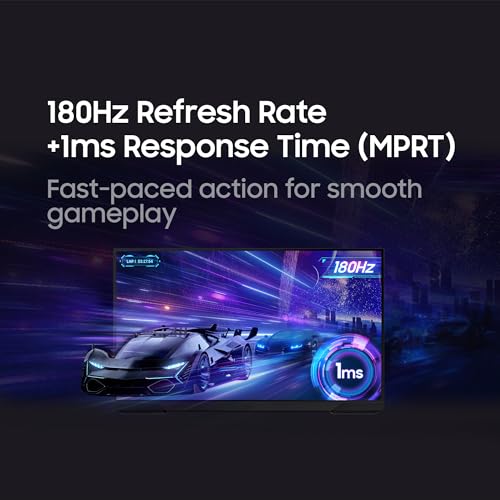
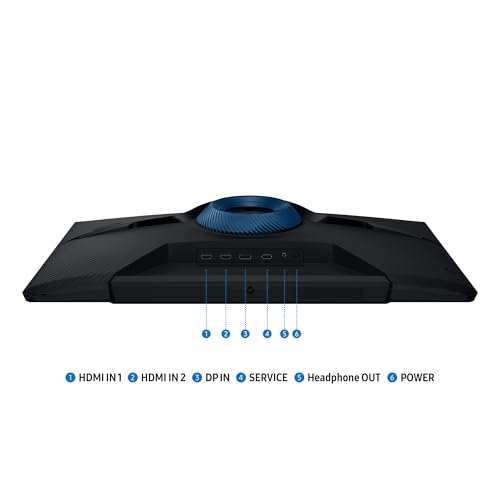
Samsung 27" Odyssey G5 (G51F) Series QHD (1440P) Gaming Monitor | 180Hz, 1ms, AMD FreeSync, HDR10, Height Adj Stand, Black Equalizer, Virtual Aim Point, Auto Source Switch+ (LS27FG512ENXZA)




As an Amazon Associate we earn from qualifying purchases. Product prices and availability are accurate as of the date/time indicated.
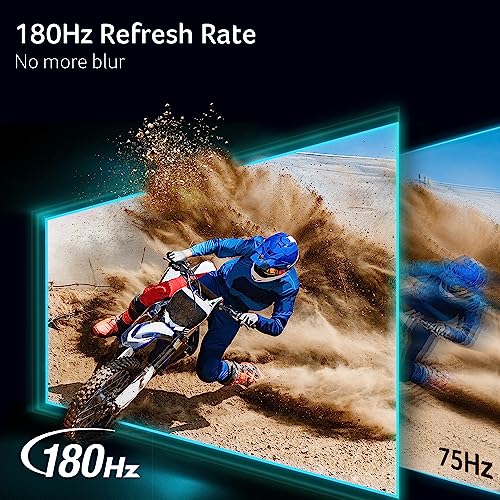
Acer Nitro 27in QHD 2560x1440 IPS 180Hz Gaming Monitor KG271U N3bmiipx | 0.5ms, AMD FreeSync, DCI-P3 95%, 2xHDMI, DisplayPort, Speaker, VESA Mountable, Bluelight Filter, Flickerless Technology




As an Amazon Associate we earn from qualifying purchases. Product prices and availability are accurate as of the date/time indicated.

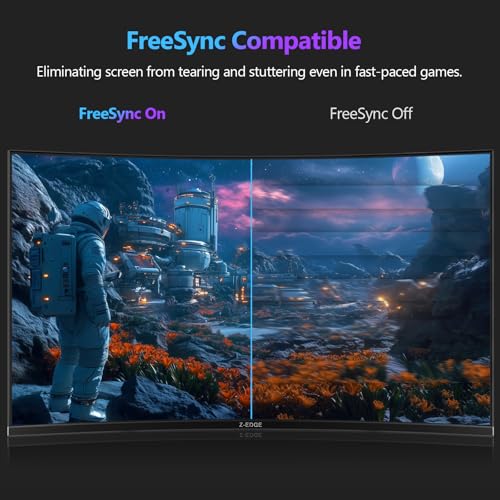
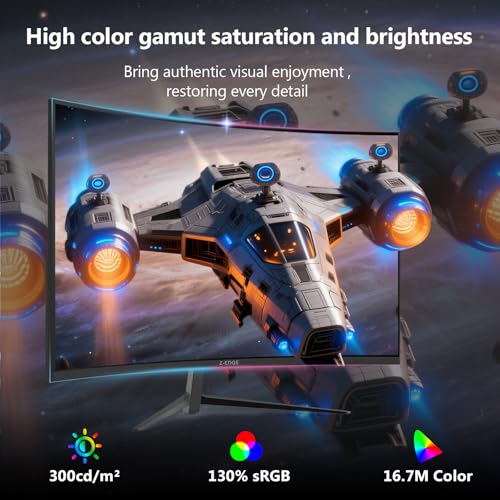
Z-Edge 27 inch Curved Gaming Monitor, QHD 1440P 165Hz 144Hz PC Screen | Computer Monitor, FreeSync, 1500R, MPRT 1ms Monitor Gaming, 16.7M Colors, UG27Q Frameless, 1X DP 1.4 and 2X HDMI 2.0



As an Amazon Associate we earn from qualifying purchases. Product prices and availability are accurate as of the date/time indicated.

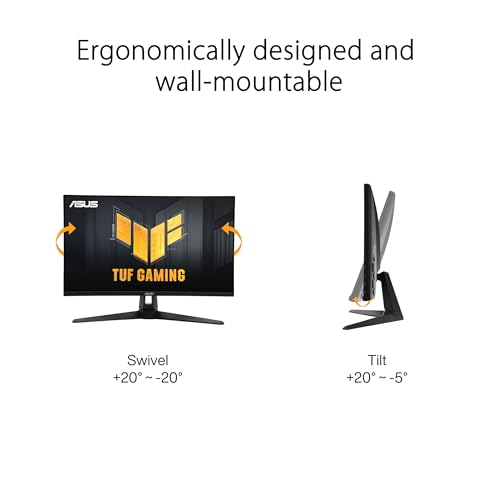
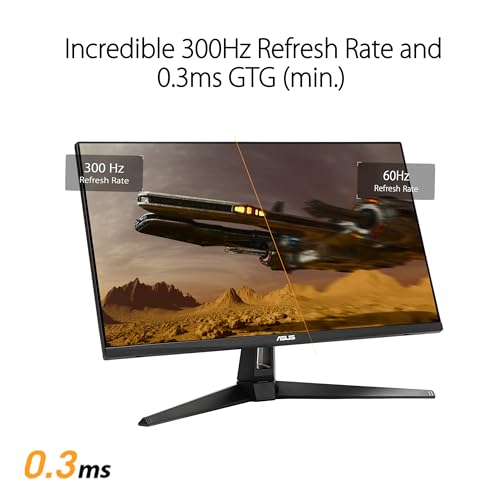
ASUS TUF Gaming VG27AQM5A 27 Inch 1440p 300Hz G-SYNC Gaming Monitor | Fast IPS,ELMB Sync, 95% DCI-P3, Built-In Speakers, Shadow Boost, DisplayWidget Center, 0.3ms, for PS5 and Xbox



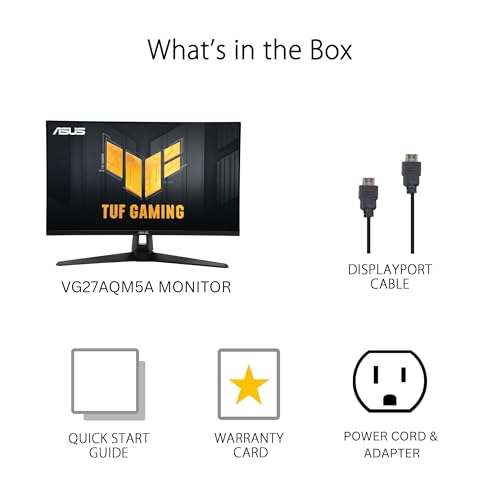


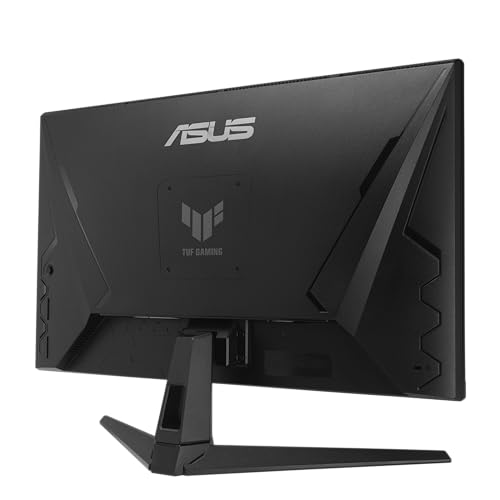
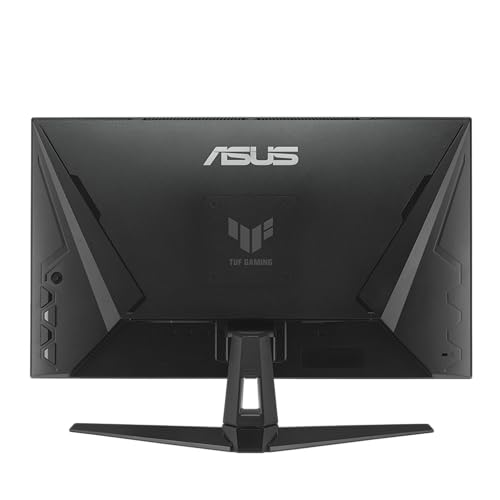


As an Amazon Associate we earn from qualifying purchases. Product prices and availability are accurate as of the date/time indicated.

Acer Nitro 27in QHD 2560x1440 IPS 275Hz Gaming Monitor KG271U Z2bmiipx | 0.5ms, AMD FreeSync Premium, 2xHDMI 2.1, DisplayPort, Speaker, VESA Mountable, Bluelight Filter, Flickerless Technology


As an Amazon Associate we earn from qualifying purchases. Product prices and availability are accurate as of the date/time indicated.
| Model | Key point from title | Price tier | Best for |
|---|---|---|---|
| Z-Edge UG27Q | 27 in curved, 165Hz/144Hz, 1500R, 1x DP 1.4 and 2x HDMI 2.0 | Budget | Curved-screen fans on a tight budget |
| Acer Nitro KG271U (N3) | IPS, 180Hz, 0.5ms, DCI-P3 95% | Budget | Low-cost IPS |
| Acer Nitro KG271U (Z2) | IPS, 275Hz, FreeSync Premium, 2x HDMI 2.1 | Budget | High refresh and console ports |
| ASUS TUF VG27AQ3A | Fast IPS, 180Hz, G-SYNC, ELMB Sync, HDR10 | Mid-range | Feature-heavy 180Hz |
| Samsung Odyssey G5 (G51F) | 180Hz, 1ms, height-adjust stand, aim tools | Mid-range | Shooter extras and ergonomics |
| ASUS TUF VG27AQM5A | Fast IPS, 300Hz, 0.3ms, 95% DCI-P3 | Premium | Highest refresh in the group |
Each screen, on paper
Z-Edge UG27Q: the curved budget option
The title lists a 27-inch curved QHD monitor, 1500R curvature, FreeSync, MPRT 1ms, and one DisplayPort 1.4 plus two HDMI 2.0 inputs. “165Hz 144Hz” appears side by side, which is ambiguous: it may mean 165Hz over DisplayPort and 144Hz over HDMI, so confirm on the listing. Our bandwidth estimate points the same way, as HDMI 2.0 is unlikely to carry 165Hz at 8-bit. Panel type is not in the title, and MPRT is not the same measurement as GtG. A 1500R curve is fairly tight for a 27-inch screen, so check that the look suits you and that your desk gives enough depth. Curved screens also complicate wall or arm mounting, so confirm the VESA pattern before planning an arm.
Pros
- Lowest price tier in the set
- DisplayPort 1.4 is named explicitly
Cons
- Refresh rate wording is ambiguous
- Panel type and stand adjustments are not stated
Who it’s for: a tight budget where curve and cost matter more than panel details.
Acer Nitro KG271U N3bmiipx: low-cost IPS at 180Hz
The title says 27-inch QHD 2560×1440 IPS at 180Hz with 0.5ms, AMD FreeSync, DCI-P3 95%, two HDMI inputs, DisplayPort, a speaker, VESA mounting, a bluelight filter and flickerless technology. This is one of two near-identical Acer KG271U listings; this one carries FreeSync and 180Hz, while the Z2 lists FreeSync Premium and 275Hz. The 0.5ms figure is a seller claim without a stated method. The 95% DCI-P3 figure is also a claim, and the title does not say whether it is typical or minimum. For a first QHD screen, the useful facts are IPS, 180Hz and three video inputs; the rest is detail to confirm on the listing.
Pros
- IPS panel stated in the title
- Budget tier with DisplayPort and two HDMI inputs
Cons
- HDMI versions are not stated in the title
- Height adjustment is not mentioned
Who it’s for: a first QHD upgrade on a modest budget.
Acer Nitro KG271U Z2bmiipx: 275Hz with HDMI 2.1
This sibling lists 275Hz, 0.5ms, FreeSync Premium and two HDMI 2.1 inputs, along with DisplayPort, a speaker, VESA mounting, a bluelight filter and flickerless technology. HDMI 2.1 matters for consoles and for 1440p at high rates over HDMI, but whether all of those ports run at full bandwidth is not stated. Raw pixel data at 275Hz is about 24.3 Gbps (estimate), close to DisplayPort 1.4’s limit. In practice that means the highest rate may depend on a specific input or on display stream compression, so read the manual or listing notes on which port does what.
Pros
- High refresh claim at a budget tier
- HDMI 2.1 named for two inputs
Cons
- Needs a very capable graphics card to use 275Hz
- Stand adjustability not in the title
Who it’s for: a PC and console shared on one screen.
ASUS TUF Gaming VG27AQ3A: 180Hz with extras
The title lists Fast IPS, 180Hz, G-SYNC, ELMB Sync, 1ms, 130% sRGB, built-in speakers, FreeSync Premium, HDR10 and a three-year warranty, and mentions PS5 and Xbox. “G-SYNC” alongside FreeSync Premium suggests G-Sync Compatible; confirm that on the listing. “130% sRGB” describes gamut volume, not coverage of a standard. The ELMB Sync label refers to a motion-blur feature that ASUS describes as working with variable refresh, but the title does not explain the conditions, so read the listing. A three-year warranty is a concrete plus when the rest of the title is mostly claims.
Pros
- Three-year warranty named in the title
- Motion tools such as ELMB Sync
Cons
- G-SYNC wording is vague
- HDR10 is a signal label, not a brightness promise
Who it’s for: players who want a warranty and motion features around a 180Hz panel.
Samsung Odyssey G5 G51F: gamer tools and an adjustable stand
The title lists QHD, 180Hz, 1ms, AMD FreeSync, HDR10, a height-adjustable stand, Black Equalizer, Virtual Aim Point and Auto Source Switch+. Aim point and shadow-brightening tools are software features some players like and others find distracting. Panel type is not in the title, which is a real gap for the buyer. Of the three 180Hz titles it is the only one that gives a height-adjustable stand in plain words, and auto source switching helps when a PC and console share the screen. Check the listing for the HDMI version before connecting a console.
Pros
- Height adjustment named
- Console-friendly source switching
Cons
- Panel type not given
- Mid-range tier for a spec that matches cheaper models
Who it’s for: shooter fans who want a taller stand without buying a riser.
ASUS TUF Gaming VG27AQM5A: the 300Hz option
This one lists Fast IPS, 300Hz, G-SYNC, ELMB Sync, 95% DCI-P3, built-in speakers, Shadow Boost, DisplayWidget Center, 0.3ms and mention of PS5 and Xbox. Raw 1440p pixel data at 300Hz is about 26.5 Gbps (estimate), above DisplayPort 1.4’s usable rate before compression, so the listing’s port details matter. The 0.3ms figure is a seller claim. Shadow Boost brightens dark areas, which some players like in shooters and others find washes out contrast. For most graphics cards the extra 25Hz over the Acer 275Hz title is a small step, so this model makes sense only when the rest of its feature list matters to you.
Pros
- Highest refresh rate in the group
- 95% DCI-P3 stated
Cons
- Highest price tier here
- Few graphics cards will push 300 fps at 1440p in current games
Who it’s for: competitive players with a high-end graphics card.
How we picked these
The Editorial team built this shortlist from published specifications, manufacturer documentation and buyer reviews. We kept every 27-inch QHD title in the set and noted where wording is ambiguous. Nobody on the team used or measured these units. Response times, color figures and HDR labels are seller claims, and price tiers are relative within six listings, not dollar amounts. Any figure beyond a title is an estimate with its assumption stated, and where the title is silent we tell you to check the listing rather than guess.
What to look for in a 1440p gaming monitor
Match refresh rate to your graphics card
A panel can only show the frames your graphics card produces. If you average 120 fps, a 180Hz panel and a 300Hz panel look identical. Variable refresh rate smooths the gap when frames dip, and capping your frame rate a few frames below the refresh rate is a common way to keep it engaged.
Panel type and response
IPS panels hold color across angles; many Fast IPS models target quick response. Response numbers like 0.3ms or 1ms are seller claims with different methods (GtG versus MPRT), so use them lightly.
Ports and bandwidth
The version of the port matters more than the number. Compare the refresh rate you want against the port limit in the table below, and use DisplayPort for the highest rates unless HDMI 2.1 is confirmed. A cable labeled for 4K does not automatically carry 1440p at 180Hz or more; look for a certified DisplayPort 1.4 or Ultra High Speed HDMI cable to match the port.
Variable refresh labels
FreeSync, FreeSync Premium and G-Sync Compatible all describe variable refresh rate. Support depends on your graphics card and driver. The title wording does not tell you the supported range, so check the listing if you game at low frame rates.
HDR labels
HDR10 on a gaming monitor is usually a compatibility label. Without a stated peak brightness and local dimming, expect a modest difference from standard mode, and some players turn it off.
Stand and mounting
Not every title mentions height adjustment. VESA mounting lets you use an arm, which needs a weight check on the listing.
Worked example: frame time and cable maths
Assume a game averaging 130 fps on your system. The frame interval is 7.7ms. A 144Hz panel updates every 6.9ms, so it would display most frames; a 300Hz panel (3.3ms) would show the same 130 fps and gain little. The table gives frame intervals and raw pixel data for 2560×1440 at 8-bit color (estimates before timing overhead).
| Refresh | Frame interval | Raw pixel data | Cable note |
|---|---|---|---|
| 144Hz | 6.9ms | 12.7 Gbps | HDMI 2.0 can carry it |
| 165Hz | 6.1ms | 14.6 Gbps | Above HDMI 2.0, use DisplayPort |
| 180Hz | 5.6ms | 15.9 Gbps | DisplayPort or HDMI 2.1 |
| 275Hz | 3.6ms | 24.3 Gbps | Near DP 1.4 limit, HDMI 2.1 helps |
| 300Hz | 3.3ms | 26.5 Gbps | May need compression or HDMI 2.1 |
Mistakes buyers make
Buying 300Hz for a graphics card that delivers 100 fps is the classic one. Another is plugging a 165Hz or 180Hz screen into an HDMI 2.0 port and leaving it at 144Hz. A third is taking “1ms” at face value without noting whether it is GtG or MPRT. A fourth is ignoring the stand: if the screen does not raise or swivel, a monitor riser or arm adds cost. A fifth is trusting HDR10 as a brightness promise. Setup also matters: see our notes on desk, monitor and noise ergonomics for placing a 27-inch screen sensibly. Finally, do not forget your own system: a screen cannot raise frame rates, and a weak graphics card makes a 275Hz panel an expensive way to see 90 fps.
Verdict
For the best mix of price and stated features, the Acer KG271U Z2 is the strongest value on paper if your graphics card can use its 275Hz and you confirm the HDMI 2.1 details. The ASUS VG27AQ3A suits players who want a warranty and motion features, the Samsung G51F suits those who want an adjustable stand, and the VG27AQM5A is for those with a top-tier card. The Z-Edge is a budget curved choice that needs the most checking. Whichever you choose, confirm port versions and the exact refresh rate on the listing before you buy.
Related guides
- What Is The Best Budget Most Responsive Gaming Mouse Wired
- Low Latency Gaming Headphones Usb-C 2.4 Ghz Wireless
- Mechanical Gaming Keyboards Competitive Pc Gaming
Frequently asked questions
Is 1440p still the sweet spot for gaming monitors?
For many players with a mid-range graphics card, yes. 2560×1440 has about 78% more pixels than 1080p, which is sharper, but about 56% fewer than 4K, so frame rates are easier to reach. Whether it suits you depends on your card, screen size and the games you play, so it is worth checking your usual frame rates first.
Do I need a 300Hz monitor for 1440p?
Only if your graphics card can render close to 300 frames per second in the games you play, which usually means older or competitive titles at low settings. At 144Hz a frame lasts 6.9ms; at 300Hz it lasts 3.3ms. If your average is 120 fps, a 180Hz panel looks the same as 300Hz.
Which cable should I use for 1440p at high refresh rates?
DisplayPort is the safer default. Raw 8-bit 1440p pixel data needs about 12.7 Gbps at 144Hz and 26.5 Gbps at 300Hz (estimates), so HDMI 2.0 tops out near 144Hz, while DisplayPort 1.4 or HDMI 2.1 suits higher rates. Check which port on each listing is the high-speed one, and use the cable supplied or one rated for the version you need.
Is 1ms response time real?
Treat it as a marketing figure. Titles may quote GtG or MPRT, which measure different things, and the method is rarely given. MPRT figures usually describe motion-blur reduction, not pixel transitions. Compare monitors by panel type and independent measurements, not the number in the title, since the same figure can mean different things between brands.
Can these monitors be used with consoles?
The ASUS titles mention PS5 and Xbox, and the Acer Z2 lists HDMI 2.1, but console support for 1440p and variable refresh rate depends on the console and its firmware. Check the console maker’s output settings and the listing’s HDMI details before relying on it. Console limits differ by model and settings.
Related guides
- Curved vs Flat Monitor: Which to Choose for Your Desk
- 1440p vs 4K Monitor: Which Should You Choose?
- Best Curved Monitor: Seven 24 to 34 Inch Picks Compared by Curve Radius, Resolution and Inputs (2026)
- Best Budget Gaming Monitor: Eight Low-Cost 22 to 27 Inch Screens Compared by Ports and Refresh Claims (2026)