Every serious gaming mouse sold today tracks movement with an optical sensor, so the label on the box no longer separates good mice from bad ones. The real decision is narrower: how fast the sensor tracks before it spins out, how much acceleration it tolerates, and how cleanly it stops reading the pad when you lift the mouse mid-flick. Two mice can both say “optical” and behave very differently at the edge of a fast swipe.
This roundup is for players choosing between wired reliability and wireless freedom, and between fingertip-light shells and button-heavy ergonomic shapes. The five picks below were selected from their Amazon product names and published specifications — sensor model, tracking speed, acceleration tolerance, switch type, weight and button count — so the differences that matter are the ones printed on the listing, not marketing slogans.
Our Top Picks
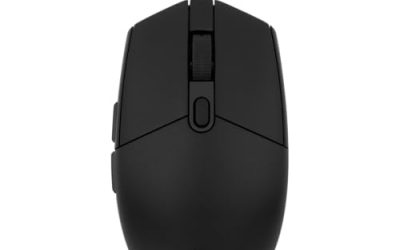
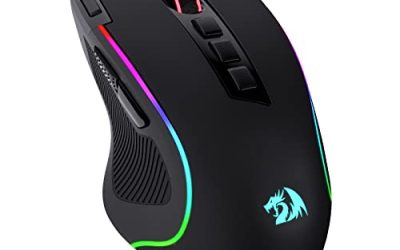
 Razer Basilisk V3 Customizable RGB Wired Ergonomic GamingMouse2.96 x 5.12 x 1.67 inches0.2 poundsCheck on Amazon
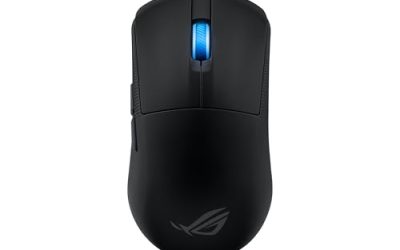
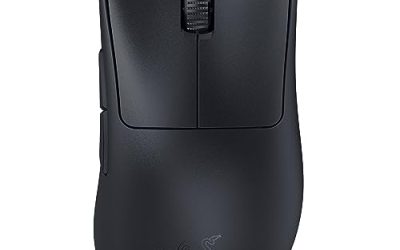
 Razer DeathAdder V3 Pro Wireless Gaming Mouse1000 Hz5.01 x 2.65 x 1.69 inches0.1 poundsCheck on Amazon
 Corsair M65 RGB Ultra Wired Adjustable Weight FPS1.2" x 1.5" x 4.6"4.6 x 1.5 x 0.1 inches0.2 poundsCheck on Amazon


Top 3 picks at a glance
Quick Picks
As an Amazon Associate we earn from qualifying purchases.
| Product | Best for | Key spec from title |
|---|---|---|
| Razer Basilisk V3 | Wired ergonomic control with a tilt wheel | 26K DPI optical sensor |
| Razer DeathAdder V3 Pro | Wireless ergonomic play without the cable | Focus Pro 30K optical sensor |
| Logitech G502 X Wired | Button-heavy wired play across genres | HERO 25K sensor |
| Corsair M65 RGB Ultra | FPS players who want adjustable weight | 26,000 DPI MARKSMAN sensor |
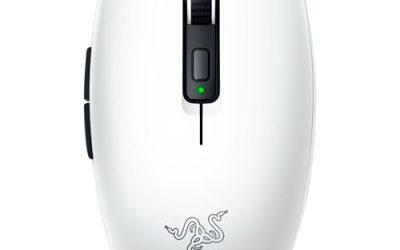
| Razer Viper V3 Pro | Esports-style symmetrical speed | 35K DPI optical sensor |
How to Choose
Read IPS and acceleration, not just DPI
DPI headlines keep climbing, but almost nobody plays above a few thousand, so the ceiling tells you little. The figures that describe real tracking quality are IPS, the maximum speed the sensor follows before it loses the surface, and the G figure, the acceleration it withstands during a hard flick. A mouse specified at 650 IPS and 50G will hold a violent swipe that a cheaper sensor specified far lower may drop or distort. Compare those two numbers first; treat the DPI figure as background information rather than the main event.
Lift-off distance decides low-sensitivity play
Low-sensitivity players lift and re-centre the mouse constantly, and lift-off distance is how high the sensor keeps reading the pad while raised. A sensor that stops tracking almost immediately keeps the crosshair still during the lift; one that keeps reading drags the aim sideways before the mouse lands again. Listings rarely print a lift-off figure, but modern flagship sensors are tuned for a very short lift-off, and some allow adjustment in software. If you play on a low sensitivity setting, this behaviour matters more than another few thousand DPI.
Optical switches are a separate upgrade
An optical sensor reads the pad; optical switches register the click, and the two are easy to confuse. Optical switches use a light beam instead of metal contacts, which removes the debounce delay that can cause accidental double clicks as mechanical switches age. Several mice here pair an optical sensor with optical or hybrid switches, while others keep conventional mechanical ones. Neither choice changes tracking, but if you have ever had a mouse start double clicking mid-season, the switch type is worth checking before you buy.
Wired polling versus wireless freedom
A wired mouse reports at 1,000 Hz unless it carries a high-polling system like Corsair’s AXON, which reaches 8,000 Hz on the M65 RGB Ultra. Wireless models such as the Viper V3 Pro also reach 8,000 Hz through their dongle, while others stay at the standard rate to protect battery life. Higher polling smooths cursor movement on high-refresh monitors, though the gains shrink quickly past the first step up. Decide whether you value a cable-free desk or the simpler consistency of a wire, then check what polling the connection actually delivers.
The 5 Best Options
Razer Basilisk V3
The Basilisk V3 is the wired ergonomic option for players who want an optical sensor backed by buttons they can actually reach. Its Focus+ sensor tracks at 650 IPS with 50G acceleration, comfortably beyond what a fast flick demands, and the Gen-2 optical switches answer clicks without mechanical contact wear. The HyperScroll tilt wheel adds horizontal scrolling that strategy and MMO players use constantly, and the sculpted right-handed shell with a thumb rest suits long sessions better than a flat symmetrical shape. At 101 g excluding the cable it is no featherweight, but the weight sits in a shape built for control rather than speed.
Specs
- Focus+ 26K optical sensor, 26,000 DPI
- 650 IPS tracking speed, 50G acceleration
- Gen-2 optical switches rated at 70 million clicks
- 101 g excluding cable; 130 × 60 × 42.5 mm
- Wired Speedflex cable, 1,000 Hz polling
- 11 programmable buttons, HyperScroll tilt wheel
Best for: Palm-grip players who want an ergonomic wired mouse with a full button layout.
Watch out for: The weight and right-handed shape rule it out for fingertip players and left-handers.
ASIN: B09C13PZX7
Razer DeathAdder V3 Pro
The DeathAdder V3 Pro takes Razer’s long-running ergonomic shape wireless and strips the weight down to 63 g. Its Focus Pro 30K optical sensor sits a generation above the Basilisk’s, and Gen-3 optical switches keep the clicks consistent with the rest of Razer’s flagship line. HyperSpeed wireless removes the cable entirely, and the battery runs up to 90 hours between charges, so it behaves like a wired mouse you occasionally plug in rather than a device you manage daily. Five programmable buttons keep the layout clean, which suits FPS and battle royale players who rarely bind more than a couple of extras.
Specs
- Focus Pro 30K optical sensor
- Gen-3 optical switches
- HyperSpeed wireless connection
- Up to 90 hours of battery life
- 63 g in the Black version
- 5 programmable buttons
Best for: Ergonomic-shape fans who want flagship wireless tracking without a heavy shell.
Watch out for: There is no tilt wheel and the button count is modest, so MMO players should look at the Basilisk V3 instead.
ASIN: B0B6XZLNHQ
Logitech G502 X Wired
The G502 X carries the HERO 25K optical sensor, Logitech’s own design, with a working range from 100 to 25,600 DPI. Its distinguishing feature is the LIGHTFORCE switch system, which pairs an optical actuation point with a mechanical click feel, aiming to give the speed of light-based registration with the tactile snap many players prefer. Thirteen programmable controls make it the most bind-heavy wired mouse here, and at 89 g it lands between the Basilisk and the ultralight Razer pair. Pure PTFE feet keep the glide smooth, and the wired connection means battery management never enters the picture.
Specs
- HERO 25K optical sensor, 100–25,600 DPI
- LIGHTFORCE hybrid optical-mechanical switches
- 89 g
- 13 programmable controls
- 131.4 × 79.2 × 41.1 mm
- Wired connection, pure PTFE feet
Best for: Players who bind many abilities and want hybrid switches with a mechanical feel.
Watch out for: The sculpted right-handed shell is large, so small hands may find the sniper button hard to reach.
ASIN: B0943HXDVM
Corsair M65 RGB Ultra
Corsair builds the M65 RGB Ultra around an anodized aluminium frame, which gives it a solidity the plastic mice here do not attempt. The MARKSMAN optical sensor tracks at 650 IPS and 50G up to 26,000 DPI, and optical Omron switches handle the main clicks. Two features set it apart: AXON processing pushes polling to 8,000 Hz over the wire, and the weight system adjusts between 97 and 115 g, so you can tune the feel instead of accepting a fixed balance. Eight buttons include the dedicated sniper button on the thumb side that drops sensitivity while held, a long-standing M65 signature.
Specs
- CORSAIR MARKSMAN optical sensor, 26,000 DPI
- 650 IPS tracking speed, 50G acceleration
- Optical Omron switches
- AXON 8,000 Hz polling
- Anodized aluminium frame, tunable weight from 97 to 115 g
- 8 buttons, wired connection
Best for: FPS players who like a heavier, metal-framed mouse they can fine-tune.
Watch out for: Even at its lightest setting it outweighs every other pick here, so committed ultralight fans should pass.
ASIN: B09CXQZMHG
Razer Viper V3 Pro
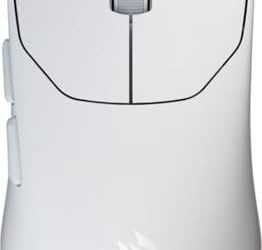
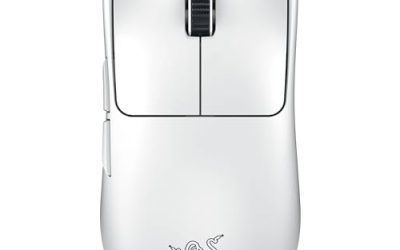
The Viper V3 Pro is the symmetrical esports entry, and its Focus Pro 35K Optical Sensor Gen-2 posts the strongest tracking figures in this roundup: 750 IPS and 70G. Gen-3 optical switches match the DeathAdder’s, and polling reaches 8,000 Hz through the wireless dongle for players on high-refresh monitors. Battery life runs up to 95 hours at the standard 1,000 Hz rate, and the White version weighs 55 g, the lightest here. Eight programmable buttons sit in a symmetrical shell that claw and fingertip grips favour, making it the pick for players whose aim style depends on a flat, ambidextrous profile.
Specs
- Focus Pro 35K Optical Sensor Gen-2, 35,000 DPI
- 750 IPS tracking speed, 70G acceleration
- Gen-3 optical switches
- HyperSpeed wireless plus wired mode
- Up to 8,000 Hz polling with the dongle
- Up to 95 hours of battery at 1,000 Hz
- 55 g in the White version, symmetrical shape
- 8 programmable buttons
Best for: Claw and fingertip players chasing the highest tracking ceiling in a light symmetrical shell.
Watch out for: The symmetrical shape offers no thumb rest, so palm-grip players coming from ergonomic mice may find it flat.
ASIN: B0CW25XR5S
Which One Fits Your Situation
You play tactical shooters on a low sensitivity
Frequent lifts and long swipes put tracking speed and lift-off behaviour ahead of everything else. The Viper V3 Pro’s 750 IPS and 70G figures give it the most headroom here, and its light symmetrical shell recentres without effort. The M65 RGB Ultra is the wired alternative if you prefer a heavier mouse that stays planted through a flick.
You split time between shooters and MMOs
You need buttons as much as tracking. The Basilisk V3 pairs a 650 IPS sensor with 11 programmable buttons and a tilt wheel, which covers ability rotations without giving up sensor quality. The G502 X goes further with 13 controls and hybrid switches if your bindings outgrow the Razer’s layout.
You want one wireless mouse for everything
The DeathAdder V3 Pro is the balanced answer: a flagship optical sensor, 90 hours of battery and an ergonomic shape that works across genres and long sessions. Choose the Viper V3 Pro instead only if your grip is claw or fingertip and you want the lighter, flatter shell; the ergonomic curve of the DeathAdder suits palm grips better.
Your desk doubles as a workstation
A mouse that games at night and works all day benefits from a scroll wheel that tilts and enough buttons for shortcuts. The Basilisk V3’s HyperScroll wheel handles wide documents, and its wired connection never needs charging between meetings. The G502 X offers the same convenience with more programmable controls for productivity macros.
Common Mistakes
- Choosing by the highest DPI number, when tracking speed in IPS and acceleration tolerance describe how the sensor behaves during real flicks.
- Assuming every optical mouse tracks the same, when sensor generations differ in lift-off behaviour, speed ceiling and consistency.
- Confusing optical switches with the optical sensor — one registers clicks, the other reads the surface, and a mouse can have either without the other.
- Ignoring shape and weight, then blaming the sensor for aim that actually suffers because the shell fights your grip.
- Forgetting that high polling rates drain wireless batteries faster, so the headline battery figure usually assumes the standard 1,000 Hz setting.
Frequently Asked Questions
Are all gaming mice optical now?
Effectively, yes. Laser sensors have largely disappeared from gaming lines, and every mouse in this roundup uses an optical sensor. The meaningful differences are generational: tracking speed, acceleration tolerance and lift-off behaviour separate a current flagship sensor from an older or budget design, not the optical label itself.
Does a higher DPI make aim more accurate?
Not by itself. Most players compete between a few hundred and a few thousand DPI, far below the ceilings these sensors advertise. Accuracy comes from the sensor tracking your hand movement faithfully at speed, which is what the IPS and G figures measure. Set DPI where your sensitivity feels natural and judge the sensor on its tracking figures.
What is the difference between optical switches and mechanical switches?
Optical switches register a click by breaking a beam of light, so there is no metal contact to bounce or wear into double clicks, and actuation is effectively instant. Mechanical switches rely on physical contacts. Hybrid designs like Logitech’s LIGHTFORCE keep a mechanical feel while using optical actuation for the signal.
Is 8,000 Hz polling worth it?
It smooths cursor updates on high-refresh monitors, and wired or dongle-based wireless mice here can reach it. The improvement over 1,000 Hz is subtle, and on wireless models it shortens battery life noticeably. Treat it as a refinement for competitive play rather than a requirement, and check the stated battery life at the polling rate you plan to use.
Related guides
More from Amazon
Programs that pair well with the guide above. Offers and eligibility are set by Amazon and may change.
Free shipping on eligible items, Prime Video and more. Eligible new members can start with a free trial.
Start a Prime free trialAd-free music streaming. Eligible new subscribers can start with a free trial.
Try Music Unlimited freeA Prime membership for ages 18-24 with a trial period. Eligibility is set by Amazon.
See Prime for Young AdultsAudiobooks and podcasts to listen to on the go. Eligible new members can start with a free trial.
Try Audible freeAs an Amazon Associate we earn from qualifying purchases.