Claw grip lives or dies on shape, not sensor numbers. If the shell is too long, your curled fingers end up pushing against the rear hump instead of resting on it, and every flick turns into a small argument with your own hand. Pick the wrong length or hump position and even a top-tier sensor feels sluggish, because your fingertips lose the leverage that makes claw grip fast in the first place.
This guide is for FPS players who grip with arched fingers and a lifted palm, especially anyone whose current mouse feels fine in the menu but wrong mid-fight. Each pick below was chosen from its Amazon product name and listing specs: shell length, where the hump sits, total weight, switch type and polling rate. The four mice cover wireless flagships, a budget wired oddball built specifically for claw, and a mid-weight symmetrical option.
Our Top Picks
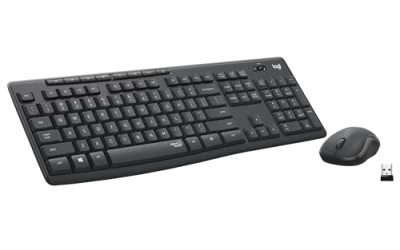
 Logitech G Pro X Superlight 2 Lightspeed WirelessClassic1.57 x 2.5 x 4.92 inches0.1 poundsCheck on Amazon
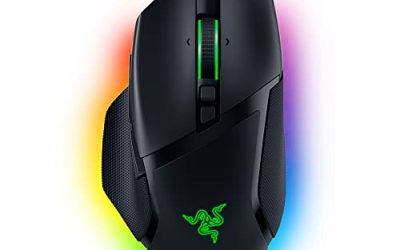
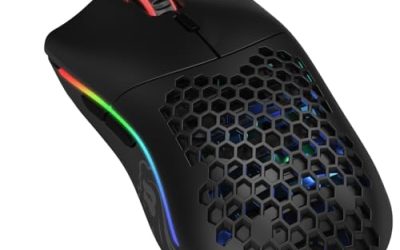
Top 3 picks at a glance
Quick Picks
As an Amazon Associate we earn from qualifying purchases.
| Product | Best for | Key spec from title |
|---|---|---|
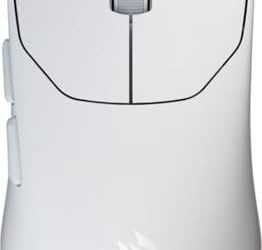
| Razer Viper V3 Pro | Competitive FPS players who want the lightest wireless flagship | 55 g symmetrical shell with 8K polling and a 35K optical sensor |
| Logitech G Pro X Superlight 2 | Claw players who prefer a safe, proven symmetrical shape | 60 g with HERO 2 sensor and up to 95 hours of battery |
| Cooler Master MM720 | Aggressive claw grips and anyone who wants a ring-finger rest | 49 g wired shell, 105 mm long, built around a dedicated claw shape |
| Endgame Gear XM2we | Players who want a slightly larger, planted claw shell | 63 g symmetrical wireless with a 122 mm shell and optical switches |
How to Choose
Shell length and rear hump placement
Claw grip needs the hump under the base of your fingers, not under your palm. A shell around 105 to 122 mm long lets your curled fingers anchor on the rear slope while your palm hovers or brushes lightly. Go much longer and the back of the mouse presses into your palm, forcing a flatter grip that slows vertical flicks. Check the listed length first, then look at photos of the side profile: a hump that peaks toward the rear third suits claw, while a centre-peaked hump suits palm grip.
Weight and where the balance sits
Total weight matters, but balance matters more for claw. Because your palm barely supports the mouse, your fingertips steer it, and a front-heavy shell makes small corrections feel like dragging. Mice in the 49 to 63 g range here keep lift-off and re-centring easy during fast target switches. If you play low sensitivity and swipe wide, a slightly heavier rear-biased shell can feel steadier; if you play high sensitivity and stop on a pixel, the lightest option usually wins. Avoid adding grip tape weight you have not accounted for.
Switch feel for rapid clicking
Claw players click with the fingertip joint rather than the whole finger, so switch tension changes how fast repeated shots feel. Optical switches, fitted to three of the four picks here, register clicks with light instead of a metal contact, which keeps actuation consistent and removes debounce delay. Hybrid switches blend an optical actuation with a mechanical feel. What matters in practice: a crisp, light click you can spam without your fingertip bouncing, and side buttons positioned where a claw thumb rests rather than where a palm thumb would.
Polling rate, sensor and connection
A claw grip makes hundreds of tiny corrections per round, so tracking smoothness shows up more than raw DPI. Anything above roughly 12,000 DPI is headroom you will never use; IPS tracking speed and a stable connection matter more. Wireless picks here run proprietary 2.4 GHz links with up to 8,000 Hz polling on the flagship, while the wired MM720 removes battery and latency questions entirely at 1,000 Hz. Choose wireless if your desk setup allows the dongle close to the pad; choose wired if you never want to think about charge mid-session.
The 4 Best Options
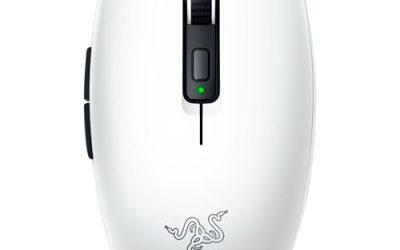
Razer Viper V3 Pro

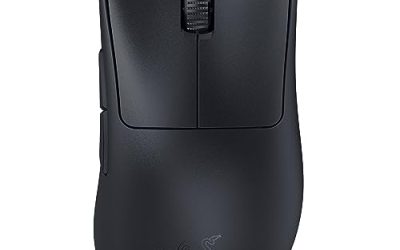
Razer’s flagship is the default recommendation for claw players who compete. The symmetrical shell is short enough for curled fingers to control, the rear slope gives your finger bases a consistent anchor, and at 55 g in the white version it barely registers during fast horizontal flicks. The Focus Pro 35K sensor and up to 8,000 Hz polling suit players who make constant micro-corrections, while Gen-3 optical switches keep rapid clicking consistent across long sessions. Battery life stretches to 95 hours at standard polling, so charging rarely interrupts a week of play.
Specs
- Sensor: Focus Pro 35K Optical Sensor Gen-2, up to 35,000 DPI
- Tracking: 750 IPS, 70G acceleration
- Switches: Razer Optical Mouse Switches Gen-3
- Weight: 55 g (White), 54 g (Black)
- Connection: HyperSpeed wireless and wired
- Polling: up to 8,000 Hz with the included dongle
- Battery: up to 95 hours at 1,000 Hz
- Buttons: 8 programmable
- Shape: symmetrical
Best for: ranked FPS players who want the lightest full-featured wireless claw mouse.
Watch out for: the 8,000 Hz polling rate needs the dongle and drains the battery far faster than the standard setting, so the headline battery figure only applies at 1,000 Hz.
Logitech G Pro X Superlight 2
Logitech’s Superlight 2 is the conservative pick: a symmetrical shape that has suited claw and fingertip players for years, refined with the HERO 2 sensor and LIGHTFORCE hybrid switches that pair optical actuation with a mechanical click feel. At 60 g it is a touch heavier than the Viper, which some claw players prefer because the shell feels less twitchy on low sensitivity. LIGHTSPEED wireless, USB-C charging and up to 95 hours of battery make it an easy mouse to live with, and the five programmable buttons cover the essentials without crowding a claw thumb.
Specs
- Sensor: HERO 2
- Switches: LIGHTFORCE hybrid optical-mechanical
- Weight: 60 g
- Battery: up to 95 hours
- Buttons: 5 programmable
- Connection: LIGHTSPEED wireless
- Charging: USB-C
- Polling: up to 8,000 Hz report rate
Best for: claw players who want a proven shape, long battery life and a slightly steadier feel than the lightest rivals.
Watch out for: Logitech’s listing title and older product copy disagree on the sensor’s maximum DPI, so check the current listing figure before treating any single number as settled.
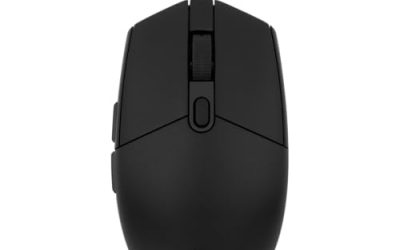
Cooler Master MM720
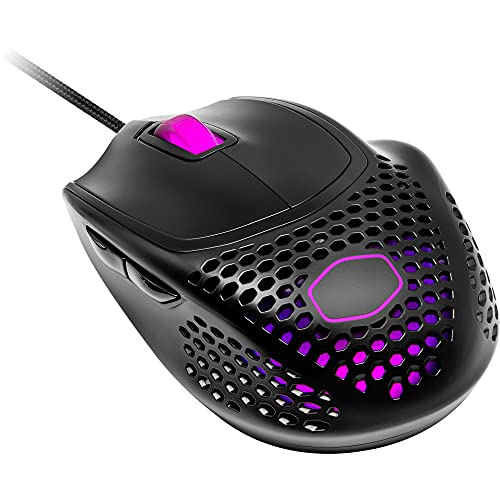
The MM720 looks strange and that is the point. Its short, wide shell was sculpted specifically for claw grip, with a rest that supports your ring finger instead of leaving it dragging on the pad. At 49 g and just over 105 mm long, it is the smallest and lightest mouse here, and the wired Ultraweave cable removes battery weight entirely. The PixArt PMW3389 sensor is older than the flagships’ chips but tracks far beyond what any player can outrun, and LK optical switches keep clicks light for fingertip spamming. An IP58 rating adds dust and splash resistance rarely seen on gaming mice.
Specs
- Sensor: PixArt PMW3389 optical, 16,000 DPI native
- Tracking: 400 IPS, 50G acceleration
- Switches: LK optical switches
- Weight: 49 g
- Dimensions: 105.42 × 76.52 × 37.35 mm
- Connection: wired Ultraweave cable
- Polling: 1,000 Hz
- Buttons: 6
- Feet: PTFE
- Rating: IP58 dust and water resistance
Best for: aggressive claw players with small to medium hands who want a dedicated claw shape without buying a flagship.
Watch out for: some marketing for this mouse quotes up to 32,000 DPI through software; the native sensor figure is 16,000 DPI, which is still far more than any claw player will set.
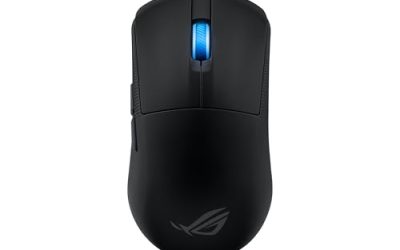
Endgame Gear XM2we

The XM2we is the planted, deliberate option in this group. Its symmetrical shell runs longer at 122 mm, giving claw players with larger hands a rear hump they can brace against without their fingers overhanging the front. At 63 g it is the heaviest pick here, and that extra mass settles the mouse during long tracking arcs in tactical shooters. Kailh GO optical switches, a PixArt PAW3370 sensor and large Teflon feet round out a spec sheet aimed at control rather than headlines, and the roughly 70-hour battery covers weeks of evening sessions between charges.
Specs
- Sensor: PixArt PAW3370, up to 19,000 DPI
- Switches: Kailh GO optical switches
- Weight: 63 g
- Dimensions: 122 × 66 × 38 mm
- Connection: 2.4 GHz wireless and USB-C wired mode
- Polling: up to 1,000 Hz
- Battery: up to about 70 hours
- Feet: large Teflon feet
- Shape: symmetrical
Best for: larger-handed claw players who prefer a stable, control-first shell for tracking-heavy games.
Watch out for: polling tops out at 1,000 Hz, and the newer XM2w 4K is a different model entirely, so double-check the exact name on the listing before ordering.
Which One Fits Your Situation
You play tactical shooters on low sensitivity
Pick the Endgame Gear XM2we. Its longer shell and 63 g weight stay composed through the long, smooth tracking arcs that games like Counter-Strike and Valorant demand, and the rear hump gives your curled fingers a firm brace when you hold an angle. The 1,000 Hz polling is plenty at low sensitivity, where movements are deliberate rather than frantic.
You flick constantly on high sensitivity
Pick the Razer Viper V3 Pro. At 55 g with a short symmetrical shell, it changes direction with almost no fingertip effort, and the 8,000 Hz polling keeps rapid corrections smooth when your hand is moving fastest. The optical switches also reward the fast, repeated clicking that high-sensitivity duels involve.
Your ring finger drags and your hand cramps
Pick the Cooler Master MM720. The built-in ring-finger rest is the only design here that addresses drag directly, and the short 105 mm shell lets your fingers stay curled without stretching or reaching. Players whose pinky and ring finger ache after long sessions usually feel the difference within the first evening.
You want one mouse for ranked play and everyday use
Pick the Logitech G Pro X Superlight 2. The shape is forgiving if your grip drifts between claw and fingertip during casual browsing, battery life stretches to 95 hours, and USB-C charging means the same cable as your phone tops it up. It is the least specialised pick here, in a good way.
Common Mistakes
- Buying by DPI alone: every sensor here tracks far beyond human hand speed, while shell length and hump position decide whether claw grip works at all.
- Copying a palm-grip mouse because a pro uses it: pro shapes only transfer if your grip style and hand size match theirs.
- Ignoring the ring finger: a shell with no support there leaves it dragging on the pad, adding friction you feel as inconsistent aim.
- Chasing 8,000 Hz polling without the setup for it: the dongle needs a clear, close position, and the battery cost is steep.
- Assuming lighter is always better: some claw players overshoot targets on sub-55 g mice and aim better with a little more mass.
Frequently Asked Questions
Is claw grip better than fingertip grip for FPS?
Neither is universally better. Claw adds the finger-base contact on the rear hump, which gives extra stability during vertical recoil control and stopping power on flicks. Fingertip offers finer micro-adjustment but tires the hand faster. Most players land on a relaxed claw that borrows from both, so choose the shell that supports how your hand naturally curls.
What mouse size suits claw grip for medium hands?
Look for a shell roughly 105 to 122 mm long with the hump peaking toward the rear. Medium hands usually suit the middle of that range: long enough for the finger bases to anchor, short enough that the front buttons sit under your fingertips. Width matters too; a wider shell like the MM720 spreads the fingers, while narrower flagships keep them pinched and precise.
Does polling rate above 1,000 Hz actually help claw aim?
It can smooth the cursor path during the fastest flicks, and claw players make many small corrections where that smoothness shows. The gain is subtle rather than transformative, and it costs battery life on wireless models. Treat 8,000 Hz as a nice extra on a flagship, not a reason to buy one, and never let it outweigh shape fit.
Can I use a claw grip mouse for everyday work?
Yes, comfortably for most people. Short symmetrical shells work fine for browsing and office tasks, though a dedicated ergonomic shape may feel better across an eight-hour desk day. If you split time between gaming and work, a forgiving shape like the Superlight 2 or XM2we handles both without forcing a strict claw posture all day.
Related guides
More from Amazon
Programs that pair well with the guide above. Offers and eligibility are set by Amazon and may change.
Free shipping on eligible items, Prime Video and more. Eligible new members can start with a free trial.
Start a Prime free trialAd-free music streaming. Eligible new subscribers can start with a free trial.
Try Music Unlimited freeA Prime membership for ages 18-24 with a trial period. Eligibility is set by Amazon.
See Prime for Young AdultsAudiobooks and podcasts to listen to on the go. Eligible new members can start with a free trial.
Try Audible freeAs an Amazon Associate we earn from qualifying purchases.