Mounting a graphics card vertically turns the biggest component in the case into a display piece, with the cooler fans facing the glass panel instead of the motherboard tray. The part that makes it possible is a PCIe riser cable, a shielded ribbon that carries the full x16 connection from the motherboard slot to a bracket on the side of the case. The decision behind this search is mostly about generation and length: does the cable carry PCIe 5.0, 4.0, or 3.0, is it long enough to reach the bracket without a tight bend, and will it keep the card running at full speed?
This guide is for builders in 2026 who own a case with a vertical GPU bracket or who plan to add one, and who want a cable that matches their graphics card and motherboard generation. The six picks below are compared using only what the listing titles state: PCIe generation, length, bend style, shielding, the graphics cards named for compatibility, and the pin finish. Case fitment, slot spacing, and bracket design are not in the titles, so confirm those on the listing for the specific case before buying.
Our Top Picks
Top 3 picks at a glance
Quick Picks
As an Amazon Associate we earn from qualifying purchases at no extra cost to you.


| Product | Best for | Key spec from the title |
|---|---|---|
| GLOTRENDS 200mm PCIe 4.0 x16 Riser | Gen 4 builds with RTX 40 series cards | 200mm, PCIe 4.0 x16, 90 degree, EMI shielded |
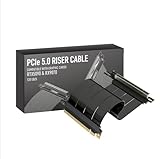
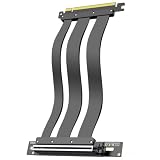
| JEYI PCIe 5.0 Riser (200mm) | Flexible routing, Gen 5 cards | 128GB/s, 90 and 180 degree bend, 29AWG EMI shield |
| LINKUP PCIe 5.0 Riser (20cm) | Gen 5 with Gen 4 fallback | 20cm, right angle, PCIe 4.0 backward compatible |
| XMSJSIY PCI-E 3.0 x16 Riser | Older Gen 3 platforms | PCIe 3.0 x16, shielded, 90 degree right angle |
| TRYX String PCIe 5.0 Riser | High-end builds with a clean look | 200mm, 16-pin, 128GB/s, gold-plated connector |
| RGEEK PCIe 5.0 Riser x16 | ATX and Micro-ATX cases | 200mm right angle, PCIe 4.0 compatible, EMI shielded |
How to Choose
Match the PCIe generation to the platform
A riser can carry the generation it was built for, and backward compatibility is common but not universal. A PCIe 5.0 cable works in a Gen 4 or Gen 3 slot at the slower speed, while a PCIe 3.0 cable inside a Gen 4 or Gen 5 system will cap the link at Gen 3 and may cost performance with a fast graphics card. Most current cards do not saturate Gen 4 in games, so paying for Gen 5 is mainly future-proofing. Read titles for the generation printed on the cable.
Length, bend, and routing
Risers in this guide are mostly 150mm to 200mm. Measure the path from the motherboard slot to the bracket, adding a margin for the bend, since a cable that is too short pulls on the slot. Flexible cables with 90 and 180 degree routing give more freedom to fit odd cases. Rigid right-angle designs look neat but demand precise bracket alignment. Keep the cable clear of fans and avoid tight kinks that stress the shielding.
Shielding and build quality
Signal quality over a ribbon depends on shielding and conductor quality. Titles that mention EMI shielding or a wire gauge such as 29AWG are describing the same goal: protecting the data lanes from interference. Gold-plated contacts resist corrosion, though they do not change speed. Poorly shielded cables can cause unstable links, black screens, or the card dropping to a slower speed, which is why a cable with documented shielding is worth choosing for a high-end card.
Case, card clearance, and where budget models cut corners
Confirm that the case has a vertical mounting bracket and that the card is not so thick that it presses against the glass panel. A three-slot card often needs a bracket set farther from the panel. Budget risers tend to cut corners on shielding, connector fit, and length options, and some are sold without any compatibility guidance. Ignore broad claims of near-zero signal loss without a generation that fits the platform, and check the return terms in case the cable does not suit the case.
The 6 Best Options
GLOTRENDS 200mm PCIe 4.0 x16 GPU Riser Cable
A straightforward Gen 4 pick with a 90-degree right-angle connector. The title lists 200mm length, PCIe 4.0 x16, compatibility with RTX 4090, 4080, and 4070 and RX 7900 cards, Gen 3 and Gen 4 support, and EMI shielding. It suits a builder with a Gen 4 motherboard and a recent mainstream card who wants a plain, sensible connection without paying for a newer generation than the platform can use. A tower with a standard vertical bracket and a card from the families named in the title is the ideal home for it.
- The compatibility list names common high-end cards, which eases the check.
- EMI shielding is stated in the title.
- Trade-off: it is a Gen 4 cable, so it caps the link below Gen 5 speeds.
Skip it if the card and board are both Gen 5 and the full link speed is wanted.
JEYI PCIe 5.0 Riser Cable (200mm, Flexible Bend)
A Gen 5 option built for routing freedom. The title lists a PCIe 5.0 x16 link at 128GB/s, 200mm length, a flexible 90 and 180 degree bend, gold-plated pins, a 29AWG EMI shield, and compatibility with RTX 5090 and 5080 cards. It suits cases with awkward bracket positions where a flexible cable beats a rigid one, and builders who expect to re-route the cable once or twice while dialing in the layout. The 29AWG wire gauge in the title points to a cable designed with shielding in mind rather than a bare ribbon.
- A flexible bend helps in cases where bracket placement is tricky.
- The Gen 5 spec matches the interface on current top-end graphics cards.
- Trade-off: flexible cable still needs a gentle bend to avoid stressing the shield.
Skip it if the platform is Gen 3 or Gen 4 and the extra cost is not worthwhile.
LINKUP PCIe 5.0 Riser Cable (20cm, Right Angle)
A Gen 5 option sold as a vertical mount accessory. The title lists a PCIe 5.0 x16 link at 128GB/s, a 20cm right-angle design, compatibility with RTX 5090 and RX 9070 cards, and backward compatibility with PCIe 4.0. It suits builders who want Gen 5 headroom today while keeping a working link on a Gen 4 board, which is useful for someone planning to upgrade the motherboard next year but wanting the vertical display now. The shorter run keeps the cable tidy in compact layouts.
- Backward compatibility with PCIe 4.0 is stated outright.
- The title names both Nvidia and AMD current cards.
- Trade-off: the listing gives a fixed 20cm length, so the bracket distance should be measured first.
Skip it if the case needs a longer or more flexible run.
XMSJSIY PCI-E 3.0 x16 Riser Cable
The Gen 3 value pick. The title lists a PCI-E 3.0 x16 link, a shielded high-speed design, a 90-degree right-angle vertical mount, and male to female connection for graphics cards. It suits older platforms and mid-range cards where Gen 3 is already the board limit, such as a long-serving Intel or Ryzen build getting a visual refresh in a new case. For those systems the cheaper Gen 3 cable is a sensible match and avoids paying for speed the slot cannot use, though the same cable would hold back a faster board.
- Matches older motherboards where Gen 3 is the maximum.
- Right-angle design suits standard vertical brackets.
- Trade-off: it will cap a newer system at Gen 3 speeds.
Skip it if the board and card are Gen 4 or Gen 5, since a Gen 3 cable then limits the link and may waste part of a fast graphics card.
TRYX String PCIe 5.0 Riser Cable
A style-conscious Gen 5 pick. The title lists a vertical GPU mount, RTX 5090, 5080, and 9070 XT compatibility, 200mm length, a 16-pin design, 128GB/s, a gold-plated connector, and EMI shielding. It suits showcase builds where cable aesthetics matter, such as a white or black themed system with a clean glass panel, and builders running a recent Nvidia or AMD flagship that the title names. The gold-plated connector is mostly about contact quality and looks, not extra speed.
- Named compatibility with current flagship cards is helpful.
- A gold-plated connector and shielding are stated.
- Trade-off: the title does not describe the bend style, so check the listing.
Skip it if the build is a budget machine, if the card is much older than the named models, or if a flexible bend is required for a cramped case.
RGEEK PCIe 5.0 Riser Cable X16 (200mm)
A practical Gen 5 pick for common case sizes. The title lists a 200mm right-angle design for vertical GPU mounts, PCIe 4.0 compatibility, EMI shielding, and fit for ATX and Micro-ATX cases. It suits mainstream builders who want a Gen 5 cable with clear case guidance, particularly those building in a common mid-tower and wanting reassurance that the cable length and angle were designed for standard motherboard sizes. Compatibility with PCIe 4.0 keeps the cable useful if the motherboard is replaced later.
- ATX and Micro-ATX fit guidance is stated in the title.
- PCIe 4.0 compatibility keeps it usable on older boards.
- Trade-off: a right-angle design is less forgiving of bracket misalignment than a flexible cable.
Skip it if the case is Mini-ITX or an unusual size, or if the bracket position is far from the slot and a longer or more flexible cable is needed.
Which One Fits Your Situation
Gen 4 board, RTX 40 series card
The GLOTRENDS Gen 4 riser matches the platform and names the card family, which removes most of the guesswork for a straightforward vertical mount.
Newest Gen 5 platform with a flagship card
The JEYI, LINKUP, or TRYX Gen 5 cables fit, with the JEYI offering the most routing flexibility.
Older Gen 3 build
The XMSJSIY Gen 3 riser avoids paying for speed the board cannot use.
Standard ATX or Micro-ATX case
The RGEEK states fit for those sizes, so a mainstream mid-tower owner can pick it with fewer questions about whether the cable and bracket will line up.
Common Mistakes
- Pairing a PCIe 3.0 riser with a Gen 4 or Gen 5 card and capping the link.
- Buying without measuring the distance from slot to bracket.
- Forcing a tight bend that stresses the cable shield.
- Ignoring card thickness and clearance against the glass panel.
- Choosing a cable with no named shielding for a high-end card, then chasing random crashes that trace back to link instability.
Related guides
- What Is The Best Budget Most Responsive Gaming Mouse Wired
- Low Latency Gaming Headphones Usb-C 2.4 Ghz Wireless
- Mechanical Gaming Keyboards Competitive Pc Gaming
Frequently Asked Questions
Does a riser cable reduce graphics performance?
A properly matched riser should preserve the link speed, while a mismatched generation can cap it. Check the generation against the board and card.
Is PCIe 5.0 worth buying for a vertical mount?
It mainly adds future headroom, since current games rarely use the full link. A Gen 4 cable is enough for many builds.
Can a riser work in any case?
No. The case needs a vertical bracket, and card thickness plus slot position must fit. Check the case manual for supported cable lengths, and support heavy cards properly so the weight does not hang on the slot.
Does shielding really matter?
Yes, because interference can cause unstable links. Look for stated shielding on the listing, and route the cable away from loose power leads and fan hubs where possible.
Related guides
More from Amazon
Programs that pair well with the guide above. Offers and eligibility are set by Amazon and may change.
Free shipping on eligible items, Prime Video and more. Eligible new members can start with a free trial.
Start a Prime free trialAd-free music streaming. Eligible new subscribers can start with a free trial.
Try Music Unlimited freeA Prime membership for ages 18-24 with a trial period. Eligibility is set by Amazon.
See Prime for Young AdultsAudiobooks and podcasts to listen to on the go. Eligible new members can start with a free trial.
Try Audible freeAs an Amazon Associate we earn from qualifying purchases.