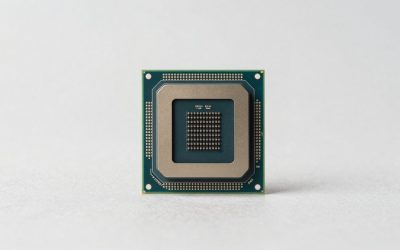
The best CPU for RX GPUs in 2026 is the AMD Ryzen 7 9800X3D for high-end cards like the RX 9070 XT, the Ryzen 5 9600X for the RX 9070 and RX 7800 XT, and the Ryzen 5 7600 or Intel Core i5-14400F for budget RX 7600 and RX 7700 XT builds — in each case keeping GPU-limited performance above 95% at 1440p. The right pairing depends on three variables: your target resolution, the RX tier you own, and whether your motherboard platform still has upgrade headroom.
As an Amazon Associate we earn from qualifying purchases at no extra cost to you.
Our Top Picks



Top 3 picks at a glance


Quick Answer: Pairing Matrix
| RX GPU | Best CPU (1080p high-refresh) | Best CPU (1440p) | Budget alternative |
|---|---|---|---|
| RX 9070 XT | Ryzen 7 9800X3D | Ryzen 7 7800X3D / 9700X | Ryzen 5 9600X |
| RX 9070 / RX 7900 GRE | Ryzen 7 7800X3D | Ryzen 5 9600X | Ryzen 5 7600 |
| RX 7800 XT / 7700 XT | Ryzen 5 9600X | Ryzen 5 7600 / i5-14400F | Ryzen 5 5600 (AM4) |
| RX 7600 / 7600 XT | Ryzen 5 7600 | Ryzen 5 5600 / i5-12400F | Ryzen 5 5500 |
Why Resolution Changes the Answer
Bottlenecks are resolution-dependent. At 1080p, the CPU feeds frames fast enough that a mid-range chip can hold back an RX 9070 XT by 15–25% in CPU-heavy titles (strategy games, MMOs, esports shooters). At 1440p, the GPU becomes the limiting factor in most games, and the same pairing loses only 3–8%. At 4K, CPU choice barely matters — even a Ryzen 5 7600 keeps an RX 9070 XT above 95% GPU utilization.
Worked example using typical raster performance: an RX 9070 XT averages roughly 140 fps at 1080p in a demanding AAA title but is CPU-capped at ~110 fps with a Ryzen 5 5600 — a 21% bottleneck. At 1440p the GPU produces ~100 fps and the same CPU delivers 96 fps, a 4% loss. If you play at 1440p, spending extra on a premium CPU gains almost nothing; at 1080p 240 Hz it gains a lot.
Top Tier: RX 9070 XT and RX 7900 XTX
The Ryzen 7 9800X3D (or its predecessor 7800X3D, still sold) is the only CPU class that fully feeds these cards at 1080p. Its 3D V-Cache noticeably lifts 1% lows over a standard Ryzen 7 9700X in simulation and open-world games. Typical bottleneck: 0–5% at 1080p, effectively zero at 1440p. Its 120 W TDP is modest, so a decent B650 board and a 750 W PSU suffice.
Value alternative: the Ryzen 5 9600X. Expect an 8–12% deficit at 1080p versus the X3D chips, shrinking to ~3% at 1440p. For most builders targeting 1440p, that price difference is better spent on the GPU itself.
Mid-Range: RX 9070, RX 7800 XT, RX 7700 XT
This is where price-to-performance peaks. The Ryzen 5 9600X or older Ryzen 5 7600 pairs cleanly: at 1440p these cards cap out before the CPU does, yielding bottleneck figures under 5% in rasterized titles. Intel’s Core i5-14400F/14600K are viable cross-brand options, typically within a few percent of the Ryzen 5 in RX pairings, though they draw 30–60 W more under all-core loads.
On AM4, the Ryzen 7 5700X3D remains a smart drop-in upgrade: it holds the RX 7800 XT within ~7% at 1080p and costs far less than a platform swap. Below that, the Ryzen 5 5600 starts showing 10–15% losses at 1080p with a 7800 XT.
Budget: RX 7600 and RX 7600 XT
At this tier, overspending on the CPU is the most common mistake. A Ryzen 5 5600 or Core i5-12400F keeps bottleneck under 5% even at 1080p, because the RX 7600 saturates well below what these chips can deliver. A 7600 XT’s extra VRAM (16 GB) helps in texture-heavy games but doesn’t change CPU requirements. Any modern 6-core, 12-thread CPU released since 2022 is sufficient — put the savings toward a 1440p monitor instead.
CPU Picks for RX Builds: Four Chips Worth Shortlisting
The pairing matrix above tells you which class of processor suits each Radeon tier. The four chips below are the specific models that cover almost every RX build in 2026, from a flagship RX 9070 XT at 1080p high refresh down to a budget RX 7600 system. Two are AM5 Ryzen parts and two are LGA1700 Intel parts, because the right answer often depends on which platform you already own or can get cheaply as a board-and-memory bundle.
AMD Ryzen 7 9800X3D
The Ryzen 7 9800X3D is the chip to buy when the GPU is an RX 9070 XT or RX 7900 XTX and the monitor is a 1080p or 1440p panel running at 165 Hz or higher. It is an 8-core, 16-thread Zen 5 processor on socket AM5 with a boost clock of up to 5.2 GHz and 96 MB of L3 cache, most of which comes from AMD’s second-generation 3D V-Cache die. AMD moved that cache die underneath the compute die on this generation, which lets the cores run at higher clocks than the 7800X3D and also allows full multiplier overclocking on supported boards.
That large cache is what matters for Radeon owners. Games that constantly fetch world data, AI state or physics results, such as simulation titles, large open worlds, MMOs and competitive shooters at very high frame rates, spend less time waiting on system memory. The practical result is higher and steadier 1% lows, which is exactly the number that decides whether a fast RX card feels smooth at 240 Hz.
Strengths: the strongest gaming CPU class you can pair with any current Radeon card, a 120 W TDP that is easy to cool with a good dual-tower air cooler or a 240 mm AIO, and a platform with upgrade headroom. Drawbacks: it is a premium-tier part, no cooler is included, and at 4K or in heavily GPU-bound 1440p games its advantage over a Ryzen 5 shrinks to a few frames.
This is the processor to drop into a custom RX 9070 XT build. If you are shopping for a 1440p-only system and every frame of budget counts, the Ryzen 5 9600X below gets surprisingly close for far less money.
AMD Ryzen 5 9600X
The Ryzen 5 9600X is the sensible default for the RX 9070, RX 7800 XT and RX 7700 XT, and a perfectly reasonable value choice for an RX 9070 XT at 1440p. It is a 6-core, 12-thread Zen 5 chip on AM5 with up to 5.4 GHz boost, 32 MB of L3 cache and a 65 W default TDP. AMD later added an optional 105 W mode through motherboard firmware, which gives a small uplift in multi-threaded work but makes little difference in games.
For gaming, six fast Zen 5 cores are still enough in 2026. Very few titles scale meaningfully beyond six cores and twelve threads, and the 9600X’s high clocks and strong per-core performance keep mid-range Radeon cards busy at 1440p. Where it falls behind the X3D chips is at 1080p with a high-end card in CPU-heavy games, which matches the 8–12% gap described in the Top Tier section.
Strengths: low power and heat, so a basic tower cooler is enough; a mid-range price that leaves budget for a better RX card; and the same AM5 upgrade path as the 9800X3D, so you can swap in an X3D chip later without changing the board or DDR5 kit. Drawbacks: no cooler in the box, and six cores leave less headroom if you also stream with CPU encoding or run heavy background apps while gaming.
If you game at 1440p with an RX 9070 or RX 7800 XT, this is the pick that best follows this guide’s main rule: spend the difference on the GPU, not the processor.
Intel Core i5-14400F

The Core i5-14400F is the budget cross-brand option for RX 7600, RX 7600 XT and RX 7700 XT builds. It has 10 cores (6 performance cores and 4 efficiency cores) with 16 threads, up to 4.7 GHz boost, 20 MB of cache, a 65 W base power and a 148 W maximum turbo power. The F suffix means there is no integrated graphics, which is fine because the Radeon card handles display output. The boxed version includes Intel’s basic cooler.
The appeal is platform cost. LGA1700 boards are widely available in budget B760 form, and many of them support DDR4, so you can reuse an existing memory kit. In a budget RX build the 14400F behaves like the Ryzen 5 7600 or Ryzen 5 5600 recommended in the matrix: the RX 7600 runs out of performance well before this CPU does, even at 1080p.
Strengths: budget-tier pricing, a cooler in the box, DDR4 or DDR5 flexibility and solid gaming performance for mid-range and entry Radeon cards. Drawbacks: LGA1700 is a finished platform, so there is no future CPU upgrade beyond other 12th–14th generation chips; the locked multiplier rules out overclocking; and under all-core loads it draws more power than an equivalent Ryzen 5.
Choose it when a board bundle or reused DDR4 makes the total platform cheaper than AM5. If you are starting from nothing in 2026 and plan to upgrade later, the Ryzen 5 9600X is the more future-proof choice.
Intel Core i5-14600KF

The Core i5-14600KF is the Intel answer for RX 9070 and RX 7800 XT owners who also do real multi-threaded work. It packs 14 cores (6 performance and 8 efficiency) with 20 threads, boosts to 5.3 GHz, has 24 MB of cache, and runs at a 125 W base power with a 181 W maximum turbo. The K means it is unlocked; the F means no integrated graphics. No cooler is included.
In games it lands in the same neighborhood as the Ryzen 5 9600X: comfortably enough for a mid-range Radeon card at 1440p, a step behind the X3D chips at 1080p with a flagship GPU. The difference shows up outside games. The extra efficiency cores help with streaming using software encoding, shader compilation, video editing and large file compression, so it suits a creator who games rather than a pure esports player.
Strengths: strong multi-threaded throughput for a mid-range chip, overclocking support on Z790 boards and DDR4 or DDR5 compatibility. Drawbacks: noticeably higher power draw and heat than AMD’s 65 W parts, so budget for a capable dual-tower cooler or 240 mm AIO and a decent VRM; and the same dead-end platform as the 14400F. Update the motherboard BIOS to the latest version with Intel’s current microcode before installing Windows on any 14th-generation build.
Pick it over the 9600X if you value multi-threaded performance and already own a Z790 or B760 board; pick the 9600X if you want lower heat and an upgrade path.
The Four Picks at a Glance
| CPU | Cores / threads | Platform | Best RX match | Cooling needed | Price tier |
|---|---|---|---|---|---|
| Ryzen 7 9800X3D | 8 / 16, 96 MB L3 | AM5, DDR5 | RX 9070 XT, RX 7900 XTX at 1080p–1440p high refresh | Good dual-tower air or 240 mm AIO | Premium |
| Ryzen 5 9600X | 6 / 12, 32 MB L3 | AM5, DDR5 | RX 9070, RX 7800 XT, RX 9070 XT at 1440p | Single-tower air | Mid-range |
| Core i5-14400F | 10 (6P+4E) / 16 | LGA1700, DDR4 or DDR5 | RX 7600, RX 7600 XT, RX 7700 XT | Boxed cooler or budget tower | Budget |
| Core i5-14600KF | 14 (6P+8E) / 20 | LGA1700, DDR4 or DDR5 | RX 9070, RX 7800 XT for gaming plus creation | Dual-tower air or 240 mm AIO | Mid-range |
Power Budget: A Worked Calculation
PSU sizing for a balanced RX build (typical 2026 mid-range):
- RX 9070 XT TBP: ~304 W; transient spikes add ~20% headroom → ~365 W worst case
- Ryzen 7 9800X3D under gaming load: ~90–120 W
- Motherboard, RAM, NVMe, fans, RGB: ~60–80 W
Total worst-case: ~550 W. Applying the 80% sustained-load rule (PSU wattage × 0.8 ≥ system draw), a 650 W unit is the minimum; 750 W gives comfortable acoustic headroom and room for a future GPU upgrade. For an RX 7600 + Ryzen 5 5600 (~165 W + 65 W + 70 W ≈ 300 W), a quality 550 W PSU is enough.
How to Tell if Your CPU Is Holding Back Your RX Card
Bottleneck calculators give rough estimates, but your own system can tell you far more precisely whether the processor is the limit. The method takes about ten minutes and works with free tools.
- Turn on the AMD Software performance overlay. In AMD Software: Adrenalin Edition, enable the metrics overlay and show GPU utilization, frame rate and CPU utilization. MSI Afterburner with RivaTuner works too and can also show per-core load.
- Play a demanding, repeatable section. A busy city in an open-world game, a large battle in a strategy title, or a full lobby in a shooter. Menus and empty areas tell you nothing.
- Watch GPU utilization, not total CPU usage. If the Radeon card sits at 95–99% utilization, the GPU is the limit and a faster CPU would add little. If GPU utilization hovers at 60–85% while frame rate is below your monitor’s refresh rate, the CPU or the game engine is holding things back.
- Check single-core load. Total CPU usage of 40% can still mean a bottleneck, because one or two game threads may be pinned near 100% while other cores idle. Per-core graphs reveal this.
- Change resolution as a test. Drop from 1440p to 1080p. If frame rate barely rises, you are CPU-limited at both. If it jumps, the GPU was the limit and your CPU still has room.
Two settings often mislead people. FSR upscaling in Performance or Ultra Performance mode lowers the internal render resolution, which shifts the load toward the CPU; a system that is GPU-bound at native 1440p can become CPU-bound with aggressive upscaling. Frame generation, by contrast, inserts frames on the GPU side, so it can raise displayed frame rate without fixing an underlying CPU limit, and input feel stays tied to the base frame rate.
Upgrade Paths for AM4 and LGA1700 Owners
Not everyone needs a new platform. If you already own a working board, the cheapest fix for a CPU limit is often a drop-in chip.
- AM4 with a Ryzen 5 3600, 5500 or 5600: a 3D V-Cache chip such as the Ryzen 7 5700X3D or 5800X3D is the strongest drop-in for gaming on this socket. Update the BIOS first; many older B450 and X470 boards need a newer firmware version to recognize Ryzen 5000 chips. This path makes sense for RX 7600 through RX 7800 XT owners. For an RX 9070 XT at 1080p, AM4 will hold the card back in CPU-heavy games no matter which chip you fit.
- AM4 with a Ryzen 5 3400G or other APU: Ryzen 2000G and 3000G series APUs run their discrete GPU slot at PCIe 3.0 x8 rather than x16. With an RX 7600, which itself uses an x8 link, that can cost performance in some games on a PCIe 3.0 connection. Moving to a Ryzen 5 5600 or a 5700X3D fixes both the core count and the PCIe limit.
- LGA1700 with a Core i3 or i5-12400: a Core i5-14600KF or Core i7-14700K fits the same socket after a BIOS update. This is the last generation for the socket, so treat it as a final upgrade rather than a stepping stone.
- Anything older than Ryzen 3000 or Intel 10th generation: a full AM5 platform change is the better spend. The board, DDR5 kit and a Ryzen 5 9600X or 7600 together unlock the full performance of a modern RX card and leave room for a 9800X3D-class upgrade later.
Three Balanced RX Builds by Budget
Abstract pairing rules are easier to apply when you can see them in a full parts list. These three outlines show how the CPU choice fits with the rest of a balanced Radeon system. They use price tiers rather than exact figures, because component prices move constantly.
| Component | Budget 1080p build | Mid-range 1440p build | Premium high-refresh build |
|---|---|---|---|
| GPU | RX 7600 or RX 7600 XT | RX 9070 or RX 7800 XT | RX 9070 XT |
| CPU | Core i5-14400F or Ryzen 5 5600 | Ryzen 5 9600X | Ryzen 7 9800X3D |
| Motherboard | Budget B760 (DDR4) or B550 | Budget to mid-range B650/B850 | Mid-range B850 or X870 |
| Memory | 16–32 GB DDR4-3600, dual channel | 32 GB DDR5-6000 CL30 | 32 GB DDR5-6000 CL30 |
| Cooler | Boxed or budget single tower | Single-tower air | Dual-tower air or 240–360 mm AIO |
| PSU | Quality 550 W | Quality 650–750 W | Quality 750–850 W |
| Storage | 1 TB PCIe 4.0 NVMe | 2 TB PCIe 4.0 NVMe | 2 TB PCIe 4.0 NVMe or larger |
| Target display | 1080p 144–165 Hz | 1440p 144–180 Hz | 1440p 240 Hz or 1080p 360 Hz |
Budget build logic: the RX 7600 class card is the limit in almost every game, so the CPU only needs six modern cores. Reusing DDR4 or picking an Intel board-and-CPU combination keeps platform cost low. If you plan to move to an RX 9070-class card within two years, start on AM5 with a Ryzen 5 7600 instead, so only the GPU needs replacing later.
Mid-range build logic: at 1440p the RX 9070 and RX 7800 XT set the frame rate, and the 9600X has enough speed to stay out of the way. This build has the best price-to-performance balance of the three and an easy path to an X3D chip.
Premium build logic: a 240 Hz-plus monitor exposes every CPU limit, so the 9800X3D’s cache earns its cost here. Do not cut corners on the power supply; the RX 9070 XT’s transient spikes reward a quality unit with real headroom.
Decision Criteria Before You Buy
- Monitor first: 1080p 144 Hz+ demands an X3D-class CPU with anything above an RX 7800 XT. At 1440p 60–165 Hz, a Ryzen 5 is fine at every tier except flagship.
- Platform longevity: AM5 supports CPU upgrades through at least the next generation; AM4 is a finished platform that tops out at the Ryzen 7 5800X3D and 5700X3D. If building new in 2026, AM5 is the rational choice.
- Game mix: Esports titles (Counter-Strike 2, Valorant, Fortnite) are CPU-bound at almost any resolution — prioritize the CPU. Cinematic AAA games are GPU-bound — prioritize the RX tier.
- FSR/AFMF usage: Frame generation is GPU-side and doesn’t increase CPU load; upscaling actually reduces GPU load, which can expose a CPU limit. If you game with FSR Performance at 1080p, treat your CPU requirement as one tier higher.
Memory, Motherboard and Settings That Complete the Pairing
A well-chosen CPU can still underperform if the rest of the platform is set up poorly. These are the pieces that most often cost Radeon owners frames.
Memory speed and capacity
For AM5, a 32 GB DDR5-6000 kit with CL30 timings is the widely recommended sweet spot because it lets the memory controller and Infinity Fabric run in a favorable ratio. Faster kits rarely add much and can be harder to stabilize. X3D chips are less sensitive to memory speed because their large cache absorbs many memory trips, so a DDR5-5600 kit loses little on a 9800X3D. On LGA1700, DDR5-6000 to 6400 or a good DDR4-3600 kit works well. Always run two sticks in dual-channel mode; a single stick can cut frame rates sharply in CPU-bound games.
Enable EXPO or XMP
New memory runs at a slow default speed until you enable its profile in the BIOS. On AMD boards this is called EXPO; on Intel boards, XMP. Many builders forget this step and lose a meaningful chunk of CPU performance. Expect the first boot after enabling it to take longer while the board trains the memory.
Turn on Smart Access Memory
AMD Smart Access Memory, the Radeon branding for Resizable BAR, lets the CPU address the GPU’s full VRAM at once. It is supported on Ryzen 5000 and newer and on Intel 10th generation and newer with a compatible board. Enable “Above 4G Decoding” and “Re-Size BAR Support” in the BIOS, make sure Windows is installed in UEFI mode, and confirm the status in AMD Software. The gain varies by game, from nothing to a noticeable uplift, and it rarely hurts.
Choosing the right board tier
- Ryzen 5 9600X or 7600: a budget B650 or B850 board is enough; these chips draw little power.
- Ryzen 7 9800X3D: a mid-range B650, B850 or X870 board with solid VRM cooling. Check that the board shipped with, or can be updated to, a BIOS that supports Ryzen 9000.
- Core i5-14400F: a budget B760 board; choose DDR4 or DDR5 versions to match your memory.
- Core i5-14600KF: a B760 board runs it well at stock; a Z790 board is only worth it if you plan to overclock.
Keep drivers and firmware current
Install the AMD chipset driver from AMD’s site on Ryzen systems, and update both the motherboard BIOS and Radeon driver after building. Firmware updates in recent years have improved memory compatibility, boost behavior and, on Intel 13th and 14th generation chips, long-term stability.
Common CPU Pairing Mistakes With Radeon Cards
Most unbalanced RX builds come from a handful of repeated errors. Avoiding them saves more money than any single part choice.
- Buying a flagship CPU for a 4K monitor. At 4K the GPU renders more than eight million pixels per frame, and even a Ryzen 5 keeps an RX 9070 XT near full utilization in most games. A premium X3D chip at 4K mostly buys headroom for a future GPU, not frames today.
- Pairing a mid-range CPU with an esports monitor. The opposite mistake. Counter-Strike 2, Valorant and Fortnite at 240–500 Hz lean heavily on single-thread speed and cache. If high frame rates in these games are the goal, the CPU deserves the bigger share of the budget.
- Running a single memory stick. Single-channel memory can cut frame rates noticeably in CPU-bound scenes, which looks like a CPU bottleneck but is really a memory one. Always use two matched sticks.
- Forgetting the BIOS update. A Ryzen 9000 chip on an early B650 board, or a 14th-generation Intel chip on an early B660 or B760 board, may not post until the firmware is updated. Check the board’s CPU support list and look for boards with a BIOS flashback button.
- Using an APU as a gaming CPU with a discrete card. Older G-series APUs have less cache and, in the 2000G and 3000G series, fewer PCIe lanes for the graphics card. They are fine for a starter build without a GPU, but a poor long-term match for a modern RX card.
- Ignoring cooling on Intel K chips. A 14600K-class chip on a slim cooler will throttle under sustained load, giving lower and less consistent frame rates than its specifications suggest.
- Overspending on the motherboard. Gaming performance is nearly identical across chipsets for the same CPU. Pay for the features you need, such as enough M.2 slots, Wi-Fi or USB ports, not for the chipset name.
A useful rule: in a gaming PC built around a Radeon card, the GPU should usually take roughly twice the budget of the CPU for 1440p builds, and closer to an even split only when you are chasing very high refresh rates at 1080p.
CPU Demand by Game Genre
Resolution sets the baseline, but the games you play decide how much CPU you really need. The same RX 9070 can be GPU-bound in one title and CPU-bound in the next.
| Genre | Examples | CPU sensitivity | What to prioritize |
|---|---|---|---|
| Competitive shooters | Counter-Strike 2, Valorant, Fortnite (performance mode) | Very high at 240 Hz and above | Single-thread speed and cache; X3D chips shine |
| Strategy and simulation | Civilization VII, Cities: Skylines II, Microsoft Flight Simulator 2024 | Very high, especially late-game | Cache and core speed; affects turn times and simulation speed, not only fps |
| MMOs and large multiplayer | World of Warcraft raids, Battlefield-style 64-player matches | High in crowded scenes | Cache for 1% lows; 8 cores help with large lobbies |
| Open-world AAA | Large city-based action RPGs | Medium to high at 1080p, low at 4K | Balanced; mid-range CPU fine at 1440p |
| Cinematic single-player | Linear story games with heavy ray tracing | Low | Spend on the RX card |
If most of your hours go into the top three rows, move one tier up on the CPU from what the resolution alone suggests. If you mostly play cinematic single-player games, move one tier down and put the savings into the graphics card or a better monitor.
Streaming and Recording on an RX System
Modern Radeon cards include a hardware encoder that handles H.264, HEVC and AV1, so streaming or recording gameplay does not require a high core-count CPU. With the GPU encoder selected in OBS Studio or AMD Software’s recording tools, a six-core chip like the Ryzen 5 9600X can game and stream at the same time with only a small frame-rate cost. The CPU starts to matter if you use software x264 encoding for maximum quality at low bitrates, run a browser full of overlays and chat tools, or capture a second system. In those cases an 8-core Ryzen 7 or the 14-core Core i5-14600KF gives more breathing room. AV1 is worth using where your streaming platform accepts it, because it delivers better image quality at the same bitrate than H.264.
FAQ
Does Intel pair worse with AMD GPUs?
No. Driver-level penalties for Intel CPU + AMD GPU builds are negligible in 2026. Pair based on price and platform, not brand matching.
Is the 7800X3D still worth buying over the 9800X3D?
Yes, when discounted. It’s roughly 10% slower in CPU-bound scenarios, which translates to a few fps at 1440p with an RX 9070 XT.
Will a bottleneck damage my GPU?
No — a CPU bottleneck just caps frame rate. Your components are safe either way.
Is a Ryzen 5 enough for an RX 9070 XT?
At 1440p and 4K, yes. A Ryzen 5 9600X or 7600 keeps an RX 9070 XT busy in most games at those resolutions, with losses of a few percent compared with an X3D chip. At 1080p with a 240 Hz or faster monitor, especially in esports or simulation titles, a Ryzen 7 9800X3D or 7800X3D is worth the extra cost.
Does the CPU affect ray tracing performance on Radeon cards?
Somewhat. Ray tracing adds CPU work for building and updating the acceleration structures that describe the scene, so heavily ray-traced games can become more CPU-sensitive than their raster versions, particularly at 1080p. The GPU remains the main limit in most cases, but a slow CPU can cap frame rates in ray-traced open-world games sooner than expected.
Do I need a Ryzen 9 or Core i7 for gaming with an RX card?
Not for gaming alone. Extra cores beyond eight add little in games, and dual-CCD Ryzen 9 chips can even schedule game threads less efficiently than a single-CCD Ryzen 7 X3D. Step up only if you also edit video, compile code, or stream with CPU-based encoding. For streaming, the Radeon card’s hardware encoder handles most of the load anyway.
Can I pair an older RX 6000 card with a new CPU?
Yes, and it is often a good upgrade order. An RX 6700 XT or RX 6800 on an old quad-core platform is frequently CPU-limited at 1080p. Moving to a Ryzen 5 9600X or Core i5-14400F can raise minimum frame rates noticeably, and the new platform will be ready for a future RX 9070-class card.
What cooler do I need for these CPUs?
A single-tower air cooler is plenty for the Ryzen 5 9600X and Core i5-14400F. The Ryzen 7 9800X3D and Core i5-14600KF are happier with a strong dual-tower air cooler or a 240 mm to 360 mm AIO, which keeps boost clocks high and fan noise low during long gaming sessions.
What about Intel’s Core Ultra chips on LGA1851?
Intel’s Core Ultra 200S processors on the LGA1851 socket are capable chips with strong efficiency and good application performance, and a Core Ultra 5 225F pairs fine with a mid-range RX card at 1440p. For pure gaming, though, AMD’s X3D chips remain ahead in CPU-limited scenarios, and the Ryzen 5 9600X or Core i5-14400F usually deliver similar gaming results for less total platform cost. Consider LGA1851 if a specific board feature or a bundle deal makes it the better value.
Should I buy the Ryzen 7 9850X3D instead of the 9800X3D?
The 9850X3D is a slightly higher-clocked version of the same 8-core X3D design, and it sits at the very top of current gaming CPU charts. The gain over the 9800X3D is small, typically a few percent in CPU-bound games and close to nothing at 1440p with an RX 9070 XT. Buy whichever is cheaper at the time; both are excellent matches for any current Radeon card.
Does PCIe 5.0 on the motherboard matter for an RX card?
Not today. Current Radeon cards, including the RX 9070 XT, use PCIe 5.0 x16 or 4.0 links but lose essentially nothing when run on a PCIe 4.0 x16 slot. Where the link width matters is on budget cards like the RX 7600, which use an x8 connection; on an older PCIe 3.0 board that halves the available bandwidth and can cost performance in some games.