The best AMD motherboard CPU combo for most 2026 gaming PCs is a Ryzen 7 9800X3D with a good B850 motherboard, 32GB of DDR5-6000 memory, and a BIOS that supports Ryzen 9000 processors; choose an X870E board only when you need more expansion, connectivity, or serious overclocking.
Matching the processor to the motherboard matters more than buying the most expensive chipset. The practical choices today are AMD’s AM5 platform and DDR5 memory. AM5 gives Ryzen 7000, 8000G, and 9000-series processors a common socket, but motherboard power delivery, BIOS revision, PCIe features, USB connectivity, and upgrade plans vary considerably.
As an Amazon Associate we earn from qualifying purchases at no extra cost to you.


Our Top Picks





Top 3 picks at a glance
Best AMD motherboard CPU combos at a glance
| Use case | CPU | Recommended chipset | Memory target | Motherboard tier |
|---|---|---|---|---|
| Affordable gaming | Ryzen 5 7600 | B650 or B850 | 32GB DDR5-6000 | Budget |
| Mainstream gaming | Ryzen 7 7800X3D | B650, B650E, or B850 | 32GB DDR5-6000 | Budget to mid-range |
| Best gaming balance | Ryzen 7 9800X3D | B850 or X870 | 32GB DDR5-6000 or DDR5-6400 | Mid-range |
| Gaming and heavy productivity | Ryzen 9 9900X | B850, X870, or X870E | 64GB DDR5-6000 | Mid-range to upper mid-range |
| Rendering and workstation work | Ryzen 9 9950X | X870 or X870E | 64GB DDR5-6000 | Upper mid-range to premium |
| Integrated-graphics small PC | Ryzen 7 8700G | B650 or B850 | 32GB DDR5-6000, preferably two modules | Budget to mid-range |
1. Best budget AMD combo: Ryzen 5 7600 and B650
The Ryzen 5 7600 remains a sensible entry point for a new AM5 gaming system. Its six Zen 4 cores are sufficient for modern gaming, it includes basic integrated graphics for display output and troubleshooting, and its relatively modest power demand does not require an oversized motherboard.
Pair it with a B650 board containing:
- At least a 6+2 or 8+2 power design with a properly cooled VRM.
- Four DDR5 slots if you may expand beyond 32GB.
- One PCIe 4.0 M.2 slot with a heatsink.
- BIOS Flashback or an equivalent CPU-less update feature when possible.
- Realtek 2.5Gb Ethernet if fast wired networking matters to you.
A B650 board is usually better value than X670 or X870 for this processor. The saved money is more useful when directed toward a faster graphics card. Use a tower air cooler rather than relying on an unusually small cooler, especially in a compact case.
2. Best value gaming combo: Ryzen 7 7800X3D and B650 or B650E
The Ryzen 7 7800X3D is an eight-core AM5 gaming processor with 3D V-Cache. It is still a strong choice when discounted against newer Ryzen 9000 X3D models, particularly for a system built around a high-refresh 1440p graphics card.
Choose B650 for normal PCIe 4.0 graphics and storage. Choose B650E if you specifically want a PCIe 5.0 graphics slot or a board with more aggressive future-facing lane allocation. The “E” is not automatically a performance advantage today; it primarily changes the PCIe feature set.
For this combo, a mid-range B650 board is enough. You do not need an enthusiast X670E or X870E model merely because the CPU carries an X3D badge. Install the latest stable BIOS, enable EXPO for the memory, and leave manual CPU voltage experimentation disabled unless you understand the thermal and stability consequences.
3. Best AMD motherboard CPU combo for gaming: Ryzen 7 9800X3D and B850
The Ryzen 7 9800X3D is the strongest all-round gaming choice for many new builds. Its eight cores suit gaming workloads, while the 3D V-Cache design can improve performance in CPU-limited games. A B850 motherboard is the natural partner because it supports Ryzen 9000, DDR5, PCIe 5.0 storage, and current AM5 connectivity without forcing you to pay for every workstation feature. Our top pick pairs the 9800X3D with an ASUS TUF Gaming B850-E board for exactly this reason.
Look for a B850 board with a VRM heatsink covering both the high-side MOSFET area and the controller-side stages. A board rated for sustained operation with a 170W-class Ryzen 9 gives extra thermal margin, although the 9800X3D itself does not require that level of power hardware.
Recommended settings are DDR5-6000 with AMD EXPO, UCLK running synchronously where the platform remains stable, and a sensible fan curve that keeps the CPU cooler responsive during shader compilation. DDR5-6400 can work on a strong memory controller and suitable BIOS, but DDR5-6000 is the safer plug-and-play target.
4. Best productivity and gaming combo: Ryzen 9 9900X and X870
The 12-core Ryzen 9 9900X is a better fit than an X3D chip when your workload includes video encoding, software compilation, 3D rendering, virtual machines, or large photo projects. Pairing it with X870, as in the 9900X and ASUS TUF Gaming X870-PLUS WiFi bundle in our picks, makes sense when you need several high-speed USB ports, multiple fast M.2 drives, or broad PCIe 5.0 support.
A capable B850 board can run the 9900X perfectly well, so the decision is about I/O rather than basic compatibility. Select X870 when you need features such as:
- Multiple USB 4 ports for fast external storage or displays.
- More than one high-speed NVMe drive without awkward lane sharing.
- Strong networking, such as 5Gb Ethernet or current Wi-Fi support.
- Additional expansion cards alongside a graphics card and multiple SSDs.
Use a substantial dual-tower air cooler or a 240mm-class liquid cooler. A 64GB kit of DDR5-6000 is a sensible starting point for mixed gaming and work; choose 96GB or 128GB if your applications routinely exceed 32GB.
5. Best workstation combo: Ryzen 9 9950X and X870E
The 16-core Ryzen 9 9950X is the choice for sustained multithreaded work on a conventional desktop platform. X870E is appropriate when the system needs maximum connectivity, several PCIe 5.0 devices, or a motherboard with more flexible lane distribution.
Do not buy X870E solely for the name. A high-quality X870 or B850 board with a well-cooled VRM can run this CPU, but X870E gives you more expansion flexibility. Check the motherboard manual before buying: some M.2 slots may disable SATA ports or reduce the graphics slot to fewer lanes when populated.
For a 9950X workstation, use 64GB of DDR5-6000 as a minimum for serious production work, a large tower cooler or 280mm-class liquid cooler, and a case with strong front-to-back airflow. A 1000W power supply may be appropriate when the system also contains a high-end graphics card, but the motherboard itself does not determine the total wattage requirement.
AMD Ryzen 5 7600X + GIGABYTE B650 AORUS Elite AX Bundle

This bundle is the closest ready-made match to the budget combo described above. The Ryzen 5 7600X is the unlocked, higher-clocked sibling of the Ryzen 5 7600: it uses the same six Zen 4 cores and twelve threads with 32MB of L3 cache, but runs a higher 105W default TDP and boosts up to 5.3GHz. In games the two chips are close, since both are usually limited by the graphics card at 1440p and above. The X model gives a little more headroom out of the box, while the non-X 7600 runs cooler at its 65W default.
The GIGABYTE B650 AORUS Elite AX is a mainstream B650 ATX board with built-in Wi-Fi, four DDR5 slots and a heatsinked VRM sized well beyond what a six-core chip needs. That extra margin matters if you later drop in an eight-core X3D processor, which the AM5 socket allows after a BIOS update. As with any B650 board, confirm the BIOS version supports Ryzen 9000 before upgrading, and use the board’s Q-Flash Plus feature if an update is needed without a compatible CPU.
Who it is for: first-time AM5 builders who want a known-good CPU and motherboard pairing at an entry price, with room to upgrade the processor later.
Strengths: a matched pair that removes compatibility guesswork, strong gaming performance for a mid-range graphics card, Wi-Fi included, and a board with enough VRM capacity for future eight-core upgrades.
Drawbacks: the 7600X does not include a cooler, so budget for a tower air cooler, and its 105W default makes it run warmer than the 7600. B650 also lacks the USB4 and newer features of X870 boards. Compared with the existing picks, this is the lowest-cost route into AM5 but not the fastest for gaming.
How it compares: choose it over the 9700X and B850 combo if your graphics budget is the priority. The money saved here is better spent on a faster graphics card than on a more expensive CPU.
AMD Ryzen 7 8700G

The Ryzen 7 8700G appears in the table above as the integrated-graphics choice, and it deserves its own entry because it suits a very different build: a compact PC that games without a separate graphics card, at least to begin with. It pairs eight Zen 4 cores and sixteen threads (4.2GHz base, up to 5.1GHz boost) with a Radeon 780M GPU that has 12 RDNA 3 compute units, far stronger than the basic two-unit graphics on standard Ryzen 7000 and 9000 chips.
AMD rates it at 65W, includes a Wraith Spire cooler in the box, and adds a Ryzen AI NPU. There are trade-offs: L3 cache is 16MB, half that of the Ryzen 7 7700X, and the chip provides PCIe 4.0 rather than PCIe 5.0, with a discrete graphics card running at x8. Integrated graphics performance depends heavily on memory bandwidth, so use fast dual-channel DDR5 in two modules, as recommended above.
Who it is for: small form factor builds, living-room PCs, light 1080p gaming at modest settings, and builders who want to buy a graphics card later.
Strengths: the strongest integrated graphics on the AM5 desktop platform, low power draw, an included cooler and full AM5 upgrade compatibility.
Drawbacks: once you add a strong graphics card, a Ryzen 7 7800X3D or 9800X3D will be much faster in games, and PCIe 4.0 x8 limits the platform’s expansion. Pair it with a B650 or B850 board that has the video outputs you need, since the motherboard’s HDMI or DisplayPort carries the integrated graphics.
How it compares: none of the existing combos targets graphics-card-free gaming. The 8700G fills that gap, but it is not the right choice for a high-end gaming build.
Micro Center AMD 9950X3D Processor with ASUS TUF Gaming X870E-PLUS Motherboard
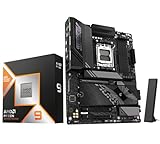
This combo targets builders who would otherwise choose between the Ryzen 7 9800X3D for gaming and the Ryzen 9 9950X for workstation tasks. The Ryzen 9 9950X3D has 16 Zen 5 cores and 32 threads, a 4.3GHz base and up to 5.7GHz boost, and 144MB of combined L2 and L3 cache. AMD places the stacked 3D V-Cache on one of its two eight-core dies, so game threads can run on the cache-equipped die while heavy multithreaded work uses all 16 cores. Its 170W TDP matches the standard 9950X.
The ASUS TUF Gaming X870E-PLUS WiFi 7 is a robust X870E ATX board. ASUS lists a 16+2+1 power stage design with 80A stages, DDR5 support, a PCIe 5.0 x16 graphics slot and Wi-Fi 7. As an X870E board, it includes USB4 and PCIe 5.0 support for graphics and storage, which suits a workstation that uses fast external drives and multiple NVMe SSDs.
Who it is for: creators, developers and streamers who also want top-tier gaming performance, and anyone who prefers one high-end machine over separate gaming and work PCs.
Strengths: near-9800X3D gaming performance combined with full 16-core productivity, a VRM sized for sustained heavy loads, current connectivity and a long AM5 upgrade path.
Drawbacks: this is a premium combo, and a 170W processor needs a large tower cooler or a 280mm-class liquid cooler plus strong case airflow. For pure gaming, the 9800X3D with a B850 board is better value. Keep the chipset driver current so Windows schedules games onto the cache-equipped cores correctly.
How it compares: it sits above the 9800X3D and X870E Tomahawk combo for productivity and replaces the workstation 9950X recommendation if you also game seriously.
MSI MAG B850 Tomahawk MAX WiFi

If you prefer to buy the CPU and motherboard separately, the MSI MAG B850 Tomahawk MAX WiFi is one of the strongest B850 boards to pair with a Ryzen 7 9800X3D. It matches the “well-equipped B850” recommendation in the bottom line below and includes features usually found on more expensive X870 boards.
MSI uses a 14+2+1 power design with 80A smart power stages, which is plenty for an eight-core X3D chip and capable of running a 12- or 16-core Ryzen 9. Storage is generous for the chipset: two PCIe 5.0 x4 M.2 slots, one PCIe 4.0 x4 slot and one PCIe 4.0 x2 slot, plus four SATA ports. Note that populating the third M.2 slot reduces one PCIe slot to x2. Networking includes 5Gb Ethernet and Wi-Fi 7 with Bluetooth 5.4, and the rear panel offers multiple 10Gbps USB-A and USB-C ports, with a 20Gbps front-panel USB-C header. It supports up to 256GB of DDR5 across four slots.
Who it is for: gamers building around the 9800X3D or 9700X who want fast networking and two PCIe 5.0 SSD slots without paying for X870E.
Strengths: a strong VRM for the price, 5Gb LAN, Wi-Fi 7, four M.2 slots and good memory overclocking support.
Drawbacks: no USB4 ports, the fourth M.2 slot is limited to PCIe 4.0 x2, and some reviewers note that two M.2 slots share bandwidth in certain configurations. Check the manual before planning a multi-SSD layout.
How it compares: it is a step up from the MSI B850 Gaming Plus WiFi used in the 9700X combo, with a stronger VRM, faster LAN and more M.2 storage.
ASUS TUF Gaming B850-PLUS WiFi

The ASUS TUF Gaming B850-PLUS WiFi is a value-focused B850 board that suits the Ryzen 5 7600, Ryzen 7 7800X3D and Ryzen 7 9800X3D combinations described above. It covers the features most gamers actually use while keeping the platform cost down.
ASUS lists a 14+2+1 power stage design with 80A stages, DDR5 support, PCIe 5.0, three M.2 slots, Wi-Fi 7 and 2.5Gb Ethernet. Rear connectivity includes DisplayPort and HDMI outputs for processors with integrated graphics, such as the 8700G, plus 10Gbps and 20Gbps USB Type-C ports. BIOS Flashback is included, which lets you update the firmware from a USB drive without a compatible CPU installed, an important safeguard when pairing a newer Ryzen chip with any board.
Who it is for: builders who want a dependable, mainstream B850 board with Wi-Fi 7 and BIOS Flashback at a mid-range price.
Strengths: solid VRM capacity for its tier, BIOS Flashback, display outputs for integrated graphics, fast USB-C ports and TUF’s emphasis on durable components.
Drawbacks: three M.2 slots instead of four, 2.5Gb rather than 5Gb Ethernet, and no USB4. Enthusiasts planning multiple PCIe 5.0 SSDs should look at X870E boards instead.
How it compares: it sits between the MSI B850 Gaming Plus WiFi and the B850 Tomahawk MAX, offering BIOS Flashback and display outputs that make it a flexible partner for both X3D and G-series processors.
GIGABYTE X870E AORUS Elite WiFi 7

For the workstation combo built around the Ryzen 9 9950X, the GIGABYTE X870E AORUS Elite WiFi 7 is a sensible board that delivers X870E features without stepping into flagship pricing.
GIGABYTE lists a 16+2+2 twin digital VRM with large heatsinks, four DDR5 slots supporting up to 256GB, and four M.2 slots: three PCIe 5.0 and one PCIe 4.0, all with tool-free latches. The rear panel includes two USB4 Type-C ports at 40Gbps with DisplayPort Alt Mode, an HDMI output, 2.5Gb Ethernet and Wi-Fi 7, and the primary graphics slot is a reinforced PCIe 5.0 x16 slot. A Q-Flash Plus button allows BIOS updates without a CPU.
Who it is for: Ryzen 9 9900X or 9950X builders who need multiple PCIe 5.0 SSDs, USB4 for fast external storage and room for expansion cards.
Strengths: three PCIe 5.0 M.2 slots, dual USB4, a well-cooled VRM suitable for 16-core chips, and convenient tool-free storage installation.
Drawbacks: 2.5Gb Ethernet rather than 5Gb or 10Gb, and its premium-leaning price is unnecessary for gaming-only systems. As noted above, check lane-sharing tables, since populating certain M.2 slots can affect other connections.
How it compares: it competes directly with the MSI MAG X870E Tomahawk in the existing 9800X3D combo, offering more PCIe 5.0 M.2 slots, while the Tomahawk offers faster wired networking.
How much VRM capacity do you need?
VRM quality matters most for high-core-count processors operating under sustained load. For a six- or eight-core Ryzen, a mainstream board with a cooled VRM is normally sufficient. For a 12- or 16-core processor, prioritize heatsink size, sustained-current capability, and firmware maturity over decorative features.
A useful power-budget example is a Ryzen 9 9950X system with a graphics card rated around 350W, a motherboard and memory using roughly 70W, storage and fans using 40W, and transient headroom of about 20 percent:
(200W CPU + 350W GPU + 110W platform) × 1.2 = 792W.
That points toward a quality 850W supply, or a 1000W model if the graphics card has high transient behavior, the processor is allowed to run unrestricted, or future upgrades are likely. This calculation is separate from VRM selection: the power supply feeds the board, while the VRM converts CPU power at the socket.
BIOS support and upgrade-path checks
AM5 compatibility is broad, but the BIOS version still matters. A motherboard manufactured before a processor’s launch may require an update before it can boot that processor. Before purchasing, check the manufacturer’s CPU support list and the minimum BIOS version for the exact CPU.
- Buying Ryzen 9000 for an older B650 or X670 board: confirm Ryzen 9000 support and use BIOS Flashback if the board will not boot the new chip.
- Building with four memory modules: expect lower achievable memory speeds than with two modules; buy a larger two-module kit when possible.
- Planning a future high-core-count upgrade: avoid the cheapest board and choose a model with substantial VRM heatsinks.
- Planning multiple PCIe 5.0 SSDs: inspect the lane-sharing diagram, not just the chipset name.
- Keeping the board for several CPU generations: favor AM5, BIOS Flashback, four DIMM slots, and a current chipset over obsolete DDR4 platforms.
Comparing the additional CPU and motherboard picks
| Product | Type | Key specification | Best paired with | Price tier |
|---|---|---|---|---|
| Ryzen 5 7600X + GIGABYTE B650 AORUS Elite AX | CPU and board bundle | 6 cores, up to 5.3GHz, 105W; B650 with Wi-Fi | Mid-range graphics card, 32GB DDR5-6000 | Budget to mid-range |
| Ryzen 7 8700G | CPU with strong integrated graphics | 8 cores, Radeon 780M (12 CUs), 65W, cooler included | B650 or B850 board with display outputs | Mid-range |
| Ryzen 9 9950X3D + ASUS TUF X870E-PLUS | CPU and board bundle | 16 cores, 144MB cache, 170W; X870E with USB4 | High-end GPU, 64GB DDR5, 280mm-class cooling | Premium |
| MSI MAG B850 Tomahawk MAX WiFi | B850 motherboard | 14+2+1 80A VRM, 2x PCIe 5.0 M.2, 5Gb LAN, Wi-Fi 7 | Ryzen 7 9800X3D or 9700X | Mid-range |
| ASUS TUF Gaming B850-PLUS WiFi | B850 motherboard | 14+2+1 80A stages, 3x M.2, Wi-Fi 7, BIOS Flashback | Ryzen 5 7600, 7800X3D, 9800X3D or 8700G | Mid-range |
| GIGABYTE X870E AORUS Elite WiFi 7 | X870E motherboard | 16+2+2 VRM, 3x PCIe 5.0 M.2, dual USB4 | Ryzen 9 9900X or 9950X | Mid-range to premium |
Bundle or separate parts?
Retailer CPU and motherboard bundles can be convenient, but they are not automatically the best value. Weigh these points before choosing:
- Compatibility is pre-checked: a bundle from a reputable seller pairs a CPU with a board that supports it, often with a BIOS already able to boot that processor.
- The board choice is fixed: bundles may include a board with more or fewer features than you need. Compare the bundled board’s specifications with your requirements, especially M.2 count, networking and rear USB ports.
- Return and warranty handling: check whether the bundle is returned or serviced as a single item or as separate products. Separate parts are often easier to replace individually.
- Upgrade plans: if you plan to change the CPU later, a stronger board bought separately can be a better long-term investment than a bundled entry board.
- Memory inclusion: some bundles include RAM; confirm the capacity, speed and module count match the 32GB or 64GB DDR5-6000 targets in this guide.
Completing the build: cooler, memory, storage and power
A combo is only the foundation. Several parts determine whether it performs as expected.
- Cooler: only some AM5 processors, such as the 8700G, include a cooler. Budget for a quality tower air cooler for six- and eight-core chips, and a dual-tower or 240mm to 280mm liquid cooler for 12- and 16-core processors. Check that the cooler includes AM5 mounting hardware.
- Memory: buy a two-module DDR5-6000 kit with an AMD EXPO profile. 32GB suits gaming; 64GB suits mixed creative work.
- Storage: a PCIe 4.0 NVMe SSD is enough for gaming load times. PCIe 5.0 drives help mainly with large file transfers and run hotter, so use the board’s M.2 heatsink.
- Power supply: use the power-budget formula above and choose a quality unit with the correct connectors for your graphics card.
- Case: choose a case with front-to-back airflow and clearance for your cooler height or radiator size, especially with 170W processors.
First boot and setup tips for AM5
- Expect a long first boot. AM5 systems train the memory on first start, which can leave the screen black for a minute or more. Do not power off during this process.
- Update the BIOS early. Use BIOS Flashback or Q-Flash Plus if the board cannot boot your CPU, then update to the latest stable release for memory compatibility and security fixes.
- Enable EXPO. Turn on the memory’s EXPO profile so DDR5 runs at its rated speed rather than the slower default.
- Consider Memory Context Restore. On boards that offer it, this setting shortens later boot times by skipping full memory retraining.
- Install the AMD chipset driver. It is essential on dual-die X3D processors such as the 9950X3D, which rely on it to schedule games onto the cache-equipped cores.
- Check M.2 slot assignments. Put the boot drive in the primary CPU-connected slot and confirm in the manual which slots share lanes with PCIe or SATA ports.
- Tune gently. Precision Boost Overdrive and Curve Optimizer can add performance, but stability testing is necessary, and default settings are already efficient for most users.
Matching the CPU to your graphics card and resolution
The best combo depends on how much work the graphics card does at your resolution. At 4K, almost any modern six- or eight-core Ryzen is limited by the GPU, so spending extra on the processor brings little benefit. At 1080p with a fast GPU and a high-refresh monitor, the processor becomes the bottleneck, and X3D chips show their advantage.
- 1080p high refresh with a high-end GPU: Ryzen 7 9800X3D or 7800X3D. The extra cache helps hold high frame rates in CPU-heavy games such as competitive shooters and strategy titles.
- 1440p with a mid-range or upper-mid-range GPU: Ryzen 5 7600 or 7600X if budget is tight, Ryzen 7 7800X3D or 9800X3D if you want headroom for a future GPU upgrade.
- 4K with a high-end GPU: a Ryzen 7 9700X or 9800X3D is plenty. Put the savings toward the graphics card, which determines most of your 4K performance.
- Streaming while gaming: eight cores is a comfortable minimum, and twelve or sixteen cores help if you encode on the CPU rather than the graphics card.
- No graphics card yet: Ryzen 7 8700G, with the plan to add a GPU later.
A simple rule: if your graphics card costs less than your CPU and motherboard combined, the build is probably unbalanced for gaming. Shift budget toward the GPU unless your work depends on CPU cores.
Is AM4 still worth considering?
Older AM4 combos with DDR4 memory remain on sale and can be cheaper upfront. They make sense mainly when you already own compatible DDR4 memory or need the lowest possible cost for a basic PC. For a new gaming build, AM5 is the better investment: it supports DDR5, PCIe 5.0 on many boards, current Ryzen processors, and future CPU upgrades without replacing the motherboard. The price gap between entry AM5 combos, such as the Ryzen 5 7600X bundle, and higher-end AM4 parts has narrowed enough that AM5 is the default recommendation for most buyers in 2026.
Which combo should you buy?
| Your situation | Best match | Why |
|---|---|---|
| Lowest sensible AM5 gaming cost | Ryzen 5 7600 + B650 | Strong baseline performance and inexpensive platform entry |
| Discounted high-performance gaming build | Ryzen 7 7800X3D + B650 | Excellent gaming performance without premium I/O costs |
| New high-end gaming PC | Ryzen 7 9800X3D + B850 | Modern gaming performance with a balanced motherboard |
| Gaming plus rendering and encoding | Ryzen 9 9900X + X870 | More cores and stronger connectivity for mixed workloads |
| Professional multithreaded workloads | Ryzen 9 9950X + X870E | Maximum desktop-core capacity and expansion flexibility |
| No discrete graphics card initially | Ryzen 7 8700G + B650 | Useful integrated graphics, with dual-channel DDR5 strongly recommended |
Frequently asked questions
Do I need an aftermarket CPU cooler for an AM5 processor?
Yes, a tower air cooler is a sensible choice for most AM5 processors, especially in a compact case. The Ryzen 5 7600 should not require an unusually small cooler, while the Ryzen 9 9900X benefits from a substantial dual-tower air cooler or a 240mm-class liquid cooler. A Ryzen 9 9950X workstation should use a large tower cooler or a 280mm-class liquid cooler.
Is DDR5-6000 the best memory speed for these AMD builds?
Yes, DDR5-6000 is the safest general-purpose target for these AM5 combinations. It is recommended for the Ryzen 5 7600, Ryzen 7 7800X3D, Ryzen 7 9800X3D, Ryzen 9 9900X, and Ryzen 9 9950X configurations. DDR5-6400 can work with a suitable BIOS and strong memory controller, but DDR5-6000 is the safer plug-and-play choice.
Should I use two or four DDR5 memory modules?
Use two memory modules when possible, particularly if you want higher memory speeds or plan to install a larger kit. Four modules can reduce the maximum achievable memory speed on the platform. For a small integrated-graphics PC using the Ryzen 7 8700G, 32GB of DDR5-6000 arranged as two modules is the recommended setup.
Can an older B650 motherboard run a Ryzen 9000 processor?
Yes, an older B650 motherboard can run a Ryzen 9000 processor if its BIOS supports that exact CPU. Check the manufacturer’s CPU support list and the minimum BIOS version before buying. If the board does not boot the new processor, BIOS Flashback can provide a way to update it without first installing a supported CPU.
When should I choose X870E instead of B850 or X870?
Choose X870E when you need maximum connectivity, several PCIe 5.0 devices, or more flexible lane distribution. B850 or X870 is sufficient when you do not need those workstation-oriented features. Before purchasing, inspect the motherboard manual because populating certain M.2 slots may disable SATA ports or reduce the graphics slot to fewer lanes.
Is the Ryzen 9 9950X3D worth it over the 9800X3D for gaming?
For gaming alone, usually not. The 9800X3D delivers similar gaming performance at a much lower platform cost. The 9950X3D makes sense when you also run heavy multithreaded work such as rendering, encoding or compiling and want one machine that excels at both.
Can the Ryzen 7 8700G run games without a graphics card?
Yes, its Radeon 780M graphics can run many games at 1080p with reduced settings, and lighter esports titles at higher settings. Performance depends heavily on fast dual-channel memory. For demanding modern games at high settings, a discrete graphics card is still the better route.
Should I choose a Ryzen 5 7600 or 7600X?
Both use the same six-core design. The 7600X has higher clocks and a 105W default TDP, while the 7600 runs at 65W and includes a cooler in many retail versions. In GPU-limited gaming the difference is small, so the better choice is usually whichever is cheaper when combined with a suitable cooler.
Do AM5 motherboards support future Ryzen processors?
AMD has committed to supporting the AM5 socket across multiple processor generations, and current boards run Ryzen 7000, 8000 and 9000 chips with appropriate BIOS updates. Support for future processors depends on AMD and each board maker releasing compatible firmware, so a board with BIOS Flashback and a strong VRM is the safest long-term choice.
Bottom line
For most new gaming PCs, buy the Ryzen 7 9800X3D with a well-equipped B850 motherboard and 32GB of DDR5-6000. Choose the Ryzen 5 7600 and B650 when budget matters, the Ryzen 7 7800X3D when its price is substantially lower, and the Ryzen 9 9900X or 9950X with X870/X870E when productivity, expansion, and sustained multicore performance matter as much as gaming.