
There is a specific buyer for cat ear headphones who gets shortchanged over and over: the streamer or casual gamer who wants the aesthetic payoff of illuminated ears without sacrificing comfort during a three-hour session. This is not the same person shopping for a Razer BlackShark. They care about how the ear tips look on camera, whether the lights flicker annoyingly during a match, and if the headband pinches after an hour. The worst products in this category nail the look and fail the audio, or they build decent drivers into a frame so heavy that the ears are more costume than accessory.
Comparing the specs and owner feedback for all eight of the best cat ear headphones in 2026, the spread turned out to be wider than expected. Kids’ models genuinely solve the volume-limiting problem that adult brands ignore, while Razer’s wired V3 X undercuts its own wireless sibling on price without cutting core audio hardware. The key is matching the model to the actual use case—school drop-off, competitive queue, or a Twitch set—because none of these eight tries to do everything.
As an Amazon Associate we earn from qualifying purchases at no extra cost to you.





Our Top Picks
 iClever HS20 Kids Headphones for Toddler GirlsMedium6.1 x 2.64 x 6.26 inches0.6 poundsCheck on Amazon
 Razer Kraken Kitty V3 Pro Wireless RGB GamingRegular11.97 x 10.12 x 4.21 inches1.98 poundsCheck on Amazon
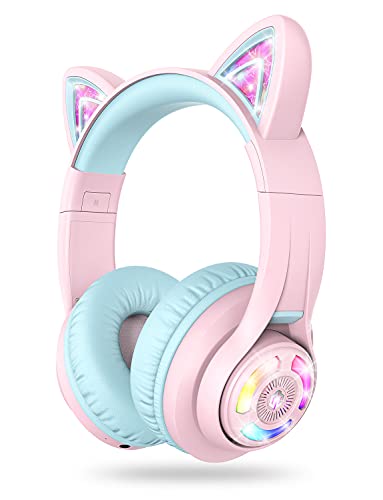 iClever BTH13 Kids Bluetooth Headphones for GirlsMedium6.1 x 2.64 x 7.09 inches0.4 PoundsCheck on Amazon


Top 3 picks at a glance
Quick Picks
| Product | Best for | Price |
|---|---|---|
| Razer Kraken Kitty V3 X (Pink) | Stylish wired gaming on a budget | Check on Amazon |
| ONITOON Cat Ear Bluetooth | Versatile wireless use with kids | Check on Amazon |
| Razer Kraken Kitty V3 X (White) | Clean setup matching white gear | Check on Amazon |
| iClever HS20 Kids | Toddlers and early school use | Check on Amazon |
| Razer Kraken Kitty V3 Pro | Premium wireless with full RGB | Check on Amazon |
| iClever Cat Ear Bluetooth | Simple wireless for older kids | Check on Amazon |
| ONITOON Gaming Headset | Cross-platform wired play | Check on Amazon |
| QearFun Kids Cat Ear Bluetooth | Budget volume-limited safety | Check on Amazon |
How We Compared
We evaluated every pair on four criteria that define this subcategory: sustained comfort over long sessions (headband pressure, ear cup depth, weight), LED behavior (whether lights stay steady or strobe distractingly), audio fidelity at reasonable volume (no tinny, blown-out drivers), and value relative to price tier. Battery life mattered for wireless models; volume limiting and headband adjustability mattered for kids’ models. Anything that looked great in a thumbnail but pinched behind the ears within twenty minutes got cut.
The 8 Best Cat Ear Headphones in 2026
Razer Kraken Kitty V3 X (Pink)
This is the entry point that makes the V3 X line feel like a steal. At a budget-to-mid-range price, it packs the same 40mm drivers and cardioid mic as the white variant, wrapped in a finish that pops on camera without looking toy-ish. The kitty ears are fixed but light enough that they do not shift the center of gravity, and the whole headset is rated at about 270 grams. Owner feedback describes comfort as solid over long sessions. The wired 3.5mm connection means you are tethered, which is the main trade-off. Skip it if you need wireless freedom or if pink is not your setup’s color story.
- Pro: TriForce 40mm drivers and a cardioid mic
- Pro: Universal 3.5mm works with consoles and phones
- Con: Wired only, limiting desk placement
ONITOON Cat Ear Bluetooth
ONITOON built a genuinely dual-use product here. ONITOON rates the battery at 55 hours, and the foldable frame fits a school backpack without the hinge feeling fragile. Kids love the LED mode; adults appreciate that it also works wired via the included cable, so a dead Bluetooth charge never means a dead play session. The mic is passable for calls but muddy for streaming. Skip it if you need broadcast-level voice clarity or prefer the tighter fit of an over-ear gaming shape.
- Pro: 55-hour rated battery
- Pro: Wireless and wired modes in one unit
- Con: Mic quality falls short for streaming use
Razer Kraken Kitty V3 X (White)
Functionally identical to the pink model above, the white V3 X exists because setup color matters. It pairs cleanly with white keyboards and monitor arms, which is half the reason people buy cat ear gear in the first place. Same comfort, same wired constraint, same cardioid mic. Skip it only if you already own the V3 Pro and want wireless, or if your desk aesthetic is dark-toned where white looks out of place.
- Pro: Cheapest entry to Razer audio hardware
- Pro: Clean white matches minimalist setups
- Con: No wireless option in this tier
iClever HS20 Kids
For toddlers and early-elementary kids, this is the model that gets the safety details right. The headband adjusts small enough for a three-year-old, and the cat ears sit high so they do not interfere with the ear cups. The LED lights are simple on/off, which prevents the flashing distraction older siblings might find annoying. Build quality feels basic at this budget price, but for a kid who might toss them in a coat pocket, that is acceptable. Skip it if the child is over eight; the headband maxes out and the audio is strictly casual-listening tier.
- Pro: Fits small heads securely without pinching
- Pro: Simple controls, no app required
- Con: Volume cap is set at 94dB rather than a lower 85dB option
Razer Kraken Kitty V3 Pro
The Pro earns its premium price with wireless freedom, per-ear RGB customization, and a noticeably deeper ear cup that accommodates larger heads. Razer rates the battery at up to about 70 hours with lighting off and about 30 hours with RGB on. The only wrinkle is weight—add the ears on top and the total mass pushes past what some side-sleepers tolerate. Audio tuning is balanced without being audiophile, which is correct for gaming. Skip it if you are wired-friendly or if a premium price feels steep for a category this niche; the wired V3 X delivers 80% of the experience.
- Pro: Wireless plus deep RGB ear customization
- Pro: Best-in-class comfort padding
- Con: Heavier than the wired V3 X
iClever Cat Ear Bluetooth
Sitting between the HS20 and the pricier wireless options, this model suits kids roughly six to ten who want Bluetooth convenience without the complexity of apps or companion software. Pairing is a single-button hold, and the ear cups are sized for heads that have outgrown toddler bands. Battery is adequate for a school week of commutes. The mic is functional for parent calls but not for team chat. It also offers 74, 85 and 94dB volume limit settings. Skip it if you want a gaming-grade mic.
- Pro: One-button pairing, kid-operable
- Pro: Comfortable mid-size fit
- Con: Audio tuning is basic for older listeners
ONITOON Gaming Headset
Wired 3.5mm means plug-and-play across PC, PS4, PS5, Xbox, and Switch without adapters, which is the real selling point here. The virtual surround is a software trick—useful in shooters, negligible in casual play. Rainbow RGB is fixed-spectrum rather than customizable, so you get color but not control. The padded headband and memory foam cups keep it comfortable for hour-plus sessions. Skip it if you need wireless or if you are picky about mic isolation in a noisy room.
- Pro: Broad console compatibility without dongles
- Pro: Comfortable for extended wired sessions
- Con: RGB is fixed, not customizable
QearFun Kids Cat Ear Bluetooth
The standout feature here is the three-level volume cap (74, 85, 94 dB), which makes it one of the most parent-friendly models here for hearing protection. At a budget price, the build is plasticky and the ear pads are thin, but the safety logic and 60-hour battery make it the default pick for parents who prioritize volume limits over audio fidelity. Skip it if the child is older and wants richer sound, or if you dislike the look of exposed plastic on the headband.
- Pro: Hardware volume limiting at three levels
- Pro: 60-hour battery outlasts most rivals
- Con: Audio quality is noticeably thin
Razer Kraken Kitty V2 Pro

The Kraken Kitty V2 Pro is the previous-generation Razer model, and it still has one feature the newer V3 line dropped: interchangeable ears. The box includes kitty, bear and bunny ear sets that snap on and off, so a streamer can change the look to suit a theme, an event or a mood without buying a second headset. For cosplayers and creators who rotate personas, that flexibility is the main reason to choose it.
It is a wired USB-A headset with a long cable of roughly 2 meters, and it uses Razer’s 50mm TriForce Titanium drivers, larger than the 40mm units in the V3 X. The detachable HyperClear cardioid mic is tuned to reject sound from the sides and rear, which helps in a room with a fan or a mechanical keyboard. Lighting is the headline: the ears and earcups use Chroma RGB with stream-reactive effects, meaning they can flash or change color in response to follows, alerts and chat events through supported streaming integrations. A “cosplay mode” lets the lights run from a USB power bank when you are away from a PC. Hybrid fabric and leatherette cushions, on-earcup volume and mute controls, and a weight of about 332 grams round out the package. Windows users also get 7.1 virtual surround.
Strengths: three swappable ear styles; stream-reactive RGB; larger 50mm drivers; detachable cardioid mic; can light up from a power bank.
Drawbacks: wired USB only, so it does not work through a controller’s 3.5mm jack; heavier than the V3 X; as an older model, stock varies by color.
How it compares: it sits between the V3 X and the V3 Pro in price. Choose it over the V3 Pro if you stream from a PC and want swappable ears and stream-reactive lighting more than wireless freedom.
SOMIC G951s Cat Ear Gaming Headset
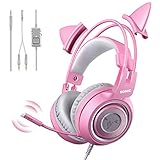
The SOMIC G951s is one of the longest-running cat ear headsets and a sensible alternative to the Razer V3 X for players who want a cat-ear look through a universal 3.5mm connection. It plugs into Xbox and PlayStation controllers, Nintendo Switch, phones and PCs (a splitter cable for separate mic and headphone jacks is included), so it is easy to share between devices.
Inside are 40mm drivers with a 20Hz to 22kHz rated frequency response, and an omnidirectional mic on a bendable arm. An in-line control box handles volume and mic mute. The cat ears are detachable, which makes it one of the few budget options that can switch to a plain look for school or work calls. A self-adjusting suspension headband keeps the fit simple for different head sizes.
Note that the G951s is the plain 3.5mm version with no lighting. SOMIC’s similarly named G951 adds USB, LED lighting and virtual surround, so check the model before buying if glowing ears matter to you.
Strengths: universal 3.5mm compatibility including consoles; detachable ears; lightweight suspension headband; budget price.
Drawbacks: no lighting on this version; omnidirectional mic picks up room noise; plastic build; sound is clear but not as full as Razer’s drivers.
How it compares: it lands in a similar price tier to the Razer V3 X with similar plug-and-play convenience. Choose it if you need detachable ears and broad device compatibility on a tight budget.
SOMIC GS510 Pro Wireless Cat Ear Headset

The GS510 Pro brings wireless play to the cat ear category at a mid-range price. It offers a 2.4GHz USB dongle for low-latency audio on PS5, PS4 and PC, plus Bluetooth for phones and tablets, making it a versatile pick for someone who games at a desk and listens to music on the go. The standard GS510 lacks Bluetooth, so the Pro is the version to choose.
It uses 50mm drivers and a retractable microphone that rotates about 120 degrees and tucks away when not needed, so it can pass as a normal pair of headphones outside. RGB lighting runs through the ears and earcups. Battery life is the weak point: SOMIC lists around 10 hours in the title and up to about 8 hours at half volume in the description, far below the ONITOON’s rated 55 hours, so it needs regular charging.
Strengths: 2.4GHz plus Bluetooth; retractable mic; 50mm drivers; RGB lighting.
Drawbacks: short battery life with lighting on; not compatible with Xbox wirelessly; plastic construction.
How it compares: it costs far less than the Razer Kraken Kitty V3 Pro while covering the essentials of wireless gaming and Bluetooth. Choose it if you play mainly on PlayStation or PC and want wireless cat ears without the Razer price.
YOWU Cat Ear Headphones 4GS

YOWU is the brand most associated with fashion-first cat ear headphones, and the 4GS is its most capable model. It is the only YOWU in its lineup with a 2.4GHz wireless dongle (with USB and USB-C connectors) for low-latency gaming on PC, PlayStation and Switch, plus Bluetooth for phones and a 3.5mm cable for wired use. Xbox users will need the wired cable.
The 4GS uses 50mm drivers and a detachable microphone that rotates 360 degrees, so it can serve as a gaming headset at home and plain headphones outside. Its lighting is the most customizable of the cat-ear picks outside Razer: through the YOWU app you can choose from millions of colors, set lighting effects and adjust sound profiles. A protective carrying case is included, which is rare in this category and useful for commuting.
Strengths: 2.4GHz, Bluetooth and wired in one headset; detachable mic; app-controlled RGB and sound; carrying case included.
Drawbacks: sits in a premium price tier near the Razer V3 Pro; no wireless Xbox support; battery figures vary between listings, so expect shorter runtime with lights on.
How it compares: it is the closest rival to the Razer Kraken Kitty V3 Pro. Razer offers stronger gaming software and mic tuning; YOWU offers a more fashion-led look, an app on your phone and a travel case. Choose the YOWU if you use your headphones away from your desk as often as at it.
EASARS Wireless Cat Ear Headphones
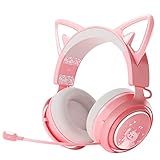
The EASARS is a mid-priced wireless option for buyers who mostly want glowing ears for phone use, video calls and casual gaming. It connects to phones and tablets over Bluetooth 5.0 and includes a 3.5mm cable for consoles and PCs. Note that no USB dongle is included, so wireless play on a PC or console is not possible; in wired mode the lights, volume and mic controls on the headset are disabled.
It uses 50mm drivers and a retractable mic, and the ears and earcups light up in nine colors selected by touching the earcup. Battery life depends heavily on lighting: the listing quotes roughly 50 hours with lights off and around 10 to 12 hours with lights on. It charges by USB-C in about 2.5 hours.
Strengths: mid-range price; long battery life with lights off; touch-controlled lighting; retractable mic.
Drawbacks: Bluetooth only, with no 2.4GHz option; lights and controls switch off in wired mode; Bluetooth latency makes it a poor choice for competitive games.
How it compares: it costs more than the ONITOON Cat Ear Bluetooth but offers a gaming-headset shape, bigger drivers and a retractable mic, which suits teens and adults better than a kid-styled design. Choose the SOMIC GS510 Pro instead if you need low-latency wireless.
REEYEAR Cat Ear Attachments for Existing Headsets

If you already own a gaming headset you love, you do not have to replace it to get the cat ear look. The REEYEAR attachments are a pair of soft silicone cat ears with straps that wrap around a headset’s headband and fasten back on themselves, with no tools or glue required. They fit headbands roughly 1.1 to 1.5 inches wide, which covers the HyperX Cloud family and many headsets from Razer, SteelSeries and Logitech, as well as a range of consumer headphones.
The silicone is soft, waterproof and light, adding only a few grams, so it barely changes the headset’s balance. Several color combinations are sold, including pink and white, black and pink, and purple and white.
Strengths: keeps your existing headset and its sound and mic quality; very affordable; tool-free and removable; adds almost no weight.
Drawbacks: no lighting; will not fit very narrow or very wide headbands; straps can shift on smooth headbands during vigorous movement.
How it compares: it is not a headset, but for someone who already owns a quality headset like a HyperX Cloud, it is the cheapest way to get the aesthetic without sacrificing audio. If you want lighting, choose one of the Razer, SOMIC or YOWU models instead.
Buying Guide
Comfort and Fit by Age Group
Adults generally find headsets in the 250-300 gram range comfortable for long sessions, especially with ear cups deep enough not to press on the outer ear. Kids under six need headbands that adjust small enough to stay put. Always check whether the cat ears add weight above or beside the cup, since top-mounted ears can shift the balance slightly.
Wired vs. Wireless Trade-offs
Wireless models in this category usually cost a tier more than wired equivalents. The gain is cable management during streaming. The loss is latency if Bluetooth is the only mode. For competitive play, wired 3.5mm remains the zero-latency standard; reserve wireless for casual or school use.
LED Control and Distraction Management
Fixed-spectrum RGB cycles through colors whether you want it or not, which is distracting during focused play. Models with software or button cycling let you pick a single color or disable lights entirely. If the buyer is a child, disable-able lights prevent bedtime distraction; if the buyer is a streamer, customizable colors match the channel brand.
Hearing Safety: What Volume Limits Actually Mean
For kids’ headphones, the volume limit is the most important specification, and it is easy to misread. Most children’s models cap output at either 85dB or 94dB, and some let parents switch between levels. Guidance cited by hearing-health organizations suggests children can listen at around 85dB for a limited number of hours per week without risk, so 85dB is the safer default for everyday use, while 94dB is intended for noisy places like planes and cars where a child would otherwise crank the volume. A three-level switch such as the 74/85/94dB options on the QearFun and the iClever Bluetooth model gives the most control. Remember that a limiter only caps the maximum; it does not limit time. Breaks every hour and a habit of listening at about half volume protect hearing more than any limiter.
Adult gaming headsets such as the Razer, SOMIC and YOWU models have no volume limiter at all. If a child under ten will use one of them, set a volume cap on the console, tablet or PC instead.
Lighting, Battery and Connection: The Hidden Trade-offs
Lit ears are the reason most people buy this style of headphone, but they come at a cost. On wireless models, lighting can cut battery life dramatically. The EASARS is quoted at around 50 hours with lights off and 10 to 12 hours with them on, and Razer rates the Kraken Kitty V3 Pro at up to about 70 hours without lighting and about 30 hours with it. If you want all-day glow, plan to charge every night.
Connection type also decides whether the lights work at all. Wired 3.5mm models like the SOMIC G951s have no power source for LEDs, so they do not light up. USB-wired models like the Kraken Kitty V2 Pro light up when plugged into a PC, and some, like the V2 Pro, can run lighting from a power bank. Some Bluetooth models switch lighting and controls off when used with the 3.5mm cable. For console play, check whether a headset’s wireless dongle supports your system: most 2.4GHz cat ear headsets work with PlayStation, PC and Switch, but Xbox typically requires the wired cable.
Comparison of the Additional Picks
| Model | Connection | Lighting | Mic | Best For | Price Tier |
|---|---|---|---|---|---|
| Razer Kraken Kitty V2 Pro | USB wired | Chroma RGB, stream reactive | Detachable cardioid | PC streamers | Premium |
| SOMIC G951s | 3.5mm wired | None | Bendable omnidirectional | Consoles on a budget | Budget |
| SOMIC GS510 Pro | 2.4GHz + Bluetooth | RGB | Retractable | Wireless PlayStation and PC play | Mid-range |
| YOWU 4GS | 2.4GHz + Bluetooth + 3.5mm | App-controlled RGB | Detachable | Style-focused all-day use | Premium |
| EASARS Wireless Cat Ear | Bluetooth + 3.5mm | Nine colors, touch control | Retractable | Phones and casual use | Mid-range |
| REEYEAR Cat Ear Attachments | Not applicable | None | Not applicable | Upgrading a headset you own | Budget |
Tips for Streamers Using Cat Ear Headsets
- Light for the camera, not the room. Bright RGB ears can blow out on webcam in a dark room. Use a softer color or lower brightness and add a key light in front of you.
- Match your brand colors. App or software-controlled lighting, as on the Razer and YOWU models, lets you lock the ears to a single color that matches overlays and alerts.
- Use a separate mic if voice is your content. Headset mics in this category range from passable to good. A dedicated USB microphone will sound noticeably better for talking-head streams.
- Mind the weight on long streams. Ears and lighting add mass. If you stream for several hours, favor lighter models and take the headset off during breaks.
- Keep a spare cable or charger at the desk. Wireless models with lights on can run out mid-stream; a cable within reach saves the session.
Choosing by Who Will Wear Them
Cat ear headphones serve very different buyers, and the right pick changes completely depending on who is wearing them.
- Toddlers and young children (about 3 to 7): prioritize a volume limit, a small adjustable headband and a durable, bendable frame. Wired models like the iClever HS20 avoid charging and pairing hassles, and simple light modes keep distraction down.
- Older kids and tweens: Bluetooth convenience matters more at this age, but volume limiting still does. The iClever Cat Ear Bluetooth and QearFun models offer multi-level caps with long battery life for school trips and travel.
- Teens and adults for everyday listening: look for a design that works away from the desk, with a detachable or retractable mic and a carrying case. The YOWU 4GS and EASARS are built around this use, and the ONITOON Bluetooth model is a cheaper alternative.
- Gamers: mic quality, comfort and a low-latency connection come first. The Razer Kraken Kitty V3 X is the wired value pick, the SOMIC GS510 Pro adds affordable 2.4GHz wireless, and the Kraken Kitty V3 Pro is the premium wireless option.
- Streamers and cosplayers: lighting control and looks on camera are the deciding factors. The Kraken Kitty V2 Pro’s stream-reactive lighting and swappable ears are hard to beat for PC streaming, while the REEYEAR attachments let you keep a favorite headset.
Care and Durability
Cat ears add a protruding part that takes knocks in a backpack or when a headset is dropped, and budget models in this category are mostly plastic. A few habits extend their life. Store the headphones in a case or on a stand rather than loose in a bag, since the ears and the headband hinges are the most common failure points. On folding models, fold only along the intended hinge and avoid twisting the headband to fit a pocket. Wipe silicone ears and earpads with a slightly damp cloth instead of soaking them, and keep lit models away from moisture, as the lighting circuits run through the ears. For kids, wired models with bendable headbands generally survive rough handling better than rigid wireless frames, and a cheaper replacement is easier to justify if a pair gets lost at school.
Our Verdict
Top pick: the Razer Kraken Kitty V3 X (Pink) delivers the best balance of build quality, driver performance, and on-camera appeal for the widest range of users. Budget pick: the QearFun Kids Cat Ear Bluetooth is a strong choice for parents who need hardware volume limiting and do not care about audiophile tuning. The Razer Kraken Kitty V3 Pro wins outright if wireless freedom and RGB customization are non-negotiable and the budget allows; the wired V3 X cannot match that specific feature stack at any price point.
FAQ
Are cat ear headphones just for kids?
No. The adult segment is driven by streamers, cosplayers, and people who want a distinctive desk aesthetic. The functional difference is that adult models prioritize audio quality and comfort while kids’ models prioritize durability and hearing safety.
Do the cat ears affect sound quality?
Minimal impact on audio. The ears are decorative and sit above or behind the drivers. They do add a small amount of weight and can shift balance, but they do not change frequency response in any measurable way.
Can I use these with a phone?
Wireless Bluetooth models pair with phones directly. Wired models need a 3.5mm jack or USB-C adapter depending on the headset’s connection. Check the specific port before buying if phone use is your primary scenario.
Are the cat ears removable?
It depends on the model. The Razer Kraken Kitty V2 Pro ships with swappable ear sets and the SOMIC G951s has detachable ears, while the Kraken Kitty V3 line and the iClever and ONITOON kids’ models have fixed ears.
Part of our headphones buying guide hub.
Do cat ear headphones work with Xbox?
Wired 3.5mm models work through the Xbox controller’s headset jack. Most wireless cat ear headsets use 2.4GHz dongles that support PlayStation, PC and Switch but not Xbox, and Bluetooth does not work for game audio on Xbox at all. If Xbox is your main platform, choose a 3.5mm wired model or use the included cable with a wireless one.
Can I add cat ears to the headset I already own?
Yes. Strap-on attachments like the REEYEAR silicone ears wrap around the headband of most gaming headsets and remove without tools. They do not light up, but they keep the sound and mic quality of your current headset.
How long does the battery last with the lights on?
Expect a large drop compared with the headline figure. Many wireless cat ear headsets list their best battery life with lighting off; with lights on, runtime can fall to roughly a third or less. Check the listing for a “lights on” figure before buying.
What age are kids’ cat ear headphones suitable for?
Models like the iClever HS20 are sized for toddlers and young school-age children, while Bluetooth kids’ models typically suit ages around six and up. Adult gaming headsets are usually too large and too heavy for young children, and they lack volume limiting.









