Swapping keycaps is the single most satisfying upgrade you can make to a mechanical keyboard without cracking it open. The stock caps that ship with most boards are thin, shiny ABS plastic that wears out before your switch stabilizers do, and they feel hollow under your fingertips no matter what brand of board you paid for. A decent PBT set transforms the typing experience, silences that plastic rattle, and gives your board a personality that matches your desk.
But the custom keycap market is flooded with sets that range from genuinely impressive double-shot PBT to cheap dye-sublimation knockoffs that peel within a month. The gap between them comes down to material, legend method, profile, and fit. This roundup covers the best custom keycap sets for mechanical keyboards available right now, filtered for material quality, profile consistency, fit tolerance, and value per key.
As an Amazon Associate we earn from qualifying purchases at no extra cost to you.




Our Top Picks



Top 3 picks at a glance
Quick Picks
| Product | Best for | Price |
|---|---|---|
| Tsungup PBT Set | All-around quality | Check on Amazon |
| Womier Cherry Profile PBT | Low-profile ergonomics | Check on Amazon |
| Womier Pudding Black | RGB lighting showcase | Check on Amazon |
| dagaladoo Matcha Moa | Themed desk builds | Check on Amazon |
| Womier Pudding Shine Through | Budget RGB upgrade | Check on Amazon |
| dagaladoo Clear Jelly | Transparent aesthetic builds | Check on Amazon |
| Keychron Double Shot Cherry | Legibility and durability | Check on Amazon |
| SDYZ Coral Sea 60% | Compact board owners | Check on Amazon |
How We Compared
Every set in this list was evaluated on four criteria: material and molding quality (PBT over ABS, double-shot over pad-printed where legibility matters), profile consistency across the entire set (no wobbly modifiers or uneven row heights), fit tolerance on common MX-style stems without requiring cap removal tricks, and final cost per keycap. Sets that only come in obscure profiles incompatible with the vast majority of boards were left out, as were sets with widespread reports of legends fading quickly.
The 8 Best Custom Keycap Sets For Mechanical Keyboards in 2026
Tsungup PBT Set
This is the set to start with for anyone upgrading from stock caps for the first time. The PBT has a subtle textured grain that grips your fingertips without feeling rough, and the legends are crisp enough to read at an angle. It ships with a key puller and a layout that covers ISO Enter variants, which saves you a separate purchase. The only trade-off is the price floor, which is noticeably higher than everything else here. If your board is a compact 60% layout, you will not need most of what you pay for.
- Pro: Thick PBT walls eliminate the hollow tap sound stock caps produce.
- Pro: Included puller and broad layout coverage reduce extra purchases.
- Con: Highest price per key in this roundup.
Skip it if you only need a partial set or your board has a very small layout that leaves half the caps unused.
Womier Cherry Profile PBT
Cherry profile caps sit lower than OEM, and the shorter column height reduces wrist extension during long typing sessions. This set delivers that ergonomic benefit at a price that makes it an easy yes. The legends are clean, the plastic has a slight sheen without feeling greasy, and the fit on MX stems is snug without being so tight that you worry about switch damage during removal. The main limitation is that Cherry profile is less common than OEM, so mixing these with spare caps from other sets may leave visible height mismatches on your modifiers.
- Pro: Lower column height reduces wrist strain over extended use.
- Pro: Excellent fit tolerance on both new and worn MX switches.
- Con: Cherry profile is harder to mix with leftover OEM caps.
Skip it if you already own a full OEM set and want to blend in replacements seamlessly.
Womier Pudding Black
Pudding caps use a translucent bottom half that lets RGB light escape downward, turning your keyboard into a light fixture. This set takes that concept and pairs it with a black top, so the glow reads as a colored halo around each key rather than a full neon wash. The effect is dramatic without looking like a gaming convention. Quality is acceptable rather than exceptional, and the legends on the dark tops can be hard to read in dim rooms. It is a visual-first purchase, and it nails the brief at a low cost.
- Pro: Dramatic RGB diffusion effect without full translucency.
- Pro: Budget-tier price for 164 keys is aggressive value.
- Con: Legends on the black tops lack contrast in low light.
Skip it if you primarily type in dark environments and rely on clear legends.
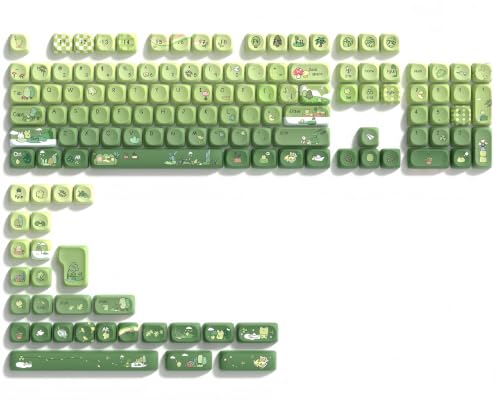
dagaladoo Matcha Moa
Theme sets live or die on color accuracy, and the Matcha Moa caps look like someone actually tested physical Pantone swatches rather than guessing at “green.” The frog motif on the alpha keys is molded in with enough depth to feel tactile under your thumb, and the green-to-cream gradient on modifiers reads as intentional rather than random. At this price point, the legends are pad-printed, so expect them to soften after heavy use on your home row. Still, for a themed build where personality matters more than decade-long legibility, it is one of the most cohesive options available.
- Pro: Color palette is accurate and consistent across all rows.
- Pro: Textured motif adds tactile interest beyond flat printing.
- Con: Pad-printed legends will wear on high-frequency keys.
Skip it if you need legends that stay sharp after a year of daily typing.
Womier Pudding Shine Through
This is the entry-level RGB caps set. It pairs shine-through legends with a translucent pudding-style skirt, so your board lighting dominates the look. It is not a nuanced look; it is bold, and on dark switchboards the effect is stunning. Fit is solid, key walls are thin enough to transmit light but thick enough to avoid the flexy feel of cheap ABS pudding sets. The 164-key count covers most standard layouts without requiring you to source spares.
- Pro: Translucent skirt and shine-through legends deliver strong RGB impact.
- Pro: 164 keys at this price covers nearly every common layout.
- Con: No color differentiation between rows or modifiers.
Skip it if you want a subtle or professional-looking desk setup where bright lighting feels out of place.
dagaladoo Clear Jelly
Clear and jelly keycaps create a glass-like desk aesthetic that photographs beautifully and catches ambient light in a way that RGB pudding sets cannot. These caps are translucent PC material with a glossy finish, which looks premium on camera but attracts fingerprints in daily use. The legends are printed inside the cap wall rather than on the surface, so they resist rubbing off. On the downside, the glossy surface feels sticky when your fingers are warm, and the lack of PBT grain texture means you will notice the difference if you switch between these and a matte set.
- Pro: Inner-printed legends do not wear off.
- Pro: Distinctive glass aesthetic stands out from typical PBT sets.
- Con: Glossy surface feels sticky and collects oils quickly.
Skip it if you type in warm rooms or have oily skin and cannot tolerate a slick surface.
Keychron Double Shot Cherry PBT (Camel)
Keychron’s Double Shot Cherry PBT set pairs a low, sculpted Cherry profile with double-shot legends, which are formed from a second layer of plastic molded through the cap rather than ink on a surface, so they will not fade. At 219 keys it is the largest set in this roundup, with enough alternates to cover most layouts from 60% to full-size. The Camel colorway is a warm, retro dual-tone scheme that fits professional and hobby setups alike, and the set sits in the mid-range tier. The one friction point is the Cherry profile height mismatch with OEM modifiers, which matters only if you mix sets.
- Pro: Double-shot legends are permanently legible.
- Pro: Cherry profile gives an ergonomic, low-slung typing feel.
- Con: Height mismatch with OEM profile caps if you mix sets.
Skip it if you prefer tall keycap profiles or want to blend these into an existing OEM set.
SDYZ Coral Sea 60%
This is a targeted set built specifically for 60% boards like the GK61, Anne Pro, and GH60. The 71-key count covers the entire alpha and function area of those boards without leaving you hunting for spares, and the Coral Sea colorway mixes teal, blue, and cream in a way that feels fresh without being loud. PBT material is solid at this price, and the OEM profile means full compatibility with those specific boards out of the box. The limitation is obvious: if your keyboard is not 60%, most of these caps will sit in a drawer.
- Pro: Exact key count eliminates leftover-cap waste for 60% owners.
- Pro: OEM profile guarantees direct fit on listed boards.
- Con: Useless if your board is TKL, full-size, or 75%.
Skip it if your keyboard has more than 61 keys or you use an ISO layout with a tall Enter.
More Keycap Sets Worth Considering
The eight sets above cover the most common upgrade paths, but they lean heavily on Cherry and OEM-style profiles. The following sets add brand-name double-shot options, taller sculpted profiles, and uniform profiles that suit different typing styles and desk aesthetics.
Keychron OSA Double-Shot PBT Full Set

Keychron’s OSA set is the pick for anyone who wants a brand-name double-shot PBT set without moving into enthusiast group-buy territory. OSA is Keychron’s own profile: it is sculpted row by row like OEM, sits at a broadly similar height, and has rounded, slightly dished tops inspired by spherical profiles such as SA. The result is a set that looks more retro and rounded than Cherry profile but does not tower over the switches the way true SA caps do.
The set includes 141 keycaps in an ANSI layout and is offered in several colorways, from retro beige and grey combinations to black-on-white and white-on-black. The legends are double-shot, so the letters are a second layer of plastic molded through the cap and cannot wear away. Keychron lists compatibility with its own Q, V, K and C series boards and with standard MX-stem keyboards from 60% up to full-size. The standard version is not shine-through, so backlighting will only glow around the edges of each key.
Strengths: permanent double-shot legends, thick PBT, a recognizable profile that feels comfortable for long typing sessions, and broad layout coverage for popular board sizes.
Drawbacks: no shine-through legends on the standard version, and Keychron notes that a few keys omit rarely used functions such as Scroll Lock and Pause on some layouts. Because the profile is OSA, mixing it with Cherry or OEM caps will show height differences.
How it compares: it overlaps with the Keychron Double Shot Cherry set on durability, but in a taller, rounder profile and a mid-range tier. If the Tsungup set is our all-round favorite, the Keychron OSA set is the option for buyers who want double-shot legends in a rounder, retro profile.
HyperX Pudding Double Shot PBT Keycaps

The HyperX Pudding set is one of the best-known pudding keycap sets and a sensible alternative to the two Womier pudding sets in our main list. Each cap combines an opaque top layer with a translucent lower skirt, and because it is double-shot PBT, the legend is part of the translucent layer rather than printed on top. RGB light therefore shines through both the legend and the skirt, which creates the familiar halo effect around each key.
The original full set covers a standard 104-key US layout, with a newer second-generation version adding more keys and alternative space bars. Profile is OEM, so it matches the stock caps on most gaming keyboards. The caps fit standard MX-style stems, and HyperX includes a keycap puller.
Strengths: double-shot legends that will not fade, consistent quality control from an established gaming brand, strong light transmission, and a familiar OEM height that blends with other OEM sets.
Drawbacks: the walls are kept relatively thin to let light through, so the sound is higher-pitched than thicker PBT sets such as the Tsungup. The 104-key layout also lacks extra keys for compact boards with unusual right-shift or bottom-row sizes.
How it compares: compared with the Womier Pudding Black, it offers a more established brand and double-shot legends in a slightly higher budget tier, but fewer total keys. Choose the HyperX set if you own a full-size or TKL gaming keyboard with a standard bottom row; choose the Womier pudding sets if you need extra keys for odd layouts.
KBDiy WOB Double Shot PBT (SA-Style Profile)

None of the main picks offers a tall, sculpted SA-style profile, and the KBDiy WOB set fills that gap. KBDiy describes it as its own profile similar to SA: rows have different heights and tilt angles, the tops are spherical, and the overall cap height is noticeably taller than OEM or Cherry. Many typists like the deep, rounded feel and the lower, fuller sound that tall caps produce.
The set includes 160 double-shot PBT keycaps in a classic white-on-black colorway, plus extra keys intended to cover 60%, 65%, 75%, TKL and full-size layouts, with ISO support listed. Double-shot construction means the white legends are molded in and will not wear off.
Strengths: a striking retro look, durable double-shot legends at a budget tier, generous key count, and a profile that changes the typing feel more than any other set in this guide.
Drawbacks: tall profiles take time to adapt to, especially for fast gaming, and they increase the overall height of the keyboard, which can make a wrist rest more necessary. It is a clone-style profile rather than a licensed SA set, so the sculpt may not match genuine SA caps exactly.
How it compares: it is the opposite of the Womier Cherry Profile PBT, which keeps caps low for ergonomics. If you want a dramatic typing-feel change and a vintage look, this set does more for the money than any of the Cherry-profile picks above.
Guffercty kred Gentleman XDA PBT

XDA is a uniform profile: every row is the same height and shape, with wide, shallow-dished tops. That brings two practical benefits. Any key can be moved to any row, which helps with custom layouts and macro pads, and the wide tops are easy to hit for typists who prefer a flatter surface. The Guffercty kred Gentleman set is a budget way to try that profile.
The set has 142 PBT keycaps in a black-and-yellow colorway, with the seller listing roughly 1.3 mm walls, an anti-grease coating and both US and ISO keys. It is aimed at 60% through full-size boards, and a keycap puller is included. Check the current listing for the legend method, since Guffercty kred offers both dye-sub and other XDA variants under similar names.
Strengths: uniform profile that makes rearranging keys simple, a broad key selection including ISO, a bold colorway, and solid PBT walls in the budget tier.
Drawbacks: uniform profiles lack the row sculpting that guides fingers, so some touch typists find them less comfortable for long sessions. XDA is also slightly taller than Cherry and OEM on the home row.
How it compares: it is a good alternative to the dagaladoo Matcha Moa for people who like rounded, uniform caps but want a darker, less pastel look. Against the SDYZ Coral Sea, it covers far more layouts, which makes it the safer budget pick if you might change keyboards later.
Akko Bun Wonderland MOG Profile PBT

Akko is one of the larger keyboard brands in the enthusiast space, and its themed sets are a step up in design polish from most budget themes. Bun Wonderland uses Akko’s MOG profile, a rounded, mushroom-like shape with softened edges, combined with five-side dye-sublimation on PBT. The theme mixes soft whites and warm accent colors with novelty bun-themed keys.
The set includes 138 keys in a US ANSI layout, and Akko lists compatibility with 60%, 65%, 75%, TKL, 96% and full-size boards with MX-style stems. Five-side dye-sub means the color and legends are dyed into the plastic rather than printed on top, so the artwork resists wear far better than pad printing.
Strengths: high design quality, durable dye-sub legends and artwork, a distinctive rounded profile, and good layout coverage from a reputable brand.
Drawbacks: dye-sublimation cannot produce pure white legends on dark caps, and themed novelty keys are not to everyone’s taste. MOG is a niche profile, so replacements and mixing options are limited. It sits in the mid-range tier, above most themed sets here.
How it compares: it competes directly with the dagaladoo Matcha Moa as a themed desk build set. The Akko set costs more but uses dye-sub instead of pad-printed legends, so it is the better long-term pick if you want a themed board that still looks sharp after a year of daily use.
G.Skill Crystal Crown Keycaps
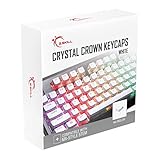
The G.Skill Crystal Crown set takes the pudding idea further. Instead of a frosted translucent skirt, the lower half of each cap is a clear, almost glass-like layer bonded to an opaque top, so RGB lighting spills out with very little diffusion. On a keyboard with bright per-key lighting, the effect is more vivid than conventional pudding caps, and the white version used here makes colors look especially saturated.
It is important to be clear about the materials. The top section is thick ABS rather than PBT, the clear section is acrylic, and the legends are laser-etched rather than double-shot or dye-sub. The set includes 104 keys in a standard ANSI layout with a standard bottom row of seven 1.25u modifiers and a 6.25u space bar, uses OEM-style sizing, fits MX-style stems, and comes with a keycap puller.
Strengths: one of the brightest lighting effects of any set here, a clean bold font, a budget tier, and a straightforward full-size layout.
Drawbacks: ABS tops will develop shine over time, and laser-etched legends are less durable than double-shot. Keyboards with non-standard bottom rows, which includes some models from large gaming brands, will end up with mismatched modifiers and space bar.
How it compares: next to the HyperX Pudding set, the Crystal Crown is brighter but less durable because of its ABS tops and etched legends. It suits gamers who prioritize lighting over longevity; for daily typing over many years, the HyperX or Womier pudding PBT sets are the better buy.
Matching a Keycap Set to Your Keyboard Size
Key count tells you whether a set will cover your board, but the bottom row and right-hand modifiers are what usually cause problems. Use this quick guide before ordering:
- 60% and 65% boards: most need a 1.75u right Shift and sometimes a 1u key cluster on the bottom right. Sets with 120 or more keys usually include these; 104-key full-size sets often do not.
- 75% boards: check for a 1.75u right Shift, a 1u bottom-right cluster and the extra function-row keys. Large sets with 130 or more keys are the safest choice.
- TKL boards: a standard 87-key layout is well covered by almost every full set, as long as the bottom row is standard.
- Full-size and 96% boards: full-size sets cover the numpad; 96% layouts may need a 1u numpad key arrangement, so check for extra numpad caps.
- ISO layouts: confirm the set includes an ISO Enter and a short left Shift; many budget sets list ISO support, but not all.
When in doubt, compare the bottom row of your board, measured in key units, against the set’s layout diagram. That single check prevents most fit problems.
Buying Guide
PBT vs. ABS: Why Material Is the First Decision
PBT (polybutylene terephthalate) is harder than ABS, resists the shine that develops on frequently struck keys, and produces a denser, more muted tap sound. ABS is softer, gets shiny within months, and feels slightly hollow under load. For a custom keycap set that you will use daily, PBT is the default choice in this price tier. ABS sets are only worth considering if you specifically want translucent or jelly effects that PBT cannot replicate cleanly.
Profile and Layout Compatibility
Cherry profile has a lower column height and flatter row angles than OEM. Mixing the two on the same board creates visible step mismatches on modifier keys. Before buying, check what profile your stock caps use and confirm the set lists compatibility with your specific layout (ANSI, ISO, 60%, 75%, TKL, full-size). A 71-key set will not cover a full-size board, and a 164-key set wastes plastic on a 60% build. Match key count to layout first, profile second.
Legend Printing Method Determines Lifespan
Double-shot and dye-sublimation legends are embedded in or fused with the cap material, so they do not wear off. Pad-printed legends sit on the surface and soften with oil and friction, often within six months on heavily used keys. If you plan to keep a set for years or type aggressively, prioritize double-shot construction. If you want a themed or colorful look and accept that you might refresh the set periodically, pad-printed sets deliver more visual variety for the money.
Comparison of the Additional Sets
| Set | Tier | Profile | Legend method | Keys | Best for |
|---|---|---|---|---|---|
| Keychron OSA Double-Shot PBT | Mid-range | OSA (sculpted, rounded) | Double-shot | 141 | Brand-name durability |
| HyperX Pudding Double Shot PBT | Budget | OEM | Double-shot, translucent layer | 104 | RGB halo on standard gaming boards |
| KBDiy WOB Double Shot PBT | Budget | SA-style (tall, sculpted) | Double-shot | 160 | Retro look and deep typing feel |
| Guffercty kred Gentleman XDA | Budget | XDA (uniform) | See listing | 142 | Custom layouts and flat-top feel |
| Akko Bun Wonderland | Mid-range | MOG (rounded) | Five-side dye-sub | 138 | Themed builds with lasting artwork |
| G.Skill Crystal Crown | Budget | OEM-style | Laser-etched (ABS top) | 104 | Maximum RGB brightness |
Keycap Profiles Explained
Profile is the shape and height of each cap, and it changes both feel and sound more than most buyers expect. The main families you will see in this guide are:
- Cherry: low and sculpted, with each row angled toward the typist. Comfortable for long sessions and fast gaming; the most popular enthusiast profile.
- OEM: sculpted like Cherry but slightly taller. It is the profile most stock gaming keyboard caps use, so it blends easily with spares.
- OSA and SA-style: taller, sculpted profiles with spherical tops. They produce a deeper sound and a vintage look, but take time to adapt to.
- XDA and DSA: uniform profiles where every row is the same height. Any key can go anywhere, which suits custom layouts and ortholinear boards.
- MOA, MOG and similar rounded profiles: medium-height caps with rounded, bubbly shapes, popular for themed and cute builds.
If you are unsure, start with Cherry or OEM. They are the easiest to mix with spare caps and the least likely to feel unfamiliar.
Shine-Through vs. Non-Backlit Sets
If your keyboard has per-key RGB, decide early whether you want the lighting to show through the legends. Shine-through sets, including pudding designs and double-shot sets with translucent legend layers, let the backlight illuminate each letter. Non-backlit sets, such as the standard Keychron OSA and most dye-sub themes, block light from the legends, so the glow only appears around the edges of each cap. Neither is better; it depends on whether you type in the dark and how much you want the lighting to stand out.
Note that south-facing LEDs on many modern boards sit below the switch, which can leave top-printed shine-through legends looking unevenly lit. Side-printed or pudding designs often look more even on those boards.
Sound and Feel: What Changes With New Keycaps
Keycaps change the sound of a keyboard almost as much as switches. Thicker PBT walls tend to produce a deeper, more muted sound, while thin walls and translucent materials sound higher and sharper. Taller profiles such as SA-style add a little resonance and depth, and lower profiles such as Cherry sound tighter. Texture matters too: matte PBT gives grip that many gamers prefer, while glossy polycarbonate jelly caps feel slicker and can become slippery in warm rooms.
If your board sounds hollow, pairing a thick PBT set with foam inside the case usually makes a bigger difference than replacing switches.
How to Install a New Keycap Set Safely
Swapping keycaps takes about twenty minutes, and a little care avoids bent stems or damaged stabilizers.
- Photograph your current layout. A quick photo makes it easy to check the position of modifiers, function keys and unusual sizes on compact boards.
- Unplug or switch off the keyboard. This prevents accidental key presses and, on wireless boards, saves battery during the swap.
- Use a wire puller. Wire pullers grip the sides of the cap without scraping the edges. Pull straight up with gentle, even pressure; rocking sideways can stress the switch stem.
- Take care with stabilized keys. The space bar, Enter, Shift and Backspace sit on stabilizers. Lift these slowly and evenly from both ends, and check that the stabilizer wire clips back into place when you fit the new cap.
- Sort the new set before fitting. Large sets include alternates for many layouts. Lay out the keys you need first, matching row numbers for sculpted profiles, since a row-one cap placed in row three will feel wrong.
- Press caps straight down. Align the cross-shaped stem and push firmly until the cap seats fully. A cap that sits slightly high or wobbles may be the wrong size or not fully pushed on.
- Check every stabilized key. Press each long key at both ends and in the middle. If it sticks or rattles, reseat it before typing.
Caring for Your Keycaps
PBT and ABS caps can both be cleaned in lukewarm water with a little mild dish soap. Remove them, soak them in a bowl for a short while, rinse and let them dry completely before reinstalling, ideally overnight. Avoid hot water, which can warp plastic, and avoid harsh solvents, which can damage printed legends and coatings. For quick maintenance without removing caps, a soft brush and compressed air clear crumbs and dust between keys. Dye-sub and double-shot legends tolerate cleaning well; pad-printed legends should be wiped gently rather than scrubbed.
Our Verdict
The Tsungup PBT Set is the top pick overall: best material quality, broadest layout coverage, and included accessories that justify the price gap. For a budget pick, the SDYZ Coral Sea 60% set delivers the best value per key for anyone owning a compact board, provided your layout matches. The Womier Pudding Shine Through set wins outright if your primary goal is making an RGB keyboard look like a light show, because few sets at this price let more color through the legends and skirt.
FAQ
Will custom keycaps fit any mechanical keyboard?
Most custom sets use MX-compatible stems (cross-shaped), which fit the vast majority of boards from brands like Keychron, RK, Akko, Anne, and Ducky. Check that your switch stem is MX-style before ordering, and confirm the profile listed matches what your board expects.
How often should I replace my keycap set?
Double-shot PBT legends can last a decade or more without fading. Dye-sub legends on PBT caps also last for years, while pad-printed legends can soften within months on heavily used keys. Replacement is usually driven by wanting a new aesthetic rather than functional wear.
Do I need a keycap puller and remover separately?
Some sets include a puller in the package; others do not. A wire-style puller is inexpensive and protects switch stems from prying damage. If your set does not include one, add a puller to your order regardless of which product you choose.
Can I mix keycaps from different sets on one keyboard?
Physically yes, but profile height differences (OEM vs. Cherry vs. SA) will create visible and tactile mismatches between rows. For a clean look, keep one profile family per board. If you only need a handful of accent colors, buy a small themed set in your existing profile.
Part of our keyboards buying guide hub.
Do keycaps fit south-facing and north-facing switches the same way?
Yes. Switch orientation only changes where the LED sits relative to the switch, not the stem. MX-style caps fit both, although very tall profiles can occasionally touch the switch housing on some north-facing boards with Cherry-profile caps. The main practical difference is how evenly shine-through legends are lit.
Are double-shot keycaps always better than dye-sub?
Not always. Both methods produce legends that do not wear off. Double-shot allows light-colored legends on dark caps and shine-through effects, while dye-sublimation allows multi-color artwork and side legends but cannot print pure white on dark plastic. Choose by the look you want rather than assuming one method is superior.
Will a keycap set fit a low-profile keyboard?
Usually not. Low-profile switches such as many laptop-style mechanical boards use different stems and need dedicated low-profile keycaps. Every set in this guide is designed for standard-height MX-style switches.
Why do some sets include so many extra keys?
Large sets of 130 to 170 keys include alternates for different board sizes, ISO layouts, split space bars and novelty keys. You will rarely use all of them, but the extras make it far more likely that every key on your board, especially the bottom row and right-hand modifiers, has a matching cap.