
The best desk mat for most desktop setups is the SteelSeries QcK XXL: a 900 x 400 mm cloth surface that spans a full-size keyboard and leaves a wide lane for low-sensitivity mouse swipes, all at a budget-friendly price. If your desk is more office than battlestation, the runner-up is the Logitech Studio Series Desk Mat, which trades raw size for a spill-resistant woven top, flat-stitched edges and a tidier look. Further down you will find felt, PU leather, genuine leather, cork and hybrid gaming options, plus a buying guide that turns desk width, mouse sensitivity and spill risk into a clear size and material choice.
Disclosure: this page contains affiliate product cards. If you buy through them we may earn a commission at no extra cost to you. Picks are based on research, manufacturer specifications and listing details, not paid placement.
Top Picks at a Glance
- Best Overall: SteelSeries QcK XXL, a wide cloth surface built for gaming mice
- Best for Clean Office Desks: Logitech Studio Series Desk Mat, spill-resistant top and flat-stitched edges
- Best Premium Gaming Mat: Razer Strider XXL, hybrid surface with water resistance
- Best Felt Desk Mat: Nordik Felt Desk Mat, warm, quiet and seamless at 35 x 17 inches
- Best Value Wipe-Clean Mat: Aothia PU Leather Desk Pad, waterproof surface at a low price
- Best Genuine Leather: YSAGi Genuine Leather Desk Mat, thick real leather with stitched border
- Best Budget Cloth Mat: KTRIO XXL Gaming Desk Mat, simple and cheap full-desk coverage
Desk Mats for Desktops Compared
| Desk Mat | Best For | Size | Surface | Spill Handling | Watch For | Price Tier |
|---|---|---|---|---|---|---|
| SteelSeries QcK XXL | Gaming desktops | 900 x 400 mm | Cloth | Absorbs; blot quickly | Current version is 2 mm thin | Budget to mid |
| Logitech Studio Series | Office and hybrid desks | 700 x 300 mm | Recycled polyester weave | Spill-resistant coating | Shorter than full-desk mats | Budget |
| Razer Strider XXL | Competitive gaming | 940 x 410 mm | Hybrid cloth | Water-resistant | Costs more than plain cloth | Mid-range |
| Nordik Felt Desk Mat | Quiet, warm workspaces | 35 x 17 in | Felt | Absorbs; not waterproof | Felt holds stains and lint | Budget to mid |
| Aothia PU Leather | Spill-prone desks | 31.5 x 15.7 in | PU leather | Waterproof surface | Smooth top suits some mice better than others | Budget |
| YSAGi Genuine Leather | Executive look | 35.4 x 17 in | Genuine leather | Wipe quickly; leather can mark | Needs occasional care | Mid-range |
| KTRIO XXL | Tight budgets | 31.5 x 15.7 in | Cloth | Absorbs | Basic finish | Budget |
1. SteelSeries QcK XXL: Best Overall Desk Mat for Desktops

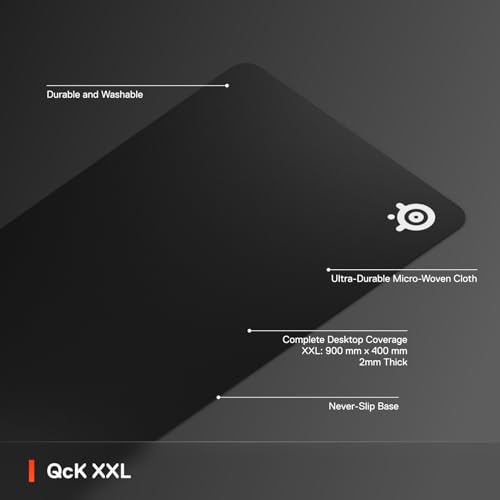
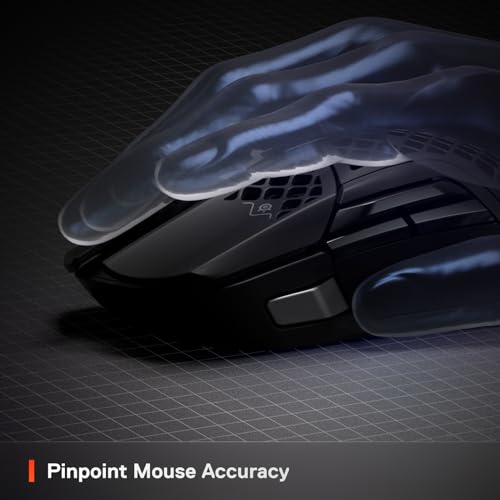
SteelSeries QcK XXL Gaming Mouse Pad - Black



As an Amazon Associate we earn from qualifying purchases. Product prices and availability are accurate as of the date/time indicated.
Key Specs
- Size: 900 x 400 mm (35.4 x 15.7 in)
- Thickness: 2 mm on the current version (older stock was 4 mm; the 4 mm option is now sold as QcK Heavy XXL)
- Surface: micro-woven cloth tuned for optical gaming sensors
- Base: non-slip rubber
- Color: black
Best for: desktop gamers who want one mat under keyboard and mouse at a sensible price. Skip if: you spill drinks often and want something you can simply wipe dry.
Why we picked it
The QcK line has been a reference point for cloth mouse surfaces for years, and the XXL size is the one that makes sense on a desktop. At 900 mm wide it fits a full-size keyboard with a number pad on the left and still leaves roughly a forearm’s width of space for the mouse on the right. That matters if you play shooters at low sensitivity, where a single 180-degree turn can take most of a hand-span of travel. Smaller “large” mats force you to lift and reset more often.
The 400 mm depth is the other half of the story. Many cheap extended pads are 300 mm deep, which leaves your wrists hanging off the front edge when the keyboard sits further back. Four hundred millimetres covers most of the area your hands actually use on a standard 24 to 30 inch deep desk. Compared with the Razer Strider XXL further down this list, the QcK is slightly smaller and uses a plain cloth top instead of a hybrid weave, but it usually sits a full price tier lower.
One thing to know before ordering: SteelSeries now lists the standard QcK XXL at 2 mm thick. That keeps it flat and stable, but if you want more cushioning under your wrist, look for the QcK Heavy XXL, which keeps the same footprint at 4 mm. Either way, a cloth surface of this type can be hand-washed with mild soap and air-dried, which keeps it useful for years.
Pros
- Large enough for a full-size keyboard plus a wide mouse lane
- Consistent cloth surface that suits most optical gaming mice
- Rubber base stays put on wood, laminate and glass-topped desks
- Sits in the budget-to-mid price band
Cons
- Cloth absorbs spills, so liquids need blotting right away
- Current 2 mm version offers less cushioning than older stock
2. Logitech Studio Series Desk Mat: Best for Clean Office Desks
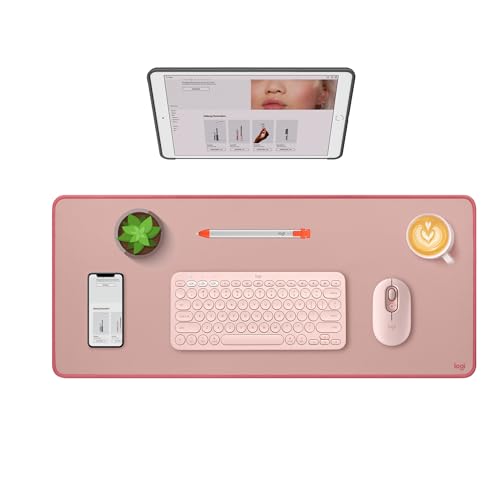
Logitech Studio Series Desk Mat Large 28x12 Inches - Rubber - Darker Rose


As an Amazon Associate we earn from qualifying purchases. Product prices and availability are accurate as of the date/time indicated.
Key Specs
- Size: 700 x 300 x 2 mm (about 28 x 12 in)
- Surface: woven recycled polyester with a spill-resistant coating
- Base: natural rubber anti-slip layer
- Edges: flat-stitched to resist fraying
- Colors: soft tones such as Dark Rose, Lilac, Lavender and Mid Gray
Best for: work-from-home desks where a mat should look tidy and shrug off the occasional coffee splash. Skip if: you use a full-size keyboard and a low mouse sensitivity, because 700 mm will feel short.
Why we picked it
Logitech designed the Studio Series mat to sit under a keyboard and mouse in a home office, and the spec sheet shows it. The surface fabric and inner layer are recycled polyester, the base is natural rubber, and the edges are flat-stitched so there is no raised seam for your wrist to catch on. The coating is spill-resistant rather than waterproof: Logitech’s guidance is to wipe liquid off within a couple of minutes, which is realistic for most desk accidents.
The size is the main trade-off. At 700 x 300 mm it covers a compact or tenkeyless keyboard plus a mouse comfortably, and a full-size board with a modest mouse area. That is a better fit for narrow desks and for people who mostly type, browse and edit documents. If your desktop sits on a 55 inch or wider desk and you game, the QcK XXL or Strider XXL will give you more room to work with.
The pastel and gray color options are the other reason it earns a spot. Many desk mats are either plain black gaming pads or brown faux leather. This one sits in between, which helps if your setup shares space with a living room or bedroom. Note that some colors are being phased out by retailers, so availability varies by shade.
Pros
- Spill-resistant coating makes small accidents easy to clean
- Flat-stitched edges stay smooth under the wrist
- Recycled polyester construction
- Low price for a branded mat
Cons
- Only 300 mm deep, so wrists may rest off the mat
- Natural rubber latex base is a concern for people with latex allergies
3. Razer Strider XXL: Best Premium Gaming Desk Mat
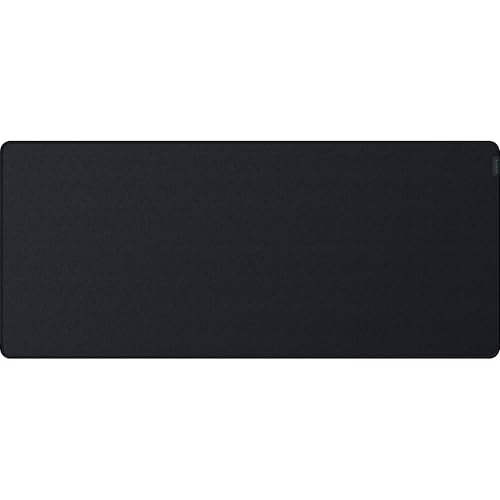
Razer Strider Hybrid Mouse Mat, Soft Base & Smooth Glide, Portable, XXL




As an Amazon Associate we earn from qualifying purchases. Product prices and availability are accurate as of the date/time indicated.
Key Specs
- Size: 940 x 410 x 3 mm
- Surface: hybrid weave that aims to mix the glide of a hard pad with the control of cloth
- Base: grooved, anti-slip rubber with a soft feel
- Edges: anti-fraying stitching
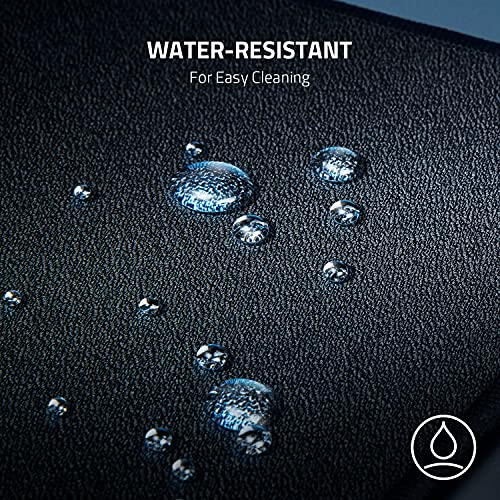
- Water-resistant surface
Best for: competitive players who want a slightly faster glide and a mat that handles drink spills. Skip if: you only need basic desk coverage, because plain cloth costs less.
Why we picked it
The Strider XXL is a step up from standard cloth in two ways. First, its hybrid surface is designed to sit between a slow control pad and a fast hard pad, which some players prefer for tracking moving targets without overshooting. Second, Razer treats the surface to resist water, so a spilled drink beads up long enough to be wiped away instead of soaking straight in.
It is also the largest standard-shape mat in our main picks at 940 x 410 mm, 40 mm wider and 10 mm deeper than the QcK XXL. On a desktop with a full-size keyboard, that extra width is the difference between a cramped mouse lane and a comfortable one at low sensitivity. The 3 mm thickness lands between thin cloth and thick “heavy” mats, and the soft base lets it roll up for transport if you take it to LAN events.
The trade-off is cost: the Strider usually sits a tier above the QcK and well above budget cloth mats. If your main goal is protecting the desk rather than chasing a particular glide, the KTRIO or QcK will serve you just as well. If you play aim-heavy games for hours and spill a drink now and then, the Strider is the most complete option here.
Pros
- Largest standard footprint among the main picks
- Hybrid surface balances speed and control
- Water-resistant top and anti-fraying edges
- Rolls up without creasing easily
Cons
- Mid-range price for a mouse surface
- Hybrid texture feels rougher on bare forearms than smooth cloth
4. Nordik Felt Desk Mat: Best Felt Desk Mat

Nordik Felt Desk Mat - Large Felt Desk Pad - Charcoal 35 x 17 inches


As an Amazon Associate we earn from qualifying purchases. Product prices and availability are accurate as of the date/time indicated.
Key Specs
- Size: 35 x 17 in (about 89 x 43 cm)
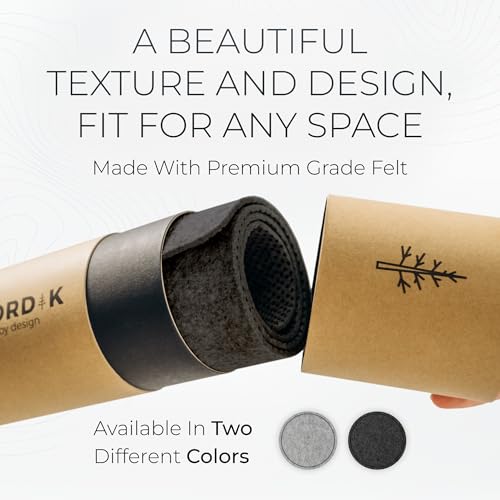
- Surface: premium felt, no stitched border
- Base: anti-slip rubber dots
- Detail: leather logo tab
- Colors: Charcoal, Marle, Stone Oat Beige, Timber Moss Green
Best for: quiet, warm-looking desks where typing noise and cold desk surfaces bother you. Skip if: you eat or drink at your desk often, because felt absorbs liquids and holds stains.
Why we picked it
Felt has become the go-to material for minimalist setups, and the Nordik mat is one of the most widely stocked large felt options. At 35 x 17 inches it is close to the QcK XXL in width and a touch deeper, which comfortably covers a full-size keyboard and mouse. Felt softens the clack of mechanical keyboards on a hard desk and feels warmer under the forearms than leather or cloth in a cold room.
The seamless edge is a design choice: no stitching means no raised border, which looks clean but can make the edges wear faster over years of use. Rubber dots on the underside keep it in place without a full rubber sheet, so it stays relatively light. Nordik describes the material only as premium felt and does not publish fiber content or thickness, so if wool versus synthetic matters to you, ask the seller before buying.
As a mouse surface, felt is acceptable for everyday work but slower and less uniform than a dedicated cloth pad. Many people who choose felt add a small gaming pad on top for the mouse, which still leaves the felt to handle the keyboard area and the look of the desk.
Pros
- Dampens keyboard noise on hard desks
- Warm feel and a calm, modern look
- Generous 35 x 17 inch footprint
- Four neutral color options
Cons
- Not waterproof; stains are hard to remove
- Material composition and thickness are not listed
- Slower mouse glide than cloth
5. Aothia PU Leather Desk Pad: Best Value Wipe-Clean Mat

Aothia Leather Office Desk Pad Protector, Non-Slip PU Leather Desk Blotter, Waterproof Laptop Writing Mouse Pad for Office and Home, Black, 31.5" x 15.7"



As an Amazon Associate we earn from qualifying purchases. Product prices and availability are accurate as of the date/time indicated.
Key Specs
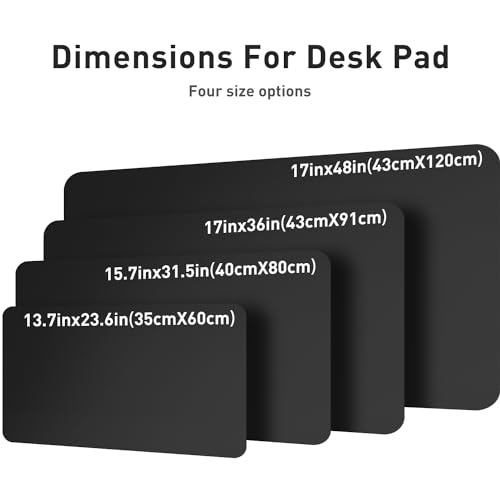
- Size: 31.5 x 15.7 in (80 x 40 cm)
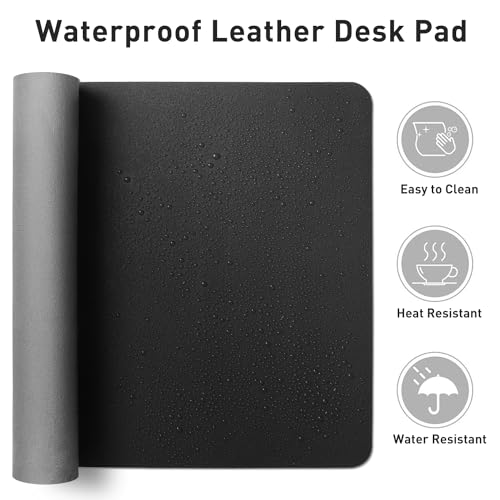
- Surface: PU leather, waterproof
- Base: non-slip backing
- Uses: keyboard and mouse mat, writing surface, laptop blotter
- Multiple colors and several sizes available
Best for: anyone who spills, writes by hand or wants a mat that cleans with a damp cloth. Skip if: you want the controlled feel of cloth under a gaming mouse.
Why we picked it
PU leather mats solve the biggest weakness of cloth and felt: liquids sit on top instead of soaking in. The Aothia pad is one of the most common examples, and the 31.5 x 15.7 inch size covers a full-size keyboard and mouse on most desks. Because the surface is smooth and firm, it also works as a writing pad, which cloth and felt do poorly.
Price is the other draw. This pad sits firmly in the budget tier, often cheaper than a branded cloth mat, and it comes in many colors and several sizes, so you can match it to a desk or go larger if needed. It is a strong pick for shared family computers, kids’ desks and anyone who eats lunch at the keyboard.
The trade-offs are predictable. PU leather can show scratches and creases over time, and the edges are not as robust as a stitched cloth border. As a mouse surface, it works with most modern optical sensors, but glide is quicker and less textured than cloth, so precision-focused gamers should stick with the QcK or Strider.
Pros
- Waterproof surface wipes clean
- Doubles as a smooth writing surface
- Very affordable with lots of colors and sizes
Cons
- PU coating can crease or scuff over time
- Less controlled mouse feel than cloth
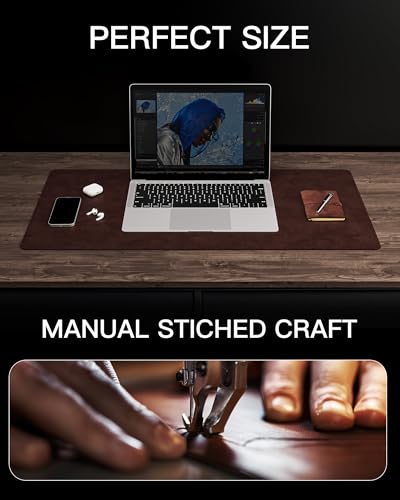
6. YSAGi Genuine Leather Desk Mat: Best Genuine Leather

YSAGi Genuine Leather Desk Mat, 35.4"X17" Office Desk Pad, Thick Premium Table Pad with Stitched Line, Non-Slip Laptop Writing Pad with Rubber Base (Dark Brown, 35.4"x17")




As an Amazon Associate we earn from qualifying purchases. Product prices and availability are accurate as of the date/time indicated.
Key Specs
- Size: 35.4 x 17 in
- Surface: genuine leather, described by the maker as thick and premium
- Edges: stitched border line
- Base: non-slip rubber
- Color: dark brown (other sizes available)
Best for: executive or study setups where the mat is part of the desk’s look. Skip if: you want a zero-maintenance surface or game seriously.
Why we picked it
Real leather is the premium option in this category, and it behaves differently from PU. Instead of looking worn as it ages, quality leather tends to develop a patina, and stitched edges hold their shape better than a cut PU edge. YSAGi’s genuine leather mat covers 35.4 x 17 inches, almost exactly the footprint of the Nordik felt mat, which is enough for a full-size keyboard, mouse and a notebook.
The rubber base keeps a heavier leather sheet from sliding, and the stitched line around the border gives it a finished, desk-blotter look. That makes it a natural fit for a home office that doubles as a client-facing space, or for anyone who simply prefers natural materials to plastic.
Leather is not maintenance-free. Liquids should be wiped up immediately to avoid marks, and occasional conditioning keeps the surface from drying out. It also costs noticeably more than PU or cloth. If you want a leather look without the care, the Aothia PU pad gets you most of the appearance for a fraction of the price.
Pros
- Genuine leather surface that ages rather than peels
- Stitched border and rubber base
- Full-desk 35.4 x 17 inch footprint
Cons
- Mid-range price
- Needs quick spill cleanup and occasional care
7. KTRIO XXL Gaming Desk Mat: Best Budget Cloth Mat

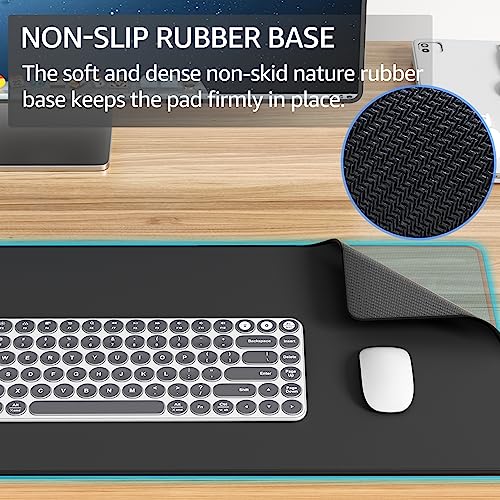
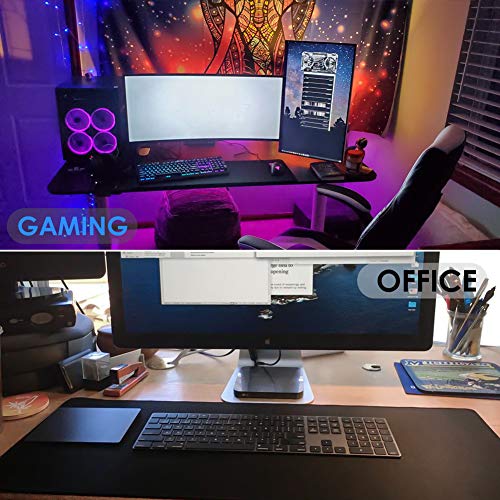
KTRIO Large Gaming Mouse Pad Desk Mat for Gamer, 31.5" x 15.7", Black, XXL




As an Amazon Associate we earn from qualifying purchases. Product prices and availability are accurate as of the date/time indicated.
Key Specs
- Size: 31.5 x 15.7 in (80 x 40 cm)
- Surface: cloth, sold as a gaming mouse pad and desk mat
- Base: rubber
- Color: black
Best for: first desktop builds and tight budgets. Skip if: you need the extra width of a 900 mm or larger mat.
Why we picked it
Not every desk needs a branded mat. The KTRIO XXL is a plain black cloth pad that covers a full-size keyboard and mouse for very little money. At 80 x 40 cm it is 100 mm narrower than the QcK XXL but the same depth, so wrists stay supported even if the keyboard sits further back.
For desktop users who simply want to stop their mouse feet from scratching the desk and give the setup a unified look, that is plenty. A cloth surface of this type works well with optical and laser sensors, and the low price means you can replace it every couple of years when the surface wears or gets grubby.
Expect a more basic finish than the SteelSeries or Razer options: the cloth weave and edge construction are not marketed with the same detail, and the rubber base may need a day or two to flatten fully after unpacking. For a budget build, it is a reasonable floor.
Pros
- Very low price for full keyboard-and-mouse coverage
- 400 mm depth supports wrists
- Easy to replace when worn
Cons
- Basic finish compared with branded pads
- Narrower than 900 mm mats
Also Consider
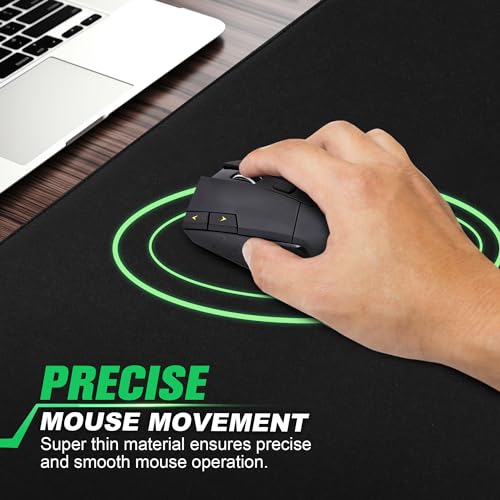
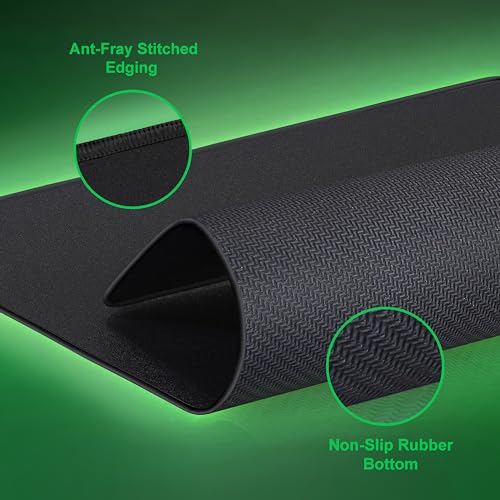
LifeTrim 46 x 17 inch, 5 mm Gaming Mat

LifeTrim Huge 46”x17” 5mm Gaming Mouse Pad Large Mouse Pad for Desk Gaming Giant Black XXL Thick Long Extra Large Extended Big Gamer Desk Mat




As an Amazon Associate we earn from qualifying purchases. Product prices and availability are accurate as of the date/time indicated.
Best for: very wide desks and multi-monitor setups. At 46 inches wide it spans keyboard, mouse and extra room for a controller or stream deck, and the 5 mm thickness adds wrist cushioning. Trade-off: thick mats can feel spongy under heavy keyboards, and the size overwhelms desks under 55 inches.
DAWNTREES Large Felt Desk Mat, 47.2 x 23.6 in

DAWNTREES Large Felt Desk Mat, 47.2"x 23.6", Desk Pad for Office and Home


As an Amazon Associate we earn from qualifying purchases. Product prices and availability are accurate as of the date/time indicated.
Best for: covering most of a large desk in felt. Its 23.6 inch depth is unusual and leaves room for a laptop or notebook in front of the monitor. Trade-off: like all felt, it is not waterproof, so spills need quick blotting.
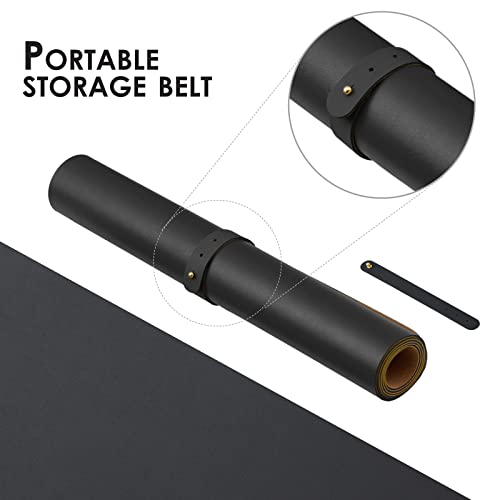
HOMIEAZICOZI Large Cork Desk Mat, 47.2 x 17 in

Large Cork Desk Mat - 47.2"x 17" Desk Pad for Office and Home - Ideal for Large Mouse Pad and Desk Mats on Top of Desks(Black)




As an Amazon Associate we earn from qualifying purchases. Product prices and availability are accurate as of the date/time indicated.
Best for: people who want a natural-material look with full-width coverage. Cork feels firm and slightly textured, and this mat spans 47.2 inches. Trade-off: cork’s grain can make mouse tracking less consistent than cloth, so a small mouse pad on top is a sensible add-on for gaming.
How We Chose
We started with the desk mats that appear most often across current 2026 buying guides and retailer best-of lists, then narrowed them to options that are in stock, sized for desktop use and clearly documented. Our criteria were:
- Coverage: at least 700 mm wide, with a preference for 800 to 950 mm and 400 mm or more of depth for full keyboard-and-mouse use.
- Material fit: at least one strong option each for cloth, hybrid, felt, PU leather, genuine leather and cork.
- Stability and edges: rubber or anti-slip backing, and stitched or flat-finished edges where listed.
- Spill handling: clear statements from the maker on whether the surface is waterproof, water-resistant or absorbent.
- Price spread: picks across budget, mid-range and premium tiers, with no more than two main picks per brand.
Sources included manufacturer product pages and spec sheets (SteelSeries, Logitech, Razer, Nordik), retailer listings for dimensions and materials, and independent reviews for longer-term observations. These picks are research-based; we did not run lab measurements. Where a maker does not publish a spec, such as Nordik’s felt composition, we say so rather than guess.
Desk Mat Buying Guide for Desktop Setups
What size desk mat do you need?
Measure your keyboard first, then add the mouse space you actually use. A full-size keyboard is roughly 440 to 460 mm wide, a tenkeyless board about 360 mm, and a 75 percent board around 320 mm. For office work, 150 to 250 mm of mouse space is usually enough, which points to a 700 to 800 mm mat. For gaming at low sensitivity, plan on 350 to 450 mm of mouse travel, which means 900 mm or wider. Depth matters as much as width: aim for 400 mm if you like resting your wrists on the mat, and 300 mm only if the keyboard sits right at the front edge.
Cloth, hybrid, felt, leather or cork?
Cloth gives the most consistent mouse tracking and is the default for gaming. Hybrid surfaces such as the Strider add a faster glide and often water resistance. Felt is quiet and warm but absorbs liquids. PU leather is waterproof and doubles as a writing pad. Genuine leather looks premium and ages well but needs care. Cork is natural and firm, with a slightly uneven glide. If you game and want a non-cloth look, put a small cloth mouse pad on top of a felt or leather desk mat.
How thick should a desk mat be?
Two to three millimetres suits most desks: it stays flat, does not raise the keyboard noticeably and provides light cushioning. Four to five millimetres adds wrist comfort and dampens noise further but can feel soft under heavy mechanical keyboards. Thin mats under 2 mm, typical of many PU leather pads, offer protection rather than comfort.
Do you need a waterproof surface?
If you drink at your desk every day, yes, or at least water-resistant. PU leather is the easiest to clean. Coated cloth such as the Logitech Studio Series and hybrid mats like the Strider give you a short window to wipe liquid away. Plain cloth and felt absorb spills; you can wash most cloth mats by hand, but felt stains can be permanent.
Edges, base and flatness
Stitched edges stop fraying on cloth mats, but a raised seam can press into the wrist; flat or low-profile stitching avoids that. A full rubber base grips best on smooth desks, while dot-pattern bases are lighter but can shift on glass. Rolled mats may take a day or two to flatten; laying them under a few books overnight speeds this up.
How much should you spend?
Budget mats in the KTRIO and Aothia class cover the basics well. The mid-range, where the QcK, Strider, Nordik and genuine leather options sit, buys better surfaces, edges or materials. Spending more than that usually pays for design, branding or RGB lighting rather than better desk protection.
Mistakes to Avoid When Buying a Desk Mat
Buying by name instead of by millimetres. “XL” and “XXL” mean different things across brands. One maker’s XL is 800 mm, another’s is 900 mm. Always check the actual width and depth against your keyboard and mouse space.
Choosing felt for a spill-heavy desk. Felt looks great in photos, but a single coffee spill can leave a permanent mark. If drinks live on your desk, choose PU leather, a coated cloth mat or a water-resistant hybrid.
Ignoring the mouse surface. Leather, cork and felt are fine for office work, yet they can make a gaming mouse feel inconsistent. If precision matters, either buy a cloth or hybrid desk mat or add a dedicated mouse pad on top.
Going too big for the desk. A mat that hangs over the front edge or wraps under a monitor stand will curl and collect dust. Leave at least an inch or two of desk visible on each side for a clean fit.
Skipping the depth check. Many people measure width only. If your mat is too shallow, your wrists rest on the hard desk edge, which defeats much of the comfort benefit.
FAQ
What size desk mat is best for a desktop setup?
For most desktop setups, a mat around 900 x 400 mm (35 x 16 inches) is the sweet spot. It fits a full-size keyboard and leaves plenty of mouse space. Office users with compact keyboards can go down to 700 x 300 mm, while very wide desks with multiple monitors can use 1,100 to 1,200 mm mats.
Is a desk mat better than a mouse pad?
A desk mat is better if you want one surface for keyboard and mouse, desk protection and a unified look. A small mouse pad is better if desk space is tight or you want a specific gaming surface. Many people use both: a large felt or leather desk mat with a small cloth pad on top for the mouse.
Are felt desk mats good for gaming?
Felt desk mats are acceptable for casual gaming but not ideal for precise aim. The surface is softer and less uniform than cloth, so mouse glide can feel slow or inconsistent. If you like the felt look, add a cloth mouse pad on top, or choose a cloth or hybrid desk mat if gaming is your priority.
Can desk mats damage a wood desk?
Desk mats generally protect wood desks rather than damage them. The rare exceptions are rubber bases reacting with some lacquer finishes over long periods, or trapped moisture under a mat after spills. Lift the mat occasionally to clean underneath and let the desk breathe, especially on oiled or freshly finished wood.
How do you clean a desk mat?
Cloth mats can usually be hand-washed in lukewarm water with mild soap, then air-dried flat. PU leather wipes clean with a damp cloth. Felt should be spot-cleaned gently and vacuumed for lint. Genuine leather needs a damp wipe and occasional leather conditioner. Avoid machine dryers and hot water for all types, since heat can warp the rubber base.
Which desk mat material lasts longest?
Genuine leather and quality stitched cloth usually last the longest. Leather develops a patina instead of peeling, and stitched cloth edges resist fraying. PU leather can crease or scuff after a couple of years of heavy use, and felt can pill or stain. Cork is durable but can chip at the edges if rolled tightly.
Do desk mats reduce keyboard noise?
Yes, desk mats reduce the hollow sound of a keyboard on a hard desk. Felt and thicker cloth mats of 4 to 5 mm help most because they absorb vibration. They do not change the sound of the switches themselves, but they soften the bottoming-out thud that travels through the desk.
Which Desk Mat for Desktops Should You Buy?
- Gaming desktop on a normal-width desk: SteelSeries QcK XXL.
- Competitive player who spills drinks: Razer Strider XXL.
- Home office with a compact keyboard: Logitech Studio Series Desk Mat.
- Quiet, cozy minimalist setup: Nordik Felt Desk Mat, with a small cloth pad if you game.
- Kids’ desks, shared PCs or lunch-at-the-desk habits: Aothia PU Leather Desk Pad.
- Executive or study desk: YSAGi Genuine Leather Desk Mat.
- First build on a tight budget: KTRIO XXL.
- Extra-wide desk: LifeTrim 46 inch mat or the DAWNTREES 47 inch felt mat.
Whichever you choose, measure first, match the material to your spill risk and mouse needs, and you will end up with a mat that protects the desk and makes the whole setup feel finished.
Last updated: October 2026


