
A good pink gaming setup comes down to three things: one strong base color, a few pink pieces that do real work, and lighting that ties them together. For most people the best starting point is a pink-and-white L-shaped desk, a matching high-back chair and a pink 27-inch 1440p monitor. Pink peripherals and pink RGB fill in the rest. This guide covers every part of the build: desk, chair, monitor, PC case, keyboard, mouse, headset, webcam, controller, lighting and decor. Each category gets a pick, and a budget table at the end prices the whole thing at three tiers.
Disclosure: this page has affiliate product cards. If you buy through them we may earn a commission, at no extra cost to you. Picks are based on research into maker spec sheets and retailer listings. We have not used these products ourselves.
Pink Gaming Setup at a Glance
These are the core pieces for a pink setup that looks finished, without paying extra just because something is pink. Each category has its own section below.
| Category | Pick | Key spec | Why it fits a pink build | Price tier |
|---|---|---|---|---|
| Desk | ODK 53″ L-Shaped Gaming Desk, Pink | 53-inch L-shape, shelves, LED strip, power outlets | Pink frame gives the whole room its base color | Budget to mid |
| Chair | N-GEN GAMING Chair, Pink White | High back, retractable footrest, lumbar and neck pillows | Two-tone pink and white matches pastel and white desks | Budget to mid |
| Monitor | Pixio PX278 Wave Pink | 27″ 2560 x 1440 Fast IPS, 180Hz, 1ms GTG | A pink shell and stand, with no compromise on the panel | Mid |
| PC case | Vetroo AL900 Pink | ATX, 270° glass, up to 360mm radiator | Panoramic glass puts pink RGB on show | Budget |
| Keyboard | AULA 99-Key Wireless Pink Keyboard | 99 keys with number pad, wireless | Full-size layout in a soft pink colorway | Budget |
| Mouse | DAREU Sakura Pink Wireless | 12,000 DPI, 1000Hz, magnetic charging dock | The dock doubles as a glowing desk accent | Budget |
| Headset (value) | Razer BlackShark V2 X Quartz | 50mm drivers, about 240 g, 3.5mm | Razer’s Quartz pink, very light, low cost | Budget |
| Headset (premium) | Razer Kraken Kitty V3 Pro, Pink | 40mm titanium drivers, 2.4GHz + BT 5.3, up to 70 hrs | Lit cat ears give the setup a centerpiece | Premium |
| Webcam | Logitech Brio 100, Rose | 1080p/30fps, built-in privacy shutter | Rose shell sits neatly on a pink monitor | Budget |
| Controller | Xbox Wireless Controller, Deep Pink | Xbox Wireless + Bluetooth, USB-C, 3.5mm jack | Works on PC out of the box, bold deep pink | Budget to mid |
Step 1: Choose Your Pink Style Before You Buy Anything
Most pink setups that look messy don’t fail on the gear. They fail because six different pinks end up in one place. Baby pink keycaps, a magenta LED strip and a salmon chair can all be “pink” and still clash. So pick one style and one main shade first, then buy toward it. Most setup photos people save fall into one of five looks:
- Pastel and kawaii: pale pink with white, plushies, rounded keycaps and warm, soft lighting. This is the most popular look in setup tours, and it’s also the easiest to overdo.
- Minimal blush: one or two pink hero items (usually the chair and the keyboard) on a white or light-wood desk. Clean, grown-up, and easy to keep tidy.
- Neon and cyber: hot pink and magenta RGB against black or dark gray, often with cyan as a second accent. It looks best at night and leans on lighting more than furniture.
- Pink and black: a black desk and black monitor with pink peripherals and pink case lighting. The most “gamer” of the five, and good if you share the room.
- Pink and purple: pink hardware with lavender or violet lighting. It fills the gap between soft pastel and full neon.
The table below turns those styles into real color values you can type into RGB software, along with the furniture base each one needs. The hex codes are the standard CSS named colors, so they come out the same in any app that takes hex input.
| Style | Main pink (hex) | RGB value for lighting software | Base color | Second accent |
|---|---|---|---|---|
| Pastel / kawaii | Pink #FFC0CB | 255, 192, 203 | White desk, white or light wood | Mint or lavender |
| Minimal blush | LightPink #FFB6C1 | 255, 182, 193 | White or oak | None, or soft gold |
| Neon / cyber | DeepPink #FF1493 | 255, 20, 147 | Black or charcoal | Cyan #00FFFF |
| Pink and black | HotPink #FF69B4 | 255, 105, 180 | Black | White |
| Pink and purple | PaleVioletRed #DB7093 | 219, 112, 147 | White or black | MediumPurple #9370DB |
One practical note: LED strips and RGB fans rarely show a pastel shade exactly. A pale pink like 255, 192, 203 often looks almost white on cheap LEDs, because the green and blue channels are running high. If your pastel lighting looks washed out, drop the green value by 40 to 60 and push the brightness down. The result reads as pink without burning bright.
Step 2: The Desk Sets Your Base Color
The desk is the biggest colored surface in the setup, so it decides more about the look than any peripheral. Pink-frame desks are now common in the budget and mid range. The main choice is size and shape: a straight desk for small rooms, an L-shape if you want a second zone for a laptop, a console or a streaming light.
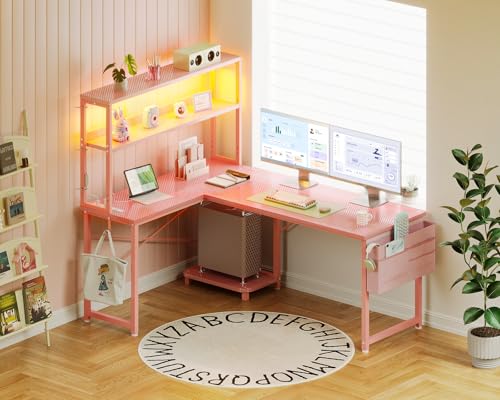
Desk pick: ODK 53″ L-Shaped Gaming Desk, Pink
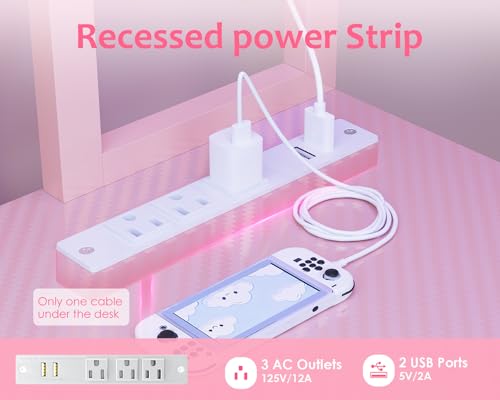
Key specs: 53-inch L-shaped layout, built-in shelves, LED lighting, built-in power outlets, pink finish.
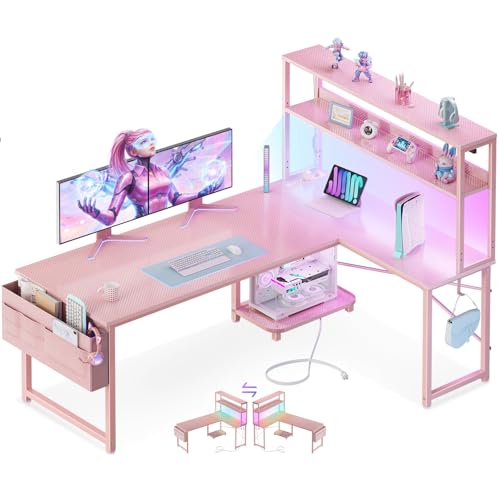
ODK 53" L Shaped Gaming Desk with Shelves, LED & Outlets, Pink



As an Amazon Associate we earn from qualifying purchases. Product prices and availability are accurate as of the date/time indicated.
An L-shaped desk at 53 inches on the long side has room for a 27-inch monitor with space either side for speakers or a plush. The short return takes a PC tower, a second screen or a drawing tablet. The built-in outlets matter more than they sound. In a themed setup, every power strip lying on the floor spoils the look, and outlets in the desk cut out one of them. The included LED gives you a first lighting layer before you buy any strips.
Two sizing rules apply to any desk you pick. First, aim for at least 24 inches of depth if you use a 27-inch monitor, so the screen can sit about an arm’s length away. Second, check the height. A typical fixed desk is around 28 to 30 inches tall, which suits most adults with a height-adjustable chair. Very tall or very short users should think about a sit-stand frame instead, even if that means a less pink desk with pink accessories on top.
Best for: small and medium bedrooms where the desk needs to hold a PC, a monitor and some decor. Skip if: you want a desk deeper than about 24 inches for a 32-inch or ultrawide monitor. Look at larger frames in that case.
Step 3: A Pink Chair That Actually Supports You
The chair is the second biggest pink item, and it’s the one you sit in for hours. So comfort numbers matter more than looks here. Most pink gaming chairs in the budget band have the same basic shape: high back, PU leather, a lumbar pillow, a neck pillow and often a pull-out footrest. What changes between models is the weight rating, seat size, armrest type and how far the back reclines.
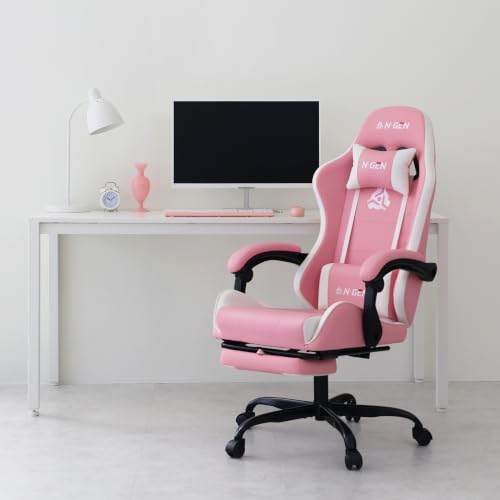
Chair pick: N-GEN GAMING Chair with Footrest, Pink White
Key specs: high-back PU leather, retractable footrest, linkage armrests, reclining backrest, lumbar and neck cushions. The listing gives the size as 27.5 x 24.5 x 46.5 inches and the chair weight as 37.5 lb.

N-GEN GAMING Gaming Chair with Footrest, Lumbar, High-Back, Pink White


As an Amazon Associate we earn from qualifying purchases. Product prices and availability are accurate as of the date/time indicated.
The pink-and-white two-tone works with both a pastel room and a pink-and-black room, because the white panels pick up a white desk or white peripherals. Linkage armrests move up and down with the seat, which helps keep your elbows near desk height. The pull-out footrest is useful for console or controller gaming, when you lean back and play on a screen further away.
The brand’s comparison table lists 300 lb for its linkage-armrest models with a retractable footrest. The listing does not clearly state a model number, though, so check the exact rating with the seller if you are near that limit. If you need more room, N-GEN also sells a big-and-tall pink model rated for 400 lb.
Best for: pastel and pink-and-white setups on a budget. Skip if: you sit 8+ hours a day for work. A mesh office chair with adjustable lumbar support, plus a pink seat cushion, will serve you better than any budget gaming chair.
Step 4: The Monitor, Where Pink Meets Performance
A pink monitor used to mean settling for a slow 1080p panel. That’s no longer true. Pixio’s Wave line puts proper gaming panels in pastel shells, and several other brands now sell pink 24-inch and 27-inch screens. For a main gaming display in 2026, 27-inch 1440p is the sweet spot. It is also now the second most common primary resolution in Valve’s September 2026 Steam survey, at 27.04%.
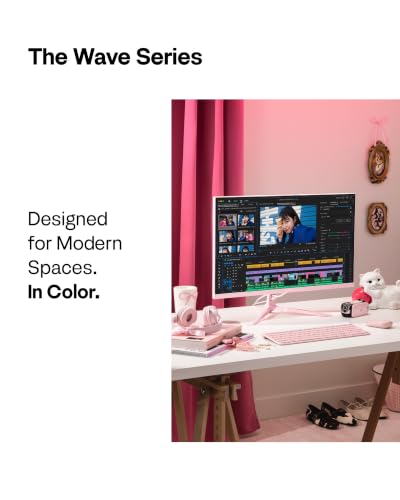
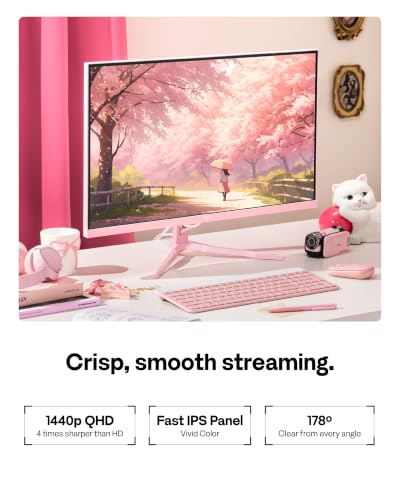
Monitor pick: Pixio PX278 Wave Pink
Key specs: 27-inch Fast IPS, 2560 x 1440, 180Hz, 1ms GTG, AMD FreeSync, built-in speakers. Listed brightness is 350 nits, contrast 1000:1, and listed color coverage is about 96.5% DCI-P3. Ports: one DisplayPort 1.4 (1440p at 180Hz) and two HDMI 2.0 (1440p at 144Hz).

Pixio PX278 Wave Pink 27 inch 180Hz Refresh Rate Quad HD 1440p Resolution Fast IPS Panel 1ms GTG Response Time Built-in Speakers Gaming Monitor with AMD FreeSync




As an Amazon Associate we earn from qualifying purchases. Product prices and availability are accurate as of the date/time indicated.
The spec that matters most for a gaming setup is the 180Hz refresh rate over DisplayPort. Use DisplayPort if you have a PC, because HDMI tops out at 144Hz on this model. For consoles, HDMI at 1440p is fine, since current consoles don’t drive 180Hz anyway. The wide listed color gamut means pink game art and pink UI themes look saturated, though it can also make skin tones look slightly over-rich unless you switch to an sRGB mode where the monitor offers one.
Two details are worth checking before you buy a mount. Retail listings disagree on the VESA pattern, with some saying 100 x 100 mm and others 75 x 75 mm. Confirm with Pixio if you plan to use a monitor arm. The built-in speakers are a convenience, not a replacement for a headset or desk speakers.
Best for: the main display in any pink setup with a mid-range or better GPU. Skip if: your GPU is entry-level and you mostly play esports titles at 1080p. A pink 24-inch 1080p panel at high refresh costs less and is easier to drive.
Step 5: A Pink PC Case to Show Off the Build
If you game on a PC, the case is your best lighting surface. A white or pink case with lots of glass reflects RGB much better than a black case, which soaks up light. Pink cases now come in every size from mini-ITX to full ATX. The panoramic “fish tank” style with glass on the front and side is the favorite for themed builds.
Case pick: Vetroo AL900 Pink
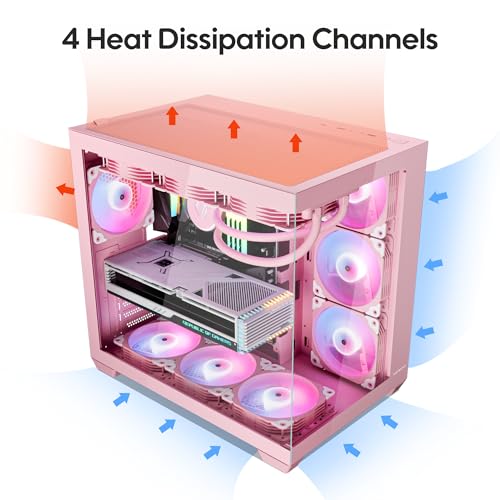
Key specs: ATX mid tower, 270° panoramic tempered glass, supports ATX, Micro-ATX and back-connector boards, up to 360mm radiator up top, room for up to ten 120mm fans, front USB-C. The listing gives about 410mm of GPU clearance, while the maker’s text says 400mm, so plan on 400mm to be safe. CPU cooler height limit is 160mm.

Vetroo AL900 Pink ATX Computer PC Case with 270° Full View Tempered Glass




As an Amazon Associate we earn from qualifying purchases. Product prices and availability are accurate as of the date/time indicated.
The 270° glass means you see the inside from the front and the side, so your pink-lit fans, RAM and GPU become part of the décor. Support for back-connector motherboards matters for themed builds too. With the cable plugs on the rear of the board, you see far fewer cables through the glass. The base model ships with one rear ARGB fan, so budget for extra fans if you want the full lit-up look. Pink or white ARGB fans keep the color consistent.
A practical heat note: panoramic cases rely on side or bottom intake, because the front is glass. Fill the intake positions with fans, and don’t push the case right up against a wall.
Best for: new builds or case swaps where the PC sits on the desk or on the L-desk return. Skip if: your PC lives under the desk where no one sees it. Spend the money on lighting or the monitor instead.
Step 6: Keyboard, Mouse and Desk Mat
These are the pieces you touch all day, and they’re the cheapest way to add pink. A good rule: let the keyboard and the desk mat carry the color, and pick a mouse for shape and weight first, color second.
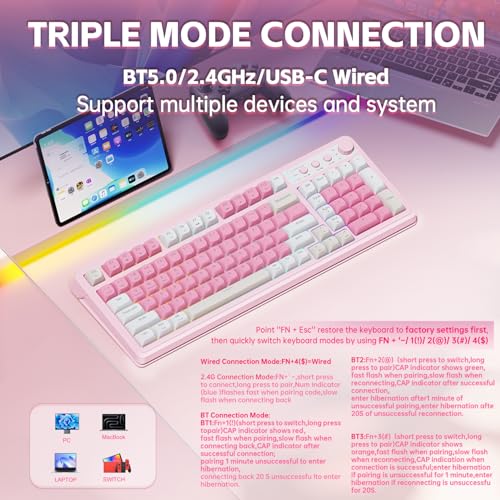
Keyboard pick: AULA 99-Key Wireless Pink Gaming Keyboard
Key specs: 99-key layout with a number pad, wireless, pink colorway, marketed for a soft “creamy” typing sound.

AULA 99 Key Keyboard, Wireless Pink Gaming Keyboard Creamy with Number Pad

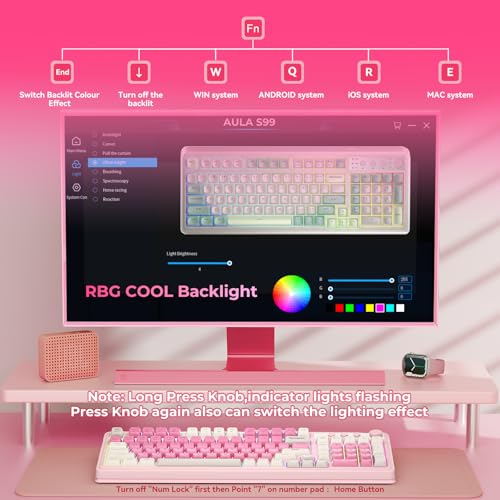

As an Amazon Associate we earn from qualifying purchases. Product prices and availability are accurate as of the date/time indicated.
A 99-key layout (often called 96%) keeps the number pad but packs the keys tighter than a classic full-size board, so it is a few inches narrower. That leaves more desk space for big mouse movements, which matters in shooters. A wireless keyboard also means one less cable on the desk, and fewer cables help any themed setup more than almost anything else. Check the listing for the connection modes and switch type you want, since AULA sells several versions of its 99-key boards.
If you’d rather keep a keyboard you already own, pink PBT keycaps are the cheapest upgrade in this guide. Make sure the set matches your layout, since 96% and 75% boards need extra keys that basic sets don’t include.
Mouse pick: DAREU Sakura Pink Wireless with Charging Dock
Key specs: 12,000 DPI sensor, up to 300 IPS, 1000Hz polling, magnetic charging dock with RGB, about 85 g, symmetrical shape. Retailers list 6 or 7 programmable buttons.
![DAREU Sakura Pink Wireless Gaming Mouse with Charging Dock Rechargeable RGB,12K DPI,6 Programmable Buttons High-Precision Sensor [300IPS] [1000Hz] for PC Notebook Mac](https://m.media-amazon.com/images/I/31r-BpIwBEL._SL500_.jpg)
DAREU Sakura Pink Wireless Gaming Mouse with Charging Dock Rechargeable RGB,12K DPI,6 Programmable Buttons High-Precision Sensor [300IPS] [1000Hz] for PC Notebook Mac


As an Amazon Associate we earn from qualifying purchases. Product prices and availability are accurate as of the date/time indicated.
The magnetic dock is the reason to pick this mouse for a themed desk. It keeps the mouse charged without a cable, and the dock’s RGB light bar adds a small glowing accent. At about 85 g it’s light enough for most games. The 12,000 DPI ceiling is far more than you need, since most players use 400 to 1,600 DPI. Competitive players who want a top-tier sensor and a sub-60 g shell should look at lightweight esports mice and add pink grip tape instead.
Desk mat
An extended desk mat is the fastest way to make a desk look like it belongs to a “setup”. Go for at least 31 x 15 inches so the keyboard and mouse share one surface, and pick a stitched edge so it doesn’t fray. Solid pink suits minimal setups. Sakura, cloud or gingham patterns suit pastel and kawaii setups.
Step 7: Headsets, a Budget Pick and a Showpiece
Headsets are one of the few categories where the big gaming brands sell official pink colorways, so you don’t have to give up audio quality for the look. Razer’s Quartz pink is the most common shade, and it matches the pastel and blush styles well.
Value headset: Razer BlackShark V2 X, Quartz
Key specs: 50mm TriForce drivers, about 240 g, closed-back, memory-foam cushions, cardioid HyperClear mic, 3.5mm wired, 7.1 virtual surround on Windows 10 and later. Frequency response is listed as 12 Hz to 28 kHz.

Razer BlackShark V2 X Gaming Headset, 50mm Drivers, Quartz Pink



As an Amazon Associate we earn from qualifying purchases. Product prices and availability are accurate as of the date/time indicated.
At about 240 g, this is one of the lighter wired gaming headsets you can buy, which helps on long sessions. The 3.5mm plug works with a PC, a console controller, a Switch or a phone. That makes it a safe choice if your setup includes a console as well as a PC. It’s wired only, so the cable needs routing behind the desk to keep things tidy.
Premium headset: Razer Kraken Kitty V3 Pro, Pink
Key specs: 40mm TriForce Titanium drivers, THX Spatial Audio, 2.4GHz HyperSpeed wireless plus Bluetooth 5.3 plus wired USB, up to 70 hours with lighting off (around 30 with RGB on), retractable mic, Chroma RGB on the ears and cups. Listed weight is about 390 g.

Razer Kraken Kitty V3 Pro Wireless RGB Gaming Headset, Pink


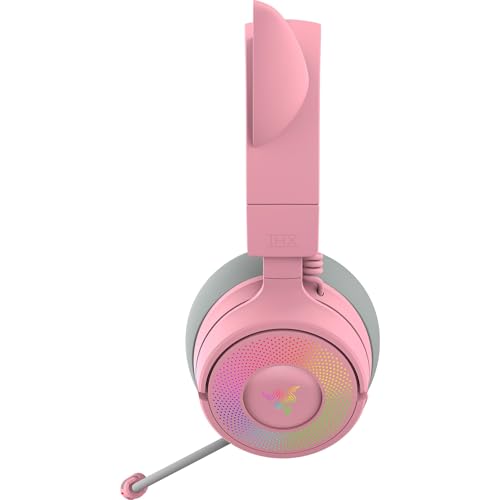


As an Amazon Associate we earn from qualifying purchases. Product prices and availability are accurate as of the date/time indicated.
This is the headset for streamers and anyone who wants the cat ears to be part of the show. The RGB ears sync with other Chroma devices, so your headset, keyboard lighting and LED strips can all pulse pink together. The trade-off is weight. At around 390 g it’s much heavier than the BlackShark V2 X, so try to sit with good posture and take breaks. Xbox doesn’t support it over the 2.4GHz dongle, so it’s best for PC, PlayStation and mobile.
Step 8: Webcam and Controller
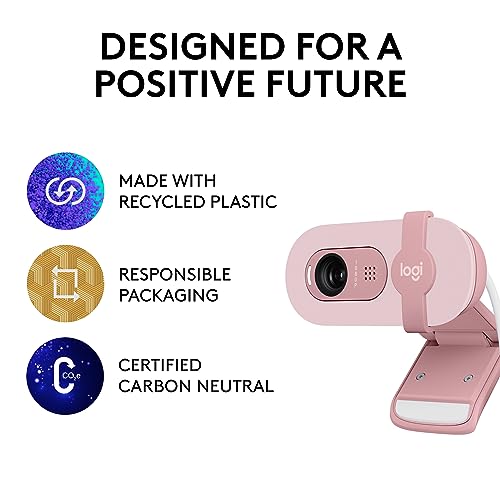
Webcam pick: Logitech Brio 100, Rose
Key specs: 1080p at 30fps, 2MP fixed focus, 58° diagonal field of view, RightLight 2 auto light balance, built-in privacy shutter, omnidirectional mic, non-detachable USB-A cable.

Logitech Brio 100 Full HD 1080p Webcam - Rose

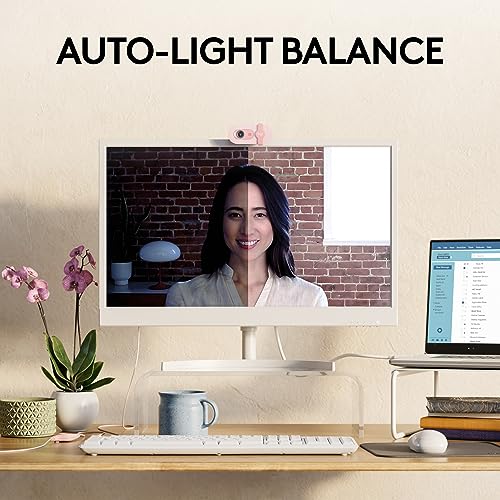


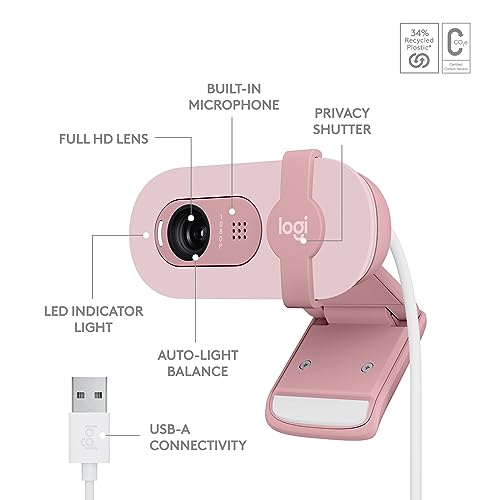


As an Amazon Associate we earn from qualifying purchases. Product prices and availability are accurate as of the date/time indicated.
A rose-colored webcam sounds like a small detail, but it’s the item that sits right on top of your monitor, in the middle of every setup photo. The Brio 100 is a basic 1080p camera with a narrow 58° view. That’s fine for a face-cam overlay on stream or for video calls, but not for showing your whole room. Pink LED lighting can confuse auto white balance, so add a small key light that points at your face. That keeps your skin tone natural while the background glows pink.
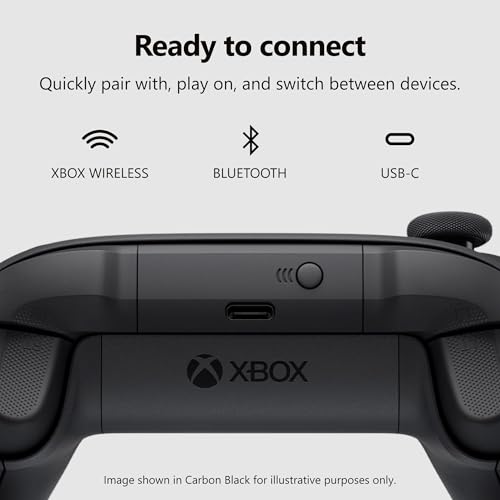
Controller pick: Xbox Wireless Controller, Deep Pink
Key specs: Xbox Wireless and Bluetooth, USB-C wired play, 3.5mm headset jack, textured grips, Share button. Runs on two AA batteries, with Microsoft’s rating of up to 40 hours.

Xbox Wireless Gaming Controller | Deep Pink




As an Amazon Associate we earn from qualifying purchases. Product prices and availability are accurate as of the date/time indicated.
Windows supports the Xbox controller natively, so it’s the easiest pink controller to use for PC gaming. It’s also the default layout many PC games show on screen. Deep Pink is a much stronger shade than Quartz, so it works best in neon, pink-and-black and hot-pink setups. In a pastel room it’ll look like a bold accent rather than a match.
Step 9: Lighting Is What Makes It Look Pink
In most viral pink setups, the furniture is white and the pink mostly comes from light. Layering your lighting in zones gives depth without turning the room into a single flat pink glow. Here’s a layout that works in most bedrooms:
| Lighting zone | Where it goes | Suggested color | Brightness guide | Purpose |
|---|---|---|---|---|
| Bias light | Back of monitor | Neutral white (about 6500K) or soft pink | Low, about 10–20% | Cuts eye strain in the dark, adds a halo |
| Under-desk strip | Under the front edge or back edge of the desk | Main pink (e.g. 255, 105, 180) | Medium, 30–60% | Floor glow, makes the desk “float” |
| Wall wash | Behind the desk, aimed at the wall | Second accent (purple or cyan) | Medium | Background depth for photos and streams |
| Case and peripherals | PC fans, keyboard, mouse dock | Main pink, synced | Medium to high | Ties the gear together |
| Face / key light | Beside the monitor, aimed at you | Neutral white, about 4000–5600K | As needed for camera | Natural skin tone on webcam |
| Ambient room light | Ceiling or floor lamp | Warm white, about 2700–3000K | Low at night | Keeps the room usable, not just lit by RGB |
For strips, an RGBIC strip (with independently controlled segments) lets you run a pink-to-purple gradient instead of one flat color. App-controlled strips can also follow music or a schedule. Always stick strips to a clean, dry surface, and add mounting clips at the corners where the adhesive tends to peel.
If you use several brands, sync them. Razer Chroma, Logitech G HUB, Corsair iCUE and several LED-strip apps can share effects through software bridges. Even when they can’t, setting each device to the same RGB value by hand gets you 90% of the way there.
Step 10: Decor That Finishes the Look
Decor turns a pink desk into a pink setup. Keep it purposeful: every item should be cute, useful, or both.
- Wall: a neon sign (LED neon is cheaper and cooler-running than glass neon), metal or framed posters from your favorite games, or a pegboard for headsets and controllers.
- Desk: a monitor riser or shelf, one or two plushies, a small plant (real or faux), and a headset stand. Leave at least half the desk surface clear.
- Floor: a round pink or white rug under the chair protects the floor and softens the room. Use a chair mat on carpet so the casters roll easily.
- Cables: braided pink or white cable sleeves, an under-desk cable tray and adhesive clips. Coiled pink keyboard cables add color if you stay wired.
- Storage: pastel drawer units or acrylic display boxes for figures, controllers and game cases.
Pink Gaming Setup Budget: Three Price Tiers
The figures below are rough ranges based on typical prices for each category in late 2026. Real prices change often, and the pink version of a product sometimes costs a little more than the black one. Treat the totals as a planning guide, not a quote.
| Component | Starter (pink accents) | Mid (full pink desk) | Dream (full room + PC) |
|---|---|---|---|
| Desk | Keep current desk | Pink L-desk, about $100–$180 | Large or sit-stand desk, about $250–$500 |
| Chair | Pink seat cushion, about $20–$40 | Pink gaming chair, about $80–$160 | Premium ergonomic chair, about $300–$600 |
| Monitor | Keep current monitor | Pink 27″ 1440p, about $200–$300 | Pink 27″ 1440p plus a second screen, about $400–$600 |
| Keyboard + mouse | Pink keycaps + budget pink mouse, about $30–$60 | Wireless pink keyboard + docked mouse, about $70–$120 | Custom keyboard + premium mouse, about $200–$350 |
| Headset | Wired pink headset, about $30–$60 | Wired or entry wireless, about $40–$100 | Premium wireless RGB, about $150–$200 |
| Lighting | One LED strip, about $10–$30 | RGBIC strip + bias light, about $40–$90 | Multi-zone smart lighting + neon sign, about $150–$300 |
| Webcam / controller | Skip | One of the two, about $40–$70 | Both, about $90–$150 |
| Decor | Desk mat + plush, about $20–$40 | Desk mat, rug, cable sleeves, about $60–$120 | Rug, shelves, art, display storage, about $200–$400 |
| PC | Keep current PC | Keep current PC, or case swap about $60–$120 | New build in a pink case, about $1,800–$3,000 |
| Rough total | About $110–$230 | About $630–$1,260 | About $3,500–$6,100 |
The Dream tier PC range reflects 2026 component prices. DDR5 memory costs several times what it did in mid-2025 because of the ongoing memory shortage, and that pushes up the price of a full build. If you’re on a budget, the Mid tier gets you a setup that looks complete in photos while keeping your current PC.
Ergonomics: Cute Shouldn’t Mean Sore
A themed setup is only worth it if you can sit at it comfortably. These checks take five minutes:
- Chair height first. Set it so your feet are flat and your thighs roughly level. Then check that your elbows sit at about desk height, at roughly 90 degrees.
- Monitor height. The top edge of the screen should be at or slightly below eye level. A pink monitor shelf or riser is both décor and a fix for a screen that’s too low.
- Monitor distance. For a 27-inch 1440p screen, about 24 to 32 inches from your eyes works for most people.
- Keyboard and mouse. Keep them close enough that your upper arms hang naturally. A wrist rest helps with tall keyboards.
- Lighting. Never game in a dark room lit only by a bright monitor. A bias light behind the screen cuts the contrast your eyes have to deal with.
Mistakes to Avoid With a Pink Setup
- Mixing too many pinks. Stick to one main shade and one accent. If a product only comes in a pink that doesn’t match, buy it in white instead.
- Buying cosmetic gear with weak specs. Some pink monitors and mice are rebadged budget models. Check refresh rate, panel type, sensor and weight before color.
- Forgetting cable management. Bright cables or a pile of black cords behind a white-and-pink desk ruins photos faster than anything else. Plan the cable tray and the power strip spot before you set up.
- Setting RGB to full brightness. Pink at 100% looks harsh on camera and at night. Most setups look best at 30 to 60%.
- Covering every surface with decor. Leave space to work and game. Three or four well-chosen items look better than twenty.
- Ignoring the room. Bright white walls bounce pink light around nicely. Dark walls soak it up, so you’ll need more lighting zones for the same effect.
How We Chose These Picks
We started with what top pink setup guides and setup tours have in common: a pink or white base desk, a matching chair, pink peripherals, layered RGB and decor. We then looked for products in each category that come in a real pink colorway and also have solid specs for gaming. We compared maker spec sheets, retailer listing specs and independent reviews, and we flagged spec conflicts between sources (such as the Pixio VESA pattern and the Vetroo GPU clearance) instead of picking one number at random. Products had to fit at least one of the five style looks above, and the full list had to cover budget, mid-range and premium tiers. These picks are research-based. We have not used them ourselves, so check current listing details before you buy.
Pink Gaming Setup FAQ
How much does a pink gaming setup cost?
A pink accent upgrade starts at around $110 to $230 if you keep your desk, monitor and PC. A full pink desk setup with a new desk, chair, 1440p monitor, peripherals and lighting usually lands at around $630 to $1,260. A full room with a new PC in a pink case can run $3,500 or more in 2026.
What colors go best with pink in a gaming setup?
White is the easiest pairing and makes pink look clean and bright. Black gives a bolder, more “gamer” contrast. For a second accent, lavender or purple suits pastel setups, while cyan suits neon setups. Light wood or soft gold work well in minimal blush setups.
Do pink gaming peripherals perform worse than black ones?
No, as long as the product itself is the same model. Razer’s Quartz headsets, Pixio’s Wave Pink monitors and Logitech’s rose webcams share their specs with the black or white versions. Be careful with lesser-known pink-only products, though, and check their specs rather than assuming they match a brand-name model.
How do I make my RGB look pink instead of purple or white?
Raise red to full, keep blue at about 100 to 180, and keep green low, roughly 0 to 110. Pastel pinks with high green values often look white on budget LEDs. Lowering brightness also helps pinks look richer. Set all devices to the same RGB value so they match.
Is a pink gaming chair comfortable for long sessions?
Comfort depends on the chair’s design, not its color. Look for a height range that fits you, a weight rating above your weight, armrests that reach desk height, and adjustable lumbar support. Budget gaming chairs are fine for evening gaming. For long workdays, a mesh office chair often suits better.
Can I build a pink gaming setup in a small room?
Yes. Use a straight desk around 40 to 47 inches wide, a 24-inch or 27-inch monitor on an arm or riser, and wall shelves instead of floor storage. Lighting does a lot of the work in small rooms. One under-desk strip and a bias light can make the whole space read as pink.
Should I get a pink PC case or a white case with pink RGB?
A white case with pink RGB is more flexible, because you can change the theme later just by changing the lighting. A pink case makes a stronger statement and looks pink even with the lights off. If you might change styles, go white. If pink is your long-term look, go pink.
What’s the best pink monitor for gaming?
For most gamers, a pink 27-inch 1440p monitor at 144Hz or higher is the best balance. The Pixio PX278 Wave Pink offers 180Hz on a Fast IPS panel. For esports at 1080p, a pink 24-inch screen at 200Hz or higher is a cheaper option.
Which Pink Gaming Setup Should You Build?
If you want the look fast and cheap, start with the Starter tier: a pink headset like the BlackShark V2 X, pink keycaps or a pink keyboard, a desk mat and one LED strip. If you’re furnishing a room or moving, go Mid tier: the ODK pink L-desk, the N-GEN pink-and-white chair and the Pixio PX278 Wave Pink give you a matching base that looks finished. Then add peripherals as you go. Streamers should put the Kraken Kitty V3 Pro and the Brio 100 near the top of the list, since both show up on camera. Console and couch players get the most from the Deep Pink Xbox controller and the chair’s footrest. And if you’re building a new PC anyway, the Vetroo AL900 Pink turns the computer itself into the room’s centerpiece. Whatever tier you start at, pick one main pink, light it in layers and keep the cables hidden. That’s what makes a pink setup look intentional instead of random.
Sources
Product specs come from maker spec pages and retail listings for Pixio, Razer, Logitech, Vetroo, DAREU, N-GEN and Microsoft Xbox. Display resolution share comes from the Steam Hardware and Software Survey for September 2026. Memory price context comes from industry reporting on the 2026 DRAM shortage. Color values are the standard CSS named colors.
Last updated: October 2026


