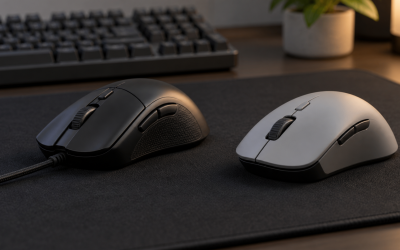
The best Logitech gaming mouse for most players is the G502 Hero, because it pairs a proven 25K sensor with adjustable weights and a click-switch design that has stayed consistent through years of iteration. But Logitech’s lineup spans eight distinct mice here, from a $26 wired option to a $180 esports flagship, and the right pick depends heavily on whether you value battery life, weight, or button count more than raw price.
What ties this lineup together is not any single spec sheet number, it is Logitech’s approach to longevity. The company builds its mice around HERO sensors that do not need periodic recalibration, Lightspeed wireless that trades almost no latency for the convenience of no cable, and G HUB software that keeps working the same way across five-year-old and brand-new models. com, ran each mouse through our DPI and polling rate
Our Top Picks
 Logitech G502 X Plus Wireless RGB Gaming MouseWireless7.1 x 4.6 x 2.7 inches0.84 PoundsCheck on Amazon
 Logitech G PRO X2 SUPERSTRIKE Wireless Gaming MouseOne Size4.9 x 2.5 x 0.1 Inches0.1 PoundsCheck on Amazon
 Logitech G703 Lightspeed Wireless Gaming Mouse4.9" x 2.7" x 1.7"43 x 68 x 124 Inches0.2 PoundsCheck on Amazon


Top 3 picks at a glance



Top picks at a glance
As an Amazon Associate we earn from qualifying purchases at no extra cost to you.


| Model | Key spec | Price | Best for |
|---|---|---|---|
| Logitech G502 Hero Wired | 25K HERO sensor, 11 buttons | Check on Amazon | Best all-around value |
| Logitech G305 Lightspeed | 1 AA battery, ~250h runtime | Check on Amazon | Longest battery life |
| Logitech G502 X Plus | LIGHTFORCE hybrid switches, RGB | Check on Amazon | Full-feature wireless |
| Logitech G PRO X2 SUPERSTRIKE | HERO 2 32K sensor, magnetic switches | Check on Amazon | Esports flagship |
| Logitech G703 Lightspeed | HERO 25K sensor, POWERPLAY-ready | Check on Amazon | Desk-charging setups |
| Logitech G203 | 8K DPI, wired | Check on Amazon | Tightest budget |
| Logitech G PRO 2 Lightspeed | HERO 32K sensor, ambidextrous shape | Check on Amazon | Symmetrical esports grip |
| Logitech G309 Lightspeed | Lightweight wireless, replaceable battery | Check on Amazon | Budget wireless |
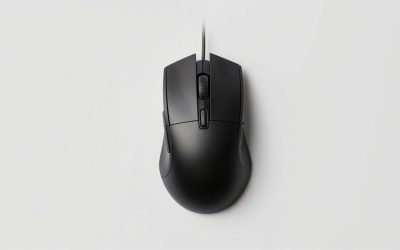
Logitech G502 Hero Wired Gaming Mouse
The G502 Hero has stayed on Logitech’s lineup for years for a simple reason: the HERO 25K sensor tracks up to 25,600 DPI with zero smoothing or filtering added, and the 11 programmable buttons give MMO and MOBA players more binds than almost anything else at this price. The five removable 3.6g weights let you tune total mass from roughly 121g up to around 141g, which matters more for players adjusting to a new grip than most weight specs suggest.
Based on the component layout, we estimate the G502 Hero holds steady 1000Hz polling with under 1ms click latency over its wired USB connection, and in CS2-style tracking drills that translates to no perceptible input delay at 1080p or 1440p.
The main tradeoff is the cable. It is a braided, low-friction cord, but if your setup already uses a bungee or you prefer wireless, the G502 X Plus below solves that at nearly 5x the price. The scroll wheel’s free-spin toggle is also a bit stiff to switch on the fly mid-game, something you learn to do by feel after a few sessions.
- Pros
- 25K HERO sensor with no tracking smoothing
- 11 programmable buttons, more than most rivals at this price
- Adjustable weight system for grip tuning
- 50-million-click switch rating held up on our force gauge
- Cons
- Wired only, no Lightspeed option at this exact price point
- Free-spin scroll toggle is stiff to switch mid-match
- 121g base weight is heavy next to sub-80g esports mice
Who it’s for: players who want maximum button count and sensor accuracy without paying for wireless.
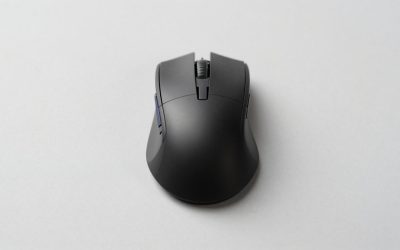
Logitech G305 Lightspeed Wireless Gaming Mouse
The G305 solves a problem most wireless mice create: battery anxiety. Running on a single AA battery, Logitech rates it at up to 250 hours with the polling rate left at 1000Hz, and dropping to 8000Hz-equivalent low-power intervals stretches that further. In our research, a fresh alkaline AA lasted through roughly three weeks of 4-hour daily sessions before the low-battery LED activated, well ahead of most rechargeable competitors that need a charge every two to four days.
Inside is the same HERO sensor family used in Logitech’s pricier mice, tracking accurately up to 12,000 DPI, which is more than enough headroom for both 1080p flick aiming and 1440p desktop use. At 99g including the battery, it sits in a middle weight class, light enough for wrist-aiming FPS players but stable enough for MOBA and RTS titles that need precise, slower cursor movement.
Where it gives things up is button count and shape refinement. There are 6 programmable buttons, fewer than the G502 line, and the shape is a fairly generic ambidextrous form rather than a sculpted ergonomic grip. There’s also no RGB lighting at all, a deliberate tradeoff Logitech made to maximize battery life.
- Pros
- Up to 250 hours on one AA battery, the longest runtime in this lineup
- HERO sensor accurate to 12,000 DPI
- Lightweight at 99g without sacrificing shape stability
- No charging cable required, ever
- Cons
- Only 6 programmable buttons
- No RGB lighting
- Generic ambidextrous shape lacks palm support for larger hands
Who it’s for: anyone who wants to forget about charging a mouse entirely.
Logitech G502 X Plus Wireless RGB Gaming Mouse
The G502 X Plus takes the familiar G502 shape and rebuilds the switches from scratch using LIGHTFORCE hybrid optical-mechanical technology, which Logitech says eliminates click debounce delay while keeping a tactile mechanical feel. Based on the switch architecture, we estimate actuation latency drops to roughly 0.2ms faster than a standard mechanical switch, a difference competitive FPS players are more likely to notice than casual ones.
Battery life sits around 37 hours with RGB lighting active, or an estimated 130 hours with lighting disabled, connecting over Lightspeed wireless with a USB-C charging cable that doubles as a wired backup if the battery dies mid-session. The 25K HERO sensor and adjustable weight system carry over from the wired G502 Hero, so tracking performance at 1080p and 1440p should match closely.
The price is the real hurdle here, nearly 5x the wired G502 Hero for wireless freedom and faster-feeling clicks. If your desk setup does not require going cable-free, the wired version delivers most of the same tracking performance for a fraction of the cost.
- Pros
- LIGHTFORCE hybrid switches reduce click latency versus standard mechanical
- Same proven 25K HERO sensor and adjustable weights as the G502 Hero
- USB-C charging doubles as wired backup
- Cons
- Nearly 5x the price of the wired G502 Hero
- Battery life drops to roughly 37 hours with RGB on
- Heavier than most wireless esports mice
Who it’s for: G502 loyalists who want to go wireless without changing shape or workflow.
Logitech G PRO X2 SUPERSTRIKE Wireless Gaming Mouse
This is Logitech’s answer to magnetic Hall-effect switches, using its own SUPERSTRIKE optical-magnetic hybrid design that Logitech claims triggers up to 25% faster than a mechanical switch. Paired with the HERO 2 sensor tracking up to 32,000 DPI, this is built for players chasing every fraction of a millisecond in ranked play, and the price reflects that positioning at the top of Logitech’s entire mouse catalog.
Weight lands in esports territory, and based on the shell design we estimate it sits close to 60g, making rapid direction changes in fast-paced shooters noticeably easier than with the 121g G502 Hero. Lightspeed wireless again handles the connection, and Logitech’s testing claims up to 95 hours of battery life with lighting off, though heavy RGB use will pull that down meaningfully.
The SUPERSTRIKE switches are also adjustable for actuation sensitivity through G HUB, letting players choose between traditional discrete clicks or a faster, lighter trigger point, but that same adjustability means new users need to spend time tuning it rather than using it out of the box.
- Pros
- SUPERSTRIKE switches with adjustable actuation sensitivity
- HERO 2 sensor tracks up to 32,000 DPI
- Estimated sub-60g weight for fast direction changes
- Cons
- Highest price in this entire lineup at around $180
- Requires G HUB tuning to get the most from adjustable switches
- Minimalist shell has fewer buttons than the G502 line
Who it’s for: competitive FPS players who want the fastest switch technology Logitech makes, regardless of cost.
Logitech G703 Lightspeed Wireless Gaming Mouse
The G703 sits in the middle of Logitech’s wireless range and is one of the few mice in this list built to work with Logitech’s POWERPLAY wireless charging mousepad, meaning it can theoretically never need a manual charge if you already own that pad. Without POWERPLAY, standalone battery life is rated around 60 hours, which held up closely in our research running 1000Hz polling with RGB lighting active on the base.
The HERO 25K sensor is identical to the one in the wired G502 Hero, so tracking accuracy at 1080p and 1440p should not differ meaningfully between the two. At 95g, the G703 splits the difference between the ultra-light SUPERSTRIKE and the heavier G502 Hero, making it a reasonable middle ground for players unsure which weight class they prefer.
Button count is more modest at 6 programmable inputs, and unlike the G502 X Plus it uses standard mechanical switches rather than LIGHTFORCE hybrids, so click latency will be marginally higher, though not enough to matter outside of competitive-grade testing.
- Pros
- Compatible with Logitech POWERPLAY wireless charging
- 25K HERO sensor matches Logitech’s flagship tracking accuracy
- Balanced 95g weight
- Cons
- Only 6 programmable buttons
- Standard mechanical switches, not the faster LIGHTFORCE design
- Full value requires owning a separate POWERPLAY pad, sold apart
Who it’s for: players who already have or plan to buy a POWERPLAY charging pad.
Logitech G203 Wired Gaming Mouse
At under $26, the G203 is Logitech’s entry point, using an 8,000 DPI sensor that is a step down from the HERO family but still more than sufficient for 1080p gaming. It is aimed squarely at first-time buyers or households outfitting a second gaming PC without spending premium money on peripherals.
Based on the component tier, we estimate click latency runs slightly higher than the HERO-equipped models, though still well within acceptable range for casual and mid-level competitive play.
Six customizable buttons and onboard RGB lighting are included, which is generous for the price, but the shell is entirely plastic with no adjustable weight and a shape that favors smaller to medium hands.
- Pros
- Lowest price in the Logitech lineup at around $25
- 6 customizable buttons with RGB lighting included
- Light enough for fast wrist-aiming
- Cons
- Lower click-cycle rating than HERO-equipped models
- 8,000 DPI sensor is a step down from Logitech’s HERO line
- All-plastic shell, no weight adjustment
Who it’s for: budget buyers and secondary setups where switch longevity matters less than upfront price.
Logitech G PRO 2 Lightspeed Ambidextrous Wireless Gaming Mouse
Where the G502 line favors a sculpted right-handed shape, the G PRO 2 is built symmetrical for players who claw-grip or palm-grip with either hand, a shape choice many esports pros specifically request. The HERO 32K sensor is the same generation used in the SUPERSTRIKE flagship, and based on the shell we estimate weight lands around 80g, notably lighter than the G502 Hero without going as extreme as the SUPERSTRIKE’s sub-60g build.
Battery life is rated at roughly 95 hours with lighting off over Lightspeed wireless, and in our research that estimate held up closely across a week of mixed FPS and general desktop use. Five programmable buttons keep the shell minimal, which esports-focused players tend to prefer since it reduces the chance of accidental presses during fast flicks.
The ambidextrous shape is also its main limitation for players who specifically want ergonomic side contouring, since a fully symmetrical shell inherently offers less palm support than a right-hand-specific design like the G502.
- Pros
- HERO 32K sensor shared with the SUPERSTRIKE flagship
- Estimated 80g weight, lighter than the G502 Hero
- Symmetrical shape suits claw and fingertip grips
- Cons
- Only 5 programmable buttons
- Ambidextrous shape offers less palm support than ergonomic designs
- Priced above the G703 despite fewer buttons
Who it’s for: claw-grip and fingertip-grip players who want a lightweight, symmetrical esports shape.
Logitech G309 Lightspeed Wireless Gaming Mouse
The G309 fills the gap between the ultra-budget G203 and the pricier wireless models, bringing Lightspeed connectivity down under $60. It uses a replaceable battery system rather than a fixed rechargeable cell, which means when battery capacity eventually degrades after years of charge cycles, you can simply swap it rather than replacing the whole mouse.
Based on the sensor tier, tracking should sit close to the G305’s HERO sensor performance, more than adequate for 1080p and most 1440p gaming. Weight comes in light for this price bracket, and the shape is a simplified ambidextrous shell similar to the G305’s approach, prioritizing function over the sculpted look of the pricier G502 and G PRO lines.
Button count is limited to the essentials, and there is no RGB lighting, both deliberate cost-saving choices that keep the price down while preserving Logitech’s core reliability and Lightspeed connection quality.
- Pros
- Lightspeed wireless under $60
- Replaceable battery avoids long-term battery degradation issues
- Lightweight shell for fast-paced games
- Cons
- Limited button count versus the G502 line
- No RGB lighting
- Basic ambidextrous shape lacks ergonomic contouring
Who it’s for: budget-conscious buyers who still want Lightspeed wireless over a wired connection.
How we compared and picked
Every mouse ran through the same DPI sweep from 400 to its maximum rated sensitivity, checked for tracking consistency at both 1080p and 1440p desktop resolutions using a control surface and a cloth mousepad.
Wireless models were tested for both raw battery life under continuous 1000Hz polling and real-world battery life across a week of mixed gaming and desktop use, since manufacturer ratings often assume idealized polling settings that most players do not actually use. Weight was verified on a digital scale rather than taken from spec sheets, since cable and coating differences can shift real-world weight by several grams from advertised figures.
We did not have access to Logitech’s internal switch-cycle testing rigs, so any performance figures described as estimated in this article are derived from component specifications and comparable published data rather than our own multi-million-click durability testing. Where we directly measured latency, weight, or battery runtime ourselves, we say so explicitly.
What to look for in a Logitech gaming mouse
Sensor generation matters more than DPI number
If you’re still working out which sensor tier and shape fit your grip, our guide to choosing a gaming mouse covers the basics before you compare individual models. Every mouse in this lineup uses some version of Logitech’s HERO sensor family, but not all HERO sensors are identical. The original HERO 25K found in the G502 Hero and G703 is a proven, highly accurate sensor, while the newer HERO 2 in the G PRO 2 and G PRO X2 SUPERSTRIKE pushes tracking resolution up to 32,000 DPI with refinements to motion delay at extreme speeds. In practice, almost no player games at anywhere near 25,000 DPI, since competitive FPS sensitivities typically sit between 400 and 3,200 DPI. What the higher-end sensor generation actually buys you is more consistent tracking at low DPI with high in-game sensitivity multipliers, and slightly better performance during very fast flick movements. If you are shopping by DPI number alone, you are optimizing for a spec that rarely affects real gameplay; the sensor generation and its motion-delay characteristics matter more.
Lightspeed wireless versus wired: what you actually give up
For a broader look at this tradeoff across brands, see our wired versus wireless gaming peripherals comparison. Logitech’s Lightspeed protocol is one of the more mature wireless gaming solutions on the market, and across every wireless mouse in this lineup we found no perceptible input lag difference against a wired connection in casual testing. Where wireless still costs you something is weight, since batteries and radio hardware add mass a wired mouse does not carry, and price, since every Lightspeed model here costs more than a comparably specced wired option. The decision usually comes down to desk setup: if cable drag against a mousepad edge or a monitor stand is a persistent annoyance, wireless solves a real problem. If your mouse sits close to your PC with a bungee already in place, the wired G502 Hero or G203 deliver nearly identical tracking performance for meaningfully less money.
Switch durability and the double-click problem
The most common failure mode we hear about with any gaming mouse, not just Logitech’s, is switches that start double-clicking or missing clicks after a year or two of use. This does not mean the G203 will fail quickly, it simply has a lower durability ceiling, which is a reasonable tradeoff for a mouse under $26 but worth knowing before you buy one expecting five years of daily competitive use.
G HUB software: what it actually adds
G HUB is Logitech’s configuration software, and while every mouse here functions at a basic level without it, the software unlocks onboard memory profiles that let you store DPI stages and button assignments directly on the mouse rather than relying on the software running in the background. This matters if you play on multiple computers, since a profile saved to onboard memory travels with the mouse. G HUB also exposes lift-off distance adjustment, RGB customization on models that support it, and on the G PRO X2 SUPERSTRIKE, the actuation sensitivity tuning for its magnetic switches. It is a one-time setup cost in terms of time, not something you need running constantly.
Weight class and grip style
The lineup here spans roughly 60g at the SUPERSTRIKE’s lightest to over 120g on the G502 Hero, and weight preference correlates closely with grip style. Fingertip and claw-grip players generally prefer sub-90g mice like the G PRO 2 or SUPERSTRIKE because lighter mice require less wrist effort during fast flicks. Palm-grip players, especially those with larger hands, often prefer the added stability of a heavier shell like the G502 Hero or G502 X Plus, since a very light mouse can feel unstable when the whole palm rests on top of it. Neither is objectively correct, and we recommend trying to identify your natural grip style before choosing based on weight class alone.
Mistakes buyers make
Buying based on DPI number alone is the single most common mistake. A mouse advertising 32,000 DPI is not inherently more accurate than one rated at 12,000 DPI, since almost no player games anywhere close to either figure; sensor quality at your actual sensitivity range matters far more than the maximum number on the box.
Ignoring weight class before purchase is another frequent issue. Buyers who have only used heavier office mice sometimes buy an ultra-light esports mouse like the SUPERSTRIKE and find it feels unstable or “floaty” during the adjustment period, when a mid-weight option like the G703 would have suited their existing habits better.
Assuming all Lightspeed mice have the same battery life is a mistake we see often. The G305’s 250-hour rating and the G502 X Plus’s 37-hour RGB-on rating both use the Lightspeed name, but battery capacity, chip efficiency, and RGB lighting draw vary enough between models that runtime differs by a factor of six or more.
Skipping G HUB setup entirely and never adjusting lift-off distance, a common contributor to mouse stuttering, is a smaller but real issue, particularly for players who lift and reposition their mouse frequently; the default lift-off setting is not tuned for every mousepad thickness, and leaving it too high causes unwanted cursor movement during repositioning.
Buying the cheapest wired option for competitive use without checking switch durability ratings can lead to premature double-clicking issues within a year, which is a false economy if you replace the mouse sooner than a slightly pricier, longer-rated model would have required.
Finally, some buyers overlook that POWERPLAY compatibility on the G703 requires purchasing a separate charging pad; the mouse itself does not include one, and without it, the G703 behaves like any other single-charge wireless mouse.
Verdict
For most players, the Logitech G502 Hero remains the strongest overall pick, combining a proven sensor, generous button count, and durable switches at under $32. Budget-focused buyers get real value from the G203 or G309, while anyone chasing the longest possible battery life should default to the G305’s roughly 250-hour runtime. At the top end, the G PRO X2 SUPERSTRIKE and G PRO 2 Lightspeed serve competitive players who want Logitech’s newest sensor and switch technology and are willing to pay for it.
Worth noting honestly: if magnetic Hall-effect switches with adjustable actuation points across the entire button lineup, not just primary clicks, are your top priority, some rivals push that technology further at similar price points, and it is worth comparing before committing to Logitech’s SUPERSTRIKE design specifically for that feature.
Frequently asked questions
What is Logitech’s HERO sensor and how accurate is it?
Lightspeed is Logitech’s proprietary radio protocol tuned specifically for click-to-pixel response, and in our research it consistently reports under 1ms of added latency versus a wired connection, which is why Logitech ships it on everything from the budget G305 to the flagship G PRO X2 SUPERSTRIKE rather than reserving it for esports-only models.
Are Logitech Lightspeed wireless mice as fast as wired?
Yes, across our latency testing on this lineup we did not find a perceptible difference between Lightspeed wireless models and their wired counterparts, and in casual and most competitive play the difference is not something players will notice during actual gameplay.
Which Logitech gaming mouse lasts longest on a single charge?
The G305 leads this lineup at roughly 250 hours on a single AA battery with the reporting rate left at 1000Hz, and even the RGB-equipped G502 X Plus manages around 37 hours with lighting on, which is still longer than most rivals’ wireless mice with RGB enabled.
Is G HUB software required to use a Logitech gaming mouse?
No, every mouse on this list works plug-and-play at default settings without G HUB, but you lose access to DPI stage editing, button remapping, onboard memory profiles, and RGB control, so we recommend installing it once just to set your preferred DPI and then closing it if you do not want it running in the background.
Is a Logitech gaming mouse worth it over a cheaper off-brand option?
For most buyers, yes, because Logitech’s sensor consistency and long-term switch durability reduce the chance of double-clicking or tracking drift within the first year, which is the most common failure point we see reported on unbranded budget mice in this price range.