
Dual monitors light up your face but leave your desk, keyboard, and notes in shadow, and staring at bright screens in a dark room is a fast track to eye strain. A well-chosen LED desk lamp fills that gap without throwing glare across your panels. The trick is picking one that lights the desk, not the screens, and that matches the color and brightness your eyes want. Here is what to prioritize.
Our Top Picks
 Motumen Led Desk Lamp for Home Office22 x 4.5 x 29.5 inches22 x 4.5 x 29.5 inches1.65 PoundsCheck on Amazon


Top 3 picks at a glance
Placement around two monitors
With two displays eating the back of the desk, a traditional base lamp has nowhere to sit. The setups that work are a clamp-mount lamp on the rear edge, a tall thin-base lamp tucked between or beside the monitors, or a monitor-independent floor or shelf light. A long, articulated arm matters here so the head can reach over or between the panels to light the keyboard area.
As an Amazon Associate we earn from qualifying purchases at no extra cost to you.


Aim to avoid screen glare
Position the head so light falls on the desk and keyboard from the side or above, never bouncing off the monitor glass toward your eyes. A lamp with an asymmetric or downward-focused head is ideal because it pushes light onto the work surface and keeps it off the screens.
More desk lamps and light bars for dual-monitor setups
The main picks above are mostly long-arm clamp lamps, which are the safest choice for a two-screen desk. A few other approaches deserve a place on the shortlist: a premium monitor light bar for people who want zero desk clutter, a high-CRI lamp for photo and video work, a three-bar lamp that doubles as ambient lighting, a budget double-head lamp, and a simple swing-arm lamp with a memory function. The six options below cover those. Specs are taken from each maker’s published listing.
BenQ ScreenBar Halo 2 Monitor Light Bar

A monitor light bar sits on top of the screen and throws light down onto the desk at a steep angle, so it lights the keyboard without reflecting off the panel. The ScreenBar Halo 2 is BenQ’s flagship version and one of the most fully featured light bars available. It combines a front light for the desk with a rear backlight that softens the contrast between the bright screen and the wall behind it, so it covers both jobs described in the bias lighting section of this guide.
BenQ specifies an even 500 lux over a desk area of roughly 33 by 20 inches, stepless color temperature from 2700K to 6500K on both front and rear lights, a full-spectrum front light rated at Ra 95 or higher, flicker-free output, and an asymmetric optical design with an 18-degree cutoff to keep light off the screen. An ambient sensor can auto-dim to hold the desk at a target brightness, an ultrasonic motion sensor turns it on when you sit down, and a wireless puck controller handles adjustments. The clamp is designed for curved monitors in the 1000R to 1800R range as well as flat panels.
For a dual-monitor desk, the main question is placement. A single bar sits on one monitor, so it lights the area in front of that screen most strongly. That works well if one monitor is your primary and the other is angled off to the side, or if you mount it on a central ultrawide. If you sit centered between two equal screens, a long-arm clamp lamp like the Pzloz or ONEMIX from our main list will spread light more evenly. The Halo 2 sits firmly in the premium tier.
Best for: minimal desks, curved or ultrawide primaries, and anyone who wants desk light plus backlight in one device. Skip it if: you sit centered between two equal monitors and want even coverage across both.
Honeywell HJ1BK Sunturalux Architect Desk Lamp (1200 lm, base)

Not every desk can take a clamp. Thick butcher-block tops, glass desks, and desks with a rear lip or cable tray in the way all make clamp lamps awkward. This Honeywell HJ1BK is the weighted-base version of Honeywell’s HJ1 architect lamp, and it is one of the few base-mounted lamps with a head wide enough for a dual-monitor desk.
Honeywell lists 1200 lumens from 18W, a CRI of 97 or higher with full-spectrum LEDs, a flicker-free driver, RG0 blue-light classification, four color temperature presets from 3000K to 5700K, stepless dimming from 10 to 100 percent, a memory function, and a timer. The head is a two-section bar about 31.5 inches wide, which Honeywell positions as spanning dual monitor setups, and the neck and head adjust in multiple directions.
That very high CRI is the standout. If you edit photos, grade video, or paint miniatures between gaming sessions, accurate color rendering at the desk matters, and 97 is higher than most lamps in this guide. The trade-off of a base is that it takes up some desk surface, so plan where it will sit relative to your monitor feet or arms. Honeywell also sells a clamp version of the same lamp if you decide you prefer to clamp. Compared with the ONEMIX in our main list, the Honeywell is less bright and shorter, but it offers better color rendering and a base option. It sits in the premium tier.
Best for: desks that cannot take a clamp, and creators who want high CRI. Skip it if: every inch of desk surface is already taken.
Micomlan Architect Desk Lamp with Atmosphere Lighting (24W)

The Micomlan lamp takes a different approach to coverage. Instead of one long bar, it has a main light bar plus two side bars that rotate independently. Point all three down and you get a broad, bright pool across a wide desk; turn the side bars upward and they bounce light off the wall and ceiling as soft ambient lighting, which is a simple way to reduce the harsh contrast of a dark room around bright screens.
Micomlan lists 24W and about 1500 lumens, a CRI above 90, stepless dimming from 20 to 100 percent, stepless color temperature from 3000K to 6500K, an ambient light sensor for auto-dimming, a memory function, seven damped joints, and a clamp for desktops up to 2.5 inches thick. The overall reach is about 39 inches, among the longest in this guide, so the head can extend over monitors on arms and reach the keyboard area from the back corner of the desk. The main light uses LEDs angled away from the user to keep glare off screens.
One quirk is that the main light and side lights switch independently but share brightness and color settings, so you cannot run warm ambient side lights with a cool main bar. Seven joints also mean more fiddling to get the position right at first, though once set, a damped arm holds steady. Compared with the Pzloz in our main list, the Micomlan offers longer reach and the ambient mode; compared with the ONEMIX, it is less bright but more flexible in how it spreads light.
Best for: wide dual-monitor desks and gamers who want desk light plus ambient glow. Skip it if: you want separate color control for each light bar.
VEVOR Double Head Architect Desk Lamp with Clamp

Double-head lamps put two independently adjustable light heads on one clamp, which suits a dual-monitor desk well: you can aim one head toward each side of the keyboard area, or one at the keyboard and one at a notebook or second input device. The VEVOR is a budget take on that idea with gooseneck heads rather than rigid arms.
VEVOR specifies 12W and 860 lumens, color temperature from 3000K to 6500K across five settings, ten brightness levels, a CRI of 90 or higher, a timer and memory function, USB power, and a clamp for desks up to about 2.17 inches thick. The heads are part of a 24-inch extended light section, and the 360-degree goosenecks rise to about 26 inches.
At 860 lumens, it is at the dimmer end of the range recommended in this guide, which is fine for evening gaming and lighting a keyboard, but less ideal as the main light for paperwork in a dark room. Goosenecks are quick to aim but can droop or wobble more than a rigid architect arm. USB power is convenient if you have a spare port on a desk power strip or monitor, but check that the port supplies at least 2A. Compared with the MACASA dual-head lamp in our main list, the VEVOR is a simpler budget option.
Best for: budget dual-monitor desks and evening lighting. Skip it if: you need a bright primary light for a dark room.
Quntis Monitor Light Bar with Remote (curved and flat monitors)

If the idea of a monitor light bar appeals but a flagship is more than you want to spend, Quntis is one of the most established mid-range brands. This model is designed to sit on both flat and curved monitors and comes with a wireless remote, so you can adjust brightness and color temperature without reaching up to the bar itself.
Like other light bars, it mounts on top of the monitor and projects light forward and down onto the desk, using an asymmetric design to avoid reflections on the screen. That makes it ideal for small desks with no room for a lamp base or clamp, and it is one of the cleanest-looking ways to light a keyboard. Quntis light bars in this range typically offer adjustable color temperature from warm to cool, stepless dimming, and auto-dimming; check the specific listing for the exact figures on this version.
The same dual-monitor caveat applies as with any single light bar. It lights best in front of the monitor it sits on, so place it on your primary screen or on a central ultrawide. For two equal side-by-side screens, some people put a light bar on each monitor, which gives very even coverage but means two devices to control. Compared with the BenQ Halo 2, a Quntis bar gives up the rear backlight and premium sensors at a lower tier.
Best for: compact desks and a single primary monitor. Skip it if: you need even light across two equal screens from one device.
SKYLEO LED Desk Lamp with Swing Arm and Memory Function
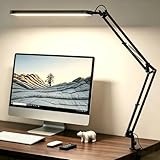
Sometimes the best desk lamp is the simple one you never have to think about. The SKYLEO is a straightforward swing-arm LED lamp with a rotatable head, five color modes, eleven brightness levels, a 45-minute timer, and a memory function that brings the light back at your last setting when you switch it on.
The swing arm and rotating head let you aim light down onto the keyboard and angle it away from the screens, which is the most important placement rule in this guide. Related SKYLEO models in this family are listed with around 1300 lumens, a CRI of 90 or higher, and USB power, and the line includes clamp and slim-base versions, so check which mounting style you are getting before you buy.
Its reach is shorter than the long architect lamps in our main list, so it works best placed between or beside the monitors rather than reaching over them from the back edge. That makes it a good secondary light, or a primary light for a smaller desk with two compact monitors. Compared with the Airlonv 17-inch lamp in our main list, it is a similar budget-friendly option with more preset levels.
Best for: smaller dual-monitor desks and budget buyers who want simple controls. Skip it if: you need an arm long enough to reach over monitors from the desk’s back edge.
Specs that matter
| Spec | Good target | Why it matters |
|---|---|---|
| Brightness | 500-1000 lumens | Lights desk without overpowering screens |
| Color temperature | 2700-6500K adjustable | Warm evenings, cool for focus |
| Color rendering (CRI) | 90+ | Accurate colors for content work |
| Dimming steps | Stepless or 5+ levels | Match ambient brightness |
| Arm reach | Long enough to clear the screens (often 30+ in on architect lamps) | Reach over/between monitors |
| Mount | Clamp or slim base | Fits a crowded desk |
Comparison of the additional picks
Price tiers are relative within desk lighting: budget covers basic USB-powered lamps, mid-range covers well-equipped clamp lamps and mid-range light bars, and premium covers flagship light bars and high-CRI architect lamps.
| Light | Type | Mount | Output | Color temp | CRI | Price tier |
|---|---|---|---|---|---|---|
| BenQ ScreenBar Halo 2 | Light bar with backlight | Monitor top, curved or flat | 500 lux over about 33 x 20 in | 2700-6500K | 95+ | Premium |
| Honeywell HJ1BK | Wide-head architect lamp | Weighted base | 1200 lm | 3000-5700K presets | 97+ | Premium |
| Micomlan Atmosphere 24W | Three-bar architect lamp | Clamp (to 2.5 in) | About 1500 lm | 3000-6500K | 90+ | Mid-range |
| VEVOR Double Head | Dual gooseneck | Clamp (to about 2.17 in) | 860 lm | 3000-6500K | 90+ | Budget |
| Quntis Light Bar with Remote | Light bar | Monitor top, curved or flat | See listing | Adjustable | See listing | Mid-range |
| SKYLEO Swing Arm | Swing-arm lamp | Clamp or base by version | Around 1300 lm in this family | 5 modes | 90+ in this family | Budget |
Desk lamp or monitor light bar for two screens?
This is the most common question for dual-monitor owners, and the honest answer is that it depends on how your screens are arranged.
- Two equal monitors, you sit at the seam: a long-arm clamp lamp or a wide-head lamp spreads light evenly across the whole keyboard and mouse area. A single light bar on one monitor will leave the other side noticeably dimmer.
- One primary in front, one secondary angled off: a light bar on the primary works very well, because your hands and keyboard sit in front of that screen anyway.
- Ultrawide or a large central monitor: a light bar, especially one designed for curved screens, is the cleanest solution.
- Stacked monitors: light bars cannot sit on the lower screen without blocking the upper one, so a clamp lamp reaching in from the side is usually the better choice.
- Monitors on arms that move often: a clamp lamp is independent of the monitors, so you can reposition screens without re-aiming the light.
Some setups use both: a light bar for focused keyboard light, and a lamp or bias lighting for broader room fill. The goal is always the same, which is enough light on the desk to reduce the contrast with your screens, with none of it reflecting off the panels.
Comfort features worth paying for
Adjustable color temperature
The best desk lamps shift from a warm 2700K in the evening to a crisp 5000-6500K for daytime focus. Matching lamp warmth to your screen and the time of day reduces the contrast your eyes fight and helps you wind down at night.
Flicker-free dimming and CRI
Cheap LEDs flicker at low brightness, which tires your eyes even if you cannot consciously see it; a flicker-free driver avoids that. A high CRI of 90 or above keeps colors true, which matters if you edit photos or video between gaming sessions.
Lumens, lux, and watts: reading lamp specs
Lamp listings mix three different numbers, and comparing them directly leads to bad choices.
- Watts measure power consumption, not brightness. Two 24W lamps can differ noticeably in output depending on LED efficiency and optics, so treat wattage as a rough hint at most.
- Lumens measure the total light a lamp emits in all directions. A higher figure means more light overall, but it says nothing about where that light goes. A 1500-lumen lamp with a wide spread can light the desk less intensely than a 1000-lumen lamp with a focused head.
- Lux measures how much light actually lands on a surface. This is the most useful number for desk lighting, because it tells you how bright the keyboard area will be. Light bars usually quote lux at a given distance, and around 500 lux on the work surface is a widely used target for comfortable computer and reading work.
When a lamp quotes only lumens, consider its head size and height too. A long head held 15 to 20 inches above the desk spreads light evenly; a small head held close gives a bright spot with dim edges. For a dual-monitor desk, even coverage across the full width of both screens matters more than the peak brightness at the center.
Quick selection checklist
- Measure the desk width you need to light. Two 27-inch monitors side by side span roughly four feet; your lamp or bar needs to cover the keyboard and mouse area across that width.
- Check where it can mount. Clamp range against desk thickness, free space at the back edge, or monitor thickness and curvature for a light bar.
- Confirm reach. If the lamp must reach over monitors from the back edge, its arm needs enough height and length to clear the screens and still angle down.
- Look for dimming and adjustable color temperature. Both are standard now, but stepless control is nicer than a few coarse steps.
- Prefer CRI 90+ and flicker-free. These are the two quality specs that most affect eye comfort and color accuracy.
- Decide on extras. Auto-dimming, memory, remote control, and backlighting are useful but not essential.
FAQ
How bright should a desk lamp be next to bright monitors?
Aim for 500-1000 lumens with dimming so you can balance the lamp against your screen brightness. The goal is to lift the whole room out of darkness so your pupils are not swinging between a bright screen and a black desk, which is the main cause of screen-lit eye strain.
Clamp lamp or freestanding lamp for dual monitors?
A clamp lamp is usually better because it frees desk space and its long arm reaches over the monitors to light the keyboard. Choose a slim freestanding base only if your desk edge is too thick or fragile for a clamp, or you move the lamp often.
Does a monitor light bar work on two monitors?
A single bar sits on one monitor and mostly lights the desk in front of that screen. It works well when one monitor is your main display, but with two equal screens the far side will be dimmer. Options are to place the bar on whichever screen sits in front of your keyboard, use one bar per monitor, or choose a long-arm clamp lamp that spans both.
What color temperature is best for gaming at night?
Warm light around 2700K to 3500K is easier on the eyes in the evening and feels more relaxing, while 5000K to 6500K feels crisp and alert during the day. Many people set a warm preset for late sessions and a cooler one for work. Matching the lamp roughly to your screen’s color temperature, especially if you use a night mode on the monitor, reduces the sense of contrast between screen and desk.
Is CRI important if I only game?
Less so than for photo or video editing, but it still helps. Higher CRI light makes objects on the desk look natural rather than slightly gray or green, and it makes skin tones look right on webcam. A CRI of 90 or above is easy to find at every price tier now, so there is little reason to accept less.
Will a desk lamp show up as glare on a glossy monitor?
It can if the light hits the screen at the wrong angle. Position the lamp head above and slightly in front of the keyboard, pointed down, and check from your seated position with the monitor showing a dark image. If you can see a bright spot or a reflection of the lamp head in the screen, move the head lower, further forward, or to the side. Light bars and lamps with asymmetric optics make this much easier.
Can a desk lamp be powered from my monitor’s USB port?
Smaller USB lamps and many light bars can, as long as the port supplies enough current, typically 5V at 1A to 2A. Check the lamp’s requirement and the monitor’s port specs. Many monitor USB ports turn off when the monitor sleeps, which can conveniently switch the light off too. Larger architect lamps usually need their own adapter.
Bias lighting vs a desk lamp
A desk lamp and a monitor bias light solve related but different problems. Bias lighting sits behind the screens and softens the contrast between a bright panel and a dark wall, easing eye strain from the background. A desk lamp lights the foreground, your keyboard, notes, and hands, so your eyes are not jumping between a glowing screen and a pitch-black desk. On a dual-monitor setup, using both gives the most comfortable result for long sessions.
If you can only add one, choose based on your main complaint. If your eyes hurt from staring at bright screens in a dark room, start with the desk lamp to lift the whole foreground. If you notice a harsh halo around the monitors against a dark wall, bias lighting behind the panels is the better first step. Neither should ever shine directly into your eyes or bounce off the screen glass.
Smart controls
Many desk lamps now offer app or touch control, presets, and timers. A preset that eases from cool daytime light to warm evening light with a scheduled dim is genuinely useful for winding down, and a memory function that recalls your last brightness saves fiddling every time you sit down.
Setting up your lamp step by step
- Choose the mounting point. For a clamp lamp, the back corner of the desk on your dominant-hand side usually works best, because the arm can reach across to the keyboard without casting your hand’s shadow onto what you are writing or using. Avoid clamping right behind a monitor, where the arm may collide with a monitor arm.
- Set the height. Raise the head high enough to clear the top edges of the monitors if it needs to reach over them, then angle it down. A head 15 to 20 inches above the desk surface gives a broad, even pool of light.
- Aim at the keyboard, not the screens. Point the head at the area just in front of the keyboard. Light should fall on your hands and desk, with the screens outside the beam.
- Check for glare. Sit in your normal position, put a dark image on both monitors, and look for reflections. Adjust until the screens show no bright spots.
- Balance brightness with the screens. Turn the lamp up until the desk no longer looks dark compared with the monitors, but not so bright that the screens look washed out. Auto-dimming lamps and light bars can handle this automatically.
- Set your color presets. Save a cooler preset for daytime and a warmer one for evenings if your lamp supports memory or presets.
- Tidy the cable. Route the lamp cable along the arm and down the desk leg or into the cable tray, so it does not drape across the desk or catch when the arm moves.
Common lighting mistakes on dual-monitor desks
- Lighting only the screens’ surroundings. Bias lighting behind the monitors is helpful, but without desk light your keyboard and notes still sit in shadow.
- Placing the lamp behind the screens pointing forward. This shines light toward your eyes and creates glare.
- Using a single small lamp for a wide desk. A compact lamp makes a bright spot on one side and leaves the other dark. Wide desks need a long head, two heads, or a lamp with multiple bars.
- Maximum brightness all the time. A lamp far brighter than the screens is as tiring as darkness. Use dimming.
- Cool white late at night. Very cool light in the evening can make it harder to wind down. Switch to a warmer preset after dark.
Lighting a dual-monitor desk for streaming and video calls
A desk lamp’s job is to light the desk, but on a streaming or work-call setup your face matters too. The two jobs need different lights, and trying to make one lamp do both usually ends in glare or an unflattering look on camera.
For the desk, keep the lamp pointed down at the keyboard as described above. For your face, a soft light placed slightly above eye level and off to one side, often a small key light or panel light, gives even, natural-looking illumination. The monitor itself is a weak and colored light source, so relying on screen glow alone tends to look flat and blue on camera.
A few practical points help both lights work together:
- Match color temperatures. If your desk lamp is warm and your key light is cool, the camera will show mixed color casts. Set both to a similar value, commonly somewhere around 4000K to 5000K for a neutral look.
- Keep the desk lamp out of frame and out of your eyes. A lamp head visible in the camera shot draws attention and can cause lens flare.
- Use the lamp’s ambient or upward mode for fill. Lamps with side bars that tilt up, like the Micomlan, can bounce light off the wall behind the monitors, softening shadows in the room and on your face.
- High CRI pays off on camera. Lights with a CRI of 90 or above render skin tones more naturally, which is noticeable on a webcam even for casual streaming.
If you only stream occasionally, a well-positioned desk lamp plus a bias light behind the monitors can be enough. If you stream regularly, a dedicated key light is a worthwhile addition rather than a replacement for desk lighting.
Beyond the lamp: reducing eye strain at a two-screen desk
Good lighting is one part of eye comfort. A few habits and settings make a large difference over long sessions.
Match screen brightness to the room
Monitors set to maximum brightness in a dim room are a common cause of eye fatigue. Lower the screen brightness until a white page looks like paper in the same light rather than a glowing panel, and raise the room and desk light so the two are closer together. With two screens, set both to similar brightness and color temperature so your eyes are not adjusting every time you glance across.
Position both monitors properly
The top of the main screen should sit roughly at or slightly below eye level, about an arm’s length away. With two equal monitors, place the seam directly in front of you and angle both screens inward; with a primary and a secondary, center the primary and angle the secondary toward you. Less head turning and less refocusing mean less strain.
Take regular focus breaks
The widely recommended 20-20-20 habit is simple: every 20 minutes, look at something about 20 feet away for around 20 seconds. Gaming makes it easy to forget, so tying breaks to natural pauses like match ends or loading screens helps.
Consider night modes
Operating system night modes and monitor low-blue-light presets warm the screen in the evening. Pair them with a warm lamp preset so screen and desk stay in balance.
Persistent eye discomfort, headaches, or blurred vision are worth checking with an optometrist, since an outdated prescription or a need for computer glasses is a common and easily fixed cause.
Bottom line
For a dual-monitor desk, pick a clamp-mount LED lamp with an arm long enough to reach over the monitors (often 30 inches or more), 500-1000 adjustable lumens, tunable 2700-6500K color, a 90+ CRI, and flicker-free dimming. Aim the head at the desk and keyboard, not the screens, and you eliminate the shadowed-desk, glowing-screen contrast that wears your eyes down over long sessions.


