
Designing a clean, functional living space often comes down to the smallest details, and few items disrupt a carefully curated nightstand or home office desk faster than tangled power cords. As wireless power technology matures, interior design enthusiasts and tech-minded homeowners face a choice when organizing their surfaces: opting for a streamlined Qi2 wireless charging pad or investing in a dedicated MagSafe desktop charger. Both promises to eliminate plug-in clutter, but they serve noticeably different roles in your home’s layout, visual hierarchy, and daily routines.
A flat wireless charging pad lies low against marble, hardwood, or veneer, making it a subtle addition to entry tables and bedside drawers. In contrast, an elevated desktop charger turns your mobile device into a visible dock, leveraging fixed viewing angles for video calls, bedside clocks, and active notifications. Furthermore, open standards are shifting how mixed-device households manage power across different smartphone brands. Choosing between a flat Qi2 pad and an upright MagSafe desktop stand requires evaluating surface real estate, device ecosystem, ergonomic needs, and how prominently you want technology displayed in your room.
As an Amazon Associate we earn from qualifying purchases at no extra cost to you.


Our Top Picks


Top 3 picks at a glance
Quick Verdict
For minimalist rooms, shared family spaces, and budget-conscious setups, the Qi2 wireless charging pad is the superior choice. Its ultra-flat footprint (typically under 0.4 inches tall and around 3.5 inches in diameter) sits discreetly on any surface, charges both Apple and compatible Android devices magnetically at up to 15 watts, and easily tucks into a drawer or travel bag when not in use.
If your primary focus is a dedicated home office, executive desk, or an interactive nightstand dock, the MagSafe desktop charger wins. By suspending your smartphone at an angle between 45 and 60 degrees, it transforms your phone into an ergonomic secondary display, supports hands-free viewing, and prevents the accidental misalignments common with non-magnetic flat surfaces. It takes up a larger vertical visual profile and costs more upfront, but the daily utility for desk workers is hard to beat.
Side by Side
| Feature | Qi2 Wireless Charging Pad | MagSafe Desktop Charger |
|---|---|---|
| Comfort & Ergonomics | Requires looking directly down over the pad to see the screen clearly. | Elevates phone to eye level (45°–60° angle) for easy viewing while seated. |
| Durability | High; few moving parts, slim profile resists impact damage from drops. | High; heavier bases (8 to 16 oz) with sturdy aluminum or steel stems. |
| Price Range | $10 to $30 for standalone pads; budget options widely available. | $20 to $60+ depending on materials, weighted bases, and multi-device arms. |
| Maintenance | Wipe down flat surface with a microfiber cloth; dust accumulates visibly on black silicone. | Requires wiping vertical magnetic face and dust around weighted base joints. |
| Space Needed | Minimal surface footprint (~3.5″ x 3.5″); zero vertical visual obstruction. | Moderate footprint (~3.5″ to 5″ base diameter) with 4″ to 7″ vertical height. |
| Visual Look | Discrete, low-profile; blends seamlessly into tables, desks, and shelves. | Architectural, prominent; acts as a functional display piece on executive desks. |
| Resale & Compatibility | Universal open standard; cross-platform compatibility ensures long utility. | High resale value for official Apple gear; strong demand among iOS users. |
| Best For | Nightstands, entryway drop-zones, minimalist interiors, mixed-brand homes. | Dedicated home offices, video call setups, active bedside alarm clock displays. |
Where Qi2 Wireless Charging Pad Wins
The primary advantage of a flat Qi2 wireless charging pad lies in its low visual impact and cross-platform flexibility. Standard magnetic Qi2 pads adopt the Magnetic Power Profile (MPP) co-developed with Apple, delivering identical 15W fast-charging speeds to compatible devices without requiring proprietary licensing. Because Qi2 is an industry-wide standard, these pads cater seamlessly to both modern iPhones and emerging Android devices, making them ideal for guest rooms or shared kitchen counters.
Design-wise, flat pads do not dominate a surface. Slipping a lightweight puck onto a bedside console preserves clean lines and keeps your decor front and center. Flat charging surfaces are also remarkably forgiving when charging smaller accessories like wireless earbud cases, which simply rest flat on the ring without needing custom elevated pegs.
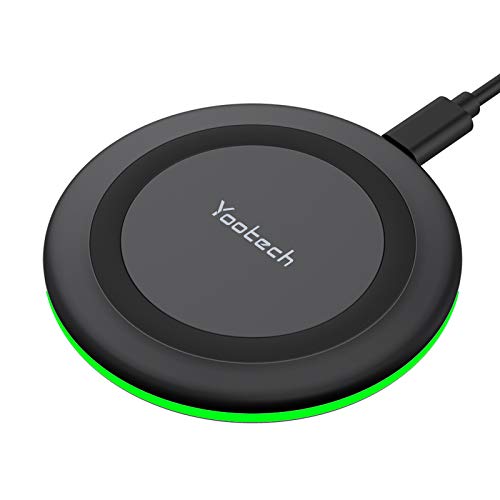
Cost efficiency is another major strength. You can equip entryways with simple budget options like the entry-level Yootech Wireless Charger, 10W Max Wireless Charging Pad (No AC Adapter) for around $9, or step up to magnetic snap precision with the Anker Zolo MagSafe-Compatible Wireless Charger with Qi2 15W Fast Charging at around $25. These flat options pack flat for travel, use minimal raw materials, and keep cable routing clean behind narrow furniture gaps.
Where Magsafe Desktop Charger Wins
While flat pads excel at hiding away, desktop MagSafe stands excel at functional interaction. An upright desktop charger elevates the smartphone 4 to 7 inches off the desk surface, placing incoming notifications, calendar reminders, and video streams directly in your natural line of sight. For remote workers spending long hours at a workstation, this posture-friendly viewing angle eliminates the need to constantly lean over a flat desk to check messages.
The structural design of desktop chargers also solves a common home frustration: accidental displacement. High-quality MagSafe stands feature weighted steel or zinc-alloy bases weighing between 8 and 16 ounces, paired with non-slip silicone footings. This counterweight allows you to detach your phone with one hand without pulling the charger off the table or sliding it across polished wood finishings.
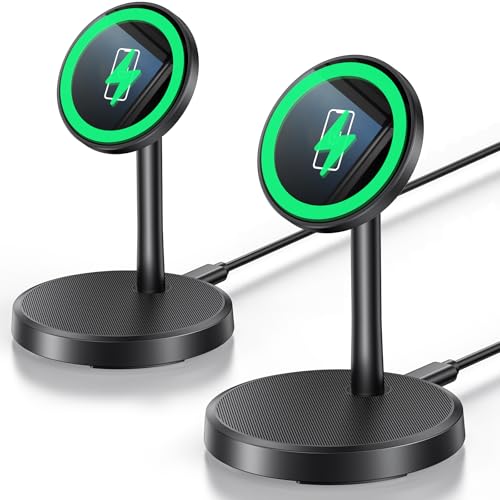
Furthermore, desktop stands fully unlock software features designed for horizontal orientation, such as iOS StandBy mode, turning a charging phone into a smart bedside clock, photo frame, or widget hub. Versatile multi-pack options like the Xiauodo Magnetic Wireless Charger 2 Pack 15W Fast Mag-Safe Charger Stand (around $18) provide flexible magnetic mounting for modern phones including the latest iPhone series, while premium heavy-duty solutions like the Anker MagSafe Charger, MagGo Qi2 15W 360-Degree Wireless Charger Stand (around $35) offer smooth rotation to switch between portrait scrolling and landscape video viewing instantly.
Cost Over 5 Years
When calculating the true cost of ownership over a 5-year period, consider initial hardware costs, wall adapter requirements, durability, and standard transitions. Looking ahead in 2026, Qi2 has firmly established itself as the unified standard across modern consumer electronics, ensuring that hardware purchased today won’t be rendered obsolete by platform shifts.
- Initial Hardware: A high-grade flat Qi2 pad typically costs between $15 and $30. Upright MagSafe desktop chargers range from $20 to $60, depending on base weight and articulation joints.
- Power Delivery (Wall Adapters): Neither style always includes a power brick in the box. Budget for a reliable 20W to 30W USB-C wall adapter ($10 to $15 per station) to ensure full 15W output.
- Longevity & Wear: Flat pucks have no articulated hinges or neck joints, giving them a structural lifespan that easily exceeds 5 years. Desktop stands with 360-degree ball joints or folding arms undergo mechanical stress over time, though quality metal stands perform reliably for years.
Total estimated 5-year spend for a single charging station: approximately $25–$45 for a flat Qi2 pad setup versus $35–$75 for an upright desktop stand setup (including wall adapter purchase).
Which One for Your Home
Small Apartment
In compact living spaces where a single desk double-tasks as a dining table and work surface, space efficiency is essential. A flat Qi2 charging pad takes up almost no vertical volume and can be tucked under a monitor riser or stored in a small drawer when hosting guests. It offers clean, multi-device versatility without cluttering limited tabletop space.
Family with Kids/Pets
Homes with active children or inquisitive pets benefit from low-center-of-gravity furniture accessories. Upright desktop chargers on light tables can be knocked over by trailing tails or stray elbows. A slim Qi2 pad lying flat on a console table presents no tipping hazard, lacks extended arms that snag clothing, and sits safely out of harm’s way.
Rental
Renters who move frequently need versatile hardware that adapts to varying nightstand heights, outlet placements, and desk layouts. Flat Qi2 pads are ultra-portable and lightweight (often weighing under 3 ounces), making them easy to pack into small boxes without worrying about bending structural metal necks or scratching heavy charger bases during a move.
Long-Term Home
For established home offices, tailored study nooks, or curated primary suites, an upright MagSafe desktop charger offers a refined, built-in aesthetic. Matching an anodized aluminum desktop stand with existing desk grommets, monitor mounts, and solid hardwood furniture creates an organized executive look while providing daily ergonomic comfort.
FAQ
Is Qi2 full 15W charging speed identical to official Apple MagSafe?
Yes. Qi2 incorporates Apple’s Magnetic Power Profile technology. On compatible devices, a certified Qi2 charger delivers up to 15 watts of wireless power, matching the speed of official Apple MagSafe hardware while maintaining thermal safety controls.
Can a desktop MagSafe stand charge non-magnetic Qi phones or earbuds?
It depends on the design. If the stand is angled steeply (around 60 degrees), non-magnetic devices or standard wireless earbud cases will slide off. Flat Qi2 pads are much better suited for non-magnetic Qi devices or small accessory cases that rely on gravity rather than magnets.
Do wireless charging pads cause heat damage to fine wood furniture?
Quality Qi2 and MagSafe chargers feature built-in foreign object detection (FOD) and automatic thermal throttling to manage temperature. However, wireless charging naturally generates minor ambient heat (typically staying below 104°F/40°C). Placing a thin coaster or leather desk mat beneath any fast charger protects delicate wood lacquers from long-term warm spots.
Do I need a specific wall power adapter to get fast charging?
Yes. To achieve full 15W wireless output on either a Qi2 pad or a MagSafe desktop stand, you must connect the charger to a Power Delivery (PD) USB-C wall adapter rated for at least 20 watts. Plugs rated at 5W or 10W will result in slow charging or power cycling.









