
Setting up a functional home office or clean living room media console usually comes with an unintended side effect: a web of power strips, HDMI cords, DisplayPort lines, and ethernet cables. When deciding how to hide this wire chaos, most home organizers land on a key comparison: j channel cable raceway vs flexible cable sleeve. Both options eliminate ugly cord nests, but they handle daily access, surface mounting, and spatial constraints very differently.
A J channel raceway is a rigid PVC profile shaped like the letter “J” that sticks to a flat surface—such as the underside or back of a desk—allowing you to drop cables in from the open top. A flexible cable sleeve (often sold as split braided sleeving or polyethylene wire loom tubing) is a soft, bendable tube that wraps 360 degrees around a bundle of wires. Choosing between them depends on whether your setup is stationary or dynamic, whether you frequently swap out peripherals, and whether you are trying to hide cables under a desk or bundle them behind a moving monitor arm.
As an Amazon Associate we earn from qualifying purchases at no extra cost to you.


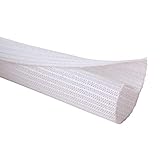
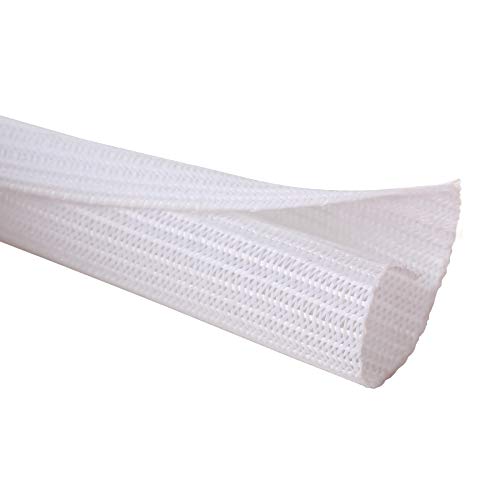
Brands offer affordable variations of both systems. For instance, rigid channels like the EVEO Cable Management 96” J Channel 6-Pack ($20) or the YECAYE Cable Management 6-Pack in Black (around $16) target under-desk mounting. Meanwhile, flexible options such as the Alex Tech 10ft 1/2-inch Cord Protector (around $9) or the extended Alex Tech 25ft 1/2-inch Split Sleeving (around $14) specialize in wrapping curved or free-floating wire bundles.
Our Top Picks


Top 3 picks at a glance
Quick Verdict
Choose a J channel cable raceway if you are organizing a stationary computer desk, standing desk frame, or media center baseboard where cables remain mostly hidden behind flat panels. Its open-top design lets you add or drop out a laptop charger or USB cable in seconds without unplugging everything else.
Choose a flexible cable sleeve if you need to wrap wires running from a moving monitor arm, a wall-mounted TV down to a console, or anywhere pet safety is a primary concern. Sleeves completely enclose cables in a durable shield, bending freely around tight corners and furniture legs where rigid channels cannot go.
Side by Side
| Feature | J Channel Cable Raceway | Flexible Cable Sleeve |
|---|---|---|
| Ease of Cord Access | Excellent; open lip allows instant drop-in or removal without unplugging. | Moderate; split design allows entry/exit, but re-wrapping requires manual effort. |
| Durability | High; hard PVC plastic resists impacts and stays rigid indefinitely. | High; woven polyethylene braided tubing resists friction, bending, and clawing. |
| Price Range | $15 – $25 for multi-packs (e.g., 64 to 96 inches total length). | $9 – $18 depending on diameter (1/2″ to 1″) and length (10ft to 25ft). |
| Maintenance | Wipe clean with a damp cloth; open tray can accumulate minor dust over time. | Dust-resistant weave; difficult to clean thoroughly if exposed to heavy liquid spills. |
| Space Needed | Requires a flat, straight mounting surface at least 1.5 to 2.5 inches wide. | Ultra-compact; takes up only the exact thickness of the enclosed wire bundle. |
| Visual Look | Architectural, structured, and hidden; blends seamlessly under desk edges. | Streamlined and tailored; looks like a single thick, neat umbilical cord. |
| Surface & Resale | Uses strong acrylic tape; risk of paint damage on drywall upon removal. | Zero surface attachment required; completely safe for rentals and pristine finishes. |
| Pet Protection | Moderate; hides cables underneath surfaces but leaves ends exposed. | Superior; fully encloses wires in tough, chew-resistant material. |
| Best For | Under-desk cable management, static workstation power strips, fixed walls. | Standing desk legs, height-adjustable monitor arms, TV wall mounts, pet homes. |
Where J Channel Cable Raceway Wins
The primary advantage of a J channel cable raceway lies in its effortless drop-in accessibility. Because the channel features an open J-shaped lip, you never have to thread wires through a tight tube or open up a spiral wrap. If you buy a new peripheral or need to pack up your laptop power adapter for travel, you simply lift the cord out of the channel in one second. Multipacks like the YECAYE Cable Management 6-Pack (around $16) provide modular sections that allow you to route wires across a large desk, dropping individual cords out at exact intervals.
J channels also offer superior support for heavy components. A high-capacity raceway profile measuring 1.1 to 1.5 inches wide by 2.4 inches tall can carry heavy power bricks, thick surge protector cords, and up to 8 to 10 standard cables without sagging. Products like the EVEO Cable Management 96” J Channel system ($20) include heavy-duty built-in adhesive tape strips designed to anchor directly to wooden, metal, or laminate desk skirts. This creates a hidden shelf under your workspace that holds wires suspended in mid-air, completely out of sight from standing or seated positions.
Visually, J channels create clean, straight, architectural lines. Rather than seeing a flexible tube hanging underneath your furniture, the rigid PVC shell mimics the trim of your desk or wall. It provides a permanent, structured cable routing path ideal for serious home office setups and multi-monitor workstations.
Where Flexible Cable Sleeve Wins
While J channels excel on flat, static surfaces, flexible cable sleeves dominate in dynamic environments. A flexible split sleeving wrap—such as the Alex Tech 10ft 1/2-inch Cord Protector (around $9) or its longer counterpart, the Alex Tech 25ft 1/2-inch option (around $14)—is designed to bend, curve, and flex 360 degrees. If you operate an electric standing desk that transitions between sitting and standing heights, or a gas-spring monitor arm that tilts and rotates, a rigid channel will not work. A flexible sleeve moves with your equipment without binding or coming unglued.
Protection against pets and physical abrasion is another massive win for sleeves. Made from durable woven polyethylene (PET) filaments, wire loom tubing encloses the entire cable bundle inside a tough barrier. For households with puppies or cats prone to biting loose wires, a split sleeve provides continuous physical protection along the entire length of the cable run.
Flexible sleeves are also surface-independent and rental-friendly. They do not require self-adhesive backing, screws, or mounting brackets. You simply bundle your cords together, cut the split sleeving to length with household scissors, and let the overlap curl naturally around the wires. This eliminates any risk of peeling off delicate paint from drywall or leaving sticky residue on solid wood furniture.
Cost Over 5 Years
When evaluating the long-term cost of a j channel cable raceway vs flexible cable sleeve, both solutions represent extremely affordable home upgrades, but their ongoing ownership costs differ slightly based on durability and adaptability.
J channels generally range between $16 and $22 for a complete kit containing 60 to 96 total inches of coverage. The rigid PVC material lasts decades without degrading. However, over a 5-year period, the primary variable cost is replacement adhesive tape. If you relocate your desk, move to a new home, or need to reposition a channel, the original double-sided acrylic tape must be peeled off and replaced. Purchasing roll-replacement foam tape over five years adds roughly $5 to $10, bringing total 5-year ownership to around $22 to $32 per workspace.
Flexible cable sleeves range from $9 to $18 up front depending on length. Because sleeves do not rely on adhesives, they suffer zero wear and tear from unsticking or moving desks. High-density PET braided sleeving is flame-retardant and highly resistant to fraying. Aside from occasionally buying an extra roll if you expand your electronics collection, a single $15 sleeve setup will comfortably last 5 years without additional expenses, making its 5-year total cost roughly $10 to $18.
Which One for Your Home
Small Apartment
In a compact living space where every square inch matters, visual clutter makes a room feel instantly smaller. A flexible cable sleeve is usually the best pick here because it condenses multiple dangling TV or desk wires into one narrow, tidy trunk. Since it requires no wall adhesion, you avoid security deposit deductions caused by torn paint during move-out.
Family with Kids or Pets
Homes with young children or pets require maximum enclosure. Dangling cords or partially open raceways can tempt curious cats or crawling toddlers. Wrapping your cables in a high-density split sleeve like the Alex Tech 10ft or 25ft cord protector keeps wires tightly bound and bite-resistant. Combine a sleeve along vertical drops with a high-mounted J channel locked underneath the desk surface out of reach.
Rental Property
Renters should exercise caution when mounting stick-on J channels directly to painted drywall, as industrial-strength foam adhesives can strip drywall paper upon removal. For rentals, stick J channels strictly to the underside of metal or laminate desk frames. Alternatively, rely on flexible cable sleeves anchored with removable hook-and-loop straps to keep walls completely untouched.
Long-Term Home
If you own your home and are building a modern home office in 2026 with a permanent floor plan, J channel raceways deliver a superior, built-in aesthetic. Mounting channels like the EVEO 6-pack or YECAYE system directly along the underside rear lip of custom timber desks or along baseboards hides all heavy power bricks, docking stations, and excess wire length permanently out of sight.
FAQ
Can a J channel cable raceway damage painted drywall or wood furniture?
Yes. Most J channel kits come with heavy-duty double-sided acrylic foam tape designed to hold heavy wire loads. When peeled forcefully off painted drywall or delicate wood veneers, this adhesive can lift paint or wood finish. To prevent damage, heat the channel with a hairdryer on warm heat for 30 to 60 seconds to soften the adhesive glue before gently peeling it away.
Will a flexible cable sleeve stop my cat or dog from chewing through cords?
Yes, woven polyethylene split sleeving provides an effective physical deterrent. The high-density braided material is tough and difficult for small animal teeth to puncture, distributing biting pressure and preventing pets from reaching the soft copper wiring inside. For aggressive chewers, fully enclosing the wire bundle in a 1/2-inch or 1-inch split sleeve offers crucial safety.
How many cords can fit inside a 1/2-inch flexible sleeve vs a standard J channel?
A standard 1/2-inch flexible sleeve holds approximately 3 to 4 typical cables (such as two HDMI cords and two thin power cables). In contrast, a standard J channel raceway (measuring approximately 1.1 inches wide by 2.4 inches tall) has a significantly larger internal volume and can accommodate 8 to 10 thick cables plus small inline power adapters.
Can I use both J channels and flexible sleeves in the same home setup?
Absolutely, and combining them is often the professional standard for high-end setups. A hybrid approach uses a J channel mounted under the back of the desk to catch horizontal cable runs and hold heavy power bricks, paired with a flexible cable sleeve to route the bundled cables neatly down the desk leg to the wall outlet.
Related guides
- Best Ultrawide Gaming Monitors: Six Screens Sized Against Real Desks: 6 Compared (2026)
- Best Game Room Neon Lights: Ten Signs and Icon Lamps Compared: 10 Compared (2026)
- 10 Best 75% Hot-Swappable Mechanical Keyboards (October 2026)
- Best Mini-LED Monitor: Five Listings From a Renewed KTC to a 5K LG, Compared by Pixels and Ports (2026)









